Безплатно AI видео генератори sound amazing until you try to export.
Some tools let you generate a clip, then add a watermark at download. Others give you a few free credits, but the limit disappears after one or two tests. And a few platforms are free to try, but not really free to use every day.
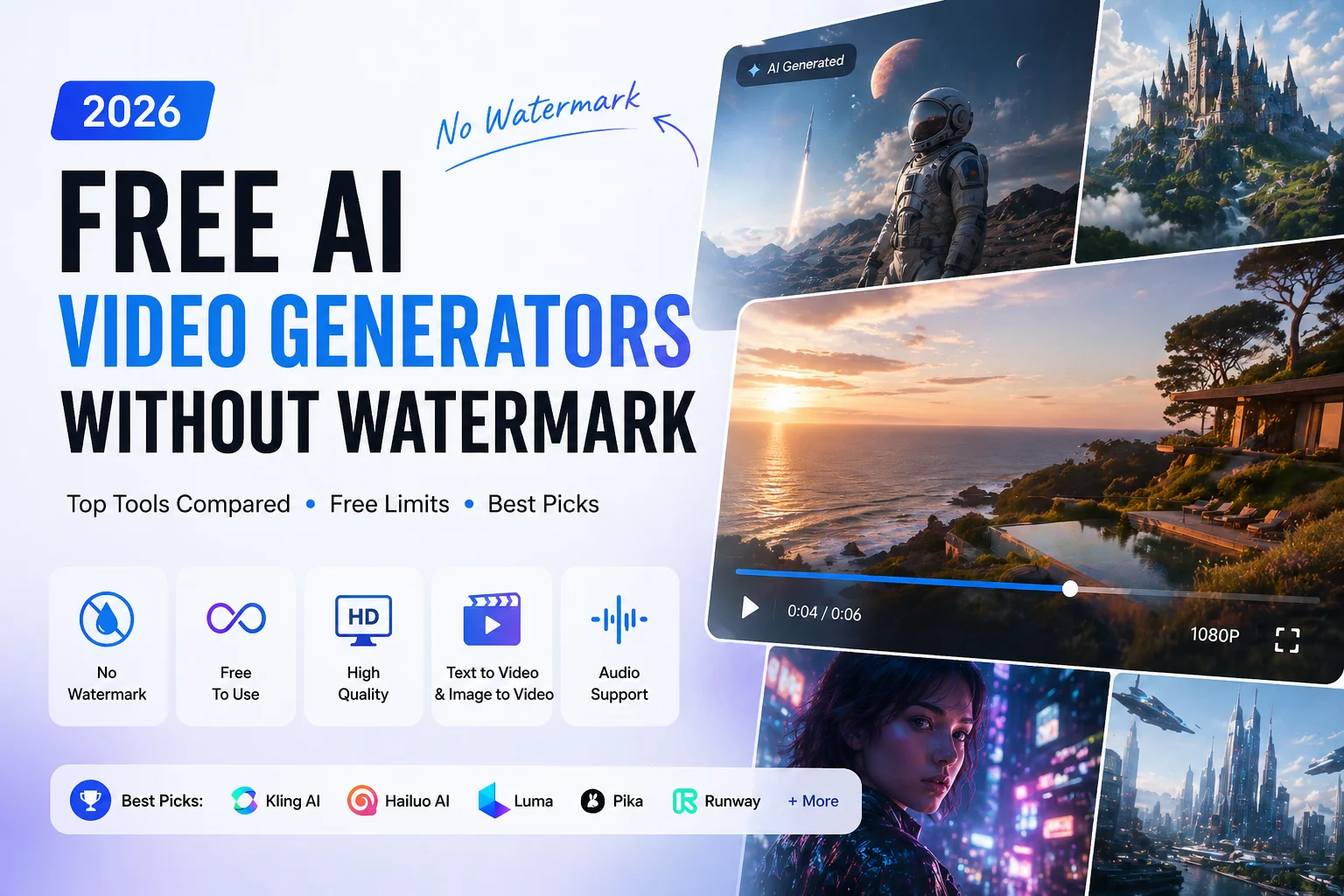
This guide compares the best free AI video generators without watermark in 2026, based on what matters most to creators: export access, free limits, video quality, audio support, and practical use cases.
Free plans change often, so always check the current terms before using any tool for commercial work. But if you want a clear starting point, this ranking will help you avoid the usual paywall traps.
Quick Comparison: Best Free AI Video Generators Without Watermark
| Инструмент | Безплатен лимит | Watermark-Free? | Най-добър за | Main Catch |
| AI изображение към видео | Free users get daily video credits | Да | Turning images into short videos quickly | Best for short image-to-video clips |
| Мета AI | Very generous / often unlimited | Да | High-volume free creation | Limited control, silent output |
| Клинг AI | Дневни безплатни кредити | Да | Best quality-to-credit balance | Кредитите свършват бързо |
| Хайлуо AI | Daily credits + starter bonus | Да | Последователност на характера | Short clip length |
| Qwen AI | Дневни безплатни кредити | Да | Image-to-video and lip-sync tests | Limited daily volume |
| Luma Dream Machine | Monthly free renders | Да | Cinematic realism | Low monthly limit |
| Pika Labs | Monthly credits | Да | Творчески ефекти | Lower resolution on free tier |
| Самолетна писта | One-time free credits | Да | Testing pro-level quality | Not sustainable as a free tool |
| ComfyUI + Wan | Unlimited locally | Да | Power users with GPUs | Необходима е техническа настройка |
| Вхеер | Free tool suite | Обикновено да | All-in-one simple workflow | Качеството варира |
| Ъпсемплер | Свободен достъп | Обикновено да | No-sign-up testing | Limits may be unclear |
| PixVerse | Безплатно ниво | Варира | Extra generation rotation | Watermark status can vary |
How We Judged These Free AI Video Generators
For this list, the most important factor was not just whether a tool can generate video for free. The key question is: can you export a usable video without a watermark?
We looked at five practical criteria:
- Whether free exports are watermark-free
- How many videos you can realistically create for free
- Whether the free tier supports text-to-video, image-to-video, or both
- Output quality and resolution
- Whether the tool includes audio or requires separate editing
This matters because many “free AI video generator” tools are only free at the prompt stage. A tool is much less useful if the watermark appears only after export, or if the free credits disappear before you can create anything usable.
Best Free AI Video Generators Without Watermark
AI Image to Video: Best for Turning Still Images Into Short Videos
AI Image to Video is a practical choice if you already have an image and want to turn it into a short video quickly. Instead of starting from a blank text prompt, you can upload a JPG, PNG, JPEG, or WEBP image, add a prompt, choose an aspect ratio, and generate a short AI video.
This makes it especially useful for creators who need social media visuals, product motion clips, animated thumbnails, faceless TikTok content, travel photos, real estate previews, or simple marketing videos. The workflow is beginner-friendly: upload an image, describe the motion you want, then generate the video.
AI Image to Video also supports common aspect ratios such as 9:16 for TikTok, Reels, and Shorts, as well as 16:9 for YouTube-style videos. Free users get daily video credits, so it works best for creators who want a simple image-to-video tool without installing software or learning a complex workflow.
Най-доброто за: beginners, social media creators, marketers, and anyone who wants to animate existing images.
Не е идеален за: users who need long videos, advanced editing controls, or unlimited free generation.
Meta AI: Best for High-Volume Free AI Video Creation
Meta AI is one of the strongest options for creators who want to generate many AI videos without paying upfront. It supports text-to-video and image-to-video, and free exports are generally watermark-free.
Its biggest advantage is volume. Compared with tools that use strict daily or monthly credits, Meta AI gives creators more room to experiment. That makes it useful for TikTok, Reels, Shorts, meme content, and quick creative testing.
The main downside is control. Meta AI often defaults to vertical video, which is great for short-form platforms but less ideal for YouTube long-form content. One practical workaround is to create a horizontal 16:9 image first, then animate it with image-to-video. This gives you more control over framing.
Най-доброто за: creators who need lots of free, watermark-free clips.
Не е идеален за: users who need advanced camera control, audio, or cinematic consistency.
Kling AI: Best Overall Free AI Video Generator for Quality
Kling AI is one of the best balanced free AI video generators right now. It offers daily free credits, supports both text-to-video and image-to-video, and can produce high-quality motion compared with many free tools.
For most creators, Kling is a strong first choice when quality matters. It works well for product shots, cinematic scenes, character animation, short social videos, and image animation.
The limitation is credits. Free daily credits are useful, but they are not unlimited. If you regenerate a lot to get the perfect shot, your credits can disappear quickly. Kling also offers audio features, but they may cost far more credits than silent video generation.
Най-доброто за: creators who want better quality without paying immediately.
Не е идеален за: unlimited daily production or audio-heavy workflows.
Hailuo AI: Best for Character Consistency
Hailuo AI, also known through MiniMax, is useful when you need the same character to appear across multiple clips. Character consistency is one of the hardest parts of AI video creation, and many platforms treat it as a premium feature.
Hailuo’s subject reference features make it a good choice for short series, recurring characters, AI influencer content, or story-based clips. You can upload a reference and use it to guide future generations.
The downside is clip length and free volume. It is better for creating short scenes than long videos. If you want to build a full video, you will likely need to generate multiple clips and stitch them together in an editor.
Най-доброто за: character-based AI videos and short series.
Не е идеален за: long-form generation in one pass.
Qwen AI: Best for Image-to-Video and Lip-Sync Tests
Qwen AI is a useful free option for animating still images. It is especially interesting for talking-head content because some users use prompt-based dialogue tricks to trigger lip-sync-style output.
For example, if your prompt includes a character saying a short line in quotation marks, Qwen may generate matching mouth movement and speech-style audio. This makes it worth testing for avatar videos, social intros, and quick character dialogue clips.
However, Qwen is not the best option for high-volume output. The free credits are limited, so it works better as part of a tool rotation rather than your only AI video generator.
Най-доброто за: image animation, short dialogue clips, and lip-sync experiments.
Не е идеален за: large daily video output.
Luma Dream Machine: Best for Cinematic Realism
Luma Dream Machine is a strong choice when you want realistic motion, natural lighting, and cinematic atmosphere. It often handles physics, camera movement, and environmental detail better than many casual AI video tools.
The free plan is limited, so Luma is better for a few high-quality shots rather than daily mass production. It is useful for hero visuals, concept videos, cinematic B-roll, and polished social clips.
The main issue is that you may need several generations to get the right result. Since free renders are limited, failed attempts can cost you quickly.
Най-доброто за: cinematic shots and realistic motion.
Не е идеален за: fast, high-volume content creation.
Pika Labs: Best for Creative Effects
Pika Labs is not always the sharpest or most realistic AI video generator, but it stands out for creative effects. If you want stylized motion, playful transformations, or social-first visuals, Pika is worth testing.
Its free tier usually gives monthly credits, which makes it useful for occasional content creation. The downside is output resolution. Free exports may be too low for YouTube or polished brand videos unless you upscale them later.
Най-доброто за: fun effects, stylized social content, and creative experiments.
Не е идеален за: high-resolution professional output.
Runway: Best for Testing Professional AI Video Quality
Runway is one of the most well-known AI video platforms, and its quality can be excellent. Motion control, image animation, and professional creative tools make it useful for serious creators.
But the free plan should be treated as a trial, not a long-term free solution. Free credits are usually one-time only, so you can test the platform but not rely on it for ongoing free production.
Най-доброто за: testing premium AI video quality.
Не е идеален за: creators who need a renewable free plan.
ComfyUI + Wan: Best Unlimited Local Option for Power Users
If you have the right hardware, running video models locally through ComfyUI can be the most powerful free option. Once everything is installed, you are not limited by platform credits or export watermarks.
This setup is best for technical users. You need a capable GPU, patience, and some willingness to troubleshoot. Installation, model files, workflows, and updates can be confusing for beginners.
Still, for power users, local generation offers something cloud tools cannot: more privacy, more control, and no platform suddenly changing its free plan.
Най-доброто за: technical creators with strong GPUs.
Не е идеален за: beginners who want instant results.
Other Free AI Video Generators Worth Testing
Some tools are useful, but their free limits or watermark rules can be less clear.
Вхеер is interesting because it combines multiple creative tools in one place, including image generation, image editing, video generation, and voice-related features. It is convenient for beginners, although video quality may not match specialized tools.
Ъпсемплер is useful because it offers fast access and may not require sign-up for simple tests. It is a good low-friction option when you just want to try a prompt quickly.
PixVerse can work as a backup tool when your credits run out elsewhere. However, watermark status and free-tier rules may vary by mode, so test your exact workflow before relying on it.
These tools are best used as part of a rotation, not as your main production system.
What to Check Before Using a Free AI Video Generator Without Watermark
A “free” AI video generator is not always truly free. Some tools let you generate a short preview for free, but add a watermark when you export. Others remove the watermark, but limit resolution, video length, commercial use, or the number of monthly credits.
Before choosing a tool, check these points:
- Watermark policy: Does the free plan export clean videos, or only previews?
- Credit limits: Can you test several prompts, or do you only get one or two generations?
- Видео качество: Is the free export usable for TikTok, YouTube Shorts, ads, or product demos?
- Тип на въвеждане: Does the tool support text-to-video, image-to-video, or both?
- Търговска употреба: Can you publish the video for a brand, client, or monetized channel?
- Ease of editing: Can you quickly adjust the prompt, motion, aspect ratio, or starting image?
For beginners, the best choice is usually the tool that matches your starting material. If you already have a product photo, character image, thumbnail, or AI-generated artwork, AI изображение към видео is a practical starting point because it focuses on turning still images into short AI videos without a complicated editing workflow.
For creators who need many experiments, free tools are useful for testing ideas first. Once you find a prompt, style, or motion direction that works, you can decide whether to keep using the free workflow or upgrade to a paid plan for longer clips, higher resolution, or more consistent results.
FAQ: Free AI Video Generators Without Watermark
What is the best free AI video generator without watermark?
For most users, Kling AI is the best balance of quality and free credits. Meta AI is better if you need more free generations. AI Image to Video is a good choice if you already have an image and want to turn it into a short video quickly. ComfyUI with local video models is the most powerful option if you have the hardware and technical skills.
Is there a free AI video generator with no watermark and no sign-up?
Some tools, such as Upsampler, may allow fast testing without sign-up. However, no-sign-up tools often have unclear limits, so they are better for quick experiments than serious production.
Which free AI video generator is best for YouTube?
For YouTube, choose tools that support 16:9 output or use the image-first method to control aspect ratio. AI Image to Video, Kling, Luma, and Meta AI can all work, depending on whether you need simple image animation, quality, volume, or speed.
Can free AI video generators create videos with sound?
Some can, but most free AI video generators produce silent clips. Qwen AI and Wan-based tools are worth testing for audio or lip-sync. Otherwise, create the video first, then add voiceover, music, and effects in an editor.
Мога ли да използвам безплатни видеоклипове, генерирани от изкуствен интелект, с търговска цел?
It depends on the tool’s current terms, your account type, the model used, and the content itself. Always check the platform’s terms before using AI-generated video in ads, client work, or monetized projects.
Will YouTube demonetize AI-generated videos?
AI-generated content is not automatically demonetized. However, YouTube may require disclosure when content is realistic and significantly altered or synthetic. Misleading content, impersonation, copyright issues, or policy violations can still cause problems.
Влязла в сила присъда
The best free AI video generator without watermark depends on what you need.
употреба AI изображение към видео if you already have an image and want to turn it into a short video quickly. Use Мета AI if you want more free generations. Use Клинг AI if you want the best free quality. Use Хайлуо AI if character consistency matters. Use Qwen AI or Wan-based tools if you need audio or lip-sync. Use ComfyUI + Wan if you want long-term local control and have the hardware.
The smartest workflow is to combine tools: start with a strong image, animate it with AI Image to Video or another безплатен AI видео генератор, then edit, enhance, and publish the final result. That gives you a practical way to create clean, usable AI videos without paying for every step.