Every ComfyUI image-to-video tutorial promises smooth results on 8GB VRAM. The comments tell a different story: out-of-memory crashes, warped faces, and render times that outlast your patience. The model landscape shifts monthly, hardware claims rarely hold up, and beginners often abandon their first workflow before producing a single usable clip.
This guide provides honest hardware benchmarks, clear model recommendations for every GPU tier, a step-by-step Wan 2.2 workflow, and fixes for the errors that stall most newcomers.
What Is ComfyUI Image-to-Video?
ComfyUI is an open-source, node-based visual workflow editor that has become the leading platform for local AI video creation, with over 4 million users and 60,000 available nodes.
How AI Image-to-Video Generation Works
Image-to-video (I2V) uses diffusion models to animate a single still image into a sequence of frames. The model takes your source image as conditioning input, then progressively denoises a latent representation across multiple frames. The result is a short video clip — typically 3 to 10 seconds — where the scene and subjects come alive with coherent motion.
Why ComfyUI for Video Generation
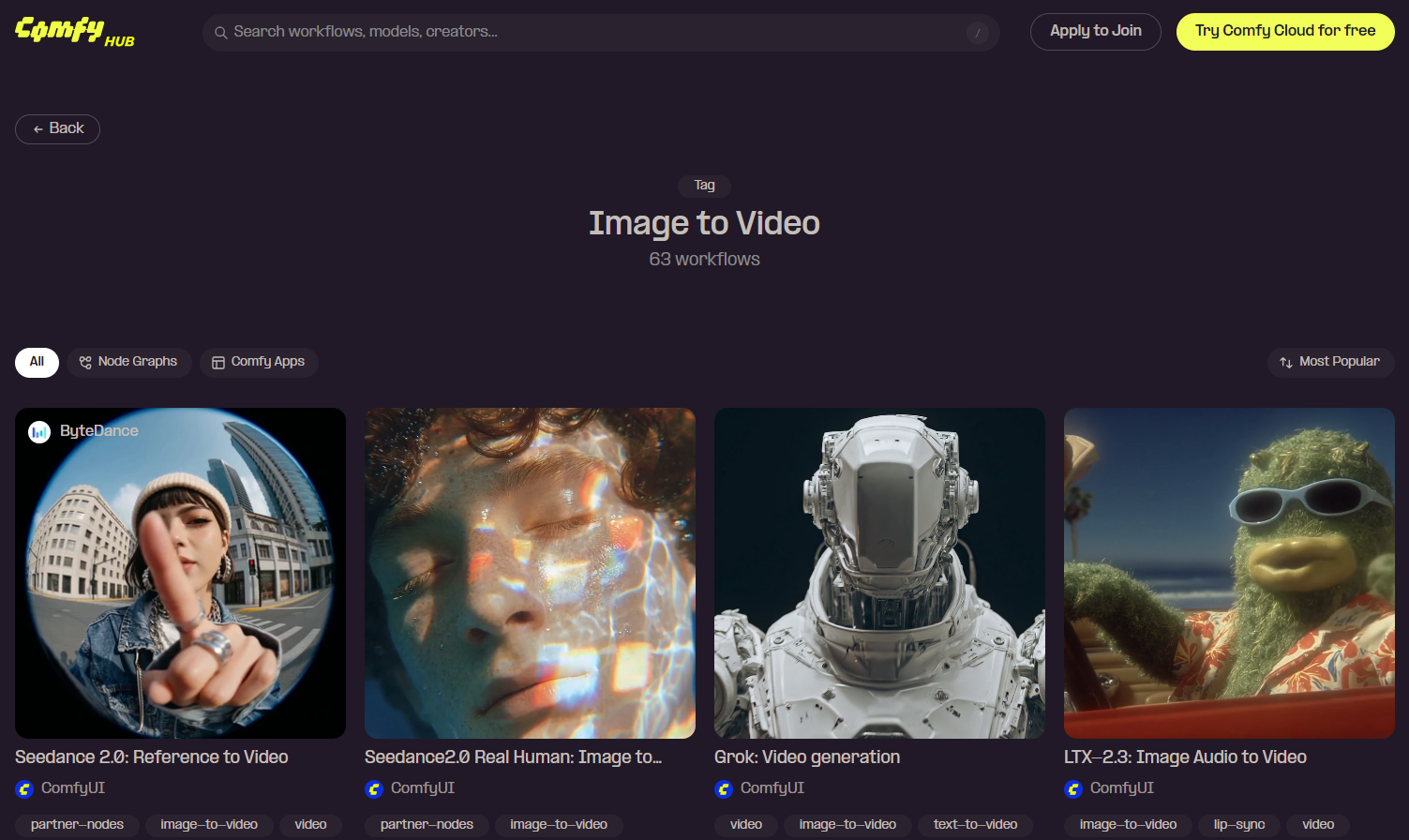
ComfyUI supports every major video model — Wan 2.2, LTX 2.3, Seedance, LongCat, and more — within a single interface. It runs on your own hardware at zero cost per generation, keeps your data private, and offers a thriving community sharing downloadable workflows through the official hub.
ComfyUI Local vs. Cloud-Based Video Generators
Running locally provides unlimited free generations and full creative control, but demands capable GPU hardware. Cloud platforms eliminate the hardware barrier — you upload an image, pick a model, and get results without installing anything. Tools like AI Image to Video deliver high-quality output with models like Kling, Veo, and Wan at up to 4K resolution, making them ideal for social media and marketing use cases.
Best Image-to-Video Models for ComfyUI in 2026
Choosing the right model is the most important decision for your I2V workflow.
Wan 2.2 14B — Best Overall Quality
۔ community’s unanimous top pick. Wan 2.2 offers cinematic motion, precise prompt compliance, and the largest LoRA ecosystem (Lightning, CausVid, Lightx2v). GGUF quantization brings the 14B model within reach of consumer GPUs. Trade-off: no native audio. Minimum 12GB VRAM with Q4; 16-24GB recommended.
LTX 2.3 — Best for Video with Audio
The only major open-source model generating synchronized audio alongside video. Faster than Wan with ControlNet and face swap support, plus GGUF quantizations from 8GB to 40GB+. Video quality and prompt adherence trail Wan 2.2.
LongCat — Best for Long-Form Video
Built on Wan 2.2, LongCat generates unlimited-duration video through scene-by-scene extension. Compatible with Wan LoRAs but character consistency drifts after the first few frames. Requires 16GB+ VRAM.
Seedance 2.0 — Best for Real Human Video
ByteDance’s model uses شناخت کی توثیق for consistent human faces across generations, supporting multi-reference inputs (up to 9 images, 3 videos, 3 audio clips). Community concerns center on biometric data collection.
Other Notable Models (OVI, HappyHorse, Wan Animate)
- OVI 11B: 10-second clips with speech tag support for dialogue content
- ہیپی ہارس 1.0: Cinematic Pixar-style aesthetic, multi-shot up to 15s
- Wan 2.2 Animate: Transfers motion from reference video onto still images
ماڈل موازنہ ٹیبل
| ماڈل | کوالٹی | زیادہ سے زیادہ دورانیہ | آڈیو | Min VRAM | LoRA Support |
| Wan 2.2 14B | بہترین | s 5s | نہیں | 12GB (GGUF) | وسیع پیمانے پر |
| LTX 2.3 | بہتر | s 5s | جی ہاں | 12GB | جی ہاں |
| LongCat | بہتر | لا محدود | نہیں | 16GB | Wan-compatible |
| بیج 2.0 | بہت اچھا | s 5s | جی ہاں | بادل | لمیٹڈ |
| OVI 11B | بہتر | 10s | Via MMAudio | 16GB | نہیں |
Hardware Requirements and VRAM Guide
The Truth About 8GB VRAM
Most “8GB” tutorials have comment sections full of OOM errors. You can squeeze out a low-resolution clip with aggressive quantization, but the experience is unreliable. Treat 12GB as the realistic floor.
GPU Tier Breakdown (12GB / 16GB / 24GB)
- 12GB (RTX 3060): Wan 2.2 14B Q4 GGUF at modest resolutions. ~50 min per 5s clip.
- 16GB (RTX 4060 Ti): Sweet spot. Wan 2.2 Q5_K_M at 720p in 12-14 min. Optimal resolution: 816 × 1088.
- 24GB (RTX 4080/4090): Most models run without restrictions. Q8 quantization, 5-10 min generation.
System RAM Matters Too
Often overlooked: fp8 models need 64GB system RAM while GGUF versions work with 32GB. DisTorch allows models to stream from system RAM, making 64GB RAM more impactful than extra VRAM in some setups.
AMD, Apple Silicon, and Intel Arc
- AMD: ROCm works on Linux with caveats; unreliable on Windows. SageAttention unavailable, VAE decoder slowdown bug. Tiled VAE essential.
- ایپل سلیکن: Float8 not supported on MPS backend, blocking many workflows.
- انٹیل آرک: Produces unusable output with no clear workaround.
Cloud GPU Alternatives
RunPod charges ~$0.50-1.00/hr, Vast.ai offers RTX 5090 for under $0.50/hr, and رن کامفی provides machines with up to 80GB VRAM and pre-installed models.
Step-by-Step: Your First ComfyUI Image-to-Video
This walkthrough uses Wan 2.2 14B GGUF to get you from zero to first video.
Step 1 — Install or Update ComfyUI
Download the latest release from comfy.org. If already installed, update first — older builds cause “red missing node” errors with current workflows.
Step 2 — Download the Wan 2.2 14B GGUF Model
Pick the GGUF quantization for your VRAM: Q4 for 12GB, Q5_K_M for 16GB, Q8 for 24GB. Place the file in ComfyUI/models/diffusion_models/. Skip the 5B model entirely.
Step 3 — Load the Official I2V Workflow
Open the official Wan 2.2 I2V workflow. Drag the JSON into ComfyUI. If nodes appear red, use ComfyUI Manager to install missing dependencies automatically.
Step 4 — Configure Settings and Upload Your Image
Upload a source image at a native Wan resolution: 960 × 960, 784 × 1136، یا 720 × 1264. For best results, upscale your source image first, then generate at a lower resolution to preserve detail while reducing VRAM usage.
Step 5 — Write Your Motion Prompt and Generate
Keep prompts simple and action-focused: “slowly turns toward the camera,” “hair blows gently in the wind.” Set steps to 20-30, use the default sampler, and click Queue Prompt. Expect 5-15 minutes on a 16GB+ GPU.
Step 6 — Review, Iterate, and Export
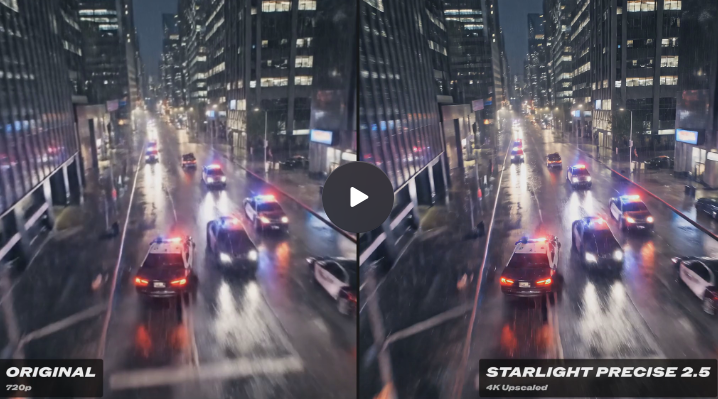
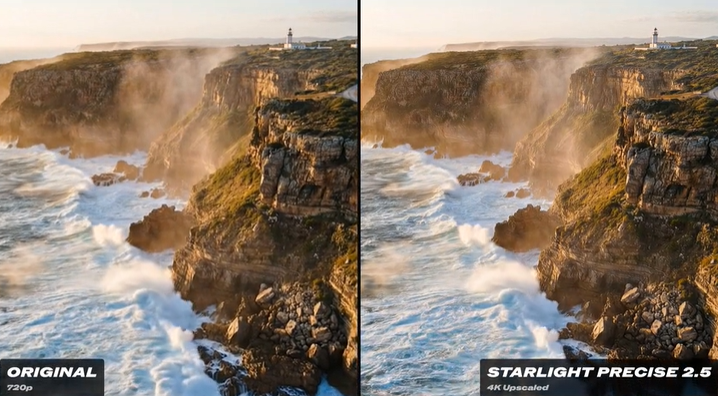
Check output for motion artifacts or unwanted camera movement. Adjust seed for variation, tweak prompts, or raise step count. Consider post-processing with frame interpolation or upscaling.
اعلی درجے کی تکنیک اور اصلاح
Speed LoRAs: Generate Videos 5-10x Faster
Three LoRAs cut render times dramatically: اسمانی بجلی (4-step generation), CausVid_v2 (0.3-0.5 strength), and Lightx2v (0.4-0.6 strength). The CausVid + Lightx2v combo is the community favorite. Disable TeaCache when using these — it degrades hands, hair, and fast motion.
GGUF Quantization Explained
GGUF compresses large models with controlled quality loss. Q8 retains near-full quality, Q5_K_M balances size and output, Q4 is the minimum for acceptable results. GGUF models can stream from system RAM, making 64GB RAM more valuable than extra VRAM in some configurations.
Long Video Generation Beyond 5 Seconds
استعمال LongCat for continuous scene extension, or stitch clips by feeding each clip’s final frame as the next clip’s first frame. The FLF2V technique enables seamless loops. Character consistency across clips remains the biggest unsolved challenge.
Adding Audio to AI-Generated Videos
Three paths: LTX 2.3 generates audio natively (easiest but lower video quality), MMaudio adds ambient sounds to Wan output post-generation, and Wan InfiniteTalk handles lip-sync and talking heads.
SageAttention and Other Speed Optimizations
SageAttention 3 with triton-windows delivers meaningful speed gains on NVIDIA GPUs. Tiled VAE reduces peak memory and is essential for AMD users. Using native model resolutions prevents unnecessary VRAM overhead. SageAttention is unavailable on AMD.
Troubleshooting Common ComfyUI Video Errors
OOM / Out of Memory Errors
Lower resolution, use smaller GGUF quantization, enable Tiled VAE, reduce clip length. Video duration scales تیزی سے with VRAM — doubling length more than doubles memory usage.
Distorted or Blurry Output
Almost always caused by the Wan 5B or 1.3B model. Switch to 14B GGUF. Also verify image dimensions match the model’s expected ratios and the correct VAE is loaded.
“mat1 and mat2 shapes cannot be multiplied” Error
Dimension mismatch: your image size does not match model expectations. Resize input to a native model resolution and confirm you loaded the correct model variant.
Red “Missing Node” Errors
Outdated ComfyUI or missing custom nodes. Update to the latest version and use ComfyUI Manager to auto-install dependencies.
Unwanted Camera Movement
شامل کریں "static camera"یا"no camera movement” to your prompt. For tighter control, use ControlNet or lock positions with the first-last-frame technique.
ComfyUI vs. Cloud Alternatives: Choosing Your Path
When ComfyUI Is the Right Choice
ComfyUI excels if you own an NVIDIA GPU with 12GB+ VRAM, want complete creative control, need privacy, or generate enough volume that free-per-run economics matter.
When a Cloud Platform Makes More Sense
If your hardware cannot handle video generation or you want results without managing workflows, cloud services are the practical choice. AI امیج ٹو ویڈیو delivers professional output at up to 4K with no watermarks — ideal for creators who need fast turnaround without technical setup.
Hybrid Approach: Local Experimentation, Cloud Production
Many creators prototype locally — testing prompts, LoRAs, and settings — then shift to cloud GPUs for final production batches, balancing creative control with render speed.
FAQs of ComfyUI Image to Video
What is the best image-to-video model for ComfyUI?
Wan 2.2 14B for visual quality, LTX 2.3 for native audio. Never use the Wan 5B variant.
How much VRAM do you need for ComfyUI video generation?
12GB minimum for usable results. 16GB for comfortable 720p. 24GB for unrestricted workflows.
Can you run ComfyUI image-to-video on 8GB VRAM?
Technically yes, but expect frequent OOM errors and very low resolutions. 12GB+ is far more reliable.
How long does it take to generate a video in ComfyUI?
5-15 minutes on RTX 4070/4080, up to 50 minutes on RTX 3060. Speed LoRAs cut times by 5-10x.
Wan 2.2 vs LTX 2.3 — which is better?
Wan 2.2 leads in quality and LoRA ecosystem. LTX 2.3 wins on speed and native audio. Pick based on your priority.
Can I use ComfyUI for image-to-video on AMD or Mac?
AMD on Linux works with caveats. AMD on Windows is unreliable. Apple Silicon cannot run Float8 models. Cloud platforms are often more dependable for non-NVIDIA users.
How do I generate videos longer than 5 seconds?
استعمال LongCat for continuous generation or stitch clips using each final frame as the next starting image. FLF2V enables seamless loops.
نتیجہ
کے ساتھ شروع کریں Wan 2.2 14B GGUF for the best visual quality, ensure at least 12GB VRAM (16-24GB recommended), and follow the workflow above to produce your first clip. The I2V landscape evolves rapidly, so revisit your setup every few months to stay current.
شروع کرنے کے لئے تیار ہیں؟ ڈاؤن لوڈ، اتارنا Wan 2.2 14B GGUF workflow and follow the tutorial above.