Modelo
Seedance (Economy K)
Makinis na galaw na may pare-parehong detalye ng visual
Bersyon ng Modelo
Seedance 2.0 Fast
Seedance 2.0 Fast
Agarang paggawa ng galaw para sa mabilisang pagkamalikhain
Seedance 2.0
Seedance 2.0
Sinematikong animasyon ng imahe na may matatag na visual na konsistensya
Imahe
I-drag at I-drop, I-paste, o I-click para I-upload
PNG, JPG, JPEG, WEBP, Max 20 MB
Prompt
0 / 20000
Aspect Ratio
1:1
4:3
3:4
16:9
9:16
21:9
Audio
Tagal
4s
Resolution
480p
720p
Bilang ng mga Resulta
Lumikha
Halimbawang Video
Sample video preview

Seedance 2.0 Libreng AI Video Generator: Website ng App at Pag-upgrade ng Seedance 1.0

Maligayang pagdating sa opisyal na website ng app para sa seedance 2.0 na libreng ai video generator. Ang pag-upgrade mula sa Seedance 1.0, ang Chinese AI model na ito ay tumutulong sa mga creator na gumawa ng image dance o bumuo ng mga bagong AI video. Gamitin ang Seedance nang libre upang gawing dynamic na paggalaw ang text nang walang kahirap-hirap.

Orihinal na Larawan
Prompt
Ang klasikong convertible na Mustang na may bubong na bumababa sa bilis ng mga kurbada ng bundok sa baybayin, hinahampas ng hangin ang buhok ng pasahero habang malaya silang tumatawa. Pagkakasunod-sunod ng pagtakas sa pagpapalaya. Dynamic na tracking shot races kasabay ng pagtutugma ng velocity na 80mph, naka-mount ang camera na mababa ang capturing na grip ng gulong sa gilid ng aspalto. Pasulput-sulpot na lumilitaw ang tanawin sa karagatan sa pamamagitan ng mga puwang ng guardrail na daan-daang talampakan sa ibaba, ang mga puno ng pino ay lumalabo sa mga berdeng guhit, ang sinag ng araw ay dumaan sa canopy ng kagubatan. Motion blur sa background, mababaw na depth na pinapanatili ang mga subject na matalim laban sa speed-render na kapaligiran. Gimbal-mounted 35mm kasunod ng natural na road banking, maliwanag na araw sa tanghali na lumilikha ng mataas na contrast shadow, Thelma at Louise freedom energy.
Binuo na Clip
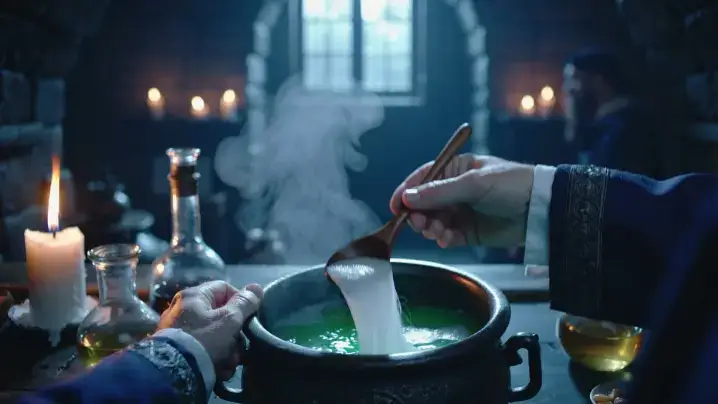
Orihinal na Larawan
Prompt
First-person student POV na nagtitimpla ng kumplikadong gayuma sa madilim na silid-aralan ng piitan, nakikita ang mga kamay na sumusukat sa kumikinang na mga sangkap sa bumubulusok na kaldero. Magical academic immersion. Ang handheld camera ay tumagilid pababa habang nanonood ng mga kamay na nagbubuhos ng kumikinang na unicorn na hibla ng buhok, haluin nang sunud-sunod nang tatlong beses gamit ang lumang kahoy na kutsara, lumilipat ang likido mula sa esmeralda patungo sa sapphire na naglalabas ng mga butil ng kislap. Ang mga bote ng sangkap ay may linyang stone workbench, ang mga lumulutang na kandila ay naglalagay ng kumikislap na amber na ilaw na lumilikha ng mga sumasayaw na anino sa mga dingding ng medieval, ang anino ni Propesor Snape ay dumaraan sa paligid. Ang singaw ay tumataas na nakakakuha ng backlight na lumilikha ng volumetric na kapaligiran, ang mga mahiwagang particle mote ay lumulutang paitaas. Intimate 50mm lens na may mababaw na lalim na nakatutok sa kaldero habang ang background ay mahinang lumalabo, mainit na liwanag ng kandila contrasting cool dungeon stone, tunay na Potterverse tactile experience.
Binuo na Clip
Orihinal na Larawan
Prompt
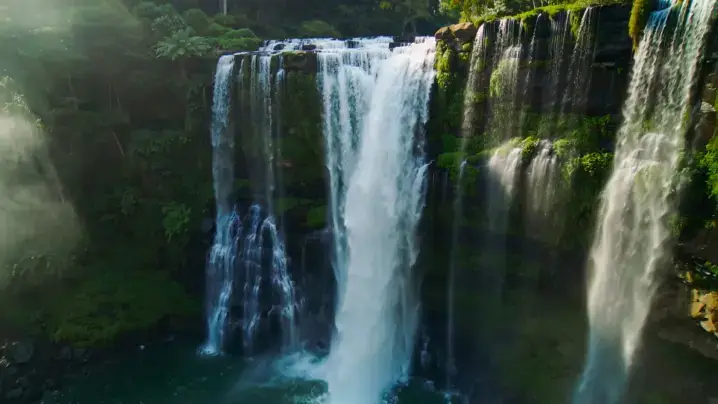
Napakalaking jungle waterfall na umaagos sa 200 talampakan sa emerald pool na napapalibutan ng mayayabong na rainforest vegetation, umambon na lumilikha ng rainbow prism sa ginintuang liwanag ng hapon. Pristine ilang kamahalan. Ang mabagal na aerial drone descent ay bumababa mula sa canopy level na nagpapakita ng buong patayong drama ng waterfall, ang camera ay malumanay na umiikot na nagpapakita ng 360-degree na hindi nagalaw na ecosystem. Ang mga patak ng tubig ay kumikinang sa gitna ng hangin na nakakakuha ng sikat ng araw, ang mga ferns at orchid ay kumakapit sa mga basang bato, ang mga macaw ay lumilipad sa ambon na lumilikha ng matingkad na mga pagsabog ng kulay. Ang mga volumetric na sinag ng diyos ay tumagos sa mga puwang ng canopy, mga particle na nasuspinde sa mahalumigmig na hangin na kumikinang. Malapad na 24mm lens na nagpapanatili ng environmental immersion, mainit na amber na sikat ng araw na sumasalungat sa malamig na asul-berdeng mga anino, Planet Earth BBC nature documentary cinematography.
Binuo na Clip

Bakit Gumamit ng Libre ang Seedance 2.0: Bagong Chinese AI at Mga Feature ng Website ng App ng Seedance

Ang aming website ng Seedance app ay nag-aalok ng bagong Chinese AI engine, na higit sa Seedance 1.0. Bilang isang nangungunang seedance 2.0 free ai video generator, ito ay mahusay sa Seedance 2.0 2D cartoon test, na nagbibigay ng maayos na paggalaw at mataas na kalidad na mga resulta para sa lahat ng mga creator.

Saan Makakakuha ng Access sa Seedance 2.0 Animation Generation

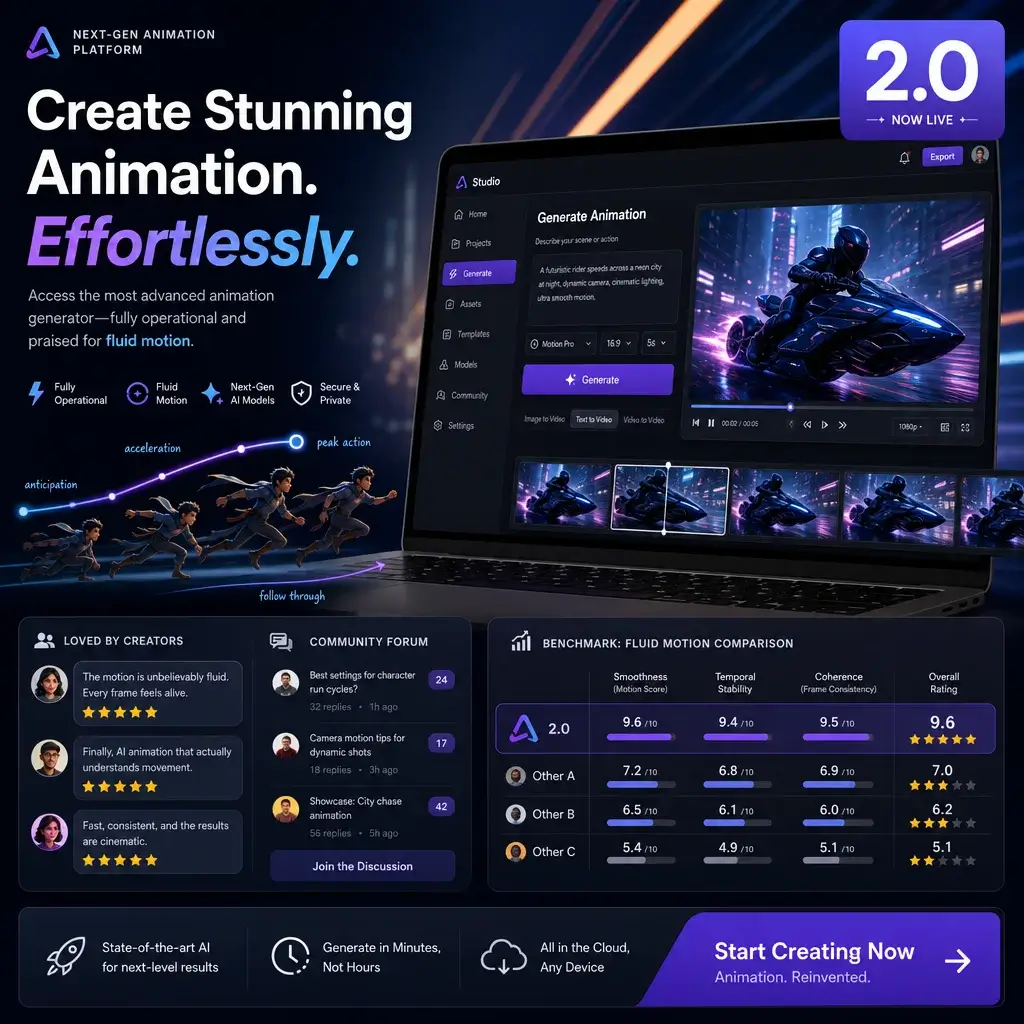
Ang paghahanap kung saan makakakuha ng access sa Seedance 2.0 ay madali sa aming platform. Hindi tulad ng mga mas lumang bersyon kung saan nangyari ang hindi available na mga isyu sa Seedance 1.5, ang tool sa pagbuo ng animation ng Seedance 2.0 na ito ay ganap na gumagana. Pinupuri ng mga user sa mga forum ng DeviantArt Seedance 2.0 ang tuluy-tuloy na paggalaw nito, madalas na maihahambing ito sa mga review ng Seedance at mga benchmark ng Google Veo 3.

Bumuo Ngayon

Advanced Seedance 2.0 Prompt at Chinese Image sa Video AI

Ang paggawa ng perpektong Seedance 2.0 prompt ay nagbibigay-daan sa iyong gamitin ang Chinese na imaheng ito sa video AI nang buo. Gumagamit ka man ng mga diskarte sa Seedance 2.0 Higgsfield o karaniwang input, pinoproseso ng Seedance video app ang mga kumplikadong eksena. Ito ay nananatiling pinakamahusay na text to video na alternatibong lokal na modelo para sa mga propesyonal.

Bumuo Ngayon

Gumawa ng Image Dance gamit ang Seedance AI Free Tools

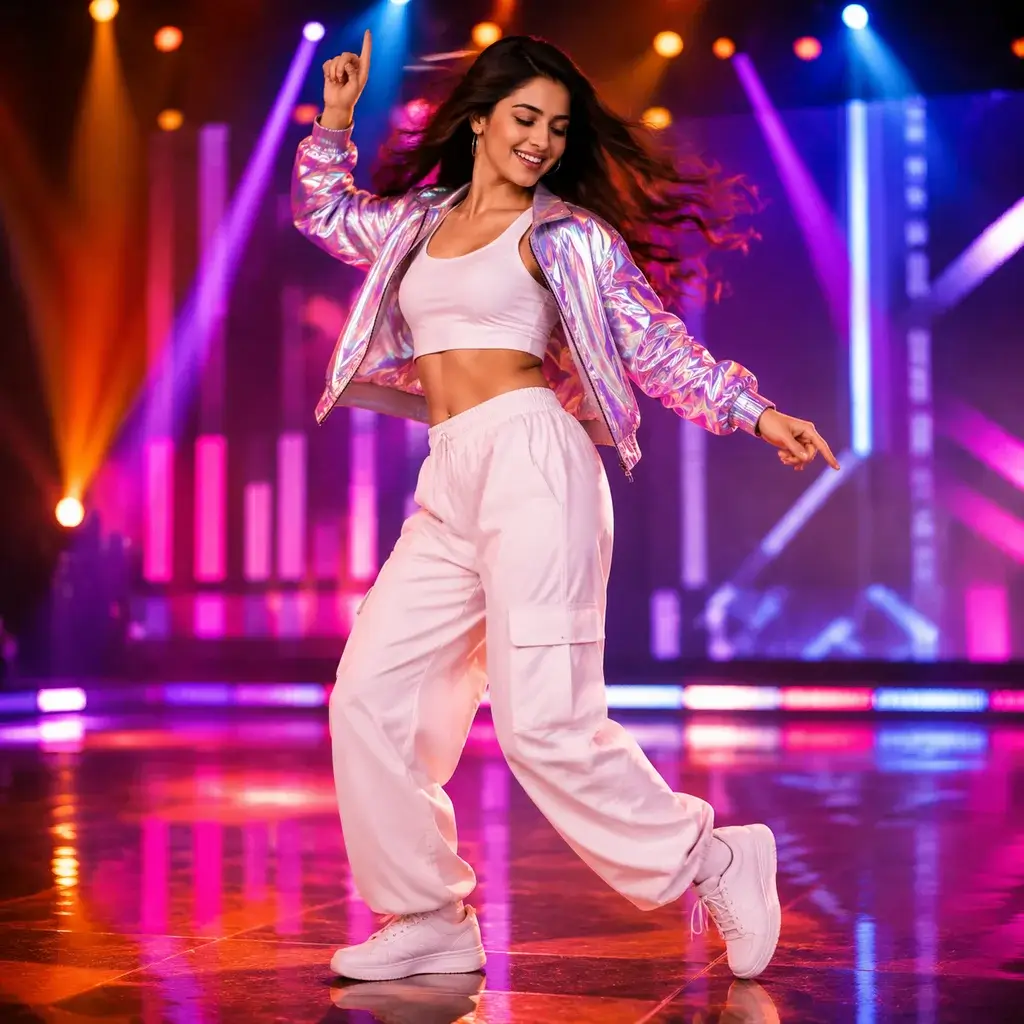
Madali kang makakagawa ng sayaw ng imahe gamit ang aming mga libreng feature ng Seedance AI. Binabago ng AI dance video generator na ito ang mga static na larawan sa mga dynamic na clip. Bilang isang nangungunang photo dance AI at dance AI video generator, tinitiyak nito ang makatotohanang body mechanics at tuluy-tuloy na mga transition para sa bawat proyekto.

Bumuo Ngayon

Paano Gamitin ang seedance 2.0 libreng ai video generator Online para Bumuo ng Video

Hakbang 1: Mag-upload ng Mga Asset sa Seedance Video App

Una, buksan ang Seedance video app at i-upload ang iyong mga reference na larawan o i-type ang iyong text. Tumatanggap ang Chinese AI model na ito ng iba't ibang format, na nagbibigay-daan sa iyong ihanda nang mabilis ang iyong mga asset bago ka bumuo ng video.

Hakbang 2: I-configure ang Iyong Seedance 2.0 Prompt

Susunod, ayusin ang iyong mga setting ng prompt ng Seedance 2.0. Maaari mong i-tweak ang intensity ng paggalaw, anggulo ng camera, at mga preset ng istilo. Ang pag-aaral kung paano gamitin ang Seedance 2 ay epektibong tinitiyak na ang iyong output ay ganap na tumutugma sa iyong malikhaing pananaw.

Hakbang 3: Bumuo at Mag-export ng Mga Bagong AI Video

Panghuli, i-click ang generate para hayaan ang AI video generating software na iproseso ang iyong kahilingan. Kapag nai-render na, maaari mong i-preview ang mga resulta, i-download ang iyong mga bagong AI video, at direktang ibahagi ang mga ito sa mga platform ng social media.

Mga Nangungunang Use Case para sa seedance 2.0 na libreng ai video generator

Ang seedance 2.0 free ai video generator ay lubos na maraming nalalaman para sa mga modernong digital creator. Ginagamit ng mga marketing team ang Chinese AI art generator na ito para makagawa ng mga nakakaengganyong social media ad nang hindi kumukuha ng mga artista. Umaasa ang mga independiyenteng animator sa mahusay nitong 2D cartoon na kakayahan upang bigyang-buhay ang mga storyboard. Higit pa rito, ginagamit ng mga tagapagturo ang platform upang lumikha ng mga visual na paliwanag para sa mga kumplikadong paksa. Dahil ito ay gumagana bilang isang naa-access na online na tool, ang mga maliliit na negosyo ay maaaring mabilis na makabuo ng pampromosyong nilalaman. Gumagawa ka man ng mga music video, maiikling pelikula, o interactive na presentasyon, itong AI video na bumubuo ng software na mga pusang sumasayaw o galaw ng tao na may pantay na katumpakan, ginagawa itong isang kailangang-kailangan na asset upang makita ang mga trend ng sayaw at pamahalaan ang magkakaibang mga creative workflow.

Social Media
Animasyon
Edukasyon
Musika at Malikhain

Social Media Marketing at Paglikha ng Ad

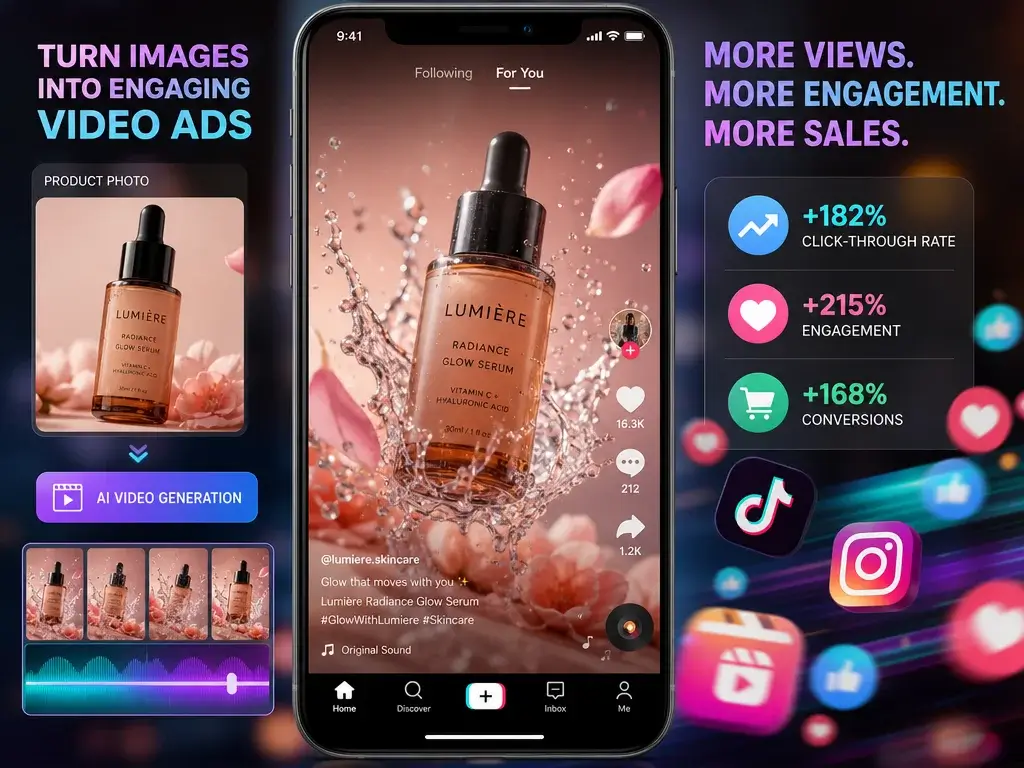
Ginagamit ng mga brand ang Seedance video app para gawing nakakaakit na mga video ad ang mga static na larawan ng produkto. Ang AI dance video generator ay nagdaragdag ng dynamic na paggalaw, pagtaas ng mga click-through rate at pagpapanatili ng audience sa mga platform tulad ng TikTok at Instagram nang hindi nangangailangan ng mga mamahaling production crew.

Ang Sinasabi ng Mga User Tungkol sa Website ng Seedance App

Pinakamahusay na Text to Video Local Model Alternative

Ang pagpapatakbo ng mga lokal na modelo ay masyadong masinsinang hardware para sa akin. Ang Bytedance AI video generator na ito ay nagbibigay sa akin ng parehong mataas na kalidad na mga resulta sa cloud. Ang Seedance 2.0 prompt system ay intuitive, at ang bilis ng pag-render ay hindi kapani-paniwala.

Marcus Chen
Tagalikha ng Nilalaman

Perpekto para sa 2D Cartoon Test

Partikular kong sinubukan ang mga feature ng pagsubok ng Seedance 2.0 2D cartoon para sa aking webcomic. Ang paraan ng paghawak nito sa line art at mga flat na kulay nang hindi binabaluktot ang mga ito ay napakatalino. Ito ay ganap na na-streamline ang aking animation workflow.

Elena Rodriguez
Animator

Malaking Halaga at Gastos sa Seedance

Nag-aalala ako tungkol sa presyo ng Seedance at gastos sa Seedance sa simula, ngunit ang libreng tier ay hindi kapani-paniwalang mapagbigay. Ang kakayahang gumawa ng sayaw ng imahe nang walang subscription ay isang game-changer para sa mga indie creator sa isang badyet.

David Smith
Indie Creator

Seamless na Karanasan sa Website ng App

Ang website ng Seedance app ay napaka-user-friendly. Hindi ko na kailangang harapin ang mga kumplikadong pag-install. Kaka-log in ko lang, in-upload ko ang aking sining, at ginamit ang Chinese AI model para makabuo ng mga nakamamanghang clip sa loob ng ilang minuto.

Aisha Patel
Digital Artist

Mas mahusay kaysa sa Inaasahan para sa AI Dance

Kailangan ko ng maaasahang photo dance AI para sa isang proyekto ng musika. Ang dance AI video generator na ito ay nagpako ng koreograpia batay sa aking mga text prompt. Nag-viral din sa channel ko ang AI video generating software cats dancing videos!

Tom Wilson
Musikero

Perpekto para sa Mga Malikhaing Music Video

Ang mga libreng feature ng Seedance 2.0 ay nakatulong sa akin na makagawa ng isang buong music video mula sa aking album cover art. Ang AI ay lubos na naunawaan ang mood at nakabuo ng tuluy-tuloy, cinematic na paggalaw na tumugma sa enerhiya ng aking track. Tunay na isang rebolusyonaryong tool para sa mga indie artist.

Liam Parker
Malayang Musikero

Pinakamahusay na Text to Video Local Model Alternative

Ang pagpapatakbo ng mga lokal na modelo ay masyadong masinsinang hardware para sa akin. Ang Bytedance AI video generator na ito ay nagbibigay sa akin ng parehong mataas na kalidad na mga resulta sa cloud. Ang Seedance 2.0 prompt system ay intuitive, at ang bilis ng pag-render ay hindi kapani-paniwala.

Marcus Chen
Tagalikha ng Nilalaman

Perpekto para sa 2D Cartoon Test

Partikular kong sinubukan ang mga feature ng pagsubok ng Seedance 2.0 2D cartoon para sa aking webcomic. Ang paraan ng paghawak nito sa line art at mga flat na kulay nang hindi binabaluktot ang mga ito ay napakatalino. Ito ay ganap na na-streamline ang aking animation workflow.

Elena Rodriguez
Animator

Malaking Halaga at Gastos sa Seedance

Nag-aalala ako tungkol sa presyo ng Seedance at gastos sa Seedance sa simula, ngunit ang libreng tier ay hindi kapani-paniwalang mapagbigay. Ang kakayahang gumawa ng sayaw ng imahe nang walang subscription ay isang game-changer para sa mga indie creator sa isang badyet.

David Smith
Indie Creator

Seamless na Karanasan sa Website ng App

Ang website ng Seedance app ay napaka-user-friendly. Hindi ko na kailangang harapin ang mga kumplikadong pag-install. Kaka-log in ko lang, in-upload ko ang aking sining, at ginamit ang Chinese AI model para makabuo ng mga nakamamanghang clip sa loob ng ilang minuto.

Aisha Patel
Digital Artist

Mas mahusay kaysa sa Inaasahan para sa AI Dance

Kailangan ko ng maaasahang photo dance AI para sa isang proyekto ng musika. Ang dance AI video generator na ito ay nagpako ng koreograpia batay sa aking mga text prompt. Nag-viral din sa channel ko ang AI video generating software cats dancing videos!

Tom Wilson
Musikero

Perpekto para sa Mga Malikhaing Music Video

Ang mga libreng feature ng Seedance 2.0 ay nakatulong sa akin na makagawa ng isang buong music video mula sa aking album cover art. Ang AI ay lubos na naunawaan ang mood at nakabuo ng tuluy-tuloy, cinematic na paggalaw na tumugma sa enerhiya ng aking track. Tunay na isang rebolusyonaryong tool para sa mga indie artist.

Liam Parker
Malayang Musikero

Balita

Freebeat AI Music Video Generator: Honest Review, Tutorial & Best Alternatives (2026)

Freebeat AI Music Video Generator: Honest Review, Tutorial & Best Alternatives (2026)

With over 125,000 views on a single YouTube review and a user base spanning 100+ countries, the Freebeat AI music video generator is one of the most talked-about tools in the AI music space. It also holds a 1.7-star rating on Trustpilot. Kaya ano nga ba talaga ang nangyayari? Most AI video tools treat your audio as an afterthought, and Freebeat’s polarizing reputation makes it hard to judge. This guide delivers an honest breakdown of Freebeat AI’s features, real-world pricing, step-by-step usage, and the strongest alternatives available right now. What Is the Freebeat AI Music Video Generator? Freebeat.ai bills itself as the world’s first fully autonomous AI music video generator. It’s built around a proprietary music-vision model trained on a massive dataset of beat-paired audio-visual content. How Freebeat AI Works: Audio-as-Prompt Technology Rather than relying on text prompts like Runway or Pika, Freebeat treats your music as the creative driver. The system analyzes your track’s tempo, structure, mood, and lyrics to generate matching visuals. Each playback produces a unique visual interpretation of the same song. Freebeat.ai vs. Freebeatfit: Clearing Up the Brand Confusion Searching “freebeat” often surfaces exercise bike results. Freebeat.ai (AI video tool) is completely separate from Freebeatfit (fitness brand). Double-check you’re on the right site. Who Is Freebeat AI Designed For? The tool targets independent musicians, Suno/Udio creators needing visuals for AI-generated tracks, social media producers, DJs promoting releases, and hobbyists who want music videos without editing software. Key Features of the Freebeat AI Music Video Generator Three Creation Modes: Automatic, Singing, and Storytelling Automatic delivers one-click generation from your track. Singing adds lip-synced AI avatars. Storytelling builds cinematic narrative videos with scene progression. Each mode suits different goals — quick social posts, performance content, or polished YouTube premieres. Beat Sync and Audio-Reactive Visuals Visual transitions align to downbeats, drum hits, and chorus changes instead of random intervals. The proprietary “Onbeat Effect” makes your video feel choreographed to the music rather than generically assembled. AI Music Video Agent (MV Agent) The MV Agent earned “breakthrough” praise on Reddit. It automates the full pipeline: song analysis, creative direction via prompts, storyboard generation, and one-click rendering. Some users report “pathing problems” where the agent makes unexpected creative choices. Bundled AI Video Models and All-In-One Hub Freebeat integrates multiple frontier models — Kling 2.1, Luma Ray2, Runway Gen-3, Pika 2.2, Veo 2/3, and others — in one interface. Some users argue this amounts to reselling existing technology at a premium. Lip Sync, Lyric Videos, and Album Cover Animation Lip sync is available but credit-intensive — approximately 406 credits per 15 seconds, scaling to ~4,872 credits for a three-minute track. Lyric overlay and album cover animation round out the toolkit. Export Options: YouTube, TikTok, Reels, and Shorts Supported aspect ratios include 16:9 for YouTube and 9:16 for TikTok, Reels, and Shorts. Resolution goes up to 4K, and downloads are available with or without lyric overlays. How to Create a Music Video with Freebeat AI (Step-by-Step Tutorial) Step 1 – Upload Your Track or Paste a Link Upload MP3/WAV files, or paste links from Spotify, YouTube, SoundCloud, Suno, Udio, or TikTok. The Suno integration is particularly smooth — users praise the direct link-paste workflow. Step 2 – Choose Your Creation Mode and Visual Style Select your mode, then pick a visual preset. Options include noir cinematic, vibrant pop, and glitch aesthetic. Genre tips: noir complements hip-hop, bright palettes suit pop, glitch fits EDM, and muted tones work for lo-fi. Step 3 – Preview, Edit Your Storyboard, and Customize Review the storyboard before spending credits. Caution: the “Continue” button can accidentally trigger a merge that destroys your project and wastes credits. Step 4 – Generate, Download, and Export Expect 5-7 minutes of processing per minute of video. If generation stalls (a common issue), credits are consumed without automatic refund. Download and export once rendering completes. Freebeat AI Pricing: What It Really Costs Free Plan: What You Actually Get The free tier yields approximately 20 seconds of usable footage. As one Reddit user noted, free tiers across AI video tools rarely deliver meaningful output. Credit System Explained: Cost Per Minute of Video Reported costs vary widely: a $26/month plan might produce 3-4 minutes with retries, while one user was quoted $115 for a single three-minute track. Lip sync burns through credits far faster than Automatic mode. Paid Plans: Which Tier Is Right for You? Casual creators may manage on a basic plan. Musicians releasing multiple tracks monthly should budget for higher tiers. A Pro Annual plan is available through ProAudioStar for better per-credit value. Hidden Costs: Retries, Failed Renders, and Credit Burn The biggest expense is iteration. Every retry consumes more credits. Multiple Trustpilot reviewers report losing credits with no usable output in return. Freebeat AI Pros and Cons: The Honest Verdict What Freebeat AI Does Well Where Freebeat AI Falls Short Customer Service and Subscription Management Concerns Freebeat holds a 1.7/5 Trustpilot rating with 75% one-star reviews. Complaints center on unresponsive support, Discord banning users who raise issues, and hidden cancellation options. Multiple YouTube commenters report continued billing after attempting to cancel. Freebeat AI vs. Top Competitors: Head-to-Head Comparison Freebeat AI vs. Neural Frames Neural Frames specializes in abstract, audio-reactive visuals for electronic and experimental genres. It lacks song-structure understanding, while Freebeat provides end-to-end generation with beat awareness but less reliable output. Freebeat AI vs. Kaiber Kaiber offers Beat Sync through its Superstudio feature starting at $5/month, making it the most affordable entry point. It handles short audio-reactive clips well but can’t generate full-song videos. Freebeat AI vs. AirMusic AI AirMusic AI is gaining Reddit credibility for tracking musical structure — detecting tempo shifts, mood changes, and verse-chorus transitions. It’s becoming the most recommended Freebeat alternative. Freebeat AI vs. Runway ML Runway’s Gen-4.5 produces the highest-quality clips but has no music awareness. It requires manual editing in Premiere or DaVinci Resolve to assemble a music video. Freebeat AI vs. DIY Workflow (Kling + CapCut/DaVinci) Generating clips in Kling or Grok, then beat-aligning them in CapCut

Deevid AI Kissing Video Generator: Tapat na Pagsusuri, Tutorial at Pinakamahusay na mga Alternatibo (2026)

Deevid AI Kissing Video Generator: Tapat na Pagsusuri, Tutorial at Pinakamahusay na mga Alternatibo (2026)

AI kissing video generators have become some of the most searched creative tools of 2026. But after sifting through dozens of product pages, Reddit threads, and YouTube reviews, one thing is clear: most “guides” are just marketing in disguise. Users consistently report the same frustrations — tools marketed as “free” that aren’t, confusing credit systems, and surprise billing. This guide provides a transparent look at DeeVid AI, a practical walkthrough, honest pricing, and a head-to-head comparison of the top alternatives. Ano ang isang AI Kissing Video Generator? These tools transform static photos into short animated clips of people kissing. They use AI to analyze facial features, predict natural motion, and generate frame-by-frame video from a single image or photo pair. How AI Kissing Video Technology Works The core technology uses facial landmark detection — the AI maps key facial points (eyes, nose, lips, jawline) and synthesizes realistic kissing motion. The same tech powers AI lip sync and hug generators. Most tools produce 5-to-15-second clips, with sustained motion beyond 10 seconds remaining technically challenging. Image-to-Video vs Text-to-Video: Alin ang Mas Epektibo para sa mga Kiss Video? Image-to-video is the preferred method. Upload a real photo, and the AI animates it while preserving likenesses. Text-to-video creates characters from prompts, offering more creative freedom for fictional content but less control over the final look. For personal photos, image-to-video delivers better results. DeeVid AI Kissing Video Generator: An Honest Look What Is DeeVid AI? DeeVid AI is a Singapore-based platform offering text-to-video, image-to-video, and video-to-video generation across web, iOS, and Android. It integrates models including Google Veo 3, with kissing videos being one of many features alongside lip sync, avatars, and ad creation. Key Features for Kissing Videos DeeVid provides a dedicated AI Kissing template with multiple styles, support for couple photos and separate portraits, and three model tiers — Fast V2.0 (quick previews), Quality V2.0, and Master V2.0 (highest fidelity). The AI Hug Generator and Lip Sync features complement the kissing tool. DeeVid AI’s Template-Based Approach (No Prompt Needed) DeeVid’s standout advantage is its no-prompt template system. Unlike competitors where results depend on prompt-writing skill, you simply upload a photo and select a template. This makes it genuinely beginner-friendly. What Real Users Are Saying DeeVid holds a 1.6 out of 5 on Trustpilot (159 reviews, 76% one-star). Key complaints include: On the positive side, free trial quality is decent, the template approach works well, and early users found it comparable to Kling AI for short clips. How to Make an AI Kissing Video with DeeVid AI (Step-by-Step) Step 1: Sign Up and Understand Your Free Credits Create an account to receive 20 free credits. Each kissing video costs about 10 credits, so your free allowance covers roughly 2 videos. Credits expire after 30 days. Step 2: Choose the AI Kissing Template Navigate to the kissing templates and select a kiss style. No prompt writing is required. Step 3: Upload Your Photo(s) Upload a couple photo or two individual portraits. Photo quality determines output quality — use well-lit, clear images with visible facial features and side-profile or three-quarter angles. Step 4: Customize Your Kiss Style and Settings Select your kiss style and model tier. Use Fast V2.0 for cheap previews, then Quality or Master for final renders. Higher-quality models consume more credits. Step 5: Generate, Preview, and Download Generation takes 20-60 seconds. Preview before downloading. Be cautious of the “No Limit” button, which users report triggers unintended purchases. Tips for Creating Realistic AI Kissing Videos Photo Selection Tips (Lighting, Angle, Resolution) Best Prompt Ideas for Different Kiss Styles For prompt-based tools: Common Mistakes to Avoid What DeeVid AI Actually Costs (Pricing Breakdown) Free Trial: What You Really Get DeeVid’s 20 free credits yield about 2 kissing videos. Compare with Vidu AI (fully free), Virbo (“100% free unlimited”), and MyEdit (daily free credits). “Free” means very different things across tools. Paid Plans: Credit Costs and Hidden Charges Paid plans start at $14/month, but the variable credit system means actual output depends on model and video type. Reddit users report getting 12-25 videos from plans advertised as “40 videos.” Annual billing defaults have caught subscribers off guard. Cost-Per-Video: The Real Math At $14/month for 12-25 outputs, DeeVid costs roughly $0.56-$1.17 per video. Higgsfield runs $150-300 per cinematic reel at the premium end, while KissGen AI offers a $5 lifetime deal. Billing Pitfalls to Watch Out For Best AI Kissing Video Generators Compared (2026) DeeVid AI — Best for No-Prompt Beginners Template-based and beginner-friendly, but the 1.6/5 Trustpilot score warrants caution on paid plans. Pollo AI — Best for Multi-Model Access Access Sora 2, Veo 3, Seedance 2.0, and Kling AI through one dashboard. 4.3/5 Trustpilot across 4,000+ reviews. Virbo (Wondershare) — Best for Customization French wedding kiss, parental affection, passionate embrace styles with scene settings like beach sunset. Wondershare brand adds trust. Media.io — Best for Multiple Kiss Effects Named romantic templates (Peak of Eternity, Moonlit Beach Kiss) and a unique Multi-Person Kiss Filter. VEED.IO — Best for Content Creators Full editing suite (subtitles, voiceover, music) with multi-model backend. 4.6/5 rating, used by Fortune 500 companies. Vidu AI — Best Free Option Genuinely free with anime and fictional character focus. Upload, select a template, generate — no credit card needed. ComfyUI + CivitAI — Best for Privacy (Local Generation) Unlimited free generation on your own GPU with community-built kissing LoRAs. Nothing gets uploaded. Nangangailangan ng teknikal na setup. For a simpler privacy-focused alternative with watermark-free output, AI Image to Video handles image-to-video generation without the hardware requirements. Quick Comparison Table Tool Free Tier Paid Price Prompt Needed? Tanda ng tubig? Trust Score DeeVid AI ~2 videos $14/mo No Varies 1.6/5 Pollo AI Limited Varies Yes Varies 4.3/5 Virbo Claims unlimited Paid tiers Yes Varies N/A Media.io Limited Paid tiers No Yes (free) N/A VEED.IO No card needed Paid tiers Yes Yes (free) 4.6/5 Vidu AI Fully free None No No N/A AI Image to Video Available Paid tiers Yes No N/A ComfyUI Unlimited Free (GPU) Yes No N/A AI Kissing Video Use

InShot vs CapCut sa 2026: Aling Video Editing App ang Sulit Talaga?

InShot vs CapCut sa 2026: Aling Video Editing App ang Sulit Talaga?

Halos dinoble ng CapCut ang presyo nito sa Pro, na-ban sa US at India, at muling isinulat ang Mga Tuntunin ng Serbisyo nito upang angkinin ang mga karapatan sa nilalaman ng gumagamit. Meanwhile, InShot quietly became the go-to mobile editor for millions of displaced creators. So which app actually deserves your time in 2026? This guide delivers an honest breakdown of features, pricing, privacy, and real-world use cases to help you choose the right editor. InShot vs CapCut at a Glance: Quick Comparison Table Summary Comparison Table Feature InShot CapCut Developer SHANTANU PTE. Ltd. ByteDance (TikTok parent) Platforms iOS, Android iOS, Android, Desktop, Web Free Tier Core tools (ads + watermark) Core tools (no watermark) Paid Plans $3.99/mo · $15–20/yr · $40–50 lifetime ~$10–20/mo (Pro) AI Features Basic AI cut Auto captions, background removal, TTS Max Export 4K 4K Video Length Limit None 15 minutes Available in US/India Yes Banned since Jan 2025 Trustpilot Rating N/A 1.2 / 5 Best For Budget creators, beginners, families TikTok creators, advanced mobile editing What Is InShot? InShot is a mobile-first video editor from SHANTANU PTE. LTD., built to get creators from raw footage to a finished post in minutes. Key Features and Strengths Core tools include trim, cut, split, merge, crop, rotate, plus speed adjustment, filters, transitions, text, stickers, music, voiceover, background blur, and color correction. Pro unlocks chroma key and extra effects. InShot supports 4K export on its free plan with no video length limit. Para kanino ang InShot ay Pinakamahusay? Mga baguhan, mga editor na ginagamit lamang sa mobile, mga influencer na nagtitipid, at mga pamilya. Its lack of a social feed makes it a safer pick for younger users — something Bark has specifically highlighted. Ano ang CapCut? CapCut is ByteDance’s video editor, tightly woven into the TikTok ecosystem. It gained dominance by offering pro-level tools for free — though that equation has shifted considerably since 2025. Key Features and Strengths CapCut offers multi-layer timeline editing, AI auto-captions (~94% accuracy, 23 languages), AI background removal, text-to-speech, script-to-video, speed ramping, keyframing, and a massive TikTok-synced template library. It also includes royalty-free audio, beauty filters, and auto-reframe across mobile, desktop, and web. Para kanino ang CapCut ay Pinakamahusay? TikTok/Reels creators wanting trend-aligned templates, users who rely on AI editing tools, and editors needing a cross-platform workflow across phone, laptop, and browser. Feature-by-Feature Comparison User Interface and Ease of Use InShot uses a clean, single-track layout — most users produce their first video within minutes. CapCut’s multi-track timeline is more capable but has a steeper initial learning curve. AI Features: Auto Captions, Background Removal, and Text-to-Speech CapCut pulls far ahead here. Its auto-captioning benchmarks around 94% accuracy, and it offers AI background removal, voiceovers, and script-to-video. InShot has a basic AI cut tool but can’t match this depth. Note: many of CapCut’s AI features now require Pro. Templates, Effects, and Filters CapCut’s template library is enormous and continuously refreshed with TikTok trends. InShot’s collection is smaller but stable — you won’t find favorite effects suddenly paywalled, a recurring CapCut frustration. Audio and Music Tools Both include music libraries and basic editing. However, creators report that CapCut introduces background noise on export — a dealbreaker for music content. InShot’s audio handling is simpler but more reliable. Text, Titles, and Captions CapCut offers richer text animations and more fonts. InShot’s text tools are basic but functional. CapCut’s removal of its font search bar remains a sore point for many users. Export Quality and Format Options Both export up to 4K. Some users report InShot slightly reduces clarity, while CapCut has documented audio artifacts. Key difference: CapCut caps videos at 15 minutes; InShot has no limit. Timeline and Multi-Track Editing CapCut’s multi-layer timeline with keyframing handles complex projects far better. InShot’s single-track editor is faster for simple edits but limits layering and precise timing. Pricing Comparison: Free vs Paid Plans InShot Pricing Breakdown CapCut Pricing Breakdown Formerly free features like audio import and fade effects have been quietly moved behind the paywall. The True Cost: InShot Lifetime vs CapCut Subscription Over two years, InShot’s lifetime plan costs $50 once. CapCut Pro at $20/month totals roughly $480. Even at the lower official rate, CapCut runs $192–$240. As one Reddit user put it, InShot is “basically the same program” at a fraction of the cost. Safety, Privacy, and Terms of Service Both apps are owned by Chinese companies, and the privacy details matter more than most comparison articles suggest. CapCut’s Data Collection and Content Rights ByteDance’s TOS grant an irrevocable, perpetual, royalty-free license to all user content. CapCut collects personal, device, behavioral, and location data, and requires internet for many features. Its 1.2/5 Trustpilot rating reflects widespread complaints about impossible cancellations and bot-only support. InShot’s Privacy Practices SHANTANU PTE. Ltd. is also China-based — a fact rarely disclosed. TechRadar scored InShot 0 out of 5 on privacy, citing 100+ tracking vendors and demands for full photo library access. InShot isn’t the privacy champion some assume. Aling App ang Mas Ligtas para sa mga Bata at Pamilya? InShot wins clearly: no social feed, no community features, no stranger interactions. Bark and ProtectYoungEyes recommend it. CapCut embeds a social feed with stranger comments and offers no parental controls. CapCut Ban: Availability and What It Means for Creators Where Is CapCut Banned and Why? CapCut was removed from US and Indian app stores on January 19, 2025 under legislation targeting ByteDance-owned applications over data privacy and national security concerns. How Creators Are Adapting Most displaced creators migrated to InShot and VN Video Editor as natural mobile replacements. Others moved to DaVinci Resolve on desktop or browser editors like Flixier. VPN workarounds exist but are unreliable long-term. Pros and Cons InShot Pros and Cons Pros: Cons: CapCut Pros and Cons Pros: Cons: Which App Should You Choose? (Use-Case Recommendations) Best for Beginners InShot wins. Ang minimal na interface at single-track editor nito ay nangangahulugan ng mas kaunting abala at mas mabilis na daan patungo sa iyong unang natapos na video. Best for TikTok and Short-Form Creators CapCut wins (where accessible). Native TikTok integration, trending templates, and superior auto-captions make it purpose-built for short-form. InShot is the fallback in banned regions.

Pictory AI Video Generator: Kumpletong Gabay, Tapat na Pagsusuri at mga Alternatibo [2026]

Pictory AI Video Generator: Kumpletong Gabay, Tapat na Pagsusuri at mga Alternatibo [2026]

The AI video market topped $847 million in 2026, yet most creators still struggle with tight budgets and limited editing skills. Pictory AI promises to fix that — turning scripts, blog posts, and URLs into finished videos in minutes. With nearly every YouTube review loaded with affiliate links, honest takes are rare. This guide covers how Pictory works, what it costs, where it shines, where it falls short, and how it stacks up against top alternatives. Ano ang Pictory AI Video Generator? Pictory AI is a cloud-based platform that converts text-based content into finished videos without editing expertise. It’s best understood as a content repurposing engine — not a cinematic production tool. Over 20,000 companies use it, drawing from more than 10 million stock media files. How Pictory AI Works Users provide text — a script, blog post, URL, or presentation — and Pictory’s AI breaks it into scenes, matches stock footage, adds voiceover, generates captions, and exports a platform-ready video. Five creation modes are available: Script to Video, Article/URL to Video, Edit Video Using Text, Visuals to Video, and the newer AI Studio for prompt-based generation. Key Features Overview Who Is Pictory Best For? Pictory works well for content marketers repurposing blogs, B2B teams scaling video production, faceless YouTube creators, and educators converting lessons into video. It is not ideal for creators needing cinema-quality original footage, professional editors wanting granular control, avatar-focused video, or mobile-first workflows — there is no mobile app. Pictory AI Pricing Plans in 2026 Free Trial — What You Actually Get Pictory’s free trial includes 3 watermarked videos capped at 10 minutes — enough to test the interface but barely sufficient for real evaluation. CapCut exports watermark-free for free, and Kapwing offers watermark-free output at 720p. Paid Plans Breakdown (Standard, Premium, Teams) Plan Price Videos/Month Max Length AI Voices Standard $23/mo ($19 annual) 30 10 min 34 Premium $39/mo 60 20 min 60 Teams $99/mo 90 (3 users) 20 min 60 Enterprise Custom Custom Custom Full access A 15% annual billing discount applies across all tiers. How Pictory’s Pricing Compares to Competitors Tool Monthly Price Free Tier Best For Pictory $23+ 3 videos, watermarked Blog/script to video InVideo AI $28+ 480p exports Template variety Synthesia $18+ (annual) Limited demo AI avatar videos CapCut Free / $7.99 No watermark Budget editing HeyGen $24+ Limited Lip-sync dubbing VEED $12+ With limits Team collaboration Fliki $21+ Limited Multilingual voiceovers How to Use Pictory AI Video Generator (Step-by-Step) Getting Started — Account Setup and Dashboard The dashboard presents four creation modes after signup. Choose based on your starting material: a written script, a published blog URL, a video needing trimming, or your own visual assets. Script to Video — Turn Any Script into a Video Pictory’s most popular mode. Paste your script, and the AI segments it into scenes, assigns stock footage, and adds voiceover. Swap clips, adjust timing, and customize fonts and music before exporting. Pro tip: Use ChatGPT to write scripts with concrete visual descriptions — this improves footage matching accuracy. Expect to manually replace 30–50% of auto-selected clips for best results. Article/URL to Video — Repurpose Blog Content Paste a URL or article text and Pictory extracts key points, builds scenes, and assembles a video summary. This is arguably the platform’s strongest differentiator. Listicles, how-to guides, and data-driven posts tend to produce the best scene matches. Edit Video Using Text — Trim by Editing Transcripts Upload a video and Pictory generates a transcript. Edit the text to cut sections, strip filler words, or trim silence — the video updates accordingly. Great for repurposing webinars and long recordings into short clips. Visuals to Video — Upload Your Own Media Bring your own images, clips, or slides and let Pictory handle voiceover, captions, and formatting. This mode sidesteps the stock footage matching problem entirely while still benefiting from AI narration and auto-captioning. Tips for Getting Better Results with Pictory AI Writing Scripts That AI Matches Accurately Stock footage mismatch is the most common complaint. To minimize it, use concrete, visual nouns instead of abstract concepts. Write one idea per scene, avoid metaphors, and keep sentences short. Ang mga naka-bracket na visual cues tulad ng "[ipakita: taong nagtatrabaho sa laptop]" ay maaaring gumabay sa AI patungo sa mas mahuhusay na pagpipilian. Customizing Voiceovers and Audio Built-in voices have received mixed reviews, but the ElevenLabs premium voices on paid plans are a clear upgrade. For maximum quality, record narration externally and upload the audio file into Pictory. Branding and Visual Consistency Premium plans include brand kits — custom logos, color palettes, fonts, and templates. Setting up a brand kit early saves significant time when producing videos at scale. Optimizing Output for YouTube, TikTok, and Instagram Use aspect ratio presets (16:9, 9:16, 1:1) to export platform-optimized versions from one script. For YouTube, also optimize title keywords, descriptions, and chapter markers. Pictory AI Pros and Cons — Honest Assessment What Pictory Does Well Where Pictory Falls Short Is Pictory Worth It in 2026? Yes, if you need to repurpose written content at scale or produce quick social media clips without a video editor. No, if you need original AI footage (Runway or Kling), avatar videos (Synthesia or HeyGen), or a free solution (CapCut). Judge Pictory on its core strength: scalable content repurposing. Pictory vs. Top Alternatives Compared Pictory vs. InVideo AI Both convert text into template-based videos. InVideo offers 10,000+ templates and integrates Sora 2 and VEO 3.1 models; Pictory’s blog/URL-to-video repurposing is stronger. Pictory for content recycling; InVideo for template diversity. Pictory vs. Synthesia Different markets entirely. Synthesia specializes in AI avatar videos for corporate training (200+ avatars, ISO 42001 compliance). Synthesia for enterprise training; Pictory for text-to-stock-video repurposing. Pictory vs. CapCut CapCut offers free watermark-free exports, a full mobile app, and deep editing tools. Pictory is simpler for automated text-to-video but costs more. CapCut for budget editing; Pictory for hands-off automation. Pictory vs. Runway Completely different categories. Runway generates original cinema-grade footage (Gen 4.5); Pictory assembles stock media from text. Runway for creative originals; Pictory for scalable

Dreamina AI Video Generator: Kumpletong Gabay at Tapat na Pagsusuri (2026)

Dreamina AI Video Generator: Kumpletong Gabay at Tapat na Pagsusuri (2026)

Dahil sa mahigit 6.5 milyong views sa YouTube sa iisang tutorial ng Seedance 2.0 at pang-araw-araw na mga thread sa Reddit na nagdedebate kung ang Dreamina ay "isang scam" o "ang pinakamahusay na AI video tool ng 2026," ang malikhaing platform ng ByteDance ang naging pangalan na may pinakamalaking pinagmumulan ng pagkakawatak-watak sa pagbuo ng AI video. Ang problema ay ang paghahanap ng mapagkakatiwalaang impormasyon. Karamihan sa mga kasalukuyang balita ay parang mga promotional material o mga galit na rant sa forum. Pinagsasama-sama ng gabay na ito ang mga propesyonal na review, mga komunidad ng Reddit, mga tagalikha ng YouTube, at mga opisyal na dokumentasyon upang mabigyan ka ng balanseng larawan ng kung ano talaga ang iniaalok ng Dreamina, ang halaga nito, at kung akma ito sa iyong daloy ng trabaho. Ano ang Dreamina AI? Ang All-in-One AI Creative Suite ng ByteDance ay ang libreng creative platform ng ByteDance — dating CapCut Dream Studio — na pinagsasama-sama ang text-to-image, text-to-video, image-to-video, audio generation, avatar creation, at canvas editing sa iisang tool. Naglalaman ito ng mga pangunahing modelo tulad ng Seedance 2.0 para sa video at Seedream 4.5/5.0 para sa mga imahe, kasama ang mga opsyon ng third-party tulad ng Sora 2 at Veo 3.1. Dreamina laban sa Jimeng AI — Ano ang Pagkakaiba? Ang Dreamina ay ang internasyonal na edisyon ng Jimeng AI, ang lokal na plataporma ng ByteDance sa Tsina na tumatakbo sa Volceengine backend. Mahalaga ang pagkakaiba: Karaniwang nag-aalok ang Jimeng ng mas mababang presyo (humigit-kumulang $9.60/buwan kumpara sa $18–$84 sa buong mundo), mas kaunting mga paghihigpit sa nilalaman, at mas maagang pag-access sa mga mas bagong modelo. Ang mga pagtukoy kay "Jimeng" o "Jianying" sa mga online na talakayan ay tumutukoy sa parehong pinagbabatayang teknolohiya sa ibang rehiyonal na pakete. Paano Naaangkop ang Dreamina sa Ekosistema ng CapCut at TikTok. Bumuo ang ByteDance ng isang sadyang pipeline ng nilalaman: Ang Dreamina ang bumubuo, ang CapCut ang nag-eedit, at ang TikTok ang namamahagi. Ang katutubong integrasyong ito ang pinakamalakas na bentahe sa istruktura ng Dreamina — walang kakumpitensyang tool sa video ng AI ang nag-aalok ng tuluy-tuloy na landas mula sa henerasyon patungo sa pinakintab na maikling nilalaman sa isang social platform na may bilyong gumagamit. Mga Pangunahing Tampok ng Dreamina AI Video Generator Text-to-Video Generation (Seedance 2.0 at Video 3.0 Pro) Mag-type ng prompt at bumuo ng video hanggang 15 segundo sa 720p. Ang Seedance 2.0 ay naghahatid ng pinakamalakas na motion physics at lip sync. Gayunpaman, batay sa mga ulat ng mga gumagamit, maaaring ang Seedance 2.0 Fast (distilled) na variant lamang ang iniaalok ng Dreamina sa halip na ang buong Pro na bersyon. Pag-convert ng Larawan-Patungong-Video (Galawin ang Anumang Larawan) Mag-upload ng isang hindi gumagalaw na imahe at bibigyan ito ng Dreamina ng animasyon gamit ang paggalaw na pinapagana ng AI — kapaki-pakinabang para sa mga larawan ng produkto, mga retrato, at masining na pagbabago. Kabilang sa mga tampok ang BGM rhythmization at 3-segundong opsyon sa extension. Maaaring ma-trigger ang content filter ng mga larawang naglalaman ng mga mukha ng tao. Omni Reference — Pagkakapare-pareho ng Karakter at Eksena Ang natatanging katangian ng Dreamina. Binibigyang-daan ka ng Omni Reference na mag-upload ng mga reference na larawan, video, o audio upang mapanatili ang hitsura ng karakter at biswal na istilo sa maraming clip. Para sa mga tagalikha na bumubuo ng mga naratibong may iba't ibang eksena o nagpapanatili ng pagkakapare-pareho ng tatak, ang tampok na ito ay tunay na kakaiba sa espasyo ng libreng tier. Pagkukuwento na May Maraming Frame at May Maraming Shot Sinusuportahan ng Multi-Frame ang hanggang 10–20 keyframe para sa magkakaugnay na mga naratibo sa iba't ibang eksena, habang ang Multi-Shot ay nagbibigay-daan sa iba't ibang anggulo ng kamera sa iisang eksena. Ipinapakita ng mga sikat na tutorial ang paggamit ng mga reference image grid (4×4, 3×3) upang gabayan ang workflow na ito. Paglikha ng Native Audio at Lip Sync. Nagdagdag ang mga kamakailang update ng voice dialogue sa maraming wika, musika sa background, at mga sound effect. Patuloy na pinupuri ang lip sync, ngunit nananatiling mahina ang kalidad ng audio — artipisyal ang tunog ng mga boses, magkakapareho ang tono ng mga karakter, at hindi maaasahan ang pagtutugma ng konteksto. Canvas Editor (Inpaint, Upscale, Expand) Kasama rin sa Dreamina ang Inpaint (mga lugar na i-edit), Upscale (hanggang 4K), Expand (palawakin ang mga hangganan), at Remove (burahin ang mga bagay), kasama ang frame interpolation (24fps → 30/60fps) at selective clip editing. AI Avatar Generator Ang feature na Cast/Avatar ay lumilikha ng mga digital na tao at AI presenter sa pamamagitan ng Seedance 2.0 — kapaki-pakinabang para sa mga faceless channel at mga demo ng produkto, bagama't iniulat ng mga user ang pagbaba ng pagiging maaasahan matapos ang mga tahimik na pag-update sa platform. Paano Gamitin ang Dreamina AI — Hakbang-hakbang na Paggawa ng Account at Pagkuha ng Libreng Kredito Bisitahin ang dreamina.capcut.com at mag-sign up gamit ang Google, email, o TikTok. Ang mga account ay nakatanggap ng 120 libreng kredito araw-araw, ngunit noong kalagitnaan ng 2026, maraming user ang nag-uulat ng nabawasan o inalis na mga alokasyon. Nag-iiba-iba ang availability ayon sa rehiyon. Pagbuo ng Iyong Unang AI Video (Text-to-Video) Piliin ang video tool, piliin ang Seedance 2.0 para sa pinakamataas na kalidad, sumulat ng descriptive prompt, itakda ang iyong aspect ratio at tagal, pagkatapos ay bumuo. Ang isang henerasyon ay karaniwang nagkakahalaga ng 75–825 credits depende sa modelo, resolution, at haba ng clip. Daloy ng Trabaho mula sa Larawan patungong Video Mag-upload ng larawang may mataas na resolution na may malinaw na paksa, magdagdag ng prompt ng galaw, piliin ang iyong tagal, at bumuo. Gumamit ng mga larawang walang mukha ng tao para maiwasan ang pag-trigger ng content filter. Mga Mabilisang Tip para sa Mas Mahusay na Resulta ng Dreamina Wala pang gabay na sumasaklaw sa inhinyeriya ng mabilisang pag-inhinyeriya na partikular sa Dreamina. Narito ang mga nasubok na prinsipyo: Pagpepresyo ng Dreamina: Libreng Plano vs. Ang pagpepresyo sa mga Bayad na Plano ang pinakanakakalito at kontrobersyal na aspeto ng platform. Libreng Antas — Ang Talaga Mong Makukuha Nagbibigay ang libreng plano ng pabago-bagong pang-araw-araw na alokasyon ng kredito na may watermark sa lahat ng download. Sa mahigit 75 credits kada karaniwang henerasyon, asahan ang humigit-kumulang 1-2 maiikling video kada araw. May ilang user na nag-uulat na wala nang natatanggap na credit simula Abril 2026, habang ang iba ay nakakakuha pa rin ng katamtamang pang-araw-araw na allowance. Karaniwang Plano vs. Kasama sa mga Bayad na Tier ng Pro Plan ang Standard (~$9.99/buwan) at Pro (~$19.99/buwan), na parehong nangangako ng mas mataas na credits at pag-aalis ng watermark. Gayunpaman, ayon sa maraming user account, nananatili ang mga watermark sa ilang partikular na output — lalo na ang lip sync — kahit na sa mga bayad na plano. Paano Talaga Gumagana ang Sistema ng Kredito (Gastos Bawat Video) Ipinapakita ng datos na iniulat ng komunidad na ang isang 10-segundong Seedance 2.0 clip ay nagkakahalaga ng humigit-kumulang $0.86, habang ang isang 15-segundong clip ay nagkakahalaga ng humigit-kumulang $1.33. Sa isang dokumentadong kaso, ang mga gastos sa kredito ay tumaas mula 255 patungong 825 bawat henerasyon sa magdamag — isang 3.24× na pagtaas nang walang anumang paunang abiso. Bilang paghahambing, mas mura ang mga alternatibong transparent: Fal.ai sa $0.30/seg, PiAPI sa $0.15/seg (Preview), at ArtCraft sa $0.16/seg para sa buong modelo ng Pro. Sulit ba ang Bayad na Plano? Para sa mga tagalikha na may maraming miyembro na nasa ecosystem ng CapCut, ang mga bayad na plano ay maaaring maghatid ng halaga — nang may pag-iingat. Kabilang sa mga dokumentadong panganib ang pagtaas ng presyo ng subscription sa kalagitnaan ng panahon, pag-expire ng credit sa pagkansela, at pagsingil na nagpapatuloy pagkatapos ng pagwawakas ng plano. Payo ng komunidad: magsimula buwan-buwan, gumamit ng virtual card, at subukan nang mabuti bago ang anumang taunang pangako. Mga Kalamangan at Kahinaan ng Dreamina — Ang Talagang Sinasabi ng mga Gumagamit Ang Gustung-gusto ng mga Gumagamit Mga Karaniwang Reklamo at Mga Kilalang Isyu Dreamina vs. Mga Kakumpitensya — Paano Nito Pinaghahambing ang Dreamina vs. Nag-aalok ang Kling ng mas pare-parehong presyo, mas kaunting mga paghihigpit sa nilalaman, at mahusay na paghawak ng mukha — kaya ito ang nangungunang alternatibong inirerekomenda ng komunidad para sa mga gumagamit na nahihirapan sa censorship. Ang mga counter ng Dreamina ay may mas malawak na mga tampok at integrasyon ng CapCut. Dreamina laban sa Paliparan (Gen 4)

Fliki AI Video Generator: Tapat na Pagsusuri, Pagpepresyo at Paghahambing ng mga Kakumpitensya (2026)

Fliki AI Video Generator: Tapat na Pagsusuri, Pagpepresyo at Paghahambing ng mga Kakumpitensya (2026)

Ang Fliki AI Video Generator ay nakakuha ng 4.4 sa 5 na marka sa Trustpilot mula sa halos 3,000 na mga review — ngunit 2.1 lamang sa 5 sa iOS App Store. Ang puwang na iyan ay nagpapakita kung saan mismo nagniningning ang Fliki AI Video Generator at kung saan ito hindi nagtagumpay. Kung kailangan mo ng propesyonal na nilalaman ng video ngunit kulang sa kadalubhasaan sa pag-eedit o badyet, malamang na napansin mo na ang dose-dosenang mga tool sa AI na nag-aagawan para sa iyong badyet. Ang maling pagpili ay nangangahulugan ng pag-aaksaya ng pera sa isang subscription na mahirap takasan. Nag-aalok ang gabay na ito ng detalyadong pagsusuri batay sa datos kung ano talaga ang iniaalok ng Fliki AI Video Generator, magkano ang halaga nito, at kung saan ito nagkukulang. Sinuri namin ang 89 na mapagkukunan — mga thread sa Reddit, mga kritika sa YouTube, mga paghahambing ng mga kakumpitensya, at mga rating ng Trustpilot — pagkatapos ay sinukat namin ito laban sa InVideo, Synthesia, Pictory, at VEED. Ano ang Fliki AI Video Generator? Ang Fliki AI Video Generator ay isang all-in-one text-to-video platform na ginagawang makintab na mga video ang mga script, blog post, URL, PowerPoint file, o mga ideya sa rough text. Nag-aalok ito ng mahigit 2,500 AI voices sa mahigit 80 wika, AI avatars, voice cloning, kasama ang Seedance 2.0 at VEO 3 integrations—na nagta-target sa mga creator na nagnanais ng propesyonal na output nang hindi gumagamit ng camera o nag-aaral ng kumplikadong software. Ang presyo para sa Fliki AI Video Generator ay nagsisimula sa $28/buwan na may libreng tier na magagamit. Kabilang sa mga pangunahing kakayahan ang: Paano Gumagana ang Fliki AI Video Generator Sa halip na isang tradisyonal na timeline editor, gumagamit ito ng slide-based editing model. Magbibigay ka ng input (script, URL, blog post, o PowerPoint), at hahatiin ito ng tool sa mga slide. Ang bawat slide ay may AI voiceover, mga katugmang visual mula sa mga stock library (o mga imaheng binuo ng AI), at mga auto-subtitle. Isinasama rin nito ang library ng Shutterstock at sinusuportahan ang Seedance 2.0 kasama ang Google VEO 3 para sa mas mataas na kalidad na mga AI clip. Ang built-in na ChatGPT integration ay maaaring mag-draft ng mga script mula sa mga topic prompt, na nagpapabilis sa workflow ng idea-to-video. Sino ang Dapat Gumamit ng Fliki AI Video Generator? Ipinapakita ng feedback ng komunidad na ito ay pinakamahusay na gumagana para sa: Hindi ito angkop para sa mga editor na humihingi ng kontrol sa timeline sa antas ng frame, mga tagalikha na naghahangad ng cinematic realism, o mga proyektong may mabigat na diyalogo sa maraming nagsasalita. Mga Pangunahing Tampok Kakayahang umangkop sa Format ng Input Sinusuportahan nito ang malawak na hanay ng mga uri ng input: mga script, mga URL ng blog, mga PowerPoint file, mga ideya sa teksto, at mga imahe. Namumukod-tangi ang daloy ng blog-to-video: nagpe-paste ito ng URL at kinukuha nito ang artikulo, hinahati-hati ito sa mga eksena, at binubuo ng draft ang isang video. Pangunahing reklamo: hindi pagtutugma ng visual at script. Para sa mga niche na paksa, ang mga pagpipilian sa stock footage ay maaaring hindi mahalaga at nangangailangan ng manu-manong pagpapalit. Library ng Boses at Pag-clone ng Boses Ang kalidad ng voiceover ay palaging itinuturing na pangunahing kalakasan ng Fliki AI Video Generator. Dahil sa mahigit 2,500 boses sa mahigit 80 wika, paulit-ulit itong pinupuri dahil sa lawak at kadalian ng paggamit (kabilang ang mas malakas kaysa sa karaniwang mga opsyon sa boses na "pambata"). Ang mga boses na hindi Ingles ay maaaring hindi pantay kumpara sa Ingles, kaya mahalaga ang mga preview. Available ang voice cloning, ngunit karaniwang naka-lock sa mas mataas na antas ng plano. (Tulad ng anumang feature sa pag-clone, dapat mong isaalang-alang ang pahintulot, mga panuntunan sa karapatan sa publisidad, at mga patakaran sa platform.) Mga AI Avatar at Maikling Nilalaman Kabilang dito ang stock at custom na mga avatar na may lip-sync. Kapaki-pakinabang ang mga avatar para sa nilalamang wala sa camera, ngunit ang "uncanny valley" ay paulit-ulit pa ring pinupuna ng mga gumagamit. Para sa short-form, sinusuportahan nito ang 9:16, 16:9, at 1:1 na may mga template, auto-subtitle, at background music na angkop para sa mga format na Shorts/Reels/TikTok. Seedance 2.0 at VEO 3 Ang mga integrasyon ng modelong ito ay kumakatawan sa pinakamalaking kamakailang pagsulong ng Fliki AI Video Generator. Pinapabuti ng Seedance 2.0 ang bilis ng pagbuo at kinis ng galaw; pinapataas ng VEO 3 ang kalidad ng AI clip. Karaniwang itinuturing ng feedback ng Reddit ang mga ito bilang makabuluhang mga pag-upgrade kumpara sa mga mas luma at mas "tulad-slideshow" na mga output. Pagsusuri sa Presyo ng Fliki AI Video Generator Mabilis na pagpoposisyon laban sa mga kakumpitensya (mataas na antas): Ang praktikal na payo ay inulit sa Reddit: iwasan ang mga taunang pangako hangga't hindi mo pa napapatunayan ang kalidad ng output at paggamit ng kredito sa mga totoong proyekto. Fliki AI Video Generator: Mga Kalamangan at Kahinaan Mga Kalamangan Mga Kahinaan Fliki AI Video Generator vs. Mga Kakumpitensya Kung ang iyong daloy ng trabaho ay pangunahing image-to-video, ang mga espesyalisadong generator (Kling/Veo/Wan-type tooling) ay maaaring umakma o mas mahusay kaysa sa isang text-first suite depende sa iyong mga pangangailangan sa kalidad. Ang Sinasabi ng mga Gumagamit Tungkol sa Fliki AI Video Generator Madalas itong inilalarawan ng mga thread sa Reddit bilang isang mahusay na pagpipilian para sa mga faceless channel at multilingual na produksyon, na may paulit-ulit na babala na ang mga generic at templated na output ay maaaring hindi gumana nang maayos nang walang pag-customize. Ang saklaw ng YouTube ay kadalasang nakabatay sa mga kaakibat na usapin, kaya ang mga ulat ng mga gumagamit sa Trustpilot/Reddit ay may posibilidad na maging mas kapaki-pakinabang para sa pagbabalanse ng mga kalamangan at kahinaan. Mga Madalas Itanong (FAQ) tungkol sa Fliki AI Video Generator Libre ba ito? Oo—mayroong libreng plano na may limitadong minuto, watermarking, at 720p output. Ilang wika ang sinusuportahan? Mahigit 80 wika at mahigit 100 diyalekto na may libu-libong opsyon sa boses; ang Ingles ang kadalasang pinakamalakas, kaya subukan nang maaga ang mga boses na hindi Ingles. Maganda ba ito para sa YouTube na walang mukha? Oo—ang script-to-video automation ay isa sa mga pinakakaraniwang gamit nito. Maaari bang pagkakitaan ang nilalaman? Sa pangkalahatan oo, ngunit sundin ang mga panuntunan sa pagsisiwalat ng platform at anumang patakaran sa paggamit ng AI/boses na may kaugnayan sa iyong channel at rehiyon. Konklusyon — Sulit ba ang Fliki AI Video Generator? Ang Fliki AI Video Generator ang pinakamalakas kapag kailangan mo ng mabilis at nasusukat na script-to-video production na may hindi pangkaraniwang malawak na opsyon sa boses at flexible na mga input (lalo na ang blog URL at PPT workflows). Mas mahina ito kung kailangan mo ng tumpak na pag-edit ng timeline, pare-parehong perpektong pagtutugma ng footage, o mga avatar na lubos na makatotohanan—at ang karanasan sa iOS app ay isang kapansin-pansing problema. Kung ang prayoridad mo ay mabilis na script-to-video nang malawakan, ang Fliki AI Video Generator ay isang nakakahimok na buwanang pagsubok; patunayan ang paggamit ng credit at kalidad ng output gamit ang mga totoong script bago mangako ng mas mahabang panahon.

Mga FAQ Tungkol sa seedance 2.0 free ai video generator

Libre bang gamitin ang Seedance 2.0?

Oo, libre ba ang Seedance 2.0? Talagang. Maaari mong gamitin ang Seedance nang libre sa aming masaganang pang-araw-araw na kredito. Bagama't may mga premium na tier para sa mas mataas na resolution at mas mabilis na pag-render, binibigyang-daan ka ng mga pangunahing Seedance AI na libreng feature na bumuo ng mga de-kalidad na video nang walang anumang upfront na gastos sa Seedance o mandatoryong subscription.

Paano gamitin ang inirerekomenda ng mga gumagamit ng Seedance 2.0 Reddit?

Oo, ang pag-aaral kung paano gamitin ang Seedance 2.0 Reddit na mga komunidad ay nagmumungkahi na magsimula sa mga simpleng senyas. Inirerekomenda ng mga user ang pag-upload ng mga high-contrast na larawan at paggamit ng mga mapaglarawang keyword sa paggalaw sa iyong Seedance 2.0 prompt. Ang Chinese AI model na ito ay pinakamahusay na tumutugon sa malinaw at detalyadong mga tagubilin para sa pinakamainam na pagbuo ng animation.

Saan makakakuha ng access sa Seedance 2.0?

Maaari kang makakuha ng access sa Seedance 2.0 nang direkta sa pamamagitan ng aming opisyal na website ng Seedance app. Gumawa lang ng libreng account para simulang gamitin ang Seedance video app. Hindi na kailangang mag-download ng mabibigat na software, dahil ang buong Chinese na imahe sa video AI ay tumatakbo nang walang putol sa iyong browser.

Hindi na ba available ang Seedance 1.5?

Oo, hindi available ang Seedance 1.5 ay isang karaniwang tanong. Kami ay ganap na lumipat sa mas bagong arkitektura. Bagama't mahusay ang Seedance Lite at Seedance 1.5 Pro, ang kasalukuyang bersyon ay nag-aalok ng napakahusay na pagkakaugnay-ugnay ng paggalaw, na ginagawa itong pinakamahusay na text to video na alternatibong lokal na modelo sa merkado.

Sinusuportahan ba nito ang mga daloy ng trabaho ng DeviantArt Seedance 2.0?

Oo, maraming mga artista ang nagsasama ng kanilang mga likhang DeviantArt Seedance 2.0 sa aming platform. Maaari mong i-upload ang iyong mga digital na painting nang direkta sa Seedance video app. Ang AI dance video generator ay magbibigay-buhay sa iyong static na likhang sining, na magbibigay-buhay sa iyong mga karakter at kapaligiran gamit ang makatotohanang pisika.

Paano ito maihahambing sa mga review ng Seedance at Google Veo 3?

Sa kamakailang mga pagsusuri sa Seedance at paghahambing ng Google Veo 3, namumukod-tangi ang aming tool para sa partikular na pagtuon nito sa animation at sayaw ng character. Habang ang Veo 3 ay mahusay sa mga cinematic na landscape, ang Bytedance AI video generator na ito ay na-optimize para sa tumpak na paggalaw ng tao at hayop, na ginagawa itong perpekto para sa mga creator.

Ano ang presyo ng Seedance para sa mga premium na feature?

Ang presyo ng Seedance ay lubos na mapagkumpitensya. Nag-aalok kami ng flexible na buwanan at taunang mga plano na nag-a-unlock ng walang limitasyong pag-render, 4K na pag-export, at priority queue access. Gayunpaman, maaari mong palaging subukan ang Seedance 2.0 sa libreng antas upang suriin ang mga benepisyo sa gastos ng Seedance bago i-upgrade ang iyong account.

Maaari ko bang gamitin ito bilang isang Chinese AI art generator?

Oo, mahusay itong gumagana bilang isang Chinese AI art generator. Sa pamamagitan ng pagsasama-sama ng mga output ng generator ng imahe ng Dreamina AI sa aming mga tool sa video, maaari kang lumikha ng end-to-end na animated na sining. Tinitiyak ng deepseek na pagsasama ng Bytedance na ang mga naka-istilo at abstract na mga piraso ng sining ay animated na may tuluy-tuloy, masining na paggalaw.