Cómo crear un vídeo de puñetazos con IA a partir de una foto (Guía para principiantes)
Has visto esos vídeos graciosos a cámara lenta donde una cara recibe un puñetazo al estilo de los dibujos animados y vuelve a su sitio al instante, y quieres hacer uno tú mismo. Good news: it looks hard, but it really isn’t. The tricky part for most beginners is knowing where to start. What do you type as a prompt? Why does the first try come out with a melted face or a punch that barely moves? Those little problems stop a lot of people before they even post a clip. This guide walks you through how to make an AI face punch video from a single photo — the exact steps, copy-paste prompts, and quick fixes for the usual hiccups. We’ll keep it light, comedic, and fictional the whole way, so your result gets laughs, not weird looks. How to Make an AI Face Punch Video From a Photo (Step by Step) Making an AI face punch video comes down to three simple moves: pick a photo, add the punch effect, then generate and download. Any online AI image-to-video tool can handle this, so you don’t need editing skills or expensive software. Aquí tienes la versión para principiantes, paso a paso. Step 1 – Pick or Upload Your Photo Start with a clear, front-facing photo where the whole face is visible and the lighting is good. Sharp images with one main subject give the AI the most to work with, so avoid blurry group shots or faces that sit tiny in the frame. Most tools accept common formats like JPG and PNG, so you can upload straight from your phone. One quick reminder: use your own image (more on that later). A crisp, well-lit photo is the single biggest factor in a photo to punch video that looks clean. Step 2 – Add the Punch Effect (Prompt or Template) Now you tell the tool what to do. Beginners have two easy paths here. The first is a ready-made punch template — if your tool offers one, just select it and you’re mostly done. The second is a short text prompt describing a funny, cartoon-style punch. Prompts give you more control over the vibe and the timing. Not sure what to type? Don’t worry — the copy-paste prompts in the next section drop straight in and work great as a starting point. Step 3 – Set Motion, Generate, Preview & Download Before you hit generate, set the motion intensity and pick a short duration — 3 to 5 seconds is the sweet spot for a punch. Keep the aspect ratio at vertical 9:16 so it’s ready for TikTok, Reels, and Shorts. Then generate, preview, and download. This is where a simple AI video effect from photo tool shines: platforms like AI Image to Video let you control motion and duration, then export a clean, watermark-free vertical clip. Generation usually takes about a minute, and you can always re-generate if the first result looks off. Key Takeaway: A sharp photo, a short 3–5s duration, and vertical 9:16 output are the three settings that make or break your first punch clip. Copy-Paste Prompts for a Funny AI Face Punch Video Prompts are the single most-requested asset for this effect — creators everywhere ask, “Just send me the prompt.” So here are three you can copy, paste, and tweak. Each one is framed as playful and fictional, with no gore or injury detail. Basic Face Punch Prompt (Copy-Paste) A cartoon-style fist enters from the side and lightly bonks the person’s face; the cheek squishes and springs back, exaggerated comedic reaction, funny meme style. The key words here are cartoon-style, squish, and comedic — they keep the clip goofy instead of realistic. Swap “from the side” for another direction, or change the reaction to match your subject’s expression. Slow-Motion Comedy Punch Prompt (Copy-Paste) Slow-motion comedic punch, soft cartoon impact on the cheek, face wobbles like jelly, motion blur on the fist, playful exaggerated expression, meme-style, 3 seconds. Slow motion is your friend. It stretches the funny moment out and makes the “hit” read clearly as a joke rather than something rough. The wobble and motion blur cues are what sell the exaggerated bounce. Cartoon / Meme-Style Punch Prompt (Copy-Paste) Stylized meme punch, big cartoon impact stars, springy face bounce, goofy surprised expression, bright colors, lighthearted and fictional. This is the most forgiving option. The impact stars and springy bounce lean fully into cartoon territory, which conveniently hides small realism flaws while keeping the clip clearly comedic. How to Make the Punch Look Natural (and Fix Common Problems) Even with a great prompt, your first AI punch video might miss the mark. The most common complaint creators have is that the punch “stops at skin contact” and never feels like it connects. A few small tweaks fix that fast. Tips to Make the Impact Look Natural The trick is timing the impact with the reaction. Sync the moment the fist reaches the cheek with the face starting to move — when those line up, the punch feels connected. Fix – Distorted or Melting Faces This usually means the photo is too small or blurry, or the motion is cranked too high. Use a sharper, well-lit image, lower the motion intensity, and keep the punch light before you re-generate. A stylized or cartoon prompt also hides minor distortion. Fix – Weak or No Punch Motion If nothing much happens, your prompt was probably too vague or the motion was set too low. Add clear action words like impact, snap, bounce, and recoil, nudge the motion intensity up a little, and name a direction — “fist enters from the left” — so the movement is obvious. Fix – Unnatural or Bad Punch Timing If the reaction lands too early or too late, the clip is often just too long. Keep it 3–5 seconds, ask for the reaction to happen “on impact,” and lean on slow motion so the timing looks intentional. If a generation still misses, re-roll — a couple of tries is normal. Keep It Fun, Fictional & Safe to Share A good face punch video effect is all about the laugh. A little care here keeps your content fun and safe to post anywhere. Keep It Comedic, Stylized & Fictional Lean into cartoon and meme framing
La mejor IA para la generación de imágenes
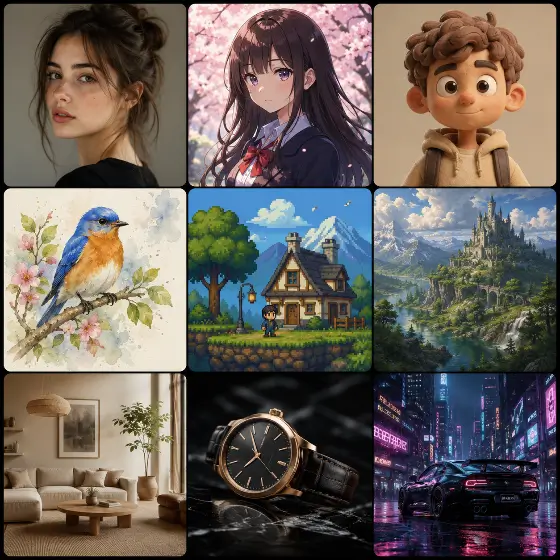
Probé el generador de imágenes Krea AI y el generador de imágenes Grok AI, pero esta es realmente la mejor IA para la generación de imágenes. Las generaciones ilimitadas y la falta de fricciones para registrarse lo convierten en mi motor diario para el arte conceptual.
Increíbles resultados de imágenes realistas de IA
La calidad de imagen realista de la IA es alucinante. Lo usé para crear maquetas de productos y la iluminación parece completamente natural. Supera fácilmente al generador de imágenes AKOOL AI en fotorrealismo.
Excelente para la resolución de problemas de generación de imágenes con IA
Tenía dificultades con la ingeniería rápida, pero los consejos de solución de problemas de generación de imágenes de IA integrados me ayudaron a perfeccionar mis entradas. Ahora puedo generar imágenes con IA perfectamente en todo momento.
Me encantan los créditos gratuitos todos los días
Obtener créditos gratuitos diariamente significa que puedo experimentar sin preocuparme por los costos. A diferencia de otras plataformas, este generador de imágenes de IA ilimitado realmente cumple sus promesas.
Mejor que un generador de imágenes de IA local
Configurar un generador de imágenes de IA local fue una pesadilla para mi hardware. Esta alternativa basada en la nube funciona perfectamente y produce impresionantes diseños de imágenes de personajes con IA sin quemar mi GPU.
Generador de imagen a imagen AI perfecto
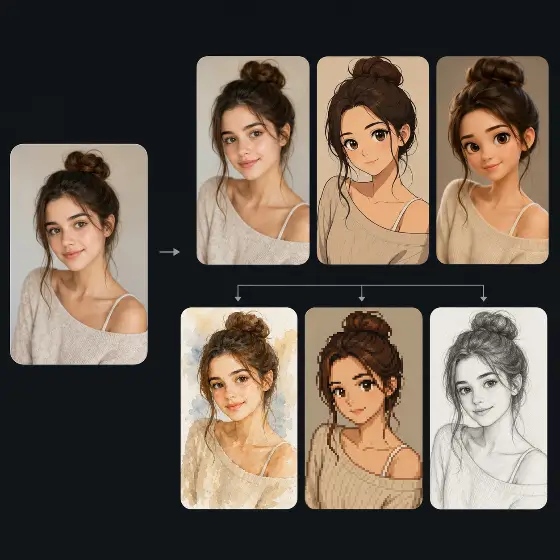
La función de generación de imagen a imagen con IA es fantástica para iterar bocetos. Subo mis garabatos y la IA los transforma en obras de arte pulidas. Es una herramienta esencial para mi flujo de trabajo de ilustración digital.
La mejor IA para la generación de imágenes
Probé el generador de imágenes Krea AI y el generador de imágenes Grok AI, pero esta es realmente la mejor IA para la generación de imágenes. Las generaciones ilimitadas y la falta de fricciones para registrarse lo convierten en mi motor diario para el arte conceptual.
Increíbles resultados de imágenes realistas de IA
La calidad de imagen realista de la IA es alucinante. Lo usé para crear maquetas de productos y la iluminación parece completamente natural. Supera fácilmente al generador de imágenes AKOOL AI en fotorrealismo.
Excelente para la resolución de problemas de generación de imágenes con IA
Tenía dificultades con la ingeniería rápida, pero los consejos de solución de problemas de generación de imágenes de IA integrados me ayudaron a perfeccionar mis entradas. Ahora puedo generar imágenes con IA perfectamente en todo momento.
Me encantan los créditos gratuitos todos los días
Obtener créditos gratuitos diariamente significa que puedo experimentar sin preocuparme por los costos. A diferencia de otras plataformas, este generador de imágenes de IA ilimitado realmente cumple sus promesas.
Mejor que un generador de imágenes de IA local
Configurar un generador de imágenes de IA local fue una pesadilla para mi hardware. Esta alternativa basada en la nube funciona perfectamente y produce impresionantes diseños de imágenes de personajes con IA sin quemar mi GPU.
Generador de imagen a imagen AI perfecto
La función de generación de imagen a imagen con IA es fantástica para iterar bocetos. Subo mis garabatos y la IA los transforma en obras de arte pulidas. Es una herramienta esencial para mi flujo de trabajo de ilustración digital.