Mga Viggle AI Prompt na Maaari Mong Kopyahin Bago Mamatay ang Trend
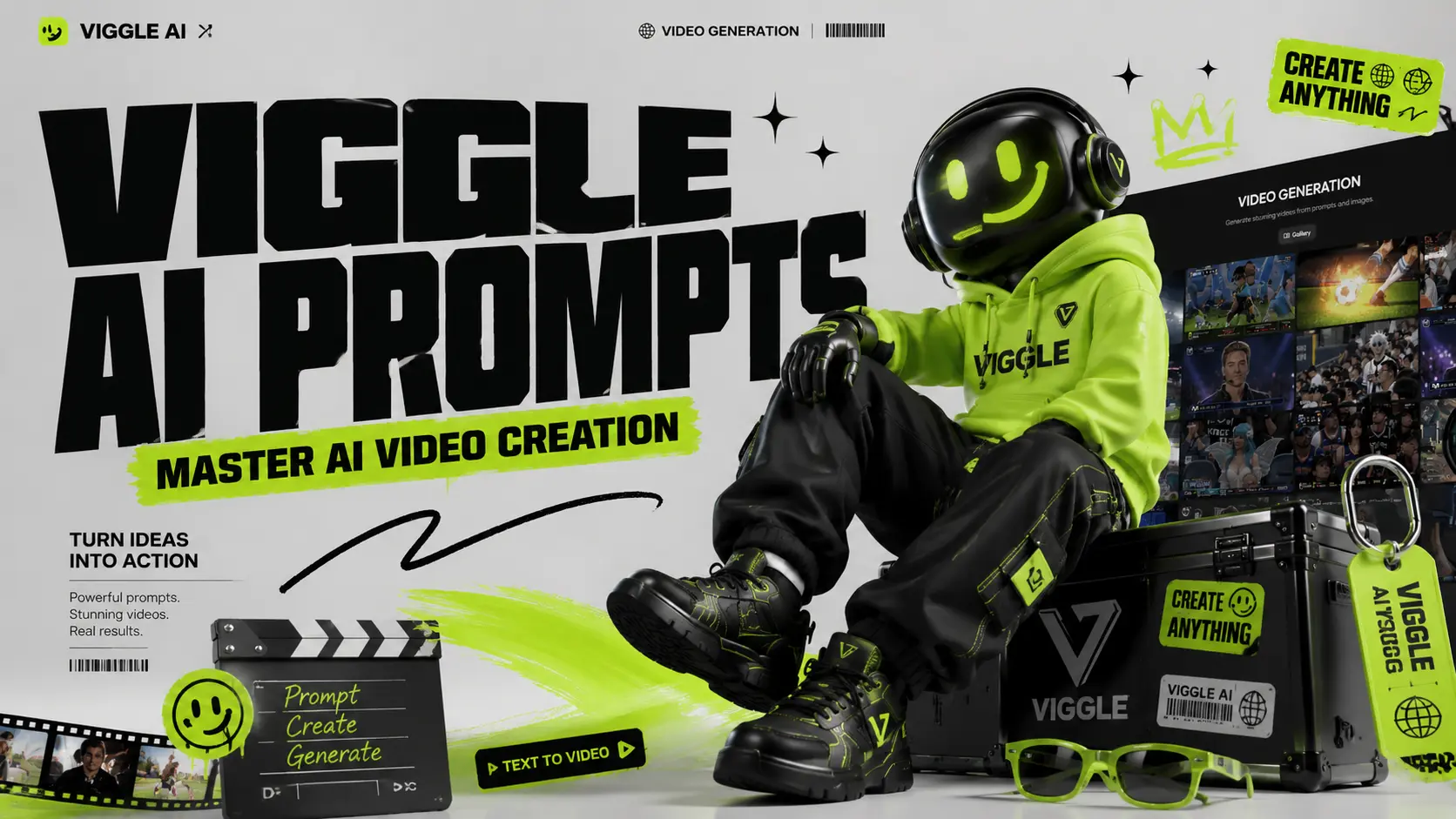
Mabilis kumalat ang mga viral AI video. Isang araw, lahat ay gumagawa ng sumasayaw na sanggol; kinabukasan, ang iyong feed ay puno ng mga anime edit, football clip, superhero memes, at lip-sync video. Pinapadali ng Viggle AI ang paggawa ng mga video na ito, ngunit ang tunay na shortcut ay hindi ang mismong tool. Ito ang prompt. Ang platform ay ginawa para sa kontroladong AI video generation, na nagbibigay-daan sa mga user na gawing sayawan, lip-syncing, meme-style, at mga performance video ang mga larawan. Ngunit kung masyadong malabo ang iyong prompt, ang resulta ay maaaring magmukhang malabo, matigas, o ganap na hindi pangkaraniwan. Ang gabay na ito ay tutulong sa iyo na makahanap ng praktikal na mga prompt ng Viggle AI ayon sa kategorya para mas mabilis mong makopya, ma-paste, ma-adjust, at ma-generate ang mga bagay para sa TikTok, Instagram Reels, YouTube Shorts, meme, fan edits, music video, at character animations. Nasaan ang mga Viggle AI Prompt? Mayroong dalawang pangunahing lugar kung saan makakahanap ka ng mga handa nang AI video prompt sa opisyal na website ng Viggle AI. Ang mga prompt na ito ay nagmula sa mga video na ginawa at ibinahagi ng mga totoong user, kaya ang mga ito ay kapaki-pakinabang na sanggunian kung gusto mong maunawaan kung gaano kasikat ang paggawa ng mga Viggle AI video. Unang landas: sa homepage Pagkatapos makapasok sa opisyal na website ng Viggle AI, mag-scroll pababa hanggang sa makita mo ang seksyong "Video Gallery". Itinatampok sa bahaging ito ang ilan sa mga kamakailang sikat na ideya para sa AI video na ginawa gamit ang Viggle AI. Mag-click sa anumang video sa gallery, at makikita mo ang mga pinagmulang materyales, prompt, at mga pangunahing setting na ginamit upang mabuo ang video na iyon. Kung gusto mong maghanap ng iba pang mga halimbawa, i-click lang ang “Tingnan Pa” para mag-browse ng mga karagdagang video na ginawa ng user. Bagama't kasama rin sa homepage ang mga halimbawa tulad ng Sing & Dance, paggawa ng meme, at iba pang mabilisang template, marami sa mga ito ay pangunahing pinapagana ng feature na "Mix Video" ng Viggle AI. Sa daloy ng trabahong ito, maaaring lumikha ang mga user ng mga video nang hindi nagsusulat ng detalyadong prompt. Gayunpaman, ang resulta ay maaaring magmukhang hindi gaanong natural, lalo na kapag ang karakter ay tila lumulutang sa ibabaw ng orihinal na layer ng video. Ang epektong ito ng "floating layer" ay malapit nang matugunan ng paparating na feature na Motion Control ng AI Image to Video. Ang pangalawang landas: Text to Video I-click ang “Text to Video” sa kaliwang bahagi upang makapasok sa pahina ng pagbuo ng video ng Viggle AI. Sa pahinang ito, inirerekomenda rin ng Viggle AI ang mga trending na halimbawa ng AI video batay sa sikat na paggamit at mga malikhaing istilo. Maaari mong i-click ang isang inirerekomendang video para kopyahin ang parehong configuration sa editing workspace, pagkatapos ay pag-aralan ang istruktura ng prompt, visual na direksyon, at mga setting ng pagbuo nito. Para sa mga user na gustong gumawa ng mas pinakintab na AI video, ang mga handa nang gamiting prompt ay hindi lang basta mga template na pwedeng i-copy-paste. Mga materyales sa pag-aaral ang mga ito. Sa pamamagitan ng pag-aaral kung paano inilalarawan ng ibang mga tagalikha ang mga karakter, aksyon, eksena, istilo ng kamera, at biswal na mood, mas mauunawaan mo kung ano ang nagpapabisa sa isang prompt. Paghahanap ng mga Prompt sa TikTok, YouTube, at Reddit ● TikTok: Sundin ang hashtag na #ViggleAIprompt para sa mga trending na prompt na nakakabit sa mga viral na video● YouTube: Ang mga tutorial ng creator mula sa mga channel tulad ng AI Andy (177K views) at Sejin AI (138K views) ay regular na nagbabahagi ng mga breakdown ng prompt● Reddit: Tinatalakay ng mga komunidad tulad ng r/StableDiffusion ang mga diskarte sa prompt at inihahambing ang mga resulta ng Viggle sa iba pang mga tool. Sa AI Image to Video, layunin naming gawing mas madali ang pagbuo ng video habang hinihikayat din ang mga user na matuto, subukan, at pagbutihin ang kanilang mga AI video prompt gamit ang iba't ibang tool at resource. Kaya naman patuloy naming ia-update ang aming serye ng blog na Gabay sa mga Prompt. Ang mga artikulong ito ay dinisenyo upang tulungan ang mga user na maunawaan kung paano sumulat ng mas mahuhusay na prompt para sa pagbuo ng AI video, mga image-to-video effect, character animation, at viral social media content. Makikita mo ang aming mga artikulo na may kaugnayan sa prompt sa pamamagitan ng entrada na "Prompt" sa itaas na navigation bar ng aming website. Maaari mo ring ma-access ang serye mula sa seksyong "Prompt Enhancer" sa homepage. Pinakamahusay na Viggle AI Dance Prompts Ang mga dance video ang pinakasikat na gamit ng Viggle at may pinakamataas na potensyal na maging viral sa TikTok at Instagram Reels. Ang mga Viggle AI dance prompt na ito ay nagmula sa mga trending na nilalaman at mga community library. Ang mga dance prompt ang pinakamadaling paraan para gumawa ng mga viral clip. Gumagana ang mga ito nang mahusay lalo na para sa mga uso sa TikTok, mga video ng reaksyon, mga pag-edit ng influencer, at mga meme ng karakter. Paalala 1: Isang taong may buong katawan na nakasuot ng matingkad na neon tracksuit, puting sneakers, at sunglasses, may kumpiyansang nakatayo sa malinis na puting background, istilong high-energy TikTok dance video. Paalala 2: Isang taong nakasuot ng oversized graphic T-shirt, maluwag na cargo pants, at makapal na sneakers, nakatayo nang tuwid at nakarelaks ang mga braso, green screen ang background, usong-uso sa streetwear dance video. Unyon 3: Isang naka-istilong babaeng tagapagtanghal na nakasuot ng kumikinang na kasuotan sa entablado at bota, nakatayo sa ilalim ng makukulay na ilaw sa konsiyerto, may kumpiyansang ekspresyon, istilo ng pagtatanghal sa music video. Unyon 4: Isang lalaking manunugtog na nakasuot ng itim na leather jacket, maitim na maong, at bota, nakatayo sa entablado na may spotlight, dramatikong istilo ng pagtatanghal ng sayaw na parang pop-star. Tip: Pinakamabisa ang mga dance prompt kapag malinaw ang hugis at contrast ng kasuotan. Iwasan ang mga kumplikadong disenyo na maaaring kumurap habang gumagalaw. Pinakamahusay na Viggle AI Meme at Comedy Prompts Meme videos ang gumagana dahil madalas na hindi magkatugma ang karakter at galaw. Mas nakakatawa ang isang seryosong karakter na sumasayaw ng nakakatawa kaysa sa isang nakakatawang karakter na sumasayaw ng nakakatawa. Paalala 1: Isang seryosong manggagawa sa opisina na nakasuot ng pormal na business suit, may hawak na folder, nakatayo sa isang simpleng opisina, nalilitong ekspresyon, makatotohanang istilo ng meme video. Unyon 2: Isang karakter ng superhero na nakasuot ng dramatikong kapa at masikip na suit, nakatayo sa isang kabayanihang pose sa isang green screen na background, eksaheradong komedya na istilong meme. Unyon 3: Isang guwardiya na nakasuot ng malinis na uniporme, nakatayo nang matinis sa harap ng pasukan ng isang gusali, seryoso ang mukha, nakakatawa at viral na parang meme. Unyon 4: Isang pagod na estudyanteng nakasuot ng hoodie at backpack, nakatayo sa silid-aralan, inaantok na ekspresyon, nakaka-relate na istilo ng meme sa paaralan. Tip: Mas maganda ang meme kung mas malaki ang contrast. Pagsamahin ang mga seryosong karakter sa mga nakakatawang sayaw, dramatikong pagbagsak, o mga kakaibang galaw. Pinakamahusay na Viggle AI Anime at Mga Pahiwatig ng Karakter Ang mga pahiwatig ng anime ay nangangailangan ng mas detalyado kaysa sa mga makatotohanang pahiwatig. Tumutok sa buhok, mata, kasuotan, at postura. Unyon 1: Isang babaeng anime na may mahabang asul na buhok na may dalawang buntot, malalaki at makahulugang mga mata, nakasuot ng uniporme ng paaralang Hapon na may pileges na palda at medyas sa tuhod, buong katawan, puting background, malinis na istilo ng anime. Unyon 2: Isang batang lalaki na anime na may matinik na pilak na buhok, matatalim na mga mata, nakasuot ng mahabang itim na amerikana sa ibabaw ng pulang kamiseta, combat boots, nakatayo nang nakahanda, istilong sinematikong anime action.








Hindi kapani-paniwalang Tool para sa YouTube Automation
Naghahanap ako ng ai video generator na walang credits, at perpektong naihatid ang platform na ito. Ang mga mindvideo na ginawa ko para sa aking automation channel ay mukhang hindi kapani-paniwalang propesyonal. Nakatipid ito sa akin ng mga oras ng pag-edit at ganap na binago ang daloy ng trabaho sa nilalaman.
Perpekto para sa Mabilis na Mga Ad sa Social Media
Ang paggamit ng video ad generator ai free feature ay nakatulong sa akin na ilunsad ang aking campaign sa ilang minuto. Gustung-gusto ko ang natural-look output mode, na nagbibigay sa akin ng hilaw, tunay na hitsura ng mga clip na mas mahusay na gumaganap sa aking target na madla kaysa sa labis na pinakintab na mga ad.
Mahusay na Alternatibo sa Iba Pang AI Tools
Dati akong gumamit ng vidful ai at youcam ai video generator, ngunit ang tool na ito ay nag-aalok ng mas mahusay na motion consistency. Ang mga paglipat ng imahe-sa-video ay makinis, at ang interface ay higit na madaling maunawaan para sa mga nagsisimula na gustong bumuo ng mga de-kalidad na clip na walang matarik na curve sa pag-aaral.
Napakahusay para sa Mga Walang Mukha na Channel
Ang pagpapatakbo ng walang mukha na channel ay mas madali na ngayon. Ang tampok na video ng ai face generator ay lumilikha ng mga makatotohanang avatar, at bilang isang ai video maker na walang watermark, ang aking mga huling pag-upload ay mukhang ganap na native at propesyonal. Lubos na inirerekomenda para sa mga digital marketer.
Seamless na Audio at Video Sync
Ang mga kakayahan ng ai audio sa video generator ay natitirang. Na-upload ko ang aking mga podcast clip, at awtomatikong itinugma ng ai voice at video generator ang mga visual sa aking pagsasalita. Ginawa nitong napakasimple at mabilis ang paglikha ng mga dynamic na video podcast.
Pinakamahusay na Karanasan sa Mobile sa pamamagitan ng APK
Ang pag-download ng mindvideo ai apk ay nagbigay-daan sa akin na mag-edit on the go. Ang pagsasama ng mga modelo ng mindvideo ai sora 2 sa mobile ay kahanga-hanga. Maaari akong bumuo ng mga de-kalidad na video clip nang direkta mula sa aking telepono nang hindi isinasakripisyo ang bilis ng pag-render o visual na katapatan.
Hindi kapani-paniwalang Tool para sa YouTube Automation
Naghahanap ako ng ai video generator na walang credits, at perpektong naihatid ang platform na ito. Ang mga mindvideo na ginawa ko para sa aking automation channel ay mukhang hindi kapani-paniwalang propesyonal. Nakatipid ito sa akin ng mga oras ng pag-edit at ganap na binago ang daloy ng trabaho sa nilalaman.
Perpekto para sa Mabilis na Mga Ad sa Social Media
Ang paggamit ng video ad generator ai free feature ay nakatulong sa akin na ilunsad ang aking campaign sa ilang minuto. Gustung-gusto ko ang natural-look output mode, na nagbibigay sa akin ng hilaw, tunay na hitsura ng mga clip na mas mahusay na gumaganap sa aking target na madla kaysa sa labis na pinakintab na mga ad.
Mahusay na Alternatibo sa Iba Pang AI Tools
Dati akong gumamit ng vidful ai at youcam ai video generator, ngunit ang tool na ito ay nag-aalok ng mas mahusay na motion consistency. Ang mga paglipat ng imahe-sa-video ay makinis, at ang interface ay higit na madaling maunawaan para sa mga nagsisimula na gustong bumuo ng mga de-kalidad na clip na walang matarik na curve sa pag-aaral.
Napakahusay para sa Mga Walang Mukha na Channel
Ang pagpapatakbo ng walang mukha na channel ay mas madali na ngayon. Ang tampok na video ng ai face generator ay lumilikha ng mga makatotohanang avatar, at bilang isang ai video maker na walang watermark, ang aking mga huling pag-upload ay mukhang ganap na native at propesyonal. Lubos na inirerekomenda para sa mga digital marketer.
Seamless na Audio at Video Sync
Ang mga kakayahan ng ai audio sa video generator ay natitirang. Na-upload ko ang aking mga podcast clip, at awtomatikong itinugma ng ai voice at video generator ang mga visual sa aking pagsasalita. Ginawa nitong napakasimple at mabilis ang paglikha ng mga dynamic na video podcast.
Pinakamahusay na Karanasan sa Mobile sa pamamagitan ng APK
Ang pag-download ng mindvideo ai apk ay nagbigay-daan sa akin na mag-edit on the go. Ang pagsasama ng mga modelo ng mindvideo ai sora 2 sa mobile ay kahanga-hanga. Maaari akong bumuo ng mga de-kalidad na video clip nang direkta mula sa aking telepono nang hindi isinasakripisyo ang bilis ng pag-render o visual na katapatan.