Model
Video Fast 1.5 Lite Free
Premium video quality — 3-second clips free to try. Limited-Time Availability.
Image
Drag & Drop, Paste, or Click to Upload
PNG, JPG, JPEG, WEBP , Max 20 MB
Prompt
0 / 1500
Audio
Prompt Extend
Duration
3s
Resolution
720p
1080p
Number of Results
Create
Sample Video
Sample video preview

Free MindVideo AI Image to Video Generator: No Sign Up Required

Discover the ultimate mindvideo ai photo to video generator free for all creators. This powerful image to vid ai tool lets you use ai to describe a video free of charge. Transform static pictures into dynamic clips instantly with our intuitive platform designed for seamless visual storytelling.

Original Image
Prompt
First-person student POV brewing complex potion in dimly lit dungeon classroom, hands visible measuring shimmering ingredients into bubbling cauldron. Magical academic immersion. Handheld camera tilts down watching hands pour glowing unicorn hair strands, stir clockwise three times with aged wooden spoon, liquid shifting from emerald to sapphire emitting sparkle particles. Ingredient bottles line stone workbench, floating candles cast flickering amber light creating dancing shadows on medieval walls, Professor Snape's shadow looms past periphery. Steam rises catching backlight creating volumetric atmosphere, magical particle motes float upward. Intimate 50mm lens with shallow depth focusing on cauldron while background softly blurs, warm candlelight contrasting cool dungeon stone, authentic Potterverse tactile experience.
Generated Clip
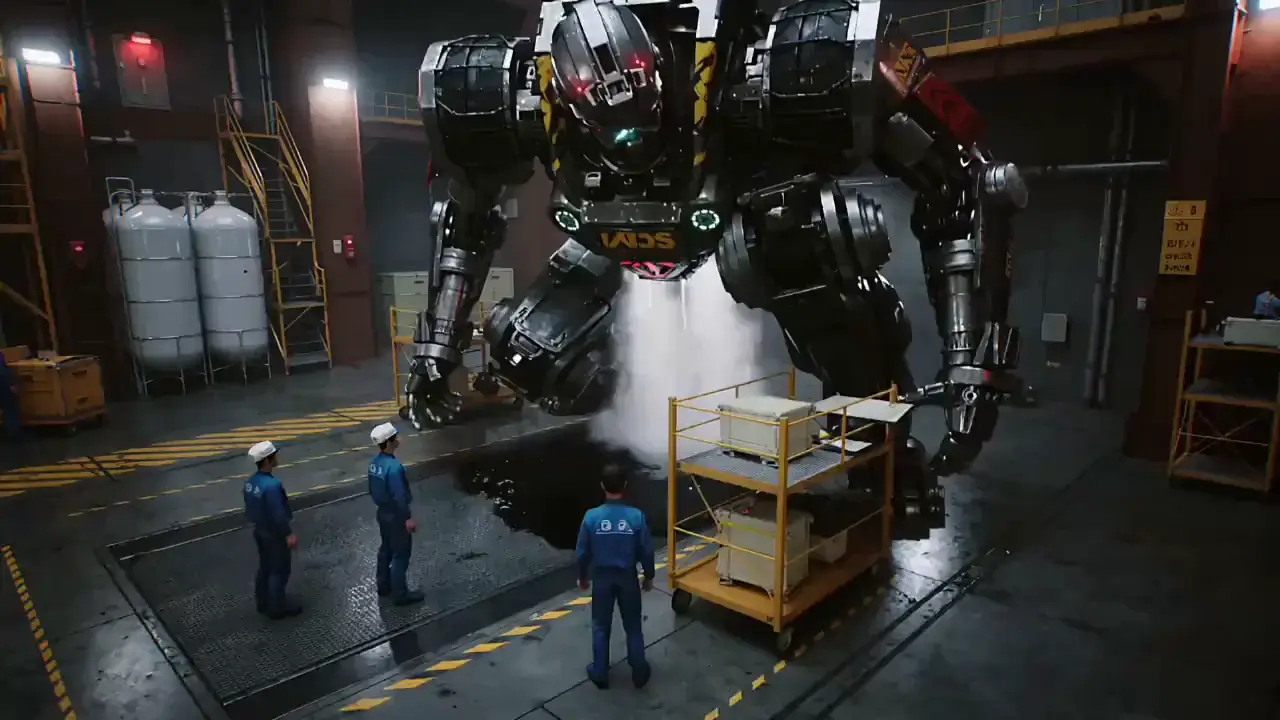
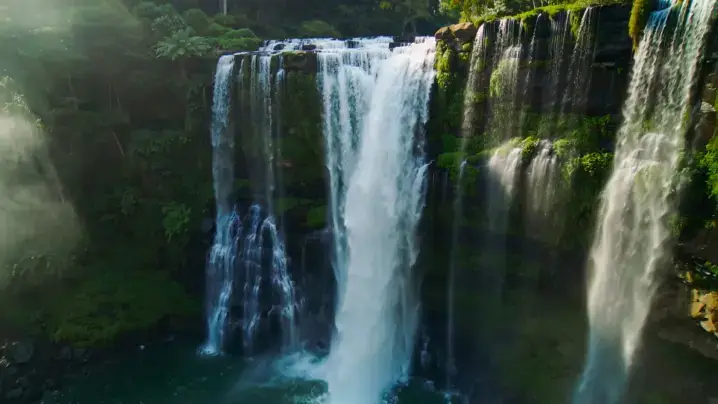
Original Image
Prompt
Massive jungle waterfall cascading 200 feet into emerald pool surrounded by lush rainforest vegetation, mist rising creating rainbow prisms in golden afternoon light. Pristine wilderness majesty. Slow aerial drone descent spirals downward from canopy level revealing waterfall's full vertical drama, camera rotating gently showcasing 360-degree untouched ecosystem. Water droplets sparkle mid-air catching sunlight, ferns and orchids cling to wet rock faces, macaws fly through mist creating vivid color bursts. Volumetric god rays pierce through canopy gaps, particles suspended in humid air glowing. Wide 24mm lens maintaining environmental immersion, warm amber sunlight contrasting cool blue-green shadows, Planet Earth BBC nature documentary cinematography.
Generated Clip
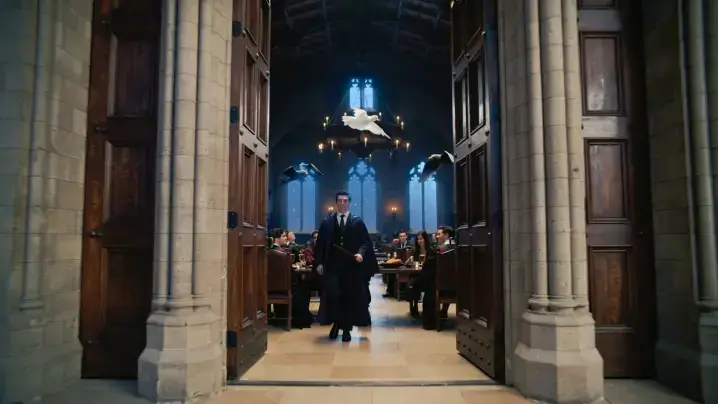
Original Image
Prompt
Student walking through massive Great Hall oak doors into feast atmosphere, wand visible in hand as perspective moves toward long house tables under floating candle ceiling. Arrival anticipation sequence. Steadicam glide forward through door threshold revealing hall's impossible vertical scale, thousands of candles suspended in starry ceiling illusion, four house tables laden with golden plates and goblets stretching into vanishing point. Fellow students turn waving greetings, ghosts drift through air semi-transparent, owl post swoops overhead delivering letters. Ambient chatter layers build, candlelight creates warm communal glow reflecting off polished wood and stone. Natural 35mm with gentle depth of field keeping foreground sharp, cozy amber warmth from countless candles contrasting cool evening sky visible through enchanted ceiling, immersive Hogwarts belonging feeling.
Generated Clip

Create Stunning AI Video from Picture with MindVideo AI Sora 2

Our free mindvideo ai image to video platform offers an ai video generator no filter for authentic content. Produce engaging ai ugc videos effortlessly. As an ai video generator free no credits required, it empowers users to generate high-quality visual assets without hidden costs or restrictive paywalls.

Advanced AI Generator Image to Video Technology

Experience next-level a2e image to video conversion with our mindvideo ai photo to video generator free. Unlike a standard capcut free ai video generator, our ai video generator capcut alternative provides superior motion dynamics. It ensures every frame is rendered with cinematic precision, giving creators professional-grade results directly from their static images.

Generate Now

Seamless AI Video Generator Image to Video Workflow

Our free mindvideo ai image to video system eliminates the need for a third-party veed io video downloader. You get direct ai video download access to your creations. As a premier ai video maker free no watermark, it guarantees clean, professional outputs ready for immediate publishing across all your social media channels.

Generate Now

Creative AI Video Story Generator for Narratives

Build compelling narratives using our mindvideo ai photo to video generator free. Whether you need an ai shorts video generator or a full ai video story generator, our platform supports diverse formats. Utilize our built-in kumpulan prompt video ai library to inspire your scenes and craft engaging stories that captivate your audience from start to finish.

Generate Now

How to Use Our Funny AI Video Generator and AI Audio to Video Generator Online

Step 1: Upload Your Media or Enter Text Prompts

Start using the mindvideo ai photo to video generator free by uploading your pictures to our image to video ai io interface. Alternatively, paste a link into our url to video generator to automatically extract visual assets for your new project.

Step 2: Customize Settings and Add Audio

Enhance your free mindvideo ai image to video project by using the ai face generator video tool for realistic avatars. Add voiceovers to create an ai video explainer free of charge, ensuring your message is delivered clearly and professionally.

Step 3: Generate and Export Your Final Video

Click generate using our ai video generator no credits system. Once rendered, use the built-in ai promo video maker to finalize your clips, or utilize the video ad generator ai free feature to export optimized formats for marketing campaigns.

Top Use Cases for Our Chinese AI Video Generator and AI Product Video Generator Free

Creators often ask how do people create ai videos that actually convert. Our platform serves as the best ai video generator for youtube, helping influencers produce viral content. E-commerce brands rely on it as an ai product video generator free to showcase items dynamically. Furthermore, marketers use it to scale ai ugc videos for authentic social proof. Whether you need a localized chinese ai video generator for regional campaigns or a global tool for diverse audiences, this platform adapts to your specific industry needs, ensuring high engagement and professional visual quality across all digital touchpoints.

E-Commerce
Social Media
Education
Personal

E-Commerce Product Showcases

Transform static catalog images into dynamic shopping experiences. Our ai product video generator free allows online stores to create an engaging ai promo video for every item. This boosts conversion rates by showing products in action, highlighting features, and providing a realistic sense of scale and texture to potential buyers.

User Reviews and Testimonials

Incredible Tool for YouTube Automation

I was looking for an ai video generator free no credits, and this platform delivered perfectly. The mindvideos I created for my automation channel look incredibly professional. It saved me hours of editing time and completely transformed my content workflow.

Sarah Jenkins
YouTuber

Perfect for Quick Social Media Ads

Using the video ad generator ai free feature helped me launch my campaign in minutes. I love that it acts as an ai video generator no filter, giving me raw, authentic-looking clips that perform much better with my target audience than overly polished ads.

Marcus Chen
Digital Marketer

Great Alternative to Other AI Tools

I previously used vidful ai and youcam ai video generator, but this tool offers much better motion consistency. The image-to-video transitions are smooth, and the interface is far more intuitive for beginners who want to generate high-quality clips without a steep learning curve.

Elena Rodriguez
Content Creator

Excellent for Faceless Channels

Running a faceless channel is so much easier now. The ai face generator video feature creates realistic avatars, and as an ai video maker free no watermark, my final uploads look completely native and professional. Highly recommended for digital marketers.

David Smith
Digital Marketer

Seamless Audio and Video Sync

The ai audio to video generator capabilities are outstanding. I uploaded my podcast clips, and the ai voice and video generator automatically matched the visuals to my speech. It made creating dynamic video podcasts incredibly simple and fast.

Aisha Patel
Podcaster

Best Mobile Experience via APK

Downloading the mindvideo ai apk allowed me to edit on the go. The integration of mindvideo ai sora 2 models on mobile is impressive. I can generate high-quality video clips directly from my phone without sacrificing rendering speed or visual fidelity.

James Wilson
Mobile Creator

Incredible Tool for YouTube Automation

I was looking for an ai video generator free no credits, and this platform delivered perfectly. The mindvideos I created for my automation channel look incredibly professional. It saved me hours of editing time and completely transformed my content workflow.

Sarah Jenkins
YouTuber

Perfect for Quick Social Media Ads

Using the video ad generator ai free feature helped me launch my campaign in minutes. I love that it acts as an ai video generator no filter, giving me raw, authentic-looking clips that perform much better with my target audience than overly polished ads.

Marcus Chen
Digital Marketer

Great Alternative to Other AI Tools

I previously used vidful ai and youcam ai video generator, but this tool offers much better motion consistency. The image-to-video transitions are smooth, and the interface is far more intuitive for beginners who want to generate high-quality clips without a steep learning curve.

Elena Rodriguez
Content Creator

Excellent for Faceless Channels

Running a faceless channel is so much easier now. The ai face generator video feature creates realistic avatars, and as an ai video maker free no watermark, my final uploads look completely native and professional. Highly recommended for digital marketers.

David Smith
Digital Marketer

Seamless Audio and Video Sync

The ai audio to video generator capabilities are outstanding. I uploaded my podcast clips, and the ai voice and video generator automatically matched the visuals to my speech. It made creating dynamic video podcasts incredibly simple and fast.

Aisha Patel
Podcaster

Best Mobile Experience via APK

Downloading the mindvideo ai apk allowed me to edit on the go. The integration of mindvideo ai sora 2 models on mobile is impressive. I can generate high-quality video clips directly from my phone without sacrificing rendering speed or visual fidelity.

James Wilson
Mobile Creator

News

Freebeat AI Music Video Generator: Honest Review, Tutorial & Best Alternatives (2026)

Freebeat AI Music Video Generator: Honest Review, Tutorial & Best Alternatives (2026)

With over 125,000 views on a single YouTube review and a user base spanning 100+ countries, the Freebeat AI music video generator is one of the most talked-about tools in the AI music space. It also holds a 1.7-star rating on Trustpilot. So what’s actually going on? Most AI video tools treat your audio as an afterthought, and Freebeat’s polarizing reputation makes it hard to judge. This guide delivers an honest breakdown of Freebeat AI’s features, real-world pricing, step-by-step usage, and the strongest alternatives available right now. What Is the Freebeat AI Music Video Generator? Freebeat.ai bills itself as the world’s first fully autonomous AI music video generator. It’s built around a proprietary music-vision model trained on a massive dataset of beat-paired audio-visual content. How Freebeat AI Works: Audio-as-Prompt Technology Rather than relying on text prompts like Runway or Pika, Freebeat treats your music as the creative driver. The system analyzes your track’s tempo, structure, mood, and lyrics to generate matching visuals. Each playback produces a unique visual interpretation of the same song. Freebeat.ai vs. Freebeatfit: Clearing Up the Brand Confusion Searching “freebeat” often surfaces exercise bike results. Freebeat.ai (AI video tool) is completely separate from Freebeatfit (fitness brand). Double-check you’re on the right site. Who Is Freebeat AI Designed For? The tool targets independent musicians, Suno/Udio creators needing visuals for AI-generated tracks, social media producers, DJs promoting releases, and hobbyists who want music videos without editing software. Key Features of the Freebeat AI Music Video Generator Three Creation Modes: Automatic, Singing, and Storytelling Automatic delivers one-click generation from your track. Singing adds lip-synced AI avatars. Storytelling builds cinematic narrative videos with scene progression. Each mode suits different goals — quick social posts, performance content, or polished YouTube premieres. Beat Sync and Audio-Reactive Visuals Visual transitions align to downbeats, drum hits, and chorus changes instead of random intervals. The proprietary “Onbeat Effect” makes your video feel choreographed to the music rather than generically assembled. AI Music Video Agent (MV Agent) The MV Agent earned “breakthrough” praise on Reddit. It automates the full pipeline: song analysis, creative direction via prompts, storyboard generation, and one-click rendering. Some users report “pathing problems” where the agent makes unexpected creative choices. Bundled AI Video Models and All-In-One Hub Freebeat integrates multiple frontier models — Kling 2.1, Luma Ray2, Runway Gen-3, Pika 2.2, Veo 2/3, and others — in one interface. Some users argue this amounts to reselling existing technology at a premium. Lip Sync, Lyric Videos, and Album Cover Animation Lip sync is available but credit-intensive — approximately 406 credits per 15 seconds, scaling to ~4,872 credits for a three-minute track. Lyric overlay and album cover animation round out the toolkit. Export Options: YouTube, TikTok, Reels, and Shorts Supported aspect ratios include 16:9 for YouTube and 9:16 for TikTok, Reels, and Shorts. Resolution goes up to 4K, and downloads are available with or without lyric overlays. How to Create a Music Video with Freebeat AI (Step-by-Step Tutorial) Step 1 – Upload Your Track or Paste a Link Upload MP3/WAV files, or paste links from Spotify, YouTube, SoundCloud, Suno, Udio, or TikTok. The Suno integration is particularly smooth — users praise the direct link-paste workflow. Step 2 – Choose Your Creation Mode and Visual Style Select your mode, then pick a visual preset. Options include noir cinematic, vibrant pop, and glitch aesthetic. Genre tips: noir complements hip-hop, bright palettes suit pop, glitch fits EDM, and muted tones work for lo-fi. Step 3 – Preview, Edit Your Storyboard, and Customize Review the storyboard before spending credits. Caution: the “Continue” button can accidentally trigger a merge that destroys your project and wastes credits. Step 4 – Generate, Download, and Export Expect 5-7 minutes of processing per minute of video. If generation stalls (a common issue), credits are consumed without automatic refund. Download and export once rendering completes. Freebeat AI Pricing: What It Really Costs Free Plan: What You Actually Get The free tier yields approximately 20 seconds of usable footage. As one Reddit user noted, free tiers across AI video tools rarely deliver meaningful output. Credit System Explained: Cost Per Minute of Video Reported costs vary widely: a $26/month plan might produce 3-4 minutes with retries, while one user was quoted $115 for a single three-minute track. Lip sync burns through credits far faster than Automatic mode. Paid Plans: Which Tier Is Right for You? Casual creators may manage on a basic plan. Musicians releasing multiple tracks monthly should budget for higher tiers. A Pro Annual plan is available through ProAudioStar for better per-credit value. Hidden Costs: Retries, Failed Renders, and Credit Burn The biggest expense is iteration. Every retry consumes more credits. Multiple Trustpilot reviewers report losing credits with no usable output in return. Freebeat AI Pros and Cons: The Honest Verdict What Freebeat AI Does Well Where Freebeat AI Falls Short Customer Service and Subscription Management Concerns Freebeat holds a 1.7/5 Trustpilot rating with 75% one-star reviews. Complaints center on unresponsive support, Discord banning users who raise issues, and hidden cancellation options. Multiple YouTube commenters report continued billing after attempting to cancel. Freebeat AI vs. Top Competitors: Head-to-Head Comparison Freebeat AI vs. Neural Frames Neural Frames specializes in abstract, audio-reactive visuals for electronic and experimental genres. It lacks song-structure understanding, while Freebeat provides end-to-end generation with beat awareness but less reliable output. Freebeat AI vs. Kaiber Kaiber offers Beat Sync through its Superstudio feature starting at $5/month, making it the most affordable entry point. It handles short audio-reactive clips well but can’t generate full-song videos. Freebeat AI vs. AirMusic AI AirMusic AI is gaining Reddit credibility for tracking musical structure — detecting tempo shifts, mood changes, and verse-chorus transitions. It’s becoming the most recommended Freebeat alternative. Freebeat AI vs. Runway ML Runway’s Gen-4.5 produces the highest-quality clips but has no music awareness. It requires manual editing in Premiere or DaVinci Resolve to assemble a music video. Freebeat AI vs. DIY Workflow (Kling + CapCut/DaVinci) Generating clips in Kling or Grok, then beat-aligning them in CapCut

Deevid AI Kissing Video Generator: Honest Review, Tutorial & Best Alternatives (2026)

Deevid AI Kissing Video Generator: Honest Review, Tutorial & Best Alternatives (2026)

AI kissing video generators have become some of the most searched creative tools of 2026. But after sifting through dozens of product pages, Reddit threads, and YouTube reviews, one thing is clear: most “guides” are just marketing in disguise. Users consistently report the same frustrations — tools marketed as “free” that aren’t, confusing credit systems, and surprise billing. This guide provides a transparent look at DeeVid AI, a practical walkthrough, honest pricing, and a head-to-head comparison of the top alternatives. What Is an AI Kissing Video Generator? These tools transform static photos into short animated clips of people kissing. They use AI to analyze facial features, predict natural motion, and generate frame-by-frame video from a single image or photo pair. How AI Kissing Video Technology Works The core technology uses facial landmark detection — the AI maps key facial points (eyes, nose, lips, jawline) and synthesizes realistic kissing motion. The same tech powers AI lip sync and hug generators. Most tools produce 5-to-15-second clips, with sustained motion beyond 10 seconds remaining technically challenging. Image-to-Video vs Text-to-Video: Which Works Better for Kiss Videos? Image-to-video is the preferred method. Upload a real photo, and the AI animates it while preserving likenesses. Text-to-video creates characters from prompts, offering more creative freedom for fictional content but less control over the final look. For personal photos, image-to-video delivers better results. DeeVid AI Kissing Video Generator: An Honest Look What Is DeeVid AI? DeeVid AI is a Singapore-based platform offering text-to-video, image-to-video, and video-to-video generation across web, iOS, and Android. It integrates models including Google Veo 3, with kissing videos being one of many features alongside lip sync, avatars, and ad creation. Key Features for Kissing Videos DeeVid provides a dedicated AI Kissing template with multiple styles, support for couple photos and separate portraits, and three model tiers — Fast V2.0 (quick previews), Quality V2.0, and Master V2.0 (highest fidelity). The AI Hug Generator and Lip Sync features complement the kissing tool. DeeVid AI’s Template-Based Approach (No Prompt Needed) DeeVid’s standout advantage is its no-prompt template system. Unlike competitors where results depend on prompt-writing skill, you simply upload a photo and select a template. This makes it genuinely beginner-friendly. What Real Users Are Saying DeeVid holds a 1.6 out of 5 on Trustpilot (159 reviews, 76% one-star). Key complaints include: On the positive side, free trial quality is decent, the template approach works well, and early users found it comparable to Kling AI for short clips. How to Make an AI Kissing Video with DeeVid AI (Step-by-Step) Step 1: Sign Up and Understand Your Free Credits Create an account to receive 20 free credits. Each kissing video costs about 10 credits, so your free allowance covers roughly 2 videos. Credits expire after 30 days. Step 2: Choose the AI Kissing Template Navigate to the kissing templates and select a kiss style. No prompt writing is required. Step 3: Upload Your Photo(s) Upload a couple photo or two individual portraits. Photo quality determines output quality — use well-lit, clear images with visible facial features and side-profile or three-quarter angles. Step 4: Customize Your Kiss Style and Settings Select your kiss style and model tier. Use Fast V2.0 for cheap previews, then Quality or Master for final renders. Higher-quality models consume more credits. Step 5: Generate, Preview, and Download Generation takes 20-60 seconds. Preview before downloading. Be cautious of the “No Limit” button, which users report triggers unintended purchases. Tips for Creating Realistic AI Kissing Videos Photo Selection Tips (Lighting, Angle, Resolution) Best Prompt Ideas for Different Kiss Styles For prompt-based tools: Common Mistakes to Avoid What DeeVid AI Actually Costs (Pricing Breakdown) Free Trial: What You Really Get DeeVid’s 20 free credits yield about 2 kissing videos. Compare with Vidu AI (fully free), Virbo (“100% free unlimited”), and MyEdit (daily free credits). “Free” means very different things across tools. Paid Plans: Credit Costs and Hidden Charges Paid plans start at $14/month, but the variable credit system means actual output depends on model and video type. Reddit users report getting 12-25 videos from plans advertised as “40 videos.” Annual billing defaults have caught subscribers off guard. Cost-Per-Video: The Real Math At $14/month for 12-25 outputs, DeeVid costs roughly $0.56-$1.17 per video. Higgsfield runs $150-300 per cinematic reel at the premium end, while KissGen AI offers a $5 lifetime deal. Billing Pitfalls to Watch Out For Best AI Kissing Video Generators Compared (2026) DeeVid AI — Best for No-Prompt Beginners Template-based and beginner-friendly, but the 1.6/5 Trustpilot score warrants caution on paid plans. Pollo AI — Best for Multi-Model Access Access Sora 2, Veo 3, Seedance 2.0, and Kling AI through one dashboard. 4.3/5 Trustpilot across 4,000+ reviews. Virbo (Wondershare) — Best for Customization French wedding kiss, parental affection, passionate embrace styles with scene settings like beach sunset. Wondershare brand adds trust. Media.io — Best for Multiple Kiss Effects Named romantic templates (Peak of Eternity, Moonlit Beach Kiss) and a unique Multi-Person Kiss Filter. VEED.IO — Best for Content Creators Full editing suite (subtitles, voiceover, music) with multi-model backend. 4.6/5 rating, used by Fortune 500 companies. Vidu AI — Best Free Option Genuinely free with anime and fictional character focus. Upload, select a template, generate — no credit card needed. ComfyUI + CivitAI — Best for Privacy (Local Generation) Unlimited free generation on your own GPU with community-built kissing LoRAs. Nothing gets uploaded. Requires technical setup. For a simpler privacy-focused alternative with watermark-free output, AI Image to Video handles image-to-video generation without the hardware requirements. Quick Comparison Table Tool Free Tier Paid Price Prompt Needed? Watermark? Trust Score DeeVid AI ~2 videos $14/mo No Varies 1.6/5 Pollo AI Limited Varies Yes Varies 4.3/5 Virbo Claims unlimited Paid tiers Yes Varies N/A Media.io Limited Paid tiers No Yes (free) N/A VEED.IO No card needed Paid tiers Yes Yes (free) 4.6/5 Vidu AI Fully free None No No N/A AI Image to Video Available Paid tiers Yes No N/A ComfyUI Unlimited Free (GPU) Yes No N/A AI Kissing Video Use

InShot vs CapCut in 2026: Which Video Editing App Is Actually Worth It?

InShot vs CapCut in 2026: Which Video Editing App Is Actually Worth It?

CapCut nearly doubled its Pro price, got banned in the US and India, and rewrote its Terms of Service to claim rights over user content. Meanwhile, InShot quietly became the go-to mobile editor for millions of displaced creators. So which app actually deserves your time in 2026? This guide delivers an honest breakdown of features, pricing, privacy, and real-world use cases to help you choose the right editor. InShot vs CapCut at a Glance: Quick Comparison Table Summary Comparison Table Feature InShot CapCut Developer SHANTANU PTE. LTD. ByteDance (TikTok parent) Platforms iOS, Android iOS, Android, Desktop, Web Free Tier Core tools (ads + watermark) Core tools (no watermark) Paid Plans $3.99/mo · $15–20/yr · $40–50 lifetime ~$10–20/mo (Pro) AI Features Basic AI cut Auto captions, background removal, TTS Max Export 4K 4K Video Length Limit None 15 minutes Available in US/India Yes Banned since Jan 2025 Trustpilot Rating N/A 1.2 / 5 Best For Budget creators, beginners, families TikTok creators, advanced mobile editing What Is InShot? InShot is a mobile-first video editor from SHANTANU PTE. LTD., built to get creators from raw footage to a finished post in minutes. Key Features and Strengths Core tools include trim, cut, split, merge, crop, rotate, plus speed adjustment, filters, transitions, text, stickers, music, voiceover, background blur, and color correction. Pro unlocks chroma key and extra effects. InShot supports 4K export on its free plan with no video length limit. Who Is InShot Best For? Beginners, mobile-only editors, budget-conscious influencers, and families. Its lack of a social feed makes it a safer pick for younger users — something Bark has specifically highlighted. What Is CapCut? CapCut is ByteDance’s video editor, tightly woven into the TikTok ecosystem. It gained dominance by offering pro-level tools for free — though that equation has shifted considerably since 2025. Key Features and Strengths CapCut offers multi-layer timeline editing, AI auto-captions (~94% accuracy, 23 languages), AI background removal, text-to-speech, script-to-video, speed ramping, keyframing, and a massive TikTok-synced template library. It also includes royalty-free audio, beauty filters, and auto-reframe across mobile, desktop, and web. Who Is CapCut Best For? TikTok/Reels creators wanting trend-aligned templates, users who rely on AI editing tools, and editors needing a cross-platform workflow across phone, laptop, and browser. Feature-by-Feature Comparison User Interface and Ease of Use InShot uses a clean, single-track layout — most users produce their first video within minutes. CapCut’s multi-track timeline is more capable but has a steeper initial learning curve. AI Features: Auto Captions, Background Removal, and Text-to-Speech CapCut pulls far ahead here. Its auto-captioning benchmarks around 94% accuracy, and it offers AI background removal, voiceovers, and script-to-video. InShot has a basic AI cut tool but can’t match this depth. Note: many of CapCut’s AI features now require Pro. Templates, Effects, and Filters CapCut’s template library is enormous and continuously refreshed with TikTok trends. InShot’s collection is smaller but stable — you won’t find favorite effects suddenly paywalled, a recurring CapCut frustration. Audio and Music Tools Both include music libraries and basic editing. However, creators report that CapCut introduces background noise on export — a dealbreaker for music content. InShot’s audio handling is simpler but more reliable. Text, Titles, and Captions CapCut offers richer text animations and more fonts. InShot’s text tools are basic but functional. CapCut’s removal of its font search bar remains a sore point for many users. Export Quality and Format Options Both export up to 4K. Some users report InShot slightly reduces clarity, while CapCut has documented audio artifacts. Key difference: CapCut caps videos at 15 minutes; InShot has no limit. Timeline and Multi-Track Editing CapCut’s multi-layer timeline with keyframing handles complex projects far better. InShot’s single-track editor is faster for simple edits but limits layering and precise timing. Pricing Comparison: Free vs Paid Plans InShot Pricing Breakdown CapCut Pricing Breakdown Formerly free features like audio import and fade effects have been quietly moved behind the paywall. The True Cost: InShot Lifetime vs CapCut Subscription Over two years, InShot’s lifetime plan costs $50 once. CapCut Pro at $20/month totals roughly $480. Even at the lower official rate, CapCut runs $192–$240. As one Reddit user put it, InShot is “basically the same program” at a fraction of the cost. Safety, Privacy, and Terms of Service Both apps are owned by Chinese companies, and the privacy details matter more than most comparison articles suggest. CapCut’s Data Collection and Content Rights ByteDance’s TOS grant an irrevocable, perpetual, royalty-free license to all user content. CapCut collects personal, device, behavioral, and location data, and requires internet for many features. Its 1.2/5 Trustpilot rating reflects widespread complaints about impossible cancellations and bot-only support. InShot’s Privacy Practices SHANTANU PTE. LTD. is also China-based — a fact rarely disclosed. TechRadar scored InShot 0 out of 5 on privacy, citing 100+ tracking vendors and demands for full photo library access. InShot isn’t the privacy champion some assume. Which App Is Safer for Kids and Families? InShot wins clearly: no social feed, no community features, no stranger interactions. Bark and ProtectYoungEyes recommend it. CapCut embeds a social feed with stranger comments and offers no parental controls. CapCut Ban: Availability and What It Means for Creators Where Is CapCut Banned and Why? CapCut was removed from US and Indian app stores on January 19, 2025 under legislation targeting ByteDance-owned applications over data privacy and national security concerns. How Creators Are Adapting Most displaced creators migrated to InShot and VN Video Editor as natural mobile replacements. Others moved to DaVinci Resolve on desktop or browser editors like Flixier. VPN workarounds exist but are unreliable long-term. Pros and Cons InShot Pros and Cons Pros: Cons: CapCut Pros and Cons Pros: Cons: Which App Should You Choose? (Use-Case Recommendations) Best for Beginners InShot wins. Its minimal interface and single-track editor mean less overwhelm and a faster path to your first finished video. Best for TikTok and Short-Form Creators CapCut wins (where accessible). Native TikTok integration, trending templates, and superior auto-captions make it purpose-built for short-form. InShot is the fallback in banned regions.

Pictory AI Video Generator: Complete Guide, Honest Review & Alternatives [2026]

Pictory AI Video Generator: Complete Guide, Honest Review & Alternatives [2026]

The AI video market topped $847 million in 2026, yet most creators still struggle with tight budgets and limited editing skills. Pictory AI promises to fix that — turning scripts, blog posts, and URLs into finished videos in minutes. With nearly every YouTube review loaded with affiliate links, honest takes are rare. This guide covers how Pictory works, what it costs, where it shines, where it falls short, and how it stacks up against top alternatives. What Is Pictory AI Video Generator? Pictory AI is a cloud-based platform that converts text-based content into finished videos without editing expertise. It’s best understood as a content repurposing engine — not a cinematic production tool. Over 20,000 companies use it, drawing from more than 10 million stock media files. How Pictory AI Works Users provide text — a script, blog post, URL, or presentation — and Pictory’s AI breaks it into scenes, matches stock footage, adds voiceover, generates captions, and exports a platform-ready video. Five creation modes are available: Script to Video, Article/URL to Video, Edit Video Using Text, Visuals to Video, and the newer AI Studio for prompt-based generation. Key Features Overview Who Is Pictory Best For? Pictory works well for content marketers repurposing blogs, B2B teams scaling video production, faceless YouTube creators, and educators converting lessons into video. It is not ideal for creators needing cinema-quality original footage, professional editors wanting granular control, avatar-focused video, or mobile-first workflows — there is no mobile app. Pictory AI Pricing Plans in 2026 Free Trial — What You Actually Get Pictory’s free trial includes 3 watermarked videos capped at 10 minutes — enough to test the interface but barely sufficient for real evaluation. CapCut exports watermark-free for free, and Kapwing offers watermark-free output at 720p. Paid Plans Breakdown (Standard, Premium, Teams) Plan Price Videos/Month Max Length AI Voices Standard $23/mo ($19 annual) 30 10 min 34 Premium $39/mo 60 20 min 60 Teams $99/mo 90 (3 users) 20 min 60 Enterprise Custom Custom Custom Full access A 15% annual billing discount applies across all tiers. How Pictory’s Pricing Compares to Competitors Tool Monthly Price Free Tier Best For Pictory $23+ 3 videos, watermarked Blog/script to video InVideo AI $28+ 480p exports Template variety Synthesia $18+ (annual) Limited demo AI avatar videos CapCut Free / $7.99 No watermark Budget editing HeyGen $24+ Limited Lip-sync dubbing VEED $12+ With limits Team collaboration Fliki $21+ Limited Multilingual voiceovers How to Use Pictory AI Video Generator (Step-by-Step) Getting Started — Account Setup and Dashboard The dashboard presents four creation modes after signup. Choose based on your starting material: a written script, a published blog URL, a video needing trimming, or your own visual assets. Script to Video — Turn Any Script into a Video Pictory’s most popular mode. Paste your script, and the AI segments it into scenes, assigns stock footage, and adds voiceover. Swap clips, adjust timing, and customize fonts and music before exporting. Pro tip: Use ChatGPT to write scripts with concrete visual descriptions — this improves footage matching accuracy. Expect to manually replace 30–50% of auto-selected clips for best results. Article/URL to Video — Repurpose Blog Content Paste a URL or article text and Pictory extracts key points, builds scenes, and assembles a video summary. This is arguably the platform’s strongest differentiator. Listicles, how-to guides, and data-driven posts tend to produce the best scene matches. Edit Video Using Text — Trim by Editing Transcripts Upload a video and Pictory generates a transcript. Edit the text to cut sections, strip filler words, or trim silence — the video updates accordingly. Great for repurposing webinars and long recordings into short clips. Visuals to Video — Upload Your Own Media Bring your own images, clips, or slides and let Pictory handle voiceover, captions, and formatting. This mode sidesteps the stock footage matching problem entirely while still benefiting from AI narration and auto-captioning. Tips for Getting Better Results with Pictory AI Writing Scripts That AI Matches Accurately Stock footage mismatch is the most common complaint. To minimize it, use concrete, visual nouns instead of abstract concepts. Write one idea per scene, avoid metaphors, and keep sentences short. Bracketed visual cues like “[show: person working at laptop]” can guide the AI toward better selections. Customizing Voiceovers and Audio Built-in voices have received mixed reviews, but the ElevenLabs premium voices on paid plans are a clear upgrade. For maximum quality, record narration externally and upload the audio file into Pictory. Branding and Visual Consistency Premium plans include brand kits — custom logos, color palettes, fonts, and templates. Setting up a brand kit early saves significant time when producing videos at scale. Optimizing Output for YouTube, TikTok, and Instagram Use aspect ratio presets (16:9, 9:16, 1:1) to export platform-optimized versions from one script. For YouTube, also optimize title keywords, descriptions, and chapter markers. Pictory AI Pros and Cons — Honest Assessment What Pictory Does Well Where Pictory Falls Short Is Pictory Worth It in 2026? Yes, if you need to repurpose written content at scale or produce quick social media clips without a video editor. No, if you need original AI footage (Runway or Kling), avatar videos (Synthesia or HeyGen), or a free solution (CapCut). Judge Pictory on its core strength: scalable content repurposing. Pictory vs. Top Alternatives Compared Pictory vs. InVideo AI Both convert text into template-based videos. InVideo offers 10,000+ templates and integrates Sora 2 and VEO 3.1 models; Pictory’s blog/URL-to-video repurposing is stronger. Pictory for content recycling; InVideo for template diversity. Pictory vs. Synthesia Different markets entirely. Synthesia specializes in AI avatar videos for corporate training (200+ avatars, ISO 42001 compliance). Synthesia for enterprise training; Pictory for text-to-stock-video repurposing. Pictory vs. CapCut CapCut offers free watermark-free exports, a full mobile app, and deep editing tools. Pictory is simpler for automated text-to-video but costs more. CapCut for budget editing; Pictory for hands-off automation. Pictory vs. Runway Completely different categories. Runway generates original cinema-grade footage (Gen 4.5); Pictory assembles stock media from text. Runway for creative originals; Pictory for scalable

Dreamina AI Video Generator: Complete Guide & Honest Review (2026)

Dreamina AI Video Generator: Complete Guide & Honest Review (2026)

With over 6.5 million YouTube views on a single Seedance 2.0 tutorial and daily Reddit threads debating whether Dreamina is “a scam” or “the best AI video tool of 2026,” ByteDance’s creative platform has become the most divisive name in AI video generation. The trouble is finding trustworthy information. Most existing coverage reads like promotional material or angry forum rants. This guide synthesizes professional reviews, Reddit communities, YouTube creators, and official documentation to give you a balanced picture of what Dreamina actually offers, what it costs, and whether it fits your workflow. What Is Dreamina AI? ByteDance’s All-in-One AI Creative Suite Dreamina AI is ByteDance’s free creative platform — formerly CapCut Dream Studio — that bundles text-to-image, text-to-video, image-to-video, audio generation, avatar creation, and canvas editing into a single tool. It houses flagship models like Seedance 2.0 for video and Seedream 4.5/5.0 for images, alongside third-party options like Sora 2 and Veo 3.1. Dreamina vs. Jimeng AI — What’s the Difference? Dreamina is the international edition of Jimeng AI, ByteDance’s Chinese domestic platform running on the Volceengine backend. The distinction matters: Jimeng typically offers lower pricing (roughly $9.60/month versus $18–$84 internationally), fewer content restrictions, and earlier access to newer models. References to “Jimeng” or “Jianying” in online discussions point to the same underlying technology in a different regional package. How Dreamina Fits Into the CapCut & TikTok Ecosystem ByteDance built a deliberate content pipeline: Dreamina generates, CapCut edits, and TikTok distributes. This native integration is Dreamina’s strongest structural advantage — no competing AI video tool offers a seamless path from generation to polished short-form content on a billion-user social platform. Key Features of Dreamina AI Video Generator Text-to-Video Generation (Seedance 2.0 & Video 3.0 Pro) Type a prompt and generate video up to 15 seconds at 720p. Seedance 2.0 delivers the strongest motion physics and lip sync. However, based on user reports, Dreamina may only offer the Seedance 2.0 Fast (distilled) variant rather than the full Pro version. Image-to-Video Conversion (Make Any Photo Move) Upload a still image and Dreamina animates it with AI-driven motion — useful for product photos, portraits, and artistic transformation. Features include BGM rhythmization and a 3-second extension option. Images containing human faces may trigger the content filter. Omni Reference — Character & Scene Consistency Dreamina’s standout differentiator. Omni Reference lets you upload reference images, videos, or audio to maintain character appearance and visual style across multiple clips. For creators building multi-scene narratives or maintaining brand consistency, this feature is genuinely unique in the free tier space. Multi-Frame & Multi-Shot Storytelling Multi-Frame supports up to 10–20 keyframes for coherent narratives across scenes, while Multi-Shot enables different camera angles of the same scene. Popular tutorials demonstrate using reference image grids (4×4, 3×3) to guide this workflow. Native Audio Generation & Lip Sync Recent updates added voice dialogue in multiple languages, background music, and sound effects. Lip sync earns consistent praise, but audio quality remains weak — voices sound artificial, characters share identical tones, and context matching is unreliable. Canvas Editor (Inpaint, Upscale, Expand) Dreamina also includes Inpaint (edit areas), Upscale (up to 4K), Expand (extend boundaries), and Remove (erase objects), plus frame interpolation (24fps → 30/60fps) and selective clip editing. AI Avatar Generator The Cast/Avatar feature creates digital humans and AI presenters via Seedance 2.0 — useful for faceless channels and product demos, though users report declining reliability after silent platform updates. How to Use Dreamina AI — Step-by-Step Creating an Account & Getting Free Credits Visit dreamina.capcut.com and sign up with Google, email, or TikTok. Accounts historically received 120 free credits daily, but as of mid-2026, many users report reduced or eliminated allotments. Availability varies by region. Generating Your First AI Video (Text-to-Video) Select the video tool, choose Seedance 2.0 for top quality, write a descriptive prompt, set your aspect ratio and duration, then generate. One generation typically costs 75–825 credits depending on the model, resolution, and clip length. Image-to-Video Workflow Upload a high-resolution image with a clear subject, add a motion prompt, choose your duration, and generate. Use images without human faces to avoid triggering the content filter. Prompt Tips for Better Dreamina Results No guide covers Dreamina-specific prompt engineering yet. Here are tested principles: Dreamina Pricing: Free Plan vs. Paid Plans Pricing is the most confusing and contentious aspect of the platform. Free Tier — What You Actually Get The free plan provides a fluctuating daily credit allocation with a watermark on all downloads. At 75+ credits per standard generation, expect roughly 1–2 short videos per day. Some users report receiving zero credits since April 2026, while others still get a modest daily allowance. Standard Plan vs. Pro Plan Paid tiers include Standard (~$9.99/month) and Pro (~$19.99/month), both promising increased credits and watermark removal. However, according to multiple user accounts, watermarks persist on certain outputs — particularly lip sync — even on paid plans. How the Credit System Really Works (Cost Per Video) Community-reported data reveals that a 10-second Seedance 2.0 clip costs approximately $0.86, while a 15-second clip runs about $1.33. In one documented case, credit costs jumped from 255 to 825 per generation overnight — a 3.24× increase without any advance notice. For comparison, transparent alternatives charge less: Fal.ai at $0.30/sec, PiAPI at $0.15/sec (Preview), and ArtCraft at $0.16/sec for the full Pro model. Is the Paid Plan Worth It? For high-volume creators already in the CapCut ecosystem, paid plans can deliver value — with caution. Documented risks include mid-subscription price hikes, credit expiration on cancellation, and billing that continues after plan termination. Community advice: start monthly, use a virtual card, and test thoroughly before any annual commitment. Dreamina Pros and Cons — What Users Really Say What Users Love Common Complaints and Known Issues Dreamina vs. Competitors — How It Compares Dreamina vs. Kling AI Kling offers more consistent pricing, fewer content restrictions, and superior face handling — making it the top community-recommended alternative for censorship-frustrated users. Dreamina counters with broader features and CapCut integration. Dreamina vs. Runway (Gen 4)

Fliki AI Video Generator: Honest Review, Pricing & Competitor Comparison (2026)

Fliki AI Video Generator: Honest Review, Pricing & Competitor Comparison (2026)

The Fliki AI Video Generator scores a 4.4 out of 5 on Trustpilot from nearly 3,000 reviews — yet just 2.1 out of 5 on the iOS App Store. That gap reveals precisely where the Fliki AI Video Generator shines and where it falls flat. If you need professional video content but lack editing expertise or budget, you’ve likely noticed dozens of AI tools fighting for your wallet. Choosing poorly means wasted money on a subscription that’s hard to escape. This guide offers a data-driven breakdown of what the Fliki AI Video Generator actually delivers, what it costs, and where it falls short. We reviewed 89 sources — Reddit threads, YouTube critiques, competitor comparisons, and Trustpilot ratings — then measured it against InVideo, Synthesia, Pictory, and VEED. What Is the Fliki AI Video Generator? The Fliki AI Video Generator is an all-in-one text-to-video platform that turns scripts, blog posts, URLs, PowerPoint files, or rough text ideas into polished videos. It offers 2,500+ AI voices across 80+ languages, AI avatars, voice cloning, plus Seedance 2.0 and VEO 3 integrations—targeting creators who want professional output without picking up a camera or learning complex software. Pricing for the Fliki AI Video Generator starts at $28/month with a free tier available. Core capabilities include: How the Fliki AI Video Generator Works Instead of a traditional timeline editor, it uses a slide-based editing model. You provide input (script, URL, blog post, or PowerPoint), and the tool splits it into slides. Each slide gets an AI voiceover, matched visuals from stock libraries (or AI-generated imagery), and auto-subtitles. It also integrates Shutterstock’s library and supports Seedance 2.0 plus Google VEO 3 for higher-quality AI clips. A built-in ChatGPT integration can draft scripts from topic prompts, speeding up the idea-to-video workflow. Who Should Use the Fliki AI Video Generator? Community feedback shows it works best for: It’s not the right fit for editors who demand frame-level timeline control, creators chasing cinematic realism, or projects with heavy multi-speaker dialogue. Key Features Input Format Flexibility It supports a wide range of input types: scripts, blog URLs, PowerPoint files, text ideas, and images. The blog-to-video flow is a standout: paste a URL and it extracts the article, segments it into scenes, and drafts a video. Main complaint: visual-script mismatch. For niche topics, stock footage choices can be irrelevant and require manual replacement. Voice Library and Voice Cloning Voiceover quality is consistently rated as the Fliki AI Video Generator’s top strength. With 2,500+ voices across 80+ languages, it earns repeated praise for breadth and ease of use (including stronger-than-average “kid” voice options). Non-English voices can be uneven versus English, so previews matter. Voice cloning is available, but typically locked to the higher-tier plan. (As with any cloning feature, you should consider consent, right-of-publicity rules, and platform policies.) AI Avatars and Short-Form Content It includes stock and custom avatars with lip-sync. Avatars are useful for off-camera content, but “uncanny valley” is still a recurring user critique. For short-form, it supports 9:16, 16:9, and 1:1 with templates, auto-subtitles, and background music suitable for Shorts/Reels/TikTok-style formats. Seedance 2.0 and VEO 3 These model integrations represent the Fliki AI Video Generator’s biggest recent leap. Seedance 2.0 improves generation speed and motion smoothness; VEO 3 raises the ceiling for AI clip quality. Reddit feedback generally treats these as meaningful upgrades versus older, more “slideshow-like” outputs. Fliki AI Video Generator Pricing Breakdown Quick positioning vs competitors (high level): Practical advice echoed on Reddit: avoid annual commitments until you’ve validated output quality and credit usage with real projects. Fliki AI Video Generator: Pros and Cons Pros Cons Fliki AI Video Generator vs Competitors If your workflow is primarily image-to-video, specialized generators (Kling/Veo/Wan-type tooling) may complement or outperform a text-first suite depending on your quality needs. What Users Say About the Fliki AI Video Generator Reddit threads often describe it as a solid choice for faceless channels and multilingual production, with a recurring caution that generic, templated outputs can underperform without customization. YouTube coverage is frequently affiliate-driven, so user reports on Trustpilot/Reddit tend to be more useful for balancing pros/cons. Fliki AI Video Generator FAQs Is it free? Yes—there’s a free plan with limited minutes, watermarking, and 720p output. How many languages are supported? 80+ languages and 100+ dialects with thousands of voice options; English tends to be strongest, so test non-English voices early. Is it good for faceless YouTube? Yes—script-to-video automation is one of its most common use cases. Can content be monetized? Generally yes, but follow platform disclosure rules and any AI/voice usage policies relevant to your channel and region. Conclusion — Is the Fliki AI Video Generator Worth It? The Fliki AI Video Generator is strongest when you need fast, scalable script-to-video production with unusually broad voice options and flexible inputs (especially blog URL and PPT workflows). It’s weaker if you need precise timeline editing, consistently perfect footage matching, or highly realistic avatars—and the iOS app experience is a notable pain point. If your priority is fast script-to-video at scale, the Fliki AI Video Generator is a compelling monthly test; validate credit usage and output quality with real scripts before committing longer-term.

FAQs about MindVideo AI Image to Video Generator

Is this an accessible image to video tool?

Yes. Our platform operates as a completely free mindvideo ai image to video solution for basic and advanced creators. You can generate high-quality clips without upfront costs, making it accessible for everyone looking to transform static images into dynamic visual content without worrying about expensive subscriptions.

How do people create ai videos with no watermark?

Users utilize our ai video maker free no watermark feature to export clean files. After generating the video, simply select the high-definition export option. The system automatically removes any platform branding, ensuring your final output is ready for professional use, client presentations, or commercial social media campaigns.

Can I use it as an ai video story generator?

Yes. The platform includes a dedicated ai video story generator mode. You can input a sequence of images or a text-based script, and the AI will stitch them together with smooth transitions and consistent character design, allowing you to craft compelling narrative arcs for short films or marketing campaigns.

Does it work as a chinese ai video generator?

Yes. It supports multilingual prompts and localized datasets, functioning effectively as a chinese ai video generator. Users can input text in Mandarin or Cantonese, and the AI will accurately interpret the cultural and linguistic nuances to generate relevant, high-quality video content tailored for regional audiences.

Is there an ai video generator no filter available?

Yes. We offer an ai video generator no filter option for creators who want raw, unaltered visual outputs. This feature bypasses standard aesthetic smoothing, providing a more authentic, documentary-style look that is highly effective for user-generated content, realistic vlogs, and unpolished social media marketing strategies.

Can I use it for an ai promo video maker?

Yes. The built-in ai promo video maker provides templates and dynamic pacing tools specifically designed for advertising. You can quickly turn product photos into high-converting promotional clips, complete with engaging transitions and text overlays, to boost your e-commerce sales and digital marketing ROI.

How does the mindvideo ai photo to video generator free handle long clips?

The mindvideo ai photo to video generator free utilizes advanced temporal consistency models to handle longer sequences. It maintains character and background stability across extended frames, ensuring that your long-form content remains visually coherent without the morphing or flickering issues common in older AI video models.

Do I need to download the mindvideo ai apk to use it?

No. While the mindvideo ai apk is available for mobile users who prefer native apps, the platform is fully accessible via any modern web browser. You can generate, edit, and export videos directly online without downloading any software, ensuring seamless cross-device compatibility and instant access to all features.