

Model
Video Fast 1.0 Free
Endless creativity, minimal cost. Reserved for early supporters
Image
Drag & Drop, Paste, or Click to Upload
PNG, JPG, JPEG, WEBP , Max 10 MB
Prompt
0 / 2500
Aspect Ratio
1:1
3:4
4:3
9:16
16:9
Duration
3 s
5 s
Resolution
480p
720p
Create
Sample Video

Best Image to Video AI: Free AI Image to Video Generator for Everyone

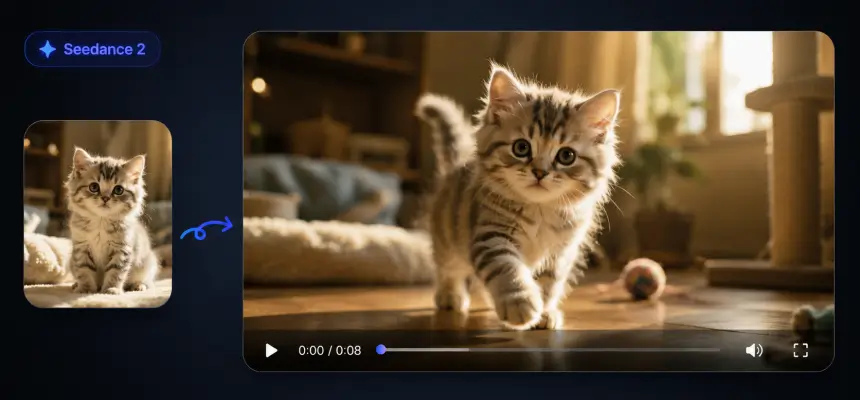
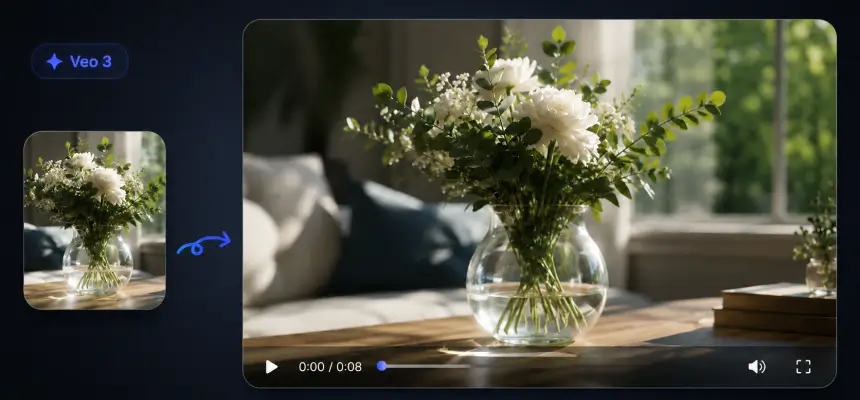
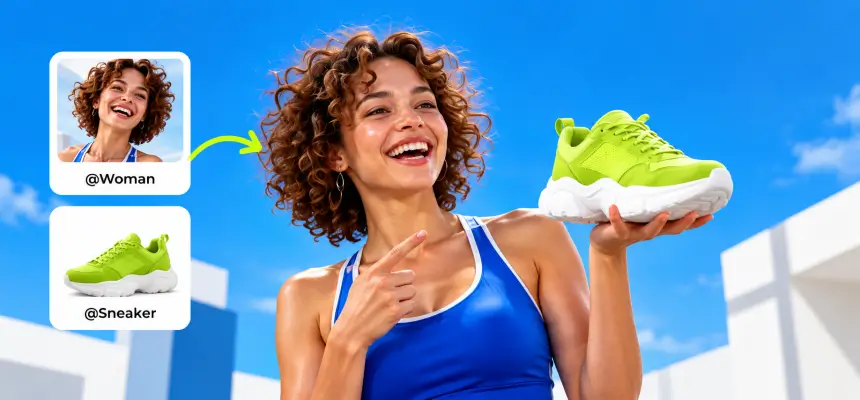
Create stunning animations with aiimagetovideo pro, our free AI video generator. Transform static images into motion using artificial intelligence image to video technology. Whether you explore Google Veo, Veo 3, or Imagen 3, our free tool helps you make video from images for social media. It is the best free image to video AI app to add image to video workflows and convert image to video online free. Use this free generator to make AI video from image files instantly.

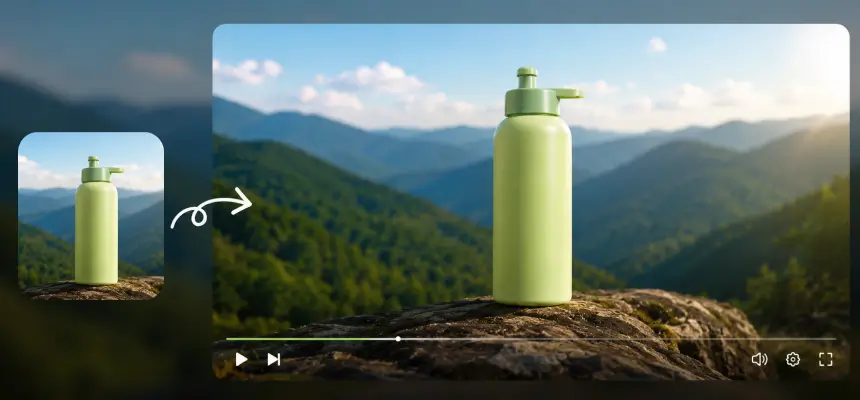
Original Image
Prompt
Two minimalist skincare products on a flowing ribbon, soft pink background with bokeh effects.
Sample Video
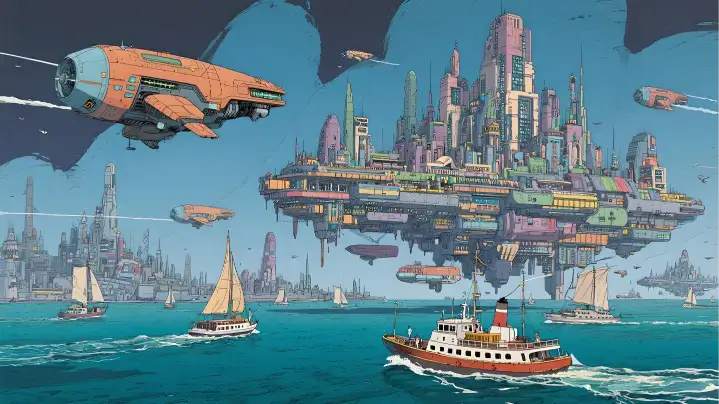
Original Image
Prompt
A solar-powered sailboat drifts past a floating city. The camera pushes through a biodome roof, revealing vertical gardens and hoverbike riders.
Sample Video
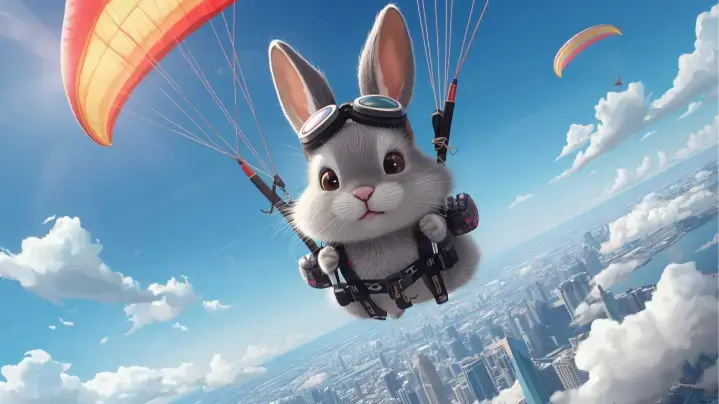
Original Image
Prompt
A rabbit paraglides above a city. The camera follows movement over colorful rooftops and clouds.
Sample Video

Key Features of Our Image to Video AI Generator

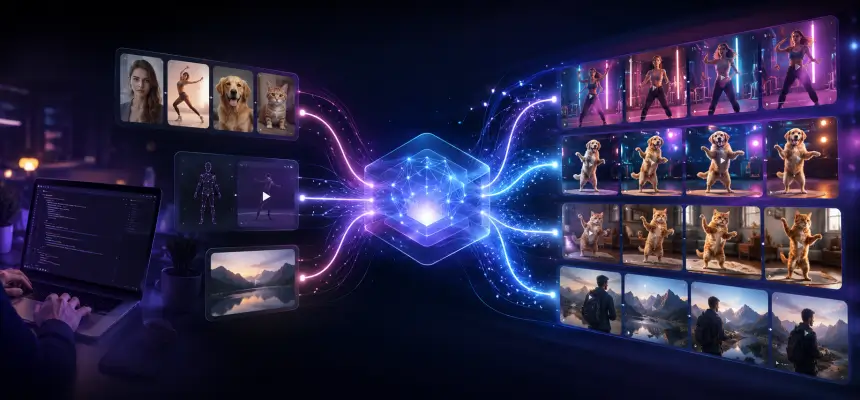
Discover the power of aiimagetovideo pro, our free image to video AI generator. Turn image into video with this dynamic image to video maker. Like the Luma AI video generator or Kling AI video generator, we offer high-quality results to convert image to video online free. You can generate unlimited possibilities with this free image to video tool. Add image files and make video magic with our free AI generator online.

Versatile Visual Options with AI Image to Video

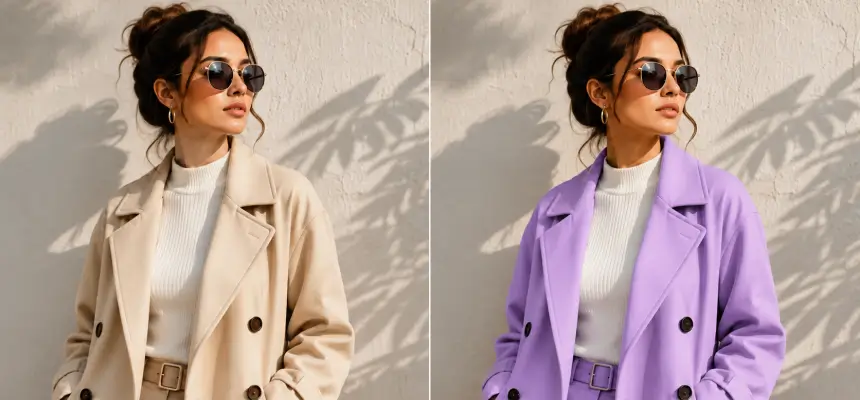
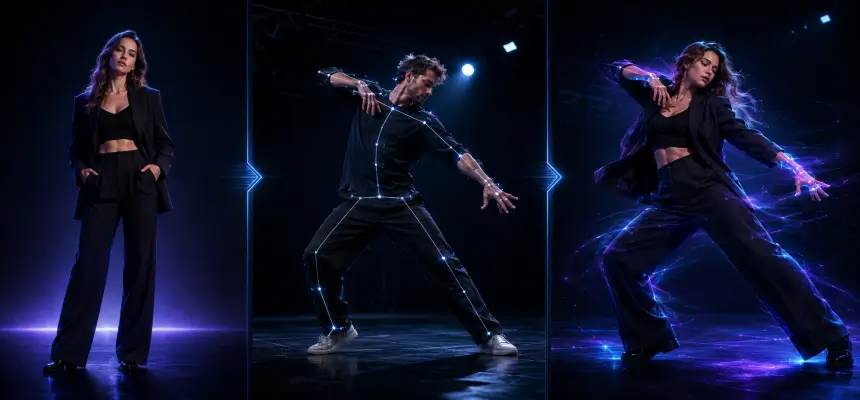
Explore endless creative directions with aiimagetovideo pro, our free images to video AI. Whether you want to turn image into video for storytelling or marketing, our platform adapts styles seamlessly. It is the most versatile free image to video maker, rivaling Hunyuan image to video and Runway image to video style transfer capabilities. Add image to video projects to make unique video content. Convert image to video styles easily with AI online.

Generate Video from Images

Multi-Input Prompts: Image & Text to Video AI Generator

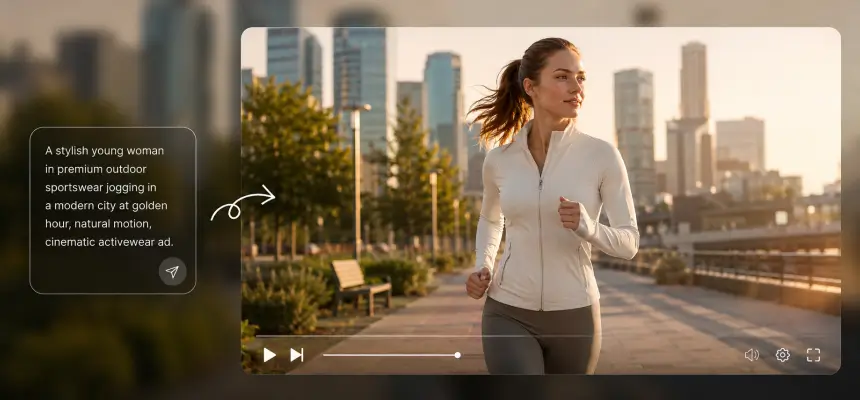
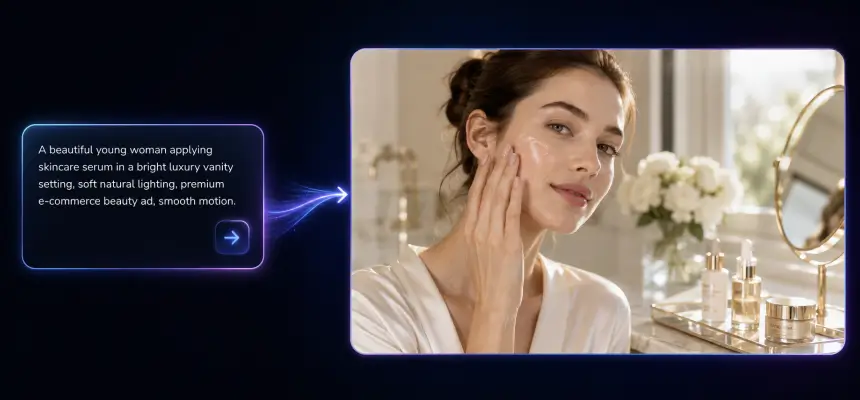
Combine your image with descriptive text prompts using aiimagetovideo pro and our free text to video AI generator features. Just like a Google Veo 3 AI video generation process, mixing image + text ensures creative control. Use it to prepare video from images with cinematic motion. Make video with text and add image inputs easily. This free generator lets you convert image to video with precision.

Generate Video from Images

HD AI Image to Video Output Without Watermarks

Get professional video from image results with aiimagetovideo pro, our image to video AI generator free. Create stunning HD results without watermarks, unlike some AI video generator no restrictions tools. Perfect for creators seeking high-quality images to video output, ensuring your content looks like it came from a premium video to video AI generator. This free app helps you convert video from image flawlessly. Add image assets and make video exports in HD.

Generate Video from Images

How to Create Video with Images using AI Video Generator?

Upload Your Image to AI Video Creation

Begin by uploading an image (JPG, PNG, WEBP) to aiimagetovideo pro, our free image to video converter. You can crop or frame to match your desired aspect ratio. This step is essential to convert image to video ai successfully. Add image files to start the free video generator process. Make video from image setup quickly.

Type in Prompt & Customize Your Video

Enter a description to guide the free AI video generator from text (or leave blank). Adjust settings like the AI model (we aim to match Gemini Veo 3 quality), duration, and resolution. This helps you make video from images that match your vision perfectly. Our online tool makes it simple to add video effects to your image. Convert image settings to customize output.

Click "Generate" and Wait for Export

Click to let the AI render. Review motion and effects before you generate AI video from images. You can preview the result, similar to how you might using ComfyUI image to video or Hailuo AI image to video workflows, before exporting. With aiimagetovideo pro, the free generator works fast to convert image to video. Add image tweaks if needed before you make video final.

Innovative Cases of AI Image to Video

See how aiimagetovideo pro, a free image to video AI generator, brings ideas to life. Easily turn any image into motion and create AI video from image for marketing or stories. We support various styles, from Flux image to video aesthetics to realistic motion. Use our free tool to make video content stand out. Add image creativity with our generator.

Moving Photos
Dynamic Ads
Presentation Demos
Travel Stories

Bring Still Images to Life with Motion

Transform static images into vivid videos with aiimagetovideo pro. Perfect for product showcases, our free AI lets you create video from images easily. Unlike basic animation AI generator tools, we provide dynamic content that feels alive, similar to results from Wan 2.1 image to video or Minimax AI image to video. Add image to video transitions for better flow. Make video memories from any image.

Users' Views on AI Image to Video

Best Image to Video AI for Beginners: Easy, Fast, and Intuitive

I'm not tech-savvy, but this was effortless. Compared to Vidnoz AI Image to Video or image to video ai kling, this is more intuitive. I uploaded an image, added a prompt, and the free AI created a stunning video. It's the best image to video ai generator free tool I've found to make video content. I can add image files easily.

Maya Rodriguez
Beginner User

AI Video Generator from Image: Simplify Marketing in Minutes

As a manager, I need speed. This platform works like a free image to video AI generator, turning product images into clips in minutes. The AI video generator free online access with trial credits let me test it easily. Better than some AI image to video Rutracker cracks I've seen. A great app for marketing. It helps me convert image to video ads.

Liam Johansson
Marketing Manager

AI Picture to Video Tool Every Creative Designer Will Love

I love how easy it is to make video from images. The free AI handles the heavy lifting. It saves hours and helps create professional content. It feels like having a personal Civitai image to video model at my fingertips. The generator is powerful and free to try. I add image details to every video.

Sophie Turner
Designer

Turn Real Estate Photos into Cinematic Property Tours

I used to spend hours editing. Now, I just upload images, and the free AI turns them into elegant clips. It helps clients visualize spaces. A great alternative to complex ComfyUI image to video setups for quick tours. I can add image details easily and make video tours fast.

Gabriela Santos
Realtor

Best Picture to Video Tool for Turning Photos into Viral Clips

I am always racing to post. This free AI tool transforms images into lively short videos. The animations look smooth, like a high-end AI video generator from image. My engagement doubled. It is a must-have app for influencers who want to convert image to video fast. I use it to make video viral hits.

Ava Reyes
Social Media Influencer

Boosting Product Sales with Photo to Video Animation Tools

Visuals make or break sales. These photo to video animation tools create promo videos straight from images. The results look professional. It is fast, easy, and better than trying to hire a team to create a video using AI manually. The best free generator online to convert image to video.

Leo Martens
Shopify Store Owner

News

AI Generated TikTok Videos 2026: Trends, Rules & Case Studies

AI Generated TikTok Videos 2026: Trends, Rules & Case Studies

Ever scrolled through TikTok and stopped dead in your tracks because a video felt… off? You’re not alone, and you’re probably not imagining it. In 2026, TikTok is no longer just a playground for humans; it’s an AI-fueled powerhouse with over 1.3 billion labeled videos and counting. While most creators are still trying to figure out the “rules,” a few savvy players are quietly racking up 39 million views on content that was born in a GPU, not a camera. But what actually counts as “AI-generated”? And more importantly, why are some of these “weird” videos making a fortune while others flop? Let’s pull back the curtain on the state of AI generated TikTok videos. What Is an AI Generated TikTok Video? In short, AI generated TikTok videos are clips where artificial intelligence was used to make or change realistic photos, voices, or video. But it’s not just about robots. According to TikTok’s latest rules, if the AI makes something look or sound like a real person or place, it counts. Most creators are already using AI without even realizing it—whether it’s a fake background or a voice that isn’t their own. 4 Common Types of AI Content on TikTok How much AI is actually in your video? It usually falls into one of these four categories: How Does TikTok Detect and Label AI Content? TikTok doesn’t just “guess” if your video is AI; they have a very specific system to track it. To keep things honest, they use two main methods: So far, this system has already tagged over 1.3 billion videos. It’s not just a trend; it’s the new standard. The Rules Every Creator Needs to Know If you’re playing with AI, you need to follow these ground rules to keep your account safe: One last thing to watch: TikTok now gives viewers a “Manage Topics” slider. This means users can actually choose to see less AI content in their feeds. If you want your AI videos to reach a big audience, they need to be so good that people don’t want to slide you away. AI TikTok Video Case Studies It’s easy to look at massive view counts on AI videos and assume this is some kind of shortcut to making money. But after going through a large number of AI accounts dominating the FYP in 2026, the reality is much more mixed. Some formats genuinely work, some are misleading, and a lot of the “success” you see isn’t what it looks like. The Fruit Love Island — 39 Million Views on AI Content An account called “AI Cinema” used Seedance 2.0 to create a reality show featuring animated fruits, and it reached 39 million views. A lot of creators dismissed it as low-effort AI content, but that reaction misses the point. On TikTok, content that feels slightly unnatural or “off” often performs better because it interrupts scrolling. People pause, react, and comment things like “what am I watching,” which drives engagement. Perfect visuals don’t always win here. In many cases, the slightly weird, uncanny style is exactly what makes the content spread. The Deceptive Fitness Influencer — 26 Million Views One fitness account gained 26 million views using a hyper-realistic AI avatar, while actively hiding the fact that it was AI-generated. Comments mentioning AI were deleted, and certain keywords were blocked. That worked for a while, but once the audience realized what was happening, the account quickly lost trust. Trying to hide AI may help short-term performance, but it creates long-term risk. In contrast, creators who clearly label AI content often get better engagement and more positive reactions. Transparency builds trust, while deception usually leads to backlash. The Faceless Finance Channels — $886 to $92K? There are plenty of claims online about faceless AI channels making tens of thousands of dollars. One creator showed an $886 payout from a video with 2.1 million views, which is realistic based on typical RPM. Another claimed $92K in 45 days across multiple channels, which is much harder to verify. The more believable takeaway is that steady earnings come from consistent output rather than viral spikes. Longer videos with stable watch time can maintain around a $0.50 RPM, which adds up over time. This model works more like a production system than a one-hit success. AI UGC Ads — The $12.9K Commission In TikTok Shop affiliate content, one creator reported earning nearly $13,000 in commission from a single product video created using an AI avatar, showing how brands are starting to create ads for TikTok video with AI to speed up production and testing. However, AI alone is usually not enough to sell physical products. Viewers still want to see how the product looks and performs in real life. A more effective approach is to use AI-generated content as the hook when you create ads for TikTok video with AI, then switch to real footage for the demonstration. AI helps capture attention, but real visuals help drive conversions. FAQs of AI Generated TikTok Videos Can TikTok detect AI-generated videos? Yes. TikTok uses C2PA Content Credentials and invisible watermarking, with 1.3 billion+ videos labeled to date. Detection isn’t perfect — content from tools without embedded credentials may slip through — which is why TikTok also relies on creators to self-label. Do AI-generated videos get fewer views on TikTok? TikTok’s official position is that the AI label doesn’t suppress distribution. Community data supports this — Fruit Love Island hit 39M views with visible labeling. However, TikTok’s “Manage Topics” feature lets users reduce AI content in their feed, which could affect reach over time. Can you make money with AI-generated TikTok videos? Yes, through Creator Rewards ($0.40–$0.80 per 1K qualified views on 1-minute+ videos), TikTok Shop affiliate commissions, and brand deals. You need 10,000 followers and 100,000 views in the last 30 days. Reported earnings range from $886 per video to unverified claims of $92K across channels. Do I need to label my AI videos on TikTok? Yes. Use TikTok’s in-app toggle before

Trump Jesus Image: The Full Story, Hidden Details, and Why It Matters

Trump Jesus Image: The Full Story, Hidden Details, and Why It Matters

On April 12, 2026, a single AI-generated picture posted to Truth Social managed to unite Fox News commentators, Catholic bishops, and Reddit atheists behind one word: “blasphemous.” Within hours, the image was gone — but the fallout had only just started. This article delivers the complete picture — a detailed timeline, the Trump-Pope Leo XIV clash that sparked it, reactions spanning the political spectrum, community-discovered secrets in the image, and what it means for AI-generated political content. What Happened — The AI Jesus Image Trump Posted on Truth Social The controversy erupted over a single Truth Social post on Sunday evening, April 12, 2026. What the Image Actually Showed The AI-generated picture depicted a figure in flowing white robes with light radiating from his hands, touching the forehead of a sick man in a hospital bed. Military personnel and patriotic imagery filled the background. Every visual element pointed at Jesus Christ iconography — not a medical professional. As University Researcher Jon Marshall noted on Quora: “Conventional images of doctors feature a white coat, a stethoscope… There is not a single red cross in the image.” Timeline of Events — From Posting to Deletion Trump’s “I Thought It Was Me as a Doctor” Defense After removing the post, Trump claimed he believed the picture showed him as “a doctor,” not Jesus. The explanation drew near-universal skepticism. Reddit users on r/facepalm framed it as a rhetorical trap: “Either he’s committing blasphemy OR he’s too cognitively impaired to distinguish Jesus from a physician.” If the image was simply a doctor, why delete it? One user even attempted to recreate the picture using AI tools with “doctor” as a prompt and could not produce anything resembling robes or glowing hands. The Trump-Pope Leo XIV Feud Behind the Image The image landed in the middle of an intensifying conflict between Trump and the newly elected Pope over U.S. military action abroad. Pope Leo’s Opposition to the Iran War Pope Leo XIV publicly condemned Trump’s military operations in Iran, calling for a peaceful resolution consistent with longstanding Vatican opposition to armed conflict. Trump’s Attack on Pope Leo as “Weak on Crime” Trump’s Truth Social outburst branded the Pope as “WEAK on Crime” and included the provocative claim that “if I wasn’t in the White House, Leo wouldn’t be in the Vatican.” He also asserted that the Pope supports nuclear weapons in Iran — a statement debunked by PBS fact-checkers. The Pope’s “No Fear” Response Pope Leo XIV responded with measured composure, stating that he has “no fear” of speaking his mind. The diplomatic contrast with Trump’s combative tone was stark. International figures including Italian PM Giorgia Meloni and Spain’s Pedro Sanchez weighed in with statements supporting the Pope’s call for peace. The Backlash — Conservative Allies and Religious Leaders Speak Out What set this controversy apart was where the criticism came from — not just liberal commentators, but Trump’s own base. Conservative Critics Who Broke Ranks Riley Gaines, Megan Basham of the Daily Wire, Isabel Brown, and Megyn Kelly all publicly condemned the post. Per r/law discussions, Trump attacked Riley Gaines after she spoke out — reinforcing a pattern of punishing dissent. The story ranked around 50th on Fox News while sitting in the top three on BBC, CNN, and USA Today. Religious Leaders’ Condemnation Bishop Robert Barron and Archbishop Coakley issued formal denunciations. Catholic, Protestant, and Evangelical leaders found rare common ground in labeling the image blasphemous. On r/Christianity, a top comment (866 upvotes) captured the mood: “Upvoting not cuz I like it but so it doesn’t get lost in the subreddit. Blasphemy.” International Reactions Coverage was truly global. The BBC, Al Jazeera, DW, and ABC Australia all ran prominent stories, underscoring that the backlash extended well beyond American borders. Hidden Details in the Trump Jesus AI Image That Mainstream Media Missed While major outlets covered the headline-level controversy, online communities uncovered details that no newsroom reported. The Jeffrey Epstein Resemblance Theory Users on r/anticapitalism (746 upvotes) observed that the sick man being “healed” bears a notable resemblance to Jeffrey Epstein. The observation went viral on YouTube as well — CBS News and LBC comment sections both surfaced the comparison with hundreds of likes. Given Trump’s decision to withhold the full Epstein files, the perceived irony fueled widespread discussion. The Mysterious Horned Figure in the Background A shadowy figure above Trump appears to feature horns and wings — interpreted as Baphomet or a demonic presence. Analysis on r/AnythingGoesNews suggested the original AI output had a fifth soldier in that spot, subsequently replaced with the horned silhouette — raising questions about deliberate editing. Debunking the “Doctor” Claim — AI Image Generation Evidence Several users ran experiments by prompting AI image generators with “Trump as a doctor healing someone.” The results consistently produced white coats and stethoscopes — never robes, halos, or glowing hands. This crowdsourced testing is the most compelling counter-evidence to the “doctor” defense, and no major outlet has covered it. The Blasphemy Debate — What Christians Are Really Saying Beyond political commentary, a genuine theological reckoning is unfolding in Christian communities online. Why Christians Across Denominations Call It Blasphemous The objection is rooted in the Second Commandment and the prohibition against idolatry. Depicting a political leader as Christ is seen as a direct affront to Christian doctrine. Quora respondents with seminary credentials affirmed the charge, and Catholic and Protestant voices have been remarkably unified. The Antichrist Comparison in Christian Communities On r/Christianity, theological discussions distinguish between “anti-Christ” (lowercase — one of many false prophets, per 1 John 2:18) and “the Anti-Christ” (the singular end-times figure of 2 Thessalonians 2:3). A viral article from benjaminlcorey.com maps Trump’s actions to biblical prophecies, and the YouTube channel “Bible Prophecy with Brother Paul” has dedicated an entire series to the comparison. The MAGA vs. Traditional Christian Split The image has exposed a deepening fault line. Some MAGA-aligned believers employ the “imperfect vessel” defense — the idea that God works through flawed leaders. Traditional Christians counter that this

Free Kling AI Video Generator: How to Create AI Videos Without Paying in 2026

Free Kling AI Video Generator: How to Create AI Videos Without Paying in 2026

A freelance creator reportedly earned $70,000 in under a year using Kling AI videos, starting on the free tier. Yet nearly every “free AI video generator” hits you with a paywall after the first prompt, leaving creators confused by Kling’s version numbering, credit system, and conflicting information. This guide delivers specific numbers, verified methods, and honest assessments of what Kling AI’s free tier offers in 2026, plus the best alternatives when credits run dry. What Is Kling AI and Why Is Everyone Talking About It? Developed by Chinese tech giant Kuaishou, Kling AI stands out for its realistic motion handling and an unusually broad free tier compared to competitors. Kling AI Overview: The AI Video Generator Setting the Standard Kling AI packages text-to-video, image-to-video, motion control, lip sync, and virtual try-on under one roof. Its latest version supports 4K output, 15-second clips, and native audio generation. With Sora’s shutdown pushing creators elsewhere, Kling has absorbed much of that user base. Kling AI Versions Explained: 1.6, 2.6, 3.0, Omni, and O1 The version landscape confuses many users. Here’s a quick breakdown: Version Key Feature Best For Kling 1.6 Start/end frame pioneer Controlled transitions Kling 2.6 Pro Physics engine, 3D motion Credit-efficient quality Kling 3.0 Base Generation, 4K, audio Latest features Kling 3.0 Omni Video editing/transformation Modifying existing clips Kling 3.0 Motion Control Manual movement control Viral dance/action videos Kling O1 Unlimited free images Image-first workflows Is Kling AI Really Free? What the Free Tier Actually Gives You The short answer: yes, but with clear limitations. Understanding the credit math helps you set realistic expectations. Daily Free Credits Breakdown: 66 Credits and What They Buy Kling currently provides 66 free credits daily (reduced from an earlier 166). Credits reset each day and do not accumulate. Here’s what they cost: Realistically, you can generate about 6 five-second clips or 3 ten-second videos per day on the free plan. Free Tier Limitations: Watermarks, Resolution, and Duration Caps Free-tier outputs carry a watermark, and you won’t have access to certain premium features. Resolution is capped below the 4K available on paid plans. Reddit users frequently describe the experience as a “bait-and-switch,” so going in with honest expectations is key. Kling AI Free vs Paid: When Is It Worth Upgrading? Plan Price Monthly Credits Free $0 66/day (~1,980/mo) Standard $6.99/mo 660 Pro $25.99/mo 3,000 Premier $64.99/mo 8,000 Casual creators can often manage on the free tier. If you need watermark-free output or higher volume, the annual package (~$180/year) provides the best value. 8 Legitimate Ways to Use Kling AI for Free This is the core of the guide: every verified method to access Kling without paying, compiled in one place. Method 1: Kling AI’s Official Free Tier (66 Daily Credits) Sign up at the official Kling AI site, verify your account, and claim your 66 daily credits. They don’t carry over, so log in each day and use them strategically. Method 2: Kling O1 Unlimited Free Image Generation Generate unlimited free images on Kling O1, curate the best compositions, then animate only the winners. This image-first approach can save over 80% of your video credits by eliminating failed generations. Method 3: Third-Party Platforms (KREA, Fal AI, Higgsfield, A2E.ai) Several platforms provide Kling model access through their own credit systems: Additionally, platforms like AI Image to Video offer access to Kling alongside other models like Veo and Wan, with 4K resolution and no watermark on output. Method 4: Fal AI / Weavy via Figma Login (Currently Working) As of April 2026, you can access Kling 3.0 Motion Control through Fal AI by logging in with a Figma account. Multiple YouTube creators have confirmed this method works, giving you motion control access without a direct Kling subscription. Method 5: Creator and Influencer Program Kling’s UGC/influencer program offers effectively unlimited credits for qualifying content creators. Referral codes from the program can provide 50% more credits or 1,500 free credits for new users. Method 6: Referral Codes and Daily Check-In Bonuses Stack these smaller methods for extra credits: Method 7: Free Trials on Aggregator Platforms (Artflo, OpenArt, EaseMate) Several aggregator platforms provide Kling access with free trials or limited credits. Check current terms, as offerings change frequently. Method 8: Open-Source Alternatives via ComfyUI (Wan 2.2, Hunyuan) For technical users with GPU hardware, running Wan 2.2 through ComfyUI provides truly free, unlimited generation. Wan 2.2 now supports start/end-frame control, making it a viable Kling alternative. The trade-off is a complex initial setup and hardware requirements. How to Get the Best Results with Free Kling AI Credits Limited credits demand smart workflows. These techniques help you maximize every generation. The Image-First Workflow: Save 80% of Your Credits Generate unlimited images on Kling O1, select only the strongest compositions, and then animate those picks. This dramatically reduces wasted credits from failed or unsatisfying video generations. Kling AI Prompt Formula: Subject, Camera, Environment, Audio Structure your prompts using this four-part formula extracted from top-performing creators: Key Takeaway: Simple, structured prompts consistently outperform complex, detailed ones in Kling AI. One creator’s advice: “Show xyz, then cut to several different creative angles.” When to Use Kling 2.6 Instead of 3.0 (Credit-Efficient Choices) Kling 2.6 costs fewer credits and handles most standard use cases well. Reserve Kling 3.0 for when you specifically need Elements, native audio, or 4K output. Similarly, Standard mode consumes fewer credits than Professional mode for minimal quality difference on shorter clips. Best Free Alternatives to Kling AI Video Generator When Kling credits run out, these alternatives can fill the gap. Meta AI: Truly Free with No Credit Limits The only genuinely free option with no credit system. Supports text-to-video and image uploads. However, output quality is notably lower, often described as having a “last-generation gaming” look. Runway Gen-4: Best for Cinematic Quality (Limited Free Credits) Offers 125 one-time credits (non-renewing) on the free plan. Highest cinematic quality among competitors, but the most expensive paid option. Best suited for one-time polished projects. Veo 3.1 via Synthesia: Free Access to Google’s Top Model Access

AI Product Demo Video Generation: Demonstrating Your Products Quickly And Creatively

AI Product Demo Video Generation: Demonstrating Your Products Quickly And Creatively

A few years ago, producing a single AI product demo video meant paying much for agent, or, hiring videographers, renting studio time, and surviving endless rounds of editing. Today, the same video takes minutes — generated from a product photo and a text prompt. AI product demo tools are solving this by turning static images and text into polished, professional videos without cameras, editors, or production crews. This guide breaks down the AI product demo revolution in three parts: why traditional production is losing ground, which tools deliver the fastest results, and how prompt-based customization lets you create demos that actually stand out. Whether you are a marketer managing dozens of campaigns or an Amazon seller with hundreds of SKUs, the playbook has changed. Why AI Demonstration Is Outpacing Traditional Demo Video Production The gap between traditional video production and AI-powered demo creation is widening fast. Here is why teams are making the switch. The Hidden Costs of Traditional Demo Video Production Traditional demo video production costs more than most teams expect. Equipment runs $2K–$10K, professional editors charge $50–$150/hr, and studio rentals add up fast. But the real budget killer is maintenance. Every time your product updates, your demo becomes outdated. For Amazon sellers managing hundreds of SKUs, re-shooting is operationally impossible. “The biggest problem isn’t creating demo videos — it’s keeping them updated. The moment your UI changes, your demo becomes outdated.” This maintenance trap means most teams run outdated AI product demo content for weeks, directly hurting conversions. How AI Demonstration Tools Slash Time from Weeks to Minutes Instead of the traditional shoot-edit-review-reshoot cycle, AI demonstration tools generate product demo videos from images, text prompts, or screen captures in minutes. Key capabilities driving this acceleration: Community data shows AI workflows cut over 80% of production costs. One team replaced a $5,000-per-video process with a $50/month AI product demo tool producing unlimited output. Why Marketers and Amazon Sellers Are Leading the Shift Marketers and Amazon sellers face unique pressures that make AI product demo creation essential. Product listing videos, social media ads, email assets, and landing page tours all require video — and they need it fast. Buyers increasingly prefer self-serve demos over scheduled calls. Research shows a 23% conversion increase when demos are placed above pricing on landing pages. AI product demo tools make it feasible to create video for every SKU, not just top sellers. [Image: Side-by-side comparison of traditional video production timeline vs. AI demo creation timeline] Top UGC Video Software for Product Demos: AI Tools That Deliver Fast Results The AI product demo market splits into three categories: video generators, interactive demo creators, and budget-friendly supporting tools. Here is what actually delivers. AI Demo Video Generator Platforms: Feature and Pricing Breakdown The leading AI demo video generator platforms each bring distinct strengths: HeyGen sets the benchmark for AI avatar quality with high-fidelity lip-sync technology, 100+ avatars, and voice cloning. It is ideal for spokesperson-led AI product demo videos that need a realistic human presence. Synthesia targets enterprise training with SOC 2 compliance, a massive template library, and pricing starting at $30/month. The output is professional, though some users note it can feel “corporate” for product demos. AI Image to Video excels at converting product images directly into dynamic videos using multiple AI models including Kling, Veo, and Wan. With quick output and enough free trial credits, it is particularly practical for Amazon sellers managing large catalogs who need to turn product photos into demo videos at scale. Interactive Demo Creators vs Video-Based Product Demo Videos Not every AI product demo needs to be a video. Interactive demo creators build clickable product tours that convert differently. Interactive demos work best for landing pages, sales enablement, and complex SaaS products. Video demos win for social media, onboarding, and Amazon listings. Key interactive platforms: Storylane (from $40/mo, agentic RepX), Navattic (enterprise-grade, from $600/mo), Supademo (fastest creation, from $38/mo), and Arcade (from $32/mo, strong video export). Key Takeaway: Use both formats. Interactive demos on landing pages, video demos for social and e-commerce. The best AI product demo strategy combines both. Budget-Friendly Tools for Small Teams and Solo Marketers Enterprise pricing is a common frustration in the AI product demo space. “I dislike the fact that almost all of the available tools are priced for enterprise / funded companies and not for a bootstrapped founder.” — Reddit r/sales Here is the community-tested $0 budget workflow: ChatGPT for scripting, Gemini for images, Loom for screen recording (free tier), and CapCut for editing (free). Mid-budget stack ($50–$200/mo): Screen Studio ($100 one-time) for polished recordings, Descript for AI text-based editing and filler removal, and ElevenLabs for professional AI voiceover. The key is combining free-tier options strategically. Customized Demo Video Production with Prompts Off-the-shelf templates get you started. But the real competitive advantage in AI product demo creation comes from mastering prompt engineering — the skill of writing text instructions that produce exactly the video output you need. Adjusting Prompts for More Creative AI Demonstration Effects Effective prompts for AI product demo videos follow a four-part formula: Subject + Action + Context + Style. Weak prompt: “A product on a table” Strong prompt: “Close-up of matte black wireless earbuds resting on brushed concrete surface, slow orbit clockwise completing one full rotation, soft rim light catching metallic accents, premium minimalist commercial aesthetic, 4K” Here are the prompting techniques that separate generic AI product demo output from videos that actually convert: Category-specific prompt formulas: Product Type Motion Style Lighting Keywords Opening Hook Electronics Quick, precise rotations Cool, LED-panel lit “Power-on moment, screen illuminate” Fashion Flowing, natural fabric movement Soft diffused, editorial “Fabric texture close-up” Beauty/Skincare Slow, sensual, liquid pour Soft, glowing, dewy “Texture close-up, product dispense” Food/Beverage Slow motion pour, steam rising Warm, golden hour “Pour, slice, steam rising” Jewelry Very slow orbit, light catching Dramatic directional rim light “Light refraction, sparkle on facets” From Product Photos to Dynamic Product Demo Videos The image-to-video pipeline is the most practical workflow for AI product demo creation,

Best AI TikTok Video Generators in 2026, Tested and Ranked

Best AI TikTok Video Generators in 2026, Tested and Ranked

TikTok is full of AI-generated videos now, but most of them still have the same problem: they look like AI. The motion feels too polished, the pacing feels off, and the whole thing looks more like a demo reel than something people would actually watch in their feed. That is why choosing the right AI TikTok video generator is only part of the job. The bigger difference usually comes from workflow. Some tools are great for quick script-to-video drafts. Others are much better for image-to-video, where you have more control over style, character consistency, and motion. After comparing the most talked-about options, a clear pattern shows up. There is no single best tool for everyone. The best AI TikTok video generator depends on whether you care most about speed, realism, free access, or making lots of short videos without watermarks. Which AI TikTok Video Generator Is Best? Here is the short answer. If you are making TikTok content regularly, the smartest approach is not “pick one tool and do everything there.” It is usually this: create a strong visual first, animate it with an image-to-video model, then finish the edit in a lightweight editor. Quick Comparison Tool Best For Main Strength Main Limitation CapCut Beginners Fast, easy, TikTok-native workflow Better for editing and packaging than true high-end generation Kling Realistic I2V Natural motion and strong physics Learning curve is higher AI Image to Video High-volume creators Multi-model workflow, no-watermark output Less ideal if you want pure one-click script-to-video Veo AI people Strong human realism and natural expressions Short clips still need stitching Higgsfield Short-form creators Better control over pacing and camera feel Still a newer workflow for many users Sora Cinematic visuals Polished, high-end output Short clip length makes TikTok workflows slower InVideo AI Script-to-video Fastest way to go from idea to finished draft Results can feel generic Best AI TikTok Video Generators in 2026 CapCut: Best Free AI TikTok Maker for Beginners CapCut is still the easiest starting point for most creators. It is fast, familiar, and built around the kind of short-form workflow TikTok rewards. If your goal is to turn an idea into a post quickly, CapCut does that better than most all-in-one tools. Its biggest advantage is convenience. Captions, templates, quick edits, and export all sit in one place, which makes it great for testing ideas fast. The downside is that it works better as an editing and packaging tool than a serious AI generation engine. Best for: beginners and fast TikTok draftsNot ideal for: creators who want more original or high-end AI visuals Kling: Best for Realistic Image-to-Video Kling is one of the strongest options if realism is your priority. It handles motion better than many competitors, especially when you use it for image-to-video instead of text-to-video. That matters on TikTok, where overly cinematic AI clips can feel unnatural. Kling is better at turning a strong source image into something with believable movement and cleaner physics. The tradeoff is that it rewards a stronger workflow. If you want the best results, you usually need a solid base image first. Best for: realistic I2V content and creators who care about motion qualityNot ideal for: complete beginners who want one-click output AI Image to Video: Best for Watermark-Free TikTok Workflows AI Image to Video is a more practical AI TikTok video generator for creators who want a repeatable workflow, not just a one-off experiment. If you are making short videos regularly, especially across different styles or campaigns, it gives you more room to scale. Its main strength is flexibility. You are not locked into a single generation style, which is useful when one model works better for realism and another works better for stylized motion. It is also a stronger fit if you want clean, watermark-free output from an AI video generator for TikTok. The only catch is that it is less beginner-friendly than a simple script-to-video tool. Best for: workflow-driven creators, batch production, watermark-free outputNot ideal for: users who want the simplest possible generation flow Veo: Best for Realistic AI People Veo stands out when your content depends on believable human characters. Many AI video tools can generate motion or scenery, but fewer handle faces, expressions, and human presence well enough for short-form content. That makes Veo especially useful for AI influencer content, UGC-style visuals, or any format where viewers need to trust the person on screen right away. Its biggest weakness is workflow, not quality. Like most top-end models, it works better for short clips than full finished videos, so you still need editing around it. Best for: AI people, UGC-style visuals, human realismNot ideal for: users looking for a full end-to-end workflow in one tool Higgsfield: Best for TikTok-Style Pacing Higgsfield is interesting because it focuses on how short-form content actually feels. A lot of AI videos fail on TikTok not because the visuals are bad, but because the pacing, camera movement, or rhythm feels wrong for vertical feeds. That is where Higgsfield stands out. Its output feels more aware of TikTok and Shorts conventions, which helps videos feel less like cinematic demos and more like native short-form content. The downside is that it is not the most familiar tool in this space, so its value is clearer once you already know pacing is the problem you need to solve. Best for: TikTok-first creators and users who care about short-form aestheticsNot ideal for: beginners who want the safest mainstream option Sora: Best for Cinematic Clips Sora is still one of the best tools here for pure visual polish. If your goal is to make cinematic, impressive-looking clips, it remains one of the strongest models in the group. The problem is that “looks amazing” does not always mean “works best for TikTok.” Sora is strongest when you want a dramatic visual moment or a more artistic result, but it is less convenient for repeatable short-form production. Clip length and workflow friction make it harder to use at scale. Best for: cinematic visuals and premium

AI in Video Games for Indie Developers: Ethical Workflows That Actually Work

AI in Video Games for Indie Developers: Ethical Workflows That Actually Work

Nearly 90% of game developers now use AI tools, yet 85% of gamers view generative AI negatively. For indie developers, this creates a minefield. You’re working solo or with a tiny team. You don’t have Rockstar’s army of artists or Ubisoft’s budget. AI video generation tools promise to accelerate your workflow dramatically—but you’ve seen the backlash when studios get caught using “AI slop.” This guide provides a practical framework for using AI video generation ethically. You’ll learn what the data actually says about gamer attitudes, see real case studies of what works (and what doesn’t), and walk away with workflows that respect your audience while saving you time. The AI Paradox in Gaming: Why This Matters for Indie Developers The numbers tell a contradictory story. According to a survey by Google Cloud and The Harris Poll, 87-90% of game developers now use AI tools in their workflows. Yet survey data from Quantic Foundry shows that 85%+ of gamers hold negative views toward generative AI in games—across all demographics. As an indie developer, you’re in a uniquely vulnerable position. When Activision uses AI art in Call of Duty, they weather the storm with their billions. When you use AI inappropriately, your entire reputation is at stake. The critical distinction: Traditional game AI (pathfinding, behavior trees, NPC decision-making) is not the same as generative AI (LLMs, image generation, video synthesis). Gamers generally accept the former and oppose the latter. Confusing these terms—or letting others conflate them—will cost you community trust. The “invisible AI” principle applies here: AI should enhance your development without being noticeable to players. The moment your AI usage becomes visible and feels like a shortcut, you’ve failed. Industry Insights: How Gamers and Giant Game Companies View AI Understanding the landscape is essential before making adoption decisions. Let’s examine what the data and industry leaders actually say. What gamers oppose: What gamers accept: Take-Two CEO Strauss Zelnick stated plainly: “These tools may help you create assets, but that won’t help you create hits.” His company confirmed that GTA 6 uses “zero” generative AI, preferring “handcrafted” worlds. Rockstar’s anti-AI stance has earned significant community goodwill. The Steam vs. Epic debate is also instructive. Steam now requires AI disclosure labels on games, and Epic’s Tim Sweeney has publicly questioned whether such transparency might hurt developers who use AI responsibly. Regardless of where you stand, the trend toward mandatory disclosure is accelerating. Practical Workflow: Using an AI Video Game Generator Ethically Here’s a step-by-step workflow for incorporating AI video generation into your indie development process while maintaining ethical standards. Step 1: Define Scope Before touching any AI tool, decide explicitly: what will AI generate versus what remains human-created? Write this down. For most indie developers, the safest approach is AI for internal workflows only—never for player-facing final assets. Step 2: Select Tools with Ethical Training Data Choose AI tools that use consent-based training models. Research how your chosen platform sources its data. Arc Raiders, for example, hired voice actors specifically to provide training samples for their AI voice system—demonstrating that ethical sourcing is possible. Step 3: Use AI for Concepting, Not Finals AI video generation excels at rapid iteration during pre-production. Need to visualize how a cutscene might flow? Generate 10 rough versions in an hour instead of spending days on one. But these are references for your human artists, not replacements for them. Step 4: Human Refinement Layer Every AI output should pass through human hands before consideration as a final asset. This isn’t just ethics—it’s quality control. Current AI tools produce work that experienced artists can identify immediately. Your players will notice too. Step 5: Documentation and Disclosure Preparation Track your AI usage from day one. If you use AI Image to Video tools like AI Image to Video for rapid visual prototyping, document how those prototypes informed (rather than replaced) human work. Steam’s disclosure requirements mean you’ll need this documentation eventually. Workflow Example: Converting static concept art to animated cutscene prototypes This workflow can compress prototyping from days to hours without compromising your final product’s integrity. Case Studies: Successful AI Video Generation in Video Games Real-world examples illuminate the difference between acceptable and problematic AI use. Success: Mantella AI (Skyrim Mod) The Mantella AI mod adds AI-powered conversations to Skyrim NPCs. Key to its acceptance: it’s an optional enhancement that players actively choose to install. Nobody is surprised or deceived. The AI is the feature, not a hidden cost-cutting measure. Success: Arc Raiders Voice System Embark Studios hired voice actors specifically to provide training data for AI-generated dialogue. The actors consented, were compensated, and retained rights to their vocal likenesses. This consent-based approach demonstrates that ethical AI voice generation is achievable. Success: Indie Pre-Production Visualization Multiple indie studios report using AI tools for pre-production visualization—with full disclosure. When AI generates concept animations that human artists then recreate properly, the final product remains human-made. Disclosure transforms potential controversy into a non-issue. Cautionary: CoD Black Ops 7 AI Art When Call of Duty: Black Ops 7’s AI-generated calling cards were discovered—mimicking Studio Ghibli’s style without disclosure—backlash was immediate. A billion-dollar franchise couldn’t pay real artists? The “placeholder” explanation arrived too late and convinced nobody. Cautionary: Kingdom Come 2 Translator Firing When Kingdom Come: Deliverance 2’s development team reportedly replaced a human translator with AI tools, the gaming community’s response was swift. Job displacement concerns crystallized into concrete boycott threats. Cautionary: Expedition 33 “Placeholder” Excuse After players identified AI-generated assets in Expedition 33, developers claimed they were “placeholders” that would be replaced. The community response: why show us unfinished work, and why should we believe you? FAQs: AI Video Generation for Indie Game Developers Can I use AI video generation without disclosing it? Technically yes, but community backlash risk is high. Steam now requires AI disclosure labels, and this trend will spread. Beyond platform requirements, transparency builds trust with your audience. Hidden AI usage, when discovered, creates lasting reputation damage. The short-term convenience isn’t worth the long-term risk. Will using AI video

FAQs About AI Image to Video Generator

Is there an image to video AI free option?

Yes, aiimagetovideo pro offers a free plan to try image to video AI. Create a video from an image, test features, and generate clips. It is the best way to explore our free AI image to video generator capabilities without risk. You can access image to video ai free unlimited trial features with daily credits. Make video from image for free.

What is the best image to video AI tool?

The best image to video AI depends on your goals. Our aiimagetovideo pro is one of the best ai photo to video apps for creators. Our free AI Image to Video generator lets you convert image to video easily, striving to match Google Veo and Veo 2 quality. Use it to make video magic online. Add image assets to generate video.

Do you integrate Veo 3 model or other AI engines?

We integrate leading technologies. While we admire Veo 3, Kling AI Image to Video, and Runway AI Image to Video, our custom models deliver competitive results to create high-quality videos from images. We add image support for various formats in our free generator.

How to create video with images?

Image to video AI uses deep learning. Simply upload an image, add prompts, and the AI turns it into a dynamic video. It is the simplest way to learn how to make a video with photos and videos using a free generator. Convert image to video steps are simple.

Do you integrate with other AI models like Veo 3?

We are evaluating integrations with Veo 3, Imagen 3, and Pollo AI Image to Video. We also look at image to video trends and tools like HeyGen image to video to improve our service. We aim to provide the best online free experience. Make video innovation your goal.

Is there an AI image to video no account option?

Currently, you need an account for our AI Image to Video generator. Registration is free and includes credits to test image-to-video creation. This allows you to save your AI video from image projects. Sign up to use our free app features. Add image projects to your portfolio.

How can I create professional results with free image to video AI?

Even with free image to video AI, you can get professional results. Use high-quality images and our aiimagetovideo pro. We ensure smooth rendering, making us a top choice for those looking to convert image to video AI free. Start to convert image to video today with our free tool.