Model
Video Fast 1.0 Free
Endless creativity, minimal cost. Reserved for early supporters
Image
Drag & Drop, Paste, or Click to Upload
PNG, JPG, JPEG, WEBP , Max 10 MB
Prompt
0 / 2500
Aspect Ratio
1:1
3:4
4:3
9:16
16:9
Duration
3 s
5 s
Resolution
480p
720p
Create
Sample Video

Runway AI Video Generator – Transform Image Into AI Video Free Online

Convert any image into captivating motion with our Runway AI video generator. This AI image-to-video generator uses Runway Gen 3 image to video technology to animate image content with realistic motion. Whether you convert picture to video for social media, create AI content from images for marketing, or turn photo into dynamic output, the Runway image generator delivers professional results. Our generator platform analyzes your image, predicts movement, and renders fluid output—the best AI tool to turn image into video.
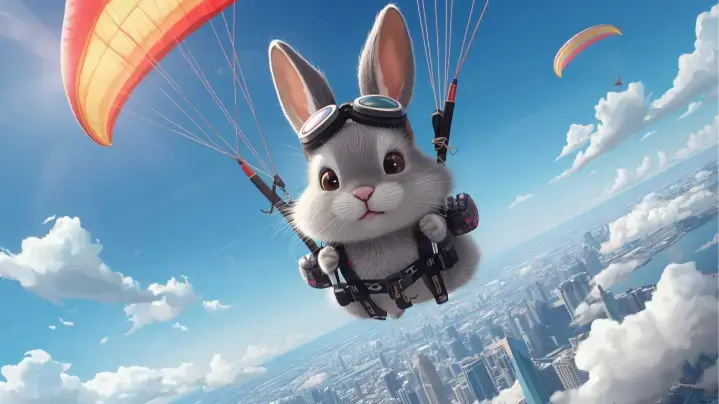
Original Image
Prompt
A rabbit paraglides above a city. The camera follows movement over colorful rooftops and clouds.
Sample Clip
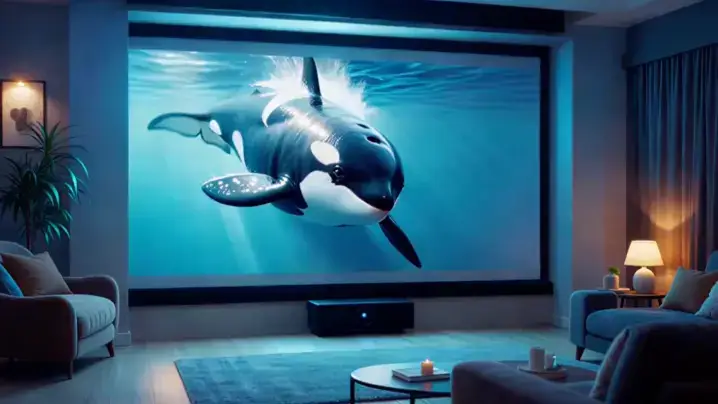
Original Image
Prompt
A killer whale bursts through the cinematic projection screen into the modern home theater room, water droplets glistening with ultra-HD clarity as ambient lighting shimmers across its sleek body, shadows dancing across cozy furnishings while the stationary camera captures every detail of the holographic leap.
Sample Clip
Original Image
Prompt
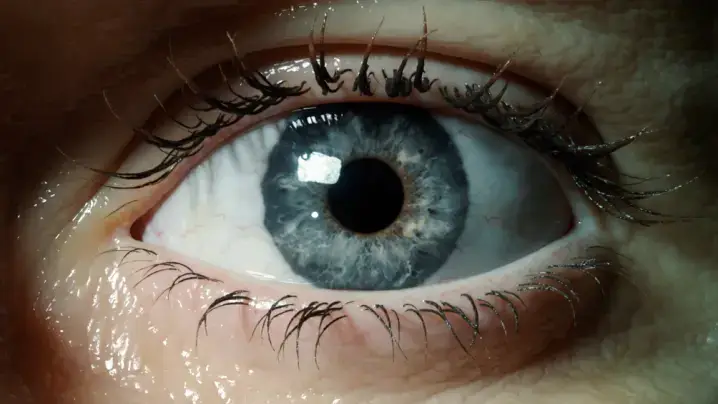
First person view, hyper-fast camera movement. 1. Start: Extreme close-up of a human eye. 2. Action: The camera flies violently FAST forward into the black pupil. 3. Transition: As we pass through the pupil, the scene instantly dissolves into a stormy ocean. The darkness of the pupil becomes the dark water. Continuous shot, motion blur during the zoom, seamless blend.
Sample Clip

Why Runway AI Video Generator Leads the Industry

The Runway AI video maker combines powerful AI generation with intuitive image animation tools. Every output maintains visual coherence while the image to video AI video free functionality makes professional creation accessible. From runway image generation to AI editing, this generator platform offers everything to animate image AI content professionally.

Runway AI Image to Video with Intelligent Motion

Runway AI image to video technology goes beyond basic image animation. The AI video analyzes each image element—identifying objects, textures, and spatial relationships—then generates output with contextually appropriate motion. Portrait images gain natural breathing motion, landscape images develop flowing clouds, and product images acquire smooth rotational movement. This runway ml video generator produces content that feels organic. The runwayml AI image to video generator eliminates artifacts common in image converters, making it the image to video best AI video for creating content from image sources.

Generate Now

Runway Video Generator with Professional Color Science

Every frame preserves original image quality through advanced AI processing. The runway video generator maintains shadow detail, highlight accuracy, and color fidelity throughout image conversion. AI video output supports resolutions up to 1080p with aspect ratios spanning 16:9 to 9:16. Whether converting photos to video online or using runway ml video to video enhancement, the AI video ensures your image source translates into pristine results. This makes runway AI video generation ideal for commercial projects where image integrity matters.

Generate Now

Image to Video AI Generator Free with Text Control

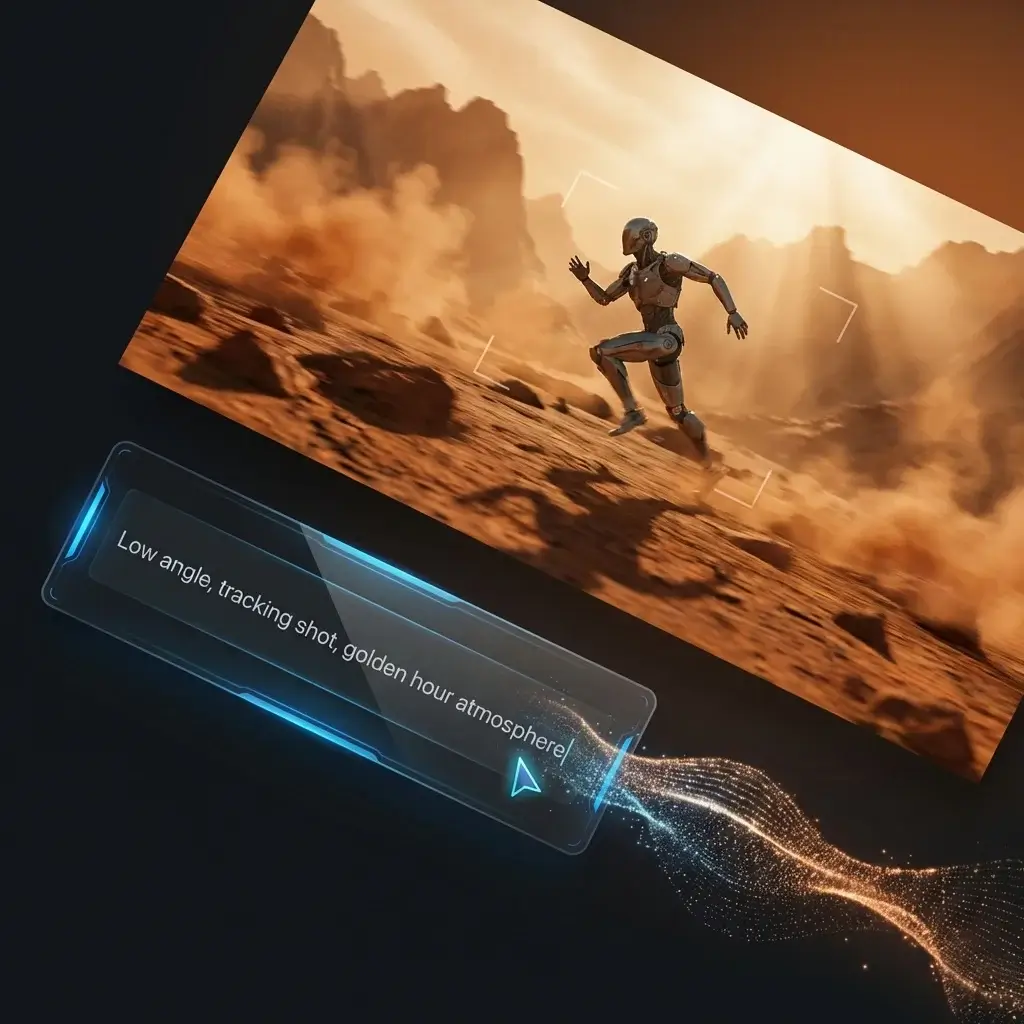
Beyond image uploads, guide your AI video through natural language prompts. Describe desired motion, camera movement, or atmosphere—the runway AI video editing system interprets instructions and applies them to your image. Combine a sunset photo with prompts like "gentle waves, golden light" to achieve precisely directed AI video results. This approach functions as both AI photo to video app and complete generator platform. The vimage to video AI video supports 2 images to video AI workflows for dynamic image to motion sequences.

Generate Now

Best AI Tool to Turn Image Into Video – Three Steps

Upload Image for AI Generator Processing

Start by selecting your source image for AI video. JPEG, PNG, and WebP image formats up to 10MB work with the runway image generator. Choose high-resolution images for optimal generator results. Enter a descriptive prompt to guide how the AI video will animate image content. Learning how to use runway AI effectively means providing specific image descriptions—the more detail you give this AI turn image into video generator, the better output matches your vision.

Configure Parameters with Runway AI Video Maker

Customize AI video specifications before processing. The runway AI video maker offers aspect ratio selection—16:9 for widescreen, 9:16 for vertical, 1:1 for square formats. Select 720p or 1080p resolution. How much is runway AI? The image to video AI video free tier provides generous access. Set duration from 5 to 10 seconds for optimal generator performance. These img to video parameters ensure output arrives ready for publishing.

Generate Output and Export

Click generate to initiate AI image processing. The runway AI video generator completes image rendering within 90 seconds. Once the AI video finishes, preview results—the AI picture into video conversion displays immediately. Need adjustments? Refine your prompt and regenerate. The convert picture to video generator encourages experimentation. Download completed content in MP4 format—pictures to video free of watermarks, ready for editing or direct publishing.

Animate Image AI – Versatile Applications

From commercial production to personal projects, the runway AI image to video generator adapts to diverse requirements. These scenarios demonstrate how professionals leverage AI image generator tools for animate images to video workflows—showing why this remains among best AI video generators 2025.

Social Media Content
E-Commerce Showcases
Film Production
Educational Materials

AI Turn Pictures Into Video with Vimage to Video AI

Static image posts struggle in algorithm-driven feeds. Converting product photos, behind-the-scenes images, or branded graphics into motion clips dramatically increases engagement. Fashion brands use the AI photo video maker generator to transform lookbook images into subtle movement—fabric flows as the AI video animates image elements. This video from photos approach creates premium content. Vertical format ensures native compatibility, ideal for AI turn image into video generator needs.

Best Image Generation AI – What Creators Say

Professional AI Generator Results Without Big Budgets

As a small business owner, I never had resources for production. This runway AI video generator changed everything. My product images become polished video output in minutes. The image generator quality rivals expensive agency work. Social engagement doubled within the first month of using AI video content from my image library.

Chris Taylor
Content Producer

Superior AI Generator Motion Quality

I've tested every AI video tool available. Most produce artificial wobble. This runway AI image to video free option is different—motion feels natural. The image to video AI video free access let me evaluate before committing. Now I use the runway AI video for client work because quality meets broadcast standards.

Maria Garcia
Content Creator

Essential for High-Volume Content

Managing social accounts means I need hundreds of unique assets monthly. This video lets me transform existing photo and image libraries into fresh content. The AI image generator solution justified investment within the first week of production work.

Alex Johnson
Freelance Editor

Perfect AI Generator Tool for Client Pitches

Before this runway AI video maker generator, visualizing concepts required expensive mock-ups. Now I convert reference images into AI video motion studies. The image generator helps clients understand proposals, and approvals happen faster with generated previews.

Emily Davis
Marketing Director

Exceptional AI Generator Prompt Control

Other AI video tools feel like black boxes—input an image and hope for acceptable output. The runway AI video editing prompt system lets me specify exactly what motion I want. That AI video control transforms the tool into genuine production asset for image animation needs.

Sophie Martin
Digital Artist

Seamless AI Generator Workflow Integration

The AI video MP4 exports drop directly into Premiere. Image colors stay accurate in generated AI output. This runway ml video generator works with my existing pipeline, unlike most AI image generator tools I've evaluated for professional production.

Chris P.
Consultant

Professional AI Generator Results Without Big Budgets

As a small business owner, I never had resources for production. This runway AI video generator changed everything. My product images become polished video output in minutes. The image generator quality rivals expensive agency work. Social engagement doubled within the first month of using AI video content from my image library.

Chris Taylor
Content Producer

Superior AI Generator Motion Quality

I've tested every AI video tool available. Most produce artificial wobble. This runway AI image to video free option is different—motion feels natural. The image to video AI video free access let me evaluate before committing. Now I use the runway AI video for client work because quality meets broadcast standards.

Maria Garcia
Content Creator

Essential for High-Volume Content

Managing social accounts means I need hundreds of unique assets monthly. This video lets me transform existing photo and image libraries into fresh content. The AI image generator solution justified investment within the first week of production work.

Alex Johnson
Freelance Editor

Perfect AI Generator Tool for Client Pitches

Before this runway AI video maker generator, visualizing concepts required expensive mock-ups. Now I convert reference images into AI video motion studies. The image generator helps clients understand proposals, and approvals happen faster with generated previews.

Emily Davis
Marketing Director

Exceptional AI Generator Prompt Control

Other AI video tools feel like black boxes—input an image and hope for acceptable output. The runway AI video editing prompt system lets me specify exactly what motion I want. That AI video control transforms the tool into genuine production asset for image animation needs.

Sophie Martin
Digital Artist

Seamless AI Generator Workflow Integration

The AI video MP4 exports drop directly into Premiere. Image colors stay accurate in generated AI output. This runway ml video generator works with my existing pipeline, unlike most AI image generator tools I've evaluated for professional production.

Chris P.
Consultant

Img to Video – Frequently Asked Questions

What is Runway AI image to video generation?

Runway AI image to video is AI-powered technology that analyzes static images and synthesizes realistic motion. The AI video identifies visual elements within your uploaded image, predicts movement patterns, and renders smooth output maintaining original image quality. This runway AI video generation generator powers the best AI image to video generators using runway gen-3 image to video models.

What image formats work with this AI video?

The AI video platform accepts JPEG, PNG, and WebP image formats with image sizes up to 10MB. For best AI video results, use high-resolution source images. Low-resolution images may produce lower-quality generator output. The image to vidio conversion generator works best with properly exposed, sharp image sources.

How long are AI video outputs from images?

Generated AI content ranges from 5 to 10 seconds. While brief, AI video clips optimize for social media where short-form content performs best. Multiple AI video clips can be combined. The runway image extender capability extends image content before AI video conversion for longer sequences.

What resolutions does the AI image generator support?

AI video output includes 720p and 1080p resolution. Aspect ratios span 16:9 widescreen, 9:16 vertical, 1:1 square formats. Select parameters based on publishing platform. The runway video editor generator ensures AI video output meets platform specifications.

Are AI-generated outputs watermark-free?

Outputs from this AI video export without watermarks, enabling direct use in commercial projects. The make a video from images generator produces clean AI output ready for any application without branding.

How do prompts improve AI video from images?

Text prompts guide AI video animation behavior. Describing motion, camera movements, and conditions helps the AI video align output with creative intent. The AI image to dance video generator responds to specific movement prompts. Detailed prompts produce more predictable AI video results from image sources.

Can this AI video create output from text without images?

Yes, the runway AI video generator supports both image input and text-only generation modes. Text-only creates output from descriptions, while image input animates uploaded images via video. Note: This generator does not support undress AI image to video—it focuses on professional, ethical AI image generator applications.