Seedream 5.0 Pro: Opnaðu hentugustu fyrirmælin fyrir gervigreindarmyndir
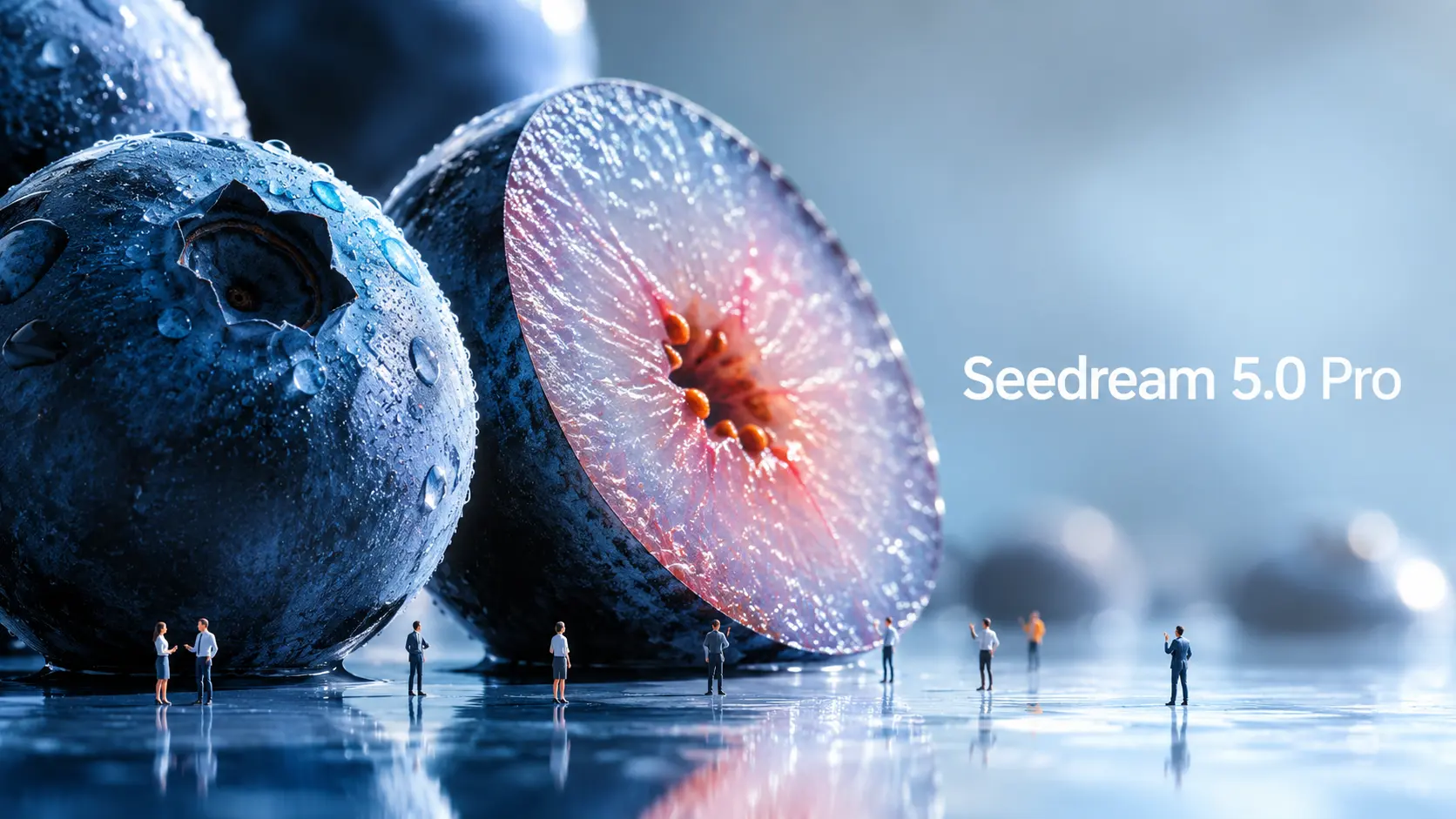
Seedream 5.0 Pro er nýja gervigreindarmyndunar- og myndvinnslulíkanið frá ByteDance Seed, hannað fyrir stýrðari sjónræna sköpun. Þegar myndlíkön verða öflugri þurfa fyrirmæli einnig að þróast. Einföld fyrirspurn um efni og stíl dugar ekki lengur ef þú vilt skipulagðar upplýsingamyndir, notendaviðmótslíkön, auglýsingamyndir, fjöltyngdar veggspjöld eða nákvæmar myndvinnslur. Hin raunverulega spurning er: hvernig ættirðu að hvetja Seedream 5.0 Pro öðruvísi? Þessi handbók brýtur niður opinber Seedream 5.0 Pro dæmi og breytir þeim í endurnýtanlegar leiðbeiningarformúlur. Hvað gerir Seedream 5.0 Pro öðruvísi? Seedream 5.0 Pro er gagnlegt vegna þess að það er smíðað nær hönnunartóli en einföldum myndaframleiðanda. Það skapar ekki aðeins aðlaðandi sjónrænt efni. Það reynir að skilja hvernig upplýsingar, hlutir, texti og hönnunarþættir ættu að vera raðað inni í mynd. Upplýsingaþungar myndir betri Ein stærsta uppfærslan er flókin upplýsingasýnileiki. ByteDance segir að Seedream 5.0 Pro geti breytt gögnum, hugtökum og þéttum texta í faglega útlit. Þetta gerir það gagnlegt fyrir upplýsingamyndir, fræðsluplakat, samanburðartöflur, vöruskýringar, myndefni skýrslur og þekkingarkort fyrir samfélagsmiðla. Þetta skiptir máli vegna þess að upplýsingamyndir eru erfiðar. Líkanið þarf að skipuleggja útlitið, setja texta rétt, aðskilja hluta, halda stigveldinu læsilegu og samt láta myndina líta vel út. Nákvæmari klipping Seedream 5.0 Pro er einnig hannað fyrir gagnvirka nákvæma klippingu. Samkvæmt opinberu útgáfunni getur það notað rúmfræðilega staðsetningu og svæðisbundna skilning til að styðja við punktaval, lassoval, skissugerð, litabreytingar, efnisskiptingu og samruna margra mynda. Einfaldlega sagt er hægt að beða það um að breyta einum hluta myndar án þess að endurnýja allt. Til dæmis, í stað þess að segja „láttu þetta herbergi líta betur út“ geturðu sagt: breyttu aðeins sófaáklæðinu, haltu lýsingu og skipulagi herbergisins óbreyttu. Þessi tegund af fyrirmælum er miklu gagnlegri fyrir raunverulega hönnunarvinnu. ByteDance sýnir einnig fram á lagaskilnað í opinberu efni sínu. Hins vegar, þegar þetta er skrifað, er vinnuflæðið fyrir lagaskilgreiningu ekki enn aðgengilegt í öllum vinnuflæðum almenningsafurða, þannig að þessi handbók mun ekki meðhöndla það sem tilbúna til notkunar. Raunhæf auglýsingamyndefni. Seedream 5.0 Pro leggur einnig áherslu á raunverulega lýsingu, efnishegðun, áferð húðar, speglun, byggingarlist og ljósmyndagæði. Þetta gerir það gagnlegt fyrir vöruauglýsingar, tískumyndir, portrettljósmyndun, innanhússhönnun, lífsstílsmyndir og kvikmyndalegar kyrrmyndir. Fyrir skapara þýðir þetta að líkanið getur hjálpað til við að framleiða fágaðri upprunamyndir áður en þær eru breyttar í myndbönd. Fjöltyngd myndagerð Seedream 5.0 Pro getur einnig unnið með fjöltyngdar leiðbeiningar og búið til texta á fleiri en tíu algengum tungumálum, þar á meðal kínversku, ensku, frönsku, þýsku, rússnesku, japönsku, kóresku, spænsku og arabísku. Þetta er gagnlegt fyrir alþjóðlegar auglýsingar, staðbundin veggspjöld, fjöltyngdar færslur á samfélagsmiðlum og alþjóðlegt markaðsefni. Hvernig opinberar Seedream 5.0 Pro leiðbeiningar virka Opinber dæmi sýna að Seedream 5.0 Pro virkar best þegar leiðbeiningarnar eru uppbyggðar eins og hönnunarupplýsingar. Opinbert dæmi: Upplýsingamynd um rannsóknir á Suðurskautslandinu. Eitt opinbert dæmi býður Seedream 5.0 Pro að búa til upplýsingamynd um vísindarannsóknir við Qinling-stöðina á Suðurskautslandinu. Fyrirmælin segja ekki einfaldlega „búið til upplýsingamynd um Suðurskautslandið“. Hún biður um aðalbyggingu Qinling-stöðvarinnar í miðjunni. Í kringum það ætti líkanið að bæta við tímalínu, súluriti, skífuriti, línuriti, myndum af búnaði, veðurspjaldi, flæðiriti af vettvangsvinnu og ljósmyndum af sýnatöku. Lærdómurinn er einfaldur: Segðu líkaninu hvaða hlutar, töflur, kort, merkimiðar og spjöld eiga að birtast. Eins og við, sem erum fyrstu notendur, komumst að því, að ef þú tilgreinir ekki útlit, merkimiða eða upplýsingastigveldi, þá mun líkanið oft ekki finna þau upp fyrir þig. Þó að þetta krefjist ítarlegri leiðbeininga, þá gefur það sköpurum einnig miklu meiri stjórn á lokahönnuninni. Opinbert dæmi: notendaviðmót fyrir heimasíðu netverslunar með gæludýrum Dæmið um netverslun með gæludýrum er gagnlegt fyrir þá sem búa til notendaviðmót og lendingarsíður. Fyrirspurnin biður um heimasíðu fyrir netverslun með gæludýr í hlutfallinu 16:9 í hlýjum sólseturstónum. Það inniheldur efri flakkstika, textasvæði vinstra megin, vörukort, hylkislaga hnapp og mynd af Golden Retriever hægra megin. Snilldarlegasta skapandi snertingin í þessari notendaviðmótshönnun er samspilið milli laga: loppur hundsins brýtur út úr hægri rammanum og ýtir á hnappinn vinstra megin. Þetta sýnir að Seedream 5.0 Pro getur skilið rúmfræðileg tengsl innan hönnuðar skipulags. En til að ná þessu þarfnast skýrrar leiðbeiningar, þar sem þetta er ekki eitthvað sem líkanið býr til sjálfkrafa. Opinbert dæmi: efnis- og litavinnsla Þetta er eitt af þeim tilvikum sem mér finnst áhugaverðast. Annað opinbert mál notar margar tilvísanir: Mynd 1 sýnir efni, mynd 2 sýnir litasýni og mynd 3 er myndin af sófanum sem á að breyta. Lærdómurinn er mikilvægur: Þegar þú hleður upp mörgum tilvísunarmyndum skaltu gefa hverri mynd verkefni. Það kemur á óvart að Seedream 5.0 Pro á heldur engan vandræði með að skilja handskrifaðar leiðbeiningar um drög. Þetta þýðir að jafnvel þegar þú ert úti, svo framarlega sem þú ert með snjallsíma eða iPad, geturðu einfaldlega teiknað breytingarkröfur þínar beint á upprunalegu myndina — og útrýmir þörfinni á að skrifa langar, ritgerðarlíkar leiðbeiningar. Opinbert dæmi: ljósmyndun með pönnunarmynd. Seedream 5.0 Pro sýnir einnig dæmi um pönnunarmynd. Leiðbeiningin heldur hjólreiðamanninum og hjólinu skarpum, teygir bakgrunninn í lárétta hreyfiþoku og bætir snúningsþoku við hjólgeislana. Þetta er gagnlegt fyrir þá sem búa til myndbönd. Hreyfimynd gefur myndbandslíkaninu sterkari upphafspunkt. Formúla fyrir leiðbeiningar í Seedream 5.0 Pro. Byggt á opinberum dæmum er hægt að flokka leiðbeiningar í Seedream 5.0 Pro í fjóra hagnýta flokka. 1. Sjónræn upplýsingaleiðbeining Notið þetta fyrir upplýsingamyndir, fræðsluplakat, samanburðartöflur, leiðbeiningar fyrir byrjendur, vöruútskýringar, skýrslur, kennslukort og þekkingarmyndir í reitum. Markmiðið er að hjálpa líkaninu að skipuleggja upplýsingar á skýran hátt. Formúla: „Búðu til [sjónrænt snið] um [efni]. Notaðu [útlitsgerð] útlit. Hafa með [aðalefni eða titil]. Bætið við [eining/kort 1], [eining/kort 2], [eining/kort 3] og [eining/kort 4]. Hver hluti ætti að innihalda [merki / stuttar lýsingar / tákn / töflur / myndir]. „Hafðu stigveldið skýrt, textann læsilegan og hönnunarstílinn [stíll].“ Dæmi: „Búðu til 16:9 fræðslumynd um hvernig gervigreindarframleiðsla á myndum í myndbönd virkar.“ Notaðu hreint mátskipulag. Settu upprunamynd í miðjuna.







Ótrúlegur valkostur við Dgen AI
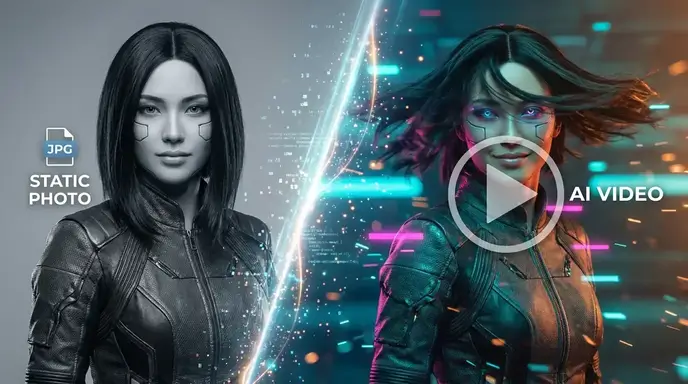
Ég var áður að treysta á dgen ai og im2go ai, en þessi vettvangur er miklu betri. Umskipti mynd-í-myndbands eru ótrúlega slétt og ég elska að það er engin innskráning krafist. Það sparar mér svo mikinn tíma í daglegu efnissköpunarverkefnum mínum.
Betri en Desgo og Dezko
Eftir að hafa prófað desgo og dezko fann ég loksins tól sem raunverulega skilar. Stöðugir gervigreindarmyndavélarmöguleikar hér eru í fyrsta flokki. Ég get búið til töfrandi myndefni og lífgað þá samstundis án þess að takast á við pirrandi lánamörk eða greiðsluveggi.
Yfirburðir Artgo AI og Dexto
Sem stafrænn listamaður hef ég prófað artgo ai og dexto mikið. Dreifingarvél þessa tóls framleiðir mun samfelldari hreyfingu. Það er auðveldlega besti ai dise ókeypis valkosturinn sem til er núna til að teikna stafræna myndskreytingar.
Æðri en Dezco og Dexgo
Ég var svekktur yfir takmörkunum dezco og dexgo. Þessi vettvangur býður upp á sanna ótakmarkaða kynslóð. Desgo ai valkostirnir eru frábærir, sem gera mér kleift að framleiða hágæða myndbandseignir fyrir markaðsherferðir mínar áreynslulaust.
Skipti út Artgoai og Giz AI myndbandsgeneratorinn
Ég skipti algjörlega út áskriftunum mínum fyrir artgoai og giz ai myndbandsframleiðendur fyrir þetta tól. Forstillingarnar í mogao ai stílnum eru ótrúlegar og viðmót desi ai rafallsins er svo leiðandi. Það sinnir flóknum leiðbeiningum fallega í hvert einasta skipti.
Besti stöðugi gervigreindarmyndavélin
Það er sjaldgæft að finna áreiðanlegan stöðugan ai myndrafall sem gerir einnig myndband. Þetta tól slær út alla desgo valkostina sem ég hef prófað. Afhendingarhraði er hraður og úttaksgæði eru stöðugt fagleg og sjónrænt sláandi.
Ótrúlegur valkostur við Dgen AI
Ég var áður að treysta á dgen ai og im2go ai, en þessi vettvangur er miklu betri. Umskipti mynd-í-myndbands eru ótrúlega slétt og ég elska að það er engin innskráning krafist. Það sparar mér svo mikinn tíma í daglegu efnissköpunarverkefnum mínum.
Betri en Desgo og Dezko
Eftir að hafa prófað desgo og dezko fann ég loksins tól sem raunverulega skilar. Stöðugir gervigreindarmyndavélarmöguleikar hér eru í fyrsta flokki. Ég get búið til töfrandi myndefni og lífgað þá samstundis án þess að takast á við pirrandi lánamörk eða greiðsluveggi.
Yfirburðir Artgo AI og Dexto
Sem stafrænn listamaður hef ég prófað artgo ai og dexto mikið. Dreifingarvél þessa tóls framleiðir mun samfelldari hreyfingu. Það er auðveldlega besti ai dise ókeypis valkosturinn sem til er núna til að teikna stafræna myndskreytingar.
Æðri en Dezco og Dexgo
Ég var svekktur yfir takmörkunum dezco og dexgo. Þessi vettvangur býður upp á sanna ótakmarkaða kynslóð. Desgo ai valkostirnir eru frábærir, sem gera mér kleift að framleiða hágæða myndbandseignir fyrir markaðsherferðir mínar áreynslulaust.
Skipti út Artgoai og Giz AI myndbandsgeneratorinn
Ég skipti algjörlega út áskriftunum mínum fyrir artgoai og giz ai myndbandsframleiðendur fyrir þetta tól. Forstillingarnar í mogao ai stílnum eru ótrúlegar og viðmót desi ai rafallsins er svo leiðandi. Það sinnir flóknum leiðbeiningum fallega í hvert einasta skipti.
Besti stöðugi gervigreindarmyndavélin
Það er sjaldgæft að finna áreiðanlegan stöðugan ai myndrafall sem gerir einnig myndband. Þetta tól slær út alla desgo valkostina sem ég hef prófað. Afhendingarhraði er hraður og úttaksgæði eru stöðugt fagleg og sjónrænt sláandi.