วิธีสร้างโปรแกรมสร้างวิดีโอ AI ความยาวยาวใน ComfyUI
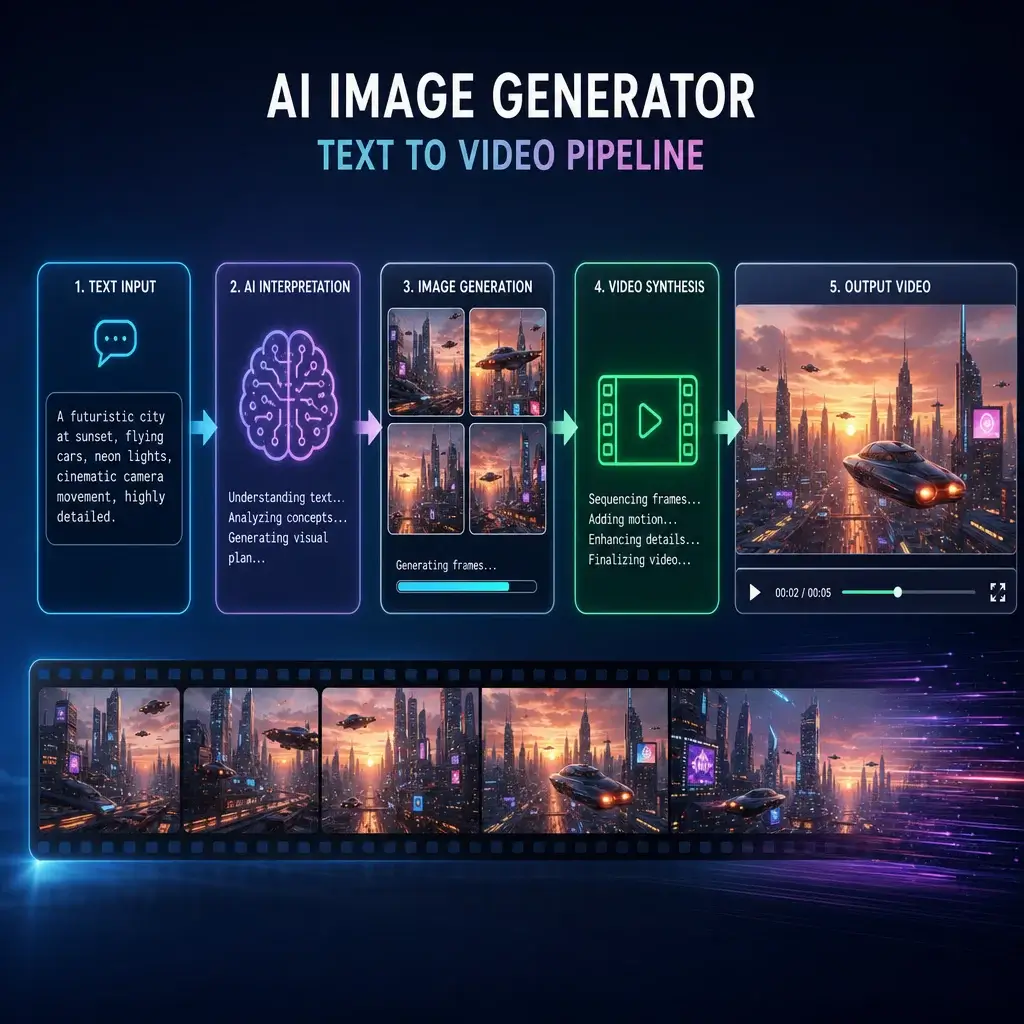
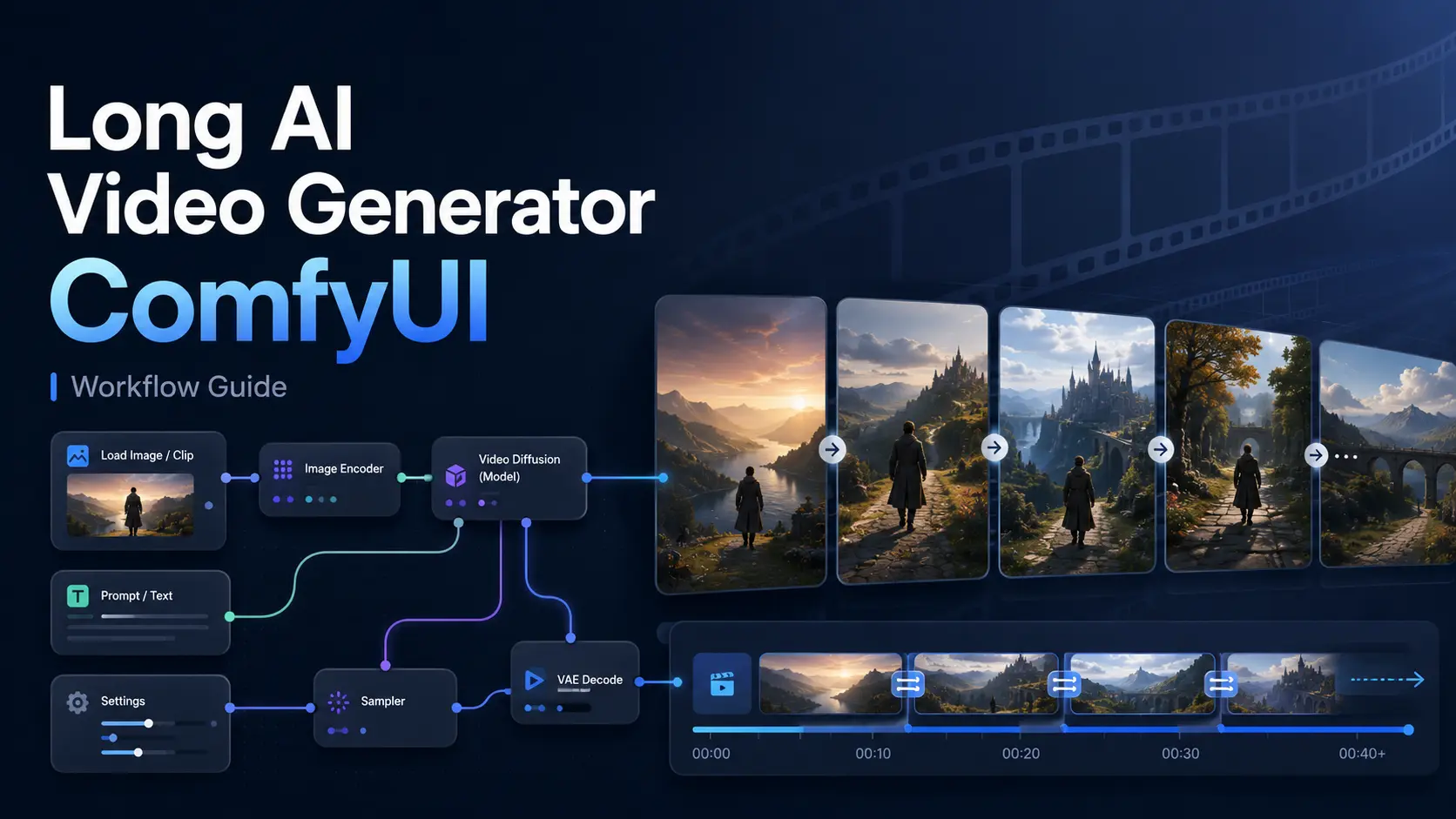
Creating a long AI video in ComfyUI involves more than increasing the number of frames in a standard video workflow. Longer videos place greater demands on GPU memory, generation time, motion consistency, and character stability. A practical long AI video generator ComfyUI workflow usually combines three methods: generating a longer initial clip, extending that clip from its final frames, and joining several controlled video segments into one continuous sequence. คู่มือนี้จะอธิบายว่าโมเดลวิดีโอ ComfyUI ใดเหมาะสมสำหรับเนื้อหาที่มีความยาวมากขึ้น วิธีการสร้างเวิร์กโฟลว์ที่ทำซ้ำได้ และวิธีการลดปัญหาการเลื่อนของตัวอักษร การกระพริบ การตัดต่อที่เห็นได้ชัด และข้อผิดพลาดหน่วยความจำไม่เพียงพอ ComfyUI สามารถสร้างวิดีโอ AI ความยาวเต็มได้หรือไม่? Yes, ComfyUI can generate long AI videos, but ComfyUI itself is not a video generation model. It is a node-based environment in which models, prompts, reference images, samplers, frame controls, and output tools are connected into a workflow. Its built-in Workflow Templates also provide ready-made starting points for supported video models. ความยาววิดีโอสูงสุดขึ้นอยู่กับรุ่นที่เลือก ความละเอียดเอาต์พุต จำนวนเฟรม หน่วยความจำ VRAM ที่ใช้งานได้ และว่าวิดีโอถูกสร้างขึ้นในรอบเดียวหรือขยายออกไปหลายรอบ Native Long-Clip Generation Some models can generate relatively long continuous clips in a single workflow. However, the advertised maximum duration should not be treated as the guaranteed stable duration for every prompt and resolution. For example, the older LTXV 13B 0.9.8 release introduced long-shot generation of up to 60 seconds. The newer LTX-2 model focuses on synchronized audio and video clips of up to approximately 10 seconds, while also supporting multi-keyframe conditioning and video extension. การสร้างภาพแบบผ่านครั้งเดียวเป็นเวลานานจะได้ผลดีที่สุดเมื่อฉากมีตัวแบบที่ชัดเจน การกระทำหลักเพียงอย่างเดียว แสงสม่ำเสมอ และการเปลี่ยนมุมกล้องไม่มากนัก Flexible Video Extension Video extension is usually the more practical way to create longer content. Instead of asking the model to generate an entire sequence at once, you generate the opening clip and then use its final image or final frames as the condition for the next clip. LTX Video officially supports forward and backward extension, as well as conditioning from images, short video segments, and multiple keyframes. This makes it possible to continue a scene while preserving its general composition and motion direction. Seamless Multi-Clip Generation More complex videos are often divided into short scenes. Each scene is generated separately, but the ending of one clip is designed to match the beginning of the next. The clips can then be combined with overlapping frames, frame interpolation, optical-flow processing, or a short crossfade. This approach provides more control over the story and reduces the risk of wasting a long generation because of an error near the end. Best ComfyUI Models for Long Video Generation The best model depends on what kind of long video you want to create. A cinematic scene, a talking character, and a sequence built around fixed keyframes require different workflows. Model Best for Long-video method Main limitation LTX Video Cinematic clips and continuous camera motion Longer clips, keyframes, and video extension High-quality workflows can require significant VRAM Wan2.2 I2V or T2V General image-to-video and text-to-video creation Short controlled clips and multi-scene generation Larger models increase generation time and memory use Wan2.2 First-Last Frame Planned transitions and controlled endpoints Generate between a defined opening and ending frame Requires suitable start and end images Wan2.2-S2V Talking, singing, and performance videos Audio-driven minute-level generation Designed for human-centered audio-driven videos High-Quality Cinematic Clips with LTX Video LTX Video is suitable for creators who want smooth camera movement, cinematic framing, detailed prompts, and control over several points in a video. Its current ecosystem supports image-to-video generation, multiple keyframes, video extension, video-to-video transformation, and synchronized audio-video generation. The official LTX-2 ComfyUI custom-node workflow recommends a CUDA-compatible GPU with at least 32GB of VRAM, although older, distilled, or quantized LTX versions can be more accessible. Consistent Keyframe-Controlled Videos with Wan2.2 Wan2.2 is useful when you need stronger control over how a clip starts or ends. ComfyUI provides official templates for Wan2.2 text-to-video, image-to-video, and first-last-frame workflows. In the first-last-frame workflow, users load two images, set the output dimensions, and write a prompt describing the movement between them. This is especially useful for transitions, planned camera moves, product reveals, and clips that must connect to another scene. Audio-Driven Long Videos with Wan2.2-S2V Wan2.2-S2V is designed for videos driven by a character image and an audio track. It can create dialogue, singing, and performance videos with synchronized facial expressions and body movement. The official ComfyUI workflow describes it as supporting minute-level generation, but it is not a general-purpose text-to-video model. It is most suitable when the long video centers on one visible person performing according to an audio input. How to Generate a Long AI Video in ComfyUI The following workflow combines short-clip generation, video extension, and final assembly. Exact node names may vary by model, but the process remains similar. Step 1: Choose a Suitable Long Video Workflow Start by matching the model to the content: Update ComfyUI before loading a recent workflow. You can open supported templates through Workflow > Browse Workflow Templates. ComfyUI checks whether the required models are available and may prompt you to download missing files. Step 2: Load the Model and Source Media A typical workflow may require a diffusion model, text encoder, VAE, reference image, input video, or audio encoder. For image-to-video generation, choose a clear reference image with a visible subject and readable background. Avoid heavily blurred images, cropped faces, unclear hands, or conflicting light sources. A stable starting image gives the model a stronger visual condition to preserve in later clips. Step 3: Set Frames, Resolution, and FPS Begin with moderate settings rather than immediately targeting the final quality. Generate a short, lower-resolution test to check the prompt, motion direction, camera movement, and subject stability. Increasing the frame count creates more generated frames, but it also increases processing time and VRAM use. Increasing FPS mainly changes playback timing and smoothness. Frame interpolation can create additional in-between frames, but it does not add new actions,
ทางเลือกอันเหลือเชื่อสำหรับ Dgen AI
ฉันเคยพึ่งพา dgen ai และ im2go ai แต่แพลตฟอร์มนี้เหนือกว่าอย่างมาก การเปลี่ยนภาพเป็นวิดีโอราบรื่นอย่างไม่น่าเชื่อ และฉันชอบที่ไม่จำเป็นต้องลงชื่อเข้าใช้ มันช่วยฉันประหยัดเวลาได้มากในงานสร้างเนื้อหาประจำวันของฉัน
ดีกว่าเดสโกและเดซโก้
หลังจากลองใช้ desgo และ dezko ในที่สุดฉันก็พบเครื่องมือที่ใช้งานได้จริง ความสามารถในการสร้างภาพ AI ที่มีเสถียรภาพที่นี่เป็นเลิศ ฉันสามารถสร้างภาพที่น่าทึ่งและสร้างภาพเคลื่อนไหวได้ทันทีโดยไม่ต้องจัดการกับวงเงินเครดิตหรือเพย์วอลล์ที่น่ารำคาญ
มีประสิทธิภาพเหนือกว่า Artgo AI และ Dexto
ในฐานะศิลปินดิจิทัล ฉันได้ทดสอบ artgo ai และ dexto อย่างกว้างขวาง กลไกการแพร่กระจายของเครื่องมือนี้สร้างการเคลื่อนไหวที่สอดคล้องกันมากขึ้น มันเป็นตัวเลือก ai dise ฟรีที่ดีที่สุดอย่างง่ายดายสำหรับการสร้างแอนิเมชันภาพประกอบดิจิทัลของฉัน
เหนือกว่า Dezco และ Dexgo
ฉันหงุดหงิดกับข้อจำกัดของ dezco และ dexgo แพลตฟอร์มนี้นำเสนอการสร้างที่ไม่จำกัดอย่างแท้จริง คุณสมบัติทางเลือกของ desgo ai นั้นยอดเยี่ยมมาก ช่วยให้ฉันสร้างเนื้อหาวิดีโอคุณภาพสูงสำหรับแคมเปญการตลาดของฉันได้อย่างง่ายดาย
แทนที่ My Artgoai และ Giz AI Video Generator
ฉันแทนที่การสมัครสมาชิกโปรแกรมสร้างวิดีโอ artgoai และ giz ai ด้วยเครื่องมือนี้โดยสิ้นเชิง การตั้งค่าล่วงหน้าสไตล์ mogao ai นั้นยอดเยี่ยมมาก และอินเทอร์เฟซตัวสร้าง desi ai นั้นใช้งานง่ายมาก มันจัดการพร้อมท์ที่ซับซ้อนได้อย่างสวยงามทุกครั้ง
เครื่องสร้างภาพ AI ที่เสถียรที่สุด
การค้นหาโปรแกรมสร้างภาพ ai ที่เสถียรและเชื่อถือได้ซึ่งทำวิดีโอด้วยนั้นหาได้ยาก เครื่องมือนี้เอาชนะทางเลือกอื่น ๆ ของ Desgo ทั้งหมดที่ฉันได้ลอง ความเร็วในการเรนเดอร์รวดเร็ว และคุณภาพผลงานมีความเป็นมืออาชีพและสวยงามสม่ำเสมอ
ทางเลือกอันเหลือเชื่อสำหรับ Dgen AI
ฉันเคยพึ่งพา dgen ai และ im2go ai แต่แพลตฟอร์มนี้เหนือกว่าอย่างมาก การเปลี่ยนภาพเป็นวิดีโอราบรื่นอย่างไม่น่าเชื่อ และฉันชอบที่ไม่จำเป็นต้องลงชื่อเข้าใช้ มันช่วยฉันประหยัดเวลาได้มากในงานสร้างเนื้อหาประจำวันของฉัน
ดีกว่าเดสโกและเดซโก้
หลังจากลองใช้ desgo และ dezko ในที่สุดฉันก็พบเครื่องมือที่ใช้งานได้จริง ความสามารถในการสร้างภาพ AI ที่มีเสถียรภาพที่นี่เป็นเลิศ ฉันสามารถสร้างภาพที่น่าทึ่งและสร้างภาพเคลื่อนไหวได้ทันทีโดยไม่ต้องจัดการกับวงเงินเครดิตหรือเพย์วอลล์ที่น่ารำคาญ
มีประสิทธิภาพเหนือกว่า Artgo AI และ Dexto
ในฐานะศิลปินดิจิทัล ฉันได้ทดสอบ artgo ai และ dexto อย่างกว้างขวาง กลไกการแพร่กระจายของเครื่องมือนี้สร้างการเคลื่อนไหวที่สอดคล้องกันมากขึ้น มันเป็นตัวเลือก ai dise ฟรีที่ดีที่สุดอย่างง่ายดายสำหรับการสร้างแอนิเมชันภาพประกอบดิจิทัลของฉัน
เหนือกว่า Dezco และ Dexgo
ฉันหงุดหงิดกับข้อจำกัดของ dezco และ dexgo แพลตฟอร์มนี้นำเสนอการสร้างที่ไม่จำกัดอย่างแท้จริง คุณสมบัติทางเลือกของ desgo ai นั้นยอดเยี่ยมมาก ช่วยให้ฉันสร้างเนื้อหาวิดีโอคุณภาพสูงสำหรับแคมเปญการตลาดของฉันได้อย่างง่ายดาย
แทนที่ My Artgoai และ Giz AI Video Generator
ฉันแทนที่การสมัครสมาชิกโปรแกรมสร้างวิดีโอ artgoai และ giz ai ด้วยเครื่องมือนี้โดยสิ้นเชิง การตั้งค่าล่วงหน้าสไตล์ mogao ai นั้นยอดเยี่ยมมาก และอินเทอร์เฟซตัวสร้าง desi ai นั้นใช้งานง่ายมาก มันจัดการพร้อมท์ที่ซับซ้อนได้อย่างสวยงามทุกครั้ง
เครื่องสร้างภาพ AI ที่เสถียรที่สุด
การค้นหาโปรแกรมสร้างภาพ ai ที่เสถียรและเชื่อถือได้ซึ่งทำวิดีโอด้วยนั้นหาได้ยาก เครื่องมือนี้เอาชนะทางเลือกอื่น ๆ ของ Desgo ทั้งหมดที่ฉันได้ลอง ความเร็วในการเรนเดอร์รวดเร็ว และคุณภาพผลงานมีความเป็นมืออาชีพและสวยงามสม่ำเสมอ