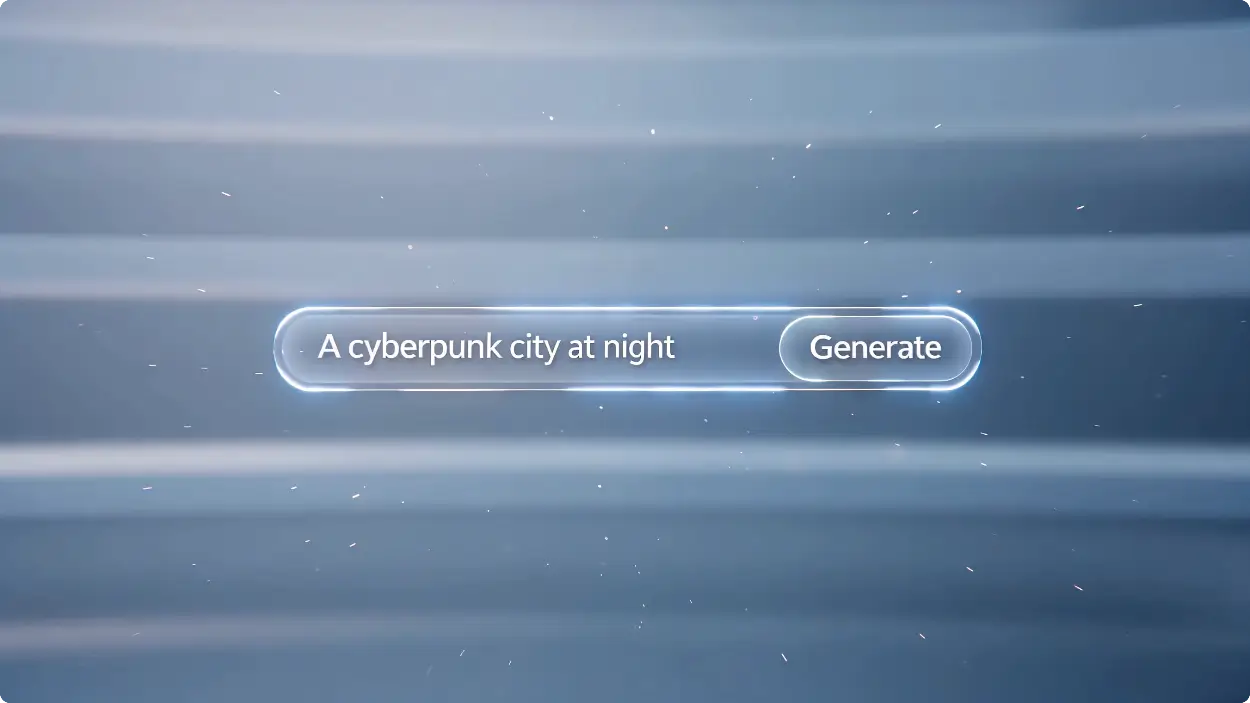
โมเดล
Image Fast v1.0 Free
การสร้างรูปภาพที่ไร้ขีดจำกัด ใช้ทรัพยากรต่ำ
พรอมต์
0 / 2500
รูปภาพอ้างอิง (ไม่บังคับ)0 / 1
สูงสุด 1 รูปภาพ
PNG, JPG, JPEG, WEBP , Max 20 MB
อัตราส่วนภาพ
จำนวนผลลัพธ์
สร้าง
ภาพตัวอย่าง
Sample video preview

สร้างภาพโดยใช้เครื่องสร้างภาพ AI ไม่ จำกัด พร้อม Flux, GPT Images2, NanoBanana, ไม่ จำกัด โดยไม่ต้องเข้าสู่ระบบ

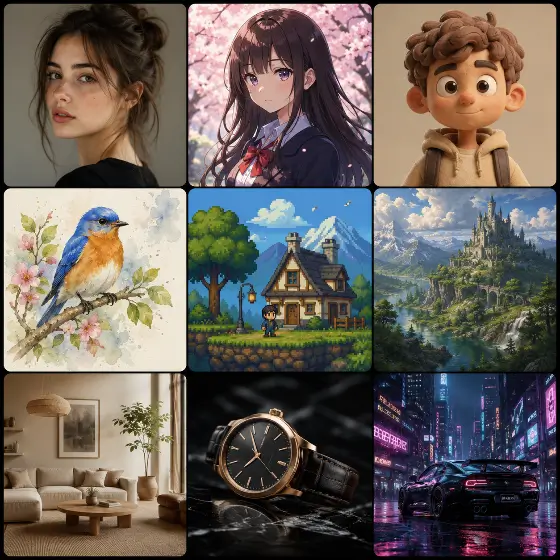
โปรแกรมสร้างภาพ AI แบบไม่จำกัดของเราไม่จำเป็นต้องลงทะเบียน ทำให้เป็นเครื่องมือที่สมบูรณ์แบบสำหรับผู้สร้าง นักการตลาด และนักทำงานอดิเรก ไม่ว่าคุณจะต้องการสร้างเนื้อหารูปภาพ AI สำหรับโซเชียลมีเดียหรือออกแบบงานศิลปะที่เป็นเอกลักษณ์ แพลตฟอร์มนี้ช่วยให้คุณนำจินตนาการของคุณมาสู่ชีวิตได้ทันทีและไร้ขีดจำกัด
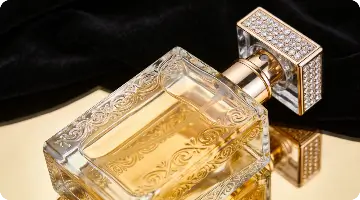
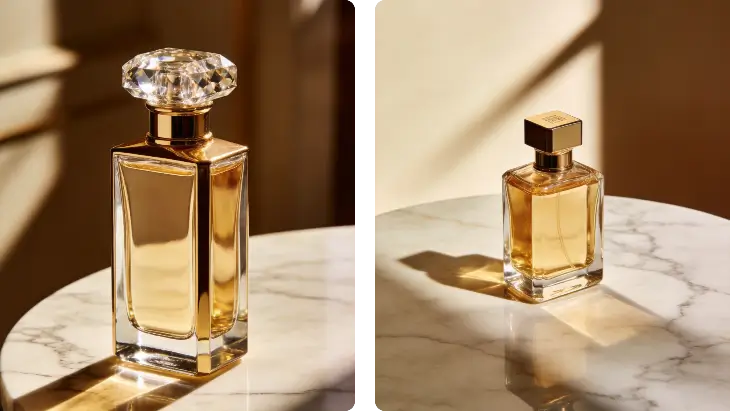
พรอมต์
ขวดน้ำหอมสุดหรูบนโต๊ะหินอ่อน แสงสตูดิโอที่นุ่มนวล เงาที่สง่างาม ภาพถ่ายผลิตภัณฑ์ระดับพรีเมียม พื้นหลังแบบมินิมอล สไตล์การโฆษณาระดับไฮเอนด์
รูปภาพอ้างอิง
รูปภาพที่สร้างขึ้น
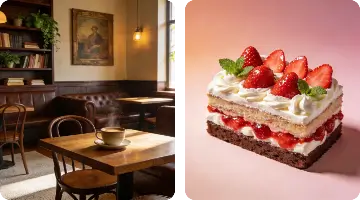
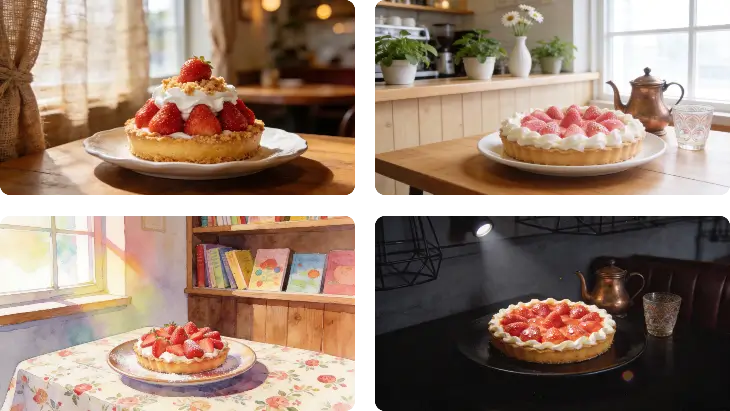
พรอมต์
เค้กสตรอเบอร์รี่แสนอร่อยบนจานเซรามิก แสงจากหน้าต่างธรรมชาติอันนุ่มนวล พื้นหลังร้านกาแฟบรรยากาศสบาย ๆ ระยะชัดตื้น การถ่ายภาพอาหารระดับมืออาชีพ
รูปภาพอ้างอิง
รูปภาพที่สร้างขึ้น
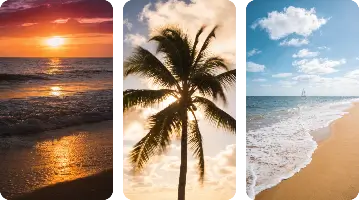
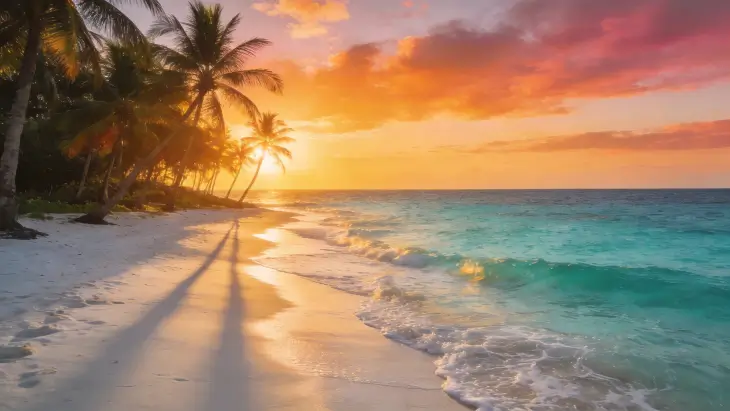
พรอมต์
ชายหาดเขตร้อนอันเงียบสงบยามพระอาทิตย์ตกดิน น้ำทะเลใสดุจคริสตัล ต้นปาล์ม ท้องฟ้าสีทอง แสงระดับโรงภาพยนตร์ ภาพถ่ายท่องเที่ยวที่สมจริง
รูปภาพอ้างอิง
รูปภาพที่สร้างขึ้น

เหตุใดจึงเลือกเครื่องสร้างภาพ AI ของเราทางออนไลน์

แพลตฟอร์มของเราต่างจากเครื่องสร้างภาพ AI ในพื้นที่หรือเครื่องมือที่ต้องการการตั้งค่าที่ซับซ้อน แพลตฟอร์มของเรานำเสนอข้อความ AI ที่ราบรื่นต่อความสามารถในการสร้างภาพ เพลิดเพลินกับเครดิตฟรีทุกวัน เข้าถึงโมเดลการสร้างภาพ AI ขั้นสูง และสร้างทุกสิ่งตั้งแต่ภาพ AI ที่สมจริงไปจนถึงงานศิลปะที่มีสไตล์โดยไม่มีอุปสรรคทางเทคนิคใดๆ

AI ที่สามารถสร้างภาพสำหรับโปรเจ็กต์ใดก็ได้

เมื่อคุณต้องการสร้างภาพ AI โดยไม่มีข้อจำกัด แพลตฟอร์มของเราจึงโดดเด่น ทำหน้าที่เป็นตัวสร้างภาพ AI โดยไม่มีข้อจำกัด ช่วยให้คุณสามารถสำรวจขอบเขตความคิดสร้างสรรค์ได้ ไม่ว่าคุณจะเปรียบเทียบเรากับเครื่องสร้างภาพ Perchance AI หรือ Midjourney คุณจะพบว่าเครื่องมือสร้างภาพ AI ของเรามอบอิสระที่ไม่มีใครเทียบได้ในการสร้างภาพตลกที่สร้างโดย AI หรือภาพระดับมืออาชีพ

สร้างภาพทันที

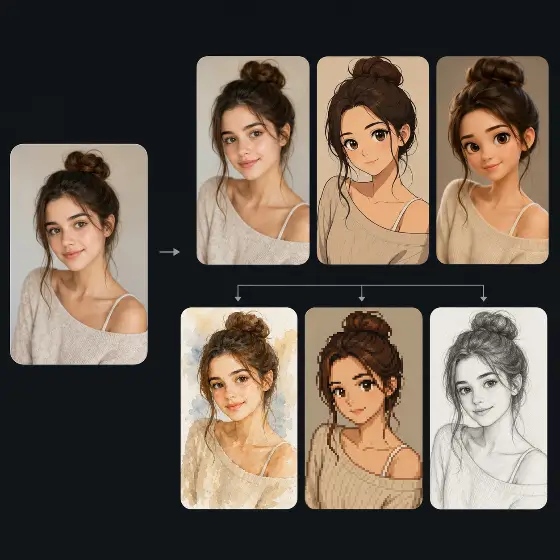
สร้างภาพ AI หรือภาพอนิเมะที่สมจริง

บริการสร้างภาพ AI ของเราเป็นเลิศในการผลิตทั้งภาพ AI ที่สมจริงและมีรายละเอียดสูงและสไตล์ภาพอะนิเมะที่มีชีวิตชีวา ต่างจากเครื่องกำเนิดภาพ Bing AI ตรงที่โมเดลการสร้างภาพ AI เฉพาะทางของเราช่วยให้คุณสลับระหว่างภาพเสมือนจริงและภาพประกอบได้อย่างราบรื่น รับรองว่าคุณจะได้รับสุนทรียภาพที่ตรงตามความต้องการสำหรับโครงการสร้างสรรค์ของคุณ

สร้างภาพทันที

ความสามารถในการสร้างข้อความเป็นรูปภาพ AI ขั้นสูง

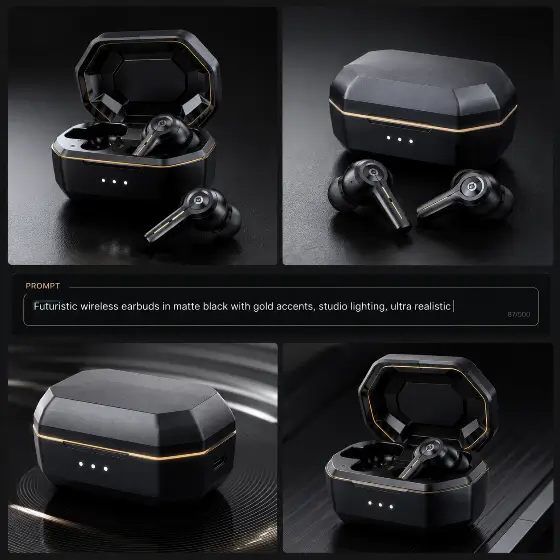
ในฐานะที่เป็นข้อความ AI ชั้นนำสำหรับโปรแกรมสร้างภาพ เราแปลงข้อความแจ้งของคุณให้เป็นภาพที่น่าทึ่ง แม้ว่าผู้ใช้บางรายจะใช้โปรแกรมสร้างภาพ ChatGPT หรือ Leonardo AI สำหรับงานพื้นฐาน แต่กลไกของเราได้รับการปรับให้เหมาะสมที่สุดเพื่อความคมชัดของภาพโดยเฉพาะ เป็น AI ที่ดีที่สุดสำหรับการสร้างภาพ เมื่อคุณต้องการการควบคุมแสง องค์ประกอบ และสไตล์อย่างแม่นยำ

สร้างภาพทันที

วิธีสร้าง AI Image Art ออนไลน์

ขั้นตอนที่ 1: ป้อนข้อความแจ้งของคุณหรืออัปโหลด

เริ่มต้นด้วยการพิมพ์คำอธิบายโดยละเอียดลงในอินเทอร์เฟซตัวสร้างข้อความ AI ของเรา หรือใช้คุณลักษณะตัวสร้างรูปภาพ AI ของเราเพื่ออัปโหลดรูปภาพอ้างอิงและแนะนำ AI ด้วยวิสัยทัศน์ที่สร้างสรรค์ของคุณ

ขั้นตอนที่ 2: ปรับแต่งการตั้งค่าของคุณ

ปรับอัตราส่วนภาพ เลือกสไตล์ศิลปะที่คุณต้องการ และปรับแต่งจุดแข็งในการสร้างสรรค์ การควบคุมเหล่านี้ช่วยให้แน่ใจว่าโมเดลการสร้างภาพ AI จะสร้างสิ่งที่คุณจินตนาการได้อย่างแน่นอน ไม่ว่าจะเป็นแนวตั้งหรือแนวนอนที่กว้าง

ขั้นตอนที่ 3: สร้างและดาวน์โหลด

คลิกปุ่มสร้างและดู AI สร้างผลลัพธ์รูปภาพในไม่กี่วินาที เมื่อพอใจแล้ว เพียงดาวน์โหลดไฟล์ความละเอียดสูงลงในอุปกรณ์ของคุณโดยตรง พร้อมสำหรับการใช้งานทันทีในโครงการส่วนตัวหรือเชิงพาณิชย์

แอปพลิเคชั่นยอดนิยมสำหรับ AI สำหรับการสร้างภาพ

AI ของเราสำหรับการสร้างภาพมีความหลากหลายเพียงพอสำหรับความต้องการสร้างสรรค์ที่หลากหลาย ตั้งแต่การออกแบบสินทรัพย์ทางการตลาดไปจนถึงการสร้างอวาตาร์ส่วนตัว โปรแกรมสร้างภาพ AI ที่ดีที่สุดช่วยให้ผู้ใช้สามารถสร้างภาพคุณภาพสูงโดยไม่จำเป็นต้องมีทักษะการออกแบบกราฟิกขั้นสูงหรือสมัครสมาชิกซอฟต์แวร์ราคาแพง

มืออาชีพ
ภูมิทัศน์
สัก
ตัวละคร

ภาพถ่ายธุรกิจระดับมืออาชีพและอวาตาร์ LinkedIn

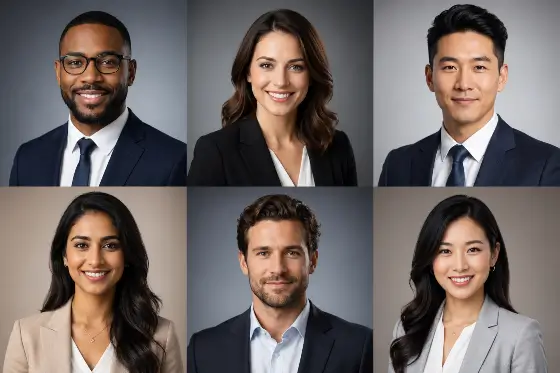
อัปเกรดสถานะทางมืออาชีพของคุณด้วยเครื่องมือสร้างรูปภาพ AI LinkedIn ของเรา แทนที่จะจองเซสชั่นสตูดิโอราคาแพง ให้ใช้เครื่องมือสร้างอวาตาร์ AI จากฟีเจอร์ภาพถ่ายเพื่อสร้างภาพถ่ายธุรกิจที่สวยงาม เพียงอัปโหลดภาพเซลฟี่แบบสบายๆ แล้ว AI จะเปลี่ยนภาพให้เป็นภาพเฮดช็อตที่พร้อมสำหรับองค์กรด้วยแสงที่สมบูรณ์แบบและพื้นหลังแบบมืออาชีพ ทำให้เหมาะสำหรับเรซูเม่และโปรไฟล์เครือข่าย

ผู้ใช้พูดอะไรเกี่ยวกับเครื่องสร้างภาพ AI ของเรา

AI ที่ดีที่สุดสำหรับการสร้างภาพ

ฉันได้ลองใช้โปรแกรมสร้างภาพ Krea AI และโปรแกรมสร้างภาพ Grok AI แล้ว แต่นี่เป็น AI ที่ดีที่สุดสำหรับการสร้างภาพอย่างแท้จริง รุ่นที่ไม่จำกัดและการขาดอุปสรรคในการลงทะเบียนทำให้สิ่งนี้เป็นตัวขับเคลื่อนคอนเซปต์อาร์ตในแต่ละวันของฉัน

ซาราห์ เจนกินส์
ศิลปินดิจิทัล

ผลลัพธ์ภาพที่สมจริงของ AI ที่น่าทึ่ง

คุณภาพของภาพที่สมจริงของ AI นั้นน่าทึ่งมาก ฉันใช้มันเพื่อสร้างแบบจำลองผลิตภัณฑ์ และแสงก็ดูเป็นธรรมชาติโดยสมบูรณ์ มันเอาชนะเครื่องกำเนิดภาพ AKOOL AI เพื่อความสมจริงของภาพถ่ายได้อย่างง่ายดาย

มาร์คัส เฉิน
ผู้จัดการอีคอมเมิร์ซ

เหมาะสำหรับการแก้ไขปัญหาการสร้างภาพ AI

ฉันกำลังดิ้นรนกับวิศวกรรมที่รวดเร็ว แต่เคล็ดลับการแก้ไขปัญหาการสร้างอิมเมจ AI ในตัวช่วยให้ฉันปรับแต่งอินพุตของฉันได้ ตอนนี้ผมสามารถสร้างภาพด้วย AI ได้อย่างสมบูรณ์แบบทุกครั้ง

เอเลนา โรดริเกซ
ผู้สร้างเนื้อหา

รักเครดิตฟรีทุกวัน

การได้รับเครดิตฟรีทุกวันหมายความว่าฉันสามารถทดลองได้โดยไม่ต้องกังวลเรื่องค่าใช้จ่าย ไม่เหมือนกับแพลตฟอร์มอื่น ๆ เครื่องสร้างภาพ AI แบบไม่จำกัดนี้ทำตามสัญญาได้จริง

เดวิด สมิธ
บล็อกเกอร์

ดีกว่าเครื่องสร้างภาพ AI ในพื้นที่

การตั้งค่าเครื่องสร้างภาพ AI ในพื้นที่ถือเป็นฝันร้ายสำหรับฮาร์ดแวร์ของฉัน ตัวเลือกบนคลาวด์นี้ทำงานได้อย่างไร้ที่ติและสร้างการออกแบบตัวละครภาพ AI ที่น่าทึ่งโดยไม่ต้องใช้ GPU ของฉัน

ไอชา พาเทล
นักวาดภาพประกอบดิจิทัล

ภาพ AI ที่สมบูรณ์แบบสำหรับเครื่องสร้างภาพ

คุณสมบัติ AI image to image Generator นั้นยอดเยี่ยมมากสำหรับการวนซ้ำบนภาพร่างคร่าวๆ ฉันอัปโหลดดูเดิลของฉัน และ AI ก็เปลี่ยนให้เป็นงานศิลปะที่สวยงาม มันเป็นเครื่องมือสำคัญสำหรับเวิร์กโฟลว์ภาพประกอบดิจิทัลของฉัน

ทอม เบเกอร์
นักออกแบบอิสระ

AI ที่ดีที่สุดสำหรับการสร้างภาพ

ฉันได้ลองใช้โปรแกรมสร้างภาพ Krea AI และโปรแกรมสร้างภาพ Grok AI แล้ว แต่นี่เป็น AI ที่ดีที่สุดสำหรับการสร้างภาพอย่างแท้จริง รุ่นที่ไม่จำกัดและการขาดอุปสรรคในการลงทะเบียนทำให้สิ่งนี้เป็นตัวขับเคลื่อนคอนเซปต์อาร์ตในแต่ละวันของฉัน

ซาราห์ เจนกินส์
ศิลปินดิจิทัล

ผลลัพธ์ภาพที่สมจริงของ AI ที่น่าทึ่ง

คุณภาพของภาพที่สมจริงของ AI นั้นน่าทึ่งมาก ฉันใช้มันเพื่อสร้างแบบจำลองผลิตภัณฑ์ และแสงก็ดูเป็นธรรมชาติโดยสมบูรณ์ มันเอาชนะเครื่องกำเนิดภาพ AKOOL AI เพื่อความสมจริงของภาพถ่ายได้อย่างง่ายดาย

มาร์คัส เฉิน
ผู้จัดการอีคอมเมิร์ซ

เหมาะสำหรับการแก้ไขปัญหาการสร้างภาพ AI

ฉันกำลังดิ้นรนกับวิศวกรรมที่รวดเร็ว แต่เคล็ดลับการแก้ไขปัญหาการสร้างอิมเมจ AI ในตัวช่วยให้ฉันปรับแต่งอินพุตของฉันได้ ตอนนี้ผมสามารถสร้างภาพด้วย AI ได้อย่างสมบูรณ์แบบทุกครั้ง

เอเลนา โรดริเกซ
ผู้สร้างเนื้อหา

รักเครดิตฟรีทุกวัน

การได้รับเครดิตฟรีทุกวันหมายความว่าฉันสามารถทดลองได้โดยไม่ต้องกังวลเรื่องค่าใช้จ่าย ไม่เหมือนกับแพลตฟอร์มอื่น ๆ เครื่องสร้างภาพ AI แบบไม่จำกัดนี้ทำตามสัญญาได้จริง

เดวิด สมิธ
บล็อกเกอร์

ดีกว่าเครื่องสร้างภาพ AI ในพื้นที่

การตั้งค่าเครื่องสร้างภาพ AI ในพื้นที่ถือเป็นฝันร้ายสำหรับฮาร์ดแวร์ของฉัน ตัวเลือกบนคลาวด์นี้ทำงานได้อย่างไร้ที่ติและสร้างการออกแบบตัวละครภาพ AI ที่น่าทึ่งโดยไม่ต้องใช้ GPU ของฉัน

ไอชา พาเทล
นักวาดภาพประกอบดิจิทัล

ภาพ AI ที่สมบูรณ์แบบสำหรับเครื่องสร้างภาพ

คุณสมบัติ AI image to image Generator นั้นยอดเยี่ยมมากสำหรับการวนซ้ำบนภาพร่างคร่าวๆ ฉันอัปโหลดดูเดิลของฉัน และ AI ก็เปลี่ยนให้เป็นงานศิลปะที่สวยงาม มันเป็นเครื่องมือสำคัญสำหรับเวิร์กโฟลว์ภาพประกอบดิจิทัลของฉัน

ทอม เบเกอร์
นักออกแบบอิสระ

ข่าวสาร

วิธีแปลงร่างเป็นนางเงือกด้วย AI ฟรีแบบไม่จำกัด

วิธีแปลงร่างเป็นนางเงือกด้วย AI ฟรีแบบไม่จำกัด

You’ve seen the clip a hundred times: someone’s legs shimmer, scales ripple down, and suddenly there’s a tail. It’s the single most replayed moment in every mermaid video — and now you can apply that exact transformation to your own photo. The problem is that most “make me a mermaid” edits just paste a tail on. They miss the magic, which is the transformation itself — skin becoming fin, that believable blend line. Swimmable tails cost hundreds, photo-edit requests are hit or miss, and generic filters look fake. คู่มือนี้จะช่วยแก้ไขปัญหานั้นได้ You’ll learn how to turn any photo into a mermaid image and a short transformation video using AI — with the exact steps, copy-paste prompts, and the small tweaks that separate a convincing morph from an obvious paste-on. No tail, no pool, no folklore. Just your selfie and a few minutes. What You Can Make With an AI Mermaid Transformation Before you start, it helps to know what’s actually on the table. An AI mermaid transformation turns a normal photo into mermaid content in two formats, and the format you choose shapes everything else. Mermaid photos vs. mermaid videos (and which to pick) A still mermaid portrait is a single image: you in a tail, underwater light on your face, scales catching the glow. It’s perfect for profile pictures, fantasy portraits, and cosplay reference shots. A mermaid video is a short image-to-video clip — the leg-to-tail reveal that performs so well on short-form feeds. If you want the “watch this!” moment, go video. If you want one striking image to post or print, go photo. Quick rule of thumb: Where people use them (TikTok, Instagram, cosplay, profile pics) The same source selfie can power all of these. People most often use AI mermaid transformations for: If you see yourself in any of those, you’re in the right place. Let’s make one. How to Turn Your Photo Into a Mermaid With AI (Step by Step) Here’s the short version: upload a clear photo, choose a mermaid style, write a prompt that describes the leg-to-tail blend, generate, then refine the transition. Now the detail. Step 1 — Pick the right photo Your result is only as good as your source image. Aim for a full-body or waist-up shot with good, even lighting and a simple background. Make sure your legs are visible — that’s where the tail transition happens. Avoid busy backgrounds, harsh shadows, and group photos. One clear subject gives the AI room to build a believable tail. Step 2 — Choose a tool and a mermaid style Pick your AI tool and a mermaid style or preset — tail material, color, and overall vibe (soft, dark, classic, sparkle). Load your photo. One thing to decide now: some tools make still images and some do image-to-video. If you want the moving reveal, choose a tool that supports image-to-video so you don’t have to start over later. Step 3 — Write your prompt and generate In the prompt box, describe the transformation, not just “a mermaid.” Mention the tail, the scales, underwater lighting, and the blend from legs to tail. The more you guide that transition zone, the more convincing the result. (Ready-made prompts are in the next section.) Step 4 — Refine the transition and export This is where believable results are won. Adjust the half-leg, half-tail blend line, regenerate a few variations, and pick the cleanest one. Upscale for sharpness, then export at the right size for your platform — vertical for TikTok and Reels, square for profile pics. Key Takeaway: A great AI mermaid isn’t a tail pasted on — it’s a smooth transition from skin to scales. Spend your effort on the blend line. Best AI Mermaid Prompts and Style Ideas Good prompts are the difference between repeatable magic and random guesses. Use the formula below, then grab a ready-made style. A simple prompt formula that works Build every prompt from the same reusable template: [subject] + [tail style & color] + [scales/skin detail] + [underwater lighting] + [background] + [mood] Worked example you can copy and tweak: “A young woman transforming into a mermaid, iridescent teal tail, fine scales blending up from her hips, soft caustic underwater light, deep blue ocean background, dreamy and magical mood.” Swap the color, scale detail, or mood and you have a brand-new look in seconds. Popular styles with copy-paste prompts (soft, dark, classic, sparkle) Use “inspired-by” wording rather than naming copyrighted characters. Copy, paste, adjust: How to Make an AI Mermaid Transformation Video (Image-to-Video) A still is great, but the moving mermaid transformation video is what gets replayed and shared. This is also the easiest way to capture that leg-to-tail reveal in motion. From mermaid photo to a moving reveal Take your generated mermaid image (or even your original photo) into an image-to-video tool. Choose a transformation or transition motion, set a short length, and generate the morph. Platforms like AI Image to Video are built for exactly this — turning a single image into a watermark-free vertical clip optimized for TikTok and Reels, with control over duration and motion intensity. That makes the leg-to-tail reveal quick to produce and ready to post. Transition tips for a smooth, satisfying morph A few habits make the morph look intentional instead of glitchy: Common Mistakes and Quick Fixes for Realistic Results Most fake-looking results come from the same handful of issues. Here’s how to fix each fast — plus quick answers to the questions everyone asks. Mistakes that make it look fake (and how to fix each) Quick answers (is it free, is it safe, what photo works best) Ready to see yourself transform? Grab a clear photo, pick a style and prompt above, and turn it into a mermaid image — then bring it to life as a short reveal with an AI image-to-video tool like AI Image to Video. Your transformation is just a few minutes away.

วิธีสร้างวิดีโอ 360° ด้วย AI (คู่มือทีละขั้นตอน)

วิธีสร้างวิดีโอ 360° ด้วย AI (คู่มือทีละขั้นตอน)

You can turn a single photo — a product, a person, a car, or a model — into a smooth 360° video with AI, with no camera, studio, or editing software. The hard part is that most first tries go sideways: you get a “wobbly photo,” a warped product, a subject that spins about 30° and stops, or a face that melts at the edges. Almost always, that comes down to picking the wrong method or writing a vague prompt. คู่มือนี้จะช่วยแก้ไขปัญหานั้นได้ You’ll learn what an AI 360° video actually is, the exact steps to make one, copy-paste prompts you can drop your own subject into, the subjects that work best, and quick fixes for the errors everyone hits. What Is an AI 360° Video? An AI 360° video is a short video where the subject makes a full turn, or the camera smoothly moves around the subject. It can be generated from a single photo, a product image, or a text prompt. There are two common styles. A spin video means the subject rotates in place while the camera stays still. A camera orbit video means the subject stays still while the camera circles around it. For best results, make the movement clear in your prompt. Use “the subject rotates 360 degrees” for a spin effect, or “the camera orbits around the subject” for an orbit effect. How to Make a 360° Video with AI: Step by Step Five short steps take you from a photo to a finished clip: (1) prepare a clear image or prompt, (2) choose an AI image-to-video tool, (3) write a 360° prompt and set the motion direction, (4) generate, then (5) review and optimize until the turn is smooth. Here’s the full workflow, broken into four practical steps. Step 1 — Prepare your image or text prompt Start with one clear, well-lit photo. The subject should be centered, fully visible, and shot against a clean, simple background — that gives the AI the best chance of keeping it stable through a full turn. If you’re starting from text instead, write a specific description of the subject rather than a vague one. Step 2 — Choose an AI image-to-video tool Look for a tool that supports both image-to-video and text-to-video, gives you control over motion intensity and aspect ratio, and exports clean, high-resolution clips. AI Image to Video is a solid fit here — it converts images or text into video using top models like Kling, Veo, and Wan, outputs up to 4K with no watermark, and lets you dial in motion intensity and video length. That motion control matters a lot for a clean 360° turn. Step 3 — Write your prompt (and set the motion direction) Name the subject, then say what you want: “the camera orbits 360 degrees” or “the subject rotates a full 360°.” Set the direction (clockwise, or left-to-right), and ask for slow, smooth, steady motion with the subject staying centered and still. You’ll find ready-made templates in the next section. Step 4 — Generate, review, and optimize After generating, check three things: the rotation completes a full circle, the subject stays stable, and the background doesn’t drift or duplicate. If something’s off, lower the motion speed, simplify the prompt, or regenerate. Nudging the duration or motion intensity often turns a half-turn into a complete, smooth one. Copy-and-Paste 360° Video Prompt Templates The fastest way to get a good result is to start from a prompt that already works, then swap in your subject. Copy any of these and replace the text in [brackets]. Product spin prompt (e-commerce): Product spin prompt (e-commerce) Use for: a 360-degree product video for a store page. Camera-orbit prompt (people, cars, architecture) Use for: a true camera orbit, not a flat spin. Turntable prompt (characters, clothing, toy models) Use for: image-to-360 video of people, outfits, and models. What Subjects Work Best for AI 360° Videos? AI 360° videos work best on clear, simple subjects: products, cars, clothing, toy models, characters, people, and buildings. Solid backgrounds and visible, well-lit subjects rotate the most smoothly. Some subjects rotate cleanly almost every time; others need extra care. Picking the right one saves you a lot of regenerating. Great subjects: products, cars, clothing, and toy models These have defined shapes, simple surfaces, and clear edges, which lets the AI keep them stable through a full turn. They’re ideal for store pages and short social clips, and they tend to look polished on the first or second try. Trickier subjects: people, characters, and detailed/architecture shots Be realistic here. Faces, fine details (freckles, hair, logos), reflective or transparent objects, and busy backgrounds can warp or drift as the AI invents the unseen side. You can still get good results — just use a clean background and a clear, front-facing photo to give the AI less to guess at. Common 360° Video Problems (and How to Fix Them) Most 360° issues have a one-line fix. The table below covers the five problems people run into most, and each is explained underneath. Problem Quick fix Image distortion or warping Use a sharp photo; simplify the prompt; add “no warping, no distortion” Incomplete rotation State “a full 360°”; raise duration or motion slightly; regenerate Background drift / duplicated scenery Use a plain background; add “consistent background, no new objects” Unstable or shaky subject Lower motion; add “subject stays centered and perfectly still” Camera moving too fast Use “slow, smooth, steady”; reduce motion intensity Image distortion or warping This usually comes from a blurry, low-res source or an over-complicated prompt. Use a sharp, well-lit photo, keep the prompt simple, and add “no warping, no distortion.” Incomplete rotation (only turns partway) If the subject turns part way and stops, the motion is too slow for the clip length or the prompt is vague. State “a full 360°,” bump up the duration or motion a little, and regenerate. Background drift or duplicated scenery When the AI can’t see the far side, it sometimes invents or copies scenery. A plain, solid background fixes most of this — add “consistent background, no new objects” to reinforce it. ไม่แน่นอน

รีวิว Creen AI ปี 2026: โปรแกรมสร้างภาพและวิดีโอด้วย AI ฟรีนี้ใช้งานได้ไม่จำกัดจริงหรือไม่?

รีวิว Creen AI ปี 2026: โปรแกรมสร้างภาพและวิดีโอด้วย AI ฟรีนี้ใช้งานได้ไม่จำกัดจริงหรือไม่?

Creen AI รวบรวมโมเดลวิดีโอ 28 รุ่นและโมเดลภาพนิ่ง 11 รุ่น รวมถึงรุ่นยอดนิยมอย่าง Sora 2 และ Veo 3.1 ไว้ในแท็บเดียวโดยไม่ต้องลงทะเบียน On paper, that sounds like the best free deal in generative AI. Yet its App Store rating sits at just 3.4 stars, and something about that gap is worth investigating. Here’s the recurring frustration: nearly every “free unlimited AI generator” slams into a paywall the moment you click Generate, and Reddit and YouTube threads are full of people who can’t tell which “free” promise still holds today. So does Creen AI deliver, or is it one more bait-and-switch? This tested 2026 review separates the marketing from reality — what Creen AI genuinely offers, what it costs once you pass the free quota, whether it’s trustworthy, and which alternatives are worth your time if it falls short. What Is Creen AI? Creen AI is a browser-based and mobile studio that brings AI image, video, and audio generation together in one interface. The big selling point is low friction: you can start creating without an account, and many outputs arrive without a watermark. Rather than juggling separate apps for each task, Creen bundles dozens of frontier models into one workspace — it’s less a model than an aggregator that resells access to many engines at once. Who’s Behind Creen AI? This is where transparency gets murky. The official site (creen.ai) lists CODESAIL LIMITED in Hong Kong. The iOS listing on the Apple App Store names Beijing Fun Fan Technology, while Android credits AIMOBI. Three developer identities for one product isn’t automatically a red flag, but it makes verifying who handles your data and payments harder — and for a tool that processes uploads and sells subscriptions, that ambiguity matters. What You Can Create With Creen AI Creen organizes its toolkit around three creative pillars: All three run from the same dashboard, and the web version requires no login to begin. Is Creen AI Free? Pricing, Quotas & Watermarks Explained That summary resolves the doubt most searchers arrive with. Now let’s break down the details. The Free Daily Quota — What You Actually Get The free tier hands you a limited daily allowance across a subset of models. For casual users generating a handful of images or short clips, that’s often enough to finish a small project without spending anything — and without an email signup on the web. The catch is that the most capable models usually sit outside the free pool, and the daily cap quietly resets rather than rolling over. Community testers also report that the free allotment has been shrinking over time. When You Hit the Paywall (Credits & the $20–$30 Subscription) Once you reach for frontier engines like Sora 2 Pro or Veo 3.1, Creen switches to a credit system. Run out of credits, and you’re prompted to buy more or subscribe. Evidence of this tightening is easy to find. A popular YouTube tutorial on Creen’s free video generation drew top comments saying the tool is “no longer free” and now throws up a roughly $20 subscription wall on Generate. The iOS app, meanwhile, offers in-app purchases including a plan near $30/month. Quick Verdict: Free to Start, Not Truly Unlimited Tier Models Resolution Watermark Cost Free daily quota Select image/video engines Up to 4K stills / 1080p video None on select outputs $0 Premium credits Sora 2 Pro, Veo 3.1, etc. Highest available None Credits Mobile subscription Full access Highest available None ~$20–$30/mo The honest takeaway: Creen is genuinely free to try, but “unlimited” is marketing, not reality. Creen AI Features & Supported Models Beyond the pricing question, Creen’s real draw is the sheer breadth of models you can reach in one place — something competing pages rarely lay out clearly. AI Image Generation (Up to 4K, 11 Models) Creen supports both text-to-image and image-to-image at resolutions reaching 4K (3840×2160). It draws on roughly 11 image models, including Seedream 4.5, Z-Image Turbo, Nano Banana Pro, and GPT Image 2. That variety lets you switch styles — photoreal, illustrative, stylized — without leaving the tab. AI Video Generation (28 Models, 1080p, Image-to-Video) Video is the standout. Creen offers text-to-video and image-to-video at 1080p, with clips running up to roughly 10–15 seconds with audio, across about 28 models such as Sora 2 Pro, Veo 3.1, Seedance 2.0, Kling V3, and Hailuo 02. [Image: Creen AI video generation dashboard showing model selection] Editing & Control Tools (Multi-Reference, Negatives, Seed Control) For creators who want more than a one-shot prompt, Creen includes a respectable control layer: Renders are fast too — images in about 5–15 seconds, video in roughly 20–40 — with parallel queues so jobs don’t bottleneck. How to Use Creen AI (Step-by-Step) The workflow is deliberately simple, which is part of the appeal for first-timers. Generate Your First Image in 60 Seconds Turn a Photo Into Video (Image-to-Video) Creen’s image-to-video flow is what most searchers actually want: Is Creen AI Legit & Safe to Use? This is the section most competitor reviews skip, and it’s the one commercial-investigation searchers need most before committing money. The “AI Greem” Naming Confusion If you search Google Play for “Creen AI,” you may land on an app branded “AI Greem” instead. It’s the same product under a different name and developer (AIMOBI), which understandably trips people up. Before installing, confirm the developer and listing details so you don’t grab a copycat app by mistake. App Store Rating & Billing Complaints Creen’s iOS app currently holds a modest 3.4-star rating. More concerning, at least one review describes being charged around $30/month without receiving the promised credits. One billing complaint isn’t proof of a scam, but it’s a reason to read recent reviews and watch your statement before subscribing. Commercial Use & Content Policy Many outputs are usable commercially, which appeals to marketers and e-commerce sellers — but watermark and licensing terms vary by model and tier, so check before publishing client work. Creen also prohibits NSFW content, so it’s

รีวิว Unlucid AI (2026): คุณสมบัติ ราคา ความปลอดภัย และคุ้มค่าหรือไม่?

รีวิว Unlucid AI (2026): คุณสมบัติ ราคา ความปลอดภัย และคุ้มค่าหรือไม่?

Search for a free AI image or video generator in 2026 and Unlucid AI keeps surfacing. The site reportedly pulls in around 7.8 million visits a month, which is a striking number for a tool most people hadn’t heard of a year ago. That popularity comes with a fog of mixed reviews. Some pages call it a no-catch creative studio; others flag trust warnings and quietly funnel you toward whatever tool they’re selling. So the honest question stands: is Unlucid AI genuinely free, reasonably safe, and actually good — or just another app that paywalls you after two clicks? This review cuts through the hype. We’ll cover what Unlucid AI really is, what it can and can’t do, how its “Gems” pricing works in practice, whether it’s safe to use, and how it stacks up against the bigger names. By the end you’ll know if it fits your work, or if your time and money belong elsewhere. Unlucid AI คืออะไร? Unlucid AI in one paragraph (quick answer) Unlucid AI is a free, browser-based tool for generating and editing images and turning photos into short videos using 15-plus one-click effects. It runs on a “Gems” credit system with free daily gems plus optional paid packs starting at $8.99, and it needs no download and no sign-up to get started. Who Unlucid AI is for The tool clearly targets people who want results without a technical setup. Think social-media creators, hobbyists, students, and digital artists who’d rather type a prompt than wrestle with a local GPU and a stack of model files. If you’ve ever looked at a ComfyUI tutorial and closed the tab, you’re the intended user. Unlucid trades the deep control of a power-user workflow for speed and simplicity. That’s its whole pitch. unlucid.ai กับ unlucid.info อันไหนคือผลิตภัณฑ์จริง? Here’s a source of confusion worth clearing up early. The main product lives at unlucid.ai and runs on the Gems credit model described throughout this review. A second landing page, unlucid.info, advertises “completely free, unlimited, no credit card” access. Those two claims don’t match. Treat unlucid.ai as the real, actively maintained product, and read any “unlimited and free forever” messaging with healthy skepticism — credit-based tools rarely give away unlimited video rendering. What Can Unlucid AI Do? (Key Features) Feature lists for this tool vary wildly across the web, partly because many reviews are stale or spun by AI. The capabilities below reflect what the official site and tutorials actually describe. AI Image Generation The image generator offers five visual styles: Realistic, Pencil, Cartoon, Anime, and 3D. You get the controls you’d expect from a modern generator, including seed values for reproducibility, a reference-image option, and HD upscaling for sharper output. It’s not aiming to dethrone Midjourney on artistry. The goal is fast, decent-looking images from a plain text prompt, with enough knobs to nudge the result without overwhelming a beginner. AI Image Editing Editing is arguably the more practical side of the tool. You can remove, add, or replace objects, swap or blur a background, retouch portraits, and apply style transfer, using either an automatic mask or a manual brush to mark the area you want changed. This is where a lot of legitimate, everyday use happens. Cleaning up a stray object in a photo or changing a dull background is the kind of task that used to mean opening Photoshop. Image-to-Video & Effects AI The headline feature is animation. Feed it a still image, pick a preset, and Unlucid turns it into a short clip. The effects library includes named presets like Dance, Squish, Smash, Crush, 360° spin, Flying, and Zoom, alongside text-to-video and a Prompt Enhancer that pads out short prompts. Finished clips export as MP4. The trade-off is length. These are short animations, not minute-long scenes, so set expectations accordingly. The “uncensored” / no-restrictions positioning — and its limits Much of Unlucid’s buzz rides on an “uncensored” label, and it’s the thing most reviews fixate on. In practice that means looser content filtering than mainstream tools like ChatGPT or Gemini, not a complete absence of rules. Worth stating plainly: looser moderation doesn’t suspend the law. Creating images of real people without consent carries serious legal and ethical risk, regardless of what a tool technically permits. Treat the “no restrictions” claim as a marketing flag, not a license. How to Use Unlucid AI (Step-by-Step) The workflows are short by design. Here’s how the three most common tasks go, plus how to keep your gem balance topped up. How to generate an image from text Open the image generator, type a description of what you want, and choose one of the five styles. Adjust the seed or add a reference image if you have a specific look in mind, then run the generation and download the result when it appears. How to edit or retouch a photo Upload your photo and pick an editing action, such as object removal or a background change. Mark the area with the auto-mask or brush, describe the change, and apply it. A few seconds later you can review the edit and save the version you like. How to animate a photo into a short video Head to the video or effects section and upload a starting image. Choose an effect like Dance or 360° spin, or write a short motion prompt, then generate. When the clip is ready, export it as an MP4. How to earn free daily gems You don’t have to pay to keep experimenting. New accounts receive a starter gem balance, daily check-ins add a few more, and referrals hand out extra credits. Stacking these is the realistic way to test the tool before deciding whether a paid pack is worth it. Is Unlucid AI Free? Pricing & the Gems Credit System Yes and no — and the “no” part is where most complaints come from. How the Gems credit system works (and burn rate) Every generation spends Gems, the in-app currency. Images cost roughly

รีวิว Flashloop ปี 2026: ราคา เครดิต และคุ้มค่าจริงหรือไม่?

รีวิว Flashloop ปี 2026: ราคา เครดิต และคุ้มค่าจริงหรือไม่?

Flashloop ได้รับคะแนนรีวิว 4.7 ดาวจากผู้ใช้มากกว่า 12,000 คน แต่ผู้รีวิวรายหนึ่งอ้างว่าเขาใช้เครดิตไปถึง 75% ภายในเวลาเพียงสี่วัน แล้วเวอร์ชั่นไหนเป็นเรื่องจริงล่ะ? ช่องว่างนั้นแหละคือเหตุผลที่ทำให้แอปนี้ใช้งานยาก ลองค้นหาคำว่า “flashloop” ดูสิ คุณจะพบลิงก์พันธมิตรที่พยายามโปรโมตโค้ดส่วนลด คลิปแฉบน YouTube สองสามคลิป และกระทู้รีวิวบน Reddit ที่มีคนลบไปแล้ว ไม่มีใครเปิดเผยส่วนที่คุณต้องการทราบจริงๆ นั่นก็คือ ราคาเท่าไหร่ เครดิตจะหมดเร็วแค่ไหน และผลลัพธ์ที่ได้คุ้มค่ากับการจ่ายเงินหรือไม่ บทวิจารณ์นี้จะแก้ไขปัญหาเหล่านั้น — ราคาที่แท้จริง วิธีการคำนวณเครดิตที่คู่แข่งมักปกปิด ข้อร้องเรียนที่เกิดขึ้นซ้ำแล้วซ้ำเล่า และทางเลือกอื่นๆ ที่น่าพิจารณาก่อนสมัครใช้บริการ Flashloop คืออะไร และทำงานอย่างไร? Flashloop เป็นแอปพลิเคชันสร้างวิดีโอด้วย AI สำหรับมือถือ ที่แปลงข้อความหรือภาพนิ่งให้เป็นคลิปสั้น ๆ โดยใช้โมเดลระดับพรีเมียม เช่น Veo 3, Kling และ Sora 2 นอกจากนี้ยังสร้างภาพด้วย AI อีกด้วย แนวคิดนั้นเรียบง่าย: วิดีโอคุณภาพระดับสตูดิโอบนโทรศัพท์ของคุณ ไม่จำเป็นต้องมีทักษะการตัดต่อ และมีนางแบบชั้นนำมากมายรวมอยู่ในแพ็กเกจเดียว แทนที่จะต้องล็อกอินแยกกันถึงห้าบัญชี ในทางปฏิบัติ คุณเพียงแค่เลือกโมเดล อธิบายสิ่งที่คุณต้องการ (หรืออัปโหลดรูปภาพเป็นกรอบเริ่มต้น) แล้วปล่อยให้โปรแกรมสร้างภาพขึ้นมา แอปสำเร็จรูปช่วยจัดการเอฟเฟ็กต์ไวรัลได้ด้วยการแตะเพียงครั้งเดียว ซึ่งเป็นวิธีที่คนส่วนใหญ่ค้นพบแอปเหล่านี้เป็นครั้งแรก ใครเป็นผู้ผลิต Flashloop? (ผู้พัฒนาและข้อมูลเบื้องต้น) ใน App Store ระบุว่าผู้พัฒนาคือ Buy Beaver Technologies (15557640 Canada Inc.) ซึ่งตั้งอยู่ในเมืองมอนทรีออล และเวอร์ชันแรกจะวางจำหน่ายในเดือนมิถุนายน 2025 เว็บไซต์ Pollo.ai ซึ่งเป็นผู้รวบรวมข้อมูลจากภายนอก ระบุว่า "La Viral Studio" เป็นผู้ก่อตั้ง และกล่าวอ้างอย่างน่าทึ่งว่า สามารถเพิ่มรายได้ประจำปีจากศูนย์เป็น 1 ล้านดอลลาร์ภายใน 20 วัน โปรดพิจารณาตัวเลขดังกล่าวเป็นข้อมูลทางการตลาด ไม่ใช่สถิติที่ได้รับการตรวจสอบแล้ว เป็นตัวเลขที่ทางแบรนด์รายงานเองโดยไม่มีการยื่นเอกสารอย่างเป็นทางการ ดังนั้นจึงบอกอะไรได้มากกว่าเกี่ยวกับกลยุทธ์การสื่อสารของแบรนด์มากกว่าผลตอบรับที่แท้จริง Flashloop รองรับโมเดล AI ใดบ้าง? จุดเด่นที่สุดของแอปนี้อยู่ที่รายชื่อนางแบบที่มีให้เลือกมากมายอย่างแท้จริง สำหรับวิดีโอ คุณจะได้รับ Veo 3 (ดีที่สุดสำหรับความสมจริงแบบภาพถ่าย), Kling 3.0 และ 2.6 (ขึ้นชื่อเรื่องการรักษาความสม่ำเสมอของตัวละครในแต่ละฉาก), รวมถึง Sora 2, Seedance 1.5 และ 2.0, Wan 2.6 และ Grok Imagine สำหรับการประมวลผลภาพ ระบบจะใช้ซอฟต์แวร์ Nano Banana Pro และ 2, FLUX 2 และ GPT Image 2 ข้อควรจำ: เลือกใช้ Veo 3 เมื่อต้องการภาพที่สมจริง เลือกใช้ Kling เมื่อตัวละครต้องดูเหมือนเดิมในทุกฉาก และเลือกใช้ Seedance หรือ Sora สำหรับภาพเคลื่อนไหวที่มีสไตล์ การที่ทุกอย่างรวมอยู่ในที่เดียวกันนี่แหละคือจุดขายที่แท้จริง การแปลงข้อความเป็นวิดีโอ กับ การแปลงรูปภาพเป็นวิดีโอ: สิ่งที่คุณสามารถสร้างได้จริงนั้น มีสองเส้นทางหลัก การแปลงข้อความเป็นวิดีโอจะสร้างคลิปโดยตรงจากข้อความที่เขียนไว้ ในขณะที่การแปลงรูปภาพเป็นวิดีโอจะสร้างภาพเคลื่อนไหวจากรูปถ่ายที่คุณป้อน ทำให้คุณควบคุมผลลัพธ์ได้มากขึ้น นอกจากนี้ยังมีตัวละครสำเร็จรูป การวนซ้ำไม่รู้จบ (มีประโยชน์สำหรับพื้นหลังสไตล์ Spotify Canvas) เครื่องมือ Recast สำหรับปรับแต่งฟุตเทจ การซิงค์เพลง และการปรับแต่งสไตล์ด้วยการแตะเพียงครั้งเดียว ครีเอเตอร์ใช้แอปนี้สำหรับทุกอย่าง ตั้งแต่ช่อง TikTok ที่ไม่มีหน้าตา ไปจนถึงคลิปสินค้าสำหรับร้านค้า Shopify Flashloop มีราคาเท่าไหร่? คำอธิบายเรื่องราคาและเครดิต นี่คือจุดที่ Flashloop เริ่มซับซ้อน และเป็นจุดที่บทความส่วนใหญ่จบลงเพียงเท่านี้ หน้าแสดงราคาสินค้าแสดงยอดรวมรายปีพร้อมแบนเนอร์ "ลด 50% ทั่วทั้งเว็บไซต์" ดังนั้นจึงต้องคำนวณตัวเลขรายเดือนด้วยตนเอง ด้านล่างนี้คือหลักการทางคณิตศาสตร์ที่ไม่มีใครอธิบายอย่างชัดเจนมาก่อน เปรียบเทียบแพ็คเกจ Flashloop (Starter, Creator, Pro, Ultra) ราคาต่อปี ~ ราคาต่อเดือน สิ่งที่คุณจะได้รับ วิดีโอตัวอย่าง? แพ็กเกจ Starter ราคา 113.88 ดอลลาร์สหรัฐฯ ต่อปี (~18.99 ดอลลาร์สหรัฐฯ) ≈80 ภาพ, ใช้งานพร้อมกันได้ 2 ภาพ (ไม่รองรับ) แพ็กเกจ Creator ราคา 179.88 ดอลลาร์สหรัฐฯ ต่อปี (~29.99 ดอลลาร์สหรัฐฯ) ≈120 วิดีโอ + ≈160 ภาพ, ทุกโมเดล, ใช้งานพร้อมกันได้ 3 ภาพ แพ็กเกจ Pro ราคา 479.88 ดอลลาร์สหรัฐฯ ต่อปี (~79.99 ดอลลาร์สหรัฐฯ) ≈350 วิดีโอ + ≈466 ภาพ, ใช้งานพร้อมกันได้ 5 ภาพ, จัดลำดับความสำคัญได้ แพ็กเกจ Ultra ราคา 599.88 ดอลลาร์สหรัฐฯ ต่อปี (~99.99 ดอลลาร์สหรัฐฯ) ≈500 วิดีโอ + ≈666 ภาพ, ใช้งานพร้อมกันได้ 8 ภาพ สิ่งที่หลายคนมองข้าม: แพ็กเกจ Starter ไม่สามารถสร้างวิดีโอได้เลย หากคุณสนใจวิดีโอที่สร้างด้วย AI จุดเริ่มต้นที่แท้จริงคือแพ็กเกจ Creator ซึ่งมีราคาประมาณ 30 ดอลลาร์ต่อเดือน วิธีใช้งาน Flashloop Credits อย่างถูกต้อง คุณไม่ได้ซื้อ "วิดีโอ" แต่คุณซื้อเครดิต และต้นทุนของแต่ละรุ่นจะเปลี่ยนแปลงไปตามรุ่น ความยาว และความละเอียดที่คุณเลือก คลิปวิดีโอสั้นๆ จาก Veo 3 ที่ความละเอียดสูงนั้นใช้ทรัพยากรมากกว่าภาพนิ่งที่ถ่ายด้วยความเร็วสูงมาก กฎสองข้อนี้สำคัญที่สุด ประการแรก เครดิตรายเดือนจะไม่ถูกยกยอดไปเดือนถัดไปเมื่อรอบการชำระเงินของคุณเริ่มต้นใหม่ ดังนั้นเครดิตที่ไม่ได้ใช้จะหายไปโดยสิ้นเชิง ประการที่สอง แพ็กเกจเติมเงินแบบครั้งเดียวที่คุณซื้อแยกต่างหากนั้นไม่มีวันหมดอายุ โมเดลวิดีโอถูกจำกัดไว้สำหรับผู้ใช้งานระดับ Creator ขึ้นไป วิดีโอหนึ่งเรื่องใช้เครดิตกี่หน่วย? นี่คือจุดบกพร่องที่ใหญ่ที่สุดในบทความ Flashloop อื่นๆ ทั้งหมด ดังนั้นเรามาเจาะจงในประเด็นนี้กันดีกว่า จากผลการสำรวจของผู้รีวิว พบว่าเครดิตประมาณ 1,000 หน่วย สามารถซื้อวิดีโอได้ประมาณ 8 วินาที ผู้แสดงความคิดเห็นคนหนึ่งบน YouTube พูดอย่างตรงไปตรงมาว่า “เครดิต 1 สำหรับวิดีโอเดียวมันบ้าไปแล้ว” อัตราส่วนนั้นสำคัญเพราะวิดีโอ AI เป็นการลองผิดลองถูก ทุกครั้งที่สุ่มใหม่ ทุกครั้งที่ปรับแต่งข้อความแจ้งเตือน ทุกครั้งที่เรนเดอร์ไม่สำเร็จ ล้วนแต่ใช้เครดิต และแผนที่ดูเหมือนจะเอื้อประโยชน์บนกระดาษก็จะหมดไปอย่างรวดเร็วเมื่อคุณเริ่มทดลอง Flashloop ฟรีหรือไม่? ระดับฟรีและเครดิตรายวัน ใช่และไม่ใช่ แอปนี้ดาวน์โหลดได้ฟรีและแจกเครดิตจำนวนเล็กน้อยทุกวัน คุณจึงสามารถทดลองใช้งานได้โดยไม่ต้องเสียเงิน สิ่งที่ไม่สามารถทำได้คือ คุณสามารถสร้างผลงานในปริมาณมากได้ฟรี ไม่มีการเปิดเผยปริมาณรายวันที่แน่นอนในที่ใด ซึ่งเป็นส่วนหนึ่งที่ทำให้รู้สึกไม่พอใจ คาดหวังได้เลยว่าจะได้ลองเล่นเกมสักสองสามรุ่นสั้นๆ ก่อนที่จะมีระบบเก็บค่าบริการเมื่อคุณติดใจแล้ว วิธีรับเครดิตฟรี Flashloop และแลกใช้รหัสแนะนำ เนื่องจากเครดิตเป็นปัญหาหลัก จึงเกิดอุตสาหกรรมย่อยมากมายที่เกี่ยวกับวิดีโอ "เครดิตฟรี 1000 หน่วย" และการแจกโค้ดแนะนำรอบๆ Flashloop บางส่วนก็ใช้ได้ผล หลายอย่างไม่เป็นเช่นนั้น และคุณควรรู้เหตุผลก่อนออกไปล่าสัตว์ วิธีใช้รหัสแนะนำ Flashloop (ทีละขั้นตอน) รายละเอียดสำคัญ: ช่องใส่รหัสจะปรากฏตอนสมัครใช้งาน ไม่ใช่ในส่วนการตั้งค่าภายหลัง หากพลาดโอกาสนั้น คุณอาจจะพลาดโบนัสไปแล้ว เหตุใดรหัส Flashloop ของคุณอาจใช้ไม่ได้ หากคุณเห็นความคิดเห็นว่า “ฉันไม่ได้อะไรเลย” ใต้บทแนะนำการแลกรับ คุณไม่ใช่คนเดียว สาเหตุที่พบบ่อยที่สุดคือ รหัสดูเหมือนจะใช้งานได้เพียงครั้งเดียวต่ออุปกรณ์ ไม่ใช่ครั้งเดียวต่อบัญชี ดังที่ผู้ใช้รายหนึ่งที่รู้สึกหงุดหงิดได้พบเจอ

วิธีสร้างเอฟเฟ็กต์วิดีโอระเบิดด้วย AI ฟรีแบบไม่จำกัด

วิธีสร้างเอฟเฟ็กต์วิดีโอระเบิดด้วย AI ฟรีแบบไม่จำกัด

คุณคงเคยเห็นคลิปวิดีโอระเบิดไวรัลที่แพร่หลายใน TikTok และ Reels แล้ว ไม่ว่าจะเป็นอาคารระเบิด สินค้าแตกกระจาย หรือผู้คนเดินหนีจากลูกไฟ แล้วคุณคงสงสัยว่าผู้สร้างทำได้อย่างไรโดยไม่มีงบประมาณด้าน VFX หรือความเชี่ยวชาญด้าน After Effects คู่มือนี้ครอบคลุมกระบวนการทั้งหมด ตั้งแต่การเลือกภาพต้นฉบับที่เหมาะสมและการเขียนคำแนะนำที่มีประสิทธิภาพ ไปจนถึงการแก้ไขปัญหาความสมจริงที่พบบ่อยและการเพิ่มเสียง แต่ละส่วนจะมีเทมเพลตคำถามที่คุณสามารถคัดลอกและนำไปใช้ได้ทันที เอฟเฟ็กต์วิดีโอระเบิด AI คืออะไร และทำไมถึงเห็นได้ทั่วไป? AI เปลี่ยนภาพนิ่งให้กลายเป็นวิดีโอระเบิดได้อย่างไร คุณเพียงแค่อัปโหลดรูปภาพ — อาคาร ผลิตภัณฑ์ หรือบุคคล — แล้วโมเดล AI จะสร้างวิดีโอสั้นๆ แสดงภาพวัตถุนั้นระเบิดด้วยเศษซาก ควัน และเปลวไฟที่สมจริง เครื่องมือส่วนใหญ่ใช้การแปลงภาพนิ่งเป็นวิดีโอ แต่บางเครื่องมือก็รองรับการแปลงข้อความเป็นวิดีโอ โดยที่คุณสามารถบรรยายฉากตั้งแต่เริ่มต้นได้ แพลตฟอร์มต่างๆ เช่น AI Image to Video, Higgsfield และ Kaze.ai ทำให้กระบวนการนี้กลายเป็นการอัปโหลดเพียงครั้งเดียว เหตุใดเอฟเฟ็กต์ระเบิดจึงครองโซเชียลมีเดียในปี 2026 คอนเทนต์ระเบิดที่สร้างด้วย AI ได้รับยอดวิวหลายพันล้านครั้งบน TikTok และ Instagram โดยได้รับแรงผลักดันจากมีม "หนุ่มเท่เดินจากไป" และการระเบิดในงานเปิดตัวผลิตภัณฑ์ ข้อได้เปรียบด้านต้นทุนนั้นน่าทึ่งมาก: การระเบิดด้วย AI มีค่าใช้จ่ายประมาณ 3 ดอลลาร์ ในขณะที่เทคนิคพิเศษแบบดั้งเดิมที่ใช้กล้อง ทีมงาน และเอฟเฟ็กต์พิเศษแบบดั้งเดิมมีค่าใช้จ่าย 2,000-3,000 ดอลลาร์ วิธีสร้างเอฟเฟ็กต์วิดีโอระเบิดด้วย AI ทีละขั้นตอน การเลือกภาพหรือวิดีโอต้นฉบับที่เหมาะสม ข้อมูลนำเข้าของคุณจะเป็นตัวกำหนดผลลัพธ์ ใช้ภาพที่มีความละเอียดสูง มีตัวแบบชัดเจน และมีความคมชัดดีเมื่อเทียบกับพื้นหลัง ภาพถ่ายอาคารจะดูดีที่สุดหากถ่ายจากมุมต่ำเล็กน้อย ส่วนผลิตภัณฑ์ควรจัดวางให้อยู่ตรงกลางและมีพื้นหลังที่สะอาดตา หลีกเลี่ยงภาพถ่ายที่เบลอหรือองค์ประกอบภาพที่รกเกินไป สำหรับคลิปวิดีโอ ให้มีความยาวไม่เกินห้าวินาที และมีการเคลื่อนไหวของกล้องให้น้อยที่สุด คำแนะนำทีละขั้นตอน: การสร้างเอฟเฟกต์ระเบิดครั้งแรกของคุณด้วย AI Image to Video นั้นเป็นจุดเริ่มต้นที่ดี โดยรองรับโมเดล AI หลายแบบ (Kling, Veo, Wan) พร้อมเอาต์พุต 4K ไม่มีลายน้ำ และสามารถควบคุมอัตราส่วนภาพ ระยะเวลา และความเข้มของการเคลื่อนไหวได้ เครื่องมือ AI อื่นๆ ที่น่าลองใช้สำหรับเอฟเฟกต์ระเบิด วิธีเขียนข้อความแจ้งเตือนที่สร้างเอฟเฟกต์ระเบิดแบบภาพยนตร์ด้วย AI สูตรข้อความแจ้งเตือนระเบิด ใช้โครงสร้างนี้: [หัวข้อ] + [ประเภทระเบิด] + [ความรุนแรง] + [มุมกล้อง] + [ความเร็ว] + [แสง] + [สไตล์] คำสั่งเช่น “อาคารระเบิด” จะให้ผลลัพธ์ที่ไม่จำเจ ลองเปรียบเทียบกับ: “อาคารสำนักงานคอนกรีต 10 ชั้น ถูกลูกไฟขนาดใหญ่พุ่งชนจากชั้นล่าง เศษซากและกระจกกระเด็นออกไปอย่างช้าๆ ในภาพมุมต่ำ แสงสีทองยามเย็น และเกรนฟิล์มแบบภาพยนตร์” ความเฉพาะเจาะจงนั้นสำคัญที่สุด ตัวปรับแต่งคำสั่งที่เปลี่ยนผลลัพธ์ของคุณ หมวดหมู่ตัวปรับแต่ง ความเข้มข้น รอยแตกเล็กน้อย · การระเบิดปานกลาง · การระเบิดครั้งใหญ่ · การระเบิดนิวเคลียร์หายนะ ความเร็ว เวลาจริง · สโลว์โมชั่น · สโลว์โมชั่นสุดขีด 1000 เฟรมต่อวินาที · การยุบตัวแบบไทม์แลปส์ กล้อง มุมต่ำ · ภาพจากโดรนทางอากาศ · มุมมองบุคคลที่หนึ่ง · วงโคจร 360 องศา สไตล์ สมจริง · เกรนฟิล์มแบบภาพยนตร์ · ผลกระทบแบบหนังสือการ์ตูน · สไตล์อนิเมะ บรรยากาศ ช่วงเวลาแสงสีทอง · กลางคืนที่มีแสงไฟ · ท้องฟ้ามืดครึ้มมีฝุ่น · ฝนและฟ้าผ่า Hailuo 02 จัดการกับเงื่อนไขทางฟิสิกส์ได้ดีที่สุด Kling ตอบสนองต่อทิศทางของกล้องได้ดี และ Seedance เก่งในเรื่องคำสั่งเล่าเรื่อง แม่แบบข้อความแจ้งเตือนพร้อมใช้งาน วิธีทำให้เอฟเฟกต์ระเบิด AI ของคุณดูสมจริงยิ่งขึ้น ปัญหาทั่วไปและวิธีแก้ไข หากการระเบิดดูเหมือน "แปะลงไป" ให้เพิ่ม "การโต้ตอบกับสิ่งแวดล้อม เศษซากที่กระทบกับสิ่งรอบข้าง ฝุ่นละอองที่เกาะบนพื้นผิว" ลงในข้อความแจ้งเตือนของคุณ ถ้ามันเคลื่อนไหวช้าเกินไป ให้เพิ่ม "ความเร็วแบบเรียลไทม์" — การระเบิดขนาดใหญ่ในอาคารจริง ๆ นั้นกินเวลาหนึ่งถึงสามวินาที ไม่ใช่สิบวินาที สำหรับการเปลี่ยนรูปร่างหรือการปรากฏขึ้นใหม่ของวัตถุ ให้ใช้ระยะเวลาที่สั้นกว่าและองค์ประกอบที่เรียบง่ายกว่า การแก้ไขหลังการสร้างอย่างรวดเร็ว: สี จังหวะ และองค์ประกอบ ใช้ CapCut หรือ DaVinci Resolve (เวอร์ชันฟรี) เพื่อปรับอุณหภูมิสีให้เข้ากับฟุตเทจโดยรอบ ตัดเฟรมแรกและเฟรมสุดท้ายที่มีสิ่งผิดปกติเกิดขึ้นออก เพิ่มเอฟเฟ็กต์ภาพสั่นไหวเล็กน้อยประมาณสองเฟรมขณะระเบิด เพื่อเพิ่มความสมจริงของแรงกระแทก เพิ่มเอฟเฟ็กต์เสียงระเบิดเพื่อสร้างผลกระทบสูงสุด เครื่องกำเนิดเสียงส่วนใหญ่สร้างวิดีโอที่ไม่มีเสียง องค์ประกอบชั้นที่สาม: เสียงระเบิดความถี่ต่ำในตอนต้น เสียงเศษซากรอง (แก้ว คอนกรีต) และเสียงไฟลุกไหม้ต่อเนื่องพร้อมเสียงสะท้อน แหล่งข้อมูลฟรี ได้แก่ โปรแกรมสร้างเอฟเฟกต์เสียงด้วย AI ของ Filmora, Freesound.org และคลังเสียงในตัวของ CapCut กรณีการใช้งานที่ดีที่สุดสำหรับเอฟเฟ็กต์วิดีโอระเบิด AI ในโซเชียลมีเดียแบบสั้น: TikTok, Instagram Reels และ YouTube Shorts รูปแบบยอดนิยม ได้แก่ การเดินจากไปอย่างเท่ๆ การเปิดเผยภาพก่อนและหลัง และการระเบิดแบบตลกขบขัน สำหรับ TikTok ให้ใช้คลิปวิดีโอความยาว 9:16 นาที โดยมีความยาวประมาณ 3-5 วินาที พร้อมเสียงที่กำลังเป็นที่นิยม เทมเพลตของ CapCut คือเส้นทางที่เร็วที่สุดสำหรับผู้สร้างคอนเทนต์ที่เน้นการใช้งานบนมือถือเป็นหลัก คลิปไฮไลท์เกม คลิปตัดต่อโดยแฟนๆ และโปรเจกต์สร้างสรรค์ต่างๆ ที่เหล่าเกมเมอร์ใช้เอฟเฟ็กต์ระเบิดเป็นส่วนประกอบในการเปลี่ยนฉากแบบมอนเทจ เหล่าครีเอเตอร์สร้างเอฟเฟ็กต์ความเสียหายให้กับตัวอย่างภาพยนตร์และหนังสั้นโดยไม่ต้องใช้งบประมาณใดๆ สร้างเอฟเฟ็กต์ระเบิดแยกต่างหาก จากนั้นซ้อนทับกันโดยใช้ CapCut หรือ DaVinci Resolve การโปรโมทสินค้า อีคอมเมิร์ซ และคอนเทนต์แบรนด์ การเปิดเผยสินค้าแบบ "ระเบิดบรรจุภัณฑ์" ที่เผยให้เห็นสิ่งที่อยู่ข้างใน กลายเป็นเรื่องปกติในอีคอมเมิร์ซบน TikTok แล้ว ควรวางผลิตภัณฑ์ให้มองเห็นได้ก่อนที่เอฟเฟกต์จะทำงาน และปรับรูปแบบการระเบิดให้เข้ากับพลังของแบรนด์ คำถามที่พบบ่อยเกี่ยวกับเอฟเฟ็กต์วิดีโอระเบิด AI โปรแกรมสร้างเอฟเฟ็กต์ระเบิด AI ฟรีที่ดีที่สุดคืออะไร? Kaze.ai ให้บริการความละเอียดสูงสุด 8K และหลากหลายสไตล์โดยไม่มีค่าใช้จ่ายเพิ่มเติม HitPaw Online เป็นโปรแกรมที่ใช้งานได้ดีบนเว็บเบราว์เซอร์ ฉันสามารถเพิ่มเอฟเฟ็กต์ระเบิด AI ลงในวิดีโอที่มีอยู่แล้วได้หรือไม่? ใช่. ดึงภาพนิ่งออกมา สร้างภาพระเบิดจากภาพนั้น แล้วนำภาพระเบิดไปประกอบกลับเข้ากับภาพต้นฉบับโดยใช้ CapCut หรือ DaVinci Resolve การสร้างวิดีโอระเบิดด้วย AI ใช้เวลานานแค่ไหน? เครื่องมือส่วนใหญ่สามารถตัดต่อคลิปได้ภายในหนึ่งถึงสามนาที ควรเผื่อเวลาไว้ประมาณสิบถึงสิบห้านาที รวมทั้งเวลาสำหรับการปรับแต่งเพิ่มเติมด้วย วิดีโอระเบิดที่สร้างด้วย AI ดูสมจริงพอสำหรับการใช้งานระดับมืออาชีพหรือไม่? สำหรับโซเชียลมีเดีย ใช่แล้ว การบีอัดข้อมูลของแพลตฟอร์มจะช่วยซ่อนความผิดเพี้ยนเล็กน้อยได้ สำหรับงานภาพยนตร์หรืองานโฆษณา ผลลัพธ์จาก AI ดิบๆ จำเป็นต้องผ่านกระบวนการหลังการผลิตเพื่อให้ดูสมจริง การโพสต์วิดีโอเกี่ยวกับการระเบิดของ AI บนโซเชียลมีเดีย ถือว่ามีจริยธรรมหรือไม่? การระเบิดที่เกิดจากปัญญาประดิษฐ์เพื่อความบันเทิงนั้นเป็นที่ยอมรับกันอย่างกว้างขวาง ควรติดป้ายกำกับเนื้อหาที่สร้างโดย AI อย่างชัดเจน หลีกเลี่ยงการจำลองเหตุฉุกเฉินจริง และอย่าสร้างเนื้อหาที่อาจทำให้เข้าใจผิดว่าเป็นภัยพิบัติจริง ควรใช้ค่าอัตราส่วนภาพและระยะเวลาเท่าใด? 9:16 สำหรับ TikTok, Reels และ Shorts อัตราส่วน 16:9 สำหรับ YouTube และเว็บไซต์ ควรจำกัดระยะเวลาการระเบิดไว้ระหว่างสามถึงห้าวินาที เพื่อลดสิ่งรบกวนที่มองเห็นได้ให้น้อยที่สุด สรุป การสร้างวิดีโอระเบิด AI ที่ดูสมจริงนั้นขึ้นอยู่กับสามสิ่ง ได้แก่ ภาพต้นฉบับที่คมชัด ข้อความแจ้งที่ชัดเจนพร้อมตัวปรับแต่งเฉพาะ และการปรับแต่งหลังการสร้างเพียงไม่กี่นาที เครื่องมือเหล่านี้หาได้ง่าย ต้นทุนต่ำ และความเป็นไปได้ในการสร้างสรรค์นั้นกว้างขวาง ตั้งแต่มีมบน TikTok ไปจนถึงการเปิดตัวผลิตภัณฑ์

สำรวจโมเดล AI เพิ่มเติม

สำรวจคุณสมบัติ AI เพิ่มเติม

เครื่องสร้างวิดีโอ Blieve AI ฟรีไม่จำกัดเครื่องสร้างวิดีโอ Kaze AI ฟรีไม่จำกัดฟรีรูปภาพ AI แสนสนุกสำหรับวิดีโอไม่จำกัดเครื่องสร้างวิดีโอ Easemate AI ฟรีไม่จำกัดฟรีรูปภาพ A2e เป็นวิดีโอไม่จำกัดเครื่องสร้างวิดีโอ AI Lumen5 ฟรีเครื่องสร้างวิดีโอ Motionmuse AI ฟรีเครื่องสร้างวิดีโอ Nim AI ฟรีเครื่องสร้างวิดีโอ Pippit AI ฟรีเครื่องสร้างวิดีโอ Videoinu AI ฟรีSeedance 2 5 เครื่องสร้างวิดีโอ AI ฟรีเครื่องสร้างวิดีโอ Animaker AI ฟรีเครื่องสร้างวิดีโอ AI คัตเอาท์ฟรีฟรี Domoai Image To Video Generatorฟรีโปรแกรมสร้างวิดีโอ Freepik AIเครื่องสร้างวิดีโอ Kapwing AI ฟรีฟรีโปรแกรมสร้างวิดีโอ Clipfly AI และโปรแกรมสร้างวิดีโอไม่จำกัดฟรีรูปภาพ DreamGen AI ไม่จำกัดสำหรับเครื่องมือสร้างวิดีโอและบทบาทสมมุติFixart AI Image to Video: โปรแกรมสร้างฟรีไม่จำกัด ไม่ต้องเข้าสู่ระบบทางเลือก JoggAI: Image to Video AI Maker ไม่ต้องสมัครโมเดลเพิ่มเติม

คำถามที่พบบ่อยเกี่ยวกับ AI Image Generator ของเรา

โปรแกรมสร้างภาพ AI นี้ฟรีจริง ๆ โดยไม่ต้องสมัครหรือไม่?

ใช่ แพลตฟอร์มของเราทำงานเป็นเครื่องสร้างภาพ AI โดยไม่มีข้อจำกัดในการเข้าถึงขั้นพื้นฐาน คุณสามารถเริ่มสร้างได้ทันทีโดยไม่ต้องสร้างบัญชี แม้ว่าเราจะนำเสนอระดับพรีเมี่ยมสำหรับโมเดลการสร้างภาพ AI ขั้นสูง แต่ฟังก์ชันหลักของ AI สร้างภาพยังคงฟรีและทุกคนสามารถเข้าถึงได้

เทียบกับ Midjourney หรือ Nano Banana 2 เป็นยังไงบ้าง?

แม้ว่า Midjourney และ Nano Banana 2 จะได้รับความนิยม แต่เครื่องมือของเรามุ่งเน้นไปที่การเข้าถึงและความเร็ว เราจัดเตรียมข้อความ AI ให้กับโปรแกรมสร้างรูปภาพซึ่งไม่จำเป็นต้องตั้งค่า Discord หรือคำสั่งที่ซับซ้อน อินเทอร์เฟซของเราได้รับการออกแบบสำหรับการสร้างทันทีบนเบราว์เซอร์ ช่วยให้ผู้เริ่มต้นสร้างเนื้อหารูปภาพ AI ได้ง่ายขึ้นในทันที

ฉันสามารถใช้ภาพที่ AI สร้างขึ้นเพื่อวัตถุประสงค์ทางการค้าได้หรือไม่

ใช่ คุณยังคงสิทธิ์ทางการค้าเต็มรูปแบบในภาพที่คุณสร้างขึ้น ปฏิบัติตามแนวทางการพิจารณาคดีลิขสิทธิ์รูปภาพที่ AI สร้างขึ้นล่าสุด ข้อกำหนดในการให้บริการของเราทำให้มั่นใจได้ว่าข้อความแจ้งที่ไม่ซ้ำใครและผลลัพธ์ที่ได้จะเป็นของคุณ คุณสามารถใช้สิ่งเหล่านี้เพื่อการตลาด สินค้า หรือโครงการของลูกค้าได้อย่างอิสระ

AI ที่ดีที่สุดสำหรับการสร้างภาพคืออะไรหากฉันต้องการสไตล์อะนิเมะ

แพลตฟอร์มของเราได้รับการยอมรับอย่างกว้างขวางว่าเป็น AI ที่ดีที่สุดสำหรับการสร้างภาพเมื่อพูดถึงสไตล์อนิเมะ เราได้ปรับแต่งโมเดลการสร้างภาพ AI ของเราโดยเฉพาะเพื่อให้เข้าใจสุนทรียศาสตร์ของอนิเมะ ทำให้มั่นใจได้ถึงสีสันที่สดใส สัดส่วนของตัวละครที่แม่นยำ และท่าทางแบบไดนามิกที่ทัดเทียมกับเครื่องมือสร้างภาพอนิเมะโดยเฉพาะ

ฉันจะรวมตัวเองเข้ากับเอาท์พุตตัวสร้างภาพ AI ได้อย่างไร

หากต้องการเรียนรู้วิธีรวมตัวคุณเองเข้ากับผลลัพธ์ของโปรแกรมสร้างภาพ AI เพียงใช้โปรแกรมสร้างอวาตาร์ AI ของเราจากคุณสมบัติภาพถ่าย อัปโหลดภาพเซลฟี่ที่ชัดเจน เลือกตัวเลือกการผสมผสานหรือสลับใบหน้า แล้ว AI จะผสานรวมลักษณะใบหน้าของคุณเข้ากับฉากที่สร้างขึ้นหรือการออกแบบตัวละครได้อย่างราบรื่น

คุณเสนอบริการสร้างภาพ AI สำหรับการประมวลผลจำนวนมากหรือไม่

ใช่ แผนระดับพรีเมียมของเรารวมการเข้าถึง API สำหรับบริการสร้างภาพ AI จำนวนมาก ช่วยให้นักพัฒนาและธุรกิจสามารถรวมโมเดลการสร้างภาพ AI ของเราเข้ากับแอปพลิเคชันของตนเองได้โดยตรง ทำให้สามารถสร้างภาพอัตโนมัติในปริมาณมากสำหรับแค็ตตาล็อกอีคอมเมิร์ซหรือการสร้างเนื้อหาแบบไดนามิก

ฉันสามารถใช้สิ่งนี้เป็นโปรแกรมสร้างภาพการ์ตูน AI ฟรีโดยไม่ต้องสมัครได้หรือไม่

ใช่ คุณสามารถใช้แพลตฟอร์มของเราเป็นโปรแกรมสร้างภาพการ์ตูน AI ได้ฟรีโดยไม่ต้องลงทะเบียน ด้วยการใช้คำสำคัญเฉพาะ เช่น สไตล์หนังสือการ์ตูนหรือแผงนิยายภาพ คุณสามารถสร้างงานศิลปะตามลำดับและการออกแบบตัวละครได้ทันทีโดยไม่จำเป็นต้องลงทะเบียนบัญชีก่อน