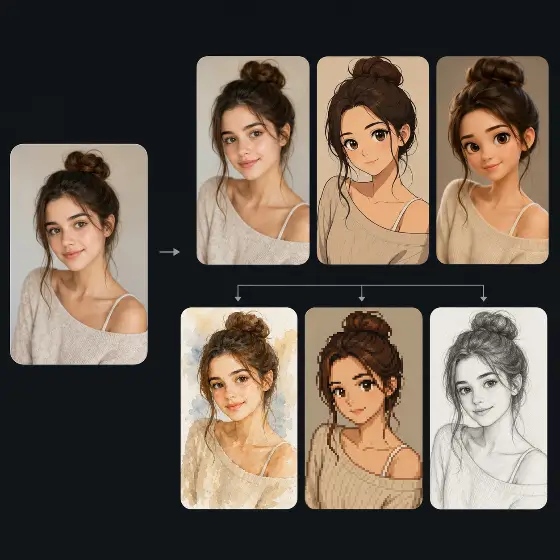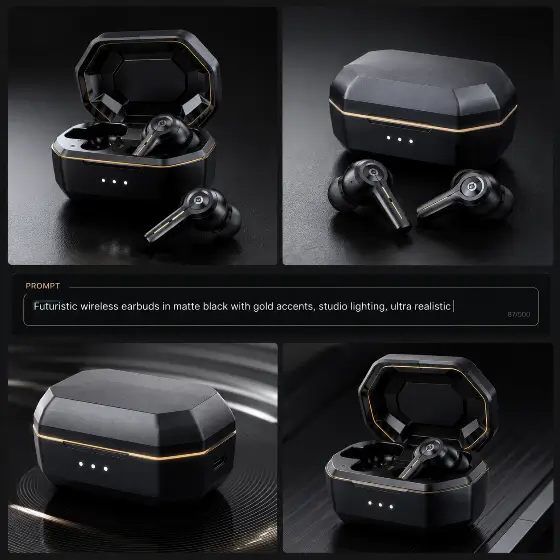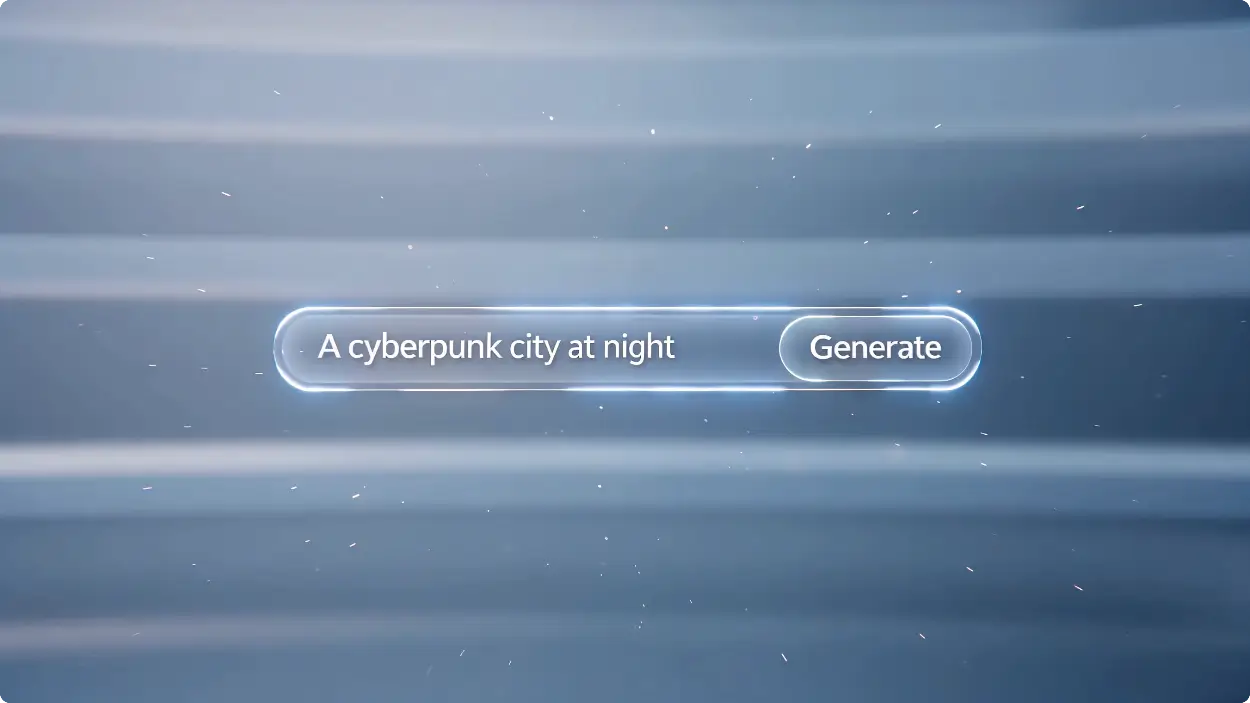
मोडेल
Image Fast v1.0 Free
असीमित छवि निर्माण, कम स्रोत खपत।
प्रम्प्ट
0 / 2500
सन्दर्भ छवि (वैकल्पिक)0 / 1
अधिकतम 1 छवि
PNG, JPG, JPEG, WEBP , Max 20 MB
आस्पेक्ट अनुपात
परिणामहरूको संख्या
सिर्जना गर्नुहोस्
नमूना छवि
Sample video preview

Flux,GPT Images2,NanoBanana, No Limited, बिना लगइनको साथ असीमित AI छवि जेनेरेटर प्रयोग गरी छवि सिर्जना गर्नुहोस्

हाम्रो असीमित एआई छवि जेनेरेटरलाई कुनै साइन अप आवश्यक पर्दैन, यसलाई सिर्जनाकर्ताहरू, मार्केटरहरू र शौकहरूका लागि उत्तम उपकरण बनाउँदै। तपाईंले सामाजिक सञ्जालका लागि AI छवि सम्पत्तिहरू सिर्जना गर्न आवश्यक छ वा अद्वितीय कलाकृति डिजाइन गर्न आवश्यक छ, यो प्लेटफर्मले तपाईंलाई आफ्नो कल्पनालाई तुरुन्तै र सीमा बिना जीवनमा ल्याउन सशक्त बनाउँछ।
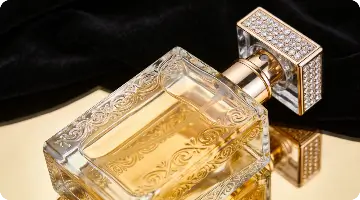
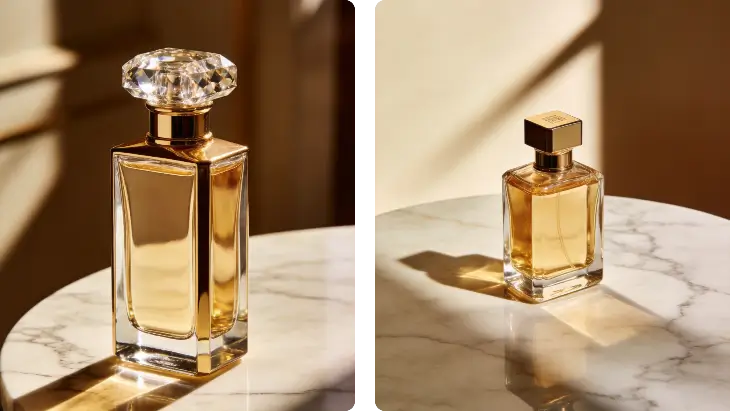
प्रम्प्ट
संगमरमरको टेबलमा लग्जरी अत्तरको बोतल, नरम स्टुडियो प्रकाश, सुरुचिपूर्ण छायाँ, प्रिमियम उत्पादन फोटोग्राफी, न्यूनतम पृष्ठभूमि, उच्च-अन्तको विज्ञापन शैली
सन्दर्भ छविहरू
उत्पन्न छवि
प्रम्प्ट
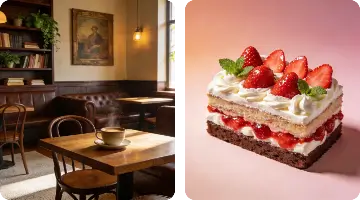
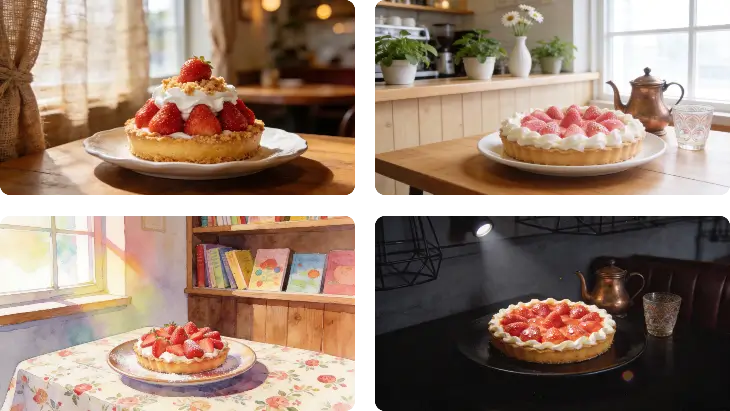
सिरेमिक प्लेटमा स्वादिष्ट स्ट्रबेरी केक, नरम प्राकृतिक विन्डो लाइट, आरामदायक क्याफे पृष्ठभूमि, क्षेत्रको उथले गहिराइ, व्यावसायिक खाना फोटोग्राफी
सन्दर्भ छविहरू
उत्पन्न छवि
प्रम्प्ट
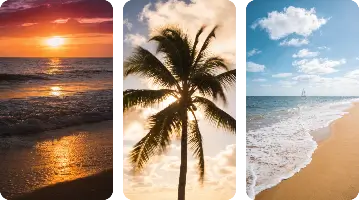
सूर्यास्तमा एक शान्तिमय उष्णकटिबंधीय समुद्र तट, क्रिस्टल सफा पानी, ताडका रूखहरू, सुनौलो आकाश, सिनेमाई प्रकाश, यथार्थपरक यात्रा फोटोग्राफी
सन्दर्भ छविहरू
उत्पन्न छवि

किन हाम्रो एआई छवि जेनरेटर अनलाइन छनौट गर्नुहोस्

स्थानीय AI छवि जेनेरेटर वा जटिल सेटअपहरू आवश्यक पर्ने उपकरणहरूको विपरीत, हाम्रो प्लेटफर्मले छवि जनरेटर क्षमताहरूमा सिमलेस AI पाठ प्रदान गर्दछ। दैनिक नि:शुल्क क्रेडिटहरूको आनन्द लिनुहोस्, उन्नत AI छवि उत्पादन मोडेलहरू पहुँच गर्नुहोस्, र कुनै पनि प्राविधिक अवरोधहरू बिना नै यथार्थपरक AI छविबाट शैलीकृत कलामा सबै कुरा सिर्जना गर्नुहोस्।

AI जसले कुनै पनि परियोजनाको लागि छविहरू उत्पन्न गर्न सक्छ

जब तपाइँ कुनै प्रतिबन्ध बिना AI छविहरू उत्पन्न गर्न आवश्यक छ, हाम्रो प्लेटफर्म बाहिर खडा हुन्छ। यसले कुनै प्रतिबन्ध बिना AI छवि जनरेटरको रूपमा कार्य गर्दछ, तपाईंलाई रचनात्मक सीमाहरू अन्वेषण गर्न अनुमति दिन्छ। तपाईले हामीलाई पर्चेन्स एआई छवि जेनेरेटर वा मिडजर्नीसँग तुलना गर्दै हुनुहुन्छ, तपाईले हाम्रो एआई जेनेरेट छवि उपकरणहरूले हास्यास्पद एआई उत्पन्न छविहरू वा व्यावसायिक दृश्यहरू उत्पादन गर्न अतुलनीय स्वतन्त्रता प्रदान गर्नुहुनेछ।

अब छवि उत्पन्न गर्नुहोस्

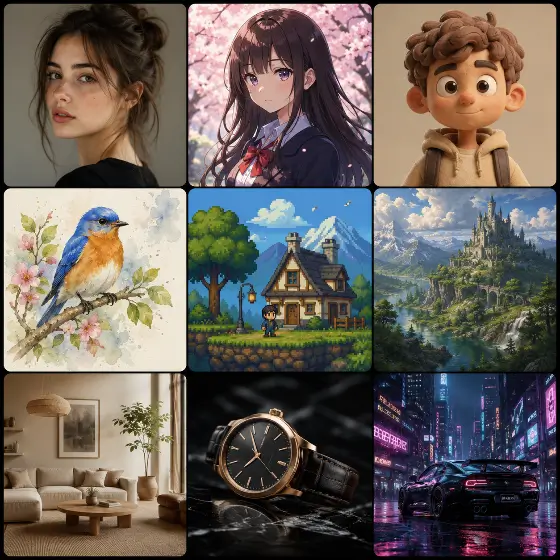
एक यथार्थवादी AI छवि वा एनिम छवि सिर्जना गर्नुहोस्

हाम्रो एआई छवि उत्पादन सेवाहरूले उच्च विस्तृत यथार्थपरक एआई छवि र जीवन्त एनिमे छवि शैलीहरू उत्पादन गर्न उत्कृष्ट छ। Bing AI छवि जेनेरेटरको विपरीत, हाम्रो विशेष AI छवि जेनेरेसन मोडेलहरूले तपाईंलाई फोटोरियलिज्म र चित्रणको बीचमा निर्बाध रूपमा स्विच गर्न दिन्छ, तपाईंले आफ्नो रचनात्मक परियोजनाहरूको लागि आवश्यक पर्ने सटीक सौन्दर्य प्राप्त गर्न सक्नुहुन्छ।

अब छवि उत्पन्न गर्नुहोस्

छवि जेनरेटर क्षमताहरूमा उन्नत एआई पाठ

छवि जेनेरेटरमा अग्रणी AI पाठको रूपमा, हामी तपाईंको प्रम्प्टहरूलाई आश्चर्यजनक दृश्यहरूमा रूपान्तरण गर्छौं। केही प्रयोगकर्ताहरू आधारभूत कार्यहरूका लागि ChatGPT वा लियोनार्डो AI छवि जेनेरेटरमा भर पर्दा हाम्रो इन्जिन विशेष गरी दृश्य निष्ठाका लागि अनुकूलित गरिएको छ। तपाईंलाई प्रकाश, संरचना र शैलीमा सटीक नियन्त्रण चाहिने बेला छवि उत्पादनका लागि यो उत्तम एआई हो।

अब छवि उत्पन्न गर्नुहोस्

AI छवि कला अनलाइन कसरी उत्पन्न गर्ने

चरण 1: तपाईंको प्रोम्प्ट वा अपलोड प्रविष्ट गर्नुहोस्

हाम्रो AI पाठमा छवि जनरेटर इन्टरफेसमा विस्तृत विवरण टाइप गरेर सुरु गर्नुहोस्। वैकल्पिक रूपमा, सन्दर्भ तस्बिर अपलोड गर्न र तपाईंको रचनात्मक दृष्टिको साथ AI लाई मार्गदर्शन गर्न छवि जनरेटर सुविधामा हाम्रो AI छवि प्रयोग गर्नुहोस्।

चरण 2: आफ्नो सेटिङहरू अनुकूलित गर्नुहोस्

पक्ष अनुपात समायोजन गर्नुहोस्, आफ्नो मनपर्ने कला शैली चयन गर्नुहोस्, र रचनात्मकता बल ट्वीक गर्नुहोस्। यी नियन्त्रणहरूले एआई छवि जेनेरेसन मोडेलहरूले तपाईंले कल्पना गर्नुभएजस्तै उत्पादन गर्ने सुनिश्चित गर्दछ, चाहे यो पोर्ट्रेट होस् वा फराकिलो परिदृश्य।

चरण 3: उत्पन्न र डाउनलोड गर्नुहोस्

जेनेरेट बटनमा क्लिक गर्नुहोस् र सेकेन्डमा एआई जेनेरेट छवि परिणामहरू हेर्नुहोस्। एकचोटि सन्तुष्ट भएपछि, कुनै पनि व्यक्तिगत वा व्यावसायिक परियोजनामा ​​तत्काल प्रयोगको लागि तयार, आफ्नो उपकरणमा सिधै आफ्नो उच्च-रिजोल्युसन फाइलहरू डाउनलोड गर्नुहोस्।

छवि जेनेरेसनको लागि एआईका लागि शीर्ष अनुप्रयोगहरू

छवि उत्पादनको लागि हाम्रो एआई विविध रचनात्मक आवश्यकताहरूको लागि पर्याप्त बहुमुखी छ। मार्केटिङ सम्पत्तिहरू डिजाइन गर्नदेखि व्यक्तिगत अवतारहरू सिर्जना गर्न, उत्कृष्ट AI छवि जनरेटरहरूले प्रयोगकर्ताहरूलाई उन्नत ग्राफिक डिजाइन कौशल वा महँगो सफ्टवेयर सदस्यताहरूको आवश्यकता बिना उच्च-गुणस्तरको दृश्यहरू उत्पादन गर्न सशक्त बनाउँछ।

व्यावसायिक
परिदृश्य
ट्याटु
चरित्र

व्यावसायिक व्यापार फोटो र LinkedIn अवतारहरू

हाम्रो AI LinkedIn फोटो जेनेरेटरको साथ आफ्नो व्यावसायिक उपस्थिति अपग्रेड गर्नुहोस्। महँगो स्टुडियो सत्र बुक गर्नुको सट्टा, हाम्रो एआई अवतार जेनेरेटर प्रयोग गर्नुहोस् फोटो सुविधाबाट पालिश गरिएको व्यापार फोटो सिर्जना गर्न। केवल एक क्याजुअल सेल्फी अपलोड गर्नुहोस्, र AI ले यसलाई उत्तम प्रकाश र व्यावसायिक पृष्ठभूमिको साथ कर्पोरेट-रेडी हेडशटमा रूपान्तरण गर्नेछ, यसलाई पुन: सुरु र नेटवर्किङ प्रोफाइलहरूको लागि आदर्श बनाउँछ।

प्रयोगकर्ताहरूले हाम्रो एआई छवि जेनरेटरको बारेमा के भन्छन्

छवि जेनेरेसनको लागि उत्तम एआई

मैले Krea AI छवि जेनेरेटर र Grok AI छवि जेनेरेटर प्रयास गरेको छु, तर यो छवि उत्पादनको लागि साँच्चै उत्तम एआई हो। असीमित पुस्ताहरू र साइन-अप घर्षणको अभावले यसलाई अवधारणा कलाको लागि मेरो दैनिक चालक बनाउँछ।

सारा जेनकिन्स
डिजिटल कलाकार

आश्चर्यजनक एआई यथार्थवादी छवि परिणामहरू

AI यथार्थवादी छवि गुणस्तर दिमाग उडाउने छ। मैले यसलाई उत्पादन मकअपहरू सिर्जना गर्न प्रयोग गरें, र प्रकाश पूर्ण रूपमा प्राकृतिक देखिन्छ। यसले फोटोरियलिज्मको लागि AKOOL AI छवि जेनेरेटरलाई सजिलै हराउँछ।

मार्कस चेन
ई-वाणिज्य प्रबन्धक

AI छवि जेनेरेसन समस्या निवारणको लागि उत्कृष्ट

म प्रम्प्ट इन्जिनियरिङको साथ संघर्ष गरिरहेको थिएँ, तर निर्मित AI छवि जेनेरेसन समस्या निवारण सुझावहरूले मलाई मेरो इनपुटहरू परिष्कृत गर्न मद्दत गर्‍यो। अब म हरेक पटक एआईसँग पूर्ण रूपमा छवि उत्पन्न गर्न सक्छु।

एलेना रोड्रिगेज
सामग्री निर्माता

नि: शुल्क क्रेडिट दैनिक प्रेम गर्नुहोस्

दैनिक नि:शुल्क क्रेडिटहरू प्राप्त गर्नु भनेको म लागतहरूको चिन्ता नगरी प्रयोग गर्न सक्छु। अन्य प्लेटफर्महरू जस्तो नभई, यो असीमित एआई छवि जेनेरेटरले वास्तवमा आफ्नो प्रतिज्ञाहरू पूरा गर्दछ।

डेभिड स्मिथ
ब्लगर

स्थानीय एआई छवि जेनरेटर भन्दा राम्रो

स्थानीय AI छवि जेनेरेटर सेट अप गर्नु मेरो हार्डवेयरको लागि दुःस्वप्न थियो। यो क्लाउड-आधारित वैकल्पिक निर्दोष रूपमा चल्छ र मेरो GPU फ्राइ नगरी आश्चर्यजनक AI क्यारेक्टर छवि डिजाइनहरू उत्पादन गर्दछ।

आइशा पटेल
डिजिटल इलस्ट्रेटर

छवि जेनरेटरमा उत्तम एआई छवि

एआई छवि देखि छवि जेनेरेटर सुविधा कुनै नराम्रो स्केचहरूमा पुनरावृत्तिको लागि उत्कृष्ट छ। म मेरा डूडलहरू अपलोड गर्छु, र AI ले तिनीहरूलाई पालिश गरिएको कलाकृतिमा रूपान्तरण गर्छ। यो मेरो डिजिटल चित्रण कार्यप्रवाहको लागि आवश्यक उपकरण हो।

टम बेकर
फ्रीलान्स डिजाइनर

छवि जेनेरेसनको लागि उत्तम एआई

मैले Krea AI छवि जेनेरेटर र Grok AI छवि जेनेरेटर प्रयास गरेको छु, तर यो छवि उत्पादनको लागि साँच्चै उत्तम एआई हो। असीमित पुस्ताहरू र साइन-अप घर्षणको अभावले यसलाई अवधारणा कलाको लागि मेरो दैनिक चालक बनाउँछ।

सारा जेनकिन्स
डिजिटल कलाकार

आश्चर्यजनक एआई यथार्थवादी छवि परिणामहरू

AI यथार्थवादी छवि गुणस्तर दिमाग उडाउने छ। मैले यसलाई उत्पादन मकअपहरू सिर्जना गर्न प्रयोग गरें, र प्रकाश पूर्ण रूपमा प्राकृतिक देखिन्छ। यसले फोटोरियलिज्मको लागि AKOOL AI छवि जेनेरेटरलाई सजिलै हराउँछ।

मार्कस चेन
ई-वाणिज्य प्रबन्धक

AI छवि जेनेरेसन समस्या निवारणको लागि उत्कृष्ट

म प्रम्प्ट इन्जिनियरिङको साथ संघर्ष गरिरहेको थिएँ, तर निर्मित AI छवि जेनेरेसन समस्या निवारण सुझावहरूले मलाई मेरो इनपुटहरू परिष्कृत गर्न मद्दत गर्‍यो। अब म हरेक पटक एआईसँग पूर्ण रूपमा छवि उत्पन्न गर्न सक्छु।

एलेना रोड्रिगेज
सामग्री निर्माता

नि: शुल्क क्रेडिट दैनिक प्रेम गर्नुहोस्

दैनिक नि:शुल्क क्रेडिटहरू प्राप्त गर्नु भनेको म लागतहरूको चिन्ता नगरी प्रयोग गर्न सक्छु। अन्य प्लेटफर्महरू जस्तो नभई, यो असीमित एआई छवि जेनेरेटरले वास्तवमा आफ्नो प्रतिज्ञाहरू पूरा गर्दछ।

डेभिड स्मिथ
ब्लगर

स्थानीय एआई छवि जेनरेटर भन्दा राम्रो

स्थानीय AI छवि जेनेरेटर सेट अप गर्नु मेरो हार्डवेयरको लागि दुःस्वप्न थियो। यो क्लाउड-आधारित वैकल्पिक निर्दोष रूपमा चल्छ र मेरो GPU फ्राइ नगरी आश्चर्यजनक AI क्यारेक्टर छवि डिजाइनहरू उत्पादन गर्दछ।

आइशा पटेल
डिजिटल इलस्ट्रेटर

छवि जेनरेटरमा उत्तम एआई छवि

एआई छवि देखि छवि जेनेरेटर सुविधा कुनै नराम्रो स्केचहरूमा पुनरावृत्तिको लागि उत्कृष्ट छ। म मेरा डूडलहरू अपलोड गर्छु, र AI ले तिनीहरूलाई पालिश गरिएको कलाकृतिमा रूपान्तरण गर्छ। यो मेरो डिजिटल चित्रण कार्यप्रवाहको लागि आवश्यक उपकरण हो।

टम बेकर
फ्रीलान्स डिजाइनर

समाचार

एआई फ्री अनलिमिटेडको साथ कसरी जलपरीमा रूपान्तरण गर्ने

एआई फ्री अनलिमिटेडको साथ कसरी जलपरीमा रूपान्तरण गर्ने

You’ve seen the clip a hundred times: someone’s legs shimmer, scales ripple down, and suddenly there’s a tail. It’s the single most replayed moment in every mermaid video — and now you can apply that exact transformation to your own photo. The problem is that most “make me a mermaid” edits just paste a tail on. They miss the magic, which is the transformation itself — skin becoming fin, that believable blend line. Swimmable tails cost hundreds, photo-edit requests are hit or miss, and generic filters look fake. यो गाइडले त्यो समाधान गर्छ। You’ll learn how to turn any photo into a mermaid image and a short transformation video using AI — with the exact steps, copy-paste prompts, and the small tweaks that separate a convincing morph from an obvious paste-on. No tail, no pool, no folklore. Just your selfie and a few minutes. What You Can Make With an AI Mermaid Transformation Before you start, it helps to know what’s actually on the table. An AI mermaid transformation turns a normal photo into mermaid content in two formats, and the format you choose shapes everything else. Mermaid photos vs. mermaid videos (and which to pick) A still mermaid portrait is a single image: you in a tail, underwater light on your face, scales catching the glow. It’s perfect for profile pictures, fantasy portraits, and cosplay reference shots. A mermaid video is a short image-to-video clip — the leg-to-tail reveal that performs so well on short-form feeds. If you want the “watch this!” moment, go video. If you want one striking image to post or print, go photo. Quick rule of thumb: Where people use them (TikTok, Instagram, cosplay, profile pics) The same source selfie can power all of these. People most often use AI mermaid transformations for: If you see yourself in any of those, you’re in the right place. Let’s make one. How to Turn Your Photo Into a Mermaid With AI (Step by Step) Here’s the short version: upload a clear photo, choose a mermaid style, write a prompt that describes the leg-to-tail blend, generate, then refine the transition. Now the detail. Step 1 — Pick the right photo Your result is only as good as your source image. Aim for a full-body or waist-up shot with good, even lighting and a simple background. Make sure your legs are visible — that’s where the tail transition happens. Avoid busy backgrounds, harsh shadows, and group photos. One clear subject gives the AI room to build a believable tail. Step 2 — Choose a tool and a mermaid style Pick your AI tool and a mermaid style or preset — tail material, color, and overall vibe (soft, dark, classic, sparkle). Load your photo. One thing to decide now: some tools make still images and some do image-to-video. If you want the moving reveal, choose a tool that supports image-to-video so you don’t have to start over later. Step 3 — Write your prompt and generate In the prompt box, describe the transformation, not just “a mermaid.” Mention the tail, the scales, underwater lighting, and the blend from legs to tail. The more you guide that transition zone, the more convincing the result. (Ready-made prompts are in the next section.) Step 4 — Refine the transition and export This is where believable results are won. Adjust the half-leg, half-tail blend line, regenerate a few variations, and pick the cleanest one. Upscale for sharpness, then export at the right size for your platform — vertical for TikTok and Reels, square for profile pics. Key Takeaway: A great AI mermaid isn’t a tail pasted on — it’s a smooth transition from skin to scales. Spend your effort on the blend line. Best AI Mermaid Prompts and Style Ideas Good prompts are the difference between repeatable magic and random guesses. Use the formula below, then grab a ready-made style. A simple prompt formula that works Build every prompt from the same reusable template: [subject] + [tail style & color] + [scales/skin detail] + [underwater lighting] + [background] + [mood] Worked example you can copy and tweak: “A young woman transforming into a mermaid, iridescent teal tail, fine scales blending up from her hips, soft caustic underwater light, deep blue ocean background, dreamy and magical mood.” Swap the color, scale detail, or mood and you have a brand-new look in seconds. Popular styles with copy-paste prompts (soft, dark, classic, sparkle) Use “inspired-by” wording rather than naming copyrighted characters. Copy, paste, adjust: How to Make an AI Mermaid Transformation Video (Image-to-Video) A still is great, but the moving mermaid transformation video is what gets replayed and shared. This is also the easiest way to capture that leg-to-tail reveal in motion. From mermaid photo to a moving reveal Take your generated mermaid image (or even your original photo) into an image-to-video tool. Choose a transformation or transition motion, set a short length, and generate the morph. Platforms like AI Image to Video are built for exactly this — turning a single image into a watermark-free vertical clip optimized for TikTok and Reels, with control over duration and motion intensity. That makes the leg-to-tail reveal quick to produce and ready to post. Transition tips for a smooth, satisfying morph A few habits make the morph look intentional instead of glitchy: Common Mistakes and Quick Fixes for Realistic Results Most fake-looking results come from the same handful of issues. Here’s how to fix each fast — plus quick answers to the questions everyone asks. Mistakes that make it look fake (and how to fix each) Quick answers (is it free, is it safe, what photo works best) Ready to see yourself transform? Grab a clear photo, pick a style and prompt above, and turn it into a mermaid image — then bring it to life as a short reveal with an AI image-to-video tool like AI Image to Video. Your transformation is just a few minutes away.

एआई मार्फत ३६०° भिडियो कसरी बनाउने (चरण-दर-चरण गाइड)

एआई मार्फत ३६०° भिडियो कसरी बनाउने (चरण-दर-चरण गाइड)

You can turn a single photo — a product, a person, a car, or a model — into a smooth 360° video with AI, with no camera, studio, or editing software. The hard part is that most first tries go sideways: you get a “wobbly photo,” a warped product, a subject that spins about 30° and stops, or a face that melts at the edges. Almost always, that comes down to picking the wrong method or writing a vague prompt. यो गाइडले त्यो समाधान गर्छ। You’ll learn what an AI 360° video actually is, the exact steps to make one, copy-paste prompts you can drop your own subject into, the subjects that work best, and quick fixes for the errors everyone hits. What Is an AI 360° Video? An AI 360° video is a short video where the subject makes a full turn, or the camera smoothly moves around the subject. It can be generated from a single photo, a product image, or a text prompt. There are two common styles. A spin video means the subject rotates in place while the camera stays still. A camera orbit video means the subject stays still while the camera circles around it. For best results, make the movement clear in your prompt. Use “the subject rotates 360 degrees” for a spin effect, or “the camera orbits around the subject” for an orbit effect. How to Make a 360° Video with AI: Step by Step Five short steps take you from a photo to a finished clip: (1) prepare a clear image or prompt, (2) choose an AI image-to-video tool, (3) write a 360° prompt and set the motion direction, (4) generate, then (5) review and optimize until the turn is smooth. Here’s the full workflow, broken into four practical steps. Step 1 — Prepare your image or text prompt Start with one clear, well-lit photo. The subject should be centered, fully visible, and shot against a clean, simple background — that gives the AI the best chance of keeping it stable through a full turn. If you’re starting from text instead, write a specific description of the subject rather than a vague one. Step 2 — Choose an AI image-to-video tool Look for a tool that supports both image-to-video and text-to-video, gives you control over motion intensity and aspect ratio, and exports clean, high-resolution clips. AI Image to Video is a solid fit here — it converts images or text into video using top models like Kling, Veo, and Wan, outputs up to 4K with no watermark, and lets you dial in motion intensity and video length. That motion control matters a lot for a clean 360° turn. Step 3 — Write your prompt (and set the motion direction) Name the subject, then say what you want: “the camera orbits 360 degrees” or “the subject rotates a full 360°.” Set the direction (clockwise, or left-to-right), and ask for slow, smooth, steady motion with the subject staying centered and still. You’ll find ready-made templates in the next section. Step 4 — Generate, review, and optimize After generating, check three things: the rotation completes a full circle, the subject stays stable, and the background doesn’t drift or duplicate. If something’s off, lower the motion speed, simplify the prompt, or regenerate. Nudging the duration or motion intensity often turns a half-turn into a complete, smooth one. Copy-and-Paste 360° Video Prompt Templates The fastest way to get a good result is to start from a prompt that already works, then swap in your subject. Copy any of these and replace the text in [brackets]. Product spin prompt (e-commerce): Product spin prompt (e-commerce) Use for: a 360-degree product video for a store page. Camera-orbit prompt (people, cars, architecture) Use for: a true camera orbit, not a flat spin. Turntable prompt (characters, clothing, toy models) Use for: image-to-360 video of people, outfits, and models. What Subjects Work Best for AI 360° Videos? AI 360° videos work best on clear, simple subjects: products, cars, clothing, toy models, characters, people, and buildings. Solid backgrounds and visible, well-lit subjects rotate the most smoothly. Some subjects rotate cleanly almost every time; others need extra care. Picking the right one saves you a lot of regenerating. Great subjects: products, cars, clothing, and toy models These have defined shapes, simple surfaces, and clear edges, which lets the AI keep them stable through a full turn. They’re ideal for store pages and short social clips, and they tend to look polished on the first or second try. Trickier subjects: people, characters, and detailed/architecture shots Be realistic here. Faces, fine details (freckles, hair, logos), reflective or transparent objects, and busy backgrounds can warp or drift as the AI invents the unseen side. You can still get good results — just use a clean background and a clear, front-facing photo to give the AI less to guess at. Common 360° Video Problems (and How to Fix Them) Most 360° issues have a one-line fix. The table below covers the five problems people run into most, and each is explained underneath. Problem Quick fix Image distortion or warping Use a sharp photo; simplify the prompt; add “no warping, no distortion” Incomplete rotation State “a full 360°”; raise duration or motion slightly; regenerate Background drift / duplicated scenery Use a plain background; add “consistent background, no new objects” Unstable or shaky subject Lower motion; add “subject stays centered and perfectly still” Camera moving too fast Use “slow, smooth, steady”; reduce motion intensity Image distortion or warping This usually comes from a blurry, low-res source or an over-complicated prompt. Use a sharp, well-lit photo, keep the prompt simple, and add “no warping, no distortion.” Incomplete rotation (only turns partway) If the subject turns part way and stops, the motion is too slow for the clip length or the prompt is vague. State “a full 360°,” bump up the duration or motion a little, and regenerate. Background drift or duplicated scenery When the AI can’t see the far side, it sometimes invents or copies scenery. A plain, solid background fixes most of this — add “consistent background, no new objects” to reinforce it. अस्थिर

क्रिन एआई समीक्षा २०२६: के यो नि:शुल्क एआई छवि र भिडियो जेनेरेटर वास्तवमा असीमित छ?

क्रिन एआई समीक्षा २०२६: के यो नि:शुल्क एआई छवि र भिडियो जेनेरेटर वास्तवमा असीमित छ?

क्रिन एआईले २८ भिडियो मोडेलहरू र ११ छवि मोडेलहरू प्याक गर्दछ - जसमा सोरा २ र भेओ ३.१ जस्ता हेवीवेटहरू समावेश छन् - एउटै नो-साइनअप ट्याब पछाडि। On paper, that sounds like the best free deal in generative AI. Yet its App Store rating sits at just 3.4 stars, and something about that gap is worth investigating. Here’s the recurring frustration: nearly every “free unlimited AI generator” slams into a paywall the moment you click Generate, and Reddit and YouTube threads are full of people who can’t tell which “free” promise still holds today. So does Creen AI deliver, or is it one more bait-and-switch? This tested 2026 review separates the marketing from reality — what Creen AI genuinely offers, what it costs once you pass the free quota, whether it’s trustworthy, and which alternatives are worth your time if it falls short. What Is Creen AI? Creen AI is a browser-based and mobile studio that brings AI image, video, and audio generation together in one interface. The big selling point is low friction: you can start creating without an account, and many outputs arrive without a watermark. Rather than juggling separate apps for each task, Creen bundles dozens of frontier models into one workspace — it’s less a model than an aggregator that resells access to many engines at once. Who’s Behind Creen AI? This is where transparency gets murky. The official site (creen.ai) lists CODESAIL LIMITED in Hong Kong. The iOS listing on the Apple App Store names Beijing Fun Fan Technology, while Android credits AIMOBI. Three developer identities for one product isn’t automatically a red flag, but it makes verifying who handles your data and payments harder — and for a tool that processes uploads and sells subscriptions, that ambiguity matters. What You Can Create With Creen AI Creen organizes its toolkit around three creative pillars: All three run from the same dashboard, and the web version requires no login to begin. Is Creen AI Free? Pricing, Quotas & Watermarks Explained That summary resolves the doubt most searchers arrive with. Now let’s break down the details. The Free Daily Quota — What You Actually Get The free tier hands you a limited daily allowance across a subset of models. For casual users generating a handful of images or short clips, that’s often enough to finish a small project without spending anything — and without an email signup on the web. The catch is that the most capable models usually sit outside the free pool, and the daily cap quietly resets rather than rolling over. Community testers also report that the free allotment has been shrinking over time. When You Hit the Paywall (Credits & the $20–$30 Subscription) Once you reach for frontier engines like Sora 2 Pro or Veo 3.1, Creen switches to a credit system. Run out of credits, and you’re prompted to buy more or subscribe. Evidence of this tightening is easy to find. A popular YouTube tutorial on Creen’s free video generation drew top comments saying the tool is “no longer free” and now throws up a roughly $20 subscription wall on Generate. The iOS app, meanwhile, offers in-app purchases including a plan near $30/month. Quick Verdict: Free to Start, Not Truly Unlimited Tier Models Resolution Watermark Cost Free daily quota Select image/video engines Up to 4K stills / 1080p video None on select outputs $0 Premium credits Sora 2 Pro, Veo 3.1, etc. Highest available None Credits Mobile subscription Full access Highest available None ~$20–$30/mo The honest takeaway: Creen is genuinely free to try, but “unlimited” is marketing, not reality. Creen AI Features & Supported Models Beyond the pricing question, Creen’s real draw is the sheer breadth of models you can reach in one place — something competing pages rarely lay out clearly. AI Image Generation (Up to 4K, 11 Models) Creen supports both text-to-image and image-to-image at resolutions reaching 4K (3840×2160). It draws on roughly 11 image models, including Seedream 4.5, Z-Image Turbo, Nano Banana Pro, and GPT Image 2. That variety lets you switch styles — photoreal, illustrative, stylized — without leaving the tab. AI Video Generation (28 Models, 1080p, Image-to-Video) Video is the standout. Creen offers text-to-video and image-to-video at 1080p, with clips running up to roughly 10–15 seconds with audio, across about 28 models such as Sora 2 Pro, Veo 3.1, Seedance 2.0, Kling V3, and Hailuo 02. [Image: Creen AI video generation dashboard showing model selection] Editing & Control Tools (Multi-Reference, Negatives, Seed Control) For creators who want more than a one-shot prompt, Creen includes a respectable control layer: Renders are fast too — images in about 5–15 seconds, video in roughly 20–40 — with parallel queues so jobs don’t bottleneck. How to Use Creen AI (Step-by-Step) The workflow is deliberately simple, which is part of the appeal for first-timers. Generate Your First Image in 60 Seconds Turn a Photo Into Video (Image-to-Video) Creen’s image-to-video flow is what most searchers actually want: Is Creen AI Legit & Safe to Use? This is the section most competitor reviews skip, and it’s the one commercial-investigation searchers need most before committing money. The “AI Greem” Naming Confusion If you search Google Play for “Creen AI,” you may land on an app branded “AI Greem” instead. It’s the same product under a different name and developer (AIMOBI), which understandably trips people up. Before installing, confirm the developer and listing details so you don’t grab a copycat app by mistake. App Store Rating & Billing Complaints Creen’s iOS app currently holds a modest 3.4-star rating. More concerning, at least one review describes being charged around $30/month without receiving the promised credits. One billing complaint isn’t proof of a scam, but it’s a reason to read recent reviews and watch your statement before subscribing. Commercial Use & Content Policy Many outputs are usable commercially, which appeals to marketers and e-commerce sellers — but watermark and licensing terms vary by model and tier, so check before publishing client work. Creen also prohibits NSFW content, so it’s

अनलुसिड एआई समीक्षा (२०२६): सुविधाहरू, मूल्य निर्धारण, सुरक्षा र के यो यसको लायक छ?

अनलुसिड एआई समीक्षा (२०२६): सुविधाहरू, मूल्य निर्धारण, सुरक्षा र के यो यसको लायक छ?

Search for a free AI image or video generator in 2026 and Unlucid AI keeps surfacing. The site reportedly pulls in around 7.8 million visits a month, which is a striking number for a tool most people hadn’t heard of a year ago. That popularity comes with a fog of mixed reviews. Some pages call it a no-catch creative studio; others flag trust warnings and quietly funnel you toward whatever tool they’re selling. So the honest question stands: is Unlucid AI genuinely free, reasonably safe, and actually good — or just another app that paywalls you after two clicks? This review cuts through the hype. We’ll cover what Unlucid AI really is, what it can and can’t do, how its “Gems” pricing works in practice, whether it’s safe to use, and how it stacks up against the bigger names. By the end you’ll know if it fits your work, or if your time and money belong elsewhere. अनलुसिड एआई भनेको के हो? Unlucid AI in one paragraph (quick answer) Unlucid AI is a free, browser-based tool for generating and editing images and turning photos into short videos using 15-plus one-click effects. It runs on a “Gems” credit system with free daily gems plus optional paid packs starting at $8.99, and it needs no download and no sign-up to get started. Who Unlucid AI is for The tool clearly targets people who want results without a technical setup. Think social-media creators, hobbyists, students, and digital artists who’d rather type a prompt than wrestle with a local GPU and a stack of model files. If you’ve ever looked at a ComfyUI tutorial and closed the tab, you’re the intended user. Unlucid trades the deep control of a power-user workflow for speed and simplicity. That’s its whole pitch. unlucid.ai बनाम unlucid.info — वास्तविक उत्पादन कुन हो? Here’s a source of confusion worth clearing up early. The main product lives at unlucid.ai and runs on the Gems credit model described throughout this review. A second landing page, unlucid.info, advertises “completely free, unlimited, no credit card” access. Those two claims don’t match. Treat unlucid.ai as the real, actively maintained product, and read any “unlimited and free forever” messaging with healthy skepticism — credit-based tools rarely give away unlimited video rendering. What Can Unlucid AI Do? (Key Features) Feature lists for this tool vary wildly across the web, partly because many reviews are stale or spun by AI. The capabilities below reflect what the official site and tutorials actually describe. AI Image Generation The image generator offers five visual styles: Realistic, Pencil, Cartoon, Anime, and 3D. You get the controls you’d expect from a modern generator, including seed values for reproducibility, a reference-image option, and HD upscaling for sharper output. It’s not aiming to dethrone Midjourney on artistry. The goal is fast, decent-looking images from a plain text prompt, with enough knobs to nudge the result without overwhelming a beginner. AI Image Editing Editing is arguably the more practical side of the tool. You can remove, add, or replace objects, swap or blur a background, retouch portraits, and apply style transfer, using either an automatic mask or a manual brush to mark the area you want changed. This is where a lot of legitimate, everyday use happens. Cleaning up a stray object in a photo or changing a dull background is the kind of task that used to mean opening Photoshop. Image-to-Video & Effects AI The headline feature is animation. Feed it a still image, pick a preset, and Unlucid turns it into a short clip. The effects library includes named presets like Dance, Squish, Smash, Crush, 360° spin, Flying, and Zoom, alongside text-to-video and a Prompt Enhancer that pads out short prompts. Finished clips export as MP4. The trade-off is length. These are short animations, not minute-long scenes, so set expectations accordingly. The “uncensored” / no-restrictions positioning — and its limits Much of Unlucid’s buzz rides on an “uncensored” label, and it’s the thing most reviews fixate on. In practice that means looser content filtering than mainstream tools like ChatGPT or Gemini, not a complete absence of rules. Worth stating plainly: looser moderation doesn’t suspend the law. Creating images of real people without consent carries serious legal and ethical risk, regardless of what a tool technically permits. Treat the “no restrictions” claim as a marketing flag, not a license. How to Use Unlucid AI (Step-by-Step) The workflows are short by design. Here’s how the three most common tasks go, plus how to keep your gem balance topped up. How to generate an image from text Open the image generator, type a description of what you want, and choose one of the five styles. Adjust the seed or add a reference image if you have a specific look in mind, then run the generation and download the result when it appears. How to edit or retouch a photo Upload your photo and pick an editing action, such as object removal or a background change. Mark the area with the auto-mask or brush, describe the change, and apply it. A few seconds later you can review the edit and save the version you like. How to animate a photo into a short video Head to the video or effects section and upload a starting image. Choose an effect like Dance or 360° spin, or write a short motion prompt, then generate. When the clip is ready, export it as an MP4. How to earn free daily gems You don’t have to pay to keep experimenting. New accounts receive a starter gem balance, daily check-ins add a few more, and referrals hand out extra credits. Stacking these is the realistic way to test the tool before deciding whether a paid pack is worth it. Is Unlucid AI Free? Pricing & the Gems Credit System Yes and no — and the “no” part is where most complaints come from. How the Gems credit system works (and burn rate) Every generation spends Gems, the in-app currency. Images cost roughly

Flashloop समीक्षा २०२६: मूल्य निर्धारण, क्रेडिट र के यो वास्तवमै यसको लायक छ?

Flashloop समीक्षा २०२६: मूल्य निर्धारण, क्रेडिट र के यो वास्तवमै यसको लायक छ?

Flashloop लाई १२,००० भन्दा बढी प्रयोगकर्ताहरूबाट ४.७-तारे मूल्याङ्कन प्राप्त भएको छ, तर एक समीक्षकले दाबी गर्छन् कि उनीहरूले केवल चार दिनमा आफ्नो क्रेडिटको ७५% बर्न गरेका छन्। त्यसो भए कुन संस्करण सत्य हो? त्यो खाडलको कारणले गर्दा एप पत्ता लगाउन धेरै गाह्रो छ। “flashloop” खोज्नुहोस् र तपाईंले रेफरल कोडहरू पुश गर्ने सम्बद्ध लिङ्कहरू, केही रिसाएको YouTube एक्सपोजहरू, र पहिले नै मेटाइएको Reddit समीक्षा थ्रेड पाउनुहुनेछ। तपाईंले वास्तवमा चाहनुभएको भाग कसैले पनि प्रकाशित गर्दैन: यसको लागत कति छ, क्रेडिट कति छिटो गायब हुन्छ, र आउटपुट तिर्न लायक छ कि छैन। यो समीक्षाले ती कुराहरू समाधान गर्छ — वास्तविक मूल्य निर्धारण, क्रेडिट गणित प्रतिस्पर्धीहरूले अस्पष्ट राख्छन्, बारम्बार आउने गुनासोहरू, र सदस्यता लिनु अघि हेर्न लायक विकल्पहरू। Flashloop के हो र यसले कसरी काम गर्छ? Flashloop एउटा मोबाइल AI भिडियो जेनेरेटर हो जसले Veo 3, Kling, र Sora 2 जस्ता प्रिमियम मोडेलहरू प्रयोग गरेर टेक्स्ट प्रम्प्ट वा स्थिर छविहरूलाई छोटो क्लिपमा परिणत गर्छ। यसले एआई छविहरू पनि उत्पन्न गर्दछ। कुरा सरल छ: तपाईंको फोनमा स्टुडियो-शैलीको भिडियो, कुनै सम्पादन कौशल आवश्यक पर्दैन, पाँचवटा छुट्टाछुट्टै लगइनहरूको सट्टा एउटै सदस्यता पछाडि धेरै शीर्ष मोडेलहरू बन्डल गरिएको छ। अभ्यासमा, तपाईंले एउटा मोडेल छान्नुहुन्छ, आफूले चाहेको कुरा वर्णन गर्नुहुन्छ (वा सुरुवाती फ्रेमको रूपमा फोटो अपलोड गर्नुहुन्छ), र यसलाई रेन्डर गर्न दिनुहोस्। टेम्प्लेट गरिएका “एप्स” ले एकै ट्यापमा भाइरल प्रभावहरू ह्यान्डल गर्छन्, जुन धेरैजसो मानिसहरूले पहिलो पटक फेला पार्छन्। फ्ल्यासलूप कसले बनाउँछ? (विकासकर्ता र पृष्ठभूमि) एप स्टोरले विकासकर्तालाई मोन्ट्रियलमा आधारित बाय बीभर टेक्नोलोजीज (१५५५७६४० क्यानडा इंक) को रूपमा सूचीबद्ध गर्दछ, जसको पहिलो रिलीज जुन २०२५ मा भएको थियो। तेस्रो-पक्ष एग्रीगेटर Pollo.ai ले "ला भाइरल स्टुडियो" लाई स्थापनाको श्रेय दिन्छ र एउटा उल्लेखनीय दाबी दोहोर्याउँछ: २० दिनमा वार्षिक आवर्ती राजस्वमा शून्य देखि $१ मिलियन। त्यो आंकडालाई मार्केटिङको रूपमा लिनुहोस्, प्रमाणित तथ्याङ्क होइन। यो एक स्व-रिपोर्ट गरिएको संख्या हो जसको पछाडि कुनै सार्वजनिक फाइलिङ छैन, त्यसैले यसले तपाईंलाई ब्रान्डको वास्तविक आकर्षण भन्दा यसको सन्देशको बारेमा बढी बताउँछ। Flashloop ले कुन AI मोडेलहरूलाई समर्थन गर्छ? मोडेल लाइनअप साँच्चै एपको सबैभन्दा बलियो भाग हो। भिडियोको लागि तपाईंले Veo 3 (फोटोरियल रियालिज्मको लागि उत्तम), Kling 3.0 र 2.6 (शटहरूमा क्यारेक्टरहरूलाई एकरूप राख्नको लागि परिचित), साथै Sora 2, Seedance 1.5 र 2.0, Wan 2.6, र Grok Imagine पाउनुहुन्छ। तस्बिरहरूको लागि, यसले Nano Banana Pro र 2, FLUX 2, र GPT Image 2 चलाउँछ। व्यावहारिक उपाय: जब तपाईं जीवन्त फुटेज चाहनुहुन्छ भने Veo 3 को लागि पुग्नुहोस्, जब कुनै पात्रले हरेक दृश्यमा उस्तै देखिनुपर्छ तब Kling को लागि पुग्नुहोस्, र शैलीकृत गतिको लागि Seedance वा Sora को लागि पुग्नुहोस्। ती सबैलाई एकै ठाउँमा राख्नु नै वास्तविक बिक्री बिन्दु हो। टेक्स्ट-टु-भिडियो बनाम इमेज-टु-भिडियो: तपाईंले वास्तवमा के बनाउन सक्नुहुन्छ दुई मुख्य मार्गहरू छन्। टेक्स्ट-टु-भिडियोले लिखित प्रम्प्टबाट सिधै क्लिप बनाउँछ; छवि-टु-भिडियोले तपाईंले प्रदान गर्नुभएको फोटोलाई एनिमेट गर्छ, जसले गर्दा परिणाममा तपाईंलाई धेरै नियन्त्रण मिल्छ। माथि तहमा पूर्व-निर्मित क्यारेक्टरहरू, अनन्त लुपिङ (स्पोटिफाई क्यानभास-शैली पृष्ठभूमिहरूको लागि उपयोगी), फुटेज पुनर्स्टाइल गर्नको लागि पुन: कास्ट उपकरण, संगीत सिंक, र एक-ट्याप शैलीकरण छन्। सिर्जनाकर्ताहरूले तिनीहरूलाई फेसलेस टिकटक च्यानलहरूदेखि लिएर Shopify स्टोरहरूको लागि उत्पादन क्लिपहरूसम्म सबै कुराको लागि प्रयोग गर्छन्। Flashloop को लागत कति छ? मूल्य निर्धारण र क्रेडिटहरू व्याख्या गरिएको छ यहाँ Flashloop कहाँ चिप्लो हुन्छ, र कहाँ धेरैजसो लेखन-अपहरू छोटो हुन्छ। मूल्य निर्धारण पृष्ठले साइटभरि "५०% छुट" ब्यानरको साथ वार्षिक योगफल देखाउँछ, त्यसैले मासिक तथ्याङ्कहरू हातैले निकाल्नुपर्छ। तल अरू कसैले स्पष्ट रूपमा नबताएको गणित छ। Flashloop योजनाहरू तुलना गरियो (स्टार्टर, क्रिएटर, प्रो, अल्ट्रा) योजना वार्षिक मूल्य ~ मासिक तपाईंले भिडियो मोडेलहरू के पाउनुहुन्छ? स्टार्टर $११३.८८/वर्ष ~$१८.९९ ≈८० तस्बिरहरू, २ समवर्ती होइन (छवि मात्र) सिर्जनाकर्ता $१७९.८८/वर्ष ~$२९.९९ ≈१२० भिडियोहरू + ≈१६० तस्बिरहरू, सबै मोडेलहरू, ३ समवर्ती हो प्रो $४७९.८८/वर्ष ~$७९.९९ ≈३५० भिडियोहरू + ≈४६६ तस्बिरहरू, ५ समवर्ती, प्राथमिकता क्यु हो अल्ट्रा $५९९.८८/वर्ष ~$९९.९९ ≈५०० भिडियोहरू + ≈६६६ तस्बिरहरू, ८ समवर्ती हो धेरैजसो मानिसहरूले छुटाउने क्याच: स्टार्टरले भिडियोहरू नै बनाउँदैन। यदि तपाईं एआई भिडियो हेर्न आउनुभएको हो भने, वास्तविक प्रवेश बिन्दु क्रिएटर हो जसको मासिक मूल्य लगभग $३० छ। Flashloop क्रेडिटहरूले वास्तवमा कसरी काम गर्छ? तपाईंले "भिडियोहरू" किन्नु हुन्न, तपाईंले क्रेडिटहरू किन्नुहुन्छ, र प्रत्येक पुस्ताको लागत तपाईंले रोज्नुभएको मोडेल, लम्बाइ र रिजोल्युसनको साथ परिवर्तन हुन्छ। उच्च रिजोल्युसनमा छोटो Veo 3 क्लिपले द्रुत तस्बिर भन्दा धेरै बढी खान्छ। दुई नियमहरू सबैभन्दा महत्त्वपूर्ण छन्। पहिलो, तपाईंको चक्र रिसेट हुँदा मासिक क्रेडिटहरू रोल ओभर हुँदैनन्, त्यसैले प्रयोग नगरिएको कुनै पनि चीज गायब हुन्छ। दोस्रो, तपाईंले छुट्टाछुट्टै किन्नुहुने एक पटकको टप-अप प्याकहरू कहिल्यै म्याद समाप्त हुँदैनन्। भिडियो मोडेलहरू सिर्जनाकर्ता र माथिका संस्करणहरूमा लक गरिएका छन्। एउटा भिडियोको लागत कति क्रेडिट हुन्छ? यो अन्य सबै Flashloop लेखनहरूमा सबैभन्दा ठूलो अन्तर हो, त्यसैले स्पष्ट रूपमा भनौं। गणना गर्ने समीक्षकहरूका अनुसार, लगभग १,००० क्रेडिटले लगभग ८ सेकेन्डको भिडियो किन्छ। एक युट्युब टिप्पणीकर्ताले यसलाई स्पष्ट रूपमा भने: "एकल भिडियोको लागि १ हजार क्रेडिट पागलपन हो।" त्यो अनुपात महत्त्वपूर्ण छ किनभने एआई भिडियो परीक्षण र त्रुटि हो। प्रत्येक पुन: रोल, प्रत्येक प्रम्प्ट ट्वीक, प्रत्येक असफल रेन्डरले क्रेडिट खर्च गर्छ, र कागजमा उदार देखिने योजना तपाईंले प्रयोग सुरु गरेपछि छिटो खेर जान्छ। के Flashloop नि:शुल्क छ? नि:शुल्क टियर र दैनिक क्रेडिटहरू हो र होइन। यो एप नि:शुल्क डाउनलोड गर्न सकिन्छ र दैनिक क्रेडिटको सानो ब्याच वितरण गर्न सकिन्छ, त्यसैले तपाईंले पैसा नतिरिकन पानी परीक्षण गर्न सक्नुहुन्छ। यसले तपाईंलाई कुनै पनि वास्तविक भोल्युममा नि:शुल्क सिर्जना गर्न दिने छैन। दैनिक रकमको सही विवरण कतै पनि प्रकाशित गरिएको छैन, जुन निराशाको एक अंश हो। केही छोटो पुस्ता प्रयास गर्न पर्याप्त अपेक्षा गर्नुहोस्, त्यसपछि तपाईं लतमा परेपछि भुक्तानी गर्नुहोस्। Flashloop नि:शुल्क क्रेडिट कसरी प्राप्त गर्ने र रेफरल कोडहरू कसरी रिडिम गर्ने क्रेडिटहरू मुख्य घर्षण भएकाले, Flashloop वरिपरि "१००० नि:शुल्क क्रेडिट" भिडियोहरू र रेफरल-कोड डम्पहरूको सम्पूर्ण घरेलु उद्योग देखा परेको छ। यसको केही भाग काम गर्छ। धेरैजसोमा त्यस्तो हुँदैन, र शिकार गर्न जानु अघि किन भन्ने कुरा जान्नु उचित हुन्छ। Flashloop रेफरल कोड कसरी रिडिम गर्ने (चरणबद्ध रूपमा) मुख्य विवरण: कोड फिल्ड सामान्यतया साइनअपमा देखा पर्दछ, पछि सेटिङहरूमा होइन। त्यो विन्डो छुट्यो भने तपाईंले बोनस गुमाउनुभएको हुन सक्छ। तपाईंको Flashloop कोड किन काम नगर्न सक्छ यदि तपाईंले रिडिम ट्यूटोरियल अन्तर्गत "मलाई केही पनि मिलेन" टिप्पणीहरू देख्नुभएको छ भने, तपाईं एक्लो हुनुहुन्न। सबैभन्दा सामान्य कारण भनेको कोडहरू प्रति खाता एक पटक होइन, प्रति उपकरण एक पटक काम गर्ने देखिन्छ, एक निराश प्रयोगकर्ताले पत्ता लगाएझैं।

असीमित फ्री एआई एक्सप्लोजन भिडियो इफेक्ट कसरी बनाउने

असीमित फ्री एआई एक्सप्लोजन भिडियो इफेक्ट कसरी बनाउने

तपाईंले टिकटक र रिलहरूमा भाइरल विस्फोट भिडियोहरू देख्नुभएको छ — भवनहरू विस्फोट हुँदै, उत्पादनहरू चकनाचुर हुँदै, मानिसहरू आगोका गोलाहरूबाट टाढा हिंडिरहेका। अनि तपाईं सोचिरहनुभएको छ कि सिर्जनाकर्ताहरूले VFX बजेट वा After Effects विशेषज्ञता बिना यसलाई कसरी पूरा गर्छन्। यो गाइडले सम्पूर्ण प्रक्रियालाई समेट्छ — सही स्रोत छवि छनौट गर्ने र प्रभावकारी प्रम्प्टहरू लेख्नेदेखि लिएर, सामान्य यथार्थवादका समस्याहरू समाधान गर्ने र ध्वनि थप्नेसम्म। प्रत्येक खण्डमा तपाईंले प्रतिलिपि गरेर तुरुन्तै प्रयोग गर्न सक्ने प्रम्प्ट टेम्प्लेटहरू समावेश छन्। एआई विस्फोट भिडियो प्रभाव के हो र यो किन जताततै छ? एआईले कसरी स्थिर छविलाई विस्फोटमा परिणत गर्छ भिडियो तपाईंले एउटा तस्बिर अपलोड गर्नुहुन्छ — एउटा भवन, एउटा उत्पादन, एउटा व्यक्ति — र एआई मोडेलले त्यो विषयलाई यथार्थपरक भग्नावशेष, धुवाँ र आगोले विस्फोट भएको छोटो भिडियो उत्पन्न गर्छ। धेरैजसो उपकरणहरूले छवि-देखि-भिडियो जेनेरेसन प्रयोग गर्छन्, यद्यपि केहीले टेक्स्ट-देखि-भिडियोलाई समर्थन गर्छन् जहाँ तपाईंले सुरुदेखि नै दृश्य वर्णन गर्नुहुन्छ। एआई इमेज टु भिडियो, हिग्सफिल्ड र काजे डट एआई जस्ता प्लेटफर्महरूले यसलाई एक-अपलोड प्रक्रिया बनाएका छन्। २०२६ मा सामाजिक सञ्जालमा विस्फोट प्रभाव किन हावी छ? "कूल गाय वाकअवे" मीम र उत्पादन रिभिल विस्फोटहरूद्वारा संचालित एआई विस्फोट सामग्रीले टिकटक र इन्स्टाग्राममा अरबौं भ्यूहरू उत्पन्न गरेको छ। लागत लाभ नाटकीय छ: क्यामेरा, चालक दल र व्यावहारिक प्रभावहरू सहितको परम्परागत VFX को लागि $२,०००-$३,००० को तुलनामा AI विस्फोट लगभग $३ लाग्छ। चरणबद्ध रूपमा एआई विस्फोट भिडियो प्रभाव कसरी सिर्जना गर्ने सही स्रोत छवि वा भिडियो छनौट गर्दै तपाईंको इनपुटले आउटपुट निर्धारण गर्दछ। स्पष्ट विषय र पृष्ठभूमिमा राम्रो कन्ट्रास्ट भएका उच्च-रिजोल्युसनका तस्बिरहरू प्रयोग गर्नुहोस्। भवनहरू थोरै कम कोणबाट राम्रोसँग काम गर्छन्, उत्पादनहरू सफा पृष्ठभूमिमा केन्द्रित हुनुपर्छ। धमिलो तस्बिरहरू वा अव्यवस्थित रचनाहरूबाट बच्नुहोस्। भिडियो क्लिपहरूको लागि, क्यामेराको चाल न्यूनतम राखेर पाँच सेकेन्डभन्दा कम समय राख्नुहोस्। चरण-दर-चरण वाकथ्रु: भिडियोमा तपाईंको पहिलो विस्फोट प्रभाव एआई छवि उत्पन्न गर्ने सुरुवात बिन्दुको रूपमा राम्रोसँग काम गर्दछ, 4K आउटपुट, कुनै वाटरमार्कहरू नभएको, र पक्ष अनुपात, अवधि, र गति तीव्रताको लागि नियन्त्रणहरूको साथ धेरै एआई मोडेलहरू (क्लिङ, भियो, वान) लाई समर्थन गर्दछ। विस्फोट प्रभावहरूको लागि प्रयास गर्न लायक अन्य एआई उपकरणहरू सिनेमाई एआई विस्फोटहरू उत्पादन गर्ने प्रम्प्टहरू कसरी लेख्ने विस्फोट प्रम्प्ट सूत्र यो संरचना प्रयोग गर्नुहोस्: [विषय] + [विस्फोट प्रकार] + [तीव्रता] + [क्यामेरा कोण] + [गति] + [प्रकाश] + [शैली]। "भवन विस्फोट हुन्छ" जस्तो प्रम्प्टले स्पष्ट परिणाम दिन्छ। यसलाई तुलना गर्नुहोस्: "भुइँ तल्लाबाट ठूलो आगोको गोलाले ध्वस्त पारेको १० तले कंक्रीट कार्यालय भवन, ढिलो गतिमा बाहिर उडिरहेको फोहोर र सिसा, कम कोणको शट, सुनौलो घण्टाको प्रकाश, सिनेमाई फिल्म ग्रेन।" विशिष्टता नै सबै कुरा हो। तपाईंको नतिजा परिवर्तन गर्ने प्रम्प्ट परिमार्जकहरू श्रेणी परिमार्जकहरू तीव्रता सूक्ष्म दरार · मध्यम विस्फोट · विशाल विस्फोट · विनाशकारी आणविक-स्केल गति वास्तविक-समय · ढिलो गति · १०००fps चरम ढिलो गति · समय-ल्याप्स पतन क्यामेरा कम कोण · हवाई ड्रोन शट · पहिलो-व्यक्ति POV · ३६०-डिग्री कक्षा शैली फोटोरियलिस्टिक · सिनेमाई फिल्म ग्रेन · कमिक बुक प्रभाव · एनिमे-शैली वायुमण्डल सुनौलो घण्टा · आगोको चमक भएको रात · बादल लागेको धुलो · वर्षा र बिजुली Hailuo 02 ले भौतिकशास्त्रका सर्तहरू राम्रोसँग ह्यान्डल गर्छ, Kling ले क्यामेरा निर्देशनमा राम्रो प्रतिक्रिया दिन्छ, र Seedance कथात्मक प्रम्प्टहरूमा उत्कृष्ट छ। प्रयोग गर्न तयार प्रम्प्ट टेम्प्लेटहरू तपाईंको एआई विस्फोट प्रभावहरूलाई कसरी अझ यथार्थपरक बनाउने सामान्य समस्याहरू र तिनीहरूलाई कसरी समाधान गर्ने यदि विस्फोट "टाँसिएको" देखिन्छ भने, तपाईंको प्रम्प्टमा "वातावरणीय अन्तरक्रिया, फोहोरले वरपरको वातावरण, सतहहरूमा बसोबास गर्ने धुलो" थप्नुहोस्। यदि यो धेरै ढिलो चल्छ भने, "वास्तविक-समय गति" थप्नुहोस् - वास्तविक भवन-स्तरीय विस्फोटहरू दस होइन, एक देखि तीन सेकेन्डसम्म रहन्छन्। वस्तुहरूलाई रूपान्तरण गर्न वा पुन: देखा पर्नका लागि, छोटो अवधि र सरल रचनाहरू प्रयोग गर्नुहोस्। द्रुत पोस्ट-जेनेरेसन फिक्सहरू: रङ, समय, र संरचना वरपरको फुटेजसँग रङको तापक्रम मिलाउन CapCut वा DaVinci Resolve (नि:शुल्क संस्करण) प्रयोग गर्नुहोस्। कलाकृतिहरू जम्मा भएको पहिलो र अन्तिम फ्रेमहरू काट्नुहोस्। प्रभाव बेच्न विस्फोट हुँदा दुई-फ्रेमको सूक्ष्म क्यामेरा शेक थप्नुहोस्। अधिकतम प्रभावको लागि विस्फोट ध्वनि प्रभावहरू थप्दै धेरैजसो जेनेरेटरहरूले मौन भिडियो उत्पादन गर्छन्। तीन तत्वहरू तह गर्नुहोस्: प्रारम्भिक कम-फ्रिक्वेन्सी बूम, दोस्रो भग्नावशेष ध्वनिहरू (ग्लास, कंक्रीट), र रिभर्बको साथ निरन्तर आगोको क्र्याकल। नि:शुल्क स्रोतहरूमा फिल्मोराको एआई साउन्ड इफेक्ट जेनरेटर, फ्रीसाउन्ड डट ओआरजी, र क्यापकटको बिल्ट-इन लाइब्रेरी समावेश छन्। एआई एक्सप्लोजन भिडियो इफेक्टका लागि उत्कृष्ट प्रयोगका केसहरू छोटो-फार्म सामाजिक सञ्जाल: टिकटक, इन्स्टाग्राम रीलहरू, र युट्युब सर्टहरू लोकप्रिय ढाँचाहरूमा कूल गाय वाकअवे, अघि र पछिको खुलासा, र हास्य विस्फोटन चारा समावेश छन्। टिकटकको लागि, ट्रेन्डिङ अडियोको साथ तीन देखि पाँच सेकेन्डमा ९:१६ प्रयोग गर्नुहोस्। क्यापकट टेम्प्लेटहरू मोबाइल-प्रथम सिर्जनाकर्ताहरूको लागि सबैभन्दा छिटो मार्ग हो। गेमिङ हाइलाइटहरू, फ्यान सम्पादनहरू, र रचनात्मक परियोजनाहरू गेमरहरूले मोन्टेज ट्रान्जिसनको रूपमा विस्फोट प्रभावहरू प्रयोग गर्छन्। फ्यान सिर्जनाकर्ताहरूले शून्य बजेटमा ट्रेलर र छोटो फिल्महरूमा विनाश थप्छन्। छुट्टै विस्फोट उत्पन्न गर्नुहोस्, त्यसपछि CapCut वा DaVinci Resolve प्रयोग गरेर यसलाई ओभरले गर्नुहोस्। उत्पादन प्रचार, ई-वाणिज्य, र ब्रान्ड सामग्री उत्पादन विस्फोट प्रकट गर्दछ - भित्र के छ भनेर प्रदर्शन गर्न प्याकेजिङ फुट्दै - टिकटकमा ई-वाणिज्यको मुख्य आकर्षण बनेको छ। प्रभाव सुरु हुनुभन्दा पहिले उत्पादनलाई दृश्यात्मक राख्नुहोस् र विस्फोट शैलीलाई ब्रान्ड ऊर्जासँग मिलाउनुहोस्। एआई विस्फोट भिडियो प्रभावहरूको बारेमा सोधिने प्रश्नहरू उत्तम नि:शुल्क एआई विस्फोट प्रभाव जेनरेटर के हो? Kaze.ai ले ८K सम्मको रिजोल्युसन र धेरै शैलीहरू नि:शुल्क प्रदान गर्दछ। HitPaw अनलाइन एक ठोस ब्राउजर-आधारित विकल्प हो। के म अवस्थित भिडियोमा एआई एक्सप्लोजन इफेक्ट थप्न सक्छु? हो। एउटा स्थिर फ्रेम निकाल्नुहोस्, त्यसबाट विस्फोट उत्पन्न गर्नुहोस्, त्यसपछि CapCut वा DaVinci Resolve प्रयोग गरेर यसलाई मूलमा फिर्ता कम्पोजिट गर्नुहोस्। एआई एक्सप्लोजन भिडियो उत्पन्न गर्न कति समय लाग्छ? धेरैजसो उपकरणहरूले एक देखि तीन मिनेटमा क्लिप उत्पादन गर्छन्। द्रुत परिष्करण सहित जम्मा दस देखि पन्ध्र मिनेटको बजेट। के एआई विस्फोट भिडियोहरू व्यावसायिक प्रयोगको लागि पर्याप्त यथार्थपरक देखिन्छन्? सामाजिक सञ्जालको लागि, हो — प्लेटफर्म कम्प्रेसनले साना कलाकृतिहरू लुकाउँछ। चलचित्र वा व्यावसायिक कामको लागि, कच्चा एआई आउटपुटलाई विश्वस्त देखिनको लागि पोस्ट-प्रोडक्सन आवश्यक पर्दछ। के सामाजिक सञ्जालमा एआई विस्फोट भिडियोहरू पोस्ट गर्नु नैतिक हो? मनोरञ्जनको लागि एआई विस्फोटहरू व्यापक रूपमा स्वीकार गरिन्छ। एआई-उत्पन्न सामग्रीलाई स्पष्ट रूपमा लेबल गर्नुहोस्, वास्तविक आपतकालीन अवस्थाहरूको नक्कल नगर्नुहोस्, र वास्तविक प्रकोपको रूपमा गलत हुन सक्ने सामग्री सिर्जना नगर्नुहोस्। मैले कुन पक्ष अनुपात र अवधि प्रयोग गर्नुपर्छ? TikTok, Reels र Shorts को लागि ९:१६। युट्युब र वेबसाइटहरूको लागि १६:९। देखिने कलाकृतिहरूलाई कम गर्न विस्फोटहरूलाई तीन देखि पाँच सेकेन्डको बीचमा राख्नुहोस्। निष्कर्ष: एक विश्वसनीय AI विस्फोट भिडियो सिर्जना गर्नु तीन कुराहरूमा निर्भर गर्दछ: एक सफा स्रोत छवि, विशिष्ट परिमार्जकहरू सहितको संरचित प्रम्प्ट, र केही मिनेटको पोस्ट-जेनेरेसन पोलिश। उपकरणहरू पहुँचयोग्य छन्, लागत न्यूनतम छ, र रचनात्मक सम्भावनाहरू टिकटक मीम्सदेखि उत्पादन रिभिलसम्म फैलिएका छन्।

थप एआई मोडेलहरू अन्वेषण गर्नुहोस्

थप एआई सुविधाहरू अन्वेषण गर्नुहोस्

नि: शुल्क असीमित Blieve AI भिडियो जेनरेटरनि: शुल्क असीमित Kaze AI भिडियो जेनरेटरभिडियोमा नि: शुल्क असीमित फनी एआई छविनि: शुल्क असीमित Easemate AI भिडियो जेनरेटरभिडियोमा नि:शुल्क असीमित A2e छविनि: शुल्क Lumen5 AI भिडियो जेनरेटरनि: शुल्क Motionmuse AI भिडियो जेनरेटरनि: शुल्क निम एआई भिडियो जेनरेटरनि: शुल्क Pippit AI भिडियो जेनरेटरनि: शुल्क Videoinu AI भिडियो जेनरेटरSeedance 2 5 नि: शुल्क एआई भिडियो जेनरेटरनि: शुल्क एनिमेकर एआई भिडियो जेनरेटरनि: शुल्क कटआउट एआई भिडियो जेनरेटरनि: शुल्क Domoai छवि भिडियो जेनरेटरमानि: शुल्क Freepik AI भिडियो जेनरेटरनि: शुल्क Kapwing AI भिडियो जेनरेटरनि: शुल्क क्लिपफ्लाइ एआई भिडियो जेनरेटर र असीमित भिडियो निर्माताभिडियो र रोलप्ले जेनरेटरमा नि: शुल्क असीमित DreamGen AI छविभिडियोमा फिक्सआर्ट एआई छविJoggAI वैकल्पिकथप मोडेलहरू

हाम्रो एआई छवि जेनरेटरको बारेमा सोधिने प्रश्नहरू

के यो AI छवि जेनेरेटर कुनै साइन अप बिना साँच्चै नि: शुल्क छ?

हो, हाम्रो प्लेटफर्मले आधारभूत पहुँचमा कुनै प्रतिबन्ध बिना AI छवि जनरेटरको रूपमा सञ्चालन गर्दछ। तपाईं खाता सिर्जना नगरी तुरुन्तै सिर्जना गर्न सुरु गर्न सक्नुहुन्छ। हामीले उन्नत AI छवि जेनेरेसन मोडेलहरूको लागि प्रिमियम टियरहरू प्रस्ताव गर्दा, कोर AI जेनेरेट छवि कार्यक्षमता पूर्ण रूपमा नि:शुल्क र सबैका लागि पहुँचयोग्य रहन्छ।

यो मिडजर्नी वा नानो केला २ सँग कसरी तुलना गर्छ?

जबकि Midjourney र Nano Banana 2 लोकप्रिय छन्, हाम्रो उपकरण पहुँच र गति मा केन्द्रित छ। हामी छवि जेनेरेटरमा AI पाठ प्रदान गर्दछौं जसलाई कुनै Discord सेटअप वा जटिल आदेशहरू आवश्यक पर्दैन। हाम्रो इन्टरफेस तत्काल, ब्राउजर-आधारित सिर्जनाको लागि डिजाइन गरिएको छ, जसले शुरुवातकर्ताहरूलाई तुरुन्तै AI छवि सामग्री उत्पन्न गर्न सजिलो बनाउँछ।

के म व्यावसायिक उद्देश्यका लागि AI उत्पन्न छविहरू प्रयोग गर्न सक्छु?

हो, तपाईंले सिर्जना गर्नुभएका भिजुअलहरूमा तपाईंले पूर्ण व्यावसायिक अधिकारहरू राख्नुहुन्छ। नवीनतम AI उत्पन्न छविहरू प्रतिलिपि अधिकार नियम दिशानिर्देशहरू पछ्याउँदै, हाम्रा सेवा सर्तहरूले तपाईंको अद्वितीय प्रम्प्टहरू र नतिजा आउटपुटहरू तपाईंकै हो भनी सुनिश्चित गर्दछ। तपाईं तिनीहरूलाई मार्केटिङ, व्यापार, वा ग्राहक परियोजनाहरूको लागि स्वतन्त्र रूपमा प्रयोग गर्न सक्नुहुन्छ।

यदि म एनिमे शैलीहरू चाहन्छु भने छवि उत्पादनको लागि उत्तम एआई के हो?

हाम्रो प्लेटफर्मलाई व्यापक रूपमा छवि उत्पादनको लागि उत्तम एआई मानिन्छ जब यो एनिमे शैलीहरूमा आउँछ। हामीले विशेष गरी एनिमे सौन्दर्यशास्त्र बुझ्न, जीवन्त रंगहरू, सही क्यारेक्टर अनुपातहरू, र प्रतिद्वन्द्वी समर्पित एनिमी छवि उपकरणहरूलाई गतिशील पोजहरू सुनिश्चित गर्नका लागि हाम्रा एआई छवि जेनेरेसन मोडेलहरू राम्रोसँग ट्युन गरेका छौं।

म कसरी AI छवि जनरेटर आउटपुटमा आफूलाई समावेश गर्छु?

AI छवि जेनेरेटर परिणामहरूमा आफूलाई कसरी समावेश गर्ने भनेर जान्नको लागि, केवल फोटो सुविधाबाट हाम्रो AI अवतार जनरेटर प्रयोग गर्नुहोस्। स्पष्ट सेल्फी अपलोड गर्नुहोस्, मिश्रण वा फेस स्वैप विकल्प चयन गर्नुहोस्, र AI ले तपाईंको अनुहारका सुविधाहरूलाई कुनै पनि उत्पन्न दृश्य वा चरित्र डिजाइनमा सहज रूपमा एकीकृत गर्नेछ।

के तपाईं बल्क प्रशोधनका लागि AI छवि उत्पादन सेवाहरू प्रस्ताव गर्नुहुन्छ?

हो, हाम्रो प्रिमियम योजनाहरूले बल्क AI छवि उत्पादन सेवाहरूको लागि API पहुँच समावेश गर्दछ। यसले विकासकर्ताहरू र व्यवसायहरूलाई हाम्रा एआई छवि उत्पादन मोडेलहरू सिधै तिनीहरूको आफ्नै अनुप्रयोगहरूमा एकीकृत गर्न अनुमति दिन्छ, ई-वाणिज्य क्याटलगहरू वा गतिशील सामग्री उत्पादनको लागि स्वचालित, उच्च-भोल्युम छवि सिर्जना सक्षम पार्दै।

के म यसलाई एआई कमिक छवि जनरेटरको रूपमा प्रयोग गर्न सक्छु साइन अप नगरी?

हो, तपाईले हाम्रो प्लेटफर्मलाई एआई कमिक छवि जनरेटरको रूपमा नि:शुल्क कुनै साइन अपको रूपमा प्रयोग गर्न सक्नुहुन्छ। कमिक बुक स्टाइल वा ग्राफिक उपन्यास प्यानल जस्ता विशिष्ट प्रम्प्ट कुञ्जी शव्दहरू प्रयोग गरेर, तपाईंले पहिले खाता दर्ता नगरीकन तुरुन्तै अनुक्रमिक कला र चरित्र डिजाइनहरू उत्पन्न गर्न सक्नुहुन्छ।