Seedream 5.0 Pro: Buka Kunci Gesaan Paling Sesuai untuk Imej AI
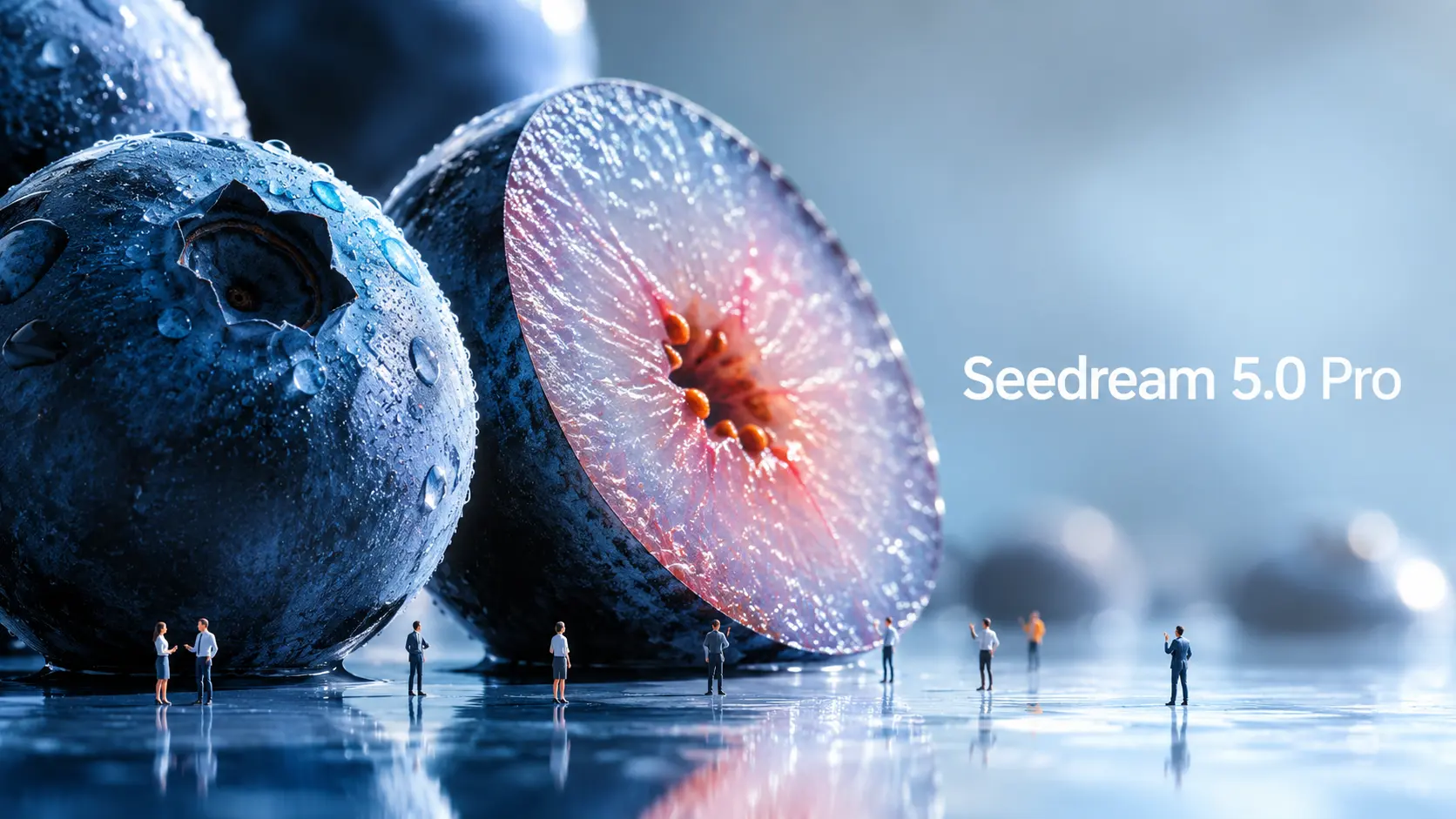
Seedream 5.0 Pro ialah model penjanaan dan penyuntingan imej AI baharu ByteDance Seed, yang dibina untuk penciptaan visual yang lebih terkawal. Apabila model imej menjadi lebih berkuasa, gesaan juga perlu berkembang. Gesaan subjek + gaya yang ringkas tidak lagi mencukupi jika anda mahukan infografik berstruktur, mockup UI, visual komersial, poster berbilang bahasa atau suntingan imej yang tepat. Persoalan sebenar ialah: bagaimana anda perlu menggesa Seedream 5.0 Pro secara berbeza? Panduan ini menghuraikan contoh rasmi Seedream 5.0 Pro dan mengubahnya menjadi formula gesaan yang boleh diguna semula. Apakah yang Membezakan Seedream 5.0 Pro? Seedream 5.0 Pro berguna kerana ia dibina lebih dekat dengan alat reka bentuk berbanding penjana imej mudah. Ia bukan sahaja menghasilkan visual yang menarik. Ia cuba memahami bagaimana maklumat, objek, teks dan elemen reka bentuk harus disusun di dalam imej. Imej yang sarat dengan maklumat lebih baik Salah satu peningkatan terbesar ialah visualisasi maklumat yang kompleks. ByteDance mengatakan Seedream 5.0 Pro boleh menukar data, konsep dan teks padat kepada susun atur profesional. Ini menjadikannya berguna untuk infografik, poster pendidikan, carta perbandingan, penjelasan produk, visual laporan dan kad pengetahuan media sosial. Ini penting kerana imej maklumat adalah sukar. Model perlu merancang susun atur, meletakkan teks dengan betul, mengasingkan bahagian, memastikan hierarki boleh dibaca dan masih memastikan imej kelihatan baik. Penyuntingan yang lebih tepat Seedream 5.0 Pro juga direka bentuk untuk penyuntingan ketepatan interaktif. Menurut siaran rasmi, ia boleh menggunakan kedudukan ruang dan pemahaman serantau untuk menyokong pemilihan titik, pemilihan laso, pemaparan lakaran, penyuntingan warna, penggantian bahan dan gabungan berbilang imej. Secara ringkasnya, anda boleh memintanya untuk menukar satu bahagian imej tanpa menjana semula semuanya. Contohnya, daripada berkata “jadikan bilik ini kelihatan lebih baik,” anda boleh berkata: tukar hanya fabrik sofa, pastikan pencahayaan dan susun atur bilik tidak berubah. Gesaan seperti itu jauh lebih berguna untuk kerja reka bentuk sebenar. ByteDance juga menunjukkan pemisahan lapisan dalam bahan rasminya. Walau bagaimanapun, setakat penulisan ini, aliran kerja pemisahan lapisan masih belum tersedia secara meluas dalam setiap aliran kerja produk awam, jadi panduan ini tidak akan menganggapnya sebagai kaedah teras yang sedia untuk digunakan. Visual komersial yang realistik Seedream 5.0 Pro juga memberi tumpuan kepada pencahayaan yang realistik, kelakuan bahan, tekstur kulit, pantulan, seni bina dan kualiti fotografi. Ini menjadikannya berguna untuk iklan produk, visual fesyen, fotografi potret, reka bentuk dalaman, imej gaya hidup dan bingkai pegun sinematik. Bagi pencipta, ini bermakna model ini boleh membantu menghasilkan imej sumber yang lebih halus sebelum menjadikannya video. Penjanaan imej berbilang bahasa Seedream 5.0 Pro juga boleh berfungsi dengan gesaan berbilang bahasa dan menjana teks dalam lebih daripada sepuluh bahasa yang biasa digunakan, termasuk bahasa Cina, Inggeris, Perancis, Jerman, Rusia, Jepun, Korea, Sepanyol dan Arab. Ini berguna untuk iklan global, poster setempat, siaran sosial berbilang bahasa dan visual pemasaran antarabangsa. Cara Gesaan Rasmi Seedream 5.0 Pro Berfungsi Contoh rasmi menunjukkan bahawa Seedream 5.0 Pro berfungsi paling baik apabila gesaan distrukturkan seperti ringkasan reka bentuk. Contoh rasmi: Infografik penyelidikan Antartika Satu contoh rasmi meminta Seedream 5.0 Pro untuk mencipta infografik tentang penyelidikan saintifik di Stesen Qinling, Antartika. Gesaan itu bukan sekadar mengatakan "buat infografik tentang Antartika". Ia meminta bangunan utama Stesen Qinling di tengah. Di sekelilingnya, model tersebut harus menambah garis masa, carta bar, carta pai, carta garis, foto peralatan, panel cuaca, carta alir kerja lapangan dan fotografi persampelan. Pengajarannya mudah: Beritahu model bahagian, carta, kad, label dan panel yang sepatutnya dipaparkan. Seperti yang kami dapati sebagai pengguna awal, jika anda tidak menentukan susun atur, label atau hierarki maklumat, model tersebut selalunya tidak akan menciptanya untuk anda. Walaupun ini memerlukan gesaan yang lebih terperinci, ia juga memberi pencipta lebih banyak kawalan ke atas reka bentuk akhir. Contoh rasmi: UI laman utama e-dagang haiwan peliharaan Contoh e-dagang haiwan peliharaan berguna untuk pencipta UI dan halaman pendaratan. Gesaan tersebut meminta laman utama e-dagang haiwan peliharaan 16:9 dalam warna matahari terbenam yang hangat. Ia termasuk bar navigasi atas, kawasan teks sebelah kiri, kad produk, butang berbentuk kapsul dan imej Golden Retriever sebelah kanan. Sentuhan kreatif yang paling cemerlang dalam reka bentuk UI ini ialah interaksi rentas lapisan: tapak kaki anjing keluar dari bingkai kanan dan menekan butang di sebelah kiri. Ini menunjukkan bahawa Seedream 5.0 Pro boleh memahami hubungan ruang di dalam susun atur yang direka bentuk. Tetapi mencapai matlamat ini memerlukan gesaan yang terperinci, kerana ia bukanlah sesuatu yang dijana oleh model secara automatik. Contoh rasmi: penyuntingan bahan dan warna Ini adalah salah satu kes yang saya rasa paling menarik. Satu lagi kes rasmi menggunakan berbilang rujukan: Imej 1 menyediakan bahan, Imej 2 menyediakan contoh warna dan Imej 3 ialah imej sofa untuk diedit. Pengajarannya penting: Apabila anda memuat naik berbilang imej rujukan, berikan setiap imej tugasan. Anehnya, Seedream 5.0 Pro juga tidak menghadapi masalah untuk memahami arahan draf tulisan tangan. Ini bermakna walaupun anda berada di luar, selagi anda mempunyai telefon pintar atau iPad, anda boleh melakar keperluan penyuntingan anda terus pada imej asal—menghapuskan keperluan untuk menaip gesaan seperti esei yang panjang lebar. Contoh rasmi: fotografi syot panning Seedream 5.0 Pro juga menunjukkan contoh syot panning. Gesaan ini memastikan penunggang basikal dan basikal sentiasa tajam, meregangkan latar belakang menjadi kabur gerakan mendatar dan menambah kabur putaran pada jejari roda. Ini berguna untuk pencipta imej ke video. Imej pegun sedia untuk gerakan memberikan titik permulaan yang lebih kukuh kepada model video. Formula Gesaan Seedream 5.0 Pro Berdasarkan contoh rasmi, gesaan Seedream 5.0 Pro boleh dikumpulkan kepada empat kategori praktikal. 1. Gesaan Visual Bermaklumat Gunakan ini untuk infografik, poster pendidikan, carta perbandingan, panduan pemula, penjelasan produk, visual laporan, kad tutorial dan imej pengetahuan berasaskan grid. Matlamatnya adalah untuk membantu model menyusun maklumat dengan jelas. Formula: “Cipta [format visual] tentang [topik]. Gunakan susun atur [jenis susun atur]. Sertakan [subjek atau tajuk utama]. Tambah [modul/kad 1], [modul/kad 2], [modul/kad 3], dan [modul/kad 4]. Setiap bahagian hendaklah merangkumi [label / penerangan ringkas / ikon / carta / ilustrasi]. Pastikan hierarki jelas, teks boleh dibaca dan gaya reka bentuk [style].” Contoh: “Cipta infografik pendidikan 16:9 tentang cara penjanaan imej-ke-video AI berfungsi. Gunakan susun atur modular yang bersih. Letakkan imej sumber di tengah.





Alternatif Luar Biasa kepada Dgen AI
Saya pernah bergantung pada dgen ai dan im2go ai, tetapi platform ini jauh lebih unggul. Peralihan imej ke video adalah sangat lancar dan saya suka bahawa tiada log masuk diperlukan. Ia menjimatkan banyak masa saya pada tugas penciptaan kandungan harian saya.
Lebih Baik Daripada Desgo dan Dezko
Selepas mencuba desgo dan dezko, saya akhirnya menemui alat yang benar-benar menyampaikan. Keupayaan penjana imej AI yang stabil di sini adalah yang terbaik. Saya boleh mencipta visual yang menakjubkan dan menghidupkannya serta-merta tanpa berurusan dengan had kredit atau paywall yang menjengkelkan.
Mengungguli Artgo AI dan Dexto
Sebagai artis digital, saya telah menguji artgo ai dan dexto secara meluas. Enjin diffusionart alat ini menghasilkan gerakan yang lebih koheren. Ia merupakan pilihan percuma terbaik yang tersedia sekarang untuk menghidupkan ilustrasi digital saya.
Lebih unggul daripada Dezco dan Dexgo
Saya kecewa dengan batasan dezco dan dexgo. Platform ini menawarkan generasi tanpa had sebenar. Ciri alternatif desgo ai adalah hebat, membolehkan saya menghasilkan aset video berkualiti tinggi untuk kempen pemasaran saya dengan mudah.
Menggantikan My Artgoai dan Penjana Video Giz AI
Saya menggantikan sepenuhnya langganan penjana video artgoai dan giz ai saya dengan alat ini. Pratetap gaya mogao ai sangat mengagumkan, dan antara muka penjana desi ai sangat intuitif. Ia mengendalikan gesaan kompleks dengan cantik setiap masa.
Penjana Imej AI Stabil Terbaik
Mencari penjana imej ai stabil yang boleh dipercayai yang juga melakukan video adalah jarang berlaku. Alat ini mengalahkan semua alternatif desgo yang saya cuba. Kelajuan pemaparan adalah pantas, dan kualiti output secara konsisten profesional dan menarik secara visual.
Alternatif Luar Biasa kepada Dgen AI
Saya pernah bergantung pada dgen ai dan im2go ai, tetapi platform ini jauh lebih unggul. Peralihan imej ke video adalah sangat lancar dan saya suka bahawa tiada log masuk diperlukan. Ia menjimatkan banyak masa saya pada tugas penciptaan kandungan harian saya.
Lebih Baik Daripada Desgo dan Dezko
Selepas mencuba desgo dan dezko, saya akhirnya menemui alat yang benar-benar menyampaikan. Keupayaan penjana imej AI yang stabil di sini adalah yang terbaik. Saya boleh mencipta visual yang menakjubkan dan menghidupkannya serta-merta tanpa berurusan dengan had kredit atau paywall yang menjengkelkan.
Mengungguli Artgo AI dan Dexto
Sebagai artis digital, saya telah menguji artgo ai dan dexto secara meluas. Enjin diffusionart alat ini menghasilkan gerakan yang lebih koheren. Ia merupakan pilihan percuma terbaik yang tersedia sekarang untuk menghidupkan ilustrasi digital saya.
Lebih unggul daripada Dezco dan Dexgo
Saya kecewa dengan batasan dezco dan dexgo. Platform ini menawarkan generasi tanpa had sebenar. Ciri alternatif desgo ai adalah hebat, membolehkan saya menghasilkan aset video berkualiti tinggi untuk kempen pemasaran saya dengan mudah.
Menggantikan My Artgoai dan Penjana Video Giz AI
Saya menggantikan sepenuhnya langganan penjana video artgoai dan giz ai saya dengan alat ini. Pratetap gaya mogao ai sangat mengagumkan, dan antara muka penjana desi ai sangat intuitif. Ia mengendalikan gesaan kompleks dengan cantik setiap masa.
Penjana Imej AI Stabil Terbaik
Mencari penjana imej ai stabil yang boleh dipercayai yang juga melakukan video adalah jarang berlaku. Alat ini mengalahkan semua alternatif desgo yang saya cuba. Kelajuan pemaparan adalah pantas, dan kualiti output secara konsisten profesional dan menarik secara visual.