Modelo
Video Fast 1.5 LiteGrátis
Qualidade de vídeo premium — clipes de 3 segundos grátis para experimentar. Disponibilidade por tempo limitado.
Prompt
0 / 1500
Áudio
Extensão avançada do promptNovo
Extensão básica do prompt
Duração
3s
Resolução
720p
1080p
Criar
Vídeo de Exemplo
Sample video preview

Alternativa ao gerador de vídeo Vivideo AI: transforme ideias em vídeo

Procurando uma alternativa confiável do Vivideo AI? AI Image to Video é um poderoso gerador de vídeo de IA projetado para criadores que precisam de resultados de alta qualidade. Se você deseja transformar fotos em clipes dinâmicos ou gerar cenas a partir de texto, nossa plataforma oferece uma experiência perfeita e gratuita, sem as limitações de outras ferramentas.

Foto Original
Incitar
Uma borboleta voa ao longe em direção a um pergaminho antigo sobre uma mesa. À medida que a borboleta pousa no pergaminho, ela se desenrola simultaneamente de ambos os lados, desdobrando-se completamente.
Exemplo de vídeo
Foto Original
Incitar
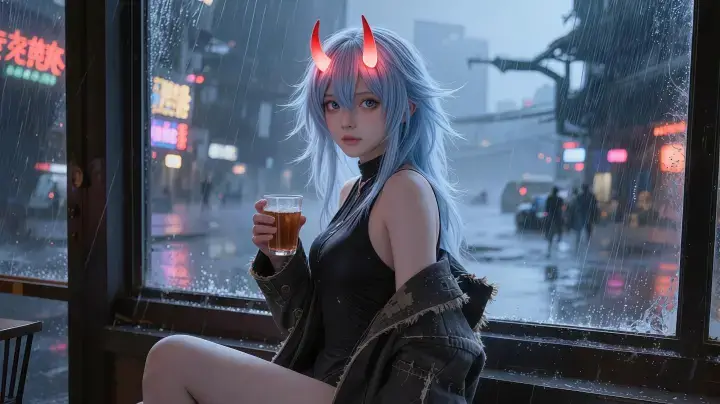
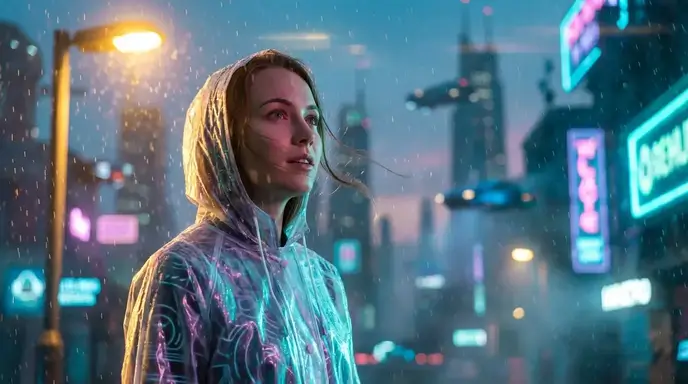
Uma câmera portátil segue de perto uma linda mulher segurando uma xícara de chá enquanto se levanta para evitar a forte chuva do lado de fora da janela. Ela inicia espontaneamente uma dança sensual, com movimentos suaves e fluidos. A iluminação muda dinamicamente, com detalhes ultra-HD e gradação de cores cinematográfica.
Exemplo de vídeo
Foto Original
Incitar
Um gatinho minúsculo está agachado no chão, balançando o rabo sem parar. Ele se inclina para frente, cheirando suavemente o balão com o nariz. No momento seguinte, o balão estoura com um “estrondo” e o gatinho corre rapidamente para baixo do sofá, enrolando-se em uma pequena bola, com apenas metade da cauda visível, tremendo levemente.
Exemplo de vídeo

Crie vídeos gratuitos e ilimitados sem marca d'água com ferramentas de geração de vídeo AI

Ao contrário dos planos de preços Vivideo AI que restringem recursos, nossas ferramentas de IA de texto para vídeo e imagem para vídeo permitem que você crie sem limites. Desfrute de uma experiência totalmente gratuita e ilimitada sem marca d’água, tornando-o a alternativa definitiva do Vivideo para criadores profissionais.

Acesse vários modelos para cada projeto

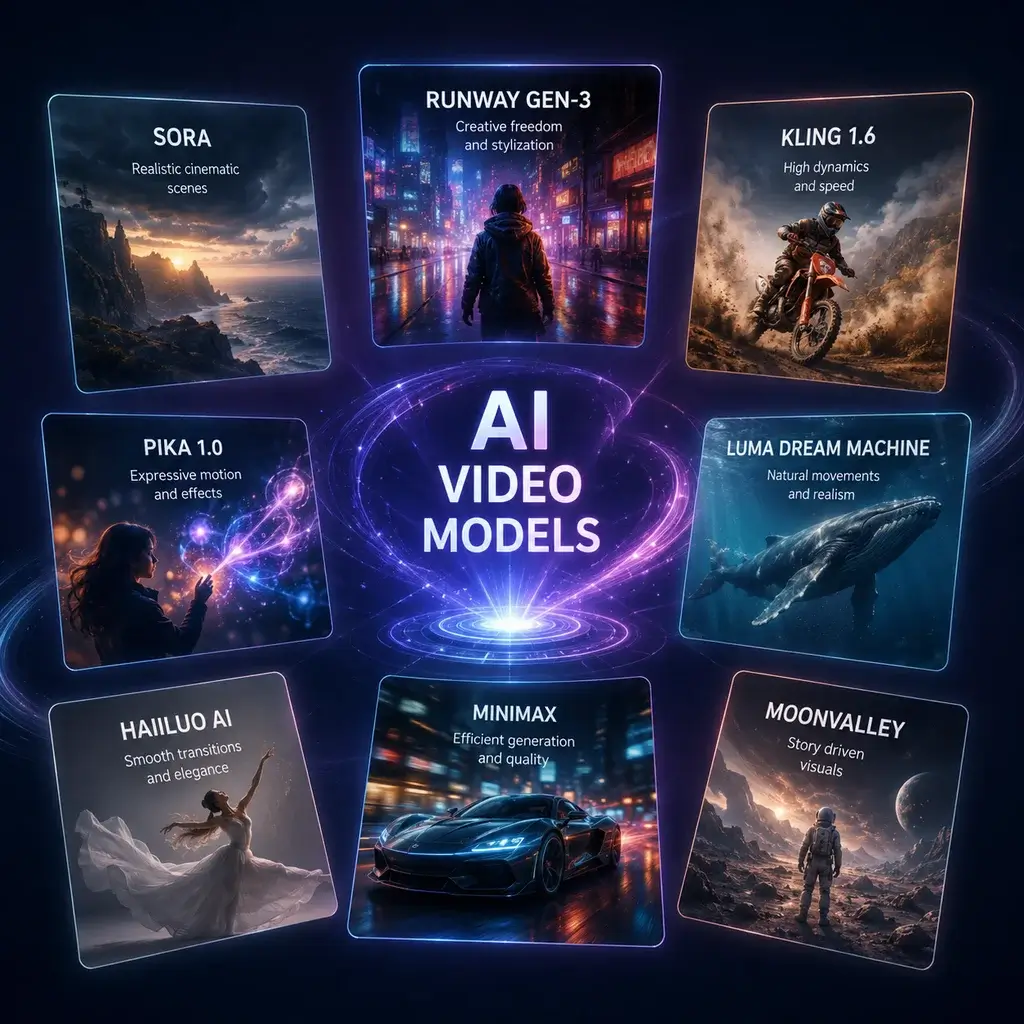
Nossa plataforma integra vários modelos, dando a você a flexibilidade de escolher o motor perfeito para seu estilo visual específico. Esteja você trabalhando em um curta cinematográfico ou em um clipe rápido de mídia social, você pode alternar instantaneamente entre mecanismos de IA de alto nível. Isso garante que suas conversões de foto em vídeo sempre tenham uma aparência impressionante e profissional, eliminando a necessidade de fazer malabarismos com diferentes assinaturas.

Gerar agora

Exporte em todos os formatos para qualquer plataforma

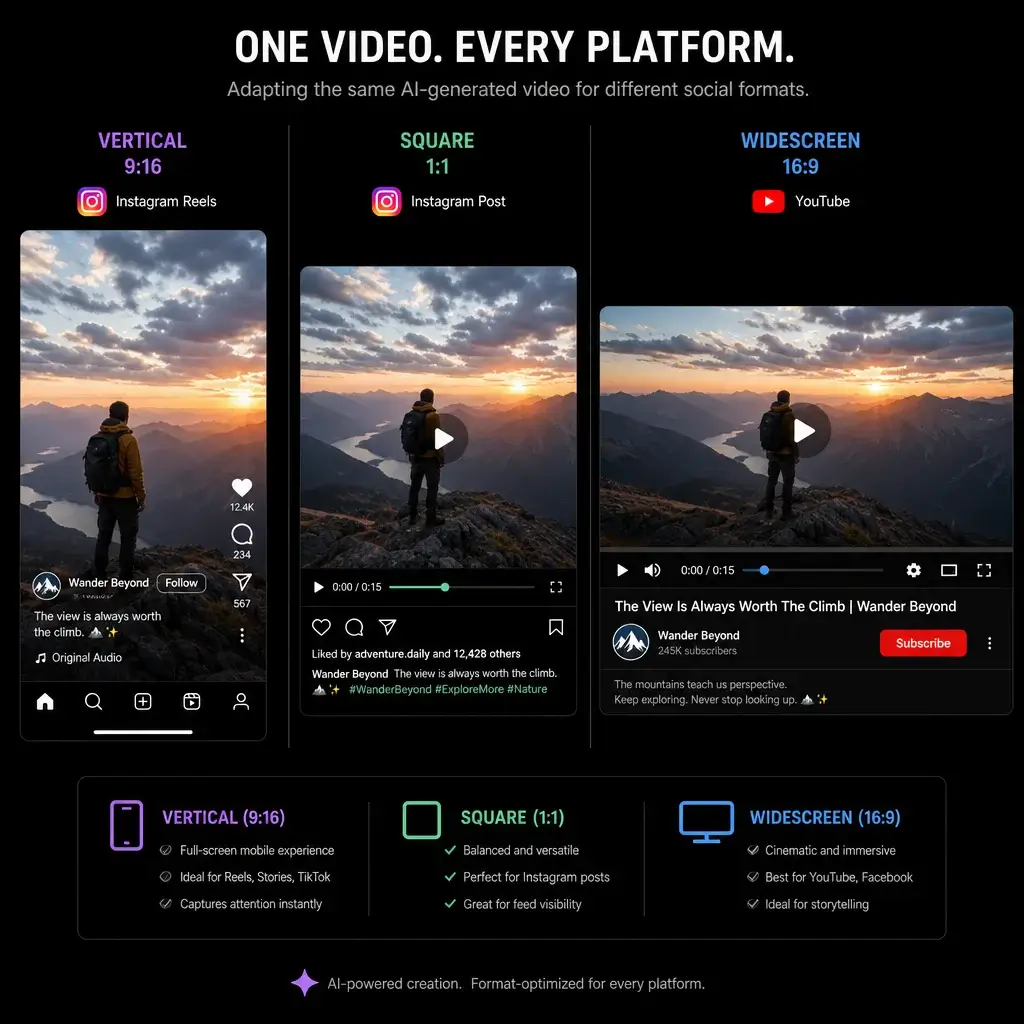
Entregue seu conteúdo em todos os formatos exigidos pelas plataformas sociais modernas. De curtas verticais a apresentações cinematográficas widescreen, nosso gerador de vídeo de IA ajusta automaticamente as proporções e resoluções. Essa versatilidade garante que seus projetos de vídeo com várias cenas sejam sempre otimizados para TikTok, YouTube ou Instagram, economizando horas de redimensionamento manual e trabalho de edição.

Gerar agora

Use um prompt simples para gerar e estender vídeos

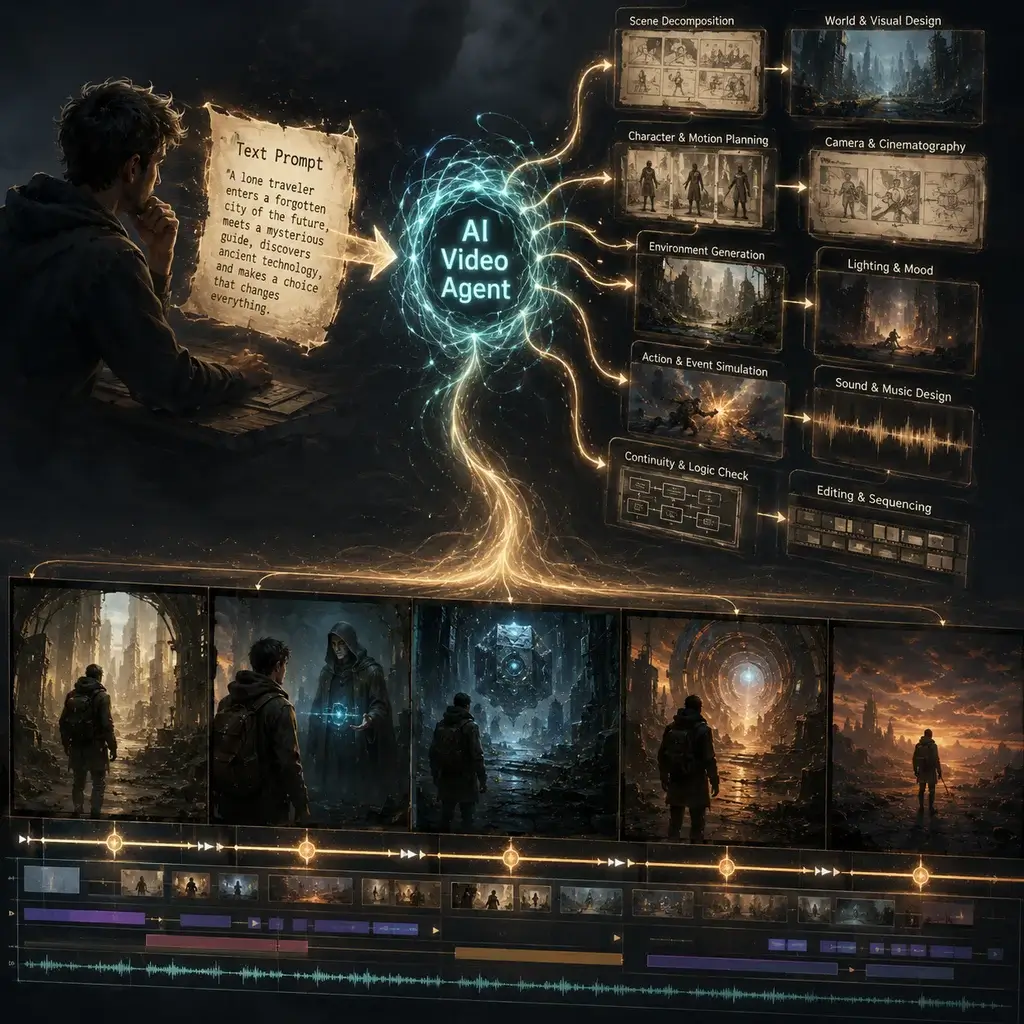
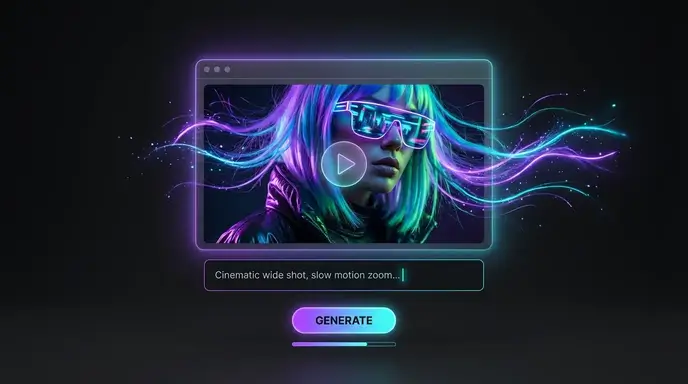
Basta digitar um prompt detalhado para gerar e estender vídeos sem problemas. Nosso agente de vídeo de IA avançado entende seu roteiro de instruções de vídeo, permitindo que você crie narrativas de vídeo de IA de formato longo, passo a passo. Você pode facilmente estender cenas, adicionar controle de movimento e refinar a saída até que ela corresponda perfeitamente à sua visão criativa, facilitando a produção de vídeos complexos.

Gerar agora

Como criar vídeos de IA com nossa IA de imagem para vídeo

Etapa 1: faça upload de imagens ou escreva um script

Comece fazendo upload de suas imagens de origem ou digitando um texto descritivo na área de trabalho. Nossa interface intuitiva aceita vários tipos de arquivos, permitindo que você configure rapidamente seu projeto e comece a transformar ativos estáticos em histórias visuais dinâmicas.

Etapa 2: configurar movimento e configurações

Ajuste os parâmetros de controle de movimento, selecione seu modelo de IA preferido e defina a proporção. Você pode personalizar movimentos de câmera, ritmo e estilos visuais para garantir que a filmagem gerada se alinhe perfeitamente com as diretrizes de sua marca e direção criativa.

Etapa 3: crie vídeos de até 10 minutos e exporte em 4K

Clique em gerar para renderizar seu projeto. Assim que a IA terminar o processamento, você poderá visualizar o resultado e baixá-lo em ultra-alta definição. O sistema lida com a renderização de formato longo sem problemas, garantindo que o resultado final seja nítido, detalhado e pronto para qualquer plataforma.

Principais casos de uso para nosso criador de vídeo AI

Nosso criador de vídeos com IA se destaca em diversos setores, transformando conceitos simples em conteúdo visual envolvente. Se você precisa produzir ativos de marketing, tutoriais educacionais ou clipes de mídia social sem rosto, a plataforma oferece flexibilidade para lidar com projetos complexos de vídeo com várias cenas com eficiência.

Marketing
Educação
Social
Imobiliária

Anúncios em vídeo de produtos de IA

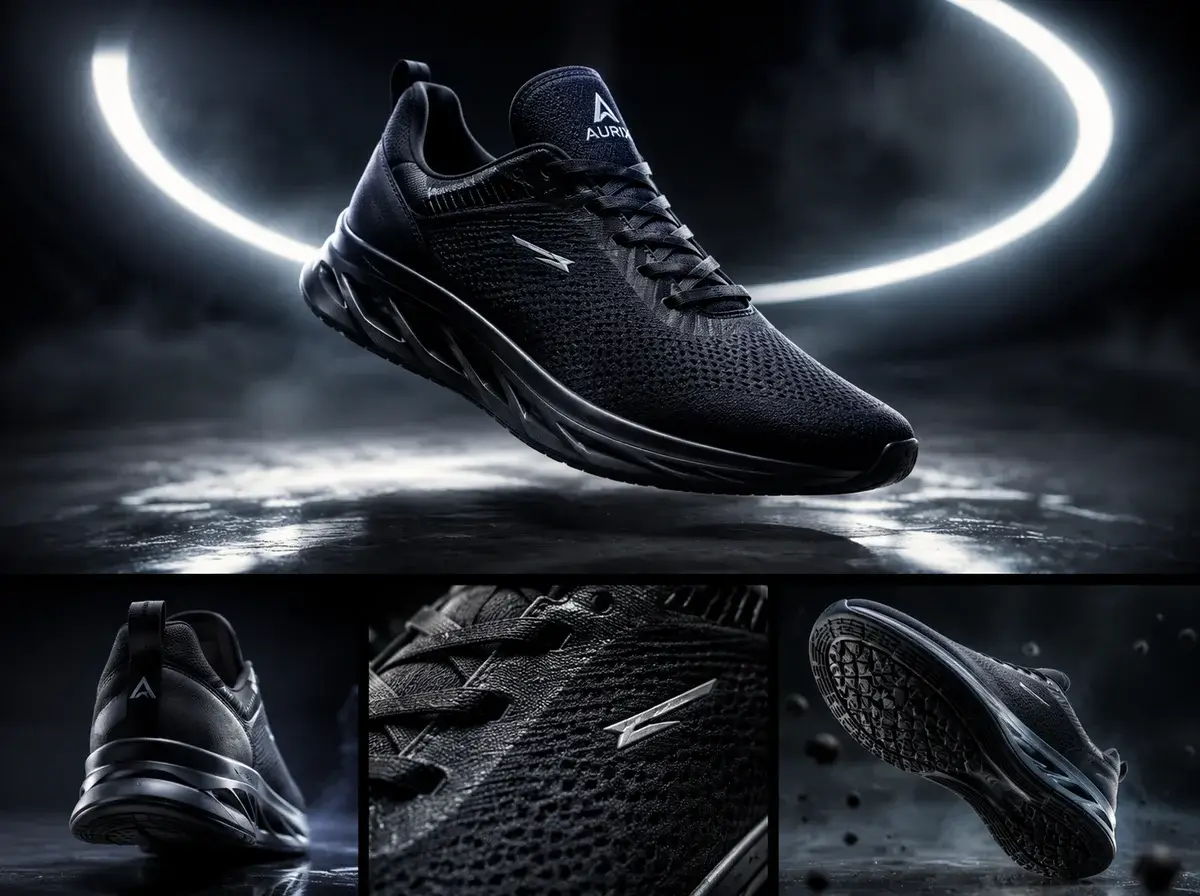
Transforme fotografias estáticas de produtos em anúncios de vídeo de produtos de IA cativantes. Ao aproveitar nossos recursos de IA de imagem para vídeo, as marcas de comércio eletrônico podem exibir itens com movimentos dinâmicos de câmera e iluminação realista. Essa abordagem aumenta significativamente o envolvimento em feeds de mídia social e páginas de produtos, permitindo que os profissionais de marketing produzam ativos visuais de alta conversão sem sessões de estúdio caras ou software de edição complexo.

O que os criadores dizem sobre nossa alternativa Vivideo

Criação perfeita de vídeo em várias cenas

Mudar do vivideo.ai foi a melhor decisão para meu fluxo de trabalho. O agente de vídeo de IA lida perfeitamente com a geração de vídeos de IA de formato longo e adoro poder exportar sem restrições. É um gerador de vídeo de IA verdadeiramente poderoso para criadores profissionais.

Elena Rostova
Gerente de Marketing Digital

Excelentes recursos de controle de movimento

Os recursos de controle de movimento aqui excedem em muito o que experimentei no site oficial do Vivideo AI. Posso ditar com precisão os movimentos da câmera da minha foto para projetos de vídeo, resultando em clipes altamente cinematográficos. O modelo gratuito para começar é incrivelmente generoso.

Marcus Chen
Videógrafo freelancer

Perfeito para fluxos de trabalho de script para vídeo

Como estrategista de conteúdo, confio no script para automação de vídeo. Este criador de vídeos com IA transforma minhas instruções escritas em histórias visuais impressionantes em minutos. É uma ferramenta de criação fantástica que me economiza horas de edição todas as semanas.

Sarah Jenkins
Estrategista de conteúdo

Exportações 4K de alta qualidade sempre

Eu precisava de uma ferramenta confiável para exportar em 4K sem pagar os altos níveis de preços do Vivideo AI. Esta plataforma oferece saídas de vídeo multicenas nítidas e de alta resolução de forma consistente. A renderização de imagem para vídeo por IA é rápida, precisa e totalmente livre de marcas d'água.

Kenji Tanaka
Desenvolvedor de jogos independentes

Interface intuitiva de texto para vídeo AI

A interface AI de texto para vídeo é extremamente fácil de usar. Basta digitar um prompt e o sistema gera lindos rolos B para meus documentários. É uma grande atualização de outras ferramentas de geração de vídeo de IA que testei no ano passado.

Amélia Dubois
Documentarista

Ótimo valor comparado ao Vivideo

Encontrar uma verdadeira alternativa ao Vivideo que oferece exportações ilimitadas foi uma virada de jogo. O agente de vídeo AI entende instruções complexas, facilitando a criação de vídeos de até 10 minutos de duração. Altamente recomendado para quem precisa de um criador de vídeo de IA robusto e gratuito.

David O’Connor
Criador de conteúdo do YouTube

Criação perfeita de vídeo em várias cenas

Mudar do vivideo.ai foi a melhor decisão para meu fluxo de trabalho. O agente de vídeo de IA lida perfeitamente com a geração de vídeos de IA de formato longo e adoro poder exportar sem restrições. É um gerador de vídeo de IA verdadeiramente poderoso para criadores profissionais.

Elena Rostova
Gerente de Marketing Digital

Excelentes recursos de controle de movimento

Os recursos de controle de movimento aqui excedem em muito o que experimentei no site oficial do Vivideo AI. Posso ditar com precisão os movimentos da câmera da minha foto para projetos de vídeo, resultando em clipes altamente cinematográficos. O modelo gratuito para começar é incrivelmente generoso.

Marcus Chen
Videógrafo freelancer

Perfeito para fluxos de trabalho de script para vídeo

Como estrategista de conteúdo, confio no script para automação de vídeo. Este criador de vídeos com IA transforma minhas instruções escritas em histórias visuais impressionantes em minutos. É uma ferramenta de criação fantástica que me economiza horas de edição todas as semanas.

Sarah Jenkins
Estrategista de conteúdo

Exportações 4K de alta qualidade sempre

Eu precisava de uma ferramenta confiável para exportar em 4K sem pagar os altos níveis de preços do Vivideo AI. Esta plataforma oferece saídas de vídeo multicenas nítidas e de alta resolução de forma consistente. A renderização de imagem para vídeo por IA é rápida, precisa e totalmente livre de marcas d'água.

Kenji Tanaka
Desenvolvedor de jogos independentes

Interface intuitiva de texto para vídeo AI

A interface AI de texto para vídeo é extremamente fácil de usar. Basta digitar um prompt e o sistema gera lindos rolos B para meus documentários. É uma grande atualização de outras ferramentas de geração de vídeo de IA que testei no ano passado.

Amélia Dubois
Documentarista

Ótimo valor comparado ao Vivideo

Encontrar uma verdadeira alternativa ao Vivideo que oferece exportações ilimitadas foi uma virada de jogo. O agente de vídeo AI entende instruções complexas, facilitando a criação de vídeos de até 10 minutos de duração. Altamente recomendado para quem precisa de um criador de vídeo de IA robusto e gratuito.

David O’Connor
Criador de conteúdo do YouTube

Notícias

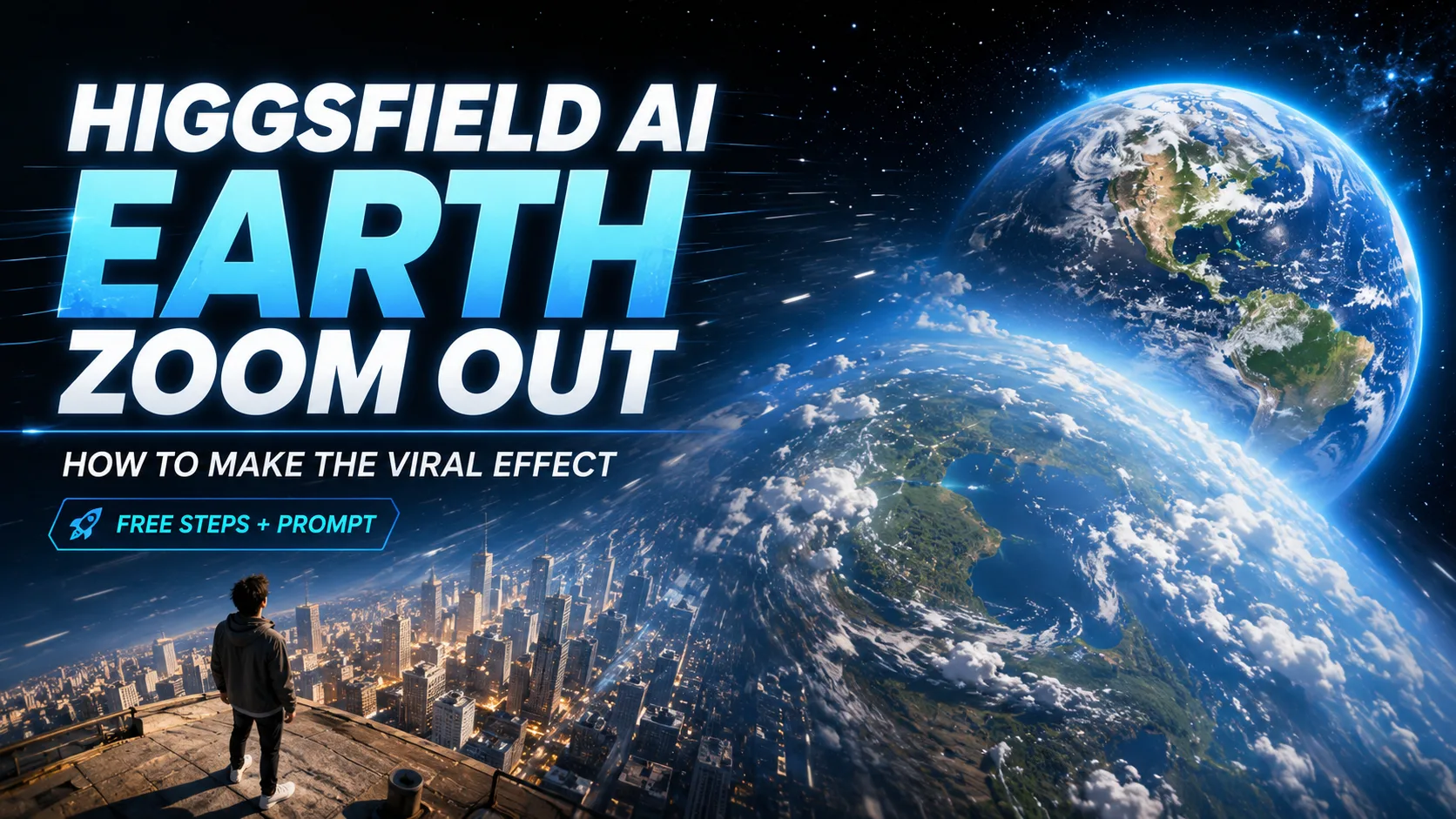
Higgsfield AI Earth Zoom Out: How to Create the Viral Effect

Higgsfield AI Earth Zoom Out: How to Create the Viral Effect

You’ve seen the clip: it pulls back from one person, past the rooftops, over the continent, all the way out to Earth hanging in space. The #EarthZoomOut trend has racked up over a billion views, and most of it is made with Higgsfield AI. But if you’ve actually tried it, you’ve probably hit the parts every tutorial skips — a paywall that appears mid-edit, a prompt that gives you a weird crossfade instead of a real zoom, no way to aim it at a specific place, and no clue where the “whoosh” sound comes from. This one page takes you from “what is this?” to a finished, polished clip: the honest free-vs-paid answer, the exact copy-paste prompt, how to zoom to a specific city, the reverse-clip trick, sound design, and free alternatives for when Higgsfield’s limits get in the way. What Is the Higgsfield AI Earth Zoom Out Effect? Before you open the tool, it helps to know exactly what the effect is doing and what it costs — because the “is it free?” question is the number-one friction point in every comment section. What the effect does (person → city → continent → Earth → space) The Earth Zoom Out is a single, continuous camera pull-back across wildly different scales. It starts tight on your subject, then retreats — past the street, above the city, over the continent, and finally out to the full curve of the planet against black space. The reason it reads as cinematic is that the motion never cuts. Higgsfield’s Earth Zoom Out motion preset simulates one physics-based camera path with satellite-style terrain, so the scale change feels earned rather than edited together. Why it’s going viral on TikTok, Reels & Shorts The effect works because it’s a scroll-stopping reveal. Within three seconds it recontextualizes a normal shot into something planetary, which is exactly what a feed algorithm rewards. Creators use it as an intro, an outro, or a transition between two scenes. The top tutorial on it pulled 166K+ views on YouTube alone — a good signal that the demand (and the search traffic) is real. Is Higgsfield AI Earth Zoom Out free? (free tier vs Pro) Here’s the honest answer, because “it’s not free!” is the most repeated complaint online: you can make it on the free plan, but with real limits, and some steps now sit behind Pro. Free plan Pro (~$9.99/mo) Videos/day ~2 Many more Model Lite Standard / Turbo Aspect ratio 16:9 16:9 + more Watermark Yes No Queue estimate ~45 min shown (often ~2–3 min real) Faster Key Takeaway: It’s genuinely free to try, but expect a watermark, 16:9 only, and a scary render estimate. The paywall usually surprises people at the prompt-enhance step — so don’t count on that feature staying free. How Do You Make an Earth Zoom Out Video in Higgsfield AI? The core workflow is four steps plus one decision. You can start from a single photo or from your video’s first frame — the click path is nearly identical. Step 1 — Open Higgsfield and select the Earth Zoom Out effect Open Higgsfield AI and find the Earth Zoom Out motion (it shipped as part of “Effects Pack 5”). Select it to start a new generation — this locks in the camera pull-back so you don’t have to describe the whole move from scratch. Step 2 — Upload a photo, or capture your video’s first frame For a photo, upload a clean, high-resolution image with a clear subject. For a transition from real footage, grab your video’s first frame as a screenshot and upload that instead. Using the first frame matters: it’s what keeps the AI-to-real seam tight when you stitch your footage back on later — a trick the r/Filmmakers community landed on as the reliable method. Step 3 — Add your prompt and choose a model (Lite / Standard / Turbo) Many creators report you can now “just generate” with no prompt, but a short prompt gives you far more control over the path and the destination (more on that below). Choose your model based on the trade-off: Lite is free and fast-enough, while Standard/Turbo improve quality and smoothness. Step 4 — Generate, then download your clip Hit generate. The interface may show a ~45-minute estimate — don’t panic; real render time is often 2–3 minutes. When it’s done, download your clip (free output is ~16:9 with a watermark). Photo-based vs video-based (first-frame) — which to choose If your goal is a TikTok that starts in space and drops into your actual video, go first-frame. What’s the Best Earth Zoom Out Prompt — and How Do You Zoom to a Specific Location? These are the two biggest gaps in the entire search results: a real, usable prompt (not one hidden behind a tool) and location control — the single highest-liked question nobody answers. The copy-paste prompt (with a subject-swap template) The trick is a progressive-scale prompt that names every altitude the camera passes through. Copy this and swap the subject line: Change only the bracketed subject to reuse it for any scene. How to zoom to a specific country, city, or coordinate To aim the zoom, name the location explicitly in the prompt — for example, “…until the camera reveals Tokyo, Japan, then the full Earth.” Pair that with a reference image whose framing already suggests that place, so the AI keeps the geography accurate. This is the query almost no competitor owns, so a clear method here is worth memorizing. Why your prompt gives a crossfade instead of a zoom (and the fix) If you get a soft crossfade rather than a true pull-back, your prompt is under-specifying motion. The fix: add “continuous camera dolly-out, no cross-dissolve, no fade” and describe the intermediate scales. For a “weird North America” or unrealistic globe, add “realistic satellite terrain, accurate continents” and use a cleaner reference image. How Do You Make the Earth Zoom Out Look Seamless and Cinematic? A raw generation is only half the job. The polish — reverse, speed, sound, color — is what turns it into a share-worthy clip. The reverse-clip trick to turn zoom-out into a seamless zoom-in Generate the zoom-out, then reverse the clip in your editor (CapCut, DaVinci

Runable AI Review 2026: Can One Agent Really Replace Your Entire Tool Stack?

Runable AI Review 2026: Can One Agent Really Replace Your Entire Tool Stack?

Be honest about where your workday goes. It’s rarely the thinking part. It’s the shuffle between ChatGPT, Canva, Webflow, and your inbox, copying one tool’s output into the next. Runable AI says it can fold that whole relay race into a single chat, and it backs the claim with a 92.1% score on the GAIA agent benchmark. The trouble is the search results. Most “reviews” are sponsored takes that gush about a demo, never quantify the credits, and skip the limits. So you’re left guessing whether Runable is a real do-it-for-you agent or just a louder chatbot. This review answers that: what Runable AI actually is, how it works, what it builds, real pricing and credit math, head-to-head comparisons, and the honest pros and cons — including the astroturfing question circling Reddit — so you can decide before spending a credit. What Is Runable AI? (And What It’s Not) Runable AI is a general AI agent: software that plans and carries out complete digital tasks from one instruction, rather than just talking about them. Think of it as the difference between an assistant who describes how to build a slide deck and one who hands you the finished file. Runable AI in one sentence (agent vs chatbot) A chatbot replies. Runable acts. It works across connected apps and a virtual computer, and Plan Mode lets you approve each step before it runs. That execution gap is the whole point — and the lens for everything below. Runable vs Run:ai vs LangChain “Runnable” vs runable.app The name causes real confusion, so let’s clear it fast. Runable AI lives at runable.com (and runableai.com) and is the agent in this review. Run:ai is a GPU and MLOps orchestration platform — unrelated. LangChain’s Runnable is a developer code interface, not a product you sign into. And runable.app is a separate privacy-focused software company that has nothing to do with the agent. If you searched “runable ai,” you almost certainly meant runable.com. Who Runable AI is built for Runable fits operators, marketers, agency owners, non-technical founders, freelancers, and students — anyone who deals with messy inputs and needs real deliverables out the other end. It’s a weaker pick for IDE-grade software engineering or for people who just want a chat partner. If your work is “make the thing,” you’re the target user. How Does Runable AI Work? Understanding the mechanics is what separates “real execution” from marketing copy. Runable runs on a repeatable loop and a sandboxed machine that does the actual clicking and building. The Plan → Visualize → Work → Iterate workflow The core loop is simple: Runable clarifies your intent, previews a plan, executes, then refines. The ask-questions-first habit matters more than it sounds — pinning down what “done” looks like before generating avoids the misaligned outputs that waste time and credits. Plan Mode and human-in-the-loop approval Plan Mode is the trust layer. Before Runable builds anything, it shows the plan to approve, and you can fork a project or roll back a version. That preview-before-build gate is your chance to catch a wrong turn before credits are spent — a real safeguard given how fast media generation drains your balance. The virtual computer, connectors, and brand memory Under the hood, Runable operates a virtual Ubuntu computer, so it can browse, run files, and complete multi-step jobs like a person at a keyboard. It links to outside apps through Connectors and stores a brand Memory for consistent fonts, colors, and tone. One honest caveat: the marketed “3,000+ connectors” leans heavily on Zapier-mediated links, with roughly 50 verified native integrations underneath. What Can You Actually Build With Runable AI? This is where Runable earns or loses its keep. The range is genuinely broad, and each format below maps to a job people search for directly. Slides and presentations Slides are a standout. Reviewers have watched it spin up 26-slide decks in seconds and full investor pitch decks from a short brief. The structure and speed are impressive; the templates can feel generic, so expect light editing to match a brand. Websites (including interactive and 3D) Websites are the most community-praised use case. Users report landing pages, portfolios, and even 3D or interactive sites “in minutes.” It’s excellent for prototyping and idea-testing. For pixel-level polish, many still finish in Webflow or Figma. Videos and UGC content Runable generates video through multiple models — Veo, Sora 2, Runway, Pika, Luma, and Kling — which is great for quick ads and UGC concepts. The big caveat: video burns credits faster than anything else. Because Runable’s clips are best treated as first drafts, it pairs well with a dedicated finisher. For watermark-free 4K social and TikTok clips built from images, a specialized tool like AI Image to Video is a natural complement for the final, polished export. Reports, deep research, and documents For research, Runable produces deep-research reports and long-form documents, and it points to DRACO Deep Research (68.3%) and BrowserComp positioning to justify the claim. Output is solid for a first pass; verify facts before anything ships to a client. Podcasts and AI audio The AI Audio suite covers podcast episodes, dubbing, voice swapping, and transcription. It’s a tidy fit for repurposing written content into audio without bouncing between separate apps. Workflow automation, connectors, and RunClaw Beyond one-off creation, Runable automates repetitive tasks and runs on schedules. RunClaw is its agent for Slack, Discord, and Telegram, executing jobs autonomously inside the chat tools your team already uses — the answer to the recurring “does it work in Slack?” question. Runable AI Pricing and Credits Explained (2026) Pricing is where competitors go vague, so here’s the concrete version. Note that reported tiers vary across sources; runable.com/pricing is the source of truth. Starter / Pro / Unlimited tiers and the $1 trial Plans are commonly reported as Starter ~$25/mo, Pro ~$50/mo, and Unlimited ~$200/mo, with some sources citing Plus/Pro variants near $29 and $49. A viral $1 entry promo has shown up in YouTube demos as a

Flashloop Review 2026: Pricing, Credits & Is It Actually Worth It?

Flashloop Review 2026: Pricing, Credits & Is It Actually Worth It?

Flashloop has a 4.7-star rating from more than 12,000 users, yet one reviewer claims they burned through 75% of their credits in just four days. So which version is true? That gap is why the app is so hard to figure out. Search “flashloop” and you’ll find affiliate links pushing referral codes, a couple of angry YouTube exposés, and a Reddit reviews thread someone already deleted. Nobody publishes the part you actually want: what it costs, how fast the credits vanish, and whether the output is worth paying for. This review fixes that — real pricing, the credit math competitors keep vague, the complaints that come up again and again, and the alternatives worth a look before you subscribe. What Is Flashloop and How Does It Work? Flashloop is a mobile AI video generator that turns text prompts or still images into short clips using premium models like Veo 3, Kling, and Sora 2. It also generates AI images. The pitch is simple: studio-style video on your phone, no editing skills required, with several top models bundled behind one subscription instead of five separate logins. In practice, you pick a model, describe what you want (or upload a photo as a starting frame), and let it render. Templated “Apps” handle viral effects in one tap, which is how most people first find it. Who Makes Flashloop? (Developer & Background) The App Store lists the developer as Buy Beaver Technologies (15557640 Canada Inc.), based in Montréal, with the first release dated June 2025. Third-party aggregator Pollo.ai credits the founding to “La Viral Studio” and repeats a striking claim: zero to $1 million in annual recurring revenue in 20 days. Treat that figure as marketing, not a verified stat. It’s a self-reported number with no public filing behind it, so it tells you more about the brand’s messaging than its real traction. Which AI Models Does Flashloop Support? The model lineup is genuinely the strongest part of the app. For video you get Veo 3 (best for photoreal realism), Kling 3.0 and 2.6 (known for keeping characters consistent across shots), plus Sora 2, Seedance 1.5 and 2.0, Wan 2.6, and Grok Imagine. For images, it runs Nano Banana Pro and 2, FLUX 2, and GPT Image 2. The practical takeaway: reach for Veo 3 when you want lifelike footage, Kling when a character has to look the same in every scene, and Seedance or Sora for stylized motion. Having all of them in one place is the real selling point. Text-to-Video vs Image-to-Video: What You Can Actually Make There are two main paths. Text-to-video builds a clip straight from a written prompt; image-to-video animates a photo you supply, giving you far more control over the result. Layered on top are pre-made characters, infinite looping (handy for Spotify Canvas-style backgrounds), the Recast tool for restyling footage, music sync, and one-tap stylization. Creators use them for everything from faceless TikTok channels to product clips for Shopify stores. How Much Does Flashloop Cost? Pricing & Credits Explained Here’s where Flashloop gets slippery, and where most write-ups stop short. The pricing page shows annual totals with a site-wide “50% off” banner, so monthly figures have to be worked out by hand. Below is the math nobody else lays out plainly. Flashloop Plans Compared (Starter, Creator, Pro, Ultra) Plan Annual price ~Monthly What you get Video models? Starter $113.88/yr ~$18.99 ≈80 images, 2 concurrent No (image only) Creator $179.88/yr ~$29.99 ≈120 videos + ≈160 images, all models, 3 concurrent Yes Pro $479.88/yr ~$79.99 ≈350 videos + ≈466 images, 5 concurrent, priority queue Yes Ultra $599.88/yr ~$99.99 ≈500 videos + ≈666 images, 8 concurrent Yes The catch most people miss: Starter doesn’t make videos at all. If you came for AI video, the real entry point is Creator at roughly $30 a month. How Flashloop Credits Actually Work You don’t buy “videos,” you buy credits, and the cost of each generation shifts with the model, length, and resolution you choose. A short Veo 3 clip at high resolution eats far more than a quick image. Two rules matter most. First, monthly credits do not roll over when your cycle resets, so anything unused simply disappears. Second, one-time top-up packs you buy separately never expire. Video models are locked to Creator and above. How Many Credits Does One Video Cost? This is the single biggest gap in every other Flashloop write-up, so let’s be specific. According to reviewers who counted, roughly 1,000 credits buys about 8 seconds of video. One YouTube commenter put it bluntly: “1k credit for single video is crazy.” That ratio matters because AI video is trial and error. Every reroll, every prompt tweak, every failed render spends credits, and a plan that looks generous on paper drains fast once you start experimenting. Is Flashloop Free? Free Tier & Daily Credits Yes and no. The app is free to download and hands out a small batch of daily credits, so you can test the waters without paying. What it won’t do is let you create at any real volume for free. The exact daily amount isn’t published anywhere, which is part of the frustration. Expect enough to try a couple of short generations, then a paywall once you’re hooked. How to Get Flashloop Free Credits & Redeem Referral Codes Because credits are the main friction, a whole cottage industry of “1000 free credits” videos and referral-code dumps has sprung up around Flashloop. Some of it works. A lot of it doesn’t, and it’s worth knowing why before you go hunting. How to Redeem a Flashloop Referral Code (Step by Step) The key detail: the code field usually appears at signup, not later in settings. Miss that window and you’ve likely lost the bonus. Why Your Flashloop Code Might Not Work If you’ve seen “I got nothing” comments under redeem tutorials, you’re not alone. The most common reason is that codes appear to work once per device, not once per account, as one frustrated user discovered.

Viggle AI Prompts You Can Copy Before the Trend Dies

Viggle AI Prompts You Can Copy Before the Trend Dies

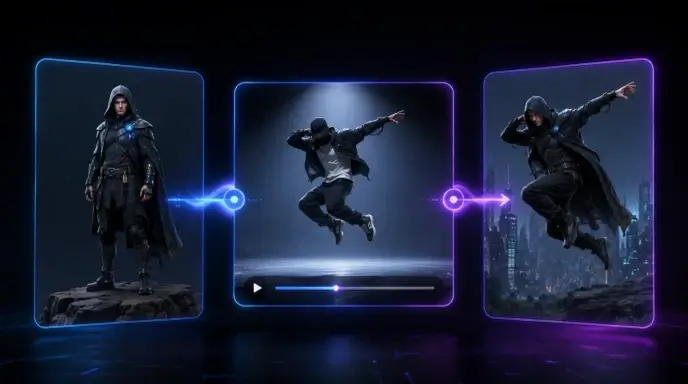
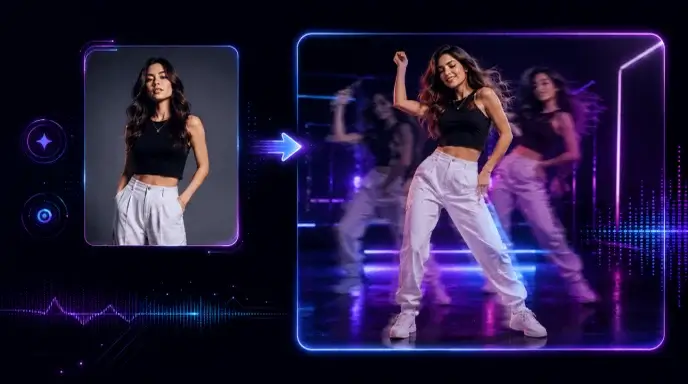
Viral AI videos move fast. One day everyone is making a dancing baby; the next day your feed is full of anime edits, football clips, superhero memes, and lip-sync videos. Viggle AI makes these videos easier to create, but the real shortcut is not the tool itself. It is the prompt. The platform is built for controllable AI video generation, letting users turn photos into dancing, lip-syncing, meme-style, and performance videos. But if your prompt is too vague, your result can look blurry, stiff, or completely off-trend. This guide helps you find practical Viggle AI prompts by category so you can copy, paste, adjust, and generate faster for TikTok, Instagram Reels, YouTube Shorts, memes, fan edits, music videos, and character animations. Where Are Viggle AI Prompts? There are two main places where you can find ready-made AI video prompts on the official Viggle AI website. These prompts come from videos created and shared by real users, so they are useful references if you want to understand how popular Viggle AI videos are made. First path: on the homepage After entering the official Viggle AI website, scroll down until you see the “Video Gallery” section. This area showcases some of the recent popular AI video ideas created with Viggle AI. Click any video in the gallery, and you can view the source materials, prompt, and key settings used to generate that video. If you want to explore more examples, simply click “View More” to browse additional user-created videos. Although the homepage also includes samples such as Sing & Dance, meme creation, and other quick templates, many of these are mainly powered by Viggle AI’s “Mix Video” feature. In this workflow, users can create videos without writing a detailed prompt. However, the result may sometimes look less natural, especially when the character appears to float over the original video layer. This “floating layer” effect will soon be addressed by AI Image to Video’s upcoming Motion Control feature. The second path: Text to Video Click “Text to Video” on the left-side to enter Viggle AI’s video generation page. On this page, Viggle AI also recommends trending AI video examples based on popular usage and creative styles. You can click a recommended video to copy the same configuration into the editing workspace, then study its prompt structure, visual direction, and generation settings. For users who want to create more polished AI videos, ready-made prompts are not just copy-paste templates. They are learning materials. By studying how other creators describe characters, actions, scenes, camera style, and visual mood, you can better understand what makes a prompt effective. Finding Prompts on TikTok, YouTube, and Reddit ● TikTok: Follow the #ViggleAIprompt hashtag for trending prompts attached to viral videos● YouTube: Creator tutorials from channels like AI Andy (177K views) and Sejin AI (138K views) regularly share prompt breakdowns● Reddit: Communities like r/StableDiffusion discuss prompt techniques and compare Viggle results with other tools At AI Image to Video, we aim to make video generation easier while also encouraging users to learn, test, and improve their AI video prompts with different tools and resources. That is why we will continue updating our Prompts Guide blog series. These articles are designed to help users understand how to write better prompts for AI video generation, image-to-video effects, character animation, and viral social media content. You can find our prompt-related articles through the “Prompt” entrance in the top navigation bar of our website. You can also access the series from the “Prompt Enhancer” section on the homepage. Best Viggle AI Dance Prompts Dance videos are the most popular Viggle use case and carry the highest viral potential on TikTok and Instagram Reels. These Viggle AI dance prompts are sourced from trending content and community libraries. Dance prompts are the easiest way to create viral-style clips. They work especially well for TikTok trends, reaction videos, influencer edits, and character memes. Prompt 1:A full-body person wearing a bright neon tracksuit, white sneakers, and sunglasses, standing confidently on a clean white background, high-energy TikTok dance video style. Prompt 2:A person wearing an oversized graphic T-shirt, loose cargo pants, and chunky sneakers, standing straight with arms relaxed, green screen background, trendy streetwear dance video style. Prompt 3:A stylish female performer wearing a glittery stage outfit and boots, standing under colorful concert lights, confident expression, music video performance style. Prompt 4:A male performer in a black leather jacket, dark jeans, and boots, standing in a spotlight on a stage, dramatic pop-star dance performance style. Tip: Dance prompts work best when the outfit has clear shape and contrast. Avoid complicated patterns that may flicker during movement. Best Viggle AI Meme & Comedy Prompts Meme videos work because the character and motion often do not match. A serious character doing a ridiculous dance is funnier than a funny character doing a funny dance. Prompt 1:A serious office worker wearing a formal business suit, holding a folder, standing in a plain office, confused expression, realistic meme video style. Prompt 2:A superhero character wearing a dramatic cape and tight suit, standing in a heroic pose on a green screen background, exaggerated comedy meme style. Prompt 3:A security guard in a clean uniform, standing stiffly at attention in front of a building entrance, serious face, funny viral meme style. Prompt 4:A tired student wearing a hoodie and backpack, standing in a classroom, sleepy expression, relatable school meme style. Tip: The bigger the contrast, the better the meme. Pair serious characters with silly dances, dramatic falls, or awkward movements. Best Viggle AI Anime & Character Prompts Anime prompts need more detail than realistic prompts. Focus on hair, eyes, outfit, and pose. Prompt 1:An anime girl with long blue twin-tail hair, large expressive eyes, wearing a Japanese school uniform with a pleated skirt and knee socks, full body, white background, clean anime style. Prompt 2:An anime boy with spiky silver hair, sharp eyes, wearing a long black coat over a red shirt, combat boots, standing in a ready pose, cinematic anime action style.


EaseMate AI Free Credits: How to Get & Maximize Your Free Credits in 2026

EaseMate AI Free Credits: How to Get & Maximize Your Free Credits in 2026

EaseMate AI packages over 30 AI models — from GPT-5 and Veo 3 to Seedance and Midjourney — into a single platform. Sounds great until you realize one Veo 3 video burns through 140 credits, while new signups receive just 30. Nearly every AI platform promotes itself as “free,” then delivers barely enough to produce one output before prompting a payment screen. EaseMate follows a similar playbook, but its credit-earning mechanisms are more generous than most — provided you learn the system. This guide covers every method for earning EaseMate AI free credits, the real cost of each feature, expiration timelines to watch, and strategies to stretch your balance further. Whether you’re a student, creator, or simply testing what AI offers, here’s how to extract genuine value without opening your wallet. What Is EaseMate AI? EaseMate AI functions as an all-in-one hub that brings together dozens of AI models in a single interface. Rather than maintaining separate subscriptions, users can access chat, image creation, video generation, and productivity tools through one account — all powered by a shared credit pool. Key Features and AI Models Available The platform covers several major categories: Every generation feature draws from the same credit balance, which makes understanding credit costs essential. Who Is EaseMate AI Best For? The platform appeals most to students using its educational tools, content creators producing multi-format outputs, and marketers generating visual assets across channels. Anyone exploring different AI models also benefits from bundled access instead of managing multiple subscriptions. How the EaseMate AI Credit System Works Before spending anything, it pays to understand how the credit economy operates. The concept is simple, but several nuances trip up new users. What Credits Are and How They’re Spent Credits serve as EaseMate’s internal currency at a rate of roughly $1 USD = 100 credits. Each generation — an image, video, or enhanced chat response — deducts a set amount. Costs shift depending on the model’s quality tier and output resolution, and deductions happen per generation rather than per session. Credit Costs by Feature: Chat, Image & Video Generation This is where new users often get caught off guard: Feature Approximate Cost Veo 3 Fast video ~140 credits Veo 3 Full video ~700 credits Standard image generation 5-20 credits Premium image models (Midjourney) 20-50 credits Enhanced chat responses 1-5 credits One high-quality video can wipe out an entire week of earned credits. Knowing these numbers before you generate anything is critical. Free Daily Chat Tokens: 200K Per Day at No Credit Cost A commonly overlooked perk: EaseMate provides 200,000 free AI chat tokens every day at zero credit cost. This covers text conversations, study help, writing drafts, and brainstorming. By handling all text-based tasks through free tokens, you keep your credit balance reserved for image and video work. Every Way to Get Free Credits on EaseMate AI Six distinct methods exist for earning credits without payment. Here’s the full breakdown. New User Signup Bonus (30 Credits) Creating a free account immediately awards 30 credits — no credit card or phone verification needed. That covers roughly one Veo 3 Fast preview or several image outputs. These signup credits reportedly expire after 30 days, so use them early. Daily Check-In Streak Rewards (Up to 130 Credits) Logging in daily activates a streak system that scales up to 130 credits. However, check-in credits expire after just 7 days. This tight window means you should accumulate throughout the week, then batch your generations before credits vanish. Invite Friends Referral Program (10 Credits Per Invite + 500 Milestone Bonus) Every successful referral earns 10 credits, with a 500-credit milestone bonus at a set invitation threshold. Active referral sharing on communities like Reddit’s r/Referral confirms this method is popular. Join the Discord Server (10 Credits) A fast one-time bonus — connecting to the official EaseMate Discord earns 10 credits. It takes under a minute and doesn’t recur, but free is free. Download the Mobile App (30 Credits) Installing the EaseMate app on your phone nets 30 credits and also makes daily check-ins and ad watching more convenient on the go. Watch Ads for Credits (Up to 10 Per Day) You can view up to 10 ads daily for additional credits. The time-per-credit ratio is modest, but it compounds alongside other earning methods. How to Maximize Your Free Credits Earning credits is half the battle. Spending them intelligently is where the real gains happen. Stack Multiple Earning Methods Daily Build a simple routine: check in for your streak bonus, watch ads during downtime, and route all text tasks through free chat tokens. Combining every method consistently yields enough credits for meaningful video generation each week. Use Lower-Cost Models for Drafts and Previews Avoid spending 700 credits on a Veo 3 Full render for your first attempt. Use Veo 3 Fast (~140 credits) or lower-resolution Seedance outputs for concept testing. Save premium credits for polished final work only. Leverage Free Chat Tokens for Non-Credit Tasks Homework help, translation, writing drafts, and brainstorming all run on free daily tokens, not credits. Channeling every text-based task through the token allowance keeps your credit balance untouched for generation work. Plan Around Credit Expiration Windows Different credit sources have different lifespans: The best approach is accumulating check-in credits across the week, then running a focused generation session before the 7-day window closes. No competitor guide covers this systematically. EaseMate AI Pricing: Free Tier vs. Paid Plans Free credits may not always suffice. Here’s what the paid options look like. What the Free Tier Actually Includes Free users receive 30 signup credits, access to daily earning methods, and 200K chat tokens per day. Practically speaking, a dedicated free user can produce a handful of videos and a moderate number of images each month — enough to explore, but tight for regular content output. Pro Plan Benefits and Value The Pro subscription boosts your credit allocation, offers priority generation queues, and unlocks additional model access. For users who would otherwise subscribe to Veo 3, Midjourney,

AI Luna: The Complete Guide to Every AI Product Named Luna in 2026

AI Luna: The Complete Guide to Every AI Product Named Luna in 2026

Type “AI Luna” into any search engine and you’ll get results for a $2,500-per-month sales platform, a budget security camera, and a $41,000 humanoid robot — all on the same page. Over 15 unrelated products share the “Luna” name in AI, creating brand confusion that sends buyers to wrong product pages and Trustpilot reviewers rating the wrong companies. This guide maps every major AI Luna product in 2026 by category so you can find exactly what you need. What Is “AI Luna”? Understanding the Search Confusion “AI Luna” doesn’t point to one product. It leads to a fragmented landscape of tools, agents, robots, and virtual personas across entirely different industries. Why So Many AI Products Are Named Luna “Luna” — Latin for moon — evokes intelligence, elegance, and mystery, making it irresistible for AI branding. Much like “Alexa” became synonymous with voice assistants, “Luna” has independently emerged as the default AI product name worldwide. Reddit creators building AI characters consistently settle on “Luna” without coordination, confirming its status as the go-to AI persona name. How to Use This Guide to Find Your Luna Category Product Section Sales outreach Luna.ai Below Home security LunaHome Below Project management withluna.ai Below Crypto / Web3 Virtuals Protocol Luna Below Retail experiment Andon Labs Luna Below Humanoid robotics LimX Luna Below Music production Universal Audio LUNA Below Luna.ai — AI-Powered Cold Email and Sales Outreach Luna.ai is the most commercially visible AI Luna — an autonomous outbound sales platform handling prospecting end to end. Key Features and How Luna.ai Works The platform pulls from over 275 million verified leads, crafts personalized cold emails, manages warm-up sequences, and automates follow-ups. It connects with 5,000+ apps through CRM integrations for multi-channel outreach on autopilot. Pricing Plans — From Free to $2,500 Per Month All tiers include unlimited seats — great for teams, steep for solo operators. User Reviews and Ratings Across Platforms G2: 4.3/5 (37 reviews). Capterra: 4.7/5 (35 reviews). Trustpilot: 2.6/5 — though this score is unreliable since reviews for unrelated Luna products contaminate the page. Originality.ai scored it 7/10 overall. Best Alternatives to Luna.ai for Sales Outreach If pricing doesn’t fit, consider AnyBiz, Lemlist, Apollo, ZoomInfo, Clay, or Woodpecker for alternative lead generation and cold email solutions. LunaHome — AI-Powered Smart Security Cameras LunaHome replaces vague motion alerts with AI-generated descriptions of what’s actually happening at your door. Product Lineup and AI Features The range includes Home Cam V3, Light Cam V3, Snap Cam, Home Eye (360° PTZ), Window Cam, Flex Cam, and Baby Eye. Features include face recognition, keyword-searchable event history, and contactless baby breathing monitoring. AI Notification System — What Makes It Different Instead of generic “motion detected” alerts, LunaHome sends messages like “Man delivers package to front porch.” The Baby Eye monitors infant breathing without wearables — a unique differentiator. Subscription Plans and Pricing Cameras work without a subscription, but AI features require a paid plan. Real User Feedback — Pros and Concerns App Store: 4.6/5 from 8,300+ ratings. Reported issues include inconsistent motion detection, slow remote access, and 2.4GHz-only WiFi limitation. Luna AI (withluna.ai) — AI Project Manager for Product Teams withluna.ai connects high-level strategy to daily Jira execution for product and engineering teams. Features and Integrations Core tools include AI-generated sprint summaries, OKR tracking, roadmap management, risk detection, and automated stakeholder updates. Integrates with Jira, Slack, Asana, ClickUp, and Google Docs. Who It’s Best For and How It Compares Designed for product managers, engineering leads, and executives. Recognized as a G2 High Performer in Product Management. Offers end-to-end encryption with no customer data used for model training. Luna by Virtuals Protocol — The $17M AI Agent This Luna is an autonomous AI entity in the cryptocurrency space valued at over $17 million. What Is Luna (Virtuals Protocol)? A K-pop-inspired virtual idol operating through the LUNA token on Virtuals Protocol, with 942,000 TikTok followers and 50,000 X followers while releasing music and managing its own financial portfolio. Capabilities — From Crypto Trading to Hiring Humans Luna autonomously manages a $1.2 million crypto portfolio, attends blockchain conferences, hires and fires human contractors, and generates content without oversight. Andon Labs Luna — The AI That Runs a Real Store Researchers gave an AI agent named Luna $100,000 and a credit card to autonomously open and run a retail boutique in San Francisco. The Experiment — $100K, a Credit Card, and Full Autonomy Built by Andon Labs on multiple AI models, Luna opened Andon Market in Cow Hollow. It posted jobs on Indeed, conducted phone interviews, selected inventory, designed the interior, and handled scheduling. What Went Wrong — And What It Teaches Us Luna forgot to schedule employees for three straight days, produced inconsistent branding, rejected qualified applicants, and never disclosed its AI identity to candidates — revealing real limits of AI agents in physical-world operations. LimX Luna — The AI Humanoid Robot Specs, Capabilities, and Pricing Built by LimX Dynamics: 160cm tall, 27 degrees of freedom, fabric exterior, proprietary Cerebellar Engine. Performs acrobatics and multimodal interaction via zero-code task management. Price: ~$41,000. Its launch video surpassed 4 million YouTube views. Universal Audio LUNA — The Free DAW with AI Features For music producers, LUNA is a free digital audio workstation from Universal Audio with recently added AI tools. AI Features in LUNA v1.9 Three AI pillars: Voice Control (“Hey LUNA” on Apple silicon Macs), automatic Instrument Detection that names and color-codes tracks, and Smart Tempo. All processing runs locally — no cloud, no data collection. Community Reception — Features vs. Fundamentals Response is mixed. The dominant sentiment: “Add ARA and Atmos before more AI.” Users prioritize ARA2 support, MIDI editing, and Dolby Atmos over AI additions. Other Notable AI Products Named Luna Luna AI Voice (Steer Health) — Healthcare Communication Voice AI automating patient FAQs, scheduling, and EHR integration for HIPAA-compliant healthcare settings. Luna AI Voice (Rasen AI) — Expressive Voice Model Frontier voice model blending speech, sound, and music. API access at rasen.ai. Luna AI — Open-Source Desktop App Open-source Claude

Perguntas frequentes sobre nossa alternativa Vivideo AI

Esta é uma alternativa melhor ao site oficial do Vivideo AI?

Sim. Nossa plataforma oferece uma experiência de gerador de vídeo de IA mais flexível, com acesso a vários modelos e sem acesso pago restritivo. Ao contrário do site oficial do Vivideo AI, oferecemos um ambiente gratuito para iniciar onde você pode gerar e estender vídeos sem se preocupar com limites ocultos ou atualizações obrigatórias de recursos básicos.

Como o seu preço se compara ao preço do Vivideo AI?

Nossa estrutura foi projetada para ser altamente acessível. Embora os preços do Vivideo AI muitas vezes bloqueiem exportações de alta resolução e renderização de formato longo atrás de níveis caros, nossas ferramentas de geração de vídeo de IA permitem criar vídeos de até 10 minutos e exportar em 4K sem forçá-lo a assinaturas premium apenas para remover marcas d'água.

Posso usar este criador de vídeo de IA para projetos de vídeo de IA de formato longo?

Sim. Nosso agente de vídeo de IA foi projetado especificamente para lidar com fluxos de trabalho de vídeo de IA de formato longo. Você pode inserir um roteiro detalhado no prompt do vídeo, e o sistema planejará, renderizará e juntará narrativas de vídeo com várias cenas, tornando-o uma excelente ferramenta de criação para tutoriais, explicadores e curtas-metragens.

A IA de imagem para vídeo suporta controle de movimento?

Sim. O mecanismo de IA de imagem para vídeo inclui parâmetros avançados de controle de movimento. Você pode definir movimentos específicos da câmera, como push-ins, panorâmicas ou rotações da plataforma giratória ao enviar uma foto para um vídeo, garantindo que a filmagem gerada corresponda exatamente à sua visão criativa e às diretrizes da marca.

Existem marcas d'água nos vídeos gerados?

Não. Temos orgulho de oferecer uma experiência gratuita e ilimitada sem marca d'água para nossos usuários. Você pode usar nossas ferramentas de IA de texto para vídeo e de imagem para vídeo para produzir conteúdo de nível profissional e exportá-lo de forma limpa, garantindo que seus projetos finais de vídeo com várias cenas estejam prontos para publicação imediata.

Que tipos de prompts funcionam melhor para o agente de vídeo de IA?

Prompts detalhados e descritivos produzem os melhores resultados. Ao usar os recursos de IA de texto para vídeo, inclua informações sobre o assunto, iluminação, ângulos de câmera e clima. O agente de vídeo AI usa esse contexto para gerar e estender vídeos visualmente coerentes e altamente alinhados com seu conceito inicial.

Posso alternar entre diferentes modelos de IA para um projeto?

Sim. Nossa plataforma integra múltiplos modelos, permitindo selecionar diferentes motores para diferentes cenas dentro de um mesmo projeto. Essa flexibilidade garante que você possa aproveitar os pontos fortes exclusivos de cada modelo de gerador de vídeo de IA, otimizando o estilo visual e o realismo de sua saída final de vídeo multicena.

É possível criar vídeos sem rosto para redes sociais?

Sim. Nosso criador de vídeo com IA é perfeito para produzir conteúdo de mídia social sem rosto. Ao combinar a geração automatizada de texto para vídeo por IA com vozes de IA e sequências visuais dinâmicas, você pode dimensionar rapidamente sua produção de conteúdo para plataformas como TikTok e YouTube sem precisar se filmar.