AI Luna: คู่มือฉบับสมบูรณ์สำหรับผลิตภัณฑ์ AI ทุกตัวที่มีชื่อว่า Luna ในปี 2026
ลองพิมพ์คำว่า “AI Luna” ลงในเครื่องมือค้นหาใดๆ คุณจะพบผลลัพธ์มากมาย ตั้งแต่แพลตฟอร์มการขายราคา 2,500 ดอลลาร์ต่อเดือน กล้องรักษาความปลอดภัยราคาประหยัด ไปจนถึงหุ่นยนต์ฮิวมานอยด์ราคา 41,000 ดอลลาร์ ทั้งหมดนี้อยู่ในหน้าเดียวกัน มีผลิตภัณฑ์ที่ไม่เกี่ยวข้องกันมากกว่า 15 รายการที่ใช้ชื่อ "Luna" ในระบบ AI ทำให้เกิดความสับสนในแบรนด์ ส่งผลให้ผู้ซื้อเข้าชมหน้าผลิตภัณฑ์ผิด และผู้รีวิวใน Trustpilot ให้คะแนนบริษัทผิดแห่ง คู่มือนี้จัดทำแผนผังผลิตภัณฑ์หลักทั้งหมดของ AI Luna ในปี 2026 โดยแบ่งตามหมวดหมู่ เพื่อให้คุณสามารถค้นหาสิ่งที่คุณต้องการได้อย่างแม่นยำ “AI Luna” คืออะไร? ทำความเข้าใจความสับสนในการค้นหา “AI Luna” ไม่ได้หมายถึงผลิตภัณฑ์ใดผลิตภัณฑ์หนึ่งโดยเฉพาะ ส่งผลให้เกิดภูมิทัศน์ที่กระจัดกระจายของเครื่องมือ ตัวแทน หุ่นยนต์ และตัวตนเสมือนจริงในอุตสาหกรรมที่แตกต่างกันอย่างสิ้นเชิง เหตุใดผลิตภัณฑ์ AI จำนวนมากจึงใช้ชื่อว่า Luna “Luna” — ภาษาละตินแปลว่าดวงจันทร์ — สื่อถึงความฉลาด ความสง่างาม และความลึกลับ จึงเป็นชื่อที่ดึงดูดใจอย่างยิ่งสำหรับการสร้างแบรนด์ AI เช่นเดียวกับที่ "Alexa" กลายเป็นคำที่ใช้เรียกแทนผู้ช่วยเสียงทั่วไป "Luna" ก็ได้กลายเป็นชื่อผลิตภัณฑ์ AI มาตรฐานทั่วโลกโดยอิสระเช่นกัน เหล่าครีเอเตอร์บน Reddit ที่สร้างตัวละคร AI มักเลือกใช้ชื่อ "Luna" โดยไม่มีข้อตกลงร่วมกัน ซึ่งเป็นการยืนยันว่าชื่อนี้เป็นชื่อยอดนิยมสำหรับตัวละคร AI วิธีใช้คู่มือนี้เพื่อค้นหาหมวดหมู่ผลิตภัณฑ์ Luna ของคุณ ส่วนผลิตภัณฑ์ การติดต่อลูกค้าเป้าหมาย Luna.ai ด้านล่าง ระบบรักษาความปลอดภัยภายในบ้าน LunaHome ด้านล่าง การจัดการโครงการด้วย Luna.ai ด้านล่าง โปรโตคอล Crypto / Web3 Virtuals Luna ด้านล่าง การทดลองค้าปลีก Andon Labs Luna ด้านล่าง หุ่นยนต์ฮิวมานอยด์ LimX Luna ด้านล่าง การผลิตเพลง Universal Audio LUNA ด้านล่าง Luna.ai — การส่งอีเมลเย็นและการติดต่อลูกค้าเป้าหมายด้วย AI Luna.ai เป็นแพลตฟอร์มการขายแบบอัตโนมัติที่มองเห็นได้ชัดเจนที่สุดในเชิงพาณิชย์ ซึ่งจัดการการค้นหาลูกค้าเป้าหมายตั้งแต่ต้นจนจบ คุณสมบัติหลักและวิธีการทำงานของ Luna.ai แพลตฟอร์มนี้ดึงข้อมูลจากฐานข้อมูลลูกค้าเป้าหมายที่ได้รับการยืนยันแล้วกว่า 275 ล้านราย สร้างอีเมลเย็นแบบเฉพาะบุคคล จัดการลำดับการติดต่อเพื่อสร้างความสัมพันธ์ และติดตามผลโดยอัตโนมัติ ระบบนี้เชื่อมต่อกับแอปพลิเคชันกว่า 5,000 แอปผ่านการผสานรวม CRM เพื่อการเข้าถึงลูกค้าแบบหลายช่องทางโดยอัตโนมัติ แผนราคา — ตั้งแต่ฟรีจนถึง 2,500 ดอลลาร์ต่อเดือน ทุกระดับราคารวมที่นั่งไม่จำกัด — เหมาะสำหรับทีมงาน แต่ราคาสูงสำหรับผู้ใช้งานคนเดียว รีวิวและการให้คะแนนจากผู้ใช้บนแพลตฟอร์มต่างๆ G2: 4.3/5 (37 รีวิว) Capterra: 4.7/5 (35 รีวิว) Trustpilot: 2.6/5 — แต่คะแนนนี้ไม่น่าเชื่อถือ เนื่องจากรีวิวของผลิตภัณฑ์ Luna อื่นๆ ที่ไม่เกี่ยวข้องปะปนอยู่ด้วย เว็บไซต์ Originality.ai ให้คะแนนโดยรวม 7/10 ทางเลือกที่ดีที่สุดแทน Luna.ai สำหรับการติดต่อลูกค้าเป้าหมาย หากราคาไม่เหมาะสม ลองพิจารณา AnyBiz, Lemlist, Apollo, ZoomInfo, Clay หรือ Woodpecker สำหรับโซลูชันการสร้างลูกค้าเป้าหมายและการส่งอีเมลเย็นแบบอื่นๆ LunaHome — กล้องรักษาความปลอดภัยอัจฉริยะที่ขับเคลื่อนด้วย AI LunaHome แทนที่การแจ้งเตือนการเคลื่อนไหวที่ไม่ชัดเจนด้วยคำอธิบายที่สร้างขึ้นโดย AI เกี่ยวกับสิ่งที่เกิดขึ้นจริงที่ประตูบ้านของคุณ กลุ่มผลิตภัณฑ์และคุณสมบัติ AI ประกอบด้วย Home Cam V3, Light Cam V3, Snap Cam, Home Eye (กล้อง PTZ 360°), Window Cam, Flex Cam และ Baby Eye คุณสมบัติเด่น ได้แก่ การจดจำใบหน้า ประวัติเหตุการณ์ที่ค้นหาได้ด้วยคำสำคัญ และการตรวจสอบการหายใจของทารกแบบไม่ต้องสัมผัส ระบบแจ้งเตือนด้วย AI — อะไรที่ทำให้มันแตกต่าง แทนที่จะส่งการแจ้งเตือนทั่วไปอย่าง “ตรวจพบการเคลื่อนไหว” LunaHome จะส่งข้อความเช่น “มีคนนำพัสดุมาส่งที่หน้าบ้าน” Baby Eye ตรวจสอบการหายใจของทารกโดยไม่ต้องใช้เครื่องสวมใส่ — ซึ่งเป็นจุดเด่นที่ไม่เหมือนใคร แผนการสมัครสมาชิกและราคา กล้องสามารถใช้งานได้โดยไม่ต้องสมัครสมาชิก แต่ฟีเจอร์ AI จำเป็นต้องใช้แผนบริการแบบชำระเงิน ความคิดเห็นจากผู้ใช้จริง — ข้อดีและข้อกังวล แอปสโตร์: 4.6/5 จากการให้คะแนนมากกว่า 8,300 ครั้ง ปัญหาที่พบ ได้แก่ การตรวจจับการเคลื่อนไหวที่ไม่สม่ำเสมอ การเข้าถึงระยะไกลที่ช้า และข้อจำกัดของ WiFi ที่ใช้ได้เฉพาะคลื่นความถี่ 2.4GHz เท่านั้น Luna AI (withluna.ai) — ผู้จัดการโครงการ AI สำหรับทีมผลิตภัณฑ์ withluna.ai เชื่อมโยงกลยุทธ์ระดับสูงเข้ากับการดำเนินการ Jira ในแต่ละวันสำหรับทีมผลิตภัณฑ์และทีมวิศวกรรม คุณสมบัติและการผสานรวม เครื่องมือหลักประกอบด้วย สรุปสปรินต์ที่สร้างโดย AI การติดตาม OKR การจัดการแผนงาน การตรวจจับความเสี่ยง และการอัปเดตผู้มีส่วนได้ส่วนเสียโดยอัตโนมัติ สามารถทำงานร่วมกับ Jira, Slack, Asana, ClickUp และ Google Docs ได้ เหมาะสำหรับใครและเปรียบเทียบกับผลิตภัณฑ์อื่นอย่างไร ออกแบบมาสำหรับผู้จัดการผลิตภัณฑ์ หัวหน้าทีมวิศวกรรม และผู้บริหาร ได้รับการยอมรับว่าเป็นผู้มีผลงานโดดเด่นระดับ G2 ในด้านการจัดการผลิตภัณฑ์ นำเสนอการเข้ารหัสแบบครบวงจร โดยไม่มีการนำข้อมูลลูกค้าไปใช้ในการฝึกอบรมโมเดล Luna โดย Virtuals Protocol — ตัวแทน AI มูลค่า 17 ล้านดอลลาร์ Luna นี้เป็นเอนทิตี AI อัตโนมัติในโลกของสกุลเงินดิจิทัลที่มีมูลค่ามากกว่า 17 ล้านดอลลาร์ Luna (โปรโตคอลเสมือน) คืออะไร? ไอดอลเสมือนจริงที่ได้รับแรงบันดาลใจจาก K-pop ซึ่งดำเนินงานผ่านโทเค็น LUNA บน Virtuals Protocol มีผู้ติดตามบน TikTok 942,000 คน และผู้ติดตามบน X อีก 50,000 คน พร้อมทั้งปล่อยเพลงและบริหารจัดการพอร์ตการลงทุนทางการเงินของตนเอง ความสามารถ — จากการซื้อขายคริปโตเคอร์เรนซีไปจนถึงการว่าจ้างพนักงาน Luna บริหารจัดการพอร์ตโฟลิโอคริปโตมูลค่า 1.2 ล้านดอลลาร์สหรัฐ เข้าร่วมงานประชุมด้านบล็อกเชน ว่าจ้างและเลิกจ้างพนักงานสัญญาจ้าง และสร้างเนื้อหาโดยไม่ต้องมีการกำกับดูแล Andon Labs Luna — AI ที่บริหารร้านค้าจริง นักวิจัยได้มอบเงิน 100,000 ดอลลาร์สหรัฐและบัตรเครดิตให้กับ AI ชื่อ Luna เพื่อให้มันเปิดและบริหารร้านบูติกในซานฟรานซิสโกโดยอัตโนมัติ การทดลอง — เงิน 100 ดอลลาร์ บัตรเครดิต และระบบอัตโนมัติเต็มรูปแบบ Luna ซึ่งสร้างโดย Andon Labs บนโมเดล AI หลายแบบ ได้เปิด Andon Market ในย่าน Cow Hollow บริษัทดังกล่าวลงประกาศรับสมัครงานในเว็บไซต์ Indeed ดำเนินการสัมภาษณ์ทางโทรศัพท์ คัดเลือกสินค้า ออกแบบตกแต่งภายใน และจัดการตารางนัดหมาย อะไรผิดพลาดไปบ้าง — และบทเรียนที่เราได้รับจากเรื่องนี้ ลูน่าลืมจัดตารางงานให้พนักงานติดต่อกันสามวัน สร้างแบรนด์ที่ไม่สอดคล้องกัน ปฏิเสธผู้สมัครที่มีคุณสมบัติ และไม่เคยเปิดเผยตัวตน AI ของตนให้ผู้สมัครทราบ ซึ่งเผยให้เห็นข้อจำกัดที่แท้จริงของตัวแทน AI ในการปฏิบัติงานในโลกแห่งความเป็นจริง LimX Luna — หุ่นยนต์ฮิวมานอยด์ AI ข้อมูลจำเพาะ ความสามารถ และราคา สร้างโดย LimX Dynamics: สูง 160 ซม. เคลื่อนไหวได้ 27 ทิศทาง ตัวถังทำจากผ้า ใช้เครื่องยนต์ Cerebellar Engine ที่เป็นกรรมสิทธิ์ของบริษัท แสดงความสามารถด้านกายกรรมและการโต้ตอบแบบหลายรูปแบบผ่านการจัดการงานแบบไม่ต้องเขียนโค้ด ราคา: ~$41,000. วิดีโอเปิดตัวมียอดวิวบน YouTube ทะลุ 4 ล้านวิวแล้ว Universal Audio LUNA — โปรแกรม DAW ฟรีพร้อมฟีเจอร์ AI สำหรับโปรดิวเซอร์เพลง LUNA คือโปรแกรมสร้างเพลงดิจิทัล (DAW) ฟรีจาก Universal Audio ที่มาพร้อมเครื่องมือ AI ที่เพิ่มเข้ามาใหม่ล่าสุด คุณสมบัติ AI ใน LUNA เวอร์ชัน 1.9 ประกอบด้วยสามเสาหลัก ได้แก่ การควบคุมด้วยเสียง (“Hey LUNA” บน Mac ที่ใช้ชิป Apple Silicon), การตรวจจับเครื่องดนตรีอัตโนมัติที่ตั้งชื่อและกำหนดรหัสสีให้กับแทร็ก และ Smart Tempo การประมวลผลทั้งหมดดำเนินการในเครื่องคอมพิวเตอร์ภายในองค์กร — ไม่มีระบบคลาวด์ ไม่มีการเก็บรวบรวมข้อมูล การตอบรับจากชุมชน — คุณสมบัติเด่นเทียบกับ... ผลตอบรับจาก Fundamentals ค่อนข้างหลากหลาย ความคิดเห็นส่วนใหญ่คือ “เพิ่ม ARA และ Atmos ก่อนที่จะเพิ่ม AI” ผู้ใช้ให้ความสำคัญกับการรองรับ ARA2, การแก้ไข MIDI และ Dolby Atmos มากกว่าการเพิ่ม AI เข้ามา ผลิตภัณฑ์ AI ที่โดดเด่นอื่นๆ ที่มีชื่อว่า Luna ได้แก่ Luna AI Voice (Steer Health) — AI ด้านการสื่อสารด้วยเสียงสำหรับการดูแลสุขภาพ ที่ช่วยทำให้คำถามที่พบบ่อยของผู้ป่วย การนัดหมาย และการบูรณาการกับระบบบันทึกข้อมูลสุขภาพอิเล็กทรอนิกส์ (EHR) เป็นไปโดยอัตโนมัติ สำหรับสถานพยาบาลที่สอดคล้องกับ HIPAA Luna AI Voice (Rasen AI) — โมเดลเสียงแสดงอารมณ์ โมเดลเสียงล้ำสมัยที่ผสมผสานเสียงพูด เสียงต่างๆ และดนตรีเข้าด้วยกัน สามารถเข้าถึง API ได้ที่ rasen.ai Luna AI — แอปพลิเคชันเดสก์ท็อปโอเพนซอร์ส Claude โอเพนซอร์ส














เครื่องมือสร้างวิดีโอ Genv AI ที่น่าทึ่งฟรี
ฉันกำลังมองหาแอปอย่าง Genv AI และพบแพลตฟอร์มนี้ เครดิตไม่จำกัดสำหรับงานสร้างวิดีโอ AI ช่วยชีวิตได้ มันเป็นโปรแกรมสร้างวิดีโอ AI ฟรีอย่างแท้จริง ไม่มีการสมัครสมาชิกไม่มีขีดจำกัด และคุณภาพก็โดดเด่น!
รูปภาพที่ดีที่สุดสำหรับ Video AI Generator ออนไลน์
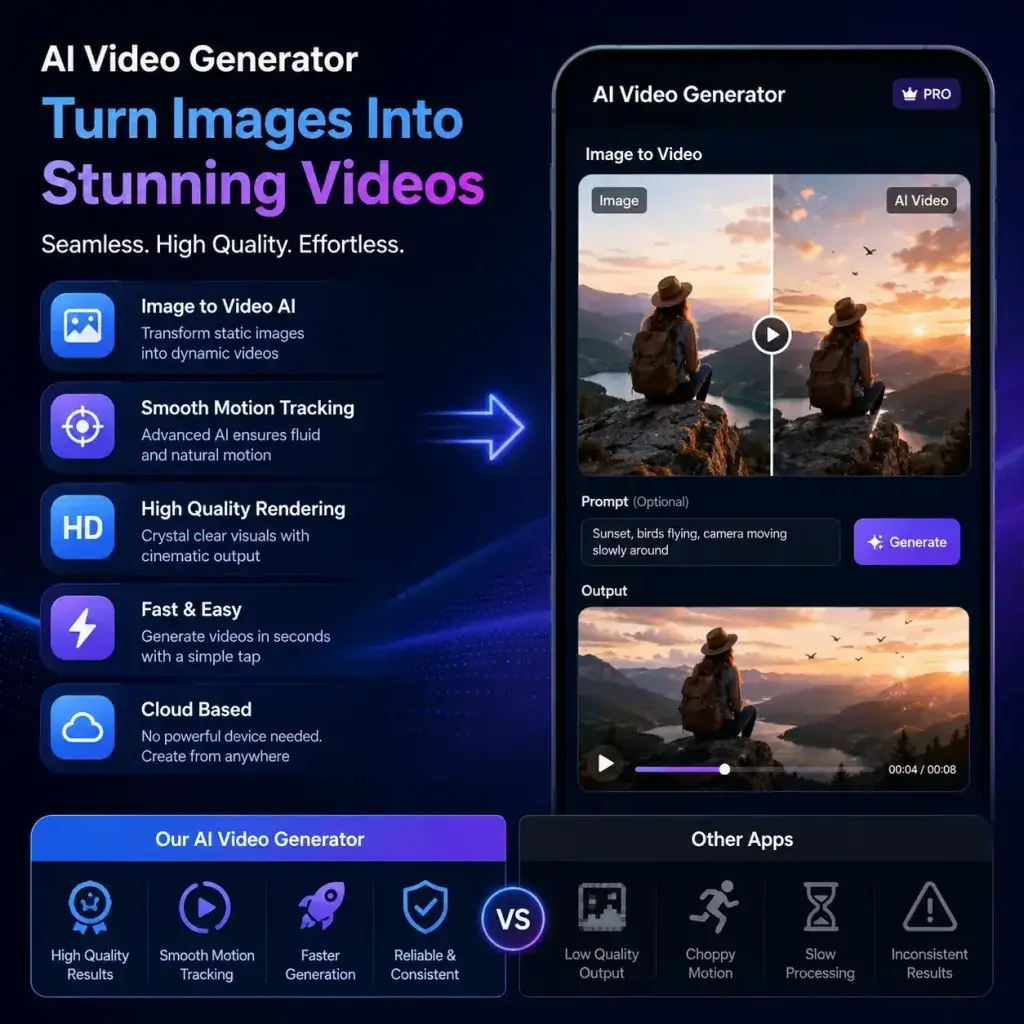
ในฐานะผู้จัดการโซเชียลมีเดีย ฉันต้องการเครื่องสร้างวิดีโอ AI สำหรับวงล้อ โปรแกรมสร้างภาพเป็นวิดีโอ AI ออนไลน์นี้ช่วยฉันประหยัดเวลาได้หลายชั่วโมง เอฟเฟกต์การเคลื่อนไหวนั้นราบรื่นและเป็นเครื่องสร้างวิดีโอ AI ฟรีที่ดีที่สุดที่ฉันเคยทดสอบ
ทางเลือกเครื่องกำเนิดวิดีโอ Grok 3 ที่ยอดเยี่ยม
ก่อนหน้านี้ฉันใช้โปรแกรมสร้างวิดีโอ Grok 3 แต่ทางเลือก Genv AI ออนไลน์นี้เร็วกว่าและเชื่อถือได้มากกว่ามาก วิดีโอจากฟีเจอร์ prompt AI เข้าใจคำสั่งที่ซับซ้อนได้อย่างสมบูรณ์แบบ ทำให้ขั้นตอนการสร้างเนื้อหาในแต่ละวันของฉันมีประสิทธิภาพอย่างเหลือเชื่อและปราศจากความเครียด
โปรแกรมสร้างวิดีโอภาพยนตร์ AI ที่สมบูรณ์แบบ
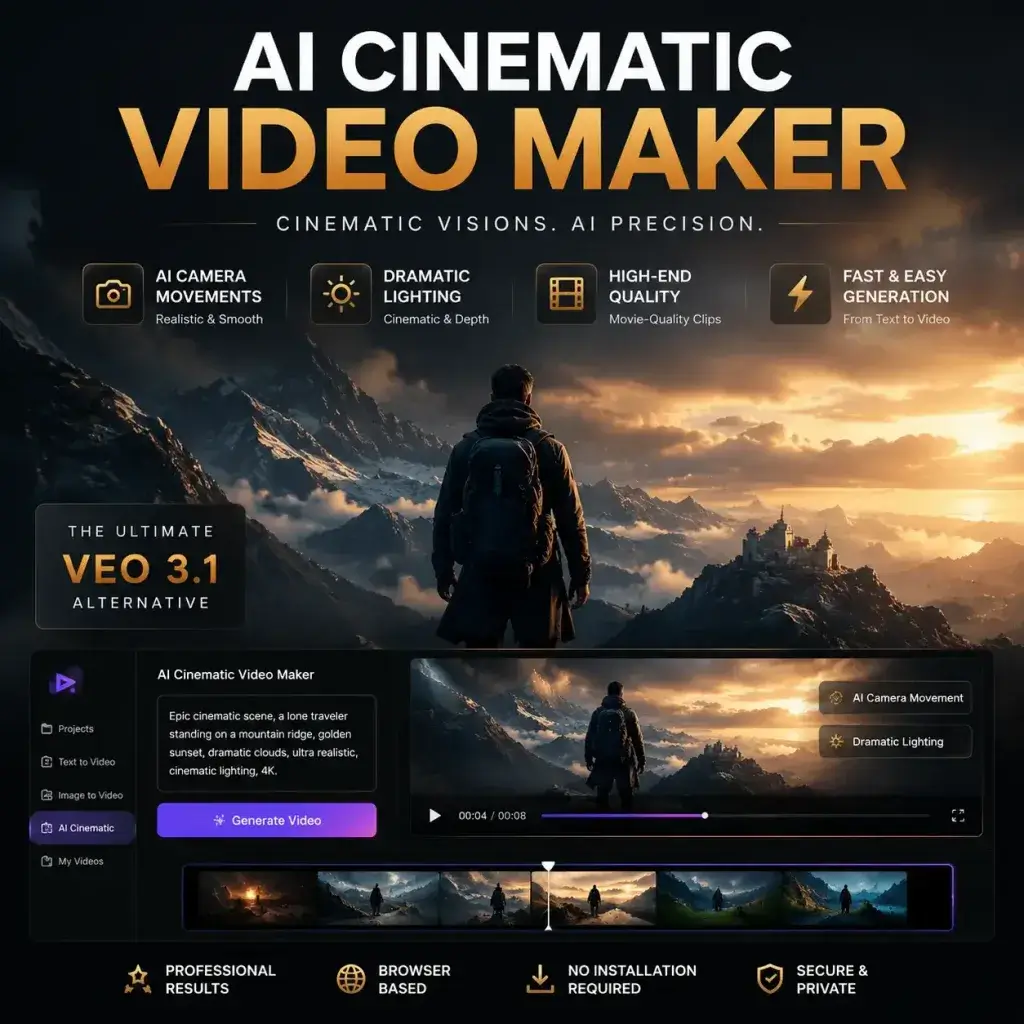
เครื่องมือสร้างวิดีโอภาพยนตร์ AI ที่มีให้ที่นี่น่าทึ่งอย่างยิ่ง ฉันใช้มันเป็นประจำเพื่อสร้างภาพที่สร้างบรรยากาศและอารมณ์ให้กับหนังสั้นของฉัน สามารถเทียบเคียงกับเครื่องสร้างวิดีโอ Veo 3.1 AI ได้อย่างง่ายดายในแง่ของแสงที่สมจริงและไดนามิกของกล้องที่ราบรื่น
การเปลี่ยนแอป Genv AI ที่ยอดเยี่ยม
การค้นหาแอปสร้างวิดีโอ Genv AI ที่เชื่อถือได้นั้นยากจริงๆ จนกระทั่งฉันได้ลองใช้แพลตฟอร์มนี้ อินเทอร์เฟซใช้งานง่ายมากและโปรแกรมสร้างวิดีโอ AI ฟรี ไม่มีนโยบายการลงทะเบียน หมายความว่าฉันสามารถเข้าไปใช้งานได้ทันทีโดยไม่ต้องสร้างบัญชี
เครื่องกำเนิดข้อความ AI ยอดนิยมสำหรับภาพยนตร์
ฉันชอบฟีเจอร์ตัวสร้างข้อความเป็นภาพยนตร์ AI มาก ใช้ข้อความธรรมดาของฉันและเปลี่ยนให้เป็นลำดับภาพยนตร์ที่สวยงาม มันเป็นทางเลือก Genv ที่ยอดเยี่ยมสำหรับทุกคนที่ต้องการทำให้รูปภาพเคลื่อนไหว AI ได้อย่างง่ายดายและรวดเร็ว
เครื่องมือสร้างวิดีโอ Genv AI ที่น่าทึ่งฟรี
ฉันกำลังมองหาแอปอย่าง Genv AI และพบแพลตฟอร์มนี้ เครดิตไม่จำกัดสำหรับงานสร้างวิดีโอ AI ช่วยชีวิตได้ มันเป็นโปรแกรมสร้างวิดีโอ AI ฟรีอย่างแท้จริง ไม่มีการสมัครสมาชิกไม่มีขีดจำกัด และคุณภาพก็โดดเด่น!
รูปภาพที่ดีที่สุดสำหรับ Video AI Generator ออนไลน์
ในฐานะผู้จัดการโซเชียลมีเดีย ฉันต้องการเครื่องสร้างวิดีโอ AI สำหรับวงล้อ โปรแกรมสร้างภาพเป็นวิดีโอ AI ออนไลน์นี้ช่วยฉันประหยัดเวลาได้หลายชั่วโมง เอฟเฟกต์การเคลื่อนไหวนั้นราบรื่นและเป็นเครื่องสร้างวิดีโอ AI ฟรีที่ดีที่สุดที่ฉันเคยทดสอบ
ทางเลือกเครื่องกำเนิดวิดีโอ Grok 3 ที่ยอดเยี่ยม
ก่อนหน้านี้ฉันใช้โปรแกรมสร้างวิดีโอ Grok 3 แต่ทางเลือก Genv AI ออนไลน์นี้เร็วกว่าและเชื่อถือได้มากกว่ามาก วิดีโอจากฟีเจอร์ prompt AI เข้าใจคำสั่งที่ซับซ้อนได้อย่างสมบูรณ์แบบ ทำให้ขั้นตอนการสร้างเนื้อหาในแต่ละวันของฉันมีประสิทธิภาพอย่างเหลือเชื่อและปราศจากความเครียด
โปรแกรมสร้างวิดีโอภาพยนตร์ AI ที่สมบูรณ์แบบ
เครื่องมือสร้างวิดีโอภาพยนตร์ AI ที่มีให้ที่นี่น่าทึ่งอย่างยิ่ง ฉันใช้มันเป็นประจำเพื่อสร้างภาพที่สร้างบรรยากาศและอารมณ์ให้กับหนังสั้นของฉัน สามารถเทียบเคียงกับเครื่องสร้างวิดีโอ Veo 3.1 AI ได้อย่างง่ายดายในแง่ของแสงที่สมจริงและไดนามิกของกล้องที่ราบรื่น
การเปลี่ยนแอป Genv AI ที่ยอดเยี่ยม
การค้นหาแอปสร้างวิดีโอ Genv AI ที่เชื่อถือได้นั้นยากจริงๆ จนกระทั่งฉันได้ลองใช้แพลตฟอร์มนี้ อินเทอร์เฟซใช้งานง่ายมากและโปรแกรมสร้างวิดีโอ AI ฟรี ไม่มีนโยบายการลงทะเบียน หมายความว่าฉันสามารถเข้าไปใช้งานได้ทันทีโดยไม่ต้องสร้างบัญชี
เครื่องกำเนิดข้อความ AI ยอดนิยมสำหรับภาพยนตร์
ฉันชอบฟีเจอร์ตัวสร้างข้อความเป็นภาพยนตร์ AI มาก ใช้ข้อความธรรมดาของฉันและเปลี่ยนให้เป็นลำดับภาพยนตร์ที่สวยงาม มันเป็นทางเลือก Genv ที่ยอดเยี่ยมสำหรับทุกคนที่ต้องการทำให้รูปภาพเคลื่อนไหว AI ได้อย่างง่ายดายและรวดเร็ว