Model
Video Fast 1.5 Lite Free
Premium video quality — 3-second clips free to try. Limited-Time Availability.
Image
Drag & Drop, Paste, or Click to Upload
PNG, JPG, JPEG, WEBP , Max 20 MB
Prompt
0 / 1500
Audio
Prompt Extend
Duration
3s
Resolution
720p
1080p
Number of Results
Create
Sample Video
Sample video preview

Free Genv AI Video Generator & Image to Video AI

Discover the best free AI video generators with our powerful Genv AI video generator. It is perfect for creators needing a reliable image to video AI generator online. Make image move AI effortlessly and create stunning, high-quality video clips without any limits or restrictions.

Original Image
Prompt
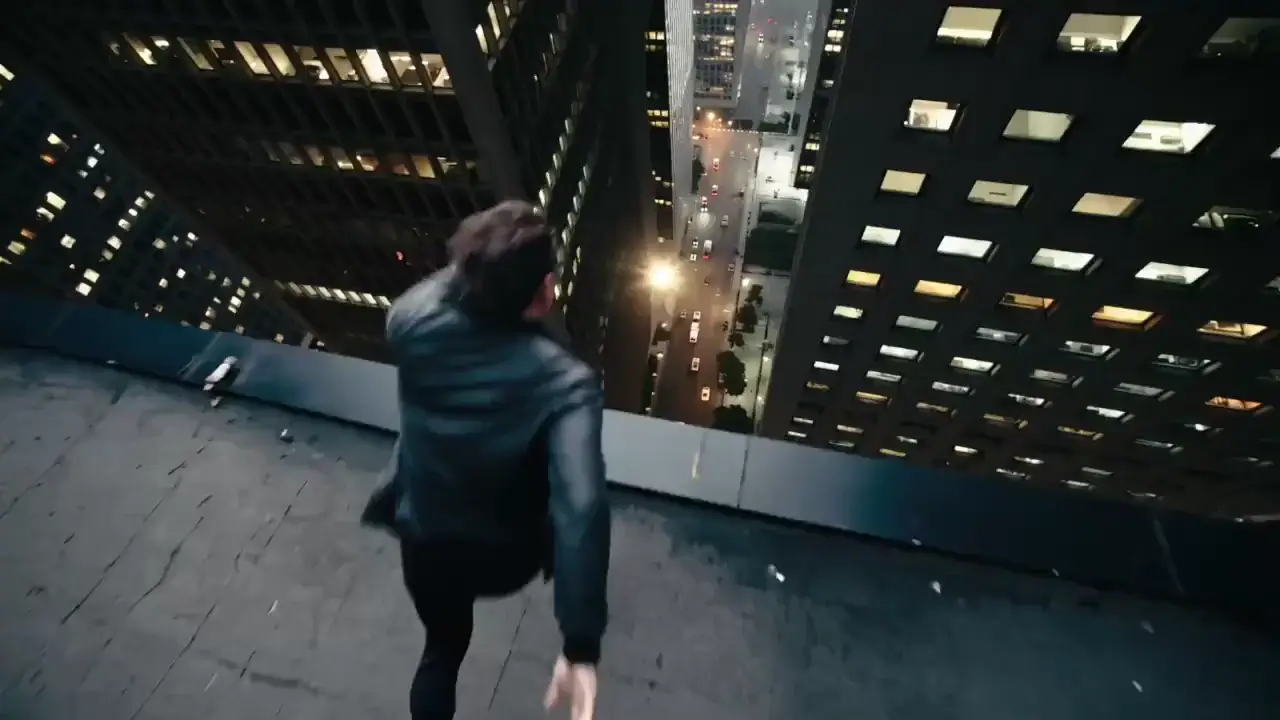
The camera follows as the character forms a hand seal with both hands, gathering boundless energy throughout their body. One hand shoots a massive energy beam forward, and the camera tracks the beam as it crashes into a massive snow mountain, resulting in a violent explosion, showcasing the character's immense power and presence.
Generated Clip
Original Image
Prompt
A butterfly flies from the distance toward an ancient scroll resting on a table. As the butterfly lands on the scroll, it simultaneously unfurls from both sides, unfolding completely.
Generated Clip
Original Image
Prompt
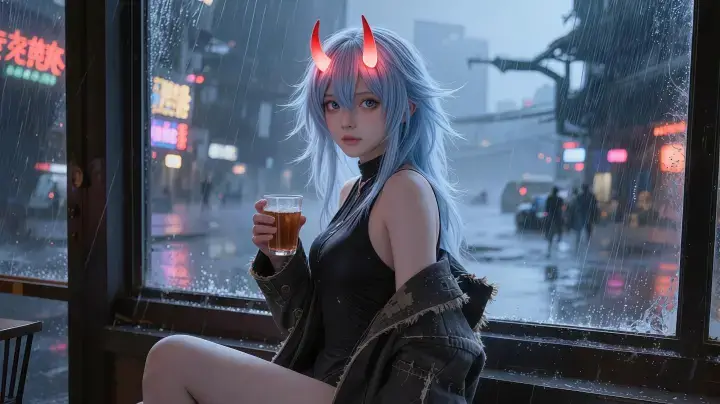
A handheld camera closely follows a beautiful woman holding a cup of tea as she stands up to avoid the heavy rain outside the window. She spontaneously begins a sensual dance, her movements smooth and fluid. The lighting shifts dynamically, with ultra-HD details and cinematic color grading.
Generated Clip

Why Choose Our AI Image to Video Generator Free

Experience a truly accessible AI video generator free no sign up with unlimited credits for AI video generator tasks. Our advanced photo to video AI generator lets you make image move AI seamlessly, offering a true cinematic AI video generator experience for all creative users.

Genv AI Video Generator App Features

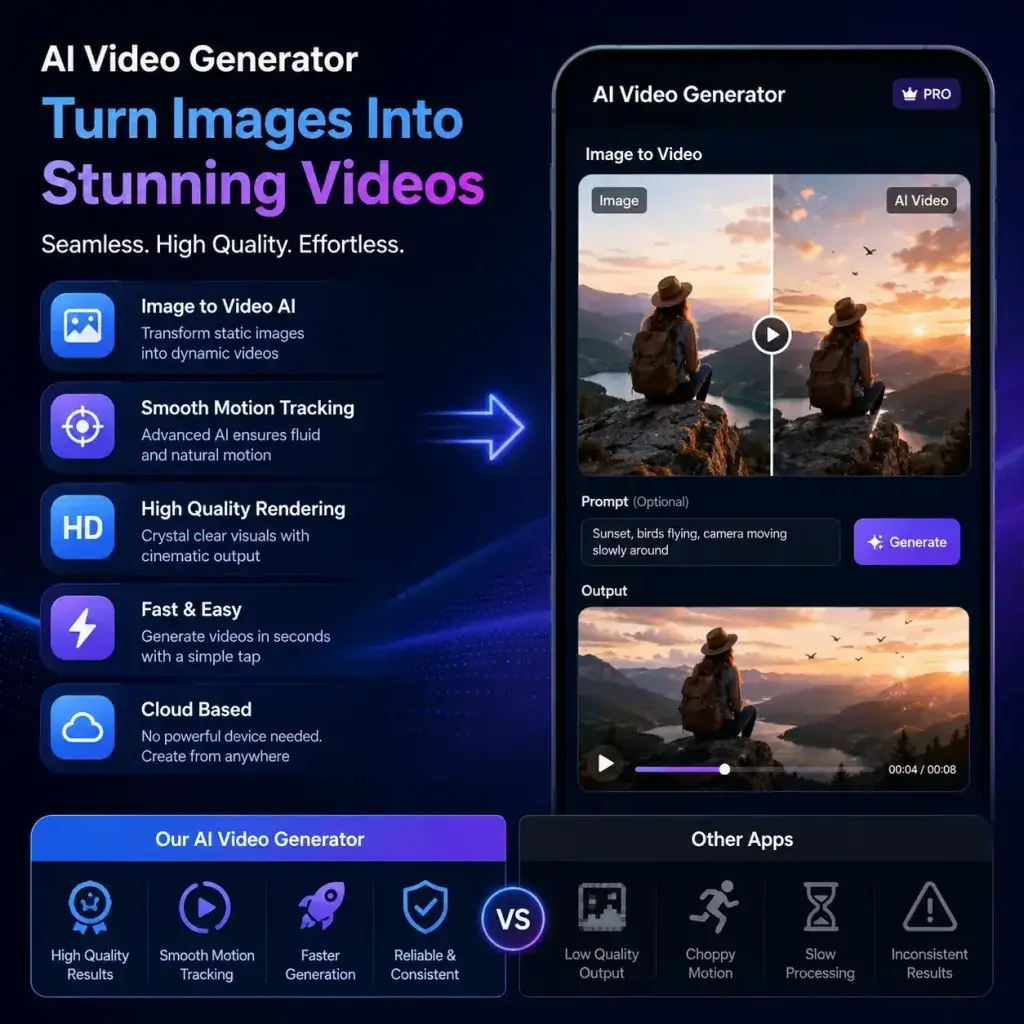
The Genv AI video generator app provides a remarkably seamless image to video AI free experience. Unlike other apps like Genv AI, our platform ensures consistently high-quality rendering and smooth motion tracking. Use this reliable Genv AI alternative online to transform static photos into dynamic, lifelike scenes effortlessly.

Generate Now

Video from Prompt AI Capabilities

Create stunning visuals easily with our advanced video from prompt AI technology. This powerful text to movie AI generator allows you to describe complex scenes and watch them come to life instantly. It serves as an excellent Grok 3 text to video alternative for highly detailed prompt-based generation.

Generate Now

AI Cinematic Video Maker Tools

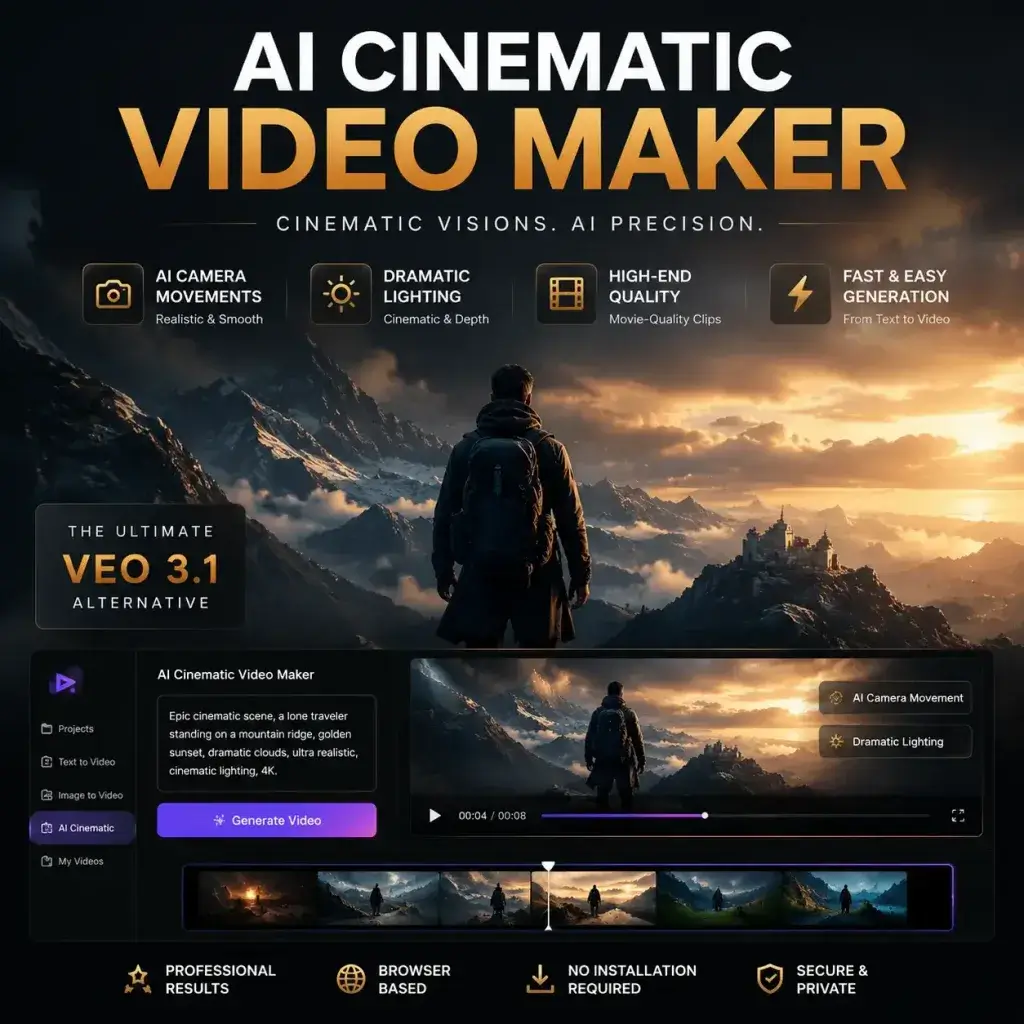
Elevate your visual storytelling with our professional AI cinematic video maker. This advanced cinematic AI video generator automatically adds realistic camera movements and dramatic lighting. It is the perfect Veo 3.1 AI video generator alternative for producing high-end, movie-quality clips directly from your web browser.

Generate Now

How to Use Our Online Tool to Generate Video

Step 1: Upload or Prompt

Start by uploading your image or typing a detailed text prompt. Our AI video from photo online tool accepts various formats, making it easy to initiate the generation process for your next project.

Step 2: Customize Settings

Adjust the motion intensity, camera angles, and duration. This AI image to video generator free interface lets you fine-tune parameters to ensure the final output matches your creative vision perfectly.

Step 3: Generate and Download

Click generate to process your request. Once the AI video generator free no sign up completes the rendering, you can instantly preview and download your high-resolution video file directly to your device.

Use Cases for Our AI Video Generator

Our platform excels as an AI video generator for YouTube shorts and an AI video generator for reels, often compared to Gen V AI. Content creators use this image to video AI generator online to repurpose static blog images into engaging social media clips. Marketers leverage the photo to video AI generator to create dynamic product showcases without expensive shoots. Additionally, indie filmmakers utilize the text to movie AI generator to storyboard complex scenes, making it a versatile tool for digital storytelling and rapid content production.

Social Media
E-Commerce
Filmmaking
Content Creation

Social Media Shorts Creation

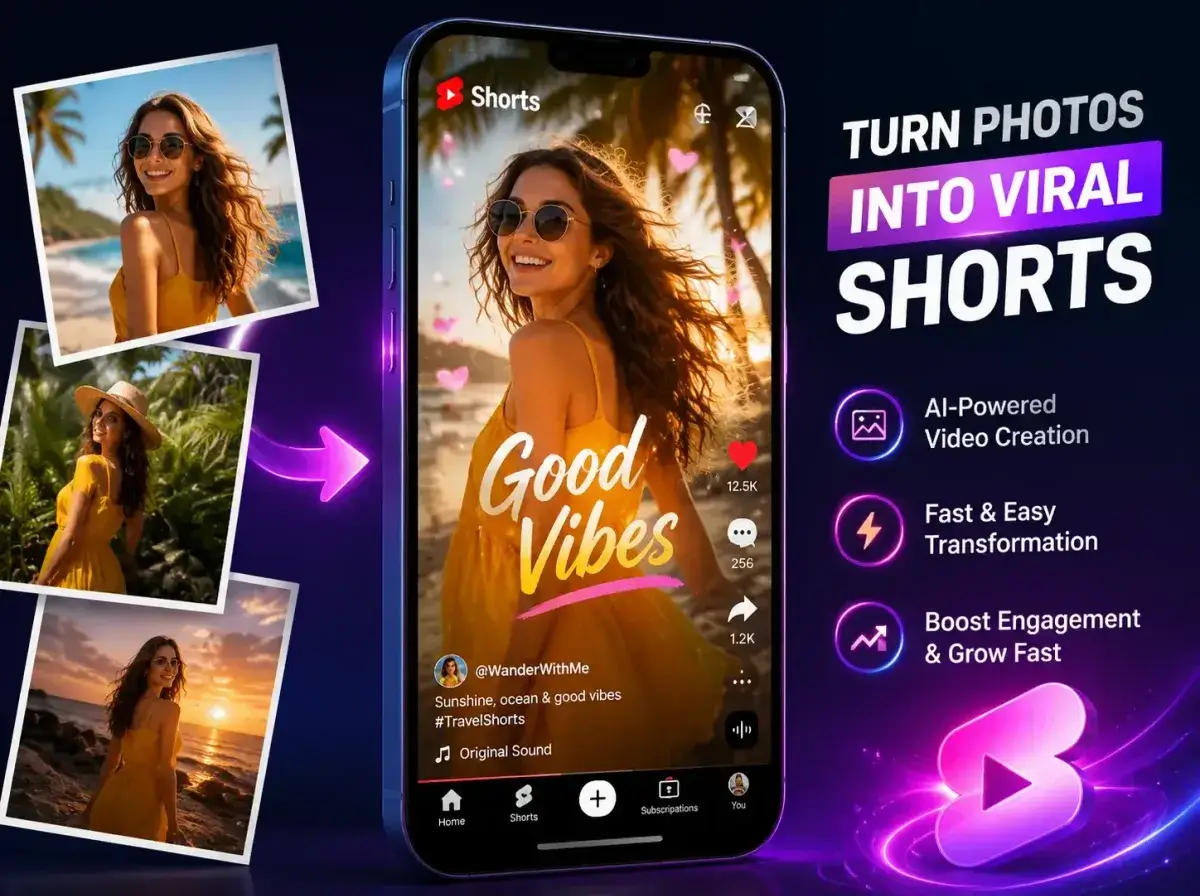
Transform static photos into viral clips using our AI video generator for YouTube shorts. This feature helps influencers maintain a consistent posting schedule by quickly generating engaging visual content from simple images.

What Users Say About Our Genv Alternative

Amazing Genv AI Video Generator Free Tool

I was looking for apps like Genv AI and found this platform. The unlimited credits for AI video generator tasks are a lifesaver. It truly is an AI video generator free no sign up no limits, and the quality is outstanding!

Sarah Jenkins
Creator

Best Image to Video AI Generator Online

As a social media manager, I need an AI video generator for reels. This image to video AI generator online saves me hours. The motion effects are smooth, and it's the best free AI video generators I've tested.

Marcus Chen
Social Media Manager

Excellent Grok 3 Video Generator Alternative

I previously used the Grok 3 video generator, but this Genv AI alternative online is much faster and more reliable. The video from prompt AI feature understands complex instructions perfectly, making my daily content creation workflow incredibly efficient and stress-free.

Elena Rodriguez
Content Creator

Perfect AI Cinematic Video Maker

The AI cinematic video maker tools available here are absolutely incredible. I use it regularly to create moody, atmospheric shots for my short films. It easily rivals the Veo 3.1 AI video generator in terms of realistic lighting and smooth camera dynamics.

David Smith
Filmmaker

Great Genv AI App Replacement

Finding a reliable Genv AI video generator app was really tough until I tried this platform. The interface is highly intuitive, and the AI video generator free no sign up policy means I can jump right in without creating an account.

Chloe Williams
Designer

Top Notch Text to Movie AI Generator

I absolutely love the text to movie AI generator feature. It takes my simple text prompts and turns them into beautiful cinematic sequences. It is a fantastic Genv alternative for anyone wanting to make image move AI effortlessly and quickly.

James Wilson
Marketer

Amazing Genv AI Video Generator Free Tool

I was looking for apps like Genv AI and found this platform. The unlimited credits for AI video generator tasks are a lifesaver. It truly is an AI video generator free no sign up no limits, and the quality is outstanding!

Sarah Jenkins
Creator

Best Image to Video AI Generator Online

As a social media manager, I need an AI video generator for reels. This image to video AI generator online saves me hours. The motion effects are smooth, and it's the best free AI video generators I've tested.

Marcus Chen
Social Media Manager

Excellent Grok 3 Video Generator Alternative

I previously used the Grok 3 video generator, but this Genv AI alternative online is much faster and more reliable. The video from prompt AI feature understands complex instructions perfectly, making my daily content creation workflow incredibly efficient and stress-free.

Elena Rodriguez
Content Creator

Perfect AI Cinematic Video Maker

The AI cinematic video maker tools available here are absolutely incredible. I use it regularly to create moody, atmospheric shots for my short films. It easily rivals the Veo 3.1 AI video generator in terms of realistic lighting and smooth camera dynamics.

David Smith
Filmmaker

Great Genv AI App Replacement

Finding a reliable Genv AI video generator app was really tough until I tried this platform. The interface is highly intuitive, and the AI video generator free no sign up policy means I can jump right in without creating an account.

Chloe Williams
Designer

Top Notch Text to Movie AI Generator

I absolutely love the text to movie AI generator feature. It takes my simple text prompts and turns them into beautiful cinematic sequences. It is a fantastic Genv alternative for anyone wanting to make image move AI effortlessly and quickly.

James Wilson
Marketer

News

Pictory AI Video Generator: Complete Guide, Honest Review & Alternatives [2026]

Pictory AI Video Generator: Complete Guide, Honest Review & Alternatives [2026]

The AI video market topped $847 million in 2026, yet most creators still struggle with tight budgets and limited editing skills. Pictory AI promises to fix that — turning scripts, blog posts, and URLs into finished videos in minutes. With nearly every YouTube review loaded with affiliate links, honest takes are rare. This guide covers how Pictory works, what it costs, where it shines, where it falls short, and how it stacks up against top alternatives. What Is Pictory AI Video Generator? Pictory AI is a cloud-based platform that converts text-based content into finished videos without editing expertise. It’s best understood as a content repurposing engine — not a cinematic production tool. Over 20,000 companies use it, drawing from more than 10 million stock media files. How Pictory AI Works Users provide text — a script, blog post, URL, or presentation — and Pictory’s AI breaks it into scenes, matches stock footage, adds voiceover, generates captions, and exports a platform-ready video. Five creation modes are available: Script to Video, Article/URL to Video, Edit Video Using Text, Visuals to Video, and the newer AI Studio for prompt-based generation. Key Features Overview Who Is Pictory Best For? Pictory works well for content marketers repurposing blogs, B2B teams scaling video production, faceless YouTube creators, and educators converting lessons into video. It is not ideal for creators needing cinema-quality original footage, professional editors wanting granular control, avatar-focused video, or mobile-first workflows — there is no mobile app. Pictory AI Pricing Plans in 2026 Free Trial — What You Actually Get Pictory’s free trial includes 3 watermarked videos capped at 10 minutes — enough to test the interface but barely sufficient for real evaluation. CapCut exports watermark-free for free, and Kapwing offers watermark-free output at 720p. Paid Plans Breakdown (Standard, Premium, Teams) Plan Price Videos/Month Max Length AI Voices Standard $23/mo ($19 annual) 30 10 min 34 Premium $39/mo 60 20 min 60 Teams $99/mo 90 (3 users) 20 min 60 Enterprise Custom Custom Custom Full access A 15% annual billing discount applies across all tiers. How Pictory’s Pricing Compares to Competitors Tool Monthly Price Free Tier Best For Pictory $23+ 3 videos, watermarked Blog/script to video InVideo AI $28+ 480p exports Template variety Synthesia $18+ (annual) Limited demo AI avatar videos CapCut Free / $7.99 No watermark Budget editing HeyGen $24+ Limited Lip-sync dubbing VEED $12+ With limits Team collaboration Fliki $21+ Limited Multilingual voiceovers How to Use Pictory AI Video Generator (Step-by-Step) Getting Started — Account Setup and Dashboard The dashboard presents four creation modes after signup. Choose based on your starting material: a written script, a published blog URL, a video needing trimming, or your own visual assets. Script to Video — Turn Any Script into a Video Pictory’s most popular mode. Paste your script, and the AI segments it into scenes, assigns stock footage, and adds voiceover. Swap clips, adjust timing, and customize fonts and music before exporting. Pro tip: Use ChatGPT to write scripts with concrete visual descriptions — this improves footage matching accuracy. Expect to manually replace 30–50% of auto-selected clips for best results. Article/URL to Video — Repurpose Blog Content Paste a URL or article text and Pictory extracts key points, builds scenes, and assembles a video summary. This is arguably the platform’s strongest differentiator. Listicles, how-to guides, and data-driven posts tend to produce the best scene matches. Edit Video Using Text — Trim by Editing Transcripts Upload a video and Pictory generates a transcript. Edit the text to cut sections, strip filler words, or trim silence — the video updates accordingly. Great for repurposing webinars and long recordings into short clips. Visuals to Video — Upload Your Own Media Bring your own images, clips, or slides and let Pictory handle voiceover, captions, and formatting. This mode sidesteps the stock footage matching problem entirely while still benefiting from AI narration and auto-captioning. Tips for Getting Better Results with Pictory AI Writing Scripts That AI Matches Accurately Stock footage mismatch is the most common complaint. To minimize it, use concrete, visual nouns instead of abstract concepts. Write one idea per scene, avoid metaphors, and keep sentences short. Bracketed visual cues like “[show: person working at laptop]” can guide the AI toward better selections. Customizing Voiceovers and Audio Built-in voices have received mixed reviews, but the ElevenLabs premium voices on paid plans are a clear upgrade. For maximum quality, record narration externally and upload the audio file into Pictory. Branding and Visual Consistency Premium plans include brand kits — custom logos, color palettes, fonts, and templates. Setting up a brand kit early saves significant time when producing videos at scale. Optimizing Output for YouTube, TikTok, and Instagram Use aspect ratio presets (16:9, 9:16, 1:1) to export platform-optimized versions from one script. For YouTube, also optimize title keywords, descriptions, and chapter markers. Pictory AI Pros and Cons — Honest Assessment What Pictory Does Well Where Pictory Falls Short Is Pictory Worth It in 2026? Yes, if you need to repurpose written content at scale or produce quick social media clips without a video editor. No, if you need original AI footage (Runway or Kling), avatar videos (Synthesia or HeyGen), or a free solution (CapCut). Judge Pictory on its core strength: scalable content repurposing. Pictory vs. Top Alternatives Compared Pictory vs. InVideo AI Both convert text into template-based videos. InVideo offers 10,000+ templates and integrates Sora 2 and VEO 3.1 models; Pictory’s blog/URL-to-video repurposing is stronger. Pictory for content recycling; InVideo for template diversity. Pictory vs. Synthesia Different markets entirely. Synthesia specializes in AI avatar videos for corporate training (200+ avatars, ISO 42001 compliance). Synthesia for enterprise training; Pictory for text-to-stock-video repurposing. Pictory vs. CapCut CapCut offers free watermark-free exports, a full mobile app, and deep editing tools. Pictory is simpler for automated text-to-video but costs more. CapCut for budget editing; Pictory for hands-off automation. Pictory vs. Runway Completely different categories. Runway generates original cinema-grade footage (Gen 4.5); Pictory assembles stock media from text. Runway for creative originals; Pictory for scalable

Dreamina AI Video Generator: Complete Guide & Honest Review (2026)

Dreamina AI Video Generator: Complete Guide & Honest Review (2026)

With over 6.5 million YouTube views on a single Seedance 2.0 tutorial and daily Reddit threads debating whether Dreamina is “a scam” or “the best AI video tool of 2026,” ByteDance’s creative platform has become the most divisive name in AI video generation. The trouble is finding trustworthy information. Most existing coverage reads like promotional material or angry forum rants. This guide synthesizes professional reviews, Reddit communities, YouTube creators, and official documentation to give you a balanced picture of what Dreamina actually offers, what it costs, and whether it fits your workflow. What Is Dreamina AI? ByteDance’s All-in-One AI Creative Suite Dreamina AI is ByteDance’s free creative platform — formerly CapCut Dream Studio — that bundles text-to-image, text-to-video, image-to-video, audio generation, avatar creation, and canvas editing into a single tool. It houses flagship models like Seedance 2.0 for video and Seedream 4.5/5.0 for images, alongside third-party options like Sora 2 and Veo 3.1. Dreamina vs. Jimeng AI — What’s the Difference? Dreamina is the international edition of Jimeng AI, ByteDance’s Chinese domestic platform running on the Volceengine backend. The distinction matters: Jimeng typically offers lower pricing (roughly $9.60/month versus $18–$84 internationally), fewer content restrictions, and earlier access to newer models. References to “Jimeng” or “Jianying” in online discussions point to the same underlying technology in a different regional package. How Dreamina Fits Into the CapCut & TikTok Ecosystem ByteDance built a deliberate content pipeline: Dreamina generates, CapCut edits, and TikTok distributes. This native integration is Dreamina’s strongest structural advantage — no competing AI video tool offers a seamless path from generation to polished short-form content on a billion-user social platform. Key Features of Dreamina AI Video Generator Text-to-Video Generation (Seedance 2.0 & Video 3.0 Pro) Type a prompt and generate video up to 15 seconds at 720p. Seedance 2.0 delivers the strongest motion physics and lip sync. However, based on user reports, Dreamina may only offer the Seedance 2.0 Fast (distilled) variant rather than the full Pro version. Image-to-Video Conversion (Make Any Photo Move) Upload a still image and Dreamina animates it with AI-driven motion — useful for product photos, portraits, and artistic transformation. Features include BGM rhythmization and a 3-second extension option. Images containing human faces may trigger the content filter. Omni Reference — Character & Scene Consistency Dreamina’s standout differentiator. Omni Reference lets you upload reference images, videos, or audio to maintain character appearance and visual style across multiple clips. For creators building multi-scene narratives or maintaining brand consistency, this feature is genuinely unique in the free tier space. Multi-Frame & Multi-Shot Storytelling Multi-Frame supports up to 10–20 keyframes for coherent narratives across scenes, while Multi-Shot enables different camera angles of the same scene. Popular tutorials demonstrate using reference image grids (4×4, 3×3) to guide this workflow. Native Audio Generation & Lip Sync Recent updates added voice dialogue in multiple languages, background music, and sound effects. Lip sync earns consistent praise, but audio quality remains weak — voices sound artificial, characters share identical tones, and context matching is unreliable. Canvas Editor (Inpaint, Upscale, Expand) Dreamina also includes Inpaint (edit areas), Upscale (up to 4K), Expand (extend boundaries), and Remove (erase objects), plus frame interpolation (24fps → 30/60fps) and selective clip editing. AI Avatar Generator The Cast/Avatar feature creates digital humans and AI presenters via Seedance 2.0 — useful for faceless channels and product demos, though users report declining reliability after silent platform updates. How to Use Dreamina AI — Step-by-Step Creating an Account & Getting Free Credits Visit dreamina.capcut.com and sign up with Google, email, or TikTok. Accounts historically received 120 free credits daily, but as of mid-2026, many users report reduced or eliminated allotments. Availability varies by region. Generating Your First AI Video (Text-to-Video) Select the video tool, choose Seedance 2.0 for top quality, write a descriptive prompt, set your aspect ratio and duration, then generate. One generation typically costs 75–825 credits depending on the model, resolution, and clip length. Image-to-Video Workflow Upload a high-resolution image with a clear subject, add a motion prompt, choose your duration, and generate. Use images without human faces to avoid triggering the content filter. Prompt Tips for Better Dreamina Results No guide covers Dreamina-specific prompt engineering yet. Here are tested principles: Dreamina Pricing: Free Plan vs. Paid Plans Pricing is the most confusing and contentious aspect of the platform. Free Tier — What You Actually Get The free plan provides a fluctuating daily credit allocation with a watermark on all downloads. At 75+ credits per standard generation, expect roughly 1–2 short videos per day. Some users report receiving zero credits since April 2026, while others still get a modest daily allowance. Standard Plan vs. Pro Plan Paid tiers include Standard (~$9.99/month) and Pro (~$19.99/month), both promising increased credits and watermark removal. However, according to multiple user accounts, watermarks persist on certain outputs — particularly lip sync — even on paid plans. How the Credit System Really Works (Cost Per Video) Community-reported data reveals that a 10-second Seedance 2.0 clip costs approximately $0.86, while a 15-second clip runs about $1.33. In one documented case, credit costs jumped from 255 to 825 per generation overnight — a 3.24× increase without any advance notice. For comparison, transparent alternatives charge less: Fal.ai at $0.30/sec, PiAPI at $0.15/sec (Preview), and ArtCraft at $0.16/sec for the full Pro model. Is the Paid Plan Worth It? For high-volume creators already in the CapCut ecosystem, paid plans can deliver value — with caution. Documented risks include mid-subscription price hikes, credit expiration on cancellation, and billing that continues after plan termination. Community advice: start monthly, use a virtual card, and test thoroughly before any annual commitment. Dreamina Pros and Cons — What Users Really Say What Users Love Common Complaints and Known Issues Dreamina vs. Competitors — How It Compares Dreamina vs. Kling AI Kling offers more consistent pricing, fewer content restrictions, and superior face handling — making it the top community-recommended alternative for censorship-frustrated users. Dreamina counters with broader features and CapCut integration. Dreamina vs. Runway (Gen 4)

Fliki AI Video Generator: Honest Review, Pricing & Competitor Comparison (2026)

Fliki AI Video Generator: Honest Review, Pricing & Competitor Comparison (2026)

The Fliki AI Video Generator scores a 4.4 out of 5 on Trustpilot from nearly 3,000 reviews — yet just 2.1 out of 5 on the iOS App Store. That gap reveals precisely where the Fliki AI Video Generator shines and where it falls flat. If you need professional video content but lack editing expertise or budget, you’ve likely noticed dozens of AI tools fighting for your wallet. Choosing poorly means wasted money on a subscription that’s hard to escape. This guide offers a data-driven breakdown of what the Fliki AI Video Generator actually delivers, what it costs, and where it falls short. We reviewed 89 sources — Reddit threads, YouTube critiques, competitor comparisons, and Trustpilot ratings — then measured it against InVideo, Synthesia, Pictory, and VEED. What Is the Fliki AI Video Generator? The Fliki AI Video Generator is an all-in-one text-to-video platform that turns scripts, blog posts, URLs, PowerPoint files, or rough text ideas into polished videos. It offers 2,500+ AI voices across 80+ languages, AI avatars, voice cloning, plus Seedance 2.0 and VEO 3 integrations—targeting creators who want professional output without picking up a camera or learning complex software. Pricing for the Fliki AI Video Generator starts at $28/month with a free tier available. Core capabilities include: How the Fliki AI Video Generator Works Instead of a traditional timeline editor, it uses a slide-based editing model. You provide input (script, URL, blog post, or PowerPoint), and the tool splits it into slides. Each slide gets an AI voiceover, matched visuals from stock libraries (or AI-generated imagery), and auto-subtitles. It also integrates Shutterstock’s library and supports Seedance 2.0 plus Google VEO 3 for higher-quality AI clips. A built-in ChatGPT integration can draft scripts from topic prompts, speeding up the idea-to-video workflow. Who Should Use the Fliki AI Video Generator? Community feedback shows it works best for: It’s not the right fit for editors who demand frame-level timeline control, creators chasing cinematic realism, or projects with heavy multi-speaker dialogue. Key Features Input Format Flexibility It supports a wide range of input types: scripts, blog URLs, PowerPoint files, text ideas, and images. The blog-to-video flow is a standout: paste a URL and it extracts the article, segments it into scenes, and drafts a video. Main complaint: visual-script mismatch. For niche topics, stock footage choices can be irrelevant and require manual replacement. Voice Library and Voice Cloning Voiceover quality is consistently rated as the Fliki AI Video Generator’s top strength. With 2,500+ voices across 80+ languages, it earns repeated praise for breadth and ease of use (including stronger-than-average “kid” voice options). Non-English voices can be uneven versus English, so previews matter. Voice cloning is available, but typically locked to the higher-tier plan. (As with any cloning feature, you should consider consent, right-of-publicity rules, and platform policies.) AI Avatars and Short-Form Content It includes stock and custom avatars with lip-sync. Avatars are useful for off-camera content, but “uncanny valley” is still a recurring user critique. For short-form, it supports 9:16, 16:9, and 1:1 with templates, auto-subtitles, and background music suitable for Shorts/Reels/TikTok-style formats. Seedance 2.0 and VEO 3 These model integrations represent the Fliki AI Video Generator’s biggest recent leap. Seedance 2.0 improves generation speed and motion smoothness; VEO 3 raises the ceiling for AI clip quality. Reddit feedback generally treats these as meaningful upgrades versus older, more “slideshow-like” outputs. Fliki AI Video Generator Pricing Breakdown Quick positioning vs competitors (high level): Practical advice echoed on Reddit: avoid annual commitments until you’ve validated output quality and credit usage with real projects. Fliki AI Video Generator: Pros and Cons Pros Cons Fliki AI Video Generator vs Competitors If your workflow is primarily image-to-video, specialized generators (Kling/Veo/Wan-type tooling) may complement or outperform a text-first suite depending on your quality needs. What Users Say About the Fliki AI Video Generator Reddit threads often describe it as a solid choice for faceless channels and multilingual production, with a recurring caution that generic, templated outputs can underperform without customization. YouTube coverage is frequently affiliate-driven, so user reports on Trustpilot/Reddit tend to be more useful for balancing pros/cons. Fliki AI Video Generator FAQs Is it free? Yes—there’s a free plan with limited minutes, watermarking, and 720p output. How many languages are supported? 80+ languages and 100+ dialects with thousands of voice options; English tends to be strongest, so test non-English voices early. Is it good for faceless YouTube? Yes—script-to-video automation is one of its most common use cases. Can content be monetized? Generally yes, but follow platform disclosure rules and any AI/voice usage policies relevant to your channel and region. Conclusion — Is the Fliki AI Video Generator Worth It? The Fliki AI Video Generator is strongest when you need fast, scalable script-to-video production with unusually broad voice options and flexible inputs (especially blog URL and PPT workflows). It’s weaker if you need precise timeline editing, consistently perfect footage matching, or highly realistic avatars—and the iOS app experience is a notable pain point. If your priority is fast script-to-video at scale, the Fliki AI Video Generator is a compelling monthly test; validate credit usage and output quality with real scripts before committing longer-term.

Higgsfield Unlimited Explained: What AI Video Creators Should Know Before Paying

Higgsfield Unlimited Explained: What AI Video Creators Should Know Before Paying

You subscribed to Higgsfield’s Unlimited plan expecting endless AI video generation. Then you hit a throttled queue, a resolution cap, or a “reached your limit” error on day three. You are not alone — and the confusion is not your fault. After analyzing pricing data from dozens of sources, Reddit threads, and YouTube reviews, users‘ complaint on Higgsfield’s “unlimited” comes with several distinct restrictions not clearly disclosed at purchase. Are they true? Or Higgsfield is over expected? Let’s read the model badges, duration notes, and fair-use details carefully to decode every restriction and compares Higgsfield’s “unlimited” marketing with AI Image to Video’s . What Is Higgsfield AI? How Higgsfield Works as a Multi-Model Aggregator Higgsfield is a multi-model aggregator — a single interface wrapping third-party AI models like Kling 3.0, Sora 2, Google Veo 3.1, Seedance 2.0, and WAN 2.6. It adds proprietary tools on top: Cinema Studio for camera controls, Soul ID for character consistency, and LipSync Studio. This wrapper model is key to understanding pricing. Yaroflasher’s YouTube investigation confirmed Higgsfield wraps Kling AI and Minimax at a 2-4.5x markup over native platform pricing. Key Models Available on Higgsfield The platform spans three categories: Not all models are available on all plans, and “Unlimited” access applies to a specific subset — not the full model library. What Does “Unlimited” Actually Mean on Higgsfield? 365-Day Unlimited Model Passes Ultra-tier annual subscribers ($99/month billed annually) receive a 365-day unlimited pass for one select image model — choose from Nano Banana 2, Wan 2.6, Seedance 1.5 Pro, or Kling 2.6. Volume is genuinely unlimited, but generations route through a slower “standard mode” queue and are subject to the battery system that progressively degrades speed. 7-Day Unlimited Model Promotions Higgsfield periodically offers “unlimited” access to premium video models (Kling 3.0, Seedance 2.0) for paying subscribers. The fine print matters: This is a temporary promotion, not a permanent plan feature. Fair Use, Dynamic Speed Limits, and the Unlimited Queue The battery system is Higgsfield’s speed-throttling mechanism: the more you use unlimited mode, the slower your generations become. Users report speeds ranging from 2 minutes to over 2 hours for the same model. It functions as a soft rate limit disguised as a technical system — while credit-based generation of the same model finishes in under 1 minute. Concurrency Limits and Fair Use Caps Unlimited mode allows only 2-4 simultaneous generations, reduced from 8 after the Christmas 2025 changes. The “reached my limit” error on Ultimate plans is a concurrent cap — not a total volume cap — but the UI does not explain this clearly. Resolution Restrictions in Unlimited Mode All unlimited video output is capped at 720p. Users needing 1080p or 4K must spend credits on upscaling (12-20+ credits). A common workaround: generate at 720p unlimited, then upscale externally with Topaz Video AI. The duration is also limited to 5 second. Unlimited Access vs Credit-Based Priority: The Speed and Quality Gap How the Two-Tier Queue System Works Higgsfield runs two parallel queues. Credit-based generations finish in under 1 minute. Unlimited-mode generations average 10-25 minutes for video — degrading further under the battery system. Same models, same platform, different priority. Key Takeaway: “Unlimited” is not a premium tier on Higgsfield. It is the economy lane. Why Credits Deplete Faster Than Users Expect Credit consumption per generation adds up fast: At Ultra tier (3,000 credits/month), that yields roughly 37-42 Kling 3.0 clips — before factoring in a reported 25-50% failure rate on some models that still consumes credits. The Hidden Cost of Iteration Creative workflows require 3-5 variations per concept, and failed generations still consume credits. One fashion brand owner burned 90% of monthly credits in under a month. Another user calculated a 5-minute video at ~$200 AUD. How to Read Higgsfield Pricing Without Getting Confused Pricing item What to check before paying Monthly price Is it billed monthly or annually? Credits How many credits are included each month? Unlimited badge Which exact model is Unlimited? Duration 365-day or N-day access? Resolution Which resolutions are included? Queue Unlimited queue or priority queue? Concurrency How many generations can run at once? Subscription condition Does Unlimited end if the subscription ends? Annual vs Monthly Billing — The Fine Print Annual billing is displayed as a monthly rate but charged as a full upfront payment. Ultra shows “$99/month” but charges $1,188 at checkout. Given Higgsfield’s history of changing terms mid-subscription, community members widely recommend monthly billing despite the higher per-month cost. How Pricing Has Changed Higgsfield has restructured pricing at least three times — original tiers (Basic $9/Pro $17-29/Ultimate $24-49/Creator $49-249) transitioned to the current Starter/Plus/Ultra/Business structure. Early Creator plan subscribers paid $149.40/month; the same plan was later offered at $37.40/month. “Unlimited” terms have also changed retroactively for existing subscribers. Where the “Scam” Accusations Come From — And What Is Actually Happening The Christmas 2025 Account Purge On December 19, 2025, Higgsfield mass-banned heavy unlimited plan users. Yaroflasher’s investigation documented leaked Discord messages confirming internal awareness, triggering Trustpilot review-bombing and BBB complaints. Retroactive Changes to Existing Subscriptions Users who purchased plans with specific features found them changed post-purchase: concurrent slots slashed from 8 to 2, censorship filters applied retroactively, and the battery system replaced original unlimited speeds — all without notice. UX Patterns That Erode Trust A CGI professional’s 2-month review on Reddit after 9,000+ generations documented dark patterns: the mobile app resets the “Unlimited” toggle on every generation, defaulting to credit-based mode and making accidental credit spending nearly inevitable. Some issues, like the “Danger Zone” cancellation button, have since been improved. Why These Issues Generate “Scam” Language When users discover time limits, throttling, resolution caps, and battery degradation — none clearly communicated at purchase — the emotional response is predictable. The core issue is not fraud but a significant transparency deficit that fuels overpromise and disappointment. Higgsfield Unlimited vs AI Image to Video Unlimited Higgsfield and AI Image to Video both use the word “Unlimited,” but they mean different things. Higgsfield’s Unlimited is best understood as

PixVerse Image to Video Guide: How to Turn Photos into AI Videos in 2026

PixVerse Image to Video Guide: How to Turn Photos into AI Videos in 2026

You already have a great image. Maybe it is an AI character, a product shot, a pet photo, or a scene you want to turn into a short TikTok-style clip. The real question is simple: can PixVerse turn that still image into a video that looks smooth, usable, and worth posting? That is why many creators search for PixVerse image to video. The workflow sounds easy: upload a photo, describe the motion, choose your settings, and generate a short AI video. But in practice, the result is not always as effortless as demo clips make it look. A weak source image, vague prompt, wrong model choice, or too many retries can quickly turn a “free test” into wasted credits. This guide explains how PixVerse AI image to video works, how to write better prompts, what to know about credits and pricing, and when another AI video generator may be a better fit for your workflow. Looking for a faster image-to-video workflow? Turn Images into AI Videos with AI Image to Video Create short videos from images, test different AI video styles, and build social-ready clips without jumping between too many tools. Try AI Image to Video What Is PixVerse Image to Video? PixVerse image to video is an AI feature that turns a still image into a short animated clip. Instead of building a scene from text alone, PixVerse uses your uploaded image as the visual reference, so the subject, composition, character style, product design, or scene mood can stay closer to your original picture. This makes PixVerse AI image to video more predictable than pure text-to-video. You can upload a product photo and ask for a slow camera push-in, turn an AI character portrait into a blinking or smiling clip, or animate a fantasy scene with drifting fog, moving light, and a cinematic camera pan. As an AI video generator, PixVerse works best for short, visual, social-friendly clips. It can be useful for TikTok, Reels, YouTube Shorts, anime characters, product previews, AI pets, mascots, fantasy scenes, and quick creative tests before making a longer video. It is less ideal for long storytelling, perfect face consistency, or complex scenes with several characters moving at once. Quick takeaway PixVerse is strongest when you give it one clear image and one clear motion idea. It is not a magic “perfect video” button. Better input images and simpler prompts usually matter more than long descriptions. How to Use PixVerse Image to Video Step by Step 1. Set Up Your Account and Claim Free Credits Start by creating an account through Google, Discord, or email. PixVerse usually gives new and free users a limited amount of credits, but the exact amount and reset rules may change. Before planning a daily posting workflow, check the current credit policy inside your account dashboard. 2. Prepare Your Image for Better Output Use a clean, high-resolution image with one clear subject, even lighting, and a simple background. A strong image gives the model less room to guess. Dynamic poses usually animate better than stiff, centered portraits. Best image type One subject, clean edges, clear face or product details, simple composition. Avoid Crowded scenes, tiny faces, messy backgrounds, low-resolution screenshots. 3. Write Motion Prompts That Actually Work The key is to describe motion and camera behavior, not the full image content. PixVerse already sees the uploaded image. If you over-describe the subject, the model may drift away from the original reference. Prompt structure Subject motion + camera motion + lighting or mood + quality style Example: “The character slowly smiles and turns toward the camera, soft camera push-in, warm cinematic lighting, smooth natural motion.” Negative prompts also help. Add terms such as “distorted face, morphing features, blurry, jittery motion” to reduce common failure modes. 4. Configure Resolution, Duration, and Style Settings Start with lower settings when testing. A failed low-resolution preview is cheaper than a failed high-resolution export. Once the motion looks right, then spend credits on higher quality. Shorter clips are usually safer. Five seconds is often enough for TikTok hooks, product shots, character reactions, and visual tests. Longer clips may increase the chance of face shifts, warped hands, or unstable motion. 5. Use Advanced Features Carefully PixVerse supports camera movements such as pan, zoom, orbit, and time-lapse through text prompts. Some versions also support audio, lip sync, multi-shot generation, and seed controls. These features can be powerful, but they also add complexity. For your first tests, keep the scene simple and add advanced controls only after the basic motion works. PixVerse Image-to-Video Pricing and Credit Costs Explained PixVerse uses a credit-based system, which means your real cost depends on how many attempts you need, not just how many final videos you download. This is important because image-to-video generation often takes several tries before you get a usable clip. Plan Type Typical Use Main Limits to Check Best Fit Free / Basic Small daily tests Daily credits, watermark, resolution, queue speed Testing the workflow Standard Regular short-form creation Monthly credits, export quality, commercial rules Creators posting occasionally Pro / Higher Plans Higher-resolution exports and more attempts Credit usage per model, audio cost, upscaling cost Frequent creators and teams The biggest pricing mistake is counting theoretical generations instead of usable videos. If one successful clip takes three attempts, your real cost is roughly three times higher than the listed cost per generation. Audio, longer duration, high resolution, or upscaling can increase credit consumption further. Credit-saving tips Test at lower resolution before exporting a final version. Use negative prompts on every generation. Keep motion simple when face consistency matters. Save strong prompts and reuse them with similar images. Only pay for higher settings after the preview direction looks right. PixVerse vs Kling vs Seedance vs Runway for Image to Video PixVerse is not the only option for image-to-video creation. Different tools perform better in different situations. Some are stronger for realism, some for stylized motion, some for editing control, and some for fast creative testing. Tool Strength Weakness Best

MiniMax or Hailuo AI? Know The Company and Its Competitiveness in Video Generation

MiniMax or Hailuo AI? Know The Company and Its Competitiveness in Video Generation

If you have been following AI video generation lately, you may have noticed two names appearing almost side by side: MiniMax and Hailuo AI. After MiniMax Hailuo appeared at Cannes as a global partner of WAIFF 2026, the question became even more common: is Hailuo AI a standalone tool, a MiniMax product, or a serious new competitor in AI video? The short answer: Hailuo AI is part of the MiniMax ecosystem, but it has become one of the company’s most visible creative products. That distinction matters. Many creators waste time comparing MiniMax and Hailuo as if they were separate platforms. In reality, understanding how they connect — and what Hailuo actually does well — helps you judge whether it is worth testing for AI video creation. This guide clears up the naming confusion, explains MiniMax’s rise, and breaks down Hailuo AI’s real strengths and limits in today’s crowded AI video market. What Is MiniMax and What Is Hailuo AI? The naming confusion is the single biggest barrier for new users trying to evaluate this platform. Let’s untangle it. MiniMax — The Company Behind the Technology MiniMax is a Chinese artificial intelligence company founded in 2022, currently valued at approximately $13.7 billion. Headquartered in Shanghai, the company was established by a team with deep expertise in large-scale AI model development. MiniMax’s mission centers on building multimodal AI — systems that can process and generate text, audio, and video. Unlike companies that specialize in one modality, MiniMax set out to build capabilities across the entire spectrum of media generation from day one. Hailuo AI — MiniMax’s Video Generation Product Hailuo AI is the consumer-facing video generation platform built and operated by MiniMax. Think of it like the relationship between Google (the company) and YouTube (the product) — MiniMax is the parent entity, and Hailuo AI is one of its flagship products. When someone says “I made this with Hailuo AI,” they’re using MiniMax’s technology. When industry reports reference “MiniMax’s video capabilities,” they’re talking about Hailuo. Same technology, different labels depending on context. The Full MiniMax Product Ecosystem Hailuo Video is just one piece of a broader suite: This ecosystem is what sets MiniMax apart from single-product competitors. Each tool feeds into the others, creating a multimodal pipeline that few rivals can match. How MiniMax Achieved Rapid Growth Going from a startup to a $13.7 billion valuation in roughly three years is extraordinary, even by AI industry standards. Here’s how it happened. From Startup to $13.7 Billion Valuation MiniMax attracted significant investment early, positioning itself among the top tier of Chinese AI companies alongside players like Zhipu AI and Moonshot AI. Its valuation grew rapidly through successive funding rounds, fueled by both the global AI investment boom and demonstrable product traction. The company’s ability to ship working products — not just research papers — gave investors confidence that MiniMax could convert technology into revenue. The Multimodal Strategy — Text, Voice, and Video Under One Roof Most AI startups pick one lane: text generation, image creation, or voice synthesis. MiniMax bet on all of them simultaneously. This multimodal approach paid off in two ways. First, it attracted developers who wanted a single API provider for multiple content types. Second, it created natural cross-selling opportunities — a creator using Hailuo for video might also adopt Speech 2.8 for voiceovers. The MiniMax-M2 model, with 230 billion parameters and 10 billion active, provides the foundational intelligence that powers everything from the Talkie character platform to the Video Agent beta. Building an Ecosystem of Products and Partnerships Strategic partnerships accelerated adoption. MiniMax integrated Hailuo 2.3 directly into VEED, a popular professional video editing platform, on launch day. Third-party platforms like Pollo AI and FluxNote also incorporated Hailuo models, expanding its reach beyond the official website. The Hyperbond Studio partnership produced “Call Me Sensei,” a language-learning dating simulator powered by Speech 2.8 — a creative demonstration of how MiniMax’s voice technology extends into interactive entertainment. Global Expansion and Community Adoption Hailuo’s growth isn’t limited to China. International creators have embraced the platform for everything from cinematic short films to anime-style music videos. Notable examples include “NOOR,” an AI-generated love story set during the 1971 Indo-Pak War that combined Hailuo with other AI tools, and “Overlap,” an AI proof-of-concept trailer that accumulated over 664,000 views on YouTube. Reddit communities like r/singularity and r/aipromptprogramming regularly feature Hailuo comparisons and creative showcases. What Makes Hailuo AI Stand Out in Video Generation The AI video generation market is crowded. Veo, Kling, Wan, Runway — each platform claims superiority. Here’s where Hailuo genuinely differentiates itself. Motion Coherence and Physics Simulation Hailuo produces some of the most natural-looking motion in AI-generated video. Dance choreography flows realistically, crowd scenes maintain individual consistency, and object interactions follow believable physics. This is a meaningful differentiator. Many competing platforms still produce jittery movements or physically impossible interactions that break immersion. According to side-by-side comparisons, Hailuo 2.3’s physics handling consistently outperforms its earlier versions and matches or exceeds several Western alternatives. Emotional Micro-Expressions and Character Depth Where Hailuo 2.3 truly shines is in subtle facial expressions — a raised eyebrow, a slight smile, a moment of hesitation. This capability makes it particularly strong for narrative and character-driven content. A comparison of 10 emotional states across Minimax, Kling, Vidu, and Runway showed Hailuo rendering nuanced emotion with greater consistency. For creators producing storytelling content, this matters more than raw resolution. Anime, Illustration, and Stylized Content Hailuo 2.3 introduced dedicated optimization for anime and illustrative styles, an area where many competitors focus exclusively on photorealism. Creators working in stylized genres — anime shorts, illustrated narratives, motion comics — find that Hailuo handles non-photorealistic content with fewer artifacts. This specialization has attracted a growing community of anime content creators who previously relied on image-only AI tools. Versatile Generation Modes Hailuo offers multiple input workflows: Each mode serves different creator needs. Director Mode is essential for filmmakers wanting cinematic control, while Subject Reference solves the persistent problem of character consistency that plagues most

FAQs About Genv AI Video Generator

Is this a free Genv AI video generator?

Yes, our platform operates as a completely Genv AI video generator free tool. You can access all core features, generate high-quality videos, and download them without paying anything, making it one of the best free AI video generators available online today.

Do I need an account to use the AI video generator free no sign up?

No, you do not need an account to use our tool. Our strict AI video generator free no sign up policy allows you to start creating immediately. Simply upload your image or enter a text prompt, and the system will process your request instantly.

Can I use this as a Genv alternative for unlimited videos?

Yes, we offer completely unlimited credits for AI video generator tasks. This makes our platform a highly effective Genv alternative, allowing you to generate as many videos as you need without worrying about strict daily limits, hidden fees, or frustrating paywalls.

How does it compare to the Grok 3 text to video model?

While the Grok 3 text to video model and the grok3api are powerful, our platform offers a much more accessible web interface and significantly faster rendering times. It serves as an excellent Grok 3 video generator alternative for users seeking quick, high-quality results without coding.

Is this tool good as an AI video generator for YouTube shorts?

Absolutely. Our tool is specifically optimized as an AI video generator for YouTube shorts and reels. It fully supports vertical aspect ratios and dynamic motion presets that are specifically designed to maximize viewer engagement and retention on short-form social media platforms.

Can I make image move AI with cinematic effects?

Yes, you can easily make image move AI using our advanced cinematic AI video generator features. You can apply professional camera movements, realistic depth of field effects, and dramatic lighting to transform ordinary static photos into stunning, high-end cinematic clips.

Does it work as an image to video AI generator online?

Yes, it functions entirely as an image to video AI generator online. There is absolutely no software to download; all heavy processing happens securely in the cloud, allowing you to generate videos from any device with a standard web browser.

Are there any apps like Genv AI that offer no limits?

Finding apps like Genv AI with truly no limits is rare, but our platform provides an AI video generator free no sign up no limits experience. We prioritize accessibility, ensuring creators can experiment freely without ever hitting restrictive credit walls.