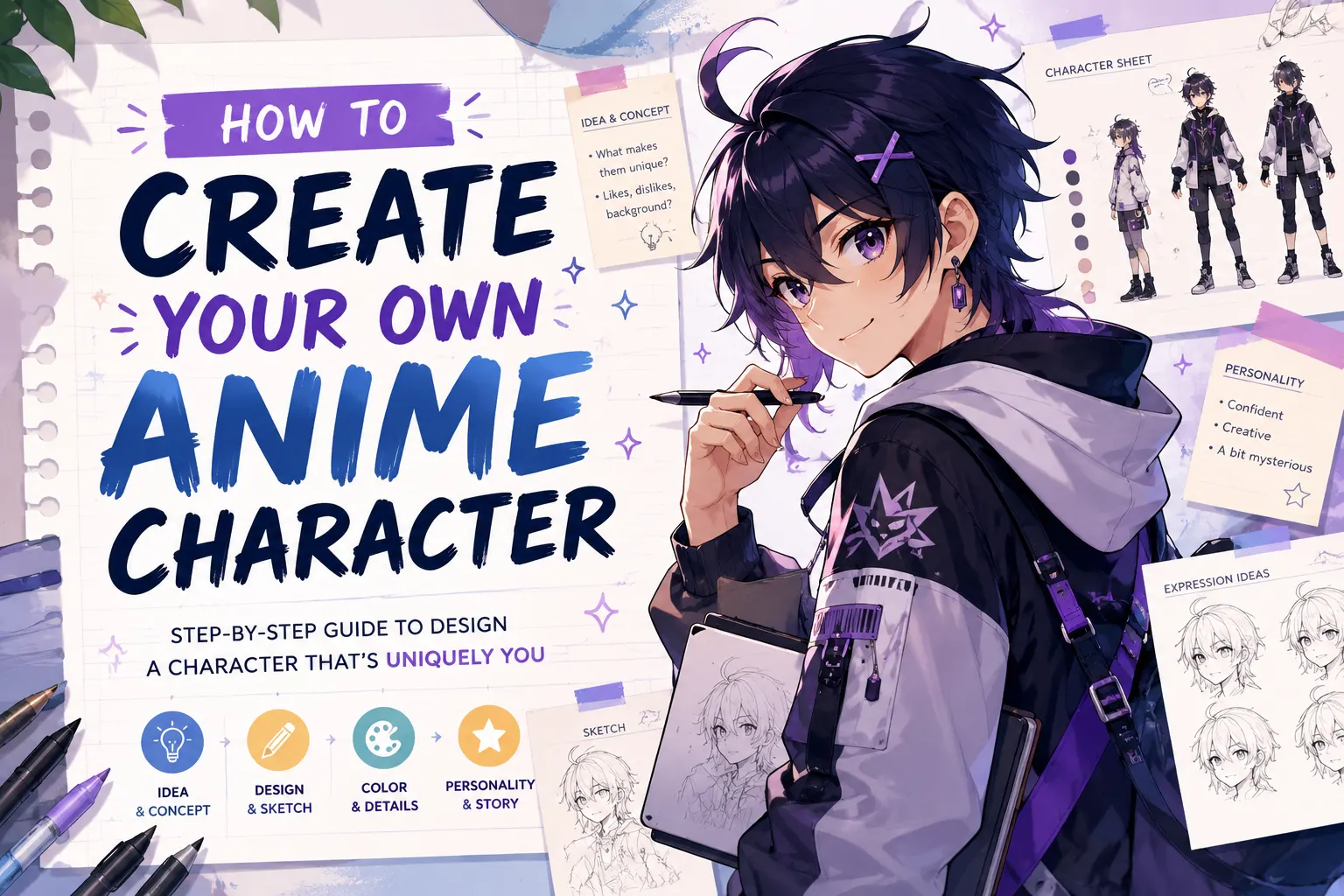
You’ve had an anime character living in your head for months, maybe years. A hero with a scar and a secret. A villain no one sees coming. A chibi sidekick that steals every scene. The only problem? You can’t draw.
You’re not alone. “I have this character in my head but I can’t get it out” is the single most common frustration in anime fan communities across Reddit and YouTube. But in 2026, drawing skills are no longer required to create your own anime character. Free AI tools can turn a short text description into a finished character design in minutes.
This guide walks you through the full process. You’ll learn which free tools to use, how to write prompts that produce great results, and what to do with your character once it exists.
Best Free AI Tools to Create Your Own Anime Character
Before creating anything, you need the right tool. Here are the best free options.
AI Anime Character Generators
These tools create unique characters from text descriptions or uploaded photos.
- Fotor — Photo-to-anime and text-to-anime in one tool. Multiple styles including Studio Ghibli aesthetic. Free tier with no watermarks.
- LlamaGen.ai — Free with strong character consistency across multiple images. Can generate reference sheets (front, side, back views). Best for ongoing manga projects.
- Canva — AI anime generation inside Canva’s design suite. Great when you want to create a character and immediately build social media posts around it.
- SeaArt AI — Community gallery for browsing other creators’ work. Partial redraw feature lets you fix one part of an image without regenerating everything.
| Tool | Free? | Best Feature | Best For |
| Fotor | Yes (limited) | Photo + text to anime | Photo conversion |
| LlamaGen.ai | Yes | Character consistency | Manga, reference sheets |
| Canva | Yes (limited) | Full design suite | Social media content |
| SeaArt AI | Yes (limited) | Partial redraw | Fixing details |
[Image: Screenshot comparison of the four AI anime generators showing their interfaces]
Browser-Based Anime Avatar Makers
For something even simpler, avatar makers let you pick and combine pre-made parts with no prompts needed.
- Charat Genesis — Free, browser-based, no account required. Full body and chibi styles. Includes Live2D export for VTubing.
- Picrew — Over 2,000 artist-created presets. No registration. Note: you cannot sell Picrew creations. Personal use only.
- Avachara — The simplest option for a quick profile picture.
Key difference: Avatar makers are faster but every character shares the same base parts. AI generators create truly unique designs but need good prompts to work well.
How to Create Your Anime Character Step by Step
Start With a Simple Character Idea
Before opening any tool, take five minutes to decide four things:
- Look — Hair color, eye color, standout features (scars, horns, animal ears)
- Personality in one word — Brave, shy, fierce, mysterious, cheerful
- Outfit — School uniform, fantasy armor, streetwear, kimono
- Setting — Modern city, fantasy world, space, school
Use this template: “My character is a [personality] [type] with [hair] hair and [eye color] eyes, wearing [outfit], in a [genre] setting.”
Example: “My character is a fierce young woman with silver hair and red eyes, wearing a black military coat, in a dark fantasy setting.”
Write an AI Prompt That Gets Great Results
A good prompt is the difference between a generic anime face and a character that matches your vision. Follow this formula:
[art style] + [character description] + [clothing] + [pose/expression] + [background] + [quality words]
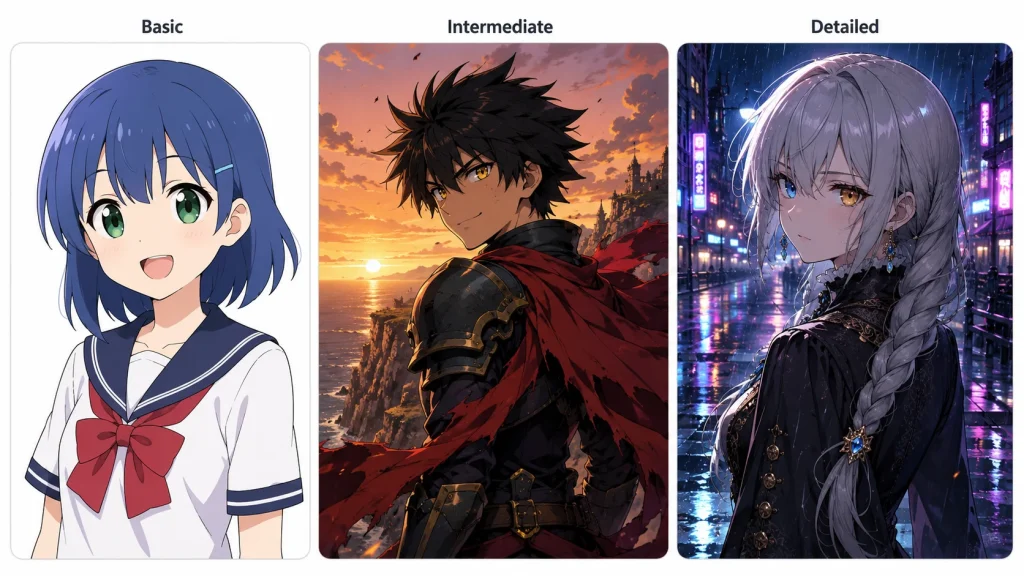
Here are three examples at different levels:
- Basic: “Anime girl with blue hair and green eyes, school uniform, smiling, white background, clean lines”
- Intermediate: “Shonen-style anime boy with spiky black hair and golden eyes, torn red cape over dark armor, confident smirk, cliff at sunset, detailed illustration”
- Detailed: “Cel-shaded anime character, young woman with long silver hair in a side braid, heterochromia eyes (one blue, one amber), dark Victorian coat with gold buttons, melancholic expression, rainy city with neon reflections, professional anime illustration”
Words that improve results: cel-shaded, shonen, shojo, chibi, full body, portrait, dynamic pose, clean lines, high detail.
Mistakes to avoid: Being too vague (“anime girl” gives generic output). Forgetting to specify full body vs. portrait. Contradicting styles like “realistic AND chibi.”
Improve and Refine Your Character Design
Your first result won’t be perfect. Here’s how to fix that:
- Generate 3-5 versions of the same prompt and pick the best one.
- Change one detail at a time instead of rewriting the whole prompt.
- Use built-in fix tools — Canva’s Magic Edit modifies specific parts. SeaArt’s partial redraw fixes one area.
- Too realistic? Add “anime art style, cel shaded, 2D illustration” to your prompt.
- Body looks off? Switch to portrait or bust shot.
Once you’re happy, download the highest resolution and save your exact prompt. You’ll need both for consistency later.
How to Use Your Anime Character After You Create It
Keep Your Character Consistent Across Multiple Images
If you need your character in multiple scenes, consistency is the biggest challenge. These strategies help:
- Reuse your exact prompt every time. Even small wording changes alter the result.
- Upload your best image as a reference when the tool supports it.
- Use LlamaGen.ai for built-in consistency, including automatic reference sheet generation.
- Save a character document with your prompt text, color codes, and key design details.
Turn Your Anime Character Into Video or Animation
A static image is just the beginning. AI tools can make your character move.
AI Image to Video converts your anime character image into video using AI models like Kling, Veo, and Wan. It supports up to 4K resolution with no watermarks, and you control aspect ratio, duration, and motion intensity.
For more control, Mango Animate lets you add a bone rig to your character and choose from 100+ motion templates. For longer anime scenes, platforms like Higgsfield AI and Seedance 2.0 offer multi-scene generation with lipsync and character consistency.
Tip: Start with a short 3-5 second clip to see how your character looks in motion before attempting longer content.
Share Your Character on Social Media and Creative Platforms
- Profile picture — Resize for Instagram, Twitter/X, TikTok, or Discord
- Anime communities — Post on DeviantArt, Reddit (r/OriginalCharacter, r/AnimeArt), or Instagram with anime OC hashtags
- Start a manga — Publish on Webtoon, Manga Plus Creators, or Tapas
- VTuber persona — Build a free 3D version with VRoid Studio and export as VRM for streaming
Copyright note: Original characters you create with AI are yours to use. Avoid copying existing copyrighted anime characters. Picrew avatars have specific usage restrictions — always check the creator’s terms.
FAQs of Creating Your Own Anime Character
Can I create an anime character if I can’t draw?
Yes. AI generators like Fotor, LlamaGen.ai, and Canva create characters from text descriptions. Avatar makers like Charat Genesis let you build characters from pre-made parts. No drawing needed.
What is the best free anime character creator?
For unique AI-generated characters, try Fotor (free, no watermarks) or LlamaGen.ai (free, best for consistency). For quick avatars, Charat Genesis is the easiest. For 3D characters, VRoid Studio is free and professional-grade.
How do I write a good prompt for an AI anime character?
Use this formula: [art style] + [character description] + [clothing] + [pose] + [background] + [quality words]. Be specific about colors and style. Add “cel shaded” or “anime illustration” for a more stylized look.
Can I use my AI-generated anime character for commercial projects?
Most AI generators allow commercial use, but always check each tool’s terms of service. Picrew creations are typically personal use only. Design fully original characters to avoid copyright issues.
How do I keep my anime character looking the same in every image?
Reuse the exact same prompt text. Upload your best image as a reference. Use consistency-focused tools like LlamaGen.ai. Save a reference sheet with front view, side view, and key details alongside your prompt.
Can I turn my anime character image into a video?
Yes. AI Image to Video converts static anime character images into animated clips up to 4K with no watermarks. Alternatives include Higgsfield AI for lipsync video and Mango Animate for rigged animation.
Conclusion
Creating your own anime character online is now possible for anyone, even without drawing skills. Pick a free tool, write a clear prompt, and refine until it matches your vision. From there, keep your character consistent, bring it to life with animation, and share it with the world.
Start now — choose Fotor for AI generation or Charat Genesis for a quick avatar, and create your first character today. The character in your head has waited long enough.