
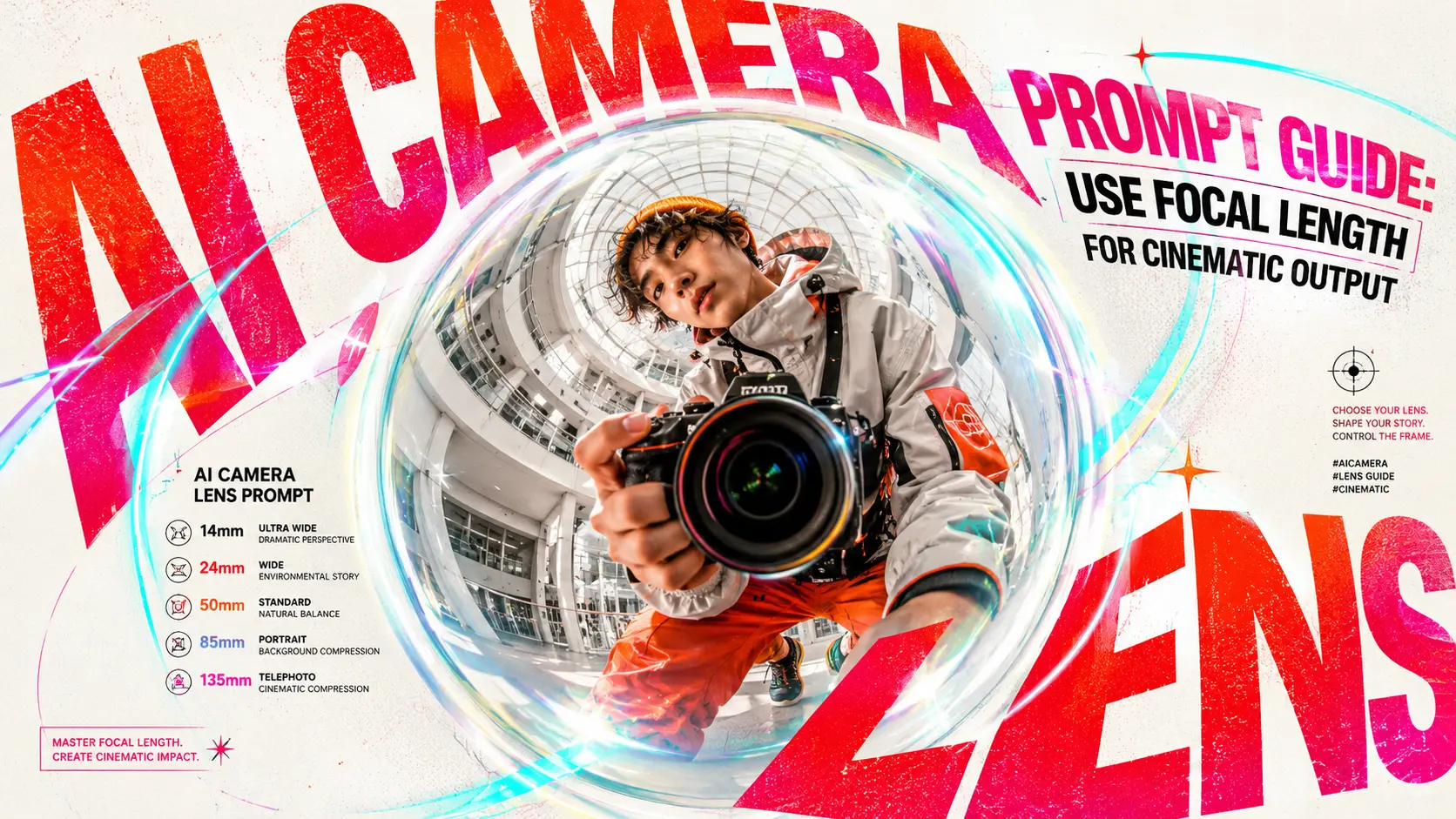
For creators unfamiliar with camera lenses, adding “200mm” to an AI filmmaking prompt seems to be something every expert does—without really knowing why or how to change that number. In this blog, we’ll explain focal length prompts in the simplest terms and show you how to use them effectively in AI image and video generation.
Why camera lens terms improve AI prompts
A good prompt does not just name the subject. It also shapes the viewer’s experience.
Lens terms help you control three big things:
- how wide or narrow the frame feels
- how close or distant the subject feels
- how much separation there is between subject and background
In traditional photography and filmmaking, focal length affects field of view, while aperture controls how much light enters the lens, and depth of field affects how much of the image appears sharp. Lens choice changes not only the look of an image but its emotional effect on the viewer.
So in AI prompting, lens language works like a shortcut for visual intent.
Instead of saying only “cinematic portrait,” you can say:
“cinematic portrait, 85mm lens, shallow depth of field”
That gives the model a much clearer idea of the kind of shot you want.
A practical way to think about it is this: your descriptive prompt says what the scene is, and your lens terms say how the scene should be seen.
What focal length means in simple words
Simply put, focal length is the distance between a camera lens’s optical center and the image plane (either the film or the camera sensor), measured in millimeters(mm). When you see birdviewers carrying cameras with lenses that look like cannons, they’re most likely using telephoto lenses with focal lengths of 200mm or longer.
Focal length helps determine how much of the scene the camera captures. Shorter focal lengths show more of the environment, capturing a wider image. Longer focal lengths narrow the field of view and bring more attention to the subject.
For prompt writing, you do not need to memorize every technical rule.
You mostly need to know the visual behavior of common lens ranges.
That is why beginners should focus on five useful categories:
- standard lens
- wide-angle lens
- long / telephoto lens
- fisheye lens
- macro lens
Each one gives AI a different visual instruction.
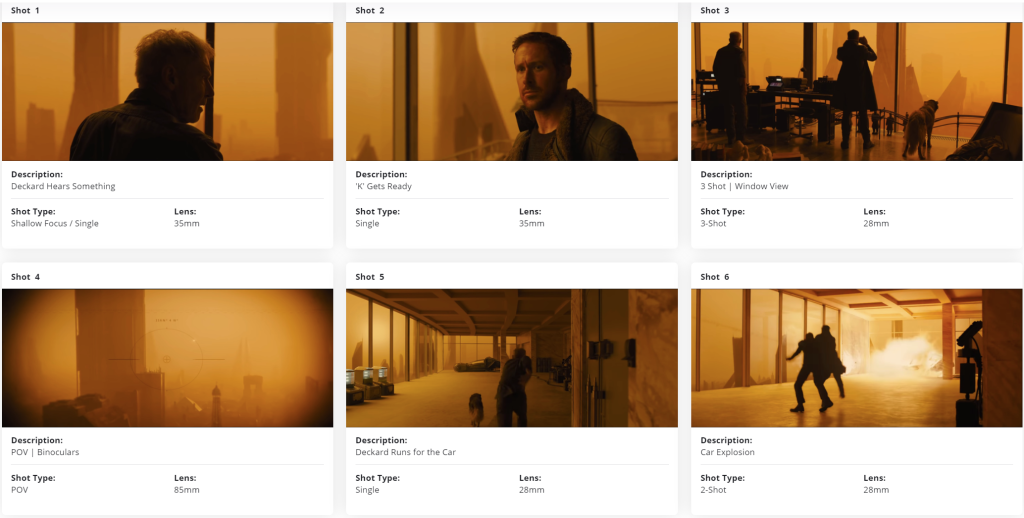
How focal length changes AI-generated visuals
Standard lens: natural and balanced
A standard lens usually falls around 35mm to 55mm on a full-frame camera. It is commonly associated with a natural viewing feel.
In prompts, standard lenses are great when you want the result to feel believable and balanced.
Use them for:
- natural portraits
- dialogue scenes
- UGC-style clips
- everyday realism
- product demos that should not feel too stylized
A 50mm prompt often feels calm and neutral. It does not exaggerate space too much. It does not flatten it too much either.
Example prompt:
Young woman sitting in a quiet café, medium shot, 50mm lens, natural perspective, soft window light, realistic photography, subtle background blur.
If your generations often feel too dramatic or distorted, moving back toward 35mm or 50mm is a smart reset.
Wide-angle lens: more space, energy, and context
A wide-angle lens is generally below 35mm on full frame, according to StudioBinder.
This is the lens family to use when environment matters.
Wide-angle prompts help AI show more of the room, street, landscape, or architecture. They also tend to create a stronger sense of movement and space.
Use them for:
- travel scenes
- city streets
- interior design
- dramatic environmental portraits
- action shots
- wide cinematic establishing shots
A 24mm prompt can make a scene feel immersive. It can also create slight perspective exaggeration, which adds energy.
Example prompt:
Man walking through a neon night market, wide shot, 24mm wide-angle lens, wet reflections on the street, cinematic atmosphere, moody lighting.
This kind of lens language pairs especially well with shot-type prompting. Quest Studio’s cinematic prompt guide also groups prompts by shot type and often combines wide shots with 24mm or 35mm “lens vibes” plus clear camera movement and lighting cues, which is a useful model for AI video prompts.
Long lens and telephoto: compression and subject isolation
Focal lengths above 55mm can be described as long-focus territory.
For AI prompts, you do not need to over-separate “long lens” and “telephoto lens.” In practice, both signal a narrower view, stronger subject emphasis, and more background compression.
Use them for:
- portraits
- wildlife
- fashion editorials
- cinematic close-ups
- distant observation
- premium product shots
An 85mm lens often gives you a flattering portrait feel.
A 135mm or 200mm lens pushes things further. It makes the subject stand out and the background feel visually compressed.
That creates a more polished, expensive look.
Example prompt:
Snow leopard with yellow eyes, covered with snow, close-up wildlife portrait, 200mm telephoto lens, shallow depth of field, compressed snowy background, cinematic realism.
This is one of the easiest upgrades you can make to a basic prompt. If you want your AI result to feel more “professional photography,” adding 85mm, 135mm, or 200mm telephoto lens often helps.
Quest Studio’s shot templates use a similar logic: wider lenses for broad context, 50mm for neutral storytelling, and 85mm for portrait-like close-ups and premium detail shots.
Fisheye lens: distorted and stylized
A fisheye lens is an extreme wide-angle lens. Fisheye lenses create strong distortion and a look that feels stylistic rather than natural.
That means fisheye is not your everyday default.
Use it when you want:
- surreal energy
- skate or action visuals
- music-video weirdness
- exaggerated selfies
- comic or playful distortion
Example prompt:
Teen skateboarder jumping over a rail, fisheye lens, exaggerated perspective, energetic street photography, bold urban lighting.
If you use fisheye, use it on purpose.
It is a spice, not the main course.
Macro lens: texture and detail
A macro lens reproduces very small subjects in very fine detail.
In AI prompting, macro is perfect for extreme close-up detail.
Use it for:
- jewelry
- food texture
- skincare products
- insects and flowers
- eyes
- fur, fabric, water droplets, metal surfaces
Macro prompts tell the model to care about texture.
Example prompt:
Extreme close-up of a snow leopard’s eye and snow-covered fur, macro lens, sharp fur texture, shallow depth of field, high-detail wildlife photography.
If your product or nature images feel too generic, “macro lens” is one of the best upgrades you can add.
Creative prompt examples: same idea, different lens looks
The easiest way to learn lens prompting is to compare the same subject across different lens choices.
That is also close to the logic used in practical cinematic prompt libraries: keep the core idea, then change the shot design, lens, and motion to change the result.
Example 1: same snow leopard, different looks
Natural portrait look
Snow leopard with yellow eyes, covered with snow, medium shot, 85mm lens, soft background blur, professional wildlife photography, cold cinematic lighting.
Compressed cinematic look
Snow leopard with yellow eyes, covered with snow, close-up wildlife portrait, 200mm telephoto lens, shallow depth of field, compressed snowy background, cinematic realism.
Texture-heavy detail look
Extreme close-up of a snow leopard’s yellow eyes and snow-covered fur, macro lens, sharp texture, soft bokeh, professional wildlife photography.
Same subject.
Different camera language.
Different result.
Example 2: same portrait, different framing mood
Environmental portrait
Young woman standing in a rainy city street, 35mm lens, medium shot, visible neon signs and reflections, natural cinematic perspective.
Portrait-focused look
Young woman standing in a rainy city street, 85mm lens, close-up portrait, soft bokeh lights in the background, premium editorial photography.
The first prompt tells a story about the place.
The second prompt tells a story about the person.
Example 3: same product, different intent
Commercial hero shot
Luxury perfume bottle on a reflective surface, 50mm lens, studio lighting, balanced composition, clean premium product photography.
Texture detail shot
Luxury perfume bottle cap with water droplets, macro lens, extreme close-up, crisp reflections, shallow depth of field, beauty advertising photography.
One is for the full product.
One is for the texture and finish.
Example 4: text-to-video lens prompting
Lens language also works for AI video prompts.
Example:
Wide establishing shot of a mountain road at sunrise, slow drone push forward, 24mm wide-angle lens, soft haze, golden hour lighting, realistic motion.
Or:
Close-up of a woman turning toward the camera, slow push-in, 85mm portrait lens, soft window light, natural skin texture, shallow depth of field.
Notice how the lens term helps the prompt feel directed.
Bonus: other camera terms that also help
Lens terms matter most in this article, but a few extra camera words can strengthen your prompt even more.
Aperture
Aperture is measured in f-stops and controls light entering the lens. StudioBinder notes that lower stop numbers mean a wider opening and more light.
In AI prompting, aperture often acts like a style cue.
- f/1.4 = dreamy blur, strong subject separation
- f/2.8 = cinematic portrait or premium product feel
- f/5.6 = clearer overall scene
Use the common format f/1.4, not 1.4f.
Depth of field
Depth of field describes how much of the scene appears in focus. It is another core lens characteristic alongside focal length and aperture.
Useful prompt phrases:
- shallow depth of field
- deep focus
- soft bokeh
- blurred background
- sharp subject
These terms work especially well with portrait and product prompts.
Aspect ratio
Aspect ratio is not a lens setting, but it still changes how the result feels.
Useful prompt phrases:
- 9:16 for vertical short-form content
- 16:9 for YouTube or cinematic horizontal frames
- 1:1 for square social posts
- 2.39:1 for a widescreen film look
Think of aspect ratio as frame design, not lens behavior.






