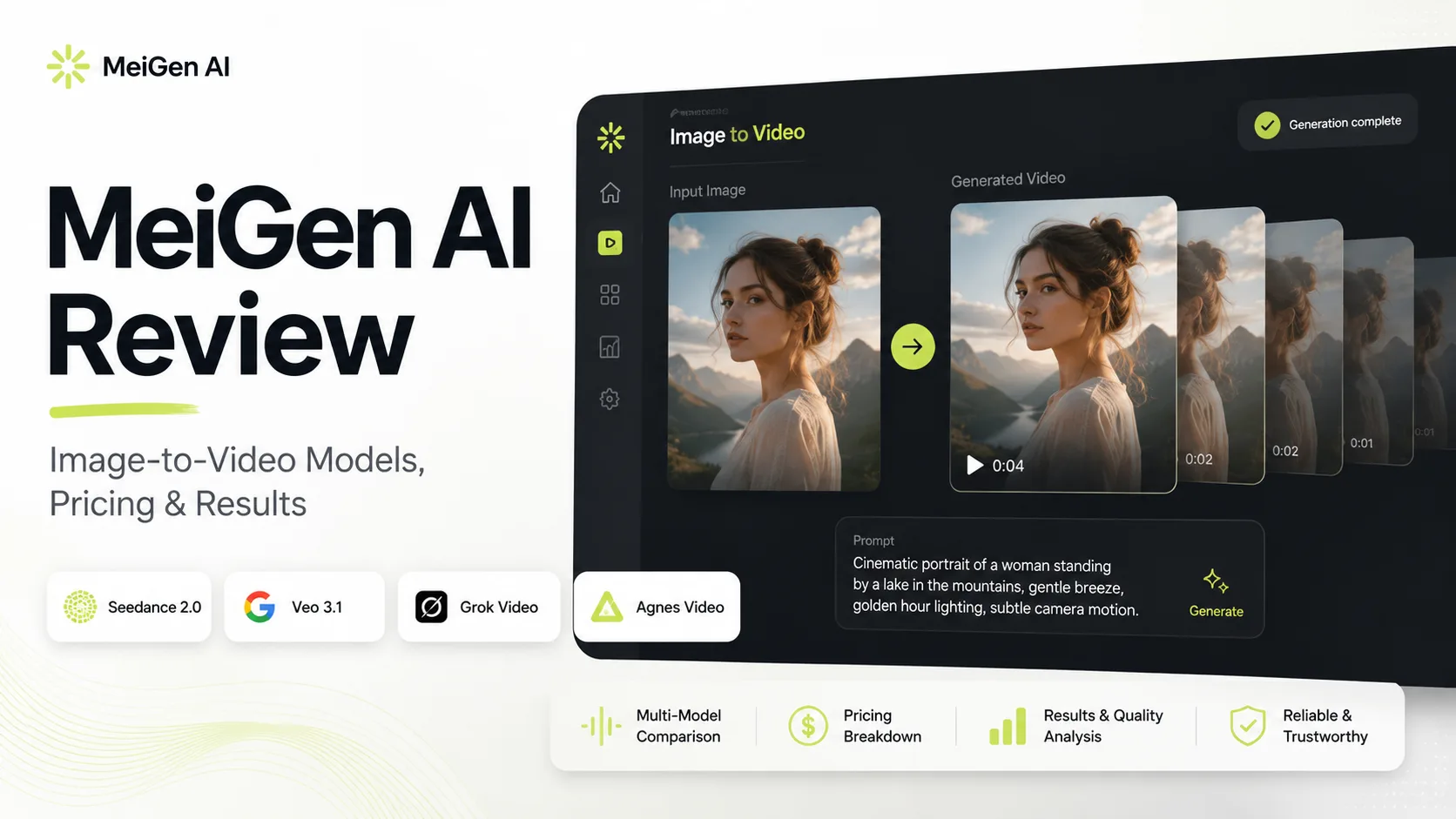
MeiGen AI combines a prompt gallery with several third-party image and video models in one workspace. For image-to-video users, the main attraction is choice: you can upload a still image, select a model such as Seedance 2.0, Grok Video 1.5, Happyhorse 1.1, Veo 3.1, or Agnes Video 2.0, and generate a short clip without opening several separate platforms.
That flexibility is useful, but it also makes MeiGen harder to judge as a single product. Video quality, duration, resolution, controls, and credit costs all depend on the selected model. This MeiGen AI review examines its image-to-video workflow, available models, pricing, control options, and practical limitations to determine who should use it.
What Is MeiGen AI and Who Is It For?
MeiGen AI is a multi-model creative platform for generating images and short AI videos in one place. Instead of relying on a single model, users can choose from options such as Seedance 2.0, Veo 3.1, Happyhorse, Grok Video, and Agnes Video.
For image-to-video generation, users upload a still image as the first frame. Seedance 2.0 and Veo 3.1 also support first-and-last-frame input, giving users more control over the final transition. The platform also includes a prompt gallery, prompt enhancement, reusable characters, API access, and a Use Idea feature for copying and adapting existing prompts.
MeiGen AI is best suited to social media creators, marketers, advertisers, beginners, and AI enthusiasts who want to test different video models without switching between multiple platforms.
However, MeiGen AI is not a full video editor. Captions, transitions, audio editing, and long-form video production still require a separate editing tool.
What Is MeiGen AI and Who Is It For?
MeiGen AI is a creative platform that brings multiple AI image and video models into one interface. Its main advantage is that users can test different models without creating separate accounts or switching between tools.
For image-to-video, users upload a still image and select a supported model, including Seedance 2.0, Veo 3.1, Grok Video, Happyhorse, or Agnes Video. Seedance and Veo also support first-and-last-frame inputs, making it easier to control how a video begins and ends.
MeiGen AI is most useful for:
- Creating short social media and advertising clips
- Comparing results from different AI video models
- Reusing and modifying prompts from the idea gallery
- Generating videos without advanced prompting skills
The platform is designed for AI content generation rather than full video editing. Users still need another editor for captions, music, transitions, timelines, and long-form production.
How We Evaluated MeiGen AI Image to Video
We evaluated MeiGen AI based on its live image-to-video workflow, supported models, frame controls, duration and resolution options, prompt tools, and credit costs.
To keep the comparison consistent, we used the same type of test scenario for each model: a clear portrait with visible facial features, unobstructed arms, a simple background, and a prompt requesting a slow head turn, subtle body movement, and gentle camera motion.
The evaluation focused on three practical areas:
- Motion quality and control
- Character consistency and frame support
- Output value compared with credit cost
Official promotional clips were not treated as independent test evidence. Because account-level output files were not available for this draft, the results below focus on verified features, model differences, and likely workflow trade-offs rather than unsupported frame-by-frame quality scores.
MeiGen AI Image-to-Video Test Results
Which MeiGen AI Model Offers the Best Motion Control?
Seedance 2.0 provides the strongest motion-control options on MeiGen AI.
MeiGen supplies the interface, prompt tools, credits, and generation history, but the final video quality depends mainly on the selected model. Seedance currently offers the broadest set of controls, including 4–15-second durations, multiple aspect ratios, automatic audio, first-and-last-frame input, and several quality tiers.
Its Mini and Fast modes support up to 720p, while Pro adds native 1080p and 4K output. Seedance is also the only listed video model that supports MeiGen Characters and reference-video continuation.
These features make it the most suitable option for:
- Planned camera movements
- Longer actions
- Before-and-after transitions
- Videos that need a defined ending frame
However, more controls do not guarantee a perfect result. Fast motion, major pose changes, and complex interactions may still produce unstable frames.
Grok Video 1.5 is a simpler alternative for basic image animation. It always starts from an uploaded image, follows the image’s original aspect ratio, and generates audio automatically. The workflow is straightforward, although its 720p limit makes it less suitable for high-resolution exports.
Agnes Video is better for testing the workflow than producing final content. Its fixed five-second duration and 480p output are enough for experimentation, but may look too soft for advertising or polished social media videos.
How Well Does MeiGen AI Preserve Characters?
MeiGen provides useful consistency controls, but results still depend heavily on the amount and complexity of movement.
Seedance 2.0 and Veo 3.1 support both first and last frames. This is useful for pose changes, room makeovers, product transitions, and before-and-after videos because users can define how the clip should begin and end.
A final frame does not guarantee a smooth transition, however. Large differences in camera angle, body position, lighting, or composition may cause distortion in the middle of the clip. For more stable results, the two frames should use similar framing and perspective.
MeiGen Characters provides another form of identity control. Users can create a reusable virtual character from one to four reference images and mention it with an @ tag in later prompts. MeiGen recommends using both a full-body image and a neutral face close-up.
Video Character support is currently limited to Seedance 2.0. The feature is also intended for virtual or AI-generated characters, so requests involving recognizable real-person lookalikes may be rejected.
For portrait animation, smaller movements are generally safer:
- Natural blinking
- A slight smile
- A slow head turn
- Subtle body or hair movement
Fast dancing, crossed limbs, large head rotations, and hands passing in front of the face create a higher risk of identity drift or malformed details.
Is MeiGen AI Worth the Credit Cost?
MeiGen’s one-time credit system is flexible for occasional use, but high-quality image-to-video generations can become expensive after several attempts.
| Model | Example Cost | Best Use |
| Seedance Mini 720p | 16 credits per second | Drafts and simple tests |
| Seedance Pro 1080p | 42 credits per second | Higher-quality final clips |
| Grok Video | 28 credits per second | Simple image animation |
| Happyhorse | 28 credits per second | Alternative model testing |
| Veo 3.1 Fast | 165 credits for 8 seconds | Faster fixed-length generation |
| Veo 3.1 Pro | 435 credits for 8 seconds | Premium output testing |
A five-second Seedance Pro 1080p generation costs 210 credits. Veo 3.1 charges the same number of credits for 720p, 1080p, and 4K selections, although 4K requires a paid account and takes longer to generate.
The lowest-priced model is not always the best value. A cheaper result may require several retries because of facial drift, weak movement, or unstable backgrounds. A more expensive model can be more economical when it produces a usable clip in fewer attempts.
MeiGen states that failed generations receive an automatic full credit refund. Successful but disappointing outputs still consume credits, so users should begin with:
- Short durations
- Simple movements
- Clear source images
- Lower-cost quality settings
Once the motion and character consistency look acceptable, users can move to longer durations or higher-resolution output.
MeiGen AI Pros, Cons, and Final Verdict
MeiGen AI’s main advantage is convenience. It combines several image-to-video models in one platform, allowing users to compare motion control, resolution, duration, and credit cost without maintaining separate subscriptions.
Pros
- Multiple image-to-video models in one interface
- First-and-last-frame support with Seedance and Veo
- Prompt gallery, storyboard tools, and prompt enhancement
- Reusable Character assets for more consistent virtual subjects
- One-time credits with a basic free option
Cons
- Free video generation is limited to low-resolution output
- Premium models can consume credits quickly
- Available controls and restrictions vary between models
- No timeline, captions, transitions, or advanced editing tools
- Unsuccessful-looking outputs still consume credits if generation completes
Final Verdict
MeiGen AI is a useful multi-model image-to-video hub, but it is not a complete video production platform. Its value comes from giving users access to several generation models, prompt tools, frame controls, and pricing options in one place.
Seedance 2.0 is the best all-round choice for longer clips, controlled transitions, multiple aspect ratios, and reusable virtual characters. Veo 3.1 is better suited to short premium videos with high-resolution output and automatic audio, while Agnes Video provides a simple way to test the workflow for free.
MeiGen AI is worth considering for creators who want model flexibility and occasional video generation. Users who need long-form production, advanced editing, or predictable monthly costs may prefer a more specialized tool.
MeiGen AI FAQ
Is MeiGen AI free?
MeiGen provides daily free credits, but they only work with basic models. Agnes Video 2.0 is the basic video option and generates a fixed five-second, 480p clip for 10 credits. Premium models require purchased or eligible welcome credits.
Can MeiGen AI turn a photo into a video?
Yes. Users can upload a first-frame image and animate it with Seedance 2.0, Grok Video 1.5, Happyhorse 1.1, Veo 3.1, or Agnes Video 2.0. Seedance and Veo also accept an optional last frame.
What is the best MeiGen AI model for image to video?
Seedance 2.0 offers the widest feature set, including 4–15-second clips, first and last frames, automatic audio, multiple aspect ratios, high-resolution Pro output, character support, and video continuation.
Can MeiGen AI videos be used commercially?
MeiGen allows users to use compliant generated output, but users remain responsible for checking image ownership, portrait rights, trademarks, and third-party copyrights before publishing or using a video commercially.