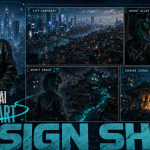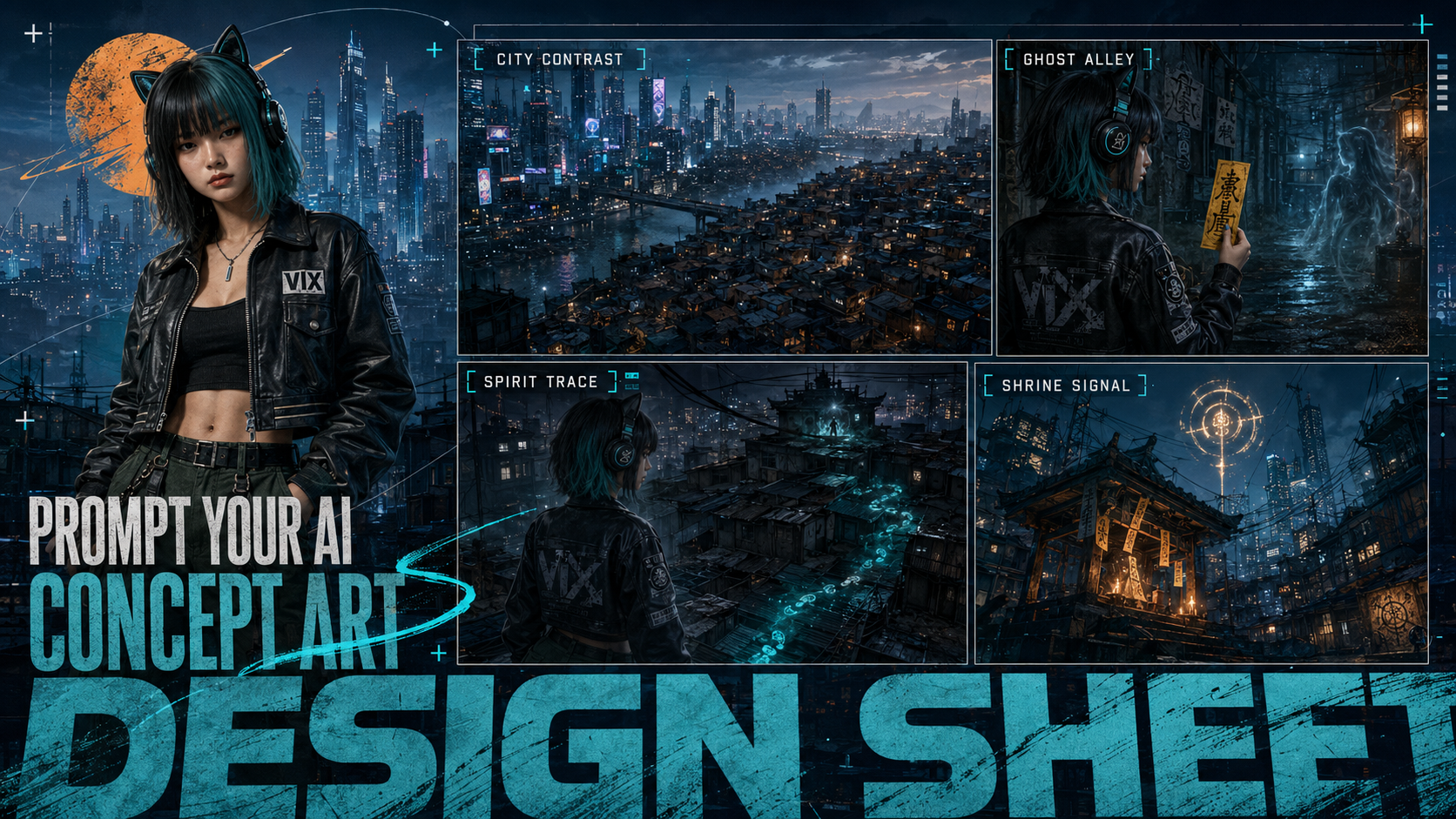
Just like game development starts with building a world and defining its visual direction, AI filmmakers often create visual assets before producing cinematic AI short films. Similar to traditional directors and production designers, they first establish the artistic concept of the film and define how the world should look.
Some creators prefer to combine characters and environments into a single reference sheet. However, when a project involves multiple characters, different costumes, or complex character designs, I still recommend separating the character reference sheet from the film concept art design sheet.
In our previous guide, we explored how to keep your “AI actors” consistent and reduce character drift during video generation. Today, let’s take the next step and learn how to create AI concept design sheets that define the visual world of your film.
What Is a Concept Design Sheet and Why Does AI Filmmaking Need It?
Before a film is shot, directors and artists usually need to define what the world looks like. The buildings, environments, colors, materials, and overall atmosphere all need a visual direction.
This is the purpose of a concept design sheet.
A concept design sheet is a visual planning document that helps creators establish the artistic direction of a project before production begins. Unlike a final movie frame, it is not designed to tell a complete story. Instead, it defines the visual rules that future scenes should follow. Concept art workflows commonly include environment designs, character designs, prop sheets, and key visual exploration.
For AI filmmaking, a concept design sheet works like a visual rulebook for your project.
Instead of generating every scene from scratch and hoping they look connected, you first define:
- What kind of world exists?
- What architectural style does it have?
- What colors dominate the film?
- How does the lighting feel?
- What materials and textures appear repeatedly?
The goal is not to create one beautiful image.
The goal is to create a visual foundation that AI can reuse across multiple shots.
Concept Design Sheet vs Character Reference Sheet vs Storyboard:
In an AI film workflow, these three assets solve different problems.
| Asset | Purpose |
| Character Reference Sheet | Defines who the character is |
| Concept Design Sheet | Defines what the world looks like |
| Storyboard | Defines how the story happens |
A Character Reference Sheet focuses on identity:
- face
- hairstyle
- body proportions
- clothing
- accessories
A Concept Design Sheet focuses on the world:
- locations
- architecture
- atmosphere
- colors
- materials
- visual style
A Storyboard focuses on storytelling:
- camera angle
- shot composition
- character action
- scene progression
Together, they create the visual pipeline:
Character → World → Story → Video
What Should Be Included in an AI Film Concept Design Sheet?
A useful concept design sheet should not simply contain random beautiful images.
Each element should help answer a production question.
Environment and World Design
For AI films, environment design is usually the most important part of a concept sheet.
It defines where your story exists.
Depending on your project, include:
- landscape overview
- city or architecture design
- interior environments
- important locations
- atmosphere and weather
For example:
A cyberpunk film may need:
- futuristic skyscrapers
- neon streets
- rainy atmosphere
- metallic materials
- dark cinematic lighting
A fantasy film may need:
- ancient castles
- magical forests
- mysterious fog
- stone structures
- fantasy landscapes
A strong environment concept sheet gives AI a clear understanding of the world instead of generating disconnected backgrounds.
Visual Style and Color Direction
A movie is not only defined by locations.
The visual style determines how the audience feels.
Your concept sheet should establish:
- color palette
- lighting direction
- texture style
- artistic tone
- emotional atmosphere
For example:
Dark thriller
- cold blue tones
- high contrast lighting
- deep shadows
- realistic textures
Warm emotional drama
- golden sunlight
- soft shadows
- natural colors
- gentle atmosphere
These visual decisions become references for later image generation and storyboard creation.
Props, Objects, and Key Visual Elements
Important objects often become part of the story identity.
Examples:
- weapons
- vehicles
- technology devices
- magical items
- vehicles
- symbolic objects
Instead of generating these objects repeatedly, create a separate reference section or prop sheet.
A good prop design sheet can include:
- overall shape
- material details
- different angles
- close-up features
- usage scenarios
This helps maintain consistency when the object appears in different scenes.
How to Write Prompts for AI Concept Design Sheets
The biggest difference between a normal AI image prompt and a concept design sheet prompt is the goal.
A normal prompt creates one image.
A concept design sheet prompt creates a visual system.
Your prompt should tell AI:
- What world you are creating
- What visual style you want
- What information the sheet should contain
- How the sheet should be organized
Define the Film Concept and Visual Direction
Start by explaining the overall creative direction.
Include:
- genre
- time period
- story background
- mood
Example: “A dark sci-fi thriller set in a dystopian future city, featuring a mysterious and oppressive atmosphere.“
This gives AI the overall creative direction before you add details.
Describe the Environment and Design Details
Avoid vague descriptions.
For example:
❌A futuristic city
This leaves too many decisions to AI.
A better prompt: “A futuristic megacity with brutalist architecture, towering skyscrapers, neon advertisements, rainy streets, industrial structures, and a dark cinematic atmosphere.“
Useful details include:
- architecture style
- materials
- environment scale
- weather
- atmosphere
- important landmarks
The more specific your world is, the easier it is to reuse later.
Choose the Right Art Style and Rendering Style
Your prompt should tell AI what kind of visual language you want.
Realistic Film Style
Use:
- cinematic realism
- photorealistic
- film still
- realistic concept art
- professional production design
Animation Style
Use:
- animated concept art
- hand-painted style
- stylized environment design
- 3D animation style
Game Development Style
Use:
- AAA game concept art
- environment design sheet
- production artwork
- world-building reference
Choosing the right style prevents AI from creating a random illustration instead of a usable production asset.
Describe the Concept Sheet Layout
One of the biggest mistakes beginners make is only describing the image content.
AI also needs to understand the format.
Instead of: “Create a futuristic city concept art.“
Tell AI what information you want to position.
Useful layout keywords:
- concept design sheet
- visual development sheet
- environment reference board
- production artwork
- callout sheet
- multiple reference panels
- grid
- column
- row
These keywords help AI understand that you need a design document, not just a single artwork.
AI Concept Design Sheet Prompt Template for Film Projects
Structure for different AI film projects for copy-and-paste:
Create a professional concept design sheet for an AI film. The story is about xxxxxx
Film genre: [science fiction / fantasy / horror / drama]
Story tone: [tense/warm/funny]
Visual style: [photorealistic / animation / game concept art]
World setting: [describe the environment and story background]
Main locations: [list important scenes]
Architecture: [describe buildings and structure details]
Color palette: [describe main colors]
Lighting: [describe lighting style]
Layout: professional production design board, clean grid layout, multiple reference panels. Left column features……Top row shows……Key props and equipments are positioning…..
Main characters: [describe the images of key characters or provide the character sheet for reference]
The key is to think like a production designer. You can draw a sketch previously.
Just copy and complete it according to your creative stories with our AI image generator!
Beyond AI Films: Other Uses of Concept Design Sheets
A concept design sheet is not limited to filmmaking.
It is a general visual planning method that can be adapted for many creative projects.
By changing the subject and purpose inside your prompt, the same structure can create different types of visual assets.
AI Product Design and Advertising Concept Sheets
For product marketing, replace “world building” with “brand storytelling”.
Your prompt can focus on:
- hero product shots
- packaging design
- lifestyle scenes
- material details
- advertising atmosphere
Example: “Create a premium product advertising concept sheet. Include: hero product shot, lifestyle environment, material close-ups, color palette, campaign mood.“
This helps marketers explore campaign directions before creating final advertisements.
Brand Visual Identity and Marketing Campaigns
Concept sheets can also define:
- brand colors
- photography style
- campaign mood
- social media visuals
- creative direction
Instead of creating individual images randomly, you create a consistent visual system.
Game, Animation, and Creative Projects
The same workflow applies to:
- game world building
- animation projects
- comics
- virtual influencers
- creative presentations
The core idea remains the same:
A concept design sheet tells AI what rules your visual world should follow.
Once those rules are established, creating consistent images, storyboards, and videos becomes much easier.
FAQ About AI Concept Design Sheets
What is an AI concept design sheet?
An AI concept design sheet is a visual reference document generated with AI tools to define the style, environment, assets, and creative direction of a project.
What is the difference between concept art and a storyboard?
Concept art defines the visual world.
Storyboard defines the sequence of shots and storytelling.
Concept art answers:
“What does this world look like?”
Storyboard answers:
“How does the story happen?”
Can AI generate concept design sheets from prompts?
Yes. AI image generators can create concept sheets by combining detailed visual descriptions with layout instructions, reference images, and style guidance.
What should I include in a concept art prompt?
A strong concept art prompt should include:
- project theme
- environment description
- visual style
- color direction
- lighting
- layout requirements
The better your prompt defines the visual system, the more useful your concept design sheet becomes.