
What if that faded photograph of your grandparents on their wedding day could blink, smile, and gently turn — as if the moment never ended? That’s the promise behind AI photo animation, and it’s why tools like MotionAmber are gaining traction in 2026.
The problem? Dozens of AI video generators flood the market, yet many produce warped, unnatural results — the dreaded “wobbly photo” effect. MotionAmber claims to solve this by specializing exclusively in portrait animation. But at $29.99 for just five animations, is it worth it?
This review covers how MotionAmber works, what it costs, what real users think, and how it compares to free and paid alternatives.
What Is MotionAmber?
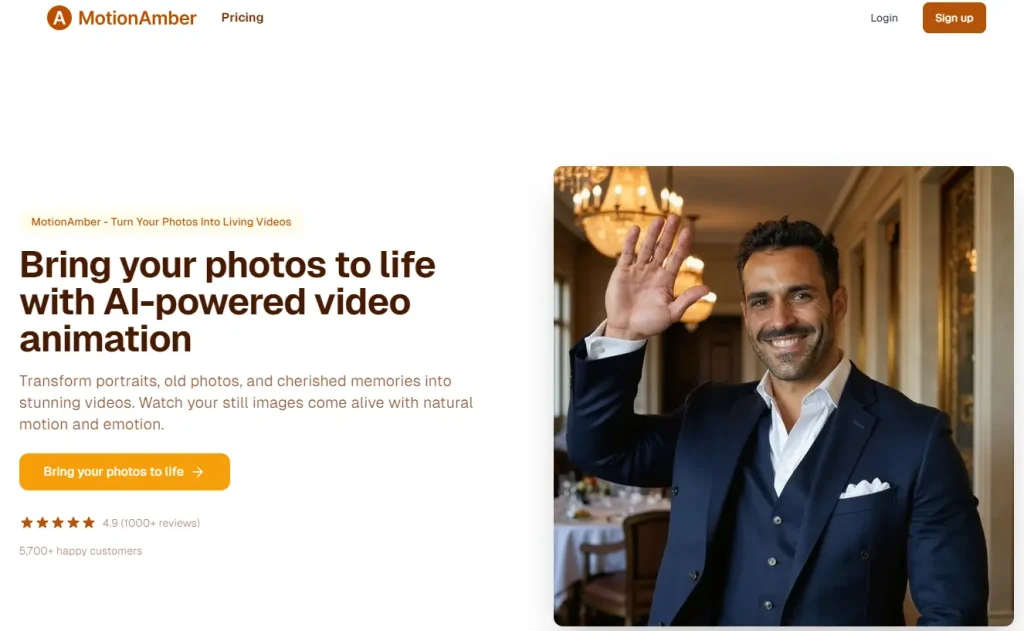
MotionAmber is an AI-powered photo animation platform that transforms still images into short, lifelike videos. Rather than competing as a general-purpose AI video generator, it focuses on one task: making photos look alive with natural, subtle movement — particularly for emotional use cases like preserving family memories and honoring loved ones.
How MotionAmber Works
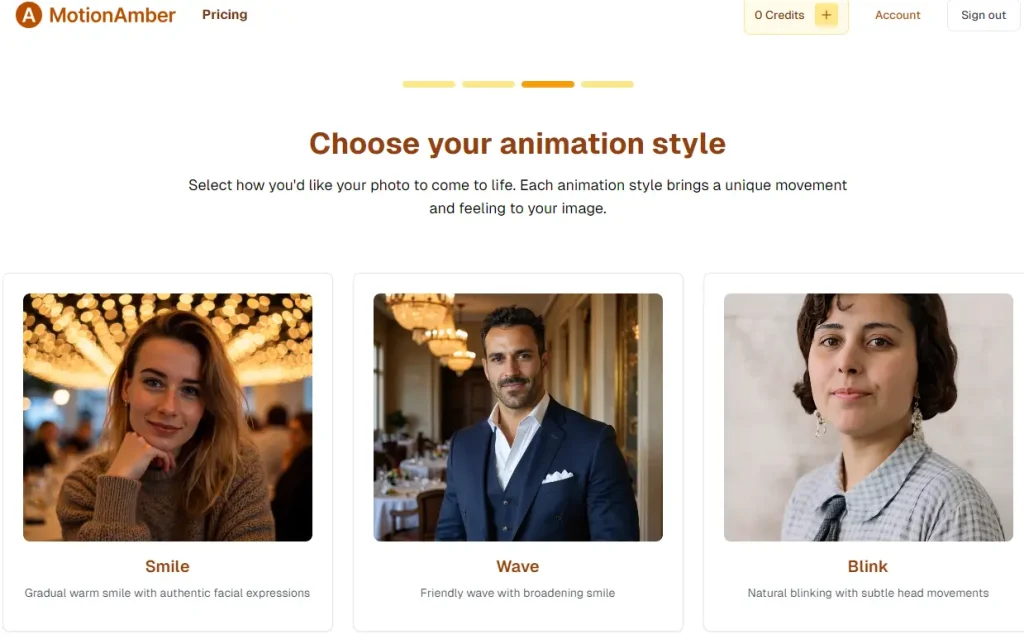
You upload a photo, and MotionAmber’s AI analyzes facial features and composition. It generates realistic motion — subtle blinking, gentle head turns, and ambient movement — producing a short animated video within minutes. The finished file downloads in high quality.
Who Is MotionAmber For?
MotionAmber targets a specific audience rather than chasing the broader creator market:
- Families looking to animate old or vintage photographs
- Memorial and tribute creators honoring deceased loved ones
- Wedding and baby photo enthusiasts wanting animated keepsakes
- Gift makers creating personalized animated presents
- Anyone wanting to bring a meaningful photo to life without technical know-how
MotionAmber Key Features and Capabilities
What separates MotionAmber from the crowd of AI video tools isn’t feature breadth — it’s specialization. Here’s what it delivers.
Portrait and Face Animation Quality
This is MotionAmber’s strongest suit. The platform produces natural facial movements — realistic blinking, subtle head tilts, and gentle expression changes — without the “face distortion” or plastic-looking artifacts common in general-purpose tools. Reddit users have praised its “natural face motion like blinking and small moves” that feels authentic rather than artificial.
Old and Black-and-White Photo Support
MotionAmber handles vintage, grainy, and low-resolution photos from past decades surprisingly well. Community feedback confirms it produces “consistent, natural-feeling movement without making the face look weird” — a notable achievement when working with degraded source material that trips up many competitors.
Output Quality and Ownership
Videos are delivered in high quality without watermarks, and you retain full ownership of every animation. MotionAmber operates on a “pay once and own forever” model backed by a satisfaction guarantee — a meaningful differentiator in a market dominated by subscriptions.
MotionAmber Pricing: Is It Worth the Cost?
Pricing is where MotionAmber sparks the most debate. Let’s break it down honestly.
Pricing Tiers Explained
MotionAmber uses a pay-per-use model with three tiers:
| Tier | Price | Animations Included |
| Basic | $29.99 | 5 photo-to-video animations |
| Standard | Not listed | 10 animations |
| Premium | Not listed | 25 animations |
There’s no monthly subscription — you pay once and use your credits whenever you want.
Pay-Per-Use vs. Subscription: Which Model Saves You More?
The answer depends entirely on how often you’ll animate photos:
- Occasional use (memorial project, anniversary gift): Pay-per-use wins. You’re not locked into recurring charges for a tool you’ll use once or twice.
- Regular content creation: Subscriptions like Kling ($10/mo with 66 free daily credits) or Runway ($12–15/mo) offer far more output per dollar.
- Budget-conscious exploration: Google Veo provides 100 free credits monthly — enough to test whether AI animation meets your needs before spending anything.
Addressing the Price Criticism
Reddit users have been blunt: “$30 for 5 photos” feels steep — and that’s understandable. But subscription tools at $10–15/month quietly cost $120–180 annually, even during months you don’t use them. For a single meaningful project like a memorial tribute or anniversary gift, MotionAmber’s one-time cost can actually be the more economical path.
What Real Users Say About MotionAmber
Positive User Experiences
Across Reddit communities, MotionAmber has been recommended multiple times for specific use cases:
- Praised for producing smooth, natural animation in photo-to-video conversions
- Recommended at least three times as a tool for music video visual backgrounds
- Highlighted for realistic headshot animations and professional profile use
- Specifically endorsed for old family photo animation and the gift/keepsake market
Common Complaints and Limitations
No tool is perfect, and users have flagged several legitimate concerns:
- Pricing feels expensive for anyone needing bulk animations
- Limited scope — no text-to-video, audio integration, or lip-sync capabilities
- No free tier for testing before committing money
- Tech-savvy users note that open-source alternatives like Wan 2.2 can achieve comparable results at zero cost (with the right hardware and technical skills)
MotionAmber vs. the Competition: How Does It Compare?
MotionAmber vs. General AI Video Generators (Kling, Veo, Runway)
General-purpose tools offer vastly more features — text-to-video, longer clips, 4K output, and generous free tiers. MotionAmber wins on ease of use for portrait animation and natural facial motion. If photo animation is all you need, MotionAmber is simpler. For versatility, the general tools deliver more value.
MotionAmber vs. Multi-Model Platforms (AIImageToVideo.pro, ImagineArt, DomoAI)
Multi-model aggregators give you multiple AI engines in one interface. AI Image to Video combines Kling, Veo, and Wan with HD watermark-free output and a free tier. ImagineArt offers 50 free tokens every 12 hours. These platforms provide more flexibility than MotionAmber’s single-purpose approach.
MotionAmber vs. Photo Animation Apps (Motionleap, VIMAGE)
Mobile apps like Motionleap and VIMAGE are cheaper or free but produce simpler effects — parallax motion, cinemagraphs, and basic overlays rather than AI-generated facial animation. MotionAmber delivers significantly more realistic results, but at a considerably higher price point.
Quick Comparison Table
| Tool | Pricing Model | Free Tier | Photo Animation Quality | Multi-Model | Best For |
| MotionAmber | Pay-per-use | No | Excellent (portraits) | No | Memorial projects, old photos |
| AI Image to Video | Credits | Yes | Very Good | Yes (Kling, Veo, Wan) | Versatile, budget-friendly |
| Kling | Subscription | 66 daily credits | Very Good | No | Action, dynamic content |
| Veo | Subscription | 100 monthly credits | Excellent (4K) | No | Maximum quality |
| Runway | Subscription | Limited | Good | No | Professional filmmaking |
| ImagineArt | Subscription | 50 tokens/12hrs | Good | Yes | Multi-model access |
| DomoAI | Subscription | Limited | Good | No | Anime/cartoon styles |
| Canva | Freemium | Yes | Basic | No | Quick social media content |
Best MotionAmber Alternatives in 2026
If MotionAmber isn’t the right fit, here are the strongest alternatives sorted by priority.
Best Free Alternative: AI Image to Video
AI Image to Video integrates Kling, Veo, and Wan engines in a multi-model platform with HD watermark-free output and a free tier. It supports both image-to-video and text-to-video, making it a strong starting point for users wanting flexibility without upfront cost.
Best for Maximum Quality: Google Veo
Veo 3.1 earned a “God tier” ranking in blind community tests with stunning 4K output. With 100 free credits per month, quality-focused users can achieve cinematic results at no cost.
Best for Action and Dynamic Content: Kling AI
Kling 2.6/3.0 excels at dynamic, physics-driven animation — ideal for action scenes and energetic content. With 66 free daily credits and a strong mobile app, it’s the go-to choice for creators needing movement beyond subtle portrait animation.
Best for DIY and Unlimited Use: Wan 2.2 (Local)
For technically inclined users, running Wan 2.2 locally on a capable GPU (RTX 3080 or better) eliminates all per-use costs entirely. It requires setup effort and hardware investment, but delivers unlimited, watermark-free generation with zero ongoing fees.
Tips for Getting the Best AI Photo Animation Results
Choosing the Right Photo for Animation
Your source photo matters enormously. Front-facing portraits with clear facial features, even lighting, and decent resolution produce the best results. Avoid heavily shadowed faces, extreme angles, or obscured features.
Getting Natural Results from Old or Grainy Photos
Adjusting brightness and contrast before uploading can noticeably improve results with vintage photos. Images from the 1970s–1990s generally animate better than earlier decades. Keep expectations grounded: subtle movement looks far more convincing than dramatic motion on degraded source material.
Avoiding the “Wobbly Photo” Problem
The “wobbly” effect occurs when AI applies too much motion to insufficient source detail. To minimize it: choose shorter clip lengths, use subtle motion settings, and select photos with sharp features.
Dedicated tools like MotionAmber handle this better than general-purpose generators because their models are tuned specifically for this challenge.
FAQs About MotionAmber
Is MotionAmber safe to use?
MotionAmber states it employs advanced security measures and full data protection for uploaded photos. The platform also offers a money-back guarantee, reducing financial risk for new users.
Can MotionAmber animate group photos?
AI photo animation generally works best with single subjects or small groups. Multi-person photos with overlapping faces may produce less consistent results across all tools in this category.
How long does MotionAmber take to generate a video?
Most animations are processed within a few minutes per photo, making it one of the faster options for single-image animation.
Does MotionAmber offer a free trial?
No. MotionAmber does not currently provide a free tier. If you want to test AI photo animation before spending, consider alternatives with free options like Kling (66 daily credits), Veo (100 monthly credits), or AI Image to Video.
Is MotionAmber better than using ChatGPT to animate photos?
Community evidence suggests ChatGPT’s photo animation is unreliable — users frequently report it “doesn’t work” for this task. Dedicated tools like MotionAmber produce significantly better results for photo-to-video animation.
What is the best free alternative to MotionAmber?
It depends on your needs. AI Image to Video offers a multi-model platform with a free tier. Kling provides generous daily credits. Veo delivers top quality with 100 free monthly credits. Technical users can run Wan 2.2 locally for unlimited free generation.
Conclusion
MotionAmber has earned its place as a specialist in portrait photo animation, delivering natural results — particularly for old family photos and emotional projects — that general-purpose tools struggle to match. Its simplicity and pay-once model appeal to users who want quality without complexity.
However, the lack of a free tier and high per-animation cost make it a tougher sell against multi-model platforms with more features and free starting options. For occasional sentimental projects, MotionAmber delivers real value. For regular content creation, alternatives offer better bang for your buck.
Ready to try AI photo animation? Start with a free tool like AI Image to Video to test your photos and see what’s possible — then decide if a specialist like MotionAmber is worth the investment for your most important memories.






