
Since January this year, Raphael AI has burst onto the scene at rocket speed, quickly attracting users from around the world—even though this generative AI app from China had been online for only about a year at the time. Its founder, Liu, claims that the product was built with the help of Cursor, and some content creators have even called Raphael AI “the world’s first truly free, unlimited AI image generator.” But is it really free to use? How about the quality? In this review, I’ll share my hands-on experience and take a closer look.

Key Features of Raphael AI and Real Experience
As of the latest update to this blog, Raphael AI still offers several features, including AI image generation, AI video generation, and AI image editing tools such as image expansion and background removal. Although the founder previously introduced an Infinite Canvas feature, it is currently no longer visible on the platform.
Image Generation
Raphael AI’s image generation feature is the platform’s main strength. It supports text-to-image creation with multiple models, including GPT Image 2, Nano Banana 2, Seedream 5.0.
Raphael AI claims that its self-developed image model Raphael 2.0(only this model) can be used for free without requiring users to sign up or log in. But how does it perform in practice?
To find out, I copied a test prompt and tried generating an image without creating an account. The interface displayed a “Temporary Generation” notice and estimated a generation time of around 60 seconds.

Yes, that means you have to wait here and can not refresh your page, or you won’t find the result in history.
After waiting for about 30 seconds, the system reported that the generation had failed. The page returned to its original state when I first opened it.
I then tried again using the exact same prompt, but the second attempt also ended in failure. When I attempted a third generation, the system informed me that I had to sign up and log in before I could continue using the feature.
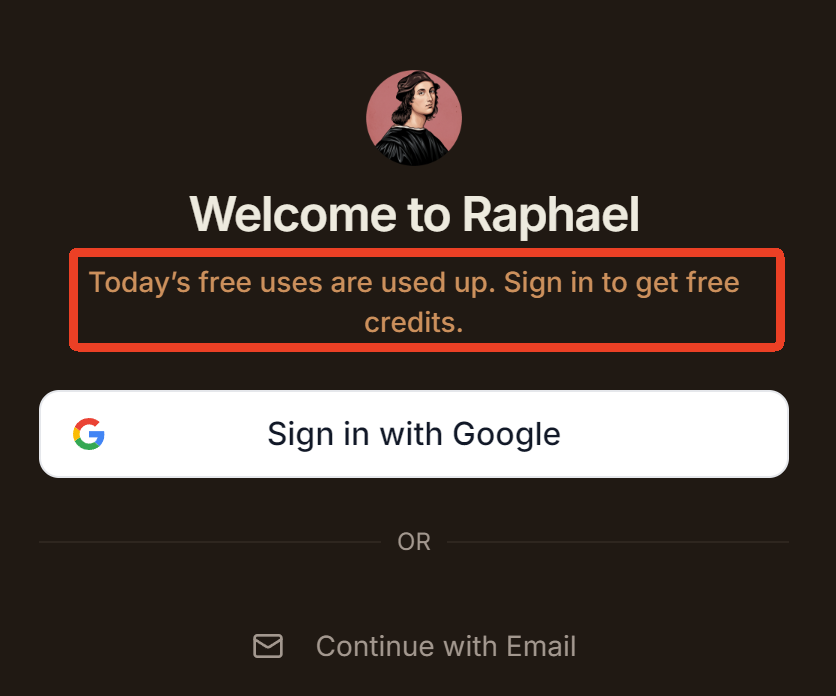
In short, if you want to try out their image generation feature for free without signing up, you only get two free trials—and there is no guarantee that either attempt will actually produce a result.
Video Generation
What I can get if I signed up?
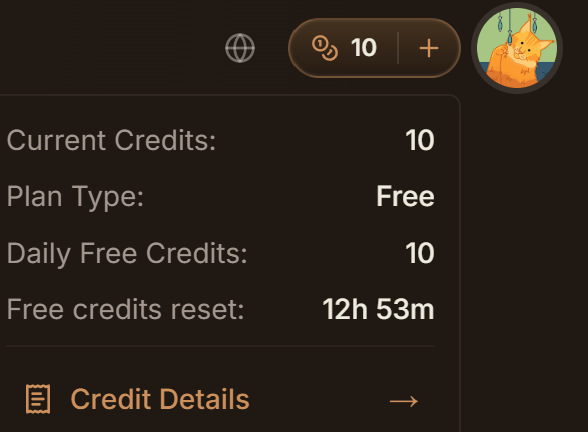
Clearly, it is not “unlimited”,too.
Personally, I really appreciate such a clear and straightforward display of credits. Although I only get 10 free pcredits a day, I can see exactly when they refresh.
Then I tried Raphael’s AI video generation, covering both text-to-video and image-to-video. Users can create videos from text prompts or animate still images at the resolution of 480p. If you need 720p, it costs 20 credits. That means your free credits cannot cover a 720p video.
I tested the image-to-video feature by uploading a highly realistic reference image generated with GPT Image 2 (the platform allows up to three reference images). Although I was using the free model, a detailed prompt still produced a reasonably decent result. The output was somewhat blurry, but overall, it wasn’t too bad.
Image Editing
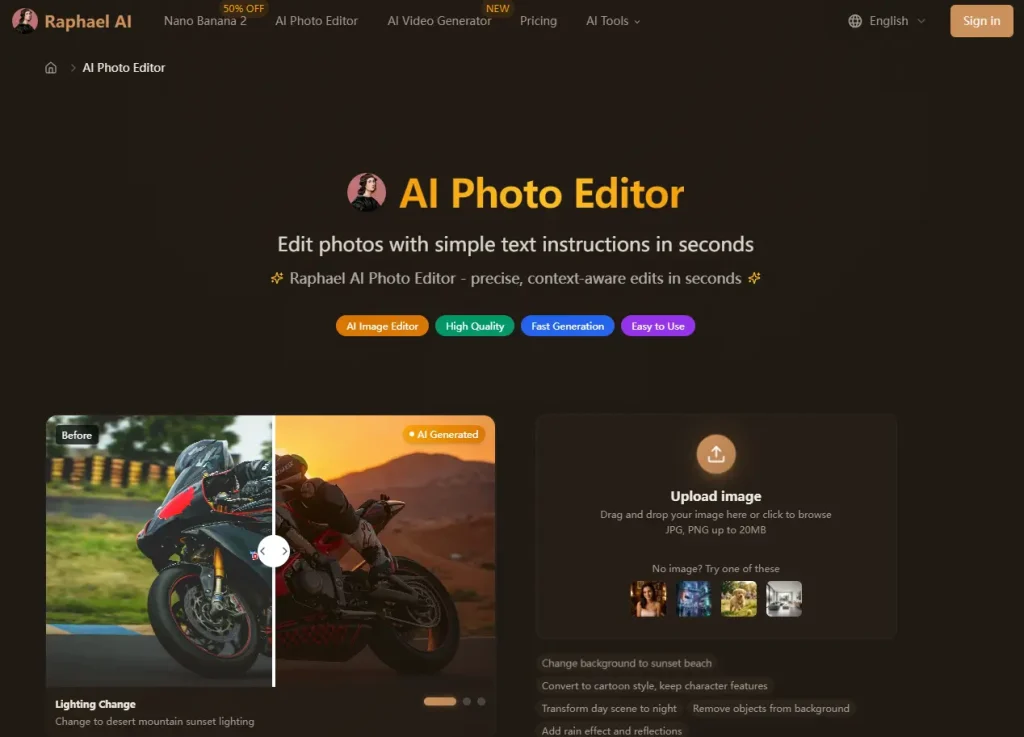
Raphael’s image editing tools make the product more practical beyond simple prompt generation. Its AI Image Editor supports photo editing through text commands, while the image-to-image tool lets users upload a reference photo and restyle it while keeping the original structure. The Uncrop feature can also expand images in different directions, which is useful for changing aspect ratios or creating more background space. These tools are helpful for users who want to refine existing visuals instead of generating everything from scratch.
Other AI Tools But External
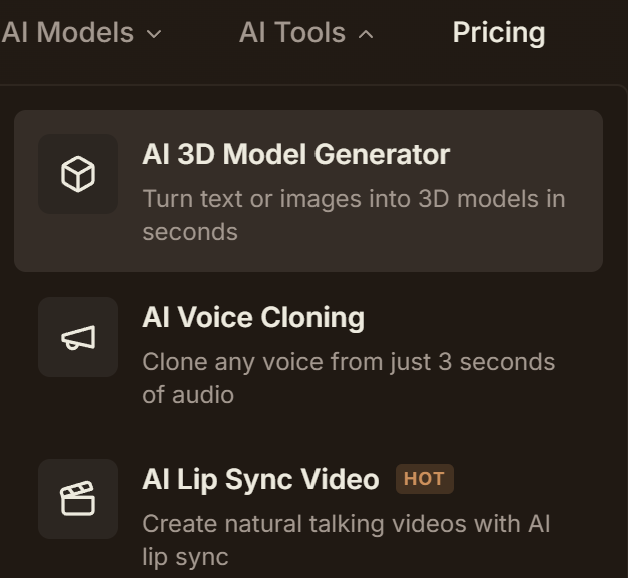
Another important part of Raphael is its collection of model-specific AI tools. Pages for GPT Image 2, Nano Banana 2, Seedream 5.0, Veo 3.1, and Raphael Video Pro make the platform feel like an AI model hub rather than a single-purpose generator. This is useful for users who want to compare different models for text rendering, realism, brand consistency, product visuals, or video quality. Overall, Raphael AI is strongest as an all-in-one visual creation workspace for users who want free image generation, basic editing, and access to multiple image and video models in one browser-based platform.
How to Use Raphael AI — Step-by-Step Tutorial
Getting started takes under a minute.
Getting Started (No Registration Required)
Go to raphael.app, type a prompt, and hit generate. No account needed for your first 8 images. A free account unlocks unlimited generations.
Writing Effective Prompts for Raphael AI
Be specific. Instead of “a cat,” try “a fluffy orange tabby on a windowsill during golden hour, soft bokeh background.” Add style modifiers like “photorealistic” and use negative prompts to exclude unwanted elements like “blurry, low quality.”
Choosing Styles, Aspect Ratios, and Settings
Pick from aspect ratios like 1:1 (social media), 16:9 (blog headers), or 4:5 (portraits). Selecting an art style before generating typically improves results over relying on prompts alone.
Using the Photo Editor and Image Expander
Upload an image and describe changes in plain language — e.g., “replace the background with a tropical beach.” The Image Expander extends canvas boundaries while AI fills the new space.
Creating AI Videos from Images and Text
Choose text-to-video or image-to-video mode, enter your prompt, and adjust duration. Video generation consumes credits on every plan. For advanced controls over motion and output quality, dedicated tools like AI Image to Video provide specialized capabilities.
Raphael AI Pros and Cons — The Honest Version
Based on real user feedback from YouTube, Reddit, and App Store reviews.
Advantages
- Genuinely free image generation with no signup required
- Fast output — typically 3-8 seconds per image
- Diverse styles from photorealism to anime to digital art
- Multi-tool ecosystem covering image, video, editing, and canvas
- 30+ language support and commercial use rights included
- Zero data retention privacy policy
Limitations
- Inconsistent quality — some users report blurry output versus Stable Diffusion or ComfyUI
- Peak-hour delays — wait times exceeding 10 minutes documented
- Domain confusion erodes trust across seven lookalike sites
- Heavy mobile ads — 4 double-ads per generation reported
- Credit opacity — actual per-action costs aren’t always clear
- Evolving restrictions — previously free features may shift behind paywalls
Raphael AI vs. Competitors — How Does It Compare?
Raphael AI vs. Midjourney
Midjourney offers superior image quality at $10+/month via Discord. Raphael AI is partially free and browser-based. Budget creators pick Raphael since it provide 10 free credits; quality-focused professionals pick Midjourney.
Raphael AI vs. DALL-E (ChatGPT Image Generation)
DALL-E integrates with ChatGPT but limits free generations. Raphael provides more free outputs without requiring an OpenAI account, though DALL-E produces more refined complex scenes.
Raphael AI vs. Stable Diffusion
Stable Diffusion offers deep customization through local installation but demands technical skill. Raphael delivers a zero-setup web experience accessible to anyone.
Raphael AI vs. Adobe Firefly
Firefly targets enterprise users with Creative Cloud integration. Raphael targets individuals with free-first access. Choose based on whether you’re in the Adobe ecosystem.
Comparison Table
| Feature | Raphael AI | Midjourney | DALL-E | Stable Diffusion | Adobe Firefly |
| Price | Free (upgrades available) | From $10/mo | Free tier + paid | Free (open source) | Free tier + paid |
| Signup | No | Yes (Discord) | Yes | No (local) | Yes |
| Quality | Good | Excellent | Very Good | Excellent (tuned) | Very Good |
| Speed | 3-8 sec | 30-60 sec | 10-20 sec | Varies | 10-15 sec |
| Video | Yes | No | No | Community tools | No |
Raphael AI Use Cases — What Can You Create?
Marketing and Social Media Content
Generate thumbnails, social graphics, and ad visuals in seconds. The speed and zero cost suit teams testing high volumes of creative variations.
E-Commerce Product Visuals
Create lifestyle product shots and catalog imagery without photo shoots. Raphael’s fashion focus makes it useful for clothing brands needing quick mockups.
Concept Art, Game Art, and Creative Projects
Design characters, environments, and scene illustrations for games and D&D campaigns. Communities like r/AiCarArt and r/aidndhomebrew actively use Raphael for concept work.
Tattoo Design
Both the iOS app and airaphael.org offer tattoo design tools with 20+ styles and body visualization — useful for exploring concepts before permanent commitment.
FAQs of Raphael AI
Is Raphael AI really free?
Basic image generation is free but limited for registered users. Image generation, video generation, premium models, and some editing tools require credits once you sign up.
Do I need to sign up to use Raphael AI?
No — generate up to 8 images without an account. A free signup unlocks unlimited generations.
Which Raphael AI website is the official one?
Raphael.app is the original platform, launched April 2025. Other domains (raphaelai.org, raphaelai.art, raphaelai.cc) are separate entities.
Can I use Raphael AI images commercially?
Raphael AI permits commercial use. However, terms may vary across different Raphael-branded domains.
How does Raphael AI compare to Midjourney?
Midjourney delivers higher quality at $10+/month via Discord. Raphael AI is free and browser-based — ideal for budget-conscious creators.
What AI models does Raphael AI use?
A multi-model system including Seedream 5.0, Nano Banana 2, Nano Banana Pro, and FLUX.1-Dev with automatic model selection per prompt.
Is there a Raphael AI mobile app?
A separate iOS app by Altan Koray Benli exists but is not affiliated with raphael.app. It uses different models and has its own credit system with ads.
How fast is Raphael AI?
Officially 3-8 seconds for images and 1-5 minutes for videos. Peak-hour waits can be significantly longer.
Conclusion
Raphael AI delivers on its core promise: a free, browser-based image generator that requires no signup and produces decent results fast. Its expanding ecosystem — covering images, video, editing, and the infinite canvas — makes it surprisingly versatile for both casual and professional creators.
It won’t rival Midjourney’s output quality, and the domain confusion remains a real obstacle. But with realistic expectations, Raphael AI is an excellent free starting point for AI-powered visual creation.
Ready to start? Visit raphael.app and generate your first image — no account required. For professional video creation, explore AI Image to Video to turn your AI-generated visuals into polished video content.






