Turn Your Image Into a Video in Minutes
Vidnoz is good for testing, but if you want a faster workflow with clean output, try AI Image to Video and create social-ready videos from your images.
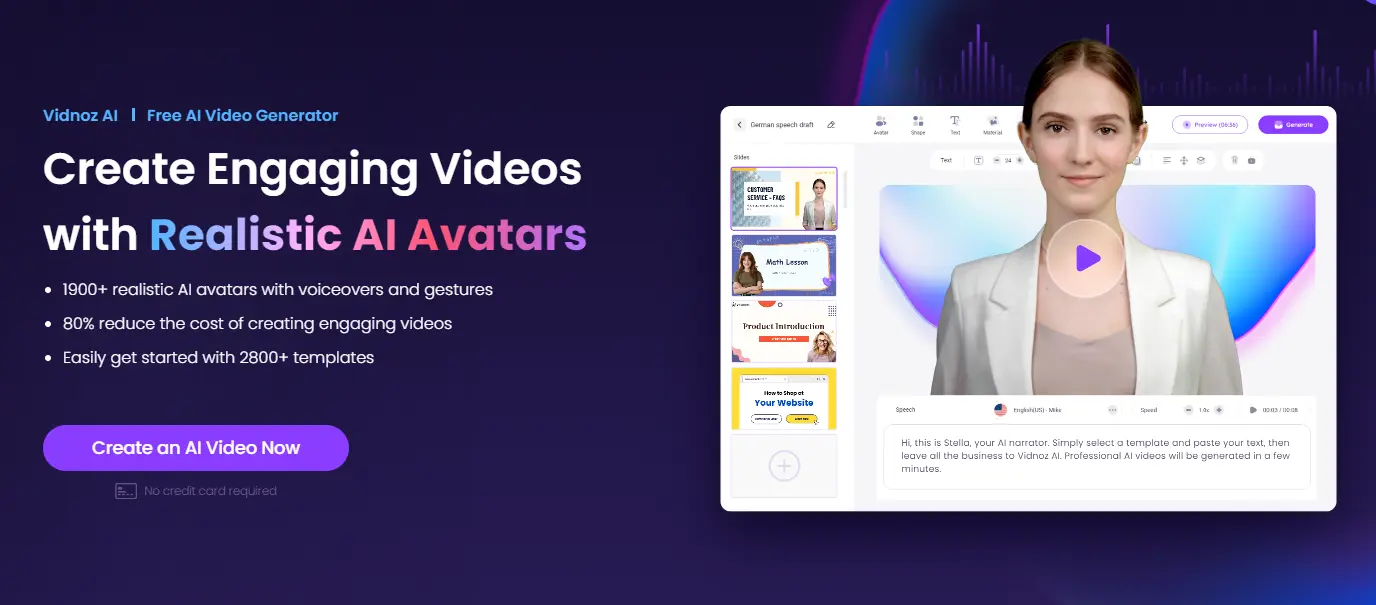
Vidnoz AI claims to be different. It offers an image-to-video tool that turns static pictures into animated videos. But can it really deliver professional results for free? We dug through 92 sources, read countless Reddit complaints about “subscription fatigue,” and tested the platform ourselves.
This guide covers exactly how Vidnoz AI image to video works. You’ll learn the real limitations behind the marketing claims. Plus, we’ll show you step-by-step tutorials and honest alternatives if Vidnoz isn’t right for you.
What Is Vidnoz Image to Video AI?
Before diving into tutorials, let’s understand what this Vidnoz AI image to video tool actually does and who should use it.
Vidnoz AI Platform Overview
Vidnoz AI is an all-in-one video creation platform. It’s not just about turning images into videos. The platform includes over 1500 AI avatars, supports 140+ languages, and offers dozens of creative tools.
Think of it as a video creation Swiss Army knife. You get text-to-video, talking photos, face swap, voice cloning, and more in one place. The Vidnoz AI image to video feature is just one piece of this larger ecosystem.
The platform targets people who want quick results without technical skills. No video editing experience needed. No expensive software to download. Everything runs in your browser.
How the Vidnoz AI Image to Video Generator Works
The process is simpler than you might expect. Upload an image. The AI analyzes what’s in your picture. Then it applies motion and effects based on your chosen style or text prompt.
Want your landscape photo to have moving clouds? Select a cinematic genre. Want a portrait to dance? Choose a dance template. The AI figures out how to animate different elements naturally.
Behind the scenes, Vidnoz uses multiple AI models including Kling, Runway, and Zhipu. Each model has different strengths. More on that later.
Who Should Use This Tool
Content creators making TikToks, Reels, and YouTube Shorts will find this useful. Turn product photos into eye-catching videos. Make static images come alive for more engagement.
Small business owners can create marketing content without hiring video editors. Transform your product images into dynamic ads.
Educators might animate diagrams or turn boring slides into engaging visuals.
E-commerce sellers can convert product photos into videos that grab attention in crowded marketplaces.
If you need quick video content from still images and don’t want to learn complex software, exploring Vidnoz AI image to video is worth your time.
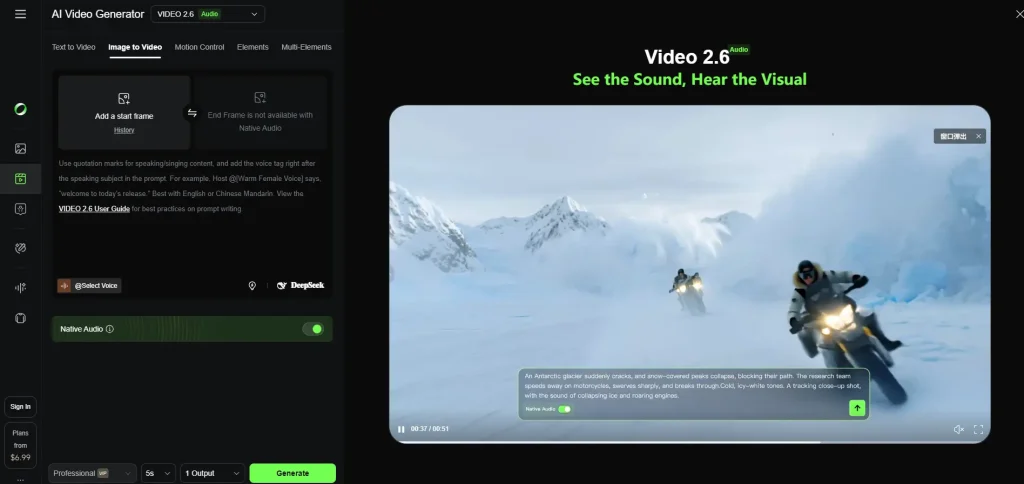
How to Use Vidnoz AI Image to Video (Step-by-Step Tutorial)
Let’s walk through the actual process of creating your first video.
Step 1 – Access the Image to Video Tool
Go to vidnoz.com and find the Image to Video section. You’ll need to create a free account to access daily credits.
The signup process takes about two minutes. Email, password, and you’re in. Free accounts get limited daily credits, which we’ll explain in the pricing section.
Step 2 – Upload Your Image
Click the upload button and select your image. Vidnoz accepts JPG and PNG files.
For best results, use high-resolution images. Blurry or low-quality source images produce blurry videos. The AI can only work with what you give it.
Pro tip: Images with clear subjects and good lighting work best. Busy, cluttered images confuse the AI and produce messy results.
Step 3 – Choose Your AI Model and Genre
This is where Vidnoz AI image to video gets interesting. You can pick from 30+ viral video genres: dancing photos, cinematic pans, talking heads, artistic transformations, and more.
You also choose which AI model powers your video:
-
Kling: Fast generation, good for stylized content
-
Runway: Better for realistic motion and quality
-
Zhipu: Strong for certain content types
Each model uses credits differently. Some cost more than others. Experiment to find what works for your style.
Step 4 – Add Prompts and Customize Settings
Here’s where your creativity matters. Type a prompt describing what motion you want.
Good prompt: “Camera slowly zooms in while clouds move across the sky, soft cinematic lighting”
Bad prompt: “Make it look cool”
The more specific you are, the better results you’ll get. Describe camera movement, speed, mood, and effects you want to see.
Step 5 – Generate and Download Your Video
Click generate and wait. Processing usually takes 1-5 minutes depending on complexity and server load.
Once done, preview your video. Happy with it? Download in your preferred format. Free users get 720p with a watermark. Paid users get 1080p without watermarks.
Vidnoz AI Features You Should Know
Let’s break down what makes this platform stand out and where it falls short.
30+ Viral Video Genres
Vidnoz offers pre-built templates for trending video styles. Dancing photos, dramatic zooms, talking portraits, product showcases, and artistic effects.
These templates are beginner-friendly. Pick a style, upload your image, and the AI handles the rest. No prompt engineering required for basic results.
Multiple AI Models (Kling, Runway, Zhipu)
Having multiple AI models in one platform is genuinely useful. Different models excel at different things.
Kling produces stylized, artistic results quickly. Good for social media content where speed matters.
Runway focuses on realism. Better for professional-looking videos where quality beats speed.
Zhipu offers another flavor of AI processing with its own strengths.
This variety means you’re not stuck with one AI’s limitations. If one model produces weird results, try another.
Free Daily Credits System
Free users get approximately 5-8 generations per day. The exact number depends on which features and models you use.
Credits reset daily. Use them or lose them. Different features cost different amounts. Advanced AI models eat more credits than basic ones.
Honest assessment: The free tier is good for testing and casual use. Serious creators will hit limits quickly and need to upgrade.
Additional Tools in the Ecosystem
Vidnoz isn’t just image-to-video. The platform includes:
-
AI Talking Photo: Make any face speak your text
-
Photo Dance: Animate portraits with dance moves
-
Video Face Swap: Replace faces in existing videos
-
AI Voice Clone: Create custom voice profiles
These tools complement the Vidnoz AI image to video feature. Create an animated video, then add a voiceover with cloned voice. The ecosystem encourages you to try multiple features.
Vidnoz AI Pricing Plans Explained
Let’s address the elephant in the room: is it really free?
Free Plan – What You Actually Get
The free plan includes:
-
3 minutes of video per day
-
720p resolution maximum
-
Watermark on all videos
-
Access to 100+ avatars
This is enough to test the platform and create occasional content. But the watermark and resolution limits make it unsuitable for professional use.
Starter Plan ($19.99-22.49/month)
The Starter tier removes major limitations:
-
15 minutes of video per month
-
1080p resolution
-
No watermark
-
More avatar and template access
For content creators posting regularly, this tier makes sense. The watermark-free 1080p output is usable for professional content.
Business Plan ($56.99/month)
Business users get:
-
30 minutes of video per month
-
Up to 20 minutes per single video
-
Team features
-
Priority processing
This tier suits agencies or businesses with ongoing video needs.
Credit System for Advanced Tools
Here’s where pricing gets confusing. Beyond subscription limits, advanced features use credits.
Some AI models cost more credits. Some features consume credits on top of your monthly minutes. The system isn’t as straightforward as “pay X, get Y videos.”
Budget tip: Test with free credits first. Track how many credits your typical workflow uses before committing to a paid plan.
Vidnoz AI Pros and Cons – Honest Assessment
Based on real user feedback from Reddit, YouTube, and review sites, here’s the balanced view.
What Vidnoz Does Well
Generous testing tier: The free plan lets you properly evaluate the platform before paying.
Multiple AI models: Having Kling, Runway, and Zhipu options provides flexibility other platforms lack.
User-friendly interface: Even beginners can create videos quickly without tutorials.
Wide language support: 140+ languages make it useful for global creators.
Fast generation: Most videos process in minutes, not hours.
Where Vidnoz Falls Short
Credits deplete quickly: Power users burn through daily limits fast.
“Free” has real limitations: Watermarks and 720p make free tier videos unsuitable for professional use.
Inconsistent quality: Results vary. Some videos look amazing, others look obviously AI-generated.
Confusing pricing: Subscription plus credits creates a complicated cost structure.
Video length limits: Short clips work well, longer videos get expensive.
Real User Feedback Summary
Reddit users consistently mention “subscription fatigue” with AI tools. Many express frustration that “free” rarely means unlimited.
YouTube commenters frequently note: “Everything asks for credits” and question whether unlimited claims are misleading.
Positive feedback highlights the platform’s ease of use and the ability to test before buying. Users appreciate having multiple AI model options.
The honest truth: Vidnoz AI image to video works well for what it is. Just don’t expect truly unlimited free professional video creation.
Vidnoz AI vs Competitors – How Does It Compare?
How does the Vidnoz AI image to video tool stack up against alternatives?
Vidnoz vs HeyGen
HeyGen offers superior voice quality and a polished interface. Their avatars look more natural. But the free tier gives you only 1 minute per month.
Best for: Enterprise users needing top-tier quality who don’t mind paying premium prices.
Choose Vidnoz if: You want more free testing options and multiple AI models.
Vidnoz vs Runway
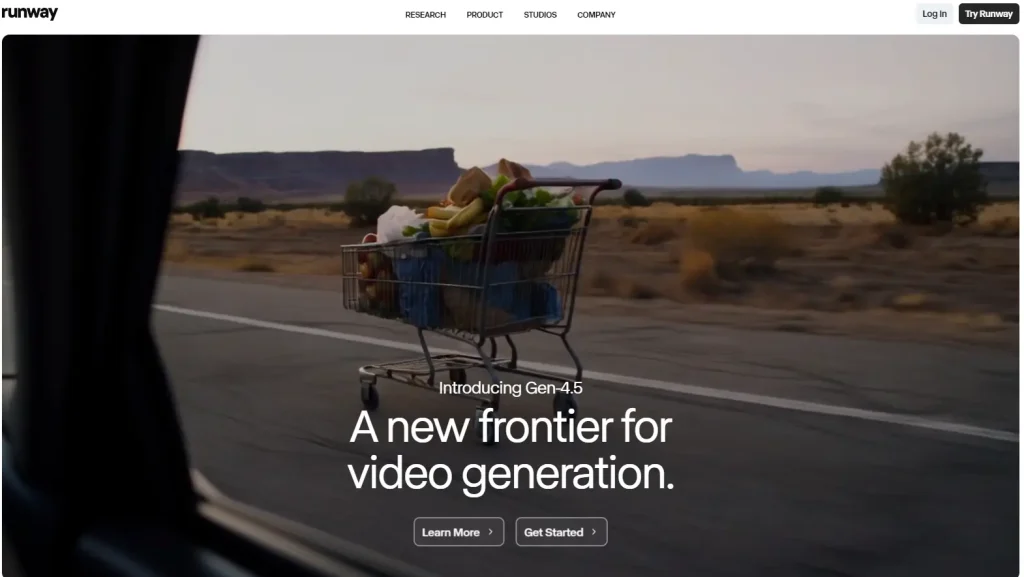
Runway Gen-4.5 produces the best visual quality in the market. It’s the choice for filmmakers and professional creators. But it costs more and has a steeper learning curve.
Best for: Advanced creators prioritizing visual fidelity over ease of use.
Choose Vidnoz if: You want beginner-friendly tools with multiple features in one platform.
Vidnoz vs Free Alternatives (Joyfun, Supawork)
Joyfun and Supawork offer truly free options with no account required. Quality varies, but there’s no credit system to worry about.
Best for: Casual experimentation and users who refuse to create accounts.
Choose Vidnoz if: You want more control, better templates, and don’t mind creating an account.
Best Use Cases for Vidnoz AI Image to Video
Where does this tool actually shine?
Social Media Content Creation
TikTok, Instagram Reels, and YouTube Shorts thrive on eye-catching visuals. Turning static images into moving content increases engagement.
Product photos become dynamic ads. Personal photos become shareable stories. The quick generation time fits social media’s fast pace.
Marketing and Promotional Videos
Small businesses can create professional-looking promotional content without video production budgets.
Turn your product catalog into video ads. Create engaging content for email campaigns. Make your brand more dynamic across all channels.
E-commerce Product Videos
Online marketplaces favor video content. Products with videos often get more views and conversions.
Convert your existing product photography into videos. No need for expensive video shoots. Quick turnaround means you can create videos for your entire catalog.
Educational and Training Content
Educators can animate diagrams, charts, and infographics. Static learning materials become engaging video content.
Corporate trainers can create quick explainer videos from presentation slides. More engaging than static documents.
Tips for Better Results with Vidnoz AI Image to Video
Get the most from the platform with these practical tips.
Image Quality Matters
Start with high-resolution, well-lit images. The AI works with what you provide. Garbage in, garbage out.
Recommended: At least 1080p resolution, good lighting, clear subjects.
Avoid: Blurry photos, cluttered backgrounds, poor lighting.
Writing Effective Prompts
Be specific about motion, camera angles, and mood.
Works well: “Slow zoom into portrait, soft warm lighting, gentle wind moving hair”
Works poorly: “Make it cinematic” or “Add cool effects”
The AI interprets your words literally. Say exactly what you want to see.
Choosing the Right AI Model
Use Kling for: Fast social media content, stylized effects, quick turnaround
Use Runway for: Realistic motion, professional quality, important projects
Use Zhipu for: Experimenting with different AI approaches
Test the same image with different models. You’ll quickly learn which fits your style.
Maximizing Your Free Credits
Batch your work. Plan what you want to create before burning credits on experiments.
Test with lower settings first. Once you know what works, use credits for final high-quality renders.
Time your usage. Credits reset daily, so spread big projects across multiple days.
FAQs About Vidnoz AI Image to Video
Is Vidnoz AI image to video really free?
Yes, with limitations. Free users get 3 minutes of video daily at 720p with watermarks. For watermark-free 1080p output, paid plans start at $19.99/month.
How long can videos be with this tool?
Free tier allows short clips, typically 5-10 seconds per generation. Business plan extends to 20 minutes per video.
Does Vidnoz AI add watermarks to videos?
Yes, free tier videos include watermarks. Starter plan ($19.99/month) and above remove watermarks.
What image formats does Vidnoz support?
Vidnoz accepts JPG and PNG images. Higher resolution sources produce better results.
How does Vidnoz compare to running AI locally?
Local options like ComfyUI offer unlimited free generations but require technical setup and powerful hardware. Vidnoz trades control for convenience.
Can I use Vidnoz videos commercially?
Commercial use rights depend on your subscription tier. Check Vidnoz terms for specific licensing details.
Conclusion
Vidnoz AI image to video offers a solid entry point into AI video creation. The free tier genuinely lets you test the platform. Multiple AI models provide flexibility. The interface makes video creation accessible to beginners.
But “free” comes with real limitations. Watermarks, resolution caps, and daily credit limits push serious users toward paid plans. The credit system adds complexity to budgeting.
Who should use Vidnoz AI image to video: Creators wanting to test AI video generation, small businesses needing quick promotional content, and users who value having multiple tools in one platform.
Who should look elsewhere: Professional creators needing unlimited high-quality output, users frustrated by credit systems, and those wanting truly free unlimited generation.
Ready to try Vidnoz AI image to video? Start with the free tier to test if it meets your needs. Create a few videos, experiment with different AI models, and see if the results match your expectations before committing to a paid plan.