
AI cartoon generators have transformed how we create visual content—enabling anyone to produce professional cartoon imagery and animations without traditional art skills or expensive software. Whether you want to turn a selfie into a Pixar-style character or create an entire animated YouTube series, the tools now exist to make it happen.
The challenge? Most people struggle to choose the right AI cartoon tools, maintain character consistency across scenes, understand the legal implications, and create content that actually looks professional rather than obviously AI-generated.
This guide covers everything from basic photo-to-cartoon conversion to advanced animated video creation. You’ll learn which tools work best for different purposes, discover workflows used by successful content creators, and understand the copyright considerations that could affect your projects. Consider this your complete knowledge foundation for mastering AI cartoon content.
What Is AI Cartoon Technology?
AI cartoon technology uses artificial intelligence to transform photos into cartoon-style images or generate cartoon visuals from text descriptions. Unlike traditional photo filters, these tools analyze facial features, body proportions, and scene elements to create stylistically consistent cartoon renditions.
How AI Cartoon Generators Work
Modern AI cartoon generators rely on neural networks trained on millions of images. When you upload a photo, the AI identifies key features—eyes, nose, facial structure—and reconstructs them in a chosen cartoon style while maintaining recognizable characteristics.
Diffusion models power many text-to-cartoon generators. These systems start with random noise and gradually refine it based on your text prompt until a coherent cartoon image emerges. The quality depends heavily on the training data and model architecture.
Types of AI Cartoon Tools
AI cartoon tools fall into three main categories:
- Photo-to-cartoon converters: Upload a photo, get a cartoon version (Canva, ToonMe, Cartoonize.ai)
- Text-to-cartoon generators: Describe what you want, AI creates it (ChatGPT, Midjourney)
- AI video animators: Turn static images into animated videos (Kling AI, Runway ML)
Understanding which category fits your needs saves time and frustration.
The Evolution of AI Cartoon Technology (2020-2026)
The journey from basic cartoon filters to today’s sophisticated generators happened remarkably fast:
- 2020-2021: Simple style transfer filters dominated
- 2022-2023: DALL-E and Midjourney introduced text-to-image
- 2024-2025: Character consistency and video animation emerged
- 2026: Integrated workflows combining multiple AI tools
Today’s tools produce results that would have been impossible just two years ago.
AI Cartoon vs Traditional Animation
AI cartoons offer speed and accessibility; traditional animation delivers precision and artistic control. A skilled animator might spend weeks on what AI generates in minutes, but the AI output lacks the intentional choices that make hand-crafted animation feel alive.
Key Takeaway: AI works best as a starting point or for high-volume content. For premium projects requiring specific artistic vision, traditional methods still have advantages.
Photo to Cartoon AI: Complete Conversion Guide
Transforming photos into cartoons is the most accessible entry point into AI cartoon creation.
How to Cartoonify Photos with AI
The basic workflow across most tools:
- Upload your photo to the chosen platform
- Select your preferred cartoon style
- Adjust intensity or style settings if available
- Download the result
Most conversions complete in under 30 seconds. For best results, start with high-resolution photos with clear facial features.
Choosing the Right Cartoon Style
Match your style choice to intended use:
- Disney/Pixar style: Friendly, approachable—great for profile pictures
- Anime style: Popular for gaming communities and younger audiences
- Sketch/line art: Professional feel for business applications
- 3D caricature: Playful, exaggerated for social media engagement
Photo Preparation for Best Results
Quality inputs produce quality outputs:
- Lighting: Even, front-facing light works best
- Resolution: Minimum 1024×1024 pixels recommended
- Background: Simple backgrounds reduce processing confusion
- Face position: Direct eye contact with camera yields most consistent results
Batch Processing Multiple Photos
For projects requiring many conversions, look for tools with batch capabilities. Cartoonize.ai and enterprise tiers of most platforms support processing multiple images simultaneously, significantly reducing production time for larger projects.
Creating AI Cartoon Videos
Moving from static images to animated videos opens creative possibilities for storytelling and content creation.
Image-to-Video Animation Basics
AI video animation works by analyzing your static cartoon image and generating motion frames. You typically control:
- Duration: Usually 2-10 seconds per generation
- Motion intensity: Subtle movements vs. dramatic action
- Aspect ratio: Square, portrait, or landscape
Platforms like AI Image to Video specialize in this conversion, offering customizable controls for motion and duration with 1080p output quality.
Text-to-Cartoon Video Workflows
The most popular workflow combines multiple tools:
- ChatGPT: Generate script and scene descriptions
- Image generator: Create consistent character images
- Animation tool: Bring images to life (Kling AI, Runway ML)
- Editor: Combine clips (CapCut, Premiere)
Emmanuel Crown’s tutorial demonstrating this workflow has over 1 million views, proving the demand for this approach.
Adding Voiceover and Sound
ElevenLabs leads AI voiceover generation with realistic text-to-speech and voice cloning capabilities. The process:
- Write your script
- Select or clone a voice
- Generate audio
- Sync with video in your editor
Free tiers exist but have character limits—plan your script length accordingly.
AI Lip Sync for Cartoon Characters
Lip sync remains one of the harder technical challenges. Runway ML and Grok (via X Premium) offer built-in lip sync features. For free alternatives, some creators manually time mouth movements in video editors—more tedious but effective.
Character Consistency in AI Cartoons
Maintaining consistent character appearance across multiple images is the number one technical challenge users face.
Why Character Consistency Matters
Inconsistent characters break immersion instantly. If your hero looks different in every scene, viewers notice—and your content loses credibility. This matters especially for:
- Children’s book illustrations
- YouTube series with recurring characters
- Brand mascots
- Comic strips and stories
Prompt Engineering for Consistent Characters
The key is detailed, repeated character descriptions:
“A highly stylized 3D caricature of [CHARACTER NAME], with an oversized head, expressive facial features, and playful exaggeration. Brown hair, green eyes, wearing a red jacket. Rendered in a smooth, polished style with soft ambient lighting.”
Include this full description in every prompt. Some creators maintain character “reference sheets” with exact descriptions to paste into each generation.
Tools with Built-in Consistency Features
Neolemon specifically addresses character consistency for multi-scene projects. Google Flow combined with VEO 3.1 is emerging as a free option for maintaining characters across longer videos. OpenArt offers consistency features optimized for short-form content creation.
Multi-Scene Project Workflows
For projects like children’s books requiring dozens of consistent images:
- Create a detailed master character description
- Generate multiple reference images
- Select the best representation
- Re-upload that image as reference for subsequent generations
- Include both the image reference and text description in each prompt
AI Cartoon for Content Creators
Platform-specific strategies help maximize the impact of your AI cartoon content.
Creating AI Cartoon YouTube Content
Faceless YouTube channels using AI cartoons have become viable businesses. Key considerations:
- Video length: 8-15 minutes for ad revenue optimization
- Content style: Educational content and stories perform well
- Posting frequency: Consistency matters more than volume
- Monetization threshold: 1,000 subscribers and 4,000 watch hours
AI Cartoon Shorts for TikTok and Reels
Short-form content follows different rules:
- Duration: 30-60 seconds optimal
- Structure: Hook in first 2 seconds, clear narrative arc, satisfying ending
- Trending formats: “What if” scenarios, character transformations, story twists
Roboverse’s tutorial on AI cartoon shorts provides specific templates for this format.
Building a Faceless Content Brand
Your AI characters can become recognizable brands:
- Develop 2-3 consistent main characters
- Create backstories audiences can connect with
- Maintain visual consistency across all content
- Engage with comments as if speaking through your characters
Monetization Strategies for AI Cartoon Content
Revenue streams for AI cartoon creators include:
- Platform ad revenue: YouTube, TikTok Creator Fund
- Sponsorships: Brand deals featuring your characters
- Merchandise: Character designs on products
- Licensing: Characters for others to use
- Courses: Teaching your workflow
AI Cartoon for Business Use
Businesses increasingly adopt AI cartoons for professional applications.
Marketing and Advertising Applications
AI cartoons serve marketing through:
- Social media ads: Eye-catching animated content
- Explainer videos: Complex concepts made accessible
- Brand mascots: Consistent characters for campaigns
The visual distinctiveness helps content stand out in crowded feeds.
Educational Content and E-Learning
Educational applications include:
- Classroom materials with engaging visuals
- Training videos with consistent instructor characters
- Children’s educational content
- Language learning with animated scenarios
Corporate Communications
Internal communications benefit from AI cartoons through:
- HR onboarding materials
- Policy explanation videos
- Company culture content
- Training module animations
Animaker reports that enterprise client GSK saved $1.4 million using their platform for corporate video creation.
ROI Analysis: AI Cartoon vs Traditional Production
A rough comparison:
| Factor | Traditional Animation | AI Cartoon |
| Cost per minute | $1,000-10,000+ | $10-100 |
| Production time | Weeks | Hours |
| Quality ceiling | Unlimited | Tool-dependent |
| Customization | Complete | Limited |
For most business applications, AI offers sufficient quality at dramatically lower cost.
Copyright and Legal Considerations
Understanding copyright implications protects your projects and business.
Copyright Ownership of AI-Generated Cartoons
Current US Copyright Office guidance indicates purely AI-generated content may not be copyrightable. However, content with significant human creative input—prompt engineering, selection, arrangement, editing—may qualify. The legal landscape continues evolving.
Commercial Use Rights and Restrictions
Check each platform’s terms of service carefully:
- Free tiers often restrict commercial use
- Paid subscriptions typically grant commercial rights
- Some platforms claim partial ownership of outputs
Document your creation process as evidence of human involvement.
Derivative Works and Style Imitation
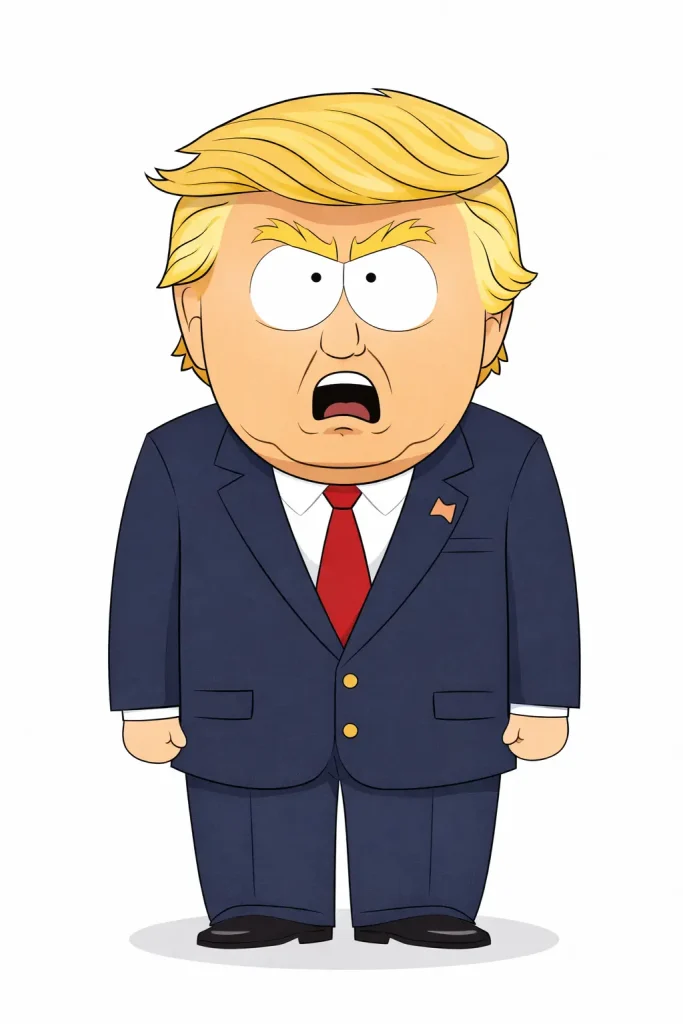
Creating cartoons that closely imitate copyrighted characters or specific artists’ styles carries legal risk. A Quora response notes that converting copyrighted video to cartoon style still constitutes copyright infringement as a derivative work.
Best Practices for Legal Compliance
Protect yourself by:
- Reading and following each tool’s terms of service
- Documenting your creative process and prompt iterations
- Avoiding direct imitation of copyrighted characters
- Consulting legal counsel for significant commercial projects
- Keeping records of which tools generated which outputs
The AI Cartoon Controversy
AI cartoon technology has sparked significant debate in creative communities.
Artist Community Perspectives
Traditional artists and animators express legitimate concerns:
- Job displacement: Studios may prefer cheaper AI alternatives
- Training data ethics: AI learned from artists’ work without consent
- Devaluation: AI could reduce perceived value of artistic skill
Reddit communities like r/antiai actively discuss these issues, with users defending hand-drawn animation’s unique value.
The Quality Debate: Soul vs Efficiency
Critics describe AI cartoons as “uncanny” and “soulless.” One YouTube video argues “The Emoji Movie has more artistic care and talent put into it than AI ever will.”
The counterargument: AI enables creators who lack traditional skills to bring their stories to life—a democratization of creative expression.
Ethical Use Guidelines for Creators
Responsible AI cartoon use involves:
- Transparency: Disclosing AI involvement when relevant
- Attribution: Not claiming AI work as hand-drawn
- Supporting artists: Hiring human artists when budgets allow
- Fair use: Respecting original creators’ rights
The Future of Human-AI Collaboration
The most promising path forward combines human creativity with AI efficiency. Many successful creators use AI for initial concepts or time-consuming elements while adding human refinement. “AI is an assistant, not a replacement” emerges as a common perspective.
Troubleshooting Common AI Cartoon Issues
Quick solutions to frequent problems users encounter.
Fixing Quality and Resolution Problems
Low-quality outputs usually stem from:
- Low-resolution input images (use 1024×1024 minimum)
- Over-compressed exports (select highest quality settings)
- Wrong aspect ratio choices
Upscaling tools can improve results after generation, but starting with quality inputs works better.
Solving Character Inconsistency Issues
When characters change appearance:
- Add more detail to your character description
- Include reference images where platforms allow
- Use the same seed number if available
- Try platforms specifically built for consistency (Neolemon, OpenArt)
Dealing with Uncanny or Distorted Results
“Uncanny valley” results often come from:
- Mixing incompatible style references
- Anatomical ambiguity in prompts
- Requesting actions beyond the model’s training
Simplify your prompts and be explicit about proportions and positioning.
Performance and Processing Optimization
For slow generation or failed renders:
- Reduce image resolution for initial tests
- Generate during off-peak hours
- Break complex scenes into simpler elements
- Monitor credit usage to avoid mid-project limitations
FAQs About AI Cartoon Creation
What is the best free AI cartoon generator?
Canva and ChatGPT offer the best free AI cartoon generation. Canva excels at photo-to-cartoon conversion while ChatGPT handles text-to-cartoon with more creative flexibility. MyEdit provides excellent anime-style conversions with a privacy-focused approach.
Can I use AI-generated cartoons commercially?
Yes, but check each platform’s terms of service. Most commercial-tier subscriptions grant commercial rights, but free tiers often have restrictions. Always document your creation process for potential copyright questions.
How do I maintain character consistency across multiple AI cartoon images?
Use detailed character descriptions in every prompt, reference previous images when platforms allow, and consider tools with built-in consistency features like Neolemon or OpenArt. Creating a master character reference sheet helps maintain consistency across sessions.
Is AI cartoon content copyrightable?
Current US Copyright Office guidance indicates purely AI-generated content may not be copyrightable, but human-directed AI creation with significant creative input may qualify. Consult legal counsel for commercial projects requiring copyright protection.
Conclusion
This guide covered the complete landscape of AI cartoon creation—from understanding the underlying technology and choosing the right tools, to mastering video animation workflows, ensuring character consistency, and navigating legal considerations.
The AI cartoon space continues evolving rapidly. Tools that seemed impressive months ago are already being surpassed. The creators who succeed will be those who understand fundamentals rather than just following specific tool tutorials.
Start with the basics: Try a free photo-to-cartoon tool like Canva or experiment with ChatGPT’s image generation. Once comfortable, explore video animation with platforms like AI Image to Video to bring your cartoons to life. Bookmark this guide as your reference as you develop your AI cartoon creation skills.
