
A freelance creator reportedly earned $70,000 in under a year using Kling AI videos, starting on the free tier. Yet nearly every “free AI video generator” hits you with a paywall after the first prompt, leaving creators confused by Kling’s version numbering, credit system, and conflicting information.
This guide delivers specific numbers, verified methods, and honest assessments of what Kling AI’s free tier offers in 2026, plus the best alternatives when credits run dry.
Is Kling AI Really Free? What the Free Tier Actually Gives You
The short answer: yes, but with clear limitations. Understanding the credit math helps you set realistic expectations.
Daily Free Credits Breakdown: 66 Credits and What They Buy
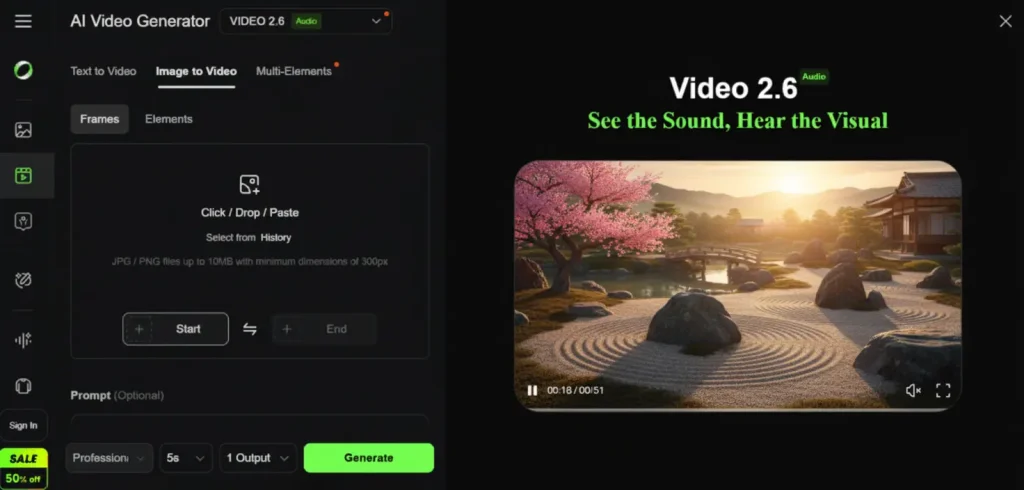
Kling currently provides 66 free credits daily (reduced from an earlier 166). Credits reset each day and do not accumulate. Here’s what they cost:
- 5-second video: 25 credits (~2-3 per day)
- 10-second video: 50 credits (~1 per day)
- Multi-elements Standard: 60 credits
- Multi-elements Pro: 100 credits
- Elements Standard/Pro: 20/35 credits
Realistically, you can generate about 6 five-second clips or 3 ten-second videos per day on the free plan.
Free Tier Limitations: Watermarks, Resolution, and Duration Caps
Free-tier outputs carry a watermark, and you won’t have access to certain premium features. Resolution is capped below the 4K available on paid plans. Reddit users frequently describe the experience as a “bait-and-switch,” so going in with honest expectations is key.
Kling AI Free vs Paid: When Is It Worth Upgrading?
| Plan | Price | Monthly Credits |
| Free | $0 | 66/day (~1,980/mo) |
| Standard | $6.99/mo | 660 |
| Pro | $25.99/mo | 3,000 |
| Premier | $64.99/mo | 8,000 |
Casual creators can often manage on the free tier. If you need watermark-free output or higher volume, the annual package (~$180/year) provides the best value.
What Is Kling AI and Why Is Everyone Talking About It?
Developed by Chinese tech giant Kuaishou, Kling AI stands out for its realistic motion handling and an unusually broad free tier compared to competitors.
Kling AI Overview: The AI Video Generator Setting the Standard
Kling AI packages text-to-video, image-to-video, motion control, lip sync, and virtual try-on under one roof. Its latest version supports 4K output, 15-second clips, and native audio generation. With Sora’s shutdown pushing creators elsewhere, Kling has absorbed much of that user base.
Kling AI Versions Explained: 1.6, 2.6, 3.0, Omni, and O1
The version landscape confuses many users. Here’s a quick breakdown:
| Version | Key Feature | Best For |
| Kling 1.6 | Start/end frame pioneer | Controlled transitions |
| Kling 2.6 Pro | Physics engine, 3D motion | Credit-efficient quality |
| Kling 3.0 Base | Generation, 4K, audio | Latest features |
| Kling 3.0 Omni | Video editing/transformation | Modifying existing clips |
| Kling 3.0 Motion Control | Manual movement control | Viral dance/action videos |
| Kling O1 | Unlimited free images | Image-first workflows |
8 Legitimate Ways to Use Kling AI for Free
This is the core of the guide: every verified method to access Kling without paying, compiled in one place.
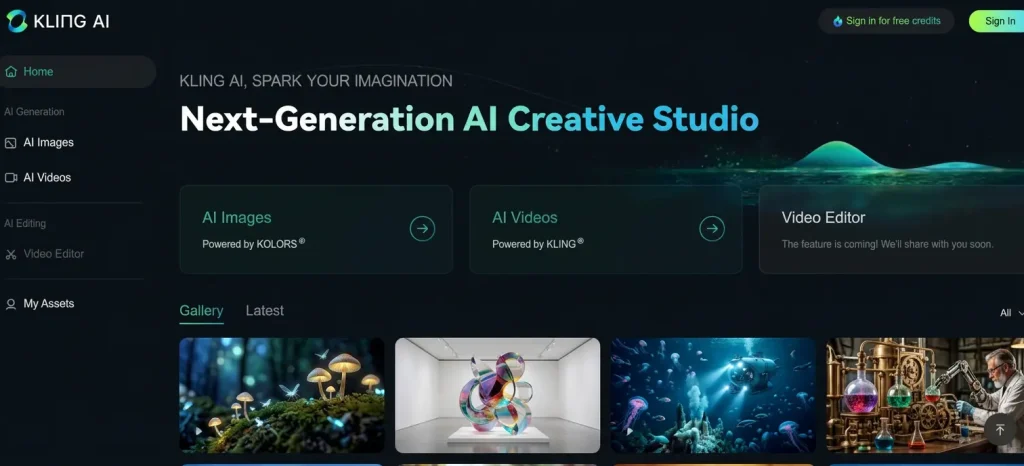
Method 1: Kling AI’s Official Free Tier (66 Daily Credits)
Sign up at the official Kling AI site, verify your account, and claim your 66 daily credits. They don’t carry over, so log in each day and use them strategically.
Method 2: Kling O1 Unlimited Free Image Generation
Generate unlimited free images on Kling O1, curate the best compositions, then animate only the winners. This image-first approach can save over 80% of your video credits by eliminating failed generations.
Method 3: Third-Party Platforms (KREA, Fal AI, Higgsfield, A2E.ai)
Several platforms provide Kling model access through their own credit systems:
- KREA: 100 daily credits with Kling O1 access
- Fal AI: Pay-per-generation at $0.095/second
- Higgsfield: Kling access via subscription plans
- A2E.ai: Daily free bonus credits for Kling 3.0
Additionally, platforms like AI Image to Video offer access to Kling alongside other models like Veo and Wan, with 4K resolution and no watermark on output.
Method 4: Fal AI / Weavy via Figma Login (Currently Working)
As of April 2026, you can access Kling 3.0 Motion Control through Fal AI by logging in with a Figma account. Multiple YouTube creators have confirmed this method works, giving you motion control access without a direct Kling subscription.
Method 5: Creator and Influencer Program
Kling’s UGC/influencer program offers effectively unlimited credits for qualifying content creators. Referral codes from the program can provide 50% more credits or 1,500 free credits for new users.
Method 6: Referral Codes and Daily Check-In Bonuses
Stack these smaller methods for extra credits:
- Daily login bonuses accumulate over time
- Milestone bonuses reward consistent usage
- Publishing bonuses reward sharing your creations
- Referral codes from existing users
Method 7: Free Trials on Aggregator Platforms (Artflo, OpenArt, EaseMate)
Several aggregator platforms provide Kling access with free trials or limited credits. Check current terms, as offerings change frequently.
Method 8: Open-Source Alternatives via ComfyUI (Wan 2.2, Hunyuan)
For technical users with GPU hardware, running Wan 2.2 through ComfyUI provides truly free, unlimited generation. Wan 2.2 now supports start/end-frame control, making it a viable Kling alternative. The trade-off is a complex initial setup and hardware requirements.
How to Get the Best Results with Free Kling AI Credits
Limited credits demand smart workflows. These techniques help you maximize every generation.
The Image-First Workflow: Save 80% of Your Credits
Generate unlimited images on Kling O1, select only the strongest compositions, and then animate those picks. This dramatically reduces wasted credits from failed or unsatisfying video generations.
Kling AI Prompt Formula: Subject, Camera, Environment, Audio
Structure your prompts using this four-part formula extracted from top-performing creators:
- Subject: What’s happening in the scene
- Camera: Movement type and angle (zoom, pan, tilt)
- Environment: Setting, lighting, and atmosphere
- Audio: Sound effects or music cues (Kling 3.0)
Key Takeaway: Simple, structured prompts consistently outperform complex, detailed ones in Kling AI. One creator’s advice: “Show xyz, then cut to several different creative angles.”
When to Use Kling 2.6 Instead of 3.0 (Credit-Efficient Choices)
Kling 2.6 costs fewer credits and handles most standard use cases well. Reserve Kling 3.0 for when you specifically need Elements, native audio, or 4K output. Similarly, Standard mode consumes fewer credits than Professional mode for minimal quality difference on shorter clips.
Best Free Alternatives to Kling AI Video Generator
When Kling credits run out, these alternatives can fill the gap.
Meta AI: Truly Free with No Credit Limits
The only genuinely free option with no credit system. Supports text-to-video and image uploads. However, output quality is notably lower, often described as having a “last-generation gaming” look.
Runway Gen-4: Best for Cinematic Quality (Limited Free Credits)
Offers 125 one-time credits (non-renewing) on the free plan. Highest cinematic quality among competitors, but the most expensive paid option. Best suited for one-time polished projects.
Veo 3.1 via Synthesia: Free Access to Google’s Top Model
Access Google’s Veo 3.1 for free through Synthesia’s AI Playground. Also available through Gemini subscriptions (100 shared monthly credits). Strong quality backed by Google’s infrastructure.
Seedance 2.0: Best Budget Option for Volume
ByteDance’s entry at roughly $9.80/month for 60 videos offers the best price-to-volume ratio. Not free, but worth noting as the cheapest path to paid AI video generation.
Hailuo/Minimax: Best Free Starter Tool
A solid entry-level option with lower pricing than Kling. Performs well for action-oriented clips and is frequently recommended on Reddit as a free starting point.
Free AI Video Generator Comparison Table
| Tool | Free Credits | Duration | Watermark | Resolution | Key Strength |
| Kling AI | 66/day (renewing) | 5-10s | Yes | Up to 1080p | Motion realism |
| Runway Gen-4 | 125 (one-time) | 5-10s | Yes | Up to 4K | Cinematic quality |
| Veo 3.1 | Via Synthesia | 4-8s | Varies | High | Google quality |
| Meta AI | Unlimited | Short | No | Lower | Truly free |
| Hailuo | Limited | 5s | Yes | 1080p | Easy to start |
| Wan (ComfyUI) | Unlimited (local) | Flexible | No | 1080p | Self-hosted freedom |
| AI Image to Video | Free tier | Varies | No | Up to 4K | Multi-model, no watermark |
Watch Out: Fake Kling AI Sites and Scams
The search for “free Kling AI” attracts scammers. Protect yourself by knowing the warning signs.
How to Identify Fake Kling AI Websites
Watch for these red flags:
- Unofficial domains (.org, .net variants)
- Claims of “unlimited free Kling 3.0”
- No account verification required
- Running visibly older model versions
Stick to the official Kling AI site and the verified third-party platforms listed in this guide.
Free Methods That No Longer Work (Updated April 2026)
These previously shared workarounds have been patched:
- Temporary email multi-account tricks: Kling now blocks temp email domains
- Artflo unlimited credits method: Creator confirmed it was patched
- Multiple older YouTube tutorials: Comments consistently report “system busy” errors
Knowing what’s been patched saves you time and frustration.
FAQs of Free Kling AI Video Generator
Is Kling AI really free to use?
Yes. Kling AI offers a free tier with 66 daily credits, enough for about 6 five-second watermarked videos per day. It’s not unlimited, but it’s among the most generous free tiers in the AI video space.
How many free credits does Kling AI give per day?
Kling currently provides 66 free credits daily, down from an earlier 166. Credits reset each day without rolling over. A 5-second video costs 25 credits; a 10-second video costs 50.
Can you remove the Kling AI watermark for free?
The free tier includes watermarks on all output. Removal requires a paid subscription starting at $6.99/month. Some third-party platforms may offer watermark-free output through their own plans.
Which Kling AI version should I use on the free tier?
Kling 2.6 offers the best quality-to-credit ratio for free users. Use Kling 3.0 only when its unique features (Elements, audio, 4K) are needed. Use Kling O1 for unlimited free image generation.
What’s the best free alternative to Kling AI?
Meta AI is truly free with no limits but lower quality. Veo 3.1 via Synthesia offers high quality for free. For technical users, Wan 2.2 via ComfyUI enables unlimited local generation.
Is Kling AI better than Runway for free users?
For free users, Kling offers significantly more value: 66 renewable daily credits versus Runway’s 125 one-time, non-renewing credits. Kling also provides broader feature access on its free tier, including Motion Control.
Conclusion
Kling AI’s free tier delivers genuine value with 66 daily credits for real AI video generation. The image-first workflow remains the smartest strategy for free users, and multiple legitimate methods exist to extend access beyond the daily limit.
Bookmark this guide as the AI video landscape shifts rapidly.
Ready to start? Sign up for Kling AI’s free tier, try the image-first workflow to stretch your credits, and explore platforms like KREA, Fal AI, and AI Image to Video for additional free generations.






