
What if you could create Hollywood-quality video clips from a single image or text prompt—in under a minute? That’s exactly what Seedance 2.0 promises.
ByteDance’s latest AI video generator has taken the creative world by storm, but many users feel overwhelmed. They struggle to access the platform, don’t know how to write effective prompts, or feel lost navigating its advanced features.
This tutorial changes that. Whether you’re a complete beginner or looking to level up your AI video skills, you’ll learn everything from platform access to advanced prompt techniques. By the end, you’ll be creating cinematic AI videos with confidence.
What Is Seedance 2.0? Understanding ByteDance’s AI Video Revolution
Seedance 2.0 represents ByteDance’s most ambitious leap in AI video generation. Released in February 2026, it builds on over a year of rapid development and community feedback.
The Evolution from Seedance 1.0 to 2.0
The journey started with Seedance 1.0 Lite in mid-2025, offering basic 720p/1080p output at 2-12 seconds. Then came 1.0 Pro with multi-shot capabilities and cinematic quality, followed by 1.5 Pro in December 2025 introducing native audio and lip-sync features.
Seedance 2.0 arrived with a massive upgrade: support for up to 12 simultaneous inputs (9 images + 3 videos + 3 audio files), 15-second duration, and native audio generation including sound effects, music, and multilingual dialogue.
What Makes Seedance 2.0 Different from Other AI Video Generators
Several features set Seedance 2.0 apart:
- Multimodal Reference System: Upload multiple images, videos, and audio files to guide your generation
- @ Mention Syntax: Reference specific assets naturally within your prompts (e.g., “@character1 walks through @background2”)
- Camera/Motion Replication: Copy camera movements directly from reference videos
- Character Replacement: Swap characters while preserving original motion
- Native Audio: Generate sound effects, music, and dialogue without external tools
Seedance 2.0 Technical Specifications at a Glance
| Specification | Details |
| Resolution | Up to 1080p+ |
| Duration | 4-15 seconds |
| Aspect Ratios | 21:9, 16:9, 4:3, 1:1, 3:4, 9:16 |
| Frame Rate | 24-30fps |
| Input Types | Text, images, video, audio |
How to Access Seedance 2.0: Platform Comparison Guide
Access is the biggest pain point for Seedance users. The official Chinese platforms have restrictions, but several alternatives make it accessible worldwide.
Official Access: Jimeng and Dreamina (CapCut)
Jimeng (ByteDance’s official platform) offers Seedance 2.0 beta but requires a Chinese phone number and has face generation restrictions. For international users, Dreamina (integrated with CapCut) provides access to Seedance 1.0 Mini and 1.5 with 120 free daily credits—no Chinese ID required.
Third-Party API Platforms: fal.ai, wavespeed.ai, and More
For developers and power users, third-party APIs offer the best flexibility:
- fal.ai: Popular developer option with pay-per-use pricing and full API access to Seedance 1.0, 1.5, and 2.0
- wavespeed.ai: Known for fast generation speeds; recommended by many community members
- imagerouter.io: Offers an OpenAI-style unified API supporting multiple AI video models
Subscription Services: invideo.io and Artlist
If you prefer predictable pricing, subscription platforms like invideo.io (full-length video workflows) and Artlist (professional creator focus) bundle Seedance access with additional tools.
Platform Comparison Table: Which One Should You Choose?
| Platform | Models Available | Pricing | API | Best For |
| Dreamina | 1.0 Mini, 1.5 | Free + credits | No | Beginners, casual use |
| fal.ai | 1.0, 1.5, 2.0 | Pay-per-use | Yes | Developers |
| wavespeed.ai | Full version | Pay-per-use | Yes | Speed priority |
| invideo.io | Pro | Subscription | No | Full video projects |
Key Takeaway: For most beginners, start with Dreamina’s free tier. For full Seedance 2.0 features, fal.ai or wavespeed.ai offer the best value.
Getting Started: Your First Seedance 2.0 Video in 5 Steps
Let’s create your first AI video. This walkthrough works on most platforms with slight interface variations.
Step 1: Choose Your Platform and Create an Account
Pick a platform based on your needs. For this tutorial, we’ll use a general workflow that applies across platforms. Sign up, verify your email, and complete any onboarding steps.
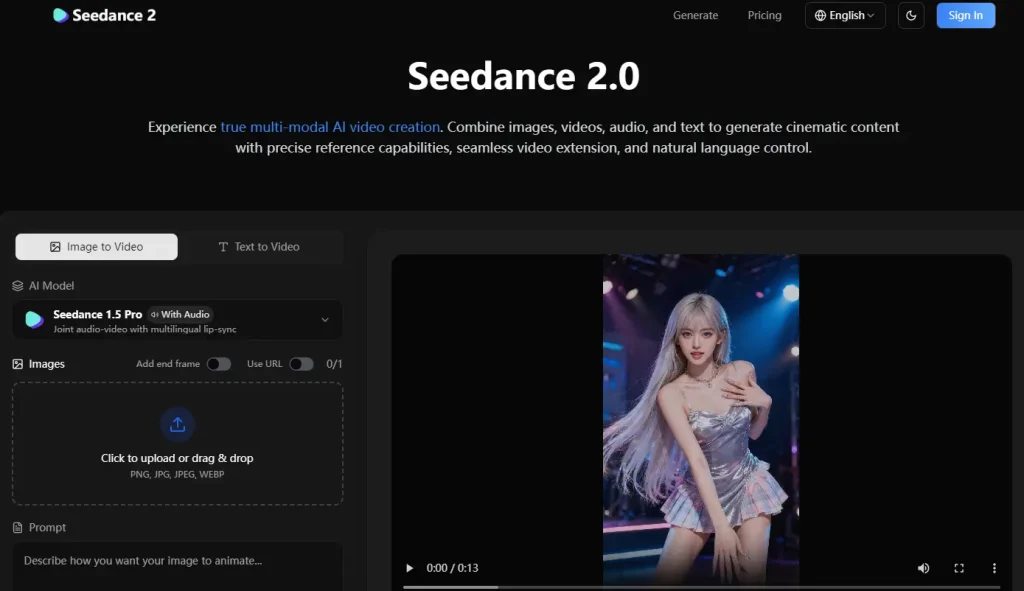
Step 2: Understanding the Seedance Interface
Most Seedance interfaces share common elements:
- Prompt Input: Where you describe your video
- Reference Upload: For images, videos, or audio files
- Settings Panel: Resolution, duration, aspect ratio controls
- Preview Area: Where your generated video appears
Step 3: Write Your First Prompt
Start simple. Here’s a beginner-friendly prompt:
“A golden retriever runs through a sunlit meadow, slow motion, cinematic lighting, 4K quality, camera follows the dog smoothly”
Notice how it includes: subject (golden retriever), action (runs), environment (sunlit meadow), style (slow motion, cinematic), and camera direction (follows smoothly).
Step 4: Configure Settings (Resolution, Duration, Aspect Ratio)
For your first video:
- Resolution: 1080p (balance of quality and speed)
- Duration: 4-6 seconds (faster generation)
- Aspect Ratio: 16:9 for general use, 9:16 for social media
Step 5: Generate, Review, and Iterate
Click generate and wait 30-90 seconds. Review the result critically. If something’s off, adjust your prompt—be more specific about what needs changing. Iteration is key to mastering AI video.
Mastering Seedance Prompts: From Basic to Cinematic
The difference between amateur and professional-looking AI videos often comes down to prompt quality.
Anatomy of an Effective Seedance Prompt
Every great prompt includes these elements:
- Subject: Who or what is the focus
- Action: What’s happening
- Environment: Where it takes place
- Camera: Movement and angle
- Lighting: Mood and atmosphere
- Style: Cinematic quality, film stock, era
10 Proven Prompt Templates You Can Use Today
Product Showcase:
“A sleek smartphone rotates slowly on a reflective black surface, studio lighting, product photography style, soft shadows, 4K”
Landscape Cinematic:
“Aerial drone shot flying over misty mountains at sunrise, golden hour lighting, epic cinematic style, smooth forward movement”
Character Animation:
“A woman in a red dress walks confidently down a rainy city street at night, neon reflections on wet pavement, film noir style, tracking shot”
Social Media Hook:
“Close-up of coffee being poured into a ceramic mug, steam rising, warm morning light, cozy aesthetic, slow motion”
Action Sequence:
“A sports car drifts around a corner on a mountain road, dust particles in air, dramatic low angle, fast-paced energy”
Using the @ Reference System for Advanced Control
Seedance 2.0’s @ mention syntax is a game-changer. Upload reference files, then reference them in your prompt:
“Upload: character.jpg, background.jpg”
“Prompt: @character walks through @background, maintaining consistent appearance, gentle breeze moving hair”
This ensures your character looks the same across multiple generations.
Common Prompt Mistakes and How to Fix Them
| Mistake | Example | Fix |
| Too vague | “A nice video of nature” | Add specific details: subject, lighting, camera |
| Contradictory | “Fast-paced slow motion” | Choose one pace |
| Overloaded | 200+ word prompts | Keep to 50-80 words max |
| No camera direction | Missing entirely | Always specify camera movement |
Advanced Features: Unlocking Seedance 2.0’s Full Potential
Once you’ve mastered basics, these advanced features open new creative possibilities.
Image-to-Video: Bringing Still Photos to Life
Upload any image as a starting frame. Tips for best results:
- Use high-resolution source images (at least 1080p)
- Choose images with clear subjects
- Describe the motion you want, not just the scene
Video-to-Video: Camera and Motion Replication
Have a reference video with perfect camera work? Upload it and tell Seedance to replicate the movement with your own content. Great for matching professional cinematography styles.
Native Audio Generation: Sound Effects, Music, and Dialogue
Seedance 2.0 generates synchronized audio automatically. You can also:
- Add beat-synced editing for music videos
- Generate multilingual lip-sync dialogue
- Create matching sound effects for actions
Troubleshooting Common Seedance Issues
Even experienced users hit roadblocks. Here are solutions to the most common problems.
“My Prompts Aren’t Being Followed Accurately”
Try these fixes:
- Be more specific: Replace “beautiful” with “golden hour sunlight casting long shadows”
- Use structured prompts: Follow the subject-action-environment-camera format
- Test incrementally: Start simple, add complexity one element at a time
“The Video Has Choppy Transitions or Style Changes”
Style consistency issues often come from:
- Prompts that change style mid-description
- Missing reference images for character consistency
- Duration set too long—try shorter clips
“Generation Is Taking Too Long or Failing”
Troubleshooting steps:
- Check platform status pages for outages
- Reduce resolution or duration
- Try a different platform if issues persist
Seedance 2.0 vs. Competitors: How Does It Stack Up?
Understanding how Seedance compares helps you choose the right tool.
Quick Comparison Table: Choosing the Right Tool
| Model | Strengths | Weaknesses | Best For |
| Seedance 2.0 | Multimodal reference, native audio, physics | Access barriers | Advanced creators |
| Kling 3.0 | Lip-sync, similar quality | Chinese access issues | Professional content |
| Veo 3 | Google ecosystem, audio sync | Behind in raw quality | Google users |
| Runway Gen-4 | Most accessible, editing features | Quality gap vs Chinese models | Beginners |
For users who want to explore multiple AI video models without platform restrictions, tools like AI Image to Video provide unified access to various generators including Kling, Veo, and Wan—with 4K output and no watermarks.
FAQs of Seedance 2.0
Is Seedance 2.0 free to use?
Dreamina offers free credits (120/day), but full Seedance 2.0 features require paid platforms. Expect $0.05-0.15 per generation on API platforms.
Do I need a Chinese ID to access Seedance?
Not for third-party platforms. Dreamina, fal.ai, wavespeed.ai, and others work with standard email signup.
What’s the maximum video length Seedance 2.0 can generate?
Single generations max at 15 seconds, but you can use the video extension feature to create longer sequences.
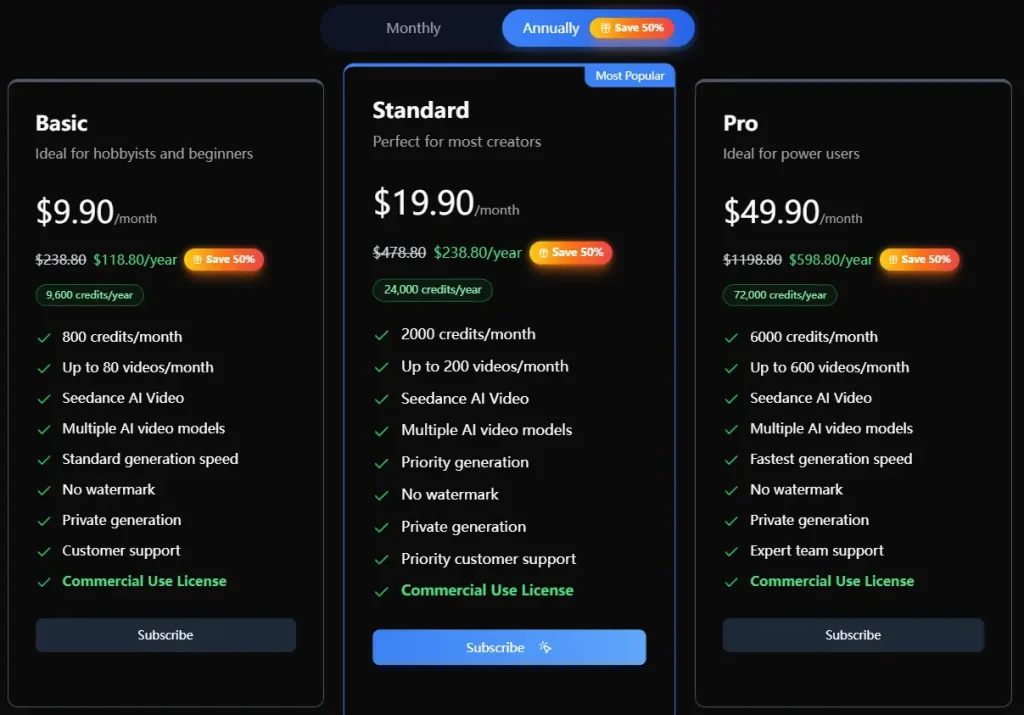
Can I use Seedance videos commercially?
Licensing varies by platform. Check each platform’s terms—most allow commercial use but verify before publishing.
Conclusion
Seedance 2.0 represents a genuine leap forward in AI video generation. Its multimodal reference system, native audio, and cinematic quality put professional-grade video creation within reach of anyone willing to learn.
The learning curve is real, but manageable. Start with simple prompts, experiment with the techniques in this guide, and iterate on your results. The prompts that seemed complex at first will become second nature.
Ready to create your first cinematic AI video? Start with the 5-step guide above, use the prompt templates provided, and don’t be afraid to experiment. The future of video creation is here—and it’s more accessible than ever.
