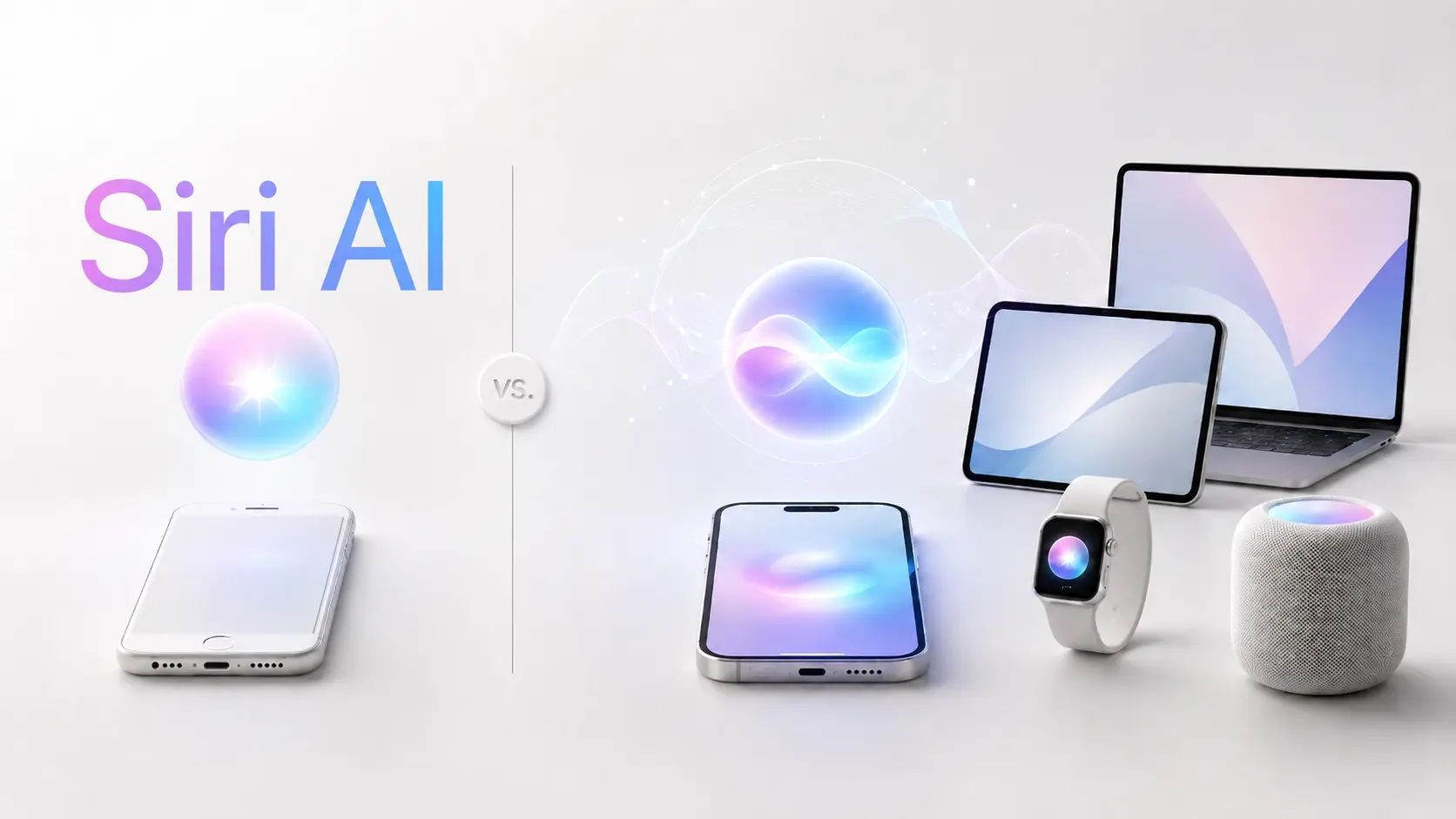
If you’ve ever had Siri call your boss at 5:45 AM instead of setting an alarm or answer a simple question with “here’s what I found on the web,” you know why Apple needed to start over. After a $250 million class action settlement and two years of delays, Apple announced Siri AI at WWDC 2026 — a ground-up rebuild.
The problem? Media outlets have spread conflicting information about which iPhones get Siri AI. Some claim only iPhone 17 Pro qualifies. The truth is a three-tier system nobody has fully mapped out until now. This guide compares every new feature to old Siri and shows exactly what works on your device.
What Is Siri AI? Understanding Apple’s Rebuilt Assistant
Siri AI isn’t a software update — it’s an entirely new assistant built on a different architecture.
Why Apple Renamed Siri to “Siri AI”
The rebrand signals a fundamental shift. Old Siri relied on a rule-based system that matched keywords to scripted responses. Siri AI is a full large language model (LLM) powered assistant — Apple’s attempt to distance from 15 years of reputation damage.
The Architecture Behind Siri AI: Apple Foundation Models + Google Gemini
Siri AI runs on three processing layers that create its tiered feature system:
- On-device Apple Foundation Models handle simple, private tasks directly on your phone
- Private Cloud Compute (PCC) processes complex queries on Apple Silicon servers without retaining your data
- Google Gemini supplies broad world knowledge, routed through PCC so Google never sees your personal information
How Private Cloud Compute Changes What Your Device Can Do
PCC is the key to understanding compatibility. Heavy AI processing happens on Apple’s cloud servers — not your phone — so most Siri AI features don’t require the latest hardware. PCC uses stateless computation with no data retention, backed by a $1 million bug bounty.
Old Siri vs. New Siri AI: Complete Feature Comparison
Conversational Intelligence — From Scripted Responses to Real Conversations
Old Siri matched keywords to canned responses. Siri AI holds genuine multi-turn conversations, retains context, and resolves pronouns naturally. In a viral test with 3,892 upvotes on Reddit, Siri AI correctly solved the classic “car wash riddle” that old Siri couldn’t parse.
Personal Context — Understanding Your Messages, Emails, and Photos
Old Siri had zero personal context. Siri AI indexes your data on-device and answers questions like “What time is my flight?” or “Show me photos from last weekend.” Beta testers on r/iOSBeta report indexing takes 24-39 hours but transforms how useful Siri becomes.
On-Screen Awareness — Siri Now Sees What You See
Old Siri was blind to your screen. Siri AI reads and acts on what’s displayed — saving addresses from messages, adding events from screenshots, and summarizing articles. AppleTrack rates this as a weaker area in early testing, but it’s a capability old Siri never had.
App Actions and Cross-App Intelligence
Old Siri could launch apps and run basic commands. Siri AI executes complex multi-step actions across apps — booking restaurants, sending photos to contacts, or creating calendar events from emails. Multi-command prompts promised at WWDC 2024 are still being refined.
The Dedicated Siri App and Conversation History
Entirely new. Siri AI gets its own app to revisit past conversations, synced via iCloud. Old Siri treated every interaction as a one-shot command.
Visual Intelligence — Using the Camera as an AI Input
Old Siri had no camera integration. Siri AI brings Visual Intelligence across iPhone, iPad, Mac, and Vision Pro — identifying objects, translating text in real-time, and providing contextual information from your camera feed.
Writing and Editing with Siri AI
Old Siri could dictate but not compose. Siri AI introduces “Write with Siri” — draft, rewrite, proofread, and adjust tone in any text field via voice, powered by Apple Intelligence Writing Tools.
Expressive Voices and Advanced Dictation
Old Siri had limited voice options and basic dictation. Siri AI adds voice personalization with adjustable pace and expressiveness, plus improved dictation accuracy. Critical note: These are the only two features requiring 12GB RAM — a point we’ll clarify next.
The Three-Tier Device System Explained (Correcting the Misinformation)
Most articles get this wrong. Apple uses a three-tier system, not a simple “supported or not” list.
Tier 1 — iOS 27 Compatible Devices (OS Features, No Siri AI)
These devices get iOS 27’s Liquid Glass redesign and non-AI updates but no Siri AI.
Tier 2 — Siri AI via Private Cloud Compute (iPhone 15 Pro and Newer)
The tier media outlets most often misrepresent. Devices with A17 Pro chip or newer — iPhone 15 Pro, entire iPhone 16 lineup, and all iPhone 17 models — get full Siri AI via Private Cloud Compute, including conversational AI, personal context, on-screen awareness, app actions, the dedicated Siri app, Visual Intelligence, and Writing Tools.
Key Takeaway: Most Siri AI features work on Tier 2 devices because heavy processing happens in the cloud. A Reddit PSA with 421 upvotes corrected widespread misinformation on this point.
Tier 3 — Premium On-Device Features (12GB RAM Devices Only)
Only two features require 12GB RAM: voice personalization and advanced dictation. These are limited to iPhone 17 Pro, iPhone 17 Pro Max, and iPhone Air. The community is split — some argue improved dictation isn’t trivial since it’s a daily-use feature, while others note it may come via cloud processing eventually.
Complete Device-by-Feature Compatibility Matrix
| Feature | Old Siri | Tier 2 (iPhone 15 Pro+) | Tier 3 (12GB RAM) |
| Conversational AI | No | Yes (PCC) | Yes (PCC) |
| Personal Context | No | Yes (on-device) | Yes (on-device) |
| On-Screen Awareness | No | Yes (PCC) | Yes (PCC) |
| App Actions | Basic | Yes (PCC) | Yes (PCC) |
| Dedicated Siri App | No | Yes | Yes |
| Visual Intelligence | No | Yes | Yes |
| Write with Siri | No | Yes (PCC) | Yes (PCC) |
| Expressive Voices | No | No | Yes (on-device) |
| Advanced Dictation | Basic | No | Yes (on-device) |
[Image: Three-tier device compatibility infographic showing which iPhone models fall into each tier]
Why the Media Got It Wrong (And How to Spot Misinformation)
Apple’s marketing emphasized iPhone 17 Pro, and outlets amplified this as exclusivity. Reddit quickly corrected the record. To verify claims, check Apple’s official support pages rather than headlines. The iPhone 16’s “built for Apple Intelligence” marketing is now the subject of a class action.
Setting Up Siri AI: What to Expect on Each Device Tier
Installing iOS 27 and Checking Your Eligibility
Install iOS 27 via the developer beta (available now) or wait for the public beta. Go to Settings > General > About to check your chip model and confirm your device tier.
The Siri AI Waitlist: How Long It Takes and What Happens
Wait times range from 30 minutes to 36+ hours in random batches. Keep your phone plugged in and on WiFi — waitlist access and indexing run independently.
On-Device Indexing: Why It Takes Days and How to Speed It Up
Siri AI indexes your personal data on-device. Beta testers report 24-39+ hours for completion. Keep your device plugged in overnight and avoid restarting during indexing.
Siri AI vs. ChatGPT vs. Gemini vs. Claude: How They Compare by Use Case
Device Integration Tasks (Siri AI Wins)
For reminders, hands-free messaging, device settings, and cross-app actions, Siri AI has no equal. No standalone chatbot has OS-level access to your apps and data.
Knowledge and Reasoning Tasks (Standalone AI Wins)
For deep research, code writing, long-form content creation, and complex analysis, ChatGPT, Gemini, and Claude outperform Siri AI. Siri AI’s models are optimized for speed and integration, not depth.
Privacy-Sensitive Tasks (It Depends)
Siri AI keeps data within Apple’s ecosystem via PCC. ChatGPT and Gemini process on their servers. Siri AI uses Gemini but routes through PCC so Google never sees your data.
Is Siri AI Available in Your Region? Availability and Restrictions
Where Siri AI Is Available Today
Siri AI is currently available in English-only in supported regions. The UK has access since it’s not subject to the EU’s Digital Markets Act.
Why Siri AI Is Blocked in the EU (And the Real Story)
Apple proposed a “Trusted System Agent” model. The EU rejected it and denied an 18-month exemption, publicly stating the decision is Apple’s alone. macOS is not affected since it isn’t a DMA gatekeeper.
Workarounds for EU Users (What Works and What Doesn’t)
Options include changing your Apple Store region, setting language to English (US), or using a secondary US Apple ID. However, changing your Apple ID affects all devices and workarounds are unreliable. Safest option: macOS, not subject to DMA.
FAQs of Siri AI Features and Device Compatibility
Does iPhone 15 Pro Get Full Siri AI?
Yes. iPhone 15 Pro gets all Siri AI features via PCC except voice personalization and advanced dictation (12GB RAM required).
What’s the Difference Between iOS 27 Features and Siri AI Features?
iOS 27 brings design changes and non-AI updates to all compatible devices. Siri AI requires iPhone 15 Pro or newer. Having iOS 27 does not mean having Siri AI.
Is Siri AI Just Google Gemini With an Apple Skin?
Partially. Siri AI uses Apple Foundation Models for on-device tasks but relies on Google Gemini for world knowledge, routed through PCC. It’s an Apple interface powered by multiple AI models.
Can I Use Siri AI Without an Internet Connection?
Basic on-device commands work offline. Most Siri AI features require internet for PCC.
How Long Does the Siri AI Waitlist Take?
30 minutes to 36+ hours in random batches. Indexing (24-39+ hours) runs independently.
Will Siri AI Ever Come to the EU?
Uncertain. Historical precedent (USB-C, sideloading) suggests Apple eventually complies, but no timeline exists. macOS users in the EU can access Siri AI now.
Is My Data Safe With Siri AI?
Personal context stays on-device. Complex queries go to PCC with no data retention. Google Gemini routes through PCC so Google doesn’t see your data. Researchers found a 76% prompt injection success rate in iOS 26.4, now patched.
Should I Upgrade My iPhone Just for Siri AI?
If you have iPhone 15 Pro or newer, you already get almost everything. Upgrading from iPhone 16 Pro to 17 Pro only gains voice personalization and advanced dictation — not worth it for most users.
Conclusion
Siri AI is the most significant assistant overhaul in 15 years. The three-tier device system means most iPhone 15 Pro and newer users get the full experience via Private Cloud Compute — don’t believe reports claiming you need the latest hardware. The trust deficit is justified, but early testing shows meaningful improvements over old Siri.
Next step: Check the compatibility matrix above to confirm which features your device supports, and bookmark this guide for updates as Siri AI rolls out of beta.