Meigen AI’s open-source InfiniteTalk model has driven over 237,000 views on a single YouTube tutorial, yet most people still can’t say what the full platform actually does. That gap is the problem: Meigen spreads across several domains, its credit system is hard to read at a glance, and the AI video market changes fast enough that most reviews go stale in weeks.
This review cuts through the noise. You’ll get a clear picture of what the Meigen AI video generator is, the features that matter, how much it really costs, and how it stacks up against the tools people actually compare it to — so you can decide if it fits your workflow before spending a credit.
What Is Meigen AI?
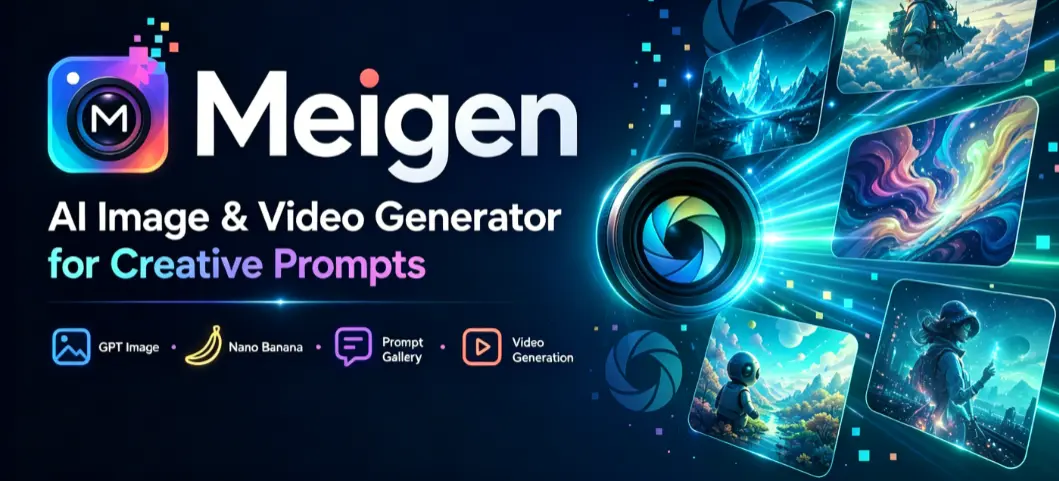
Meigen AI is an AI-powered platform that pairs a curated prompt gallery with multi-model video and image generation. In practice, that means text-to-video, image-to-video, and lip-sync creation sit alongside a Pinterest-style library of ready-made prompts you can browse, copy, and remix. Its most recognized products, InfiniteTalk and MultiTalk, are open-source models that built the brand’s reputation before the commercial platform existed.
The Meigen Ecosystem: One Brand Across Many Domains
The most confusing thing about Meigen is that it isn’t one website. meigen.cc is the prompt gallery and generator hub, meigen.co is the video-first platform (it claims over 500,000 creators), and meigenai.net is the multi-model generator that bundles Sora 2, Seedance 2.0, Veo 3.1, and more. There are also image-focused properties like meigen.me. They share a name and a philosophy, but not a single login — knowing which door to use saves a lot of early frustration.
Who Is Meigen AI For?
Meigen fits creators and small teams who value flexibility over a single polished pipeline. Social media creators use the prompt gallery for fast inspiration, designers reach for the Figma plugin, developers tap the MCP integration inside tools like Claude Code and Cursor, and marketers lean on multi-model access to avoid juggling separate subscriptions.
Meigen AI Key Features
No competing article covers Meigen’s full feature set in one place, so here’s the honest shortlist of what stands out — and what most reviews overlook.
Prompt Gallery, Text-to-Video, and Image-to-Video
The prompt gallery — roughly 3,000 images with the prompts that made them — is arguably the real product, not the generator behind it. You start from a proven direction instead of a blank box, then send that prompt into text-to-video or image-to-video generation with your choice of model. Image-to-video is the practical workhorse here: upload a product shot or portrait, set motion and aspect ratio, and Meigen animates it in around 60 seconds. As of May 2026, every prompt is also a shareable URL, which makes team collaboration and remixing genuinely easy.
InfiniteTalk and MultiTalk for Talking Videos
InfiniteTalk is Meigen’s open-source (Apache 2.0) lip-sync model that turns a single image plus audio into a talking video of nearly unlimited length — up to around ten minutes — with singing mode and full-body movement. It’s positioned as a HeyGen alternative at a fraction of the cost. MultiTalk goes further as the rare tool offering multi-person simultaneous lip-sync with pose control, which is why its ComfyUI tutorial is the most-viewed clip in this space. Both can run locally or through Meigen’s cloud credits.
How to Use the Meigen AI Video Generator
Getting started is refreshingly simple. Sign up on meigen.cc for 20 free daily credits (meigenai.net offers 300 starter credits instead), which is enough to test the platform but not to run a real production week — so set expectations accordingly.
From there, the fastest path is to open the prompt gallery, pick a prompt close to your idea, and adjust the wording rather than writing from scratch. Choose a model, generate, and review. For a product clip, switch to image-to-video: upload your image, set motion intensity and aspect ratio for your target platform, and generate. For a talking-head video, open InfiniteTalk, upload a portrait, add or record audio, pick a resolution, and let it render. Treat the free tier as a testing ground — nail the prompt and reference image before you spend credits at higher resolutions.
Meigen AI Pricing and Credits
Credit opacity is the single biggest complaint across the community, so this is where a review earns its keep. Meigen mostly uses one-time credit packs rather than forcing a subscription, which sidesteps the annual-plan gamble many creators warn against.
Free Tier vs. Paid Plans
Pricing varies by property, but here’s the core meigen.cc structure alongside the annual meigen.co tiers.
| Plan | Price | Credits |
| Free (meigen.cc) | $0 | 20 / day |
| Starter | $9.99 | 1,000 |
| Pro | $19.99 | 2,200 |
| Ultimate | $49.99 | 6,000 |
| meigen.co Starter | $99.90 / yr | 7,920 |
| meigen.co Premium | $399.90 / yr | 30,000 |
How Far Do Your Credits Actually Go?
The honest answer depends on resolution. InfiniteTalk cloud generation runs about 5 credits per 5 seconds at 480P, 10 at 720P, and 15 at 1080P, so a one-minute 1080P talking video costs roughly 180 credits. That math means a $9.99 Starter pack stretches comfortably for a light creator but drains quickly at production volume — and every failed iteration burns credits too, which is the pain point heavy users cite most. Lock your prompt on the free tier first, then scale up.
Meigen AI vs. Alternatives: Is It Worth It?
Meigen rarely wins any single category outright, but its breadth is the point. The fair way to judge it is against the tools people actually weigh it against.
How Meigen Compares to HeyGen, Kling, and Veo 3.1
Against HeyGen, InfiniteTalk offers more natural expressions and an open-source, self-hostable option, where HeyGen is polished but often called “plasticky” and pricey. Against Kling AI, Meigen’s 20 free daily credits look thin next to Kling’s 66 — though Meigen actually includes Kling among its models, so you can reach that quality inside one workspace. Google Veo 3.1 remains the best genuinely free starting point via AI Studio, and again, Meigen bundles it. That aggregator angle — one platform, many premium models — is the real reason to choose Meigen over a single-model tool.
If your work is specifically image-to-video for social or marketing, a purpose-built option like AI Image to Video is worth a look too, since it focuses on Kling, Veo, and Wan models with 4K, watermark-free output and batch processing for high-volume creators.
Conclusion
So is the Meigen AI video generator worth it? For moderate-volume creators, designers, and teams tired of subscription sprawl, yes — the prompt gallery and multi-model access are a genuinely strong combination. Heavy production users should price out credits carefully before committing. Start free on meigen.cc to explore the prompt gallery and test video generation, and if image-to-video is your main workflow, compare it against a dedicated tool before you pick a paid plan.
Create AI Videos with Meigen AI
Turn your images and text prompts into dynamic AI videos with customizable motion, styles, and video models. No complex editing required.
Try Meigen AI Video Generator