
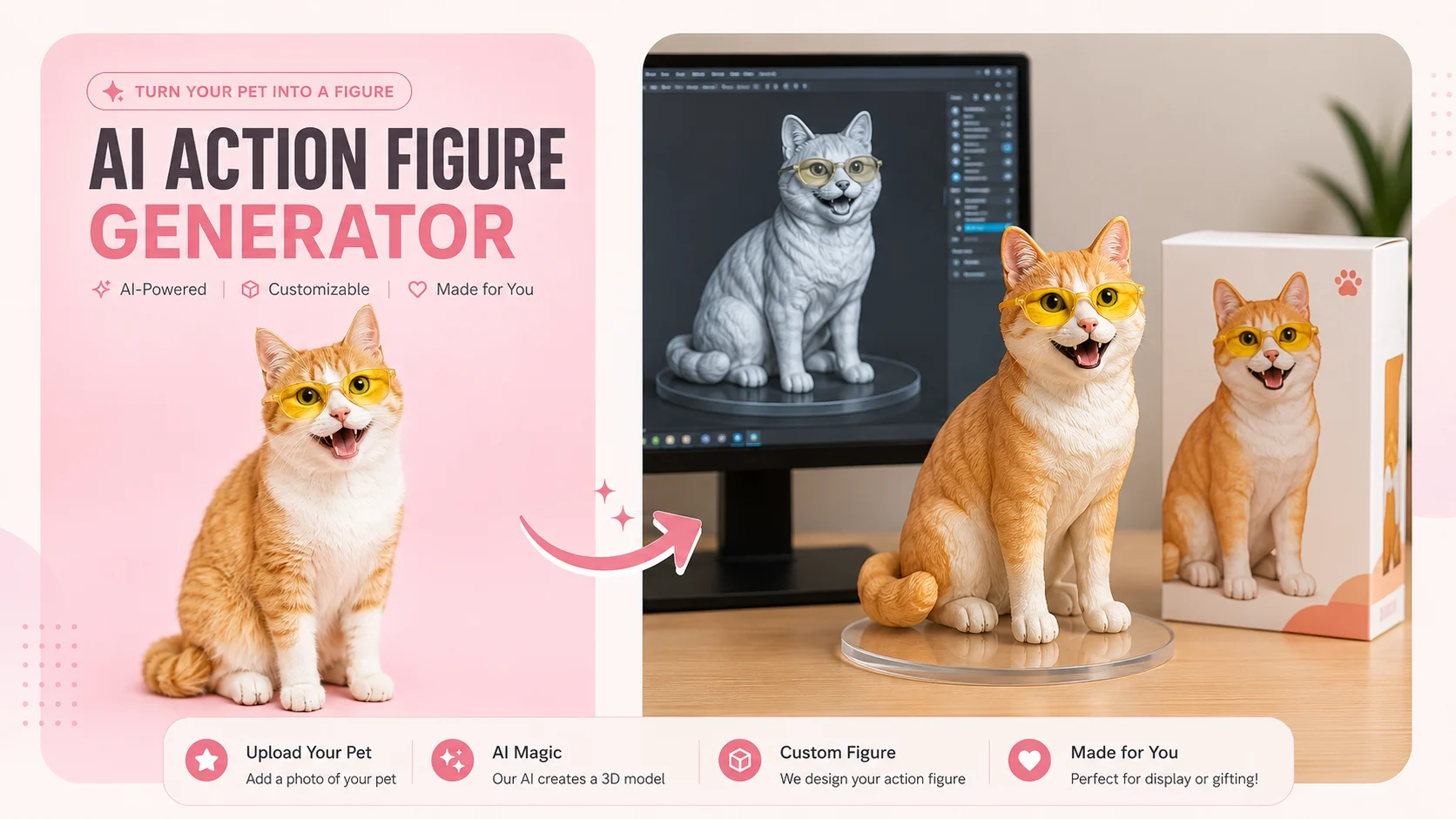
You have seen AI action figures flooding TikTok and Instagram. People are turning selfies into collectible toy figures in blister packs, then sharing video reveals that rack up millions of views. The good news is you can do it too, for free, in under 10 minutes.
Most guides only cover generating the action figure image. They leave out the step that actually drives engagement: turning that image into a short, scroll-stopping video. And with dozens of tools available, beginners don’t know where to start.
This guide walks you through the entire process — from choosing the right photo and AI tool, to generating your action figure image, to creating a polished video you can post on TikTok, Instagram Reels, or YouTube Shorts. No design skills or paid software needed.
What Is the AI Action Figure Trend (And Why Everyone Is Doing It)
The AI action figure trend has become one of the most popular creative challenges on social media. Before you jump in, here is the context behind why it works and what you can do with it.
How the Trend Started
The AI action figure craze grew out of the Studio Ghibli art wave in early 2025. Users discovered that ChatGPT and other AI tools could generate realistic collectible-style toy figures placed inside sealed blister packs — just like the ones you would find on a store shelf. The results looked so convincing that millions of people shared their AI action figures on TikTok, Instagram, and Facebook, turning it into one of the year’s biggest viral trends.
Why Action Figure Videos Get More Engagement Than Static Images
Posting a still image is good. Posting a video is better. Short clips showing an “unboxing reveal,” a slow rotation of the figure, or a dramatic zoom-in on the blister pack consistently outperform static posts across every platform. TikTok, Reels, and Shorts all prioritize video content in their algorithms, which means a 10-second action figure video can reach far more people than a photo ever would.
What You Can Turn Into an Action Figure
You are not limited to selfies. AI action figure tools work with photos of pets, couples, family members, and even fictional characters. You can also choose from different styles:
- Realistic collectible — looks like a high-end Hot Toys figure
- Funko Pop chibi — oversized head, small body
- Anime PVC figure — BANDAI-style figurine
- LEGO minifigure — blocky, playful design
- Barbie doll — fashion-forward packaging
How to Turn Your Photo Into an AI Action Figure (Step-by-Step)
This is the core tutorial. Pick a method below, follow the steps, and you will have your action figure image in minutes.
Pick the Right Photo
Start with a photo that has a clear face, good lighting, and a simple background. Front-facing or three-quarter angle shots produce the best results. Full-body photos work better than headshots because the AI has more detail to work with when creating the figure’s pose and outfit. These tips apply whether you are making a figure of yourself, a pet, or someone else.
Method 1 – Use ChatGPT
Open ChatGPT, upload your photo, and paste this prompt:
“Create a 1/7 scale collectible action figure of the person in this photo, in realistic toy style, inside a sealed blister pack with a clear plastic window. Include [accessories] and a nameplate that reads [name]. The background should be a clean product photography setup.”
Replace [accessories] with items that fit the person (laptop, guitar, coffee cup) and [name] with their name. ChatGPT’s free tier allows around 3 image generations per day. If the first result is not perfect, send a follow-up message describing what to change — the conversational refinement is one of ChatGPT’s biggest strengths.
Method 2 – Use Nano Banana or Gemini (Free Alternative)
Nano Banana, powered by Gemini 2.5 Flash, is a completely free alternative purpose-built for action figures. Upload your photo, choose a style, and download the result. It requires less prompt engineering than ChatGPT, making it a great option if you have hit your daily ChatGPT limit or want quick results without writing detailed prompts.
Method 3 – Use a Dedicated AI Action Figure Generator
If you prefer a no-prompt, one-click experience, dedicated tools handle everything automatically. Fotor offers multiple style filters including Funko Pop and anime. Aragon provides preset backgrounds like a gamer room or collector’s shelf and has a 4.8 Google rating. HeadshotMaster is completely free with no registration required. Upload a photo, pick a style, and download your figure.
Now that you have your action figure image, here is how to turn it into a video that is ready for social media.
How to Turn Your AI Action Figure Into a Video for Social Media
This is the step most guides skip entirely — and it is the step that actually makes your content go viral.
Why Turn Your Action Figure Into a Video
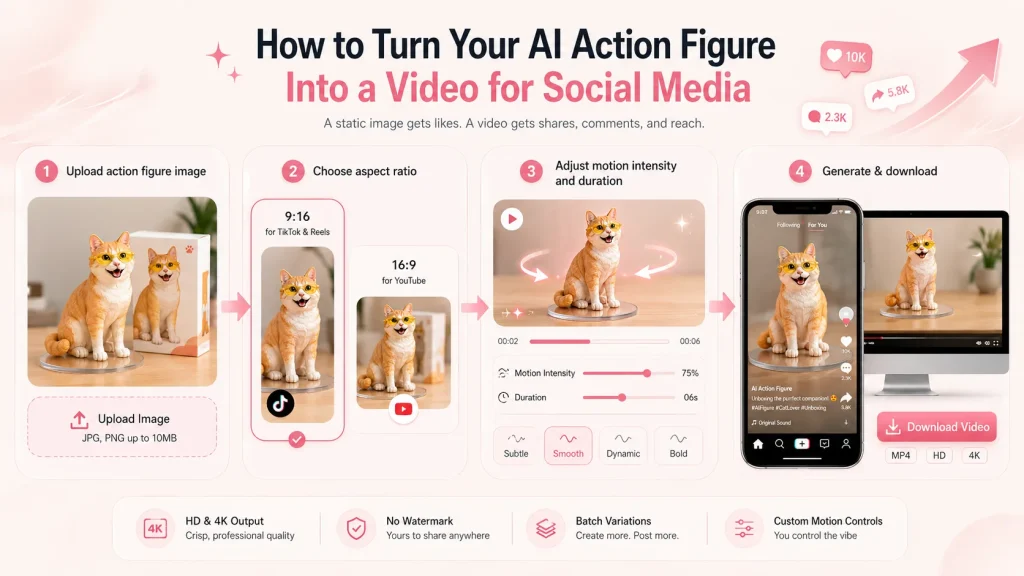
A static image gets likes. A video gets shares, comments, and reach. A quick unboxing reveal or rotation clip feels premium and shareable. It is the difference between a post your friends scroll past and one they send to their group chat.
How to Create an Action Figure Video With an AI Image-to-Video Tool
The easiest way to animate your action figure is with an AI image-to-video tool like AI Image to Video. Here is the process:
- Upload your action figure image
- Choose an aspect ratio — 9:16 for TikTok and Reels, 16:9 for YouTube
- Adjust motion intensity and duration to control how the camera moves around the figure
- Generate and download your video
AI Image to Video produces HD and 4K output with no watermarks, supports batch processing if you want to create multiple variations, and offers customizable motion controls. The whole process takes under a minute.
Best Video Styles for Action Figure Content
The most popular video formats creators are using right now:
- Unboxing reveal — camera pans up to show the figure in its packaging
- Turntable rotation — slow spin showing all angles of the figure
- Transformation — original photo morphs into the action figure
- Collection showcase — multiple figures arranged together on a shelf
After exporting, add a trending sound or original voiceover in your platform’s native editor for extra polish.
Tips for Getting the Best AI Action Figure Results
A few tweaks can dramatically improve both your action figure image and your video output.
Best Prompts for Different Action Figure Styles
Beyond the main prompt above, try these variations:
- Funko Pop: “Create a Funko Pop vinyl figure of the person in this photo with an oversized head, small body, black dot eyes, inside a Funko Pop window box with their name on it.”
- Anime PVC figure: “Create a 1/7 scale anime PVC figurine of the person in this photo in a dynamic pose, BANDAI-style packaging, ZBrush modeling screen background.”
- Vintage G.I. Joe: “Create a vintage 1980s G.I. Joe style action figure of the person in this photo on a retro cardboard blister card with hand-painted illustration art on the packaging.”
Specifying packaging style, accessories, and background in the prompt always produces better results.
How to Fix Common AI Action Figure Problems
- Wrong number of fingers — add “anatomically correct hands with five fingers” to your prompt
- Legs outside the packaging — specify “figure fully enclosed inside sealed blister pack”
- Blurry face — use a higher resolution input photo with the face clearly visible
- Bad nameplate text — keep the name short (one or two words) and spell it out in the prompt
How to Make Your Video Stand Out on Social Media
- Use 9:16 vertical format for TikTok and Reels
- Keep videos under 15 seconds for maximum algorithmic reach
- Show the original photo in the first frame as a hook, then reveal the action figure
- Post during peak hours for your audience (typically evenings and weekends)
- Create multiple video variations with different motion styles to A/B test what performs best
FAQs About Turning a Picture Into an AI Action Figure
Is it free to turn my photo into an AI action figure?
Yes. ChatGPT offers a free tier with around 3 image generations per day. Nano Banana and HeadshotMaster are free with no sign-up required. Fotor and Aragon offer free credits on signup. For creating videos from your action figure image, AI Image to Video also offers free generation options.
Which AI tool makes the best action figures?
ChatGPT (GPT-4o) produces the highest quality results but requires prompt writing. Nano Banana is the best free alternative with minimal effort. Aragon and Fotor are great for preset styles without any prompts. The best choice depends on whether you prioritize quality, ease of use, or zero cost.
Can I turn my pet or a couple photo into an action figure?
Yes. All major AI action figure tools accept pet photos, couple photos, and group shots. For pets, use a clear front-facing photo with good lighting. For couples or groups, specify in your prompt that you want multiple figures in the same packaging.
How do I make a video from my AI action figure image?
Upload your action figure image to an AI image-to-video tool, select a vertical aspect ratio (9:16) for TikTok or Reels, adjust the motion style and duration, and generate. Most tools produce a video in under a minute. Add music or voiceover in your platform’s native editor before posting.
Can I turn my AI action figure into a real physical toy?
Yes, but it requires extra steps. You can convert your AI image into a 3D model using tools like Meshy AI or Bambu Lab Maker World, then 3D print it at home or through a service. Alternatively, order a custom resin figurine from Amazon or Etsy starting around $13, though quality and size vary. Most users find that sharing the digital image or video gets stronger reactions than a physical figure.
Conclusion
You now have the full pipeline: pick a great photo, generate an AI action figure using a free tool like ChatGPT or Nano Banana, then turn that image into a short video with an AI image-to-video tool. The entire process takes under 10 minutes and costs nothing.
Start with your favorite photo and try it right now. Experiment with different styles — Funko Pop, anime, realistic — and different video formats like the unboxing reveal or turntable rotation to see what resonates with your audience. The creators getting millions of views started with the same step you are about to take.
Ready to bring your action figure to life? Create your first action figure video for free and post it today.






