

Trump AI videos continue to go viral across TikTok, YouTube Shorts, X, and meme communities. Some are simple text-to-speech jokes, while others use talking-photo animation, lip-sync AI, and image-to-video workflows to create polished parody clips.
The problem is that not every “Trump AI video generator” does the same job. Some tools are better for generating a Donald Trump-style AI voice, while others are built for talking avatars, lip-sync videos, or cinematic AI scenes.
This guide compares the best Trump AI video generators in 2026 based on workflow fit, public features, free-plan access, output style, and creator use cases.
Disclosure: This article is for informational, parody, commentary, and educational purposes only. Do not use AI-generated voice or video tools to deceive, impersonate, defame, or mislead audiences. Always follow platform rules, local laws, and election-integrity policies.
What Is a Trump AI Video Generator?
A Trump AI video generator is a tool or workflow used to create synthetic voice or video content inspired by Donald Trump’s speaking style, facial movement, or public persona.
Depending on the platform, this can include:
- Text-to-speech (TTS) voice generation
- Voice conversion from uploaded audio
- Talking-photo animation
- Lip-sync AI
- Avatar video generation
- Image-to-video creation
In practice, many creators use more than one tool. A common workflow looks like this:
- Generate the voice
- Animate a still image or avatar
- Add captions, timing, and social formatting
That is why the best tool depends on whether you need voice only, a talking face, or a full parody video.
How These Tools Fit Image-to-Video Workflows
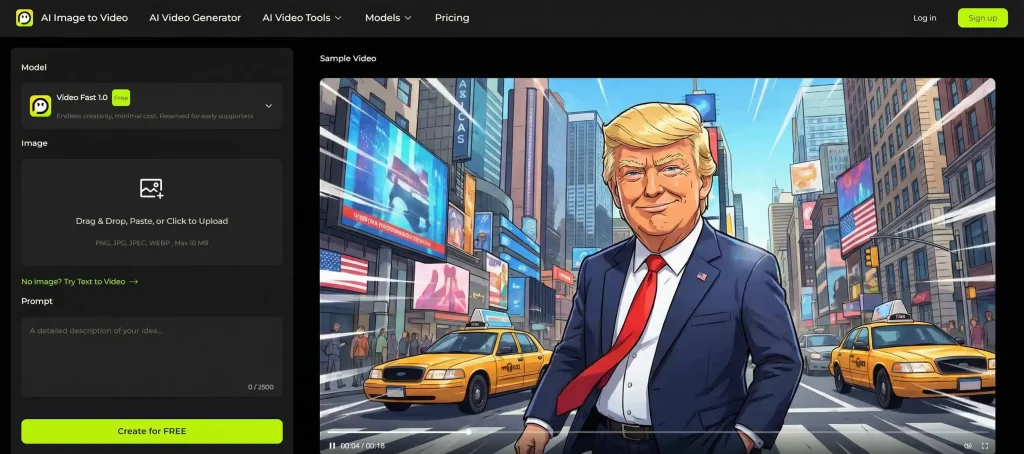
For a site like aiimagetovideo.pro, it helps to treat Trump AI content as part of a broader talking-video workflow.
Here are the three most common creator setups:
1. Voice-Only Workflow
Best for:
- Memes
- Audio clips
- Quick social posts
- Narration-based parody
Typical stack:
- TTS or voice tool
- Subtitle editor or short-form video editor
2. Talking-Photo Workflow
Best for:
- Making a still portrait speak
- Face-driven parody videos
- TikTok, Reels, and Shorts
Typical stack:
- Voice generator
- Lip-sync or talking-photo tool
- Caption editor
3. Full AI Video Workflow
Best for:
- Stylized satire
- Scene-based political comedy
- More cinematic content
Typical stack:
- Voice tool
- Image-to-video or scene generator
- AI video editor
If your content starts from a still image, the most important features are lip-sync, facial animation, export quality, and caption support.
How We Reviewed These Trump AI Tools
For this guide, we compared popular Trump AI video and voice tools based on:
- Publicly listed features
- Workflow fit
- Voice or video specialization
- Lip-sync and talking-face support
- Free-plan availability
- Pricing transparency
- Community feedback and creator discussions
Because AI tool capabilities and public-figure policies can change over time, readers should verify the latest features and terms on each official website before using them.
Trump AI Voice vs. Talking Face vs. Full Video Tools
Before choosing a platform, decide what you actually need:
- Trump AI voice generator: best for audio-only content
- Trump text-to-speech generator: best for fast meme creation
- Talking-photo tool: best for making a still image speak
- Lip-sync AI platform: best for syncing audio to a face
- Full AI video generator: best for more complete parody video production
It is also important to note that public-figure voice availability may vary by platform policy, moderation rules, or community-created models.
Top Trump AI Video Generators Compared
| Tool | Best For | Voice Features | Video Features | Lip-Sync / Talking Face | Free Option | Notes |
| FakeYou | Free meme-style TTS | Strong | Limited | No | Yes | Good entry-level voice option |
| ElevenLabs | High-quality AI voice | Excellent | No | No | Limited | Best for premium voice workflows |
| HeyGen | Talking avatar videos | Good | Strong | Yes | Limited/trial | Best for speaking-face content |
| Kling AI | Cinematic AI visuals | Limited | Excellent | Workflow-based | Limited | Strong for polished scenes |
| Runway | AI video editing | Limited | Excellent | Workflow-based | Limited | Better for creators who edit heavily |
| Revid.ai | Short-form content | Basic | Good | Template-based | Limited | Great for TikTok/Shorts workflows |
| Musicfy | Audio experiments and covers | Good | No | No | Limited | Better for audio-first parody |
| EaseUS | Beginner-friendly workflow | Basic to good | Good | Some support | Trial | Easier learning curve |
| Galaxy.ai | Multi-tool AI access | Varies | Varies | Varies | Freemium | Useful if you want multiple AI tools |
| Fameo.ai | Celebrity-style novelty videos | Basic | Template-style | Limited | Paid | Better for personalized message formats |
1 FakeYou Donald Trump TTS
Best for: free Trump-style text-to-speech and quick meme audio
FakeYou is one of the most recognizable community-based TTS platforms for parody and entertainment content. If you are specifically looking for a Trump AI voice generator free option, FakeYou is often one of the easiest places to start.
Pros
- Free entry point
- Large community voice ecosystem
- Easy for short scripts
- Useful for meme audio and parody clips
Cons
- Output quality can vary by model
- Free queues may be slower
- Not a full video generator by itself
Best use case
Use FakeYou when you want fast voice output, then pair it with a talking-photo or lip-sync tool.
2 ElevenLabs Trump Voice Workflow
Best for: realistic AI narration and high-quality voice output
ElevenLabs is one of the strongest choices if your top priority is voice realism. It is not a Trump AI video generator on its own, but it works extremely well as the audio layer in a broader image-to-video or talking-face workflow.
Pros
- Strong voice quality
- Natural pacing and delivery
- Good fit for parody narration
- Works well with separate video tools
Cons
- Not a video platform
- Public-figure voice usage rules may vary
- Usually works best when paired with editing tools
Best use case
Choose ElevenLabs if your workflow starts with audio and you care most about clean, realistic voice output.
3 HeyGen Trump Talking Video Workflow
Best for: talking avatars and speaking-face videos
HeyGen is one of the best options if you want a face-driven delivery format. It is especially useful for creators making short talking-head style clips for social media.
Pros
- Strong avatar and speaking-face tools
- Good lip-sync quality
- Easy workflow for short videos
- Useful for creator-friendly presentations
Cons
- Less cinematic than scene-based generators
- Often better with external audio
- Best for presenter-style outputs
Best use case
Use HeyGen when your goal is a clean talking-face parody video rather than a meme-style montage.
4 Kling AI
Best for: polished AI-generated visuals and cinematic parody scenes
Kling AI is frequently mentioned in AI creator communities for its high-quality visual generation. It is better suited to stylized AI video scenes than simple text-to-speech memes.
Pros
- Strong visual output quality
- Better for polished AI scenes
- Useful for advanced parody concepts
- Works well in image-to-video workflows
Cons
- Less direct for voice-first use cases
- Often requires a separate voice tool
- More complex than simple TTS apps
Best use case
Choose Kling AI if you want more visually impressive AI parody content and are willing to use a multi-tool workflow.
5 Runway
Best for: creators who want editing control and advanced AI video tools
Runway is less of a single-click Trump generator and more of a creative workspace for AI video creation and editing. It is a strong choice for creators who want more control over cuts, pacing, captions, and final output.
Pros
- Strong editing features
- Good for polished short-form content
- Useful for AI-assisted video production
- Better for creators who want control
Cons
- Higher learning curve
- Not focused on celebrity voice generation
- Usually part of a larger workflow
Best use case
Use Runway if you want to build a more finished video rather than just generate voice output.
6 Revid.ai
Best for: fast social content and short-form templates
Revid.ai is useful for creators who care more about speed than deep manual editing. If your main distribution channel is TikTok, Reels, or Shorts, template-based workflows can save a lot of time.
Pros
- Social-first workflow
- Helpful templates for short videos
- Faster publishing process
- Good for rapid experimentation
Cons
- Less flexible than full editors
- Template outputs may feel less unique
- Quality depends on source assets
Best use case
Choose Revid.ai if you want to turn parody ideas into publish-ready short-form videos quickly.
7 Musicfy Trump AI Voice Workflow
Best for: parody songs, audio experiments, and voice-based content
Musicfy is more audio-focused than video-focused. It can be useful for creators making Trump-style song covers, comedic remixes, or stylized voice experiments.
Pros
- Good for creative audio formats
- Easy to experiment with
- Better for music or playful content
Cons
- Not a video generator
- Limited value for talking-face workflows
- Better for audio than complete parody videos
Best use case
Use Musicfy for voice-first content, parody music, or short comedic audio clips.
8 EaseUS
Best for: beginner-friendly media workflows
EaseUS can be useful for creators who want a simpler entry point into AI media creation and editing. It is not always the most specialized option, but it can work well for non-technical users.
Pros
- Beginner-friendly interface
- Lower learning curve
- Useful for simple creator workflows
- Better for accessibility than complexity
Cons
- Less specialized than premium AI tools
- Realism may depend on workflow and inputs
- Better for simple content than advanced parody production
Best use case
Choose EaseUS if you want a straightforward media workflow without a steep technical barrier.
9 Galaxy.ai
Best for: users who want access to multiple AI tools in one place
Galaxy.ai is better viewed as a broader AI tool hub than a dedicated Trump AI video generator. It may be useful if you want to test multiple voice or content tools from one dashboard.
Pros
- Broad AI tool access
- Freemium-style exploration
- Useful for experimenting with workflows
Cons
- Less specialized
- Feature depth may vary by tool
- Not always ideal for focused video production
Best use case
Use Galaxy.ai if you want to compare different AI content tools in a single platform environment.
10 Fameo.ai
Best for: novelty celebrity-style message formats
Fameo.ai is more entertainment-oriented than production-oriented. It may appeal to users looking for personalized novelty-style video experiences rather than full creator workflows.
Pros
- Simple use-case focus
- Good for novelty entertainment
- Useful for lightweight personalized content
Cons
- Less flexible for custom production
- Not ideal for advanced creators
- Limited value for broader editing workflows
Best use case
Use Fameo.ai when you want a quick novelty-style video experience instead of a full AI video workflow.

Best Trump AI Tools by Use Case
Best Free Trump AI Generator
FakeYou
Best for quick text-to-speech parody experiments.
Best Trump AI Voice Generator
ElevenLabs
Best if voice quality matters more than all-in-one convenience.
Best for Talking-Face Videos
HeyGen
Best for avatar-based and speaking-face workflows.
Best for Cinematic AI Parody Videos
Kling AI or Runway
Better for creators who want stronger visual quality and editing control.
Best for Short-Form Social Content
Revid.ai
A practical choice for TikTok, Reels, and Shorts production.
Free vs. Paid Trump AI Video Tools
Free tools are useful for testing ideas, but they usually come with limits such as:
- Watermarks
- Lower export quality
- Slower queues
- Fewer generations
- Restricted voice or video options
Paid plans often unlock:
- Better export quality
- Faster rendering
- More credits
- More realistic output
- Fewer branding restrictions
If you only need quick meme content, a free plan may be enough. If you want polished short-form videos, paid tools are usually worth it.
How to Create an AI Trump Parody Video Responsibly
If your goal is parody, commentary, or satire, this is the safest workflow to follow:
Step 1: Choose a Voice or Video Workflow
Decide whether you need:
- voice only,
- a talking-photo clip,
- or a full AI-generated short video.
Step 2: Create or Import the Audio
Use a TTS or voice workflow first, then review pacing, pauses, and tone.
Step 3: Animate a Face or Build the Video
Use a talking-photo, lip-sync, avatar, or image-to-video platform depending on your format.
Step 4: Add Clear Disclosure
Use labels such as:
- AI-generated parody
- Synthetic voice
- Satirical content
Step 5: Add Captions and Review Before Publishing
Captions improve watch time and help viewers immediately understand the content is not real footage.
Best Practices for Viral AI Parody Videos
Focus on Timely Topics
Short-form AI parody content performs better when tied to current events, trends, or popular internet jokes.
Keep Clips Short
For most social platforms:
- TikTok/Reels: under 60 seconds
- YouTube Shorts: hook viewers in the first 3 seconds
- X/Twitter: shorter clips often perform better
Use Captions
Many users watch without sound first. Captions improve retention and accessibility.
Make the Satire Obvious
Avoid creating videos that could realistically be mistaken for real speeches, campaign clips, or news footage.
Legal, Ethics, and Platform Policy Notes
AI-generated public-figure content sits in a sensitive area, especially when it involves political figures.
A few general principles:
- Parody and commentary may be protected in some jurisdictions, depending on context
- Copyright, publicity, and impersonation rules vary by country and platform
- Misleading political content may violate platform policies
- Commercial use usually carries more risk than personal parody use
- Clear disclosure reduces confusion and compliance risk
Important: This article is for general information only and is not legal advice. If you plan to monetize or distribute AI-generated public-figure content at scale, speak with a qualified legal professional.
FAQs About Trump AI Video Generators
Is it legal to create Trump AI videos?
It may be allowed in some parody or commentary contexts, but the rules vary depending on your country, platform, and how the content is labeled and distributed.
Which Trump AI generator has the best voice quality?
For voice quality alone, ElevenLabs is one of the strongest options. For free experimentation, FakeYou is a common starting point.
What is the best free Trump AI voice generator?
FakeYou is one of the most accessible free options for Trump-style text-to-speech workflows.
Can I turn a still image into a talking Trump AI video?
Yes. Many creators combine a voice tool with a talking-photo, lip-sync, avatar, or image-to-video platform to animate a still image.
Which Trump AI video generator is best for TikTok?
For fast social content, Revid.ai is a practical option. For talking-face videos, HeyGen is a strong choice. For more polished edits, consider Runway.
Can I use Trump AI videos commercially?
Commercial use is more sensitive than parody or commentary use. You should review platform policies, local laws, and any required disclosure rules before publishing.
How can I create Trump AI videos without watermarks?
Most free plans include branding or export limits. Paid plans usually remove watermarks and unlock better export quality.
Final Verdict
The best Trump AI video generator depends on the type of content you want to create.
- Choose FakeYou if you want a free Trump-style TTS starting point
- Choose ElevenLabs if voice quality matters most
- Choose HeyGen if you want a talking-face or avatar workflow
- Choose Kling AI or Runway if you want more visual polish
- Choose Revid.ai if your priority is fast social publishing
For many creators, the best setup is not one tool but a workflow: voice generation + talking-face animation + short-form editing.
If your project starts from a still image, tools that support image-to-video, lip-sync, and speaking-face animation are often the most practical choice.
