
RoboNeo AI credit consumption surged 316% in Q1 2026 alone, yet most English-language AI tool roundups still ignore it entirely. So what’s behind the hype?
Creators paying $15–30 per month each for Runway, Sora, and Kling know how fast costs add up. Meanwhile, YouTube tutorials promising “unlimited free AI video” erode trust when reality involves credit gates and paywalls.
This guide covers the real credit math behind RoboNeo’s free tier, its three creation modes, how it compares to top competitors, and practical tips for getting quality output.
What Is RoboNeo AI?
RoboNeo AI is a chat-based creative platform built by Meitu, the Chinese tech company behind apps like Wink and BeautyCam. It bundles multiple top-tier AI engines into one interface for video generation, image editing, and content design through conversational prompts.
Who Made RoboNeo? The Meitu Story
Meitu serves over 17.9 million paying subscribers globally, with creative revenue reaching RMB 852 million in Q1 2026 (+34.3% YoY). RoboNeo is the company’s flagship push into AI-native creative tools.
Key Features at a Glance
- Image generation and editing — text-to-image, background removal, AI outfit changes, watermark removal
- Video creation — image-to-video animation, text-to-video, video-to-video style transfer
- 3D emoji and avatar creation — the viral iOS-style emoji trend
- E-commerce ad generation — product photography and commercial-style video ads
- No watermarks on exports across all plan tiers
Who Is RoboNeo For?
The platform appeals to content creators, social media marketers, YouTubers (especially faceless channels), e-commerce sellers, and small business owners who need visual content without hiring production teams.
How to Get Started with RoboNeo AI
Getting up and running takes just a few minutes, but understanding the credit system upfront saves frustration later.
Creating Your Account
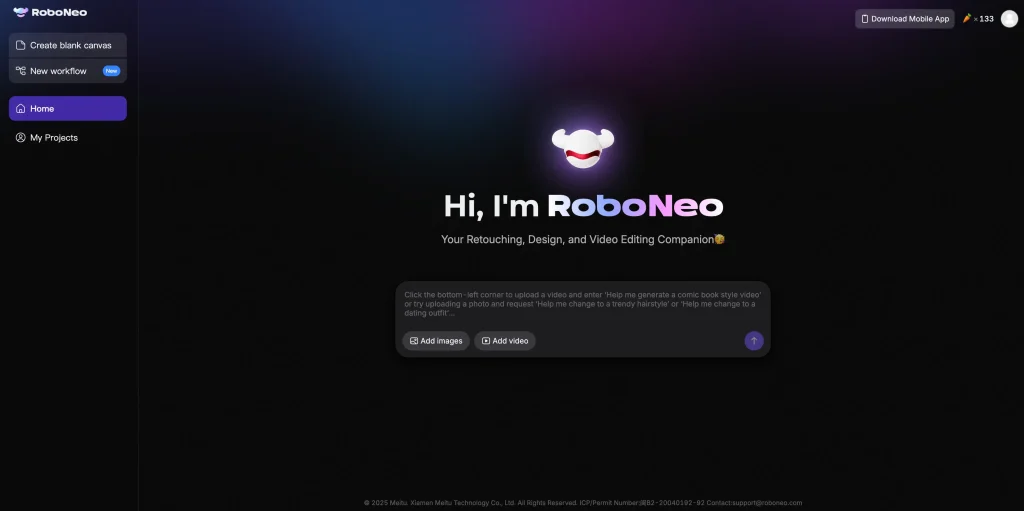
Sign up at roboneo.com or via the mobile app. The interface may default to a non-English language, so check your settings. Some users report region restrictions, and temporary email addresses are no longer accepted.
Understanding Cyber Carrots: RoboNeo’s Credit System
RoboNeo uses a virtual currency called Cyber Carrots. New accounts get 100 carrots on signup plus 20 daily credits for the first week, dropping to 10 per day afterward. Key costs:
- Image editing: 1 carrot/image
- Video generation: 20 carrots/5-second clip
- Emoji stickers: 5 carrots/image
- Grok generation: 75 carrots/request
That initial daily budget covers roughly 5 short videos or 20 image edits — workable for testing, but power users will hit limits fast.
Free Plan vs. Paid Plans
| Plan | Monthly Cost | Credits Included |
| Free | $0 | 100 signup + 10–20/day |
| Starter | ~$2/month | +300 carrots/month |
| Standard | ~$9.50/month | +1,000 carrots/month |
Additional Cyber Carrot packs range from 300 credits for approximately $4 to 6,480 credits for around $90. All pricing is originally in CNY.
RoboNeo’s Three Creation Modes Explained
RoboNeo offers three creation paths, each tailored to different skill levels.
Skill Mode — Quick One-Click Generation
Pre-built templates for instant results — pick a template for emoji creation, social media graphics, or image edits, and the AI handles the rest. Best for beginners wanting fast output.
Agent Mode — AI-Guided Collaboration
A conversational chat interface guides you through multi-step workflows. Describe what you want, answer the AI’s clarifying questions, and it builds output iteratively. The sweet spot for intermediate users.
Workflow Mode — Node-Based Full Control
A drag-and-drop node canvas for building reusable, scalable production pipelines — similar to what Wireflow offers as a dedicated tool. Best for power users and agencies.
What Can You Create with RoboNeo AI?
The platform supports a broad range of creative outputs, each at different credit costs.
Image Generation and Editing
Text-to-image generation, outfit swaps, background removal, and watermark removal — all at just 1 carrot per edit, making this the most credit-efficient feature.
Image-to-Video Animation
Convert stills into motion with physics simulation, cinematic camera control, and precision motion brushing. The most popular feature among creators at 20 carrots per 5-second clip.
Text-to-Video Generation
Generate video from text descriptions. Note that the prompt window can truncate longer inputs, so keep prompts concise and structured.
Video-to-Video Style Transfer
Restyle existing footage into anime, cinematic color grades, or artistic variations of your source material.
3D Emoji and Character Creation
Turn selfies into viral iOS-style 3D animated emoji at 5 carrots per image — a trend gaining traction across both Chinese and Western creator communities.
E-Commerce Product Ads
Convert product photos into commercial-style video ads for Amazon, Shopify, or TikTok Shop — a use case with virtually no dedicated coverage from competitors.
Agent Teams: RoboNeo’s Multi-Agent Filmmaking Feature
Launched in Q1 2026, Agent Teams is RoboNeo’s most distinctive feature with no existing English-language coverage.
How Agent Teams Work
Multiple specialized AI agents collaborate on complex projects: a Lead Writer drafts scripts, a Storyboard Director plans sequences, an Art Director handles aesthetics, and a Post-Production Compositor assembles the final cut. Users oversee and guide each stage.
Use Cases for Agent Teams
Best suited for short drama creation, multi-scene storytelling, social media campaigns, and branded content at scale. Early YouTube demos showcase Agent Teams producing Arcane-inspired fan films entirely through the multi-agent pipeline.
AI Models Available on RoboNeo
Multi-model aggregation is one of RoboNeo’s core selling points — access several premium engines without separate subscriptions.
Seedance 2.0
Meitu’s flagship model, built for cinematic ad creation with physics simulation and dynamic lighting. The most featured model across YouTube reviews.
Kling 3.0
Excels at photorealistic human generation, scoring 9.5/10 in independent tests. Standalone Kling costs $10/month — on RoboNeo, you access it via credits alongside other models.
Sora 2, VEO 3.0, Wan 2.6, and Grok
Sora 2 handles narrative storytelling, VEO 3.0 delivers cinematic realism, and Wan 2.6 rounds out video options. Grok costs a steep 75 carrots per generation, making it expensive on the free tier.
One Platform, Five Models — Is the Aggregator Approach Worth It?
Individual subscriptions to Runway ($15), Sora ($20), and Kling ($10) total $45+/month. RoboNeo’s Standard plan at ~$9.50/month covers all of these — but with credit-based caps instead of unlimited access. The math favors moderate creators; heavy users may still benefit from dedicated subscriptions.
RoboNeo AI vs. Top Alternatives
RoboNeo vs. Runway
Runway Gen 4.5 ($15/month) delivers superior stability and professional editing precision. RoboNeo counters with multi-model access at a lower price. Runway for pro-grade production; RoboNeo for budget versatility.
RoboNeo vs. Kling AI
Both deliver strong photorealism. Kling standalone ($10/month) offers dedicated access without credit limits, while RoboNeo bundles Kling 3.0 alongside four other models. Kling for human-centric video; RoboNeo for varied creative needs.
RoboNeo vs. Grok Imagine
Grok provides free daily limits and built-in audio — something RoboNeo lacks. Full Grok requires $30/month via X Premium+. Through RoboNeo, Grok costs 75 carrots per generation, draining free-tier credits fast.
RoboNeo vs. AI Image to Video
For dedicated image-to-video conversion, AI Image to Video offers a focused alternative with Kling, Veo, and Wan model support, 4K output, no watermarks, and batch processing. RoboNeo bundles more tools, but AI Image to Video delivers a purpose-built experience for marketers and e-commerce sellers needing fast results.
RoboNeo vs. Local Models (ComfyUI)
The only truly unlimited, zero-cost option — but requires a desktop GPU (6GB+ VRAM) and technical setup. Choose local for total freedom; choose RoboNeo for convenience.
Using RoboNeo AI Videos on YouTube: Rules and Best Practices
Monetization anxiety is the most common concern among RoboNeo creators on YouTube.
YouTube’s AI Content Policy in 2026
YouTube allows AI-generated videos but applies its “reused content” policy — low-effort or duplicative AI videos may lose monetization. There is no outright ban, but creators must demonstrate originality.
AI Disclosure Requirements
Creators must label realistic synthetic material using YouTube’s AI disclosure labels during upload. This covers AI-generated visuals that could be mistaken for real footage.
Avoiding “Low-Effort” Flags and Demonetization
Use a hybrid workflow: AI for base generation, then add original commentary, narration, or custom editing. Successful creators treat AI output as raw material, not finished content.
Tips for Getting the Best Results from RoboNeo AI
Prompt Writing: The Golden Formula
Use the Subject + Action + Style + Camera + Mood structure. Keep prompts concise to avoid truncation, and prefer image-to-video over text-to-video for greater control.
Common Mistakes to Avoid
- Overly complex prompts that confuse the model
- Expecting character consistency across clips without reference images
- Burning 75 carrots on Grok when cheaper models deliver comparable results
- Relying on “unlimited free” workarounds that get patched quickly
Maximizing Your Free Credits
Batch similar tasks together. Preview with image generation (1 carrot) before committing 20 carrots to video. Plan sessions around the daily credit reset for maximum output.
FAQs of RoboNeo AI
Is RoboNeo AI really free?
Yes. You get 100 Cyber Carrots at signup and 20 daily credits for the first week (10/day afterward) — enough for about 5 short videos or 20 image edits per day initially. Paid plans start at ~$2/month.
What AI models does RoboNeo support?
Five major video models — Seedance 2.0, Kling 3.0, Sora 2, VEO 3.0, and Wan 2.6 — plus Grok for image generation, all through one chat interface.
Can I monetize RoboNeo AI videos on YouTube?
YouTube allows AI content but requires originality. Add narration, commentary, or custom editing, and always apply AI disclosure labels. Raw AI output risks being flagged as low-effort reused content.
How does RoboNeo compare to using individual AI tools?
RoboNeo’s Standard plan (~$9.50/month) covers models that cost $45+ as separate subscriptions. The trade-off is credit-based limits versus unlimited dedicated access.
Does RoboNeo add watermarks to generated content?
No. All exports are watermark-free across every plan tier, including the free plan.
What are the main limitations of RoboNeo AI?
Daily credit caps, intermittent “SYSTEM BUSY” errors, no built-in audio generation, inconsistent character appearance across clips, and regional access restrictions.
Conclusion
RoboNeo AI holds a unique position by bundling five leading models into one approachable chat interface. The free tier is real but limited, Agent Teams is unmatched, and the credit economics work for casual to moderate creators. Power users will likely need dedicated tools for heavier workloads.
Ready to try it? Start with the free tier to test all three modes. For focused image-to-video conversion with 4K output and batch processing, AI Image to Video is a streamlined complement to your toolkit.






