
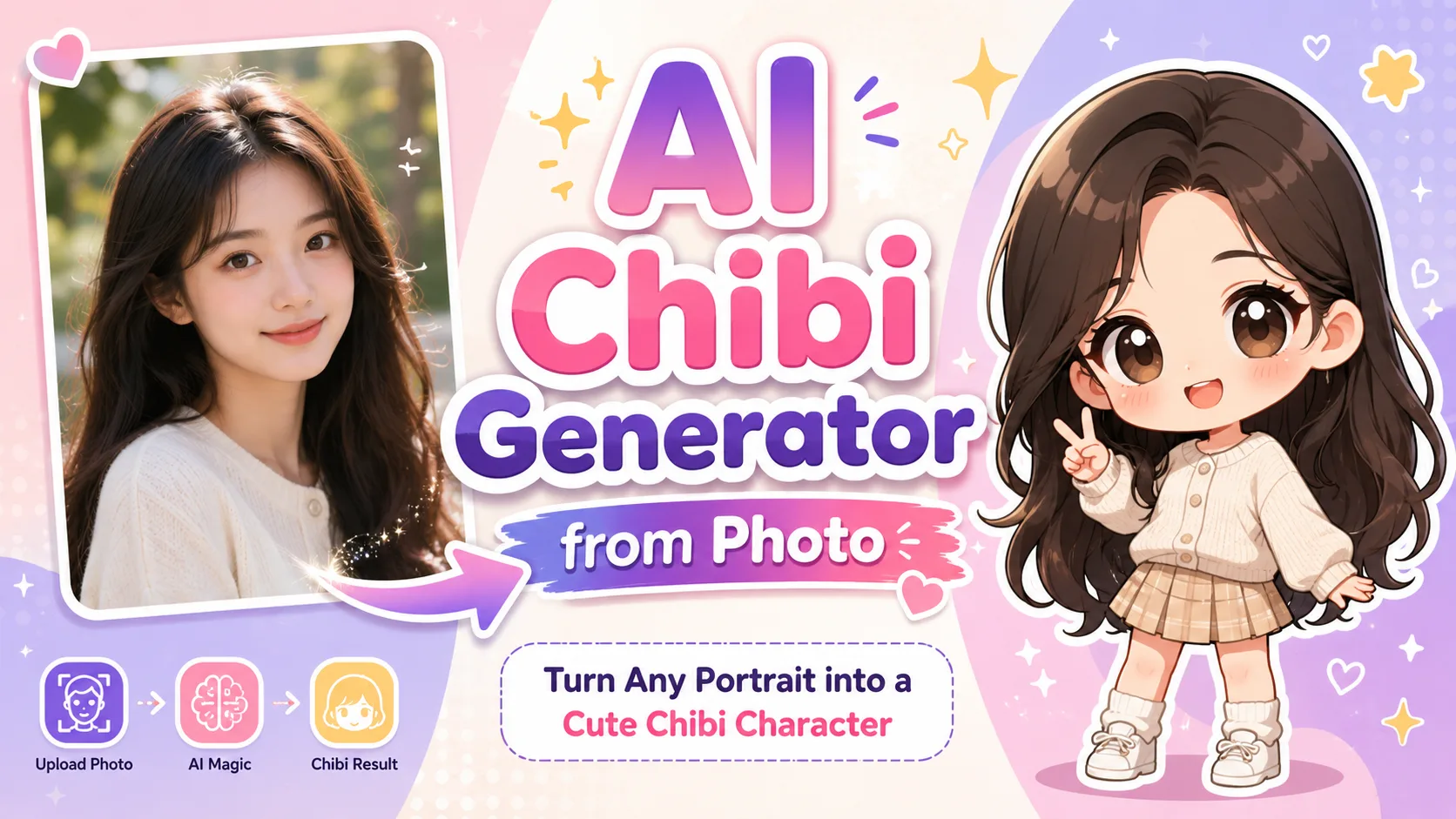
You’ve seen those adorable chibi versions of people flooding Instagram and TikTok — oversized heads, tiny bodies, impossibly cute expressions. One viral chibi prompt tutorial alone pulled in over 446,000 views on YouTube, and for good reason: the results are irresistible.
The problem? Most people assume they need drawing skills or pricey commissions to get a custom chibi of themselves. Meanwhile, online tutorials toss around copy-paste prompts with zero explanation of what actually makes them work.
This guide walks you through three proven methods to turn any photo into chibi art using AI — from ChatGPT to dedicated chibi photo makers — with the exact prompts and practical tips to get great results on your first try. No art skills needed.
How to Turn Your Photo into Chibi Step by Step
The good news is that turning a photo into chibi art takes minutes, not hours. Here are three methods, each suited to different needs and budgets.
Method 1: Using ChatGPT
ChatGPT is the most popular way to create chibi art from photos right now — and for good reason. It gives you the most control over the final result.
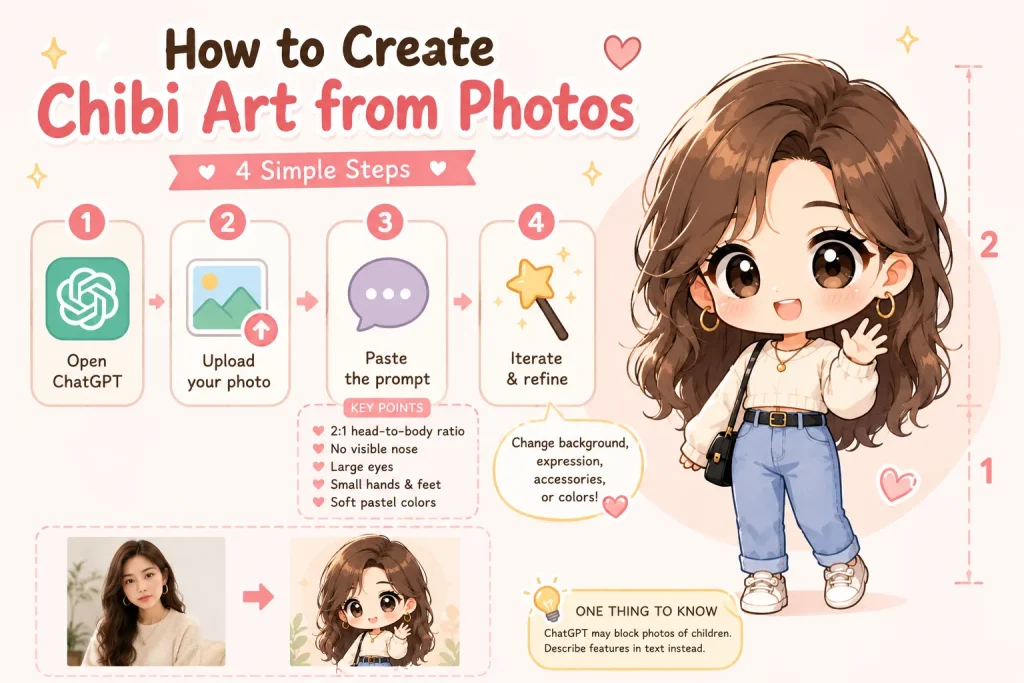
Here’s exactly what to do:
- Open ChatGPT. The paid tier produces the best results, but the free tier works for basic attempts.
- Upload your photo directly into the chat.
- Paste this prompt:”Transform this photo into a chibi-style illustration. Use a 2:1 head-to-body ratio with an oversized round head, large expressive eyes, a tiny simplified body, small hands and feet with minimal detail, and no visible nose. Use soft pastel colors with smooth shading. The character should have a cute, cheerful expression and a simple, clean background. Preserve the person’s key features — hairstyle, clothing, and accessories — in the chibi version.”Here’s why this matters: the “2:1 head-to-body ratio” tells the AI to use authentic chibi proportions instead of a generic cartoon look. Without it, you’ll often get something that looks more like a child than a chibi character. The “no visible nose” and “simplified hands” cues push the output toward the classic chibi aesthetic.
- Iterate on the result. You can ask ChatGPT to change the background, adjust the expression, add accessories, or shift the color palette — all in the same conversation.
One thing to know: ChatGPT’s content policy may block requests involving photos of children. If that happens, describe the person’s features in text instead of uploading the photo.
Method 2: Using Google Gemini
Google Gemini is the strongest free alternative, and it’s especially convenient on mobile. The workflow is similar — upload your photo, paste a chibi prompt, and let the AI generate the result.
Gemini tends to produce more consistent style across multiple generations, which is helpful if you’re creating chibi versions of several people and want them to look like they belong together. Its free tier is also more generous than ChatGPT’s, making it a solid choice if you don’t want to pay for a subscription.
The same prompt from Method 1 works in Gemini, though you may need to adjust wording slightly since Gemini sometimes interprets style descriptions differently.
Method 3: Using a Dedicated Chibi Photo Maker
If writing prompts isn’t your thing, dedicated chibi generators let you skip that step entirely. Upload a photo, click generate, and download the result.
A few standout options:
- Pixelbin — The simplest workflow. No prompts needed at all. You get 3 free chibi conversions per month with no watermarks.
- chibi.pics — The only platform built specifically for chibi art. Unique features like Couple Merge, Pet Portrait, and Emoji Pack generation set it apart.
- Fotor — Best for brand and merch use cases, with strong support for group photos and logo-style output.
These tools trade customization for convenience. If you want fast results without fiddling with prompts, they’re the way to go.
Best AI Chibi Generators from Photo Compared
With so many options available, here’s a quick comparison of the top tools:
| Tool | Photo Upload | Free Tier | No Watermark (Free) | Best For |
| ChatGPT | Yes | Limited | N/A | Best overall quality and customization |
| Google Gemini | Yes | Generous | N/A | Best free option, mobile-friendly |
| chibi.pics | Yes | 1/month | Yes | Couples, pets, emoji packs |
| Pixelbin | Yes | 3/month | Yes | Simplest — no prompt needed |
| Fotor | Yes | Limited | No | Brand logos and merch designs |
| Bylo AI | Yes | Unlimited | Yes | Completely free, privacy-focused |
| FlexClip | Yes | Limited | No | Dual input (photo + text), video support |
The takeaway: ChatGPT and Gemini give you the most control through prompt customization, while dedicated tools are best when you want quick results without writing prompts. If budget is the main concern, Bylo AI and Gemini’s free tier are the most generous options.
Tips for Getting Better Chibi Results
Even with the right tools, a few adjustments can dramatically improve your output.
Choose the Right Source Photo
The quality of your chibi starts with the quality of your source photo. Here’s what actually works:
- Use a clear, well-lit photo where the face is fully visible
- Front-facing or slight angle produces the best results — extreme side profiles confuse most AI tools
- Crop to a single person before uploading if you’re working with a group photo
- Keep the background simple so the AI can focus on the subject
- Higher resolution input leads to better output — avoid blurry or heavily compressed images
Customize Your Prompt for Different Styles
Changing a few words in your prompt produces dramatically different chibi styles. Here are some variations to try:
- “Soft pastel colors, gentle shading” — the trendy Korean kawaii aesthetic popular on Instagram
- “Bold saturated colors, thick black outlines” — classic anime chibi style
- “3D rendered, glossy plastic surface, studio lighting” — Nendoroid figurine look
- “Pixel art, 16-bit style” — retro gaming chibi
The trick is the head-to-body ratio. Specifying “2:1” gives you a standard chibi look, while “3:1” creates an even more exaggerated, ultra-cute version.
What to Do with Your Chibi Art
Once you’ve created your chibi, the fun part begins. Here are the most popular ways people use their chibi art:
- Social media avatars — set your chibi as your profile picture on Discord, Instagram, TikTok, or Twitch for a unique, eye-catching look
- Custom stickers and emotes — ask ChatGPT to generate a 4×4 grid of different expressions from your chibi to create a complete sticker pack for WhatsApp, iMessage, or Discord
- Personalized gifts — print chibi portraits on mugs, phone cases, or canvas prints for birthdays and anniversaries
- Animate your chibi — bring your static chibi art to life by turning it into a short animated clip with an AI video tool like AI Image to Video, perfect for social media posts or animated profile banners
- Merchandise and branding — design chibi logos, mascots, or merch artwork for small businesses and personal brands
FAQs About Turning Photos into Chibi
Is there a free AI chibi generator from photo?
Yes. Google Gemini offers generous free chibi generation from photos. Bylo AI is completely free with no watermarks or usage limits. Pixelbin gives 3 free conversions per month. ChatGPT’s free tier also works, but with stricter usage caps on image generation.
Can I turn a couple or pet photo into chibi?
Yes, though results vary by tool. ChatGPT handles couple and pet photos well when you specify both subjects in your prompt. chibi.pics offers dedicated Couple Merge and Pet Portrait features built specifically for this. For group photos with three or more people, you’ll get the best results by cropping individuals and generating separately.
Why does my AI chibi look like a cartoon child instead of chibi?
It comes down to proportions. Add “2:1 head-to-body ratio, oversized head, simplified hands and feet, no nose detail” to your prompt. Authentic chibi has a dramatically exaggerated head relative to body size with heavily simplified features. Without these specific cues, AI tends to default to a generic child-like cartoon style.
Do I need a paid subscription to turn my photo into chibi?
Not necessarily. Gemini, Bylo AI, and Pixelbin all offer free photo-to-chibi conversion. That said, ChatGPT Plus generally produces the highest quality and most customizable results. If you only need a few chibi images, free tools work great. For frequent use or high-resolution output, a paid option may be worth the investment.
Conclusion
Turning a photo into chibi art is one of the easiest and most fun things you can do with AI right now. Whether you use ChatGPT for maximum creative control, Gemini for a strong free option, or a dedicated chibi photo maker for zero-effort results, you can create adorable chibi versions of yourself, your friends, or your pets in minutes.
Pick one of the methods above, grab a photo, and try it right now. Once you have your chibi, use it as a profile picture, turn it into stickers, print it as a gift, or animate it into a short video. The whole process takes less than five minutes — and the results are worth sharing.






