
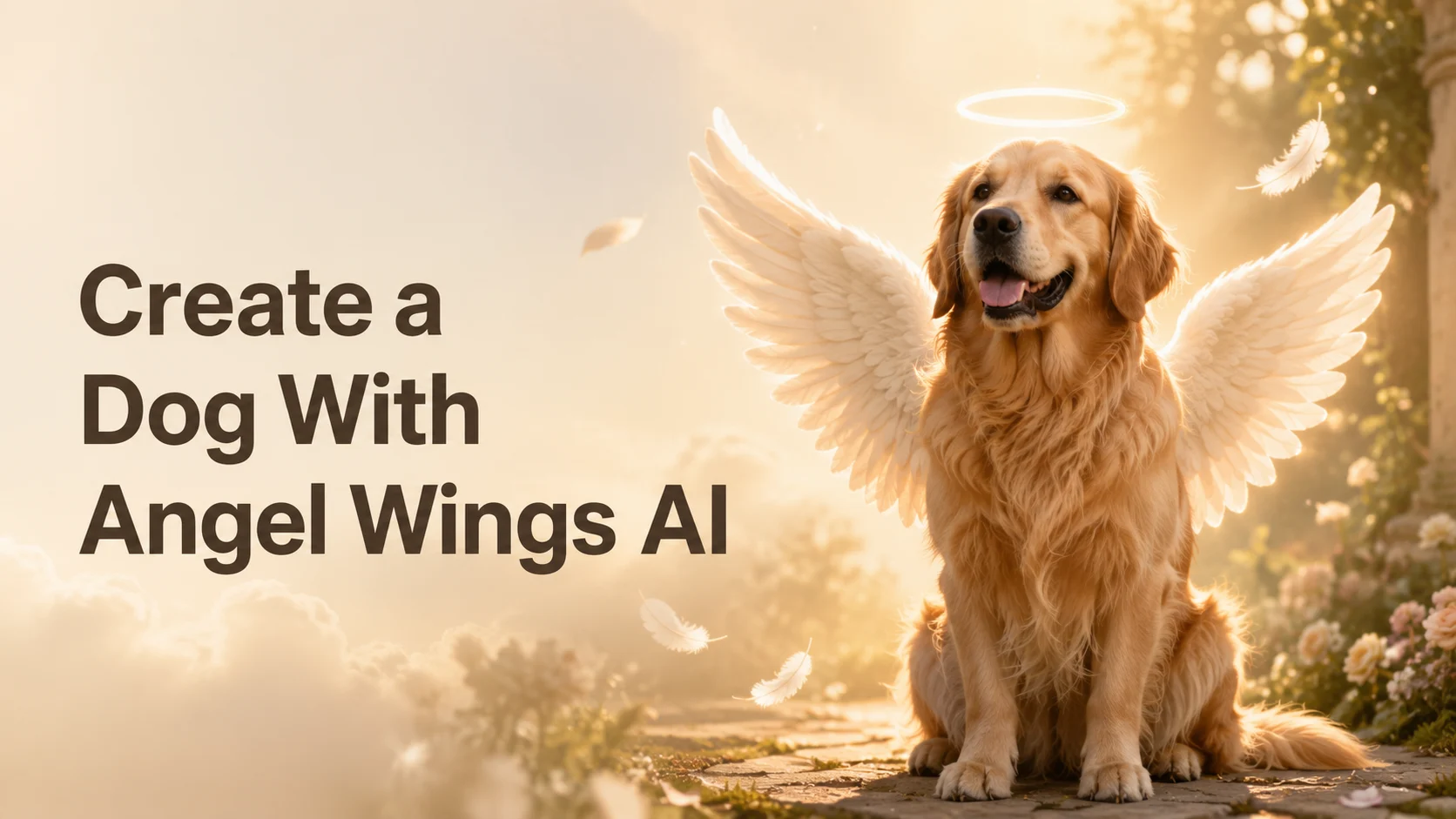
You’ve seen those dreamy clips of dogs with soft glowing angel wings — and yes, you can make one of your own dog in just a few minutes. The trend is everywhere right now, from gentle TikTok edits to heartfelt tribute posts, and it keeps growing because the result feels magical when it still looks like your pup.
Here’s the frustrating part: every tool only shows you its own way, generic AI often turns a beloved pet into some “random AI dog,” and no one hands you the actual photo tips, prompts, and steps. So this guide does all of it in one place. You’ll follow a simple flow — upload a dog photo, add angel wings, fine-tune the prompt, then generate a dreamy image or a shareable video — with copy-paste prompts and tricks to keep the wings natural and your dog looking like your dog.
How to Add Angel Wings to Your Dog Photo With AI (Step-by-Step)
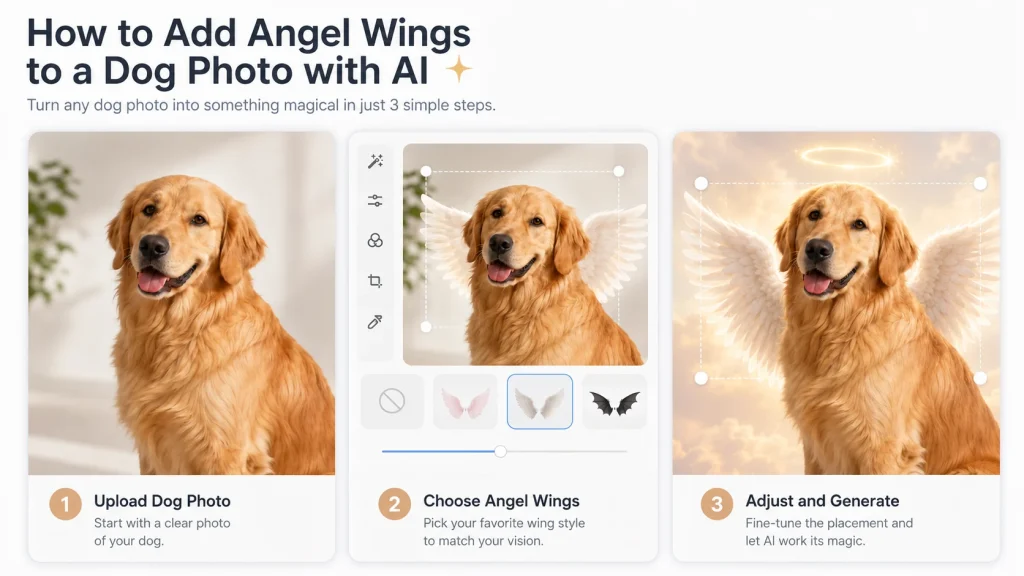
Want the short version? To add angel wings to your dog with AI, upload a clear, well-lit photo to an AI image tool, choose a soft white “angel wings” style, generate, then nudge the wings into place behind the shoulders and download. That’s the whole loop — the rest of this section makes each step foolproof.
Choose the best dog photo
The photo you start with decides everything. AI adds wings most cleanly when it can clearly see your dog’s body and background.
- Use a sharp, well-lit shot, front- or side-facing, with the shoulders and back visible and an uncluttered background.
- Avoid blurry, very dark, heavily filtered, or tiny cropped images — these confuse the wing placement and blur your dog’s features.
A decent-resolution photo taken in daylight beats a dramatic but grainy one every time.
Upload your photo and pick an angel wings style
Open your AI image or video tool and upload the photo. Then choose the look you want. Most tools offer a few directions: soft white feathered wings, a gentle halo, or a dreamy backlight that gives the whole picture a heavenly glow.
Decide early whether you want a realistic result (great for keepsakes) or a cute, illustrated style (fun for social). Picking the mood now keeps your prompt focused later.
Generate and fine-tune wing placement
Generate your first result, then look closely at where the wings land. Natural wings sit behind the shoulders — not through the head, ears, or legs. If the placement feels off, regenerate or drag the wings down and back so they rise from the dog’s back like a cape of feathers.
Key Takeaway: Great results come from a clean photo plus one or two rounds of fine-tuning — not from getting it perfect on the first click.
Write the Perfect Prompt for Natural Angel Wings
A good prompt is the difference between believable wings and a pasted-on sticker. This is also where you protect your dog’s real face — the thing generic AI gets wrong most often.
Copy-paste prompt templates for a dreamy angel dog
Paste one of these directly, then swap in your dog’s breed and coat color:
- Base: “Add soft white feathered angel wings and a gentle glowing halo to this dog, wings rising naturally behind the shoulders, keep the dog’s face and fur unchanged, warm soft lighting.”
- Dreamy / ethereal: “This [breed] with large glowing white angel wings, soft heavenly backlight, dreamy golden glow, floating feathers, keep the original face and markings.”
- Cute / illustrated: “Adorable Pixar-style [breed] with fluffy little angel wings and a tiny halo, pastel dreamy background, big friendly eyes.”
- Peaceful / heartwarming: “A [color] [breed] with gentle angel wings resting behind its back, calm peaceful expression, soft clouds and warm light.”
Keep your dog looking like your dog
This is the secret searchers can’t find elsewhere. To preserve your pet’s likeness, tell the AI to reference the uploaded photo and describe your dog specifically — “golden retriever with a white chest patch and floppy ears.”
Keep your edit focused on the wings, halo, and background only, and add “keep the face and fur unchanged.” The more you let the AI redraw the face, the less it looks like your dog.
Fix common problems (warped wings, distorted body, extra limbs)
If the result looks “off,” small adjustments fix most issues:
- Wings look pasted-on or blur into the fur? Lower the edit strength and specify “wings clearly behind the body, not overlapping the fur.”
- Body distorted or extra limbs appear? Reduce how much the AI changes, reword to “do not alter the dog’s body or pose,” and regenerate.
- Wings in the wrong spot? Add “wings anchored behind the shoulders” and pick a cleaner base photo.
Turn Your Angel Wings Dog Photo Into a Dreamy Video
A still image is lovely — but a short video where the wings gently unfold is what makes people stop scrolling. This is the natural next step, and it’s easier than it sounds.
Animate soft, gentle wing movement from one photo
Take your finished image (or even the original photo) into an AI image-to-video tool and let it animate. The goal is subtle: wings that slowly unfold, flutter, or softly glow. Keep the motion gentle and dreamy — dramatic, fast movement is what makes AI clips feel uncanny.
Set motion, duration, and aspect ratio for social
For a calm, heartwarming clip, keep the settings light:
- Motion intensity: low or soft
- Duration: a few seconds is plenty
- Aspect ratio: 9:16 for TikTok, Reels, and Shorts; 1:1 or 16:9 for other feeds
Platforms like aiimagetovideo.pro let you dial in exactly these controls, so the animation stays soft and share-ready instead of over-animated.
Export in HD/4K with no watermark
Finish by exporting a clean, high-definition clip up to 4K with no watermark, so the result looks polished whether you post it or save it forever. A crisp, watermark-free video is what turns a fun experiment into something you’re proud to share.
Share Your Angel Wings Pet Portrait & Keep It as a Memento
You’ve made something sweet — here’s how to share it warmly or hold onto it.
Post it for TikTok, Reels & Shorts (formats and gentle captions)
Vertical 9:16 works best across TikTok, Reels, and Shorts. Pair it with a simple, heartfelt caption like “My angel, always” or “Gave my best friend her wings.” A light, honest note that it’s a creative AI edit keeps the post feeling genuine rather than misleading.
Turn it into a heartfelt keepsake
Beyond posting, your creation makes a lovely phone or desktop wallpaper, a framed print, or a small photo memento. For many people, a winged portrait is a gentle, hopeful way to celebrate a dog they love — whether that pup is curled up beside them or being remembered fondly.
FAQs of Dog With Angel Wings AI
How do I make my dog have angel wings with AI?
Upload a clear photo to an AI image tool, choose an angel wings style or paste a wings prompt, generate, adjust the wing placement, then download.
What’s the best photo to use for AI angel wings?
A sharp, well-lit, front- or side-facing shot with the shoulders and back visible and a simple background. Avoid blurry, dark, or heavily filtered images.
How do I keep the result looking like my actual dog?
Describe your dog’s exact breed, coat color, and markings, tell the AI to keep the face and fur unchanged, and limit edits to the wings and background.
Can I turn the angel wings photo into a video?
Yes. Drop the image into an AI image-to-video tool, choose soft motion, and the wings will gently unfold or glow in a short, shareable clip.
Why do the wings look fake or distorted, and how do I fix it?
Usually the edit strength is too high or the base photo is unclear. Lower the strength, anchor wings “behind the shoulders,” start from a cleaner photo, and regenerate.
Is it free, and can I download it without a watermark?
Many tools offer a free tier, and platforms built for this let you export in HD or 4K with no watermark.
Conclusion
Creating a dog with angel wings AI image is genuinely simple: pick a good photo, upload it, use a natural-wings prompt that keeps your dog’s real face and fur, then generate a dreamy image — or take it one step further into a gentle video. Keep the wings soft, the likeness true, and the mood warm, and you’ll end up with something you’ll want to share and keep.
Ready to try it? Upload your dog’s photo and create your own dreamy angel wings image or video in minutes with an AI image-to-video tool that exports clean, watermark-free clips in HD and 4K.






