You’ve seen those funny slow-motion clips where a face gets a cartoon-style punch and snaps right back — and you want to make one yourself. Good news: it looks hard, but it really isn’t.
The tricky part for most beginners is knowing where to start. What do you type as a prompt? Why does the first try come out with a melted face or a punch that barely moves? Those little problems stop a lot of people before they even post a clip.
This guide walks you through how to make an AI face punch video from a single photo — the exact steps, copy-paste prompts, and quick fixes for the usual hiccups. We’ll keep it light, comedic, and fictional the whole way, so your result gets laughs, not weird looks.
How to Make an AI Face Punch Video From a Photo (Step by Step)
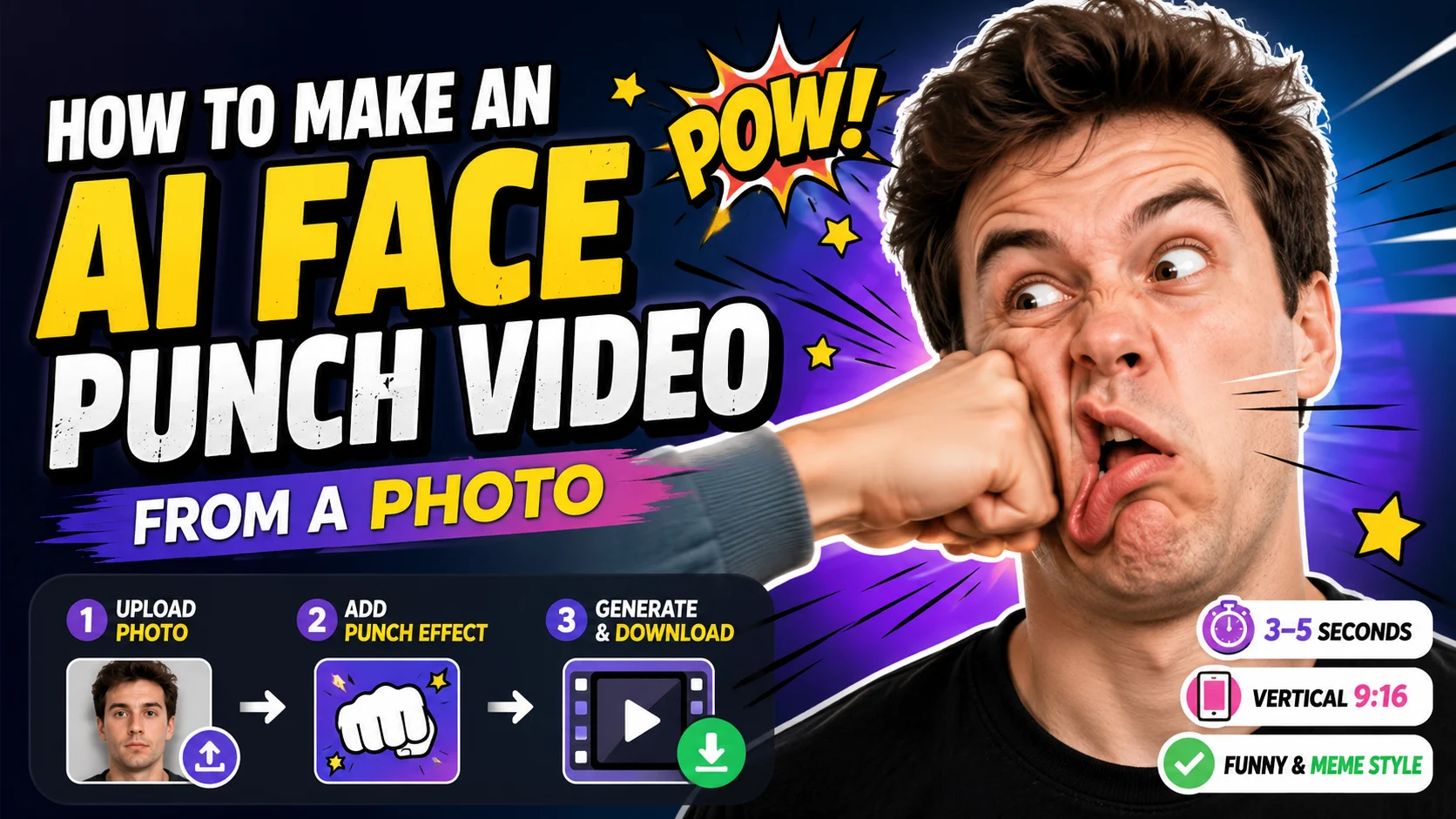
Making an AI face punch video comes down to three simple moves: pick a photo, add the punch effect, then generate and download. Any online AI image-to-video tool can handle this, so you don’t need editing skills or expensive software.
Here’s the beginner-friendly version, step by step.
Step 1 – Pick or Upload Your Photo
Start with a clear, front-facing photo where the whole face is visible and the lighting is good. Sharp images with one main subject give the AI the most to work with, so avoid blurry group shots or faces that sit tiny in the frame.
Most tools accept common formats like JPG and PNG, so you can upload straight from your phone. One quick reminder: use your own image (more on that later). A crisp, well-lit photo is the single biggest factor in a photo to punch video that looks clean.
Step 2 – Add the Punch Effect (Prompt or Template)
Now you tell the tool what to do. Beginners have two easy paths here.
The first is a ready-made punch template — if your tool offers one, just select it and you’re mostly done. The second is a short text prompt describing a funny, cartoon-style punch. Prompts give you more control over the vibe and the timing.
Not sure what to type? Don’t worry — the copy-paste prompts in the next section drop straight in and work great as a starting point.
Step 3 – Set Motion, Generate, Preview & Download
Before you hit generate, set the motion intensity and pick a short duration — 3 to 5 seconds is the sweet spot for a punch. Keep the aspect ratio at vertical 9:16 so it’s ready for TikTok, Reels, and Shorts.
Then generate, preview, and download. This is where a simple AI video effect from photo tool shines: platforms like AI Image to Video let you control motion and duration, then export a clean, watermark-free vertical clip. Generation usually takes about a minute, and you can always re-generate if the first result looks off.
Key Takeaway: A sharp photo, a short 3–5s duration, and vertical 9:16 output are the three settings that make or break your first punch clip.
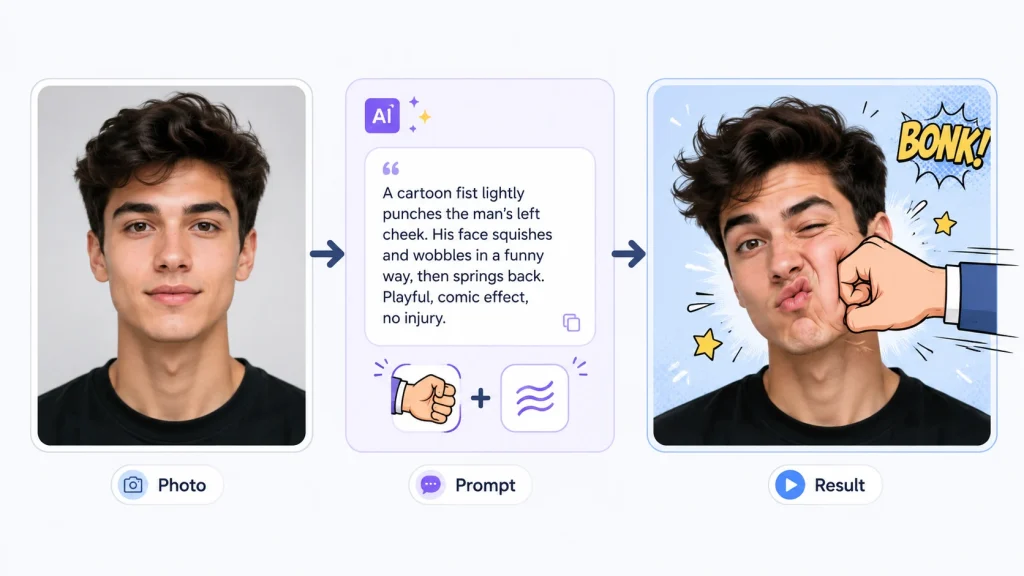
Copy-Paste Prompts for a Funny AI Face Punch Video
Prompts are the single most-requested asset for this effect — creators everywhere ask, “Just send me the prompt.” So here are three you can copy, paste, and tweak. Each one is framed as playful and fictional, with no gore or injury detail.
Basic Face Punch Prompt (Copy-Paste)
A cartoon-style fist enters from the side and lightly bonks the person’s face; the cheek squishes and springs back, exaggerated comedic reaction, funny meme style.
The key words here are cartoon-style, squish, and comedic — they keep the clip goofy instead of realistic. Swap “from the side” for another direction, or change the reaction to match your subject’s expression.
Slow-Motion Comedy Punch Prompt (Copy-Paste)
Slow-motion comedic punch, soft cartoon impact on the cheek, face wobbles like jelly, motion blur on the fist, playful exaggerated expression, meme-style, 3 seconds.
Slow motion is your friend. It stretches the funny moment out and makes the “hit” read clearly as a joke rather than something rough. The wobble and motion blur cues are what sell the exaggerated bounce.
Cartoon / Meme-Style Punch Prompt (Copy-Paste)
Stylized meme punch, big cartoon impact stars, springy face bounce, goofy surprised expression, bright colors, lighthearted and fictional.
This is the most forgiving option. The impact stars and springy bounce lean fully into cartoon territory, which conveniently hides small realism flaws while keeping the clip clearly comedic.
How to Make the Punch Look Natural (and Fix Common Problems)
Even with a great prompt, your first AI punch video might miss the mark. The most common complaint creators have is that the punch “stops at skin contact” and never feels like it connects. A few small tweaks fix that fast.
Tips to Make the Impact Look Natural
The trick is timing the impact with the reaction. Sync the moment the fist reaches the cheek with the face starting to move — when those line up, the punch feels connected.
- Add a little squish and snap-back so the cheek reacts
- Use slight motion blur on the incoming fist
- Keep it in slow motion so the hit reads clearly
- Add a small recoil so the punch feels like it lands
Fix – Distorted or Melting Faces
This usually means the photo is too small or blurry, or the motion is cranked too high. Use a sharper, well-lit image, lower the motion intensity, and keep the punch light before you re-generate. A stylized or cartoon prompt also hides minor distortion.
Fix – Weak or No Punch Motion
If nothing much happens, your prompt was probably too vague or the motion was set too low. Add clear action words like impact, snap, bounce, and recoil, nudge the motion intensity up a little, and name a direction — “fist enters from the left” — so the movement is obvious.
Fix – Unnatural or Bad Punch Timing
If the reaction lands too early or too late, the clip is often just too long. Keep it 3–5 seconds, ask for the reaction to happen “on impact,” and lean on slow motion so the timing looks intentional. If a generation still misses, re-roll — a couple of tries is normal.
Keep It Fun, Fictional & Safe to Share
A good face punch video effect is all about the laugh. A little care here keeps your content fun and safe to post anywhere.
Keep It Comedic, Stylized & Fictional
Lean into cartoon and meme framing — springy faces, “boing” impacts, and silly surprised expressions. Skip realistic gore, injury detail, or anything mean-spirited. The goal is a laugh, not real violence.
Use Only Your Own Images (or Ones You Have Permission to Edit)
Simple rule: only use photos of yourself, willing friends, or fictional/AI-generated characters — or images you clearly have permission to edit. Don’t target real people in a way that could feel like harassment.
Best Format for TikTok, Reels & Shorts
Post in vertical 9:16, keep it around 3–6 seconds, and make it loop-friendly. Export in high quality with no watermark so it looks clean on any feed.
FAQs About Making an AI Face Punch Video
How do I make an AI face punch video for free?
Use an online AI image-to-video tool: upload a photo, add a punch prompt or template, and generate. Many tools offer a free way to try the effect before you commit.
What is the best prompt for an AI punch video?
The best prompt describes a cartoon-style, slow-motion, comedic impact with a squish-and-snap-back reaction. Start with the copy-paste prompts above and tweak the direction or expression.
Why does my AI face punch video look distorted?
Usually it’s a low-quality photo or too much motion. Use a sharper front-facing image, lower the motion intensity, and re-generate for a cleaner result.
Can I turn any photo into a punch video?
Almost any clear, front-facing photo works best. Just make sure it’s your own image or one you have permission to use.
How long does it take to make one?
Often about a minute per generation, plus a couple of quick re-tries to land a clean, funny result.
Conclusion
Making an AI face punch video is easier than it looks: pick a sharp, front-facing photo, add a comedic punch prompt, keep it short and stylized, and use the quick fixes if the face distorts or the motion feels weak. Slow motion and a cartoon vibe do most of the heavy lifting.
Ready to try it? Upload a photo and make your first funny AI face punch video with an easy AI image-to-video tool like AI Image to Video — with simple motion controls and clean, watermark-free vertical clips built for TikTok, Reels, and Shorts.
Try it now: Grab a clear photo, paste in one of the prompts above, and generate your first meme-style punch clip in minutes.