
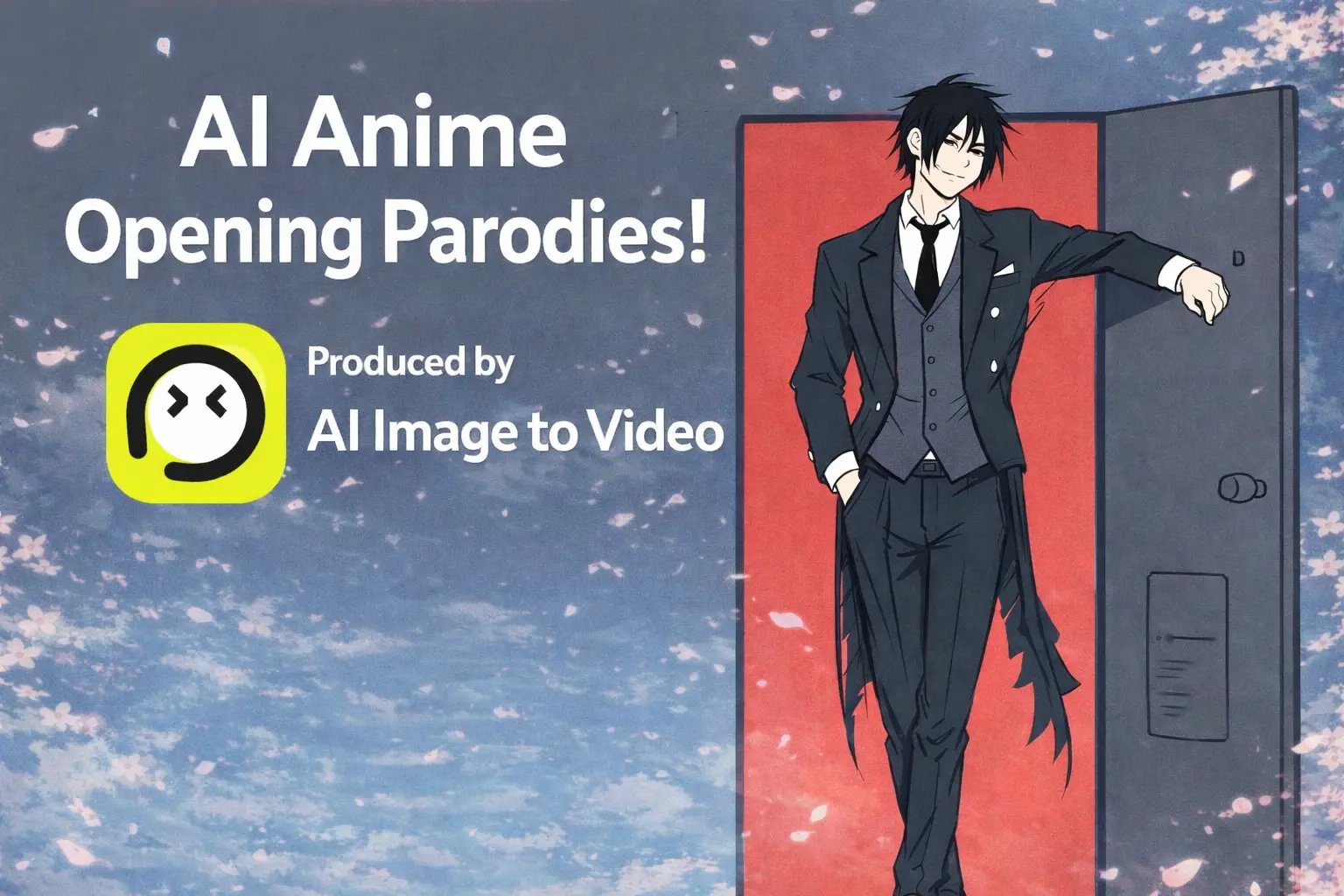
What if you could see Sasuke appear in the opening sequence of Attack on Titan? Or watch Gojo Satoru and Naruto face off in an epic battle? With today’s AI animation tools, anime fans are turning these crossover dreams into reality—creating stunning AI animation parodies that rack up millions of views.
Many anime fans have great parody and crossover ideas but lack the skills, software, or teams to animate them. AI animation technology has removed these barriers, making high-quality anime creation accessible to anyone.
This guide covers the AI animation tools, formats, and monetization strategies that let you create professional anime opening parodies with zero animation experience—whether you need a simple AI cartoon generator or a full-featured animation maker.
What Are AI Anime Opening Parodies? (And Why They’re Taking Over the Internet)
AI anime opening parodies are fan-created videos that use AI animation technology to generate anime-style animations mimicking or reimagining classic opening sequences. This creative AI animation format has exploded across YouTube and social media, with some videos reaching millions of views.
The Rise of AI Animation Content
AI animation has democratized anime creation. What previously required professional studios and massive budgets can now be accomplished by individual creators using free or low-cost AI animation tools.
As one Reddit creator put it: “The barrier to entry for creative work will be demolished. Independent artists will be able to create their own AI animation, instead of requiring millions of dollars.”
Popular AI Animation Parody Formats
The most successful AI animation formats include:
- “If X Had an Anime Opening” – Country and event-based AI animation parodies (e.g., “If Germany had an Anime Opening” with 305K views)
- Character crossovers – Using AI animation to place characters from different anime in one sequence
- Scene recreations – AI animation reimagining iconic scenes to tell new stories
- Political satire – Current events with AI animation style (“If America vs China was an Anime” hit 513K views)
- Game-anime mashups – AI animation crossovers like DanDaDan x Genshin Impact
Why Anime Fans Are Embracing AI Animation
Fans now have the power to finish beloved series, create dream matchups, and realize crossover visions using AI animation that studios would never produce. The community sentiment is clear: “We can finally finish Hunter x Hunter, Claymore, and Berserk ourselves using AI animation tools.”
The Best AI Animation Tools for Creating Anime Opening Parodies
Understanding which AI animation tools to use is essential for quality results. Here’s what amateur AI animation creators are actually using.
Sora 2 (OpenAI) – The Fan Favorite AI Animation Tool for Dialogue Scenes
Sora 2 is the most mentioned AI animation tool in the community. It offers a free tier, generates 10-15 second AI animation clips, and features a “character cameo” function for maintaining consistency. This AI animation platform excels at dialogue scenes but struggles with action sequences involving moving vehicles.
Midjourney (niji6 and v7) – Master of AI Animation Style Control
Midjourney ($10-60/month) handles 80% of many AI animation projects. Its niji6 and v7 modes deliver excellent anime aesthetics for AI animation, while mood board capabilities provide superior style control for character designs in your AI animation workflow.
Vidu AI – Best AI Animation Tool for Complex Action
When you need complicated movements, fire effects, or multiple characters in motion, Vidu AI is a superior AI animation choice that outperforms alternatives. It’s the go-to AI animation maker for fight scenes and dynamic action sequences.
Free and Open-Source AI Animation Options: Wan 2.2, OpenArt, and More
Budget-friendly AI animation alternatives include:
- Wan 2.2 + Flux Dev Kontext – Free AI animation option, runs locally, produces full videos in 3-4 hours
- OpenArt – AI animation Storyboard feature for one-prompt animation
- Gemini/Grok – Supplementary AI animation generation options
Supporting Tools for AI Animation: Editing, Voice, and Music
Complete your AI animation pipeline with:
- CapCut/DaVinci Resolve – Free video editing for AI animation projects
- ElevenLabs – Voice generation for AI animation
- Suno AI – Music creation for AI animation
Creative Formats and Ideas for AI Animation Parodies
The “If X Had an Anime Opening” AI Animation Format
This is the most successful AI animation template. Apply it to countries, historical events, games, or fictional scenarios. The AI animation format works because it combines familiar anime tropes with unexpected subjects.
Character Crossover AI Animation Parodies
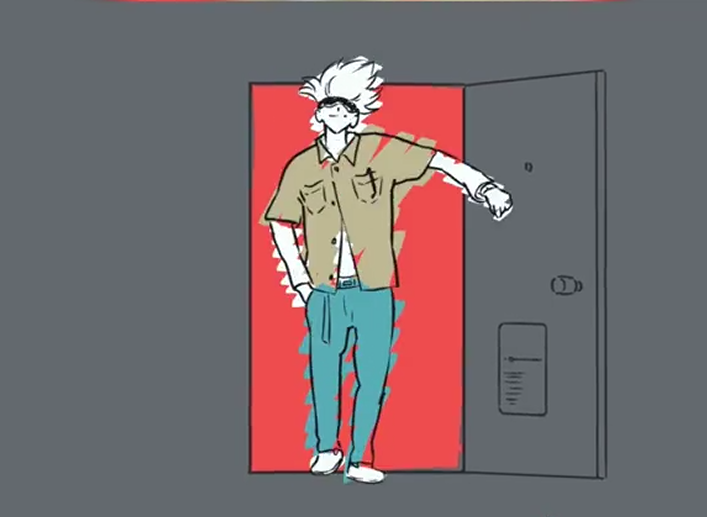
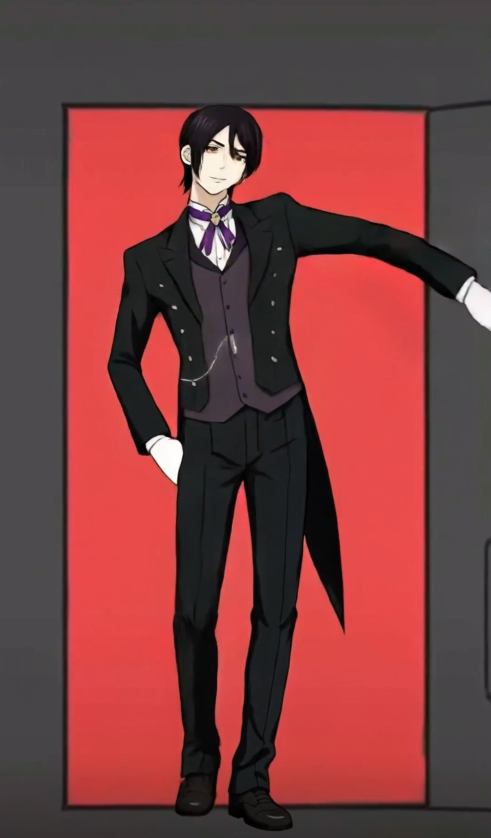
Use AI animation to place characters from different shows into the same opening. The key is maintaining visual consistency when combining art styles from Naruto, Attack on Titan, Jujutsu Kaisen, and Dragon Ball in your AI animation. Look, I used AI to replace Satoru Gojo’s dancing part in the ending song “Lost in Paradise” from Jujutsu Kaisen Season 1 with Sebastian Michaelis from Black Butler:
AI Animation Scene Recreation with New Stories
Take iconic opening scenes and use AI animation to reimagine them for different narratives—personal stories, brand content, or original fiction.
Fight Scene AI Animation Recreations and Mashups
Use AI animation to recreate legendary fights from Dragon Ball or Naruto, or create dream matchups between characters who never fought in canon with AI animation technology.
The Biggest Obstacles for AI Animation Beginners (And How to Overcome Them)
Character Consistency: The AI Animation Holy Grail Problem
This is the #1 pain point for AI animation creators, mentioned in 80%+ of community discussions. One creator described it: “How did you get the character consistency in your AI animation? That’s really the holy grail.”
AI Animation Solutions:
- Use Sora’s “character cameo” feature in your AI animation
- Create detailed mood boards in Midjourney for AI animation
- Maintain separate character reference folders for AI animation
- Mix AI animation platforms strategically
Managing the AI Animation “Slot Machine” Generation Process
Expect a 99% rejection rate in AI animation. As one creator noted: “99% of the AI animation images I got back were not what I wanted. Sometimes it took days just to get a 5-second AI animation clip to work.” Accept that AI animation generation is iterative, not instant.
Style Consistency Across AI Animation Clips
The hand-drawn look often shifts to 3D mid-project in AI animation. Combat this by locking in style references early and regenerating AI animation clips that drift from your established aesthetic.
Understanding AI Animation Prompt Limitations
Some concepts aren’t understood by AI animation tools (like “back away from X”). Work around AI animation limitations through alternative descriptions and photo references for complex camera angles.
Workflow and Time Management for Long-Form AI Animation Content
Realistic AI animation timelines:
- Short-form AI animation (15-60 seconds): 3-4 hours
- Full anime opening AI animation (1-3 minutes): 2 weeks to 4 months
- Full episode AI animation (28+ minutes): 2-3 months active production
Step-by-Step Workflow: Creating Your First AI Animation Parody
Phase 1: AI Animation Concept and Storyboarding
Develop your AI animation parody concept and create storyboards (hand-drawn or AI-generated). Plan scene-by-scene with timing notes for music synchronization in your AI animation.
Phase 2: Character Design and AI Animation Reference Generation
Build mood boards in Midjourney and establish visual style guides for AI animation. Create consistent character references before AI animation begins.
Phase 3: AI Animation Video Generation
Generate 10-15 second AI animation clips using script-style prompts (3-4 lines per clip). Mix AI animation platforms for better results—don’t stick exclusively to one tool.
Phase 4: AI Animation Editing and Post-Production
Assemble AI animation clips in CapCut or DaVinci Resolve. Add transitions, cross-fades, and sync your AI animation with your chosen music track.
Phase 5: AI Animation Audio Integration
Add opening theme music, sound effects, and voice generation with ElevenLabs if needed for your AI animation. Consider original music creation with Suno AI to avoid copyright issues in AI animation projects.
How to Monetize AI Animation Videos on YouTube
YouTube’s AI Animation Content Monetization Policy (2026 Update)
CAN be monetized:
- Original AI animation stories made with AI tools
- Educational content about AI animation with custom voiceovers and visuals
- Creative AI animation content showing human editing and creativity
CANNOT be monetized:
- 100% auto-generated AI animation content with no human creativity
- Reused AI animation templates repeated across videos
- Content falsely claiming AI animation to be hand-drawn
Meeting AI Animation Monetization Requirements
Follow community guidelines, avoid copyright violations, offer AI animation originality and value, and clearly disclose AI animation content.
Copyright and Fair Use for AI Animation Parodies
Parody (commenting on the original work) has stronger fair use protection than satire for AI animation. Getting permission is safest, but transformative AI animation parody content is generally protected.
Building a Sustainable AI Animation Content Channel
Find your niche within the AI animation space, maintain AI animation content consistency, and diversify beyond just parodies. Build audience trust through quality AI animation and transparency.
AI Animation Tools Comparison: Choosing the Right Platform for Your Project
Free vs Paid AI Animation Options: What You Actually Need
Free AI animation tools (Sora 2 free tier, Wan 2.2, CapCut) can produce quality content. Paid AI animation subscriptions offer faster generation, more control, and higher output volume. Start with free AI animation tools, upgrade when you hit limitations.
AI Animation Tool Selection Based on Content Type
| Content Type | Best AI Animation Tool |
| Dialogue scenes | Sora 2 AI animation |
| Action sequences | Vidu AI animation |
| Style control | Midjourney AI animation |
| Full workflow | Mix all three AI animation tools |
Image-to-Video AI Animation Platforms for Anime Creators
Platforms like AI Image to Video transform static anime artwork into AI animation sequences. These AI animation tools are particularly useful for bringing existing character art to life with motion and effects, offering features like 4K resolution output and watermark-free exports that maintain professional quality in your AI animation projects.
FAQs About AI Animation Parodies
How long does it take to make an AI animation parody?
Short-form AI animation (15-60 seconds) takes 3-4 hours. Full anime opening AI animation (1-3 minutes) requires 2 weeks to 4 months depending on AI animation complexity and experience.
Can I create AI animation videos on my phone?
Yes, AI animation tools like CapCut are mobile-friendly and some AI animation generators have mobile apps. However, complex AI animation projects benefit from desktop workflows.
Is it legal to make anime AI animation parodies?
AI animation parodies that comment on the original work have stronger fair use protection. Getting permission is safest, but transformative AI animation parody content is generally protected.
What AI animation tool gives the best anime style?
Sora 2 and Midjourney (niji6/v7 modes) are consistently rated best for AI animation anime aesthetics. Vidu excels for action sequence AI animation.
How do I get my AI animation characters to look consistent?
Use Sora’s character cameo feature for AI animation, create detailed mood boards in Midjourney, maintain separate character reference folders for AI animation, and don’t be afraid to mix AI animation platforms.
Can I monetize AI animation videos on YouTube?
Yes, if the AI animation content shows human creativity, originality, and editing. Clearly disclose AI animation use and ensure AI animation content adds value beyond pure AI generation.
Conclusion: Your Anime Crossover Dreams Are Now Within Reach with AI Animation
AI animation has transformed anime fan creation from an expensive, skill-intensive endeavor into an accessible creative outlet. With free AI animation tools like Sora 2 and affordable options like Midjourney, anyone can create the AI animation opening parodies they’ve always imagined.
While challenges like character consistency remain in AI animation, the community continues developing solutions. AI animation monetization opportunities make this a viable creative pursuit for dedicated creators.
Ready to bring your anime parody ideas to life with AI animation? Start with Sora 2’s free tier to experiment with short AI animation clips, then explore image-to-video AI animation tools to animate your favorite anime artwork. Join the growing community of AI animation creators and share your first AI animation parody with the world.
