
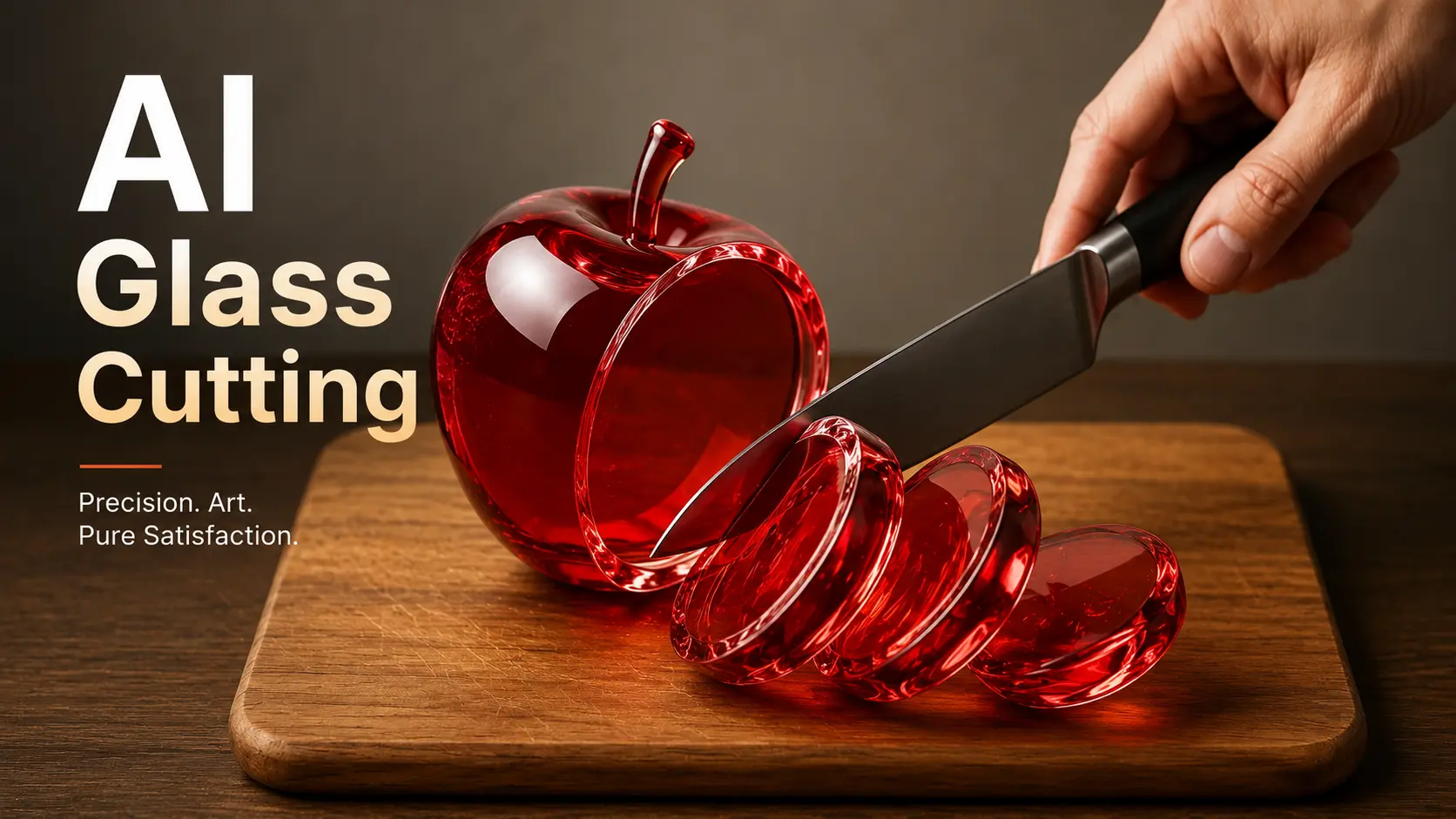
You’ve seen the viral videos — shimmering glass strawberries sliced with crisp, satisfying sounds that rack up millions of views. But when you tried making one yourself, the knife melted into the fruit and the glass squished like a gummy bear. You’re not alone. Most creators struggle with choosing the right AI tool, writing prompts that actually work, and syncing audio that sounds convincingly real.
This guide walks you through the entire process. You’ll learn which AI tools produce the best glass cutting results, get copy-paste prompts you can use immediately, and follow a clear step-by-step workflow from first idea to published video.
What Is AI Glass Cutting ASMR?
AI glass cutting ASMR refers to AI-generated videos showing impossible glass objects — fruits, food, luxury items — being sliced with deeply satisfying sounds. These videos are entirely synthetic: no real glass, no real knife, no real microphone. Everything is created by AI video generators from a text prompt.
How the AI Glass Fruit Cutting Trend Took Over Social Media
The trend exploded when Google Veo 3 introduced text-to-video generation with built-in audio. Creators discovered that prompting glass fruit being sliced produced unexpectedly satisfying results. Some channels gained over 180,000 followers in a single week. What started with glass strawberries has since expanded into glass cooking, glass ramen, glass pizza, and themed compilations that pull hundreds of thousands of views.
Why These Videos Are So Addictive
These videos trigger ASMR — autonomous sensory meridian response — a tingling sensation caused by specific auditory and visual stimuli. What makes AI glass cutting unique is that your brain has no real-world reference for the sound of a glass apple being sliced. That novelty creates a heightened sensory response. Even viewers who typically dislike AI content describe these videos as “the only AI I accept,” because they create something impossible rather than replacing something human.
Best AI Tools for Glass Cutting ASMR Videos
Choosing the right tool is the most common sticking point for new creators. Here’s what actually works in 2026.
Google Veo 3 — The Industry Benchmark
Veo 3 remains the gold standard for AI glass cutting content. It generates video and synchronized audio from a single text prompt, producing hyper-realistic physics and cinematic quality. The limitation is access — it’s available through Google Flow and Gemini, but still restricted for many users. Several platforms, including MimicPC and asmrvideos.io, run Veo 3 under the hood, giving you an indirect way in.
Top Veo 3 Alternatives You Can Use Right Now
If you can’t access Veo 3 directly, these alternatives deliver solid results:
- AI Image to Video — Supports multiple AI models including Kling, Veo, and Wan with 4K output, no watermarks, and batch processing for compilations. TikTok-optimized formats are built in.
- MimicPC — Purpose-built for ASMR with pre-tuned glass cutting prompt templates. Powered by Veo 3 under the hood.
- Clipfly — Dedicated ASMR generator with native audio sync across glass fruit, soap, kinetic sand, and more.
- FlexClip — Full pipeline from AI image generation to video to sound effects in one platform at roughly $0.30 per video.
- PiAPI — API-based platform combining Kling AI, GPT-4o, and MMAudio. Best for developers. Starts at $15/month.
- asmrvideos.io — Dedicated ASMR generator with 25+ templates and lifetime pricing from $19.90.
Free vs. Paid — What You Actually Get at Each Price Point
Free tiers let you test workflows but come with limits — lower resolution, watermarks, and fewer generation credits. Mid-range tools cost $0.125 to $0.30 per video and deliver publishable quality. Premium subscriptions unlock batch processing, 4K output, and native audio. Start free to learn the process, then upgrade once you’re ready to publish consistently.
How to Make AI Glass Cutting ASMR Videos (Step-by-Step)
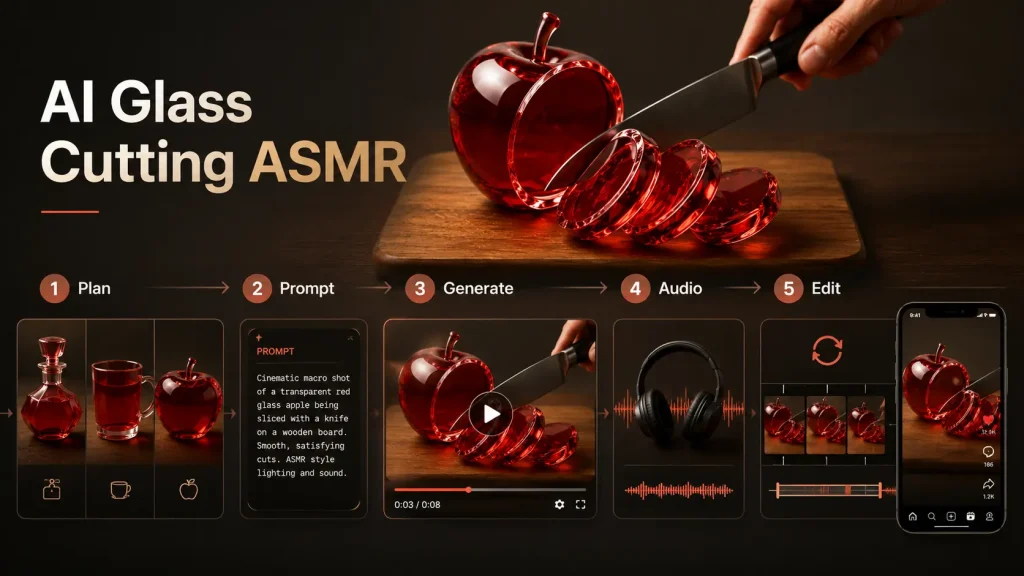
To make AI glass cutting ASMR videos, write a detailed prompt describing a glass object being sliced, generate the video using an AI tool, add ASMR audio, then edit the clip for your target platform. Here’s each step in detail.
Step 1 — Plan Your Scene and Choose Your Subject
Standard glass fruit is oversaturated. Glass cooking scenes, luxury items like perfume bottles, and everyday objects now get stronger engagement. Decide on your action too — crushing is an emerging variation that stands out from the usual slicing. Choose a visual style before opening any tool: minimalist marble surface, dramatic backlighting, or a macro close-up. Planning prevents wasted credits.
Step 2 — Write an Effective AI Glass Cutting Prompt
Your prompt needs five elements: subject description with material properties, action description, camera specification, lighting and environment, and sound description. Here’s a complete example:
“A translucent glass strawberry with visible seeds inside, catching light with realistic refractions, sits on a clean white marble surface. A sharp chef’s knife slowly slices through the center in smooth slow motion. Macro lens, 85mm, shallow depth of field, 120fps. Soft diffused backlighting. Crisp, satisfying crackle and crunch of glass fracturing on each cut.”
Vague prompts produce vague results. The more specific your material and physics descriptions, the more realistic the output.
Step 3 — Generate the Video with Your AI Tool
Upload an AI-generated glassMake AI Glass Cuttin image for image-to-video tools like AI Image to Video, or enter your text prompt for tools like Veo 3 or Clipfly. Set your aspect ratio to 9:16 for TikTok, Reels, and Shorts, or 16:9 for YouTube. Aim for 8 to 15 seconds per clip. Expect to iterate — your first generation rarely nails it. Plan for two to three attempts per scene.
Step 4 — Add or Enhance the ASMR Audio
Audio is what separates a satisfying video from a forgettable one. Tools like Veo 3 and Clipfly generate synced audio automatically — review it and regenerate if the sound doesn’t match the visual. For separate audio workflows, use MMAudio or ElevenLabs to generate ASMR sound effects, then layer them onto your video in an editor. The crunch must land exactly when the knife contacts the glass. Scrub frame by frame to align audio peaks with visual contact points.
Step 5 — Edit, Loop, and Optimize for Social Media
Trim to the most satisfying moment and create a seamless loop — looping videos get significantly higher watch time on TikTok. For compilations, combine three to five clips into a 60-second Reel or longer YouTube video. CapCut is the go-to free editor for TikTok-optimized output. For creators targeting YouTube ad revenue, 12-hour compilations in the style of channels like @SatisVid perform well as sleep and relaxation content.
AI Glass Cutting Prompts You Can Copy and Paste
Glass Fruit Cutting Prompts
“A translucent glass watermelon with visible red interior layers and black seeds, sitting on dark slate. A large chef’s knife slices downward through the center in slow motion, revealing a cross-section of crystal-clear rind and glowing red glass flesh. Macro lens, dramatic side lighting, crisp fracturing sound with each cut.”
Swap “watermelon” for mango, strawberry, or any fruit. Change “slicing” to “crushing” for a trending variation.
Creative Object Prompts Beyond Glass Fruit
“A crystal-clear glass perfume bottle shaped like an elegant rectangle, filled with shimmering amber liquid, resting on white marble. A sharp blade slices cleanly through the bottle from top to bottom in smooth slow motion. Close-up macro shot, soft backlighting, satisfying crackle of thin glass walls fracturing.”
Glass luxury items, soap bars, and food like ramen or pizza stand out now that fruit content is saturated.
Advanced Multi-Slice and Compilation Prompts
“A series of five translucent glass tropical fruits — pineapple, kiwi, passion fruit, dragon fruit, star fruit — arranged in a line on a reflective black surface. A knife rapidly slices through each one sequentially, left to right, in a single continuous shot. Cinematic slow motion, alternating angles, crisp layered glass fracture sounds building with each cut.”
This format works well for compilation-style content that holds attention across longer watch times.
FAQs About AI Glass Cutting Videos
What is the best free AI tool for glass cutting ASMR videos?
Several platforms offer free tiers for testing, including basic generation on AI Image to Video and limited credits on other tools. Free options work for learning the workflow, but paid tiers produce noticeably higher quality for publishable content.
Can you monetize AI glass cutting videos on YouTube and TikTok?
Yes, but with caveats. YouTube allows AI-generated content with disclosure. TikTok’s Creator Fund pays based on views. The strongest revenue model is long-form YouTube compilations over eight minutes, which qualify for mid-roll ads. Be aware that the market is maturing — early creators saw 400K+ views per video, while similar uploads now average 3K to 30K views.
Why does my AI glass cutting video look unrealistic?
Common issues include the “spaghetti knife” problem where the knife doesn’t align with the cut, and glass that squishes instead of cleaving. Fix these by adding “rigid glass material, clean fracture lines” and “knife blade aligned precisely with the cut line” to your prompt. Specify “realistic light refraction through transparent crystalline material” for proper glass behavior.
What video format works best for AI ASMR on social media?
For TikTok, Reels, and Shorts, use 9:16 vertical format at 8 to 15 seconds with a seamless loop. For YouTube long-form, use 16:9 at one to twelve hours for sleep and relaxation content. Vertical short-form drives discovery, while long-form drives ad revenue. Create both from the same source clips.
How do I add ASMR sound to AI-generated glass cutting videos?
Use tools with native audio generation like Veo 3 or Clipfly for automatic sound sync. Alternatively, generate audio separately with MMAudio or ElevenLabs and align it manually in a video editor. The critical detail is timing — the glass crunch must sync exactly with the visual moment of contact.
Conclusion
The workflow is straightforward: plan your scene, write a specific prompt, generate with the right tool, nail the audio, and optimize for your platform. The creators standing out right now are the ones choosing unexpected objects and perfecting their audio sync rather than mass-producing standard glass fruit clips. Pick one tool, start with a single glass fruit prompt from this guide, and publish your first video today.






