
“Free” rarely means free in the AI video world—until now. We spent weeks testing every popular tool so you don’t waste another minute on bait-and-switch promises when you want to convert photo to video AI free.
Content creators waste hours discovering that “free” AI video tools have hidden credit limits, watermarks, or quality restrictions that only appear after you’ve invested time. Over 40% of Reddit threads about these tools mention false advertising as their primary frustration.
This article reveals the 10 AI photo-to-video converters that are genuinely free, with honest breakdowns of what each tool actually delivers—no surprises. If you want to convert photo to video AI free without the headaches, you’re in the right place.
What “Free” Actually Means (And Why Most Tools Lie)
Before diving into the tools, let’s establish what genuine free access looks like and expose the common tricks that mislead users trying to convert photo to video AI free.
The Bait-and-Switch Problem
Tools advertise as free but require payment after 1-2 generations. Hidden credit limits expire quickly, and quality on free tiers often looks nothing like the paid examples shown in marketing materials.
The most common deceptions include:
- Credit traps: Generous-sounding limits that deplete after one or two videos
- Quality degradation: Free outputs rendered at lower resolution than demos
- Watermark surprises: Clean previews, watermarked exports
What to Look For in a Truly Free Tool
We tested each tool against strict criteria: no watermark on output, reasonable generation limits (or truly unlimited), consistent quality matching examples, and clear terms of service for commercial use.
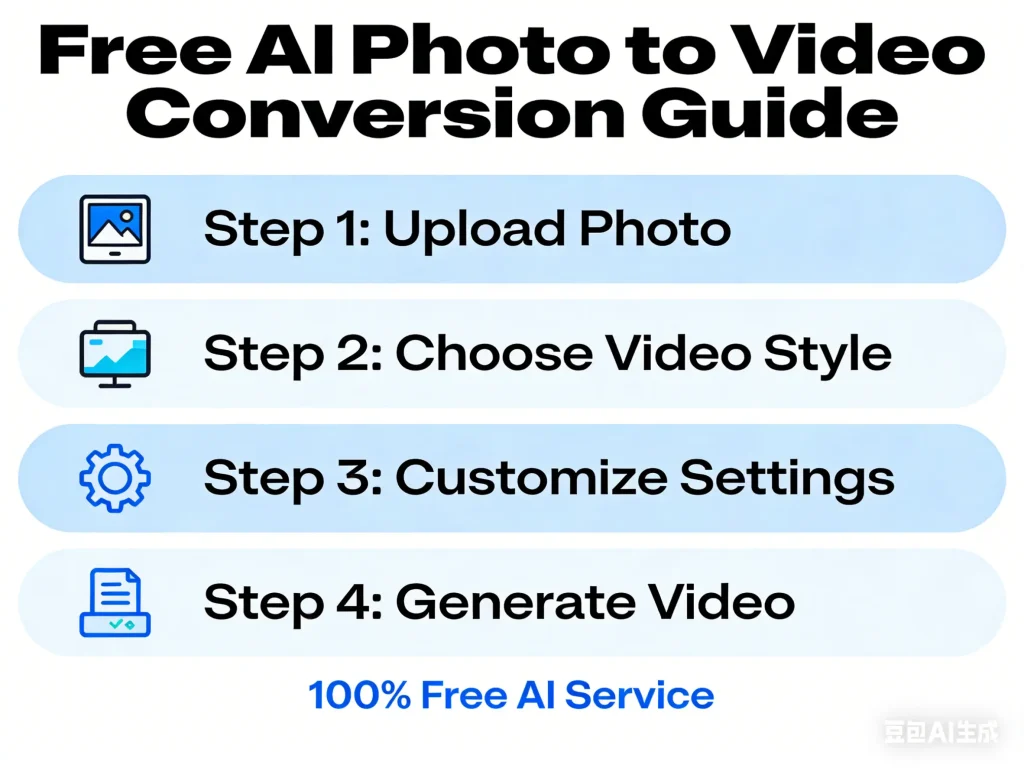
Quick Comparison: All 10 Free AI Photo to Video Converters
Here’s a rapid-reference comparison so you can immediately identify which tool fits your needs when you want to convert photo to video AI free.
Comparison Table Overview
| Tool | Max Duration | Watermark | Limits | Best For |
| Grok Imagine | ~8 sec | No | Unlimited | Quick quality videos |
| Meta AI | ~8 sec | No | Unlimited | Social media integration |
| AI Image to Video | Variable | No | Generous | Professional 4K output |
| Vheer | 5 sec | No | Free tier | Camera control |
| CapCut | 10 min | No | Unlimited basic | All-in-one editing |
| Hailuo AI | 5 sec | Yes | 3/day | Smooth motion |
| Leonardo AI | 5 sec | Yes | 150 tokens/day | High image quality |
| Pika | 5 sec | Yes | Very limited | Style variety |
| Runway Gen-3 | 5 sec | Yes | Limited credits | Professional quality |
| Kling | 5 sec | Yes | Credit-based | Character consistency |
How We Tested Each Tool
We used identical source images across all platforms, tested over multiple days to verify limit claims, and checked actual output quality against marketing examples. Every watermark status and restriction listed above was personally verified.
Tier 1: Truly Unlimited Free Tools
These four tools offer genuine unlimited access with no watermarks—the gold standard for content creators on a budget who want to convert photo to video AI free.
Grok Imagine — Best Overall Free Option
Powered by xAI, Grok Imagine delivers approximately 8-second videos with no watermark. A recent update added sound support, making it even more versatile.
The catch? You need an X/Twitter account. But if you already have one, this is the most generous free AI video generator available. Quality remains consistently high with no daily limits.
Meta AI — Best for Social Media Integration
Meta AI integrates seamlessly across WhatsApp, Facebook, and Instagram. Unlimited generations with no watermark and strong character consistency make it excellent for social content.
However, availability is restricted. Meta AI isn’t accessible in India, parts of the EU, and some other regions. Check Meta’s official availability before relying on this option.
AI Image to Video — Best for Professional Quality
AI Image to Video stands out by offering access to multiple advanced AI models including Kling, Veo, and Wan. Output reaches 4K resolution with no watermarks, and the platform supports batch processing for high-volume creators.
Customizable controls for aspect ratio, video duration, and motion intensity give you professional-grade flexibility that most free tools lack. For creators who need consistent quality across multiple videos, this platform delivers without hidden costs—a reliable way to convert photo to video AI free at professional quality.
Vheer — Best for Camera Control
Vheer offers unique camera direction and angle controls that most free tools don’t provide. The free tier includes solid capabilities with 5-second output.
While lesser known than competitors, Vheer is gaining community recommendation for creators who want more control over their video’s cinematography.
Tier 2: Generous Free Tiers Worth Using
These tools have limits but offer enough free usage to be genuinely useful for content creators testing the waters or with modest needs.
CapCut — Best All-in-One Free Editor
CapCut combines comprehensive editing with AI generation. Create videos up to 10 minutes with built-in text-to-speech and subtitle features.
Warning: CapCut’s Terms of Service grant broad content rights. Read carefully before using for commercial projects. The platform retains certain rights to content created within it.
Hailuo AI — Best Motion Quality
Hailuo AI provides 3 free generations per day with notably smooth, natural motion. A small watermark appears on free tier outputs.
For creators who need fewer but higher-quality videos with realistic movement, Hailuo delivers excellent results. Paid plans start at $9/month.
Leonardo AI — Best Image Quality
Leonardo AI offers 150 daily tokens with output quality rivaling paid tools. Watermark present on free tier, but the visual fidelity is impressive.
Great for creators who prioritize image quality over quantity.
Tier 3: Limited Free Options (Proceed with Caution)
These popular tools have significant free tier restrictions. Know what you’re getting into.
Pika — Good Style Variety, Tight Limits
Pika offers multiple style options and decent quality, but free generations are very limited. Best viewed as a trial. Serious use requires the $8/month plan.
Runway Gen-3 — Professional Quality, Premium Price
Runway Gen-3 delivers industry-leading quality, but credits run out fast on the free tier. At $12/month minimum for regular use, treat the free tier as a demo.
Kling — Character Consistency Champion
Kling excels at maintaining the same character across multiple clips—the hardest challenge in AI video generation. Credit-based system limits free use, but it’s worth exploring for character-driven projects.
How to Get the Best Results from Free AI Video Tools
Practical tips to maximize output quality regardless of which free tool you choose to convert photo to video AI free.
Image Preparation Best Practices
Start with high-resolution source images (at least 1024×1024). AI models interpret cleaner inputs better. Ensure good lighting, clear subjects, and avoid busy backgrounds that confuse the AI.
Center your subject and leave some negative space around them—this gives the AI room to animate movement naturally.
Prompt Engineering for Video Generation
Describe motion clearly: “camera slowly zooms in” or “subject turns head left.” Specify style when relevant: “cinematic lighting” or “smooth slow motion.”
Avoid vague prompts like “make it cool.” Instead, be specific: “gentle wind blowing through hair, golden hour lighting, subtle camera push.”
Working Around Duration Limits
Most free tools cap output at 5-8 seconds. Plan your content accordingly:
- Create multiple clips and stitch them in a free editor
- Focus on loops that work for social media
- Plan multi-shot sequences where each clip serves a purpose
CapCut works well for combining clips since it offers both AI generation and editing in one platform.
FAQs About Free AI Photo to Video Converters
Is there a truly free AI image to video converter with no watermark?
Yes—Grok Imagine, Meta AI, and AI Image to Video all offer watermark-free output on their free tiers. Grok and Meta AI are unlimited; AI Image to Video provides generous free access with professional features. These are the best options to convert photo to video AI free without watermarks.
Can I use free AI-generated videos commercially?
It depends on the tool. Check each platform’s Terms of Service carefully. CapCut has restrictive content rights clauses. Grok and Meta AI have varying terms. For full commercial rights, review each platform’s licensing before publishing.
Why are my AI videos only 5 seconds long?
Most free tools limit duration to 5-8 seconds to manage compute costs. For longer videos, combine clips in an editor or use tools like CapCut that support extended creation.
How do I maintain consistent characters across multiple AI video clips?
This remains challenging with free tools. Kling excels here but has limited free access. Using the same reference image with detailed, consistent prompts helps. Some creators find success using AI Image to Video with its multiple model options to test which maintains the best consistency.
Is Meta AI available in my country?
Meta AI is restricted in India, parts of the EU, and some other regions. Check Meta’s official availability page or try accessing it through their apps to confirm.
What’s the best free AI video generator for TikTok content?
CapCut is purpose-built for TikTok with vertical video optimization. Grok and AI Image to Video also support custom aspect ratios ideal for short-form content.
Conclusion
For most content creators looking to convert photo to video AI free, Grok Imagine offers the best balance of quality, unlimited access, and zero watermarks. Meta AI is excellent if available in your region.
For professional-quality output with batch processing and 4K resolution, AI Image to Video delivers results without compromise.
The key takeaway? “Free” can actually mean free in 2026—you just need to know where to look. Stop wasting time on tools that bait-and-switch, and start creating with platforms that deliver on their promises.
Ready to turn your images into engaging videos? Start with Grok for quick results, or explore AI Image to Video for professional-grade 4K output with multiple AI models at your fingertips.
