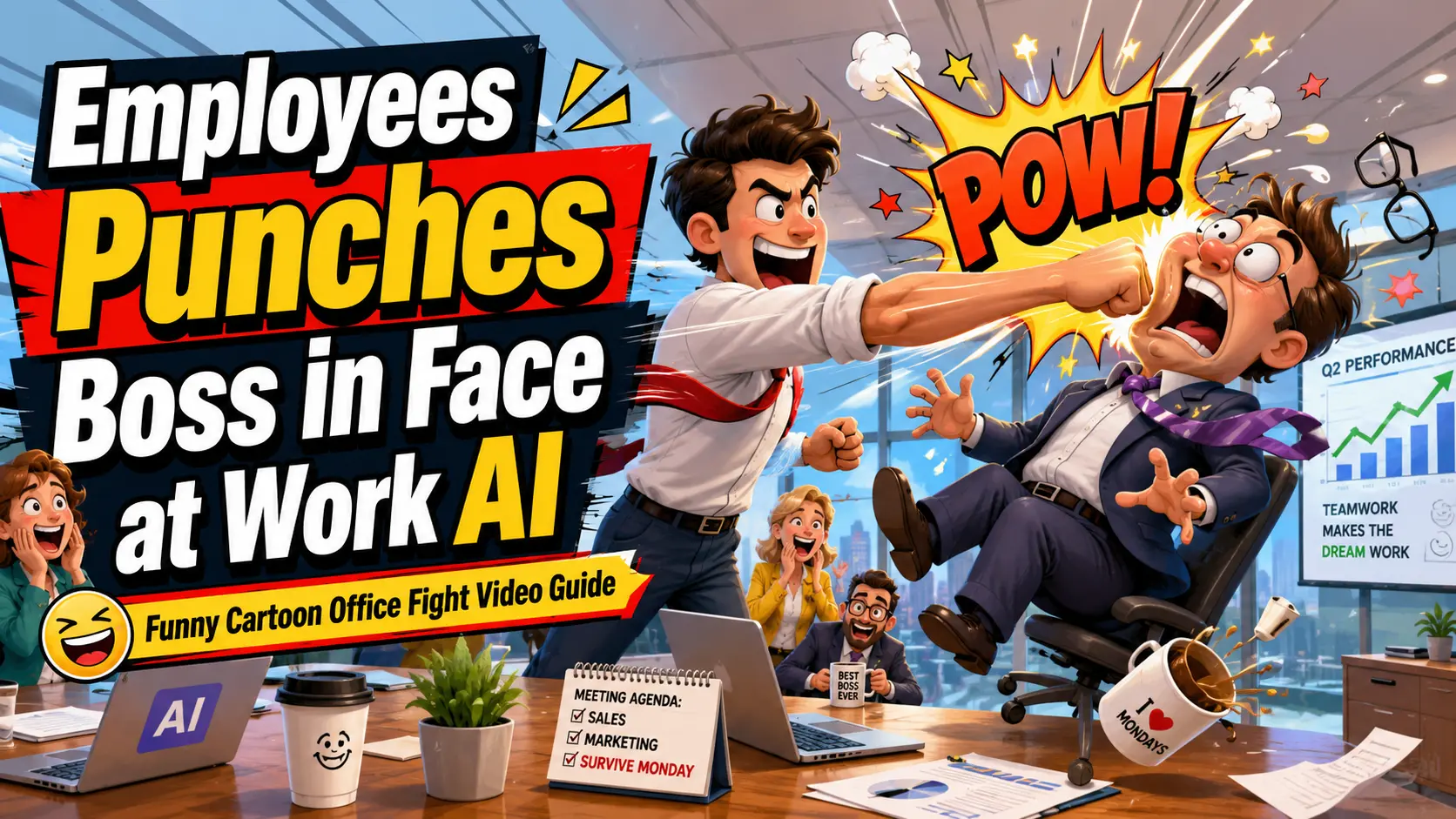
We’ve all sat through that one meeting where you pictured a cartoon fist flying across the conference table. It’s a harmless daydream—and now AI can turn it into a genuinely funny video. Searches for “employees punches boss in face at work ai” have exploded, but most people hunting for it just want to recreate the goofy office-fight meme they scrolled past, not start a real brawl.
The problem? You don’t know which tool to use, what to type, or how to keep the clip playful instead of plain weird. This beginner-friendly guide fixes that. You’ll learn where the trend came from, then walk through turning a single photo into a slapstick, cartoon-style office fight clip—complete with copy-paste prompts and tips to keep it light, shareable, and fun for everyone.
What Is the “Employees Punches Boss in Face at Work AI” Trend?
The “employees punches boss in face at work ai” trend is a wave of exaggerated, cartoonish office-fight clips generated entirely by AI. An employee “throws” a comically oversized punch, the boss goes flying, and everyone laughs—because it’s obviously fake. These are 100% fictional, meme-style effects, closer to a Saturday-morning cartoon than anything real.
They work as catharsis. Everyone has a stressful workday, and an over-the-top animated punch is a safe, silly way to blow off steam.
Why office “punch the boss” clips go viral
Short-video feeds are full of AI “office prank” and “office rage” clips for a reason: the format is instantly relatable. Communities like r/aivideo churn out cathartic workplace skits—office pranks, “worst job ever” gags, and snappy comebacks—and audiences say they feel seen.
A punchy 8-second bit is easy to watch, easy to share, and easy to remix with your own (willing!) coworkers. That combination is exactly what social algorithms reward.
Fictional fun vs. the real thing (keep it light)
Set the tone before you hit generate: this is slapstick, like a cartoon or an action-movie stunt. The comedy lives in the exaggeration—googly eyes, a boxing-glove “POW,” a body flying comically off-screen.
Keep it stylized and clearly fake. Realistic violence isn’t funny; a physics-defying cartoon wallop is.
How to Make an Employee Punches Boss AI Video From a Photo
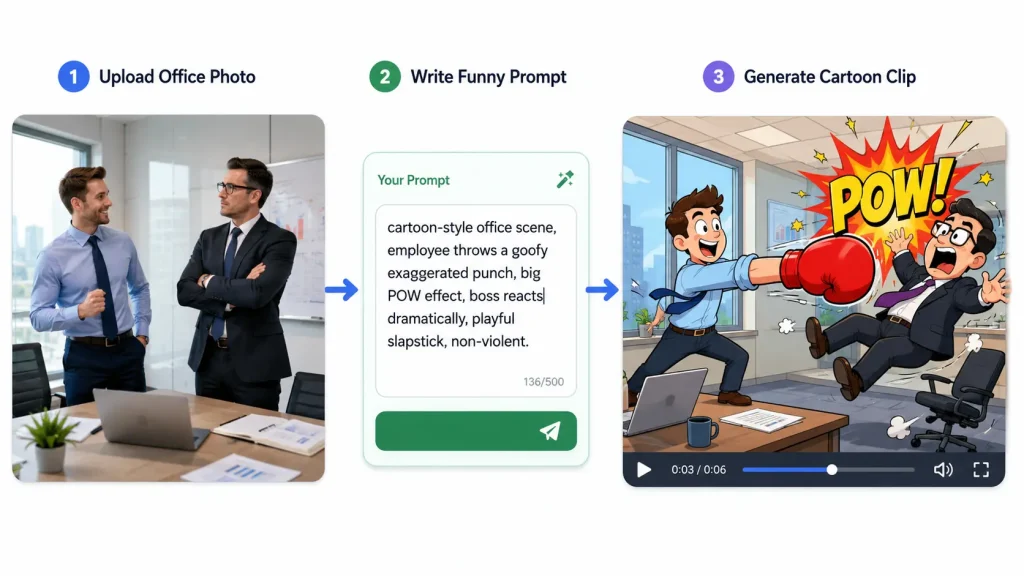
Here’s the good news: you don’t need a camera, a cast, or editing software. An AI image-to-video generator animates a still photo into a moving clip from a simple text prompt. A tool like AI Image to Video (aiimagetovideo.pro) handles it in a few clicks and exports in HD with no watermark.
Step 1 — Pick your photo (and get consent)
Choose a clear office photo with your two “characters” in frame. The best options are yourself, a willing friend, or fictional/stock characters. If a real coworker or boss is in the shot, ask permission first—so the joke stays fun for everyone.
Step 2 — Upload it to an AI image-to-video generator
Head to AI Image to Video, upload your photo, and select the image-to-video mode. There’s nothing to install, output goes up to 4K, and there’s no watermark on the final clip.
Step 3 — Describe the funny punch scene (your prompt)
In the prompt box, type what should happen in plain language—an exaggerated, cartoon-style punch and a comic reaction. Don’t overthink the wording; the ready-made prompts in the next section give you a reliable starting point.
Step 4 — Adjust motion, aspect ratio, and length
A few simple controls make it pop:
- Motion intensity – crank it up for a bigger “impact.”
- Aspect ratio – choose vertical (9:16) for TikTok, Reels, and Shorts.
- Duration – keep it short, around 5–10 seconds, for a snappy meme.
Step 5 — Generate, preview, and download
Hit generate, then preview. If the timing feels off, regenerate—AI results vary, so a second try often nails it. Happy with it? Download the watermark-free clip. Batch processing lets you spin up several versions at once and keep only the funniest.
Best AI Punch Video Prompts for an Office Fight Scene
The prompt is where the comedy is won or lost. Below is a simple formula plus copy-paste examples that reliably produce a goofy, cartoonish office fight—never anything graphic.
The prompt formula (subject + action + style + reaction)
A great punch prompt has four parts:
| Part | What to write | Example |
| Subject | who’s in frame | “an office employee and their boss” |
| Action | the exaggerated move | “throws a giant slow-motion punch” |
| Style | the comedy cue | “cartoon-style, slapstick” |
| Reaction | the over-the-top payoff | “boss comically flies backward” |
Lean on words like exaggerated, comedic, cartoon-style, and goofy to keep everything playful.
5 copy-paste prompt examples
- “Cartoon-style office scene: an employee throws a comic punch, a big ‘POW’ bubble pops up, and the boss bounces backward like rubber. Bright, slapstick, funny.”
- “Anime-style dramatic office fight: employee winds up a giant exaggerated swing in slow motion, speed lines everywhere, boss reacts with shocked googly eyes.”
- “Goofy slow-motion stumble: a gentle cartoon punch sends the boss into a silly, wobbly spin around the desk. Playful and harmless.”
- “Comic boxing-glove gag: a spring-loaded boxing glove pops out, boops the boss, and he comically tips over. Bright cartoon style.”
- “Over-the-top slapstick: employee taps the boss, who then flies comically across the office in a funny arc. Exaggerated, meme-style, non-violent.”
Tweaks to make it funnier
- Add sound-effect cues like “boing” or “POW.”
- Exaggerate the wind-up for extra anticipation.
- Give characters googly, shocked reactions.
- Try a comic-book overlay with speed lines.
Generate a few variations and pick the one that lands the biggest laugh.
Tips to Keep Your Funny AI Office Video Light and Shareable
A great meme clip is funny, kind, and built to travel. Keep these three habits in mind.
Keep it cartoonish, not realistic
The golden rule of comedy AI: exaggeration = funny, realism = uncomfortable. Stylized effects, bouncy physics, and clearly fake action make viewers laugh. Anything that looks like actual violence makes them cringe—so dial up the cartoon.
Respect consent and keep it good-natured
Get permission before using a coworker’s or boss’s face, and keep the joke friendly rather than targeted or mean. When in doubt, use fictional characters or willing friends. The goal is fun for everyone and awkward for no one.
Optimize for TikTok, Reels, and Shorts
For clean, share-ready clips:
- Export vertical (9:16) video.
- Keep it short—under 10 seconds.
- Add a punchy caption.
- Use HD, watermark-free output so it looks crisp on any feed.
FAQs of Employee Punches Boss AI Videos
Is it okay to make an AI video of punching my boss?
Yes—as long as it’s obviously fictional, comedic, and shared in good fun. It’s a slapstick effect, like a cartoon or a movie stunt, not real violence. Just get consent before using someone’s real likeness.
Do I need video editing or filming skills?
No. An AI image-to-video generator does the heavy lifting—you upload a photo, type a prompt, and download the clip. No camera, cast, or editing software required.
Can I turn a single photo into a punch video?
Yes. Photo-to-AI-action-video tools animate a still image into a short moving clip, so one good office photo is all you need to get started.
How long does it take to make one?
Usually just a few minutes: upload, prompt, generate, and download. You can batch several versions at once and keep whichever one is funniest.
Can I post the video on TikTok or Reels?
Absolutely. Export in a vertical aspect ratio with HD, watermark-free output, and it’s ready for TikTok, Reels, or Shorts.
Conclusion
The “employees punches boss in face at work ai” trend isn’t about real conflict—it’s harmless slapstick, the digital version of a cartoon anvil gag. With one office photo, a playful prompt, and a few clicks, anyone can turn that office-rage daydream into a share-ready laugh.
Ready to try it? Head to AI Image to Video, upload a photo, paste one of the prompts above, and generate your own watermark-free, meme-ready office fight clip in minutes.