
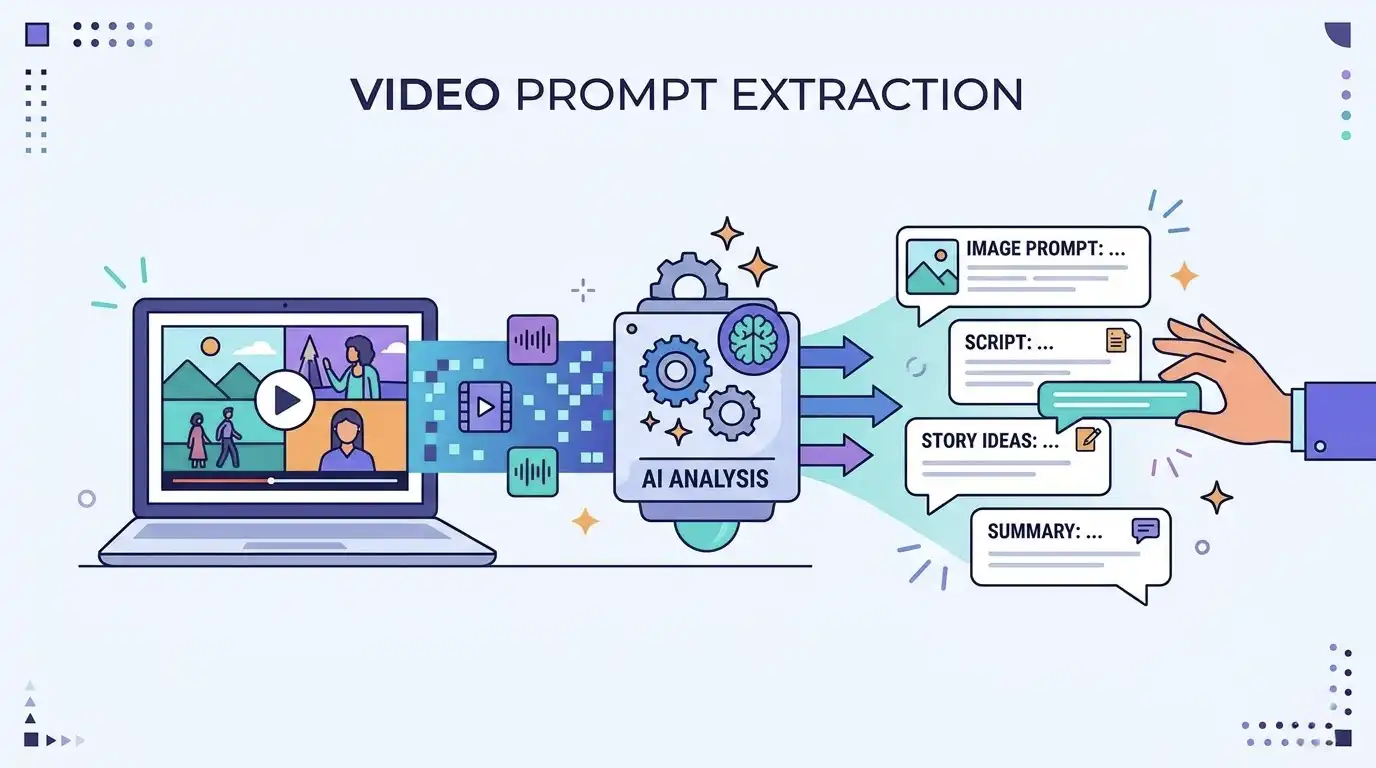
Ever watched an AI-generated video and thought, How was this made?
More specifically: how to extract prompt from video when all you have is the final clip?
That question is getting more common as AI video tools improve. Today’s videos can look cinematic, anime-inspired, highly realistic, or fully stylized. The output looks polished, but the original prompt usually stays hidden.
The good news is that you do not need the exact original wording to rebuild something useful. In most cases, you can still get prompt from video by reverse-engineering what you see. That means breaking the clip down into style, subject, environment, motion, camera language, and lighting, then turning those details into prompt-friendly text.
This guide shows you exactly how to do that. By the end, you will understand a practical video to prompt workflow that works even when you only have a short clip.
What Does It Really Mean to Generate Prompt from Video?
Let’s start with the honest answer.
You usually cannot recover the exact original prompt, seed, model settings, or editing workflow from a finished video. A creator may have used multiple prompts, image references, camera controls, upscaling, or post-production tools. None of that is fully visible from the final export.
But that does not make the process useless.
When people search how to get a prompt from a video, what they usually want is not the hidden original text. They want a prompt that can recreate a very similar result. That is possible.
So the real goal is not “perfect extraction.” It is reconstruction.
That is why convert video to prompt is a better way to think about the task. You are reading the clip like a prompt engineer, then translating visual clues into language an AI model can use.
Start With the Overall Style Before You Do Any Reverse Prompting
Start with the biggest layer first: the visual style.
Before looking at details, ask what kind of video this is. Does it feel cinematic, realistic, anime, 3D, dreamy, surreal, documentary-style, or commercial?
This first judgment matters because style shapes the rest of the prompt.
A cinematic video may include moody lighting, strong depth of field, dramatic framing, and smooth camera motion. An anime clip may use cel-shaded textures, exaggerated motion, illustrated backgrounds, and brighter colors. A realistic AI video often leans on believable skin texture, natural light, and photographic detail.
Look closely at three things:
Color palette — warm, cool, muted, neon, soft, high-contrast
Texture — glossy, film-like, painterly, cel-shaded, photorealistic
Mood — dark, dreamy, dramatic, playful, calm, futuristic
Write one short sentence to define the overall style before doing anything else. For example:
cinematic, photorealistic, moody lighting, film-like atmosphere
Or:
anime style, vibrant colors, stylized motion, cel-shaded look
This gives your future prompt a strong foundation.
Read Camera and Lighting Like a Prompt Builder
This is where video starts to work differently from a single image.
With an image, you can often describe what is in the frame and stop there. With video, that is not enough. You also need to notice how the shot moves and how the light shapes the mood over time.
Start with the camera. Is it locked off, slowly pushing in, handheld, or tracking the subject? Then look at the framing. Is it a close-up, a wide shot, or something in between? Is the angle low, eye-level, or top-down?
Then pay attention to the lighting. In many clips, lighting is what makes the scene feel cinematic, dramatic, soft, or expensive. A phrase like slow dolly-in, close-up framing, soft backlight, moody shadows gives an AI video prompt much more to work with than a basic subject description.
Break the Clip Into Parts You Can Actually Use in a Prompt
Once you understand the style and camera language, split the clip into core parts.
A simple and effective structure is:
Subject
Who or what is the focus of the video?
Be specific. Instead of writing “a person,” write something clearer such as “a young woman in a black coat,” “a white cat sitting on a sofa,” or “a robot chef in a commercial kitchen.”
Environment
Where does the scene happen?
This could be a rainy Tokyo street, a luxury bedroom, a snowy mountain, a cyberpunk alley, a bright café, or a fantasy forest. The environment often does a lot of visual work in AI generation.
Motion
What is moving?
This is one of the most important parts when you extract prompt from video. Describe the action clearly. Is the subject walking forward, turning their head, smiling, raising a hand, dancing, or stepping through water? Is smoke drifting? Is wind moving hair and clothing? Are reflections flickering on wet ground?
Style modifiers
What gives the final look its identity?
These are words such as cinematic, realistic, dreamy, anime-inspired, atmospheric, elegant, dramatic, high-detail, film grain, soft focus, or stylized.
When people fail to get prompt from video, it is often because they only describe the subject and ignore the environment, motion, or visual finish.
Turn What You See Into a Clear AI Video Prompt
Now bring everything together.
A simple formula works well:
subject + environment + motion + camera + lighting + style
This keeps the prompt organized and easy to improve.
Here is an example.
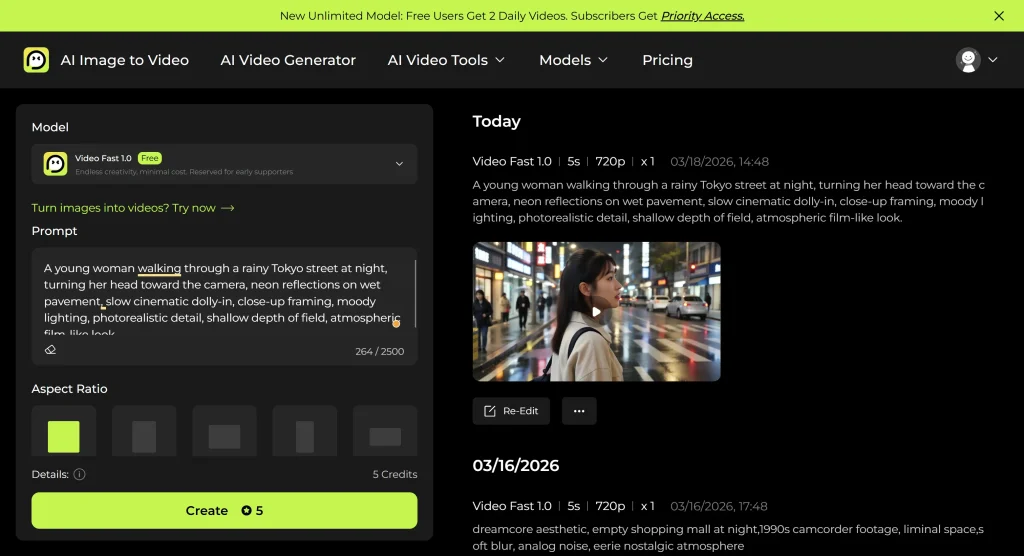
Imagine the clip shows a young woman walking through a rainy city at night. She turns toward the camera while neon lights reflect on the wet pavement.
A usable prompt could be:
A young woman walking through a rainy Tokyo street at night, turning her head toward the camera, neon reflections on wet pavement, slow cinematic dolly-in, close-up framing, moody lighting, photorealistic detail, shallow depth of field, atmospheric film-like look.
This is the core of how to extract prompt from video in practice. You are not guessing random keywords. You are translating visual structure into prompt language.
That is also why video to prompt works best when it follows a repeatable framework instead of loose description.
Use Reverse Prompt Engineering to Improve the Prompt
Your first prompt usually gets the direction right, not the result right. The real work starts after the first output. Compare it with the reference clip and focus on what is off: subject, motion, camera behavior, lighting, or atmosphere. Then revise only the weak parts instead of rewriting everything. A vague word like “stylized” may need to become “anime illustration style,” while “street” may work better as “foggy alley at night.” Reverse prompt engineering is not about guessing the original prompt. It is about using visible clues to build a version that performs better with each round.
Final Thoughts on Generating Better Prompts From Video
Learning how to extract prompt from video is really about learning how to see like a prompt writer.
Start with style.
Then analyze camera movement and lighting.
Break the scene into subject, environment, motion, and modifiers.
Finally, combine everything into one clear prompt and refine it through testing.
That is the most practical way to get prompt from video today.
You may not recover the exact original wording, but you can absolutely rebuild a prompt that captures the same structure, mood, and visual direction. In real-world prompt work, that is usually what matters most.
FAQ
How do I extract a prompt from a video?
To extract a prompt from a video, first analyze the clip’s style, subject, environment, motion, camera movement, and lighting. Then combine those details into a structured prompt. You usually cannot reveal the exact original prompt, but you can reconstruct a very close version.
Can AI get a prompt from a video automatically?
Some AI tools can generate scene descriptions, captions, or summaries from video. That helps, but fully automatic prompt extraction is still limited. In most cases, the best method is to combine AI output with manual analysis.
Is there a real video to prompt generator?
Yes, but most tools marketed as a video to prompt generator create a rough description rather than the original generation prompt. They are useful for drafting, not for exact recovery.
What is the difference between video to prompt and ai convert video to text?
Video to prompt focuses on rebuilding a generation-ready prompt from visual information. AI convert video to text usually means transcription or scene description. One is for generation; the other is mainly for text output.
How do I get a prompt from a short video clip?
Even a short clip can provide enough clues. Pause on key frames and study style, subject, motion, camera angle, and lighting. Then use those observations to build a concise prompt.
Can I extract prompt from video for anime or cinematic clips?
Yes. In fact, stylized clips are often easier to analyze because the visual language is stronger. Anime, cinematic, and commercial-style videos usually show clear clues in color, framing, motion, and atmosphere.






