
CapCut nearly doubled its Pro price, got banned in the US and India, and rewrote its Terms of Service to claim rights over user content. Meanwhile, InShot quietly became the go-to mobile editor for millions of displaced creators.
So which app actually deserves your time in 2026? This guide delivers an honest breakdown of features, pricing, privacy, and real-world use cases to help you choose the right editor.
InShot vs CapCut at a Glance: Quick Comparison Table
Summary Comparison Table
| Feature | InShot | CapCut |
| Developer | SHANTANU PTE. LTD. | ByteDance (TikTok parent) |
| Platforms | iOS, Android | iOS, Android, Desktop, Web |
| Free Tier | Core tools (ads + watermark) | Core tools (no watermark) |
| Paid Plans | $3.99/mo · $15–20/yr · $40–50 lifetime | ~$10–20/mo (Pro) |
| AI Features | Basic AI cut | Auto captions, background removal, TTS |
| Max Export | 4K | 4K |
| Video Length Limit | None | 15 minutes |
| Available in US/India | Yes | Banned since Jan 2025 |
| Trustpilot Rating | N/A | 1.2 / 5 |
| Best For | Budget creators, beginners, families | TikTok creators, advanced mobile editing |
What Is InShot?
InShot is a mobile-first video editor from SHANTANU PTE. LTD., built to get creators from raw footage to a finished post in minutes.
Key Features and Strengths
Core tools include trim, cut, split, merge, crop, rotate, plus speed adjustment, filters, transitions, text, stickers, music, voiceover, background blur, and color correction. Pro unlocks chroma key and extra effects. InShot supports 4K export on its free plan with no video length limit.
Who Is InShot Best For?
Beginners, mobile-only editors, budget-conscious influencers, and families. Its lack of a social feed makes it a safer pick for younger users — something Bark has specifically highlighted.
What Is CapCut?
CapCut is ByteDance’s video editor, tightly woven into the TikTok ecosystem. It gained dominance by offering pro-level tools for free — though that equation has shifted considerably since 2025.
Key Features and Strengths
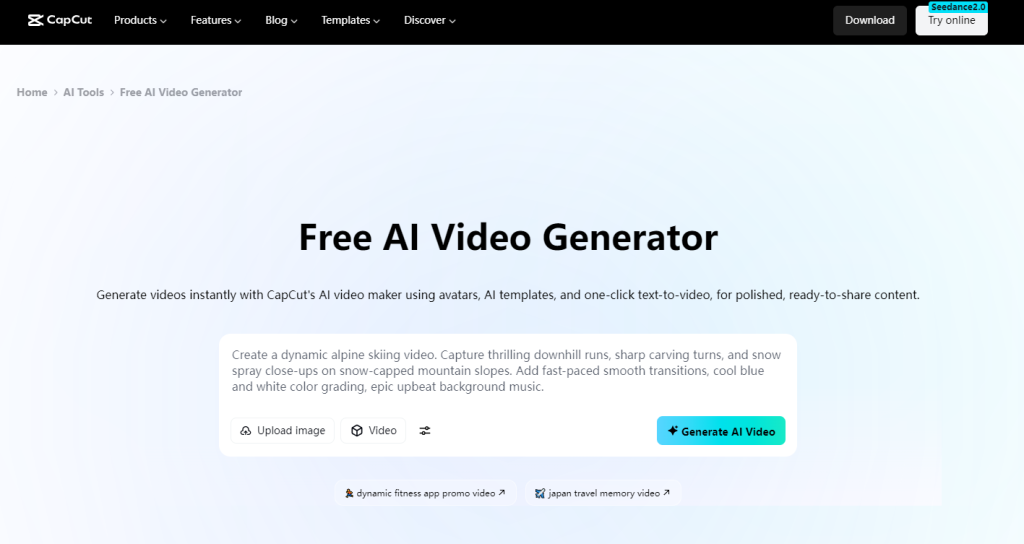
CapCut offers multi-layer timeline editing, AI auto-captions (~94% accuracy, 23 languages), AI background removal, text-to-speech, script-to-video, speed ramping, keyframing, and a massive TikTok-synced template library. It also includes royalty-free audio, beauty filters, and auto-reframe across mobile, desktop, and web.
Who Is CapCut Best For?
TikTok/Reels creators wanting trend-aligned templates, users who rely on AI editing tools, and editors needing a cross-platform workflow across phone, laptop, and browser.
Feature-by-Feature Comparison
User Interface and Ease of Use
InShot uses a clean, single-track layout — most users produce their first video within minutes. CapCut’s multi-track timeline is more capable but has a steeper initial learning curve.
AI Features: Auto Captions, Background Removal, and Text-to-Speech
CapCut pulls far ahead here. Its auto-captioning benchmarks around 94% accuracy, and it offers AI background removal, voiceovers, and script-to-video. InShot has a basic AI cut tool but can’t match this depth. Note: many of CapCut’s AI features now require Pro.
Templates, Effects, and Filters
CapCut’s template library is enormous and continuously refreshed with TikTok trends. InShot’s collection is smaller but stable — you won’t find favorite effects suddenly paywalled, a recurring CapCut frustration.
Audio and Music Tools
Both include music libraries and basic editing. However, creators report that CapCut introduces background noise on export — a dealbreaker for music content. InShot’s audio handling is simpler but more reliable.
Text, Titles, and Captions
CapCut offers richer text animations and more fonts. InShot’s text tools are basic but functional. CapCut’s removal of its font search bar remains a sore point for many users.
Export Quality and Format Options
Both export up to 4K. Some users report InShot slightly reduces clarity, while CapCut has documented audio artifacts. Key difference: CapCut caps videos at 15 minutes; InShot has no limit.
Timeline and Multi-Track Editing
CapCut’s multi-layer timeline with keyframing handles complex projects far better. InShot’s single-track editor is faster for simple edits but limits layering and precise timing.
Pricing Comparison: Free vs Paid Plans
InShot Pricing Breakdown
- Free: Core features with ads and watermark
- Monthly: $3.99–$4.99
- Yearly: $15–$19.99
- Lifetime: $40–$49.99 (one-time)
CapCut Pricing Breakdown
- Free: Core tools, no watermark, 1 GB cloud
- Pro: Officially ~$7.99–$9.99/month, though users report it climbing to roughly $20/month after 2025 increases
Formerly free features like audio import and fade effects have been quietly moved behind the paywall.
The True Cost: InShot Lifetime vs CapCut Subscription
Over two years, InShot’s lifetime plan costs $50 once. CapCut Pro at $20/month totals roughly $480. Even at the lower official rate, CapCut runs $192–$240. As one Reddit user put it, InShot is “basically the same program” at a fraction of the cost.
Safety, Privacy, and Terms of Service
Both apps are owned by Chinese companies, and the privacy details matter more than most comparison articles suggest.
CapCut’s Data Collection and Content Rights
ByteDance’s TOS grant an irrevocable, perpetual, royalty-free license to all user content. CapCut collects personal, device, behavioral, and location data, and requires internet for many features. Its 1.2/5 Trustpilot rating reflects widespread complaints about impossible cancellations and bot-only support.
InShot’s Privacy Practices
SHANTANU PTE. LTD. is also China-based — a fact rarely disclosed. TechRadar scored InShot 0 out of 5 on privacy, citing 100+ tracking vendors and demands for full photo library access. InShot isn’t the privacy champion some assume.
Which App Is Safer for Kids and Families?
InShot wins clearly: no social feed, no community features, no stranger interactions. Bark and ProtectYoungEyes recommend it. CapCut embeds a social feed with stranger comments and offers no parental controls.
CapCut Ban: Availability and What It Means for Creators
Where Is CapCut Banned and Why?
CapCut was removed from US and Indian app stores on January 19, 2025 under legislation targeting ByteDance-owned applications over data privacy and national security concerns.
How Creators Are Adapting
Most displaced creators migrated to InShot and VN Video Editor as natural mobile replacements. Others moved to DaVinci Resolve on desktop or browser editors like Flixier. VPN workarounds exist but are unreliable long-term.
Pros and Cons
InShot Pros and Cons
Pros:
- Affordable lifetime purchase ($40–50)
- Available worldwide with no restrictions
- Beginner-friendly with a fast workflow
- No video length limit
- Safe for kids (no social features)
Cons:
- Limited advanced editing and AI tools
- Mobile-focused with no robust desktop version
- Some reports of reduced export clarity
- Smaller template and effects library
- Privacy practices aren’t as clean as the brand image suggests
CapCut Pros and Cons
Pros:
- Industry-leading AI features for a mobile editor
- No watermark on free exports
- Massive, trend-driven template library
- True cross-platform support (mobile, desktop, web)
- Multi-track timeline with keyframing
Cons:
- Banned in the US and India
- Aggressive and ongoing paywalling of free features
- Serious privacy and TOS concerns
- 1.2/5 Trustpilot rating with poor support
- Performance issues reported even on modern hardware
- 15-minute video length cap
Which App Should You Choose? (Use-Case Recommendations)
Best for Beginners
InShot wins. Its minimal interface and single-track editor mean less overwhelm and a faster path to your first finished video.
Best for TikTok and Short-Form Creators
CapCut wins (where accessible). Native TikTok integration, trending templates, and superior auto-captions make it purpose-built for short-form. InShot is the fallback in banned regions.
Best for Instagram Reels and YouTube Shorts
A tie. InShot’s format presets excel for fast turnarounds; CapCut’s templates add more polish. Your priority — speed or production value — tips the scale.
Best for Budget-Conscious Creators
InShot wins decisively. A one-time $50 payment versus $240+ per year for CapCut Pro is a straightforward calculation, especially for students and creators in developing markets.
Best for Kids and Family Safety
InShot wins. No social feed, no strangers, no embedded content discovery. Parental safety organizations actively recommend it over CapCut.
Best for AI-Powered Video Creation
CapCut leads for built-in AI editing like auto-captions and background removal. For creators who want to turn still images or text prompts into generated video clips, AI Image to Video offers 4K output and no watermarks, complementing either editor.
Top Alternatives Worth Considering
VN Video Editor (Best Free Mobile Alternative)
Completely free with no watermark, VN offers keyframes, LUT filters, and multi-track editing. It’s the most frequently recommended mobile CapCut replacement across Reddit communities.
DaVinci Resolve (Best Free Desktop Alternative)
Professional-grade and Hollywood-used, available for free. The top pick in online forums, though it demands capable hardware and has a steep learning curve.
AI Image to Video (Best for AI Video Generation)
For creators who need to generate video from images or text descriptions rather than edit existing footage, AI Image to Video supports multiple AI models (Kling, Veo, Wan), 4K resolution, batch processing, and watermark-free output. It’s a strong complement to any traditional editor for social media content at scale.
Other Notable Options
Filmora offers a CapCut-like desktop experience with a one-time license. LumaFusion ($30) is the iPad gold standard. Instagram Edits provides free auto-captions. KineMaster delivers powerful multi-layer mobile editing.
FAQs of InShot vs CapCut
Is InShot better than CapCut?
It depends. InShot wins on affordability, availability, and safety. CapCut wins on AI tools, templates, and multi-track editing. For most casual creators in 2026, InShot offers better overall value.
Is CapCut still free in 2026?
Technically, but the free experience has degraded. Audio import, fade effects, and certain text tools now require Pro.
Why is CapCut banned in the US and India?
CapCut is owned by ByteDance (TikTok’s parent) and was removed from app stores in January 2025 under data privacy and national security legislation.
Is CapCut safe to use?
CapCut collects extensive personal and behavioral data, its TOS grant perpetual content rights, and it holds a 1.2/5 Trustpilot rating. Parental safety organizations flag its embedded social feed and absent parental controls.
Is InShot’s lifetime plan worth it?
At $40–50 one-time, it pays for itself within a few months compared to any monthly subscription.
Can I use CapCut and InShot together?
Yes. A common workflow uses CapCut for AI tasks (auto-captioning) and InShot for quick social edits.
What is the best free video editing app without a watermark?
CapCut (where available) exports watermark-free on its free tier. VN Video Editor is also free with no watermark. InShot’s free tier includes a watermark requiring a paid plan to remove.
Conclusion
CapCut leads on editing power, AI tools, and templates — but bans, rising costs, and privacy concerns create real friction. InShot wins on affordability, availability, simplicity, and safety, even if it lacks advanced depth.
For most creators, InShot with its lifetime plan offers the best value-to-reliability ratio. Power users where CapCut is still accessible may find it worthwhile — just understand the trade-offs.
Try both free tiers to see which workflow fits. The best editor is the one that matches your budget, platform, and priorities.






