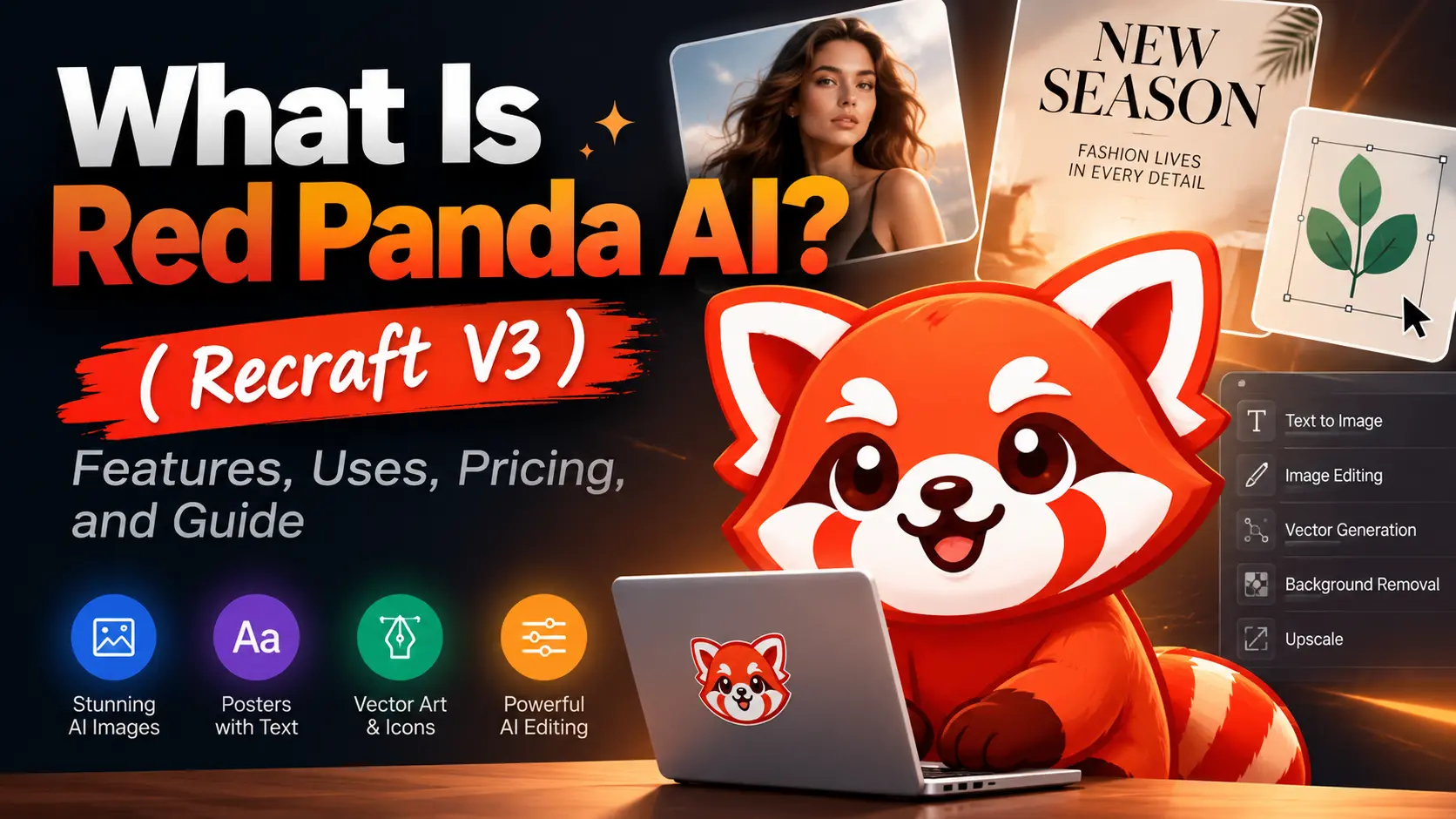
Red Panda AI is a name you may encounter when searching for an AI image generator, but it does not always refer to the same platform. The name originally appeared as the anonymous codename for an image model that was later officially released as Recraft V3. Today, several unrelated websites also use “Red Panda AI” to promote their own image generation or editing services.
This can make it difficult to understand which model you are using, whether the tool is free, and what rights you have over the generated images.
This guide explains what Red Panda AI is, what it can create, how to use it, and what to check before using its images for marketing, design, or other commercial projects.
What Is Red Panda AI?
Red Panda AI originally referred to red_panda, the anonymous codename of an AI image model later revealed as Recraft V3. Released by Recraft in October 2024, the model was designed for practical visual creation, including realistic images, illustrations, posters, vector graphics, icons, and marketing assets.
Today, the term can also refer to unrelated third-party websites that use “Red Panda AI” as a product or brand name. These platforms may offer Recraft V3, FLUX, Nano Banana, or other image models, and they are not necessarily operated by Recraft. Their image quality, free limits, privacy policies, and commercial-use rules can vary. Before using any Red Panda AI tool, check the actual model provider, platform ownership, pricing, and licensing terms.
What Can Red Panda AI Create?
AI Images From Text
Red Panda AI can generate realistic photos, illustrations, product visuals, characters, advertising assets, social media graphics, mockups, logos, and stock-style images from text prompts. Prompts can define the subject, scene, composition, lighting, style, and intended use.
Posters, Text, and Marketing Designs
Recraft V3 can generate posters, advertisements, magazine-style layouts, and social media designs containing text. Short, large headlines are generally more accurate than small text or long paragraphs. All generated wording should be checked for spelling and formatting errors before publication.
Vector Art, Icons, and Illustrations
The model supports both raster and vector generation. It can create scalable icons, SVG-style illustrations, logo concepts, interface elements, packaging graphics, and print assets. Vector outputs are useful when designs need to remain sharp across different sizes, while raster images can be exported in formats such as PNG and JPG.
AI Image Editing
Red Panda AI also supports image-to-image editing, inpainting, outpainting, background replacement, object removal, canvas extension, and style changes. Recraft provides additional tools for removing backgrounds, erasing unwanted elements, converting images into vectors, creating mockups, and upscaling image resolution.
How to Use Red Panda AI
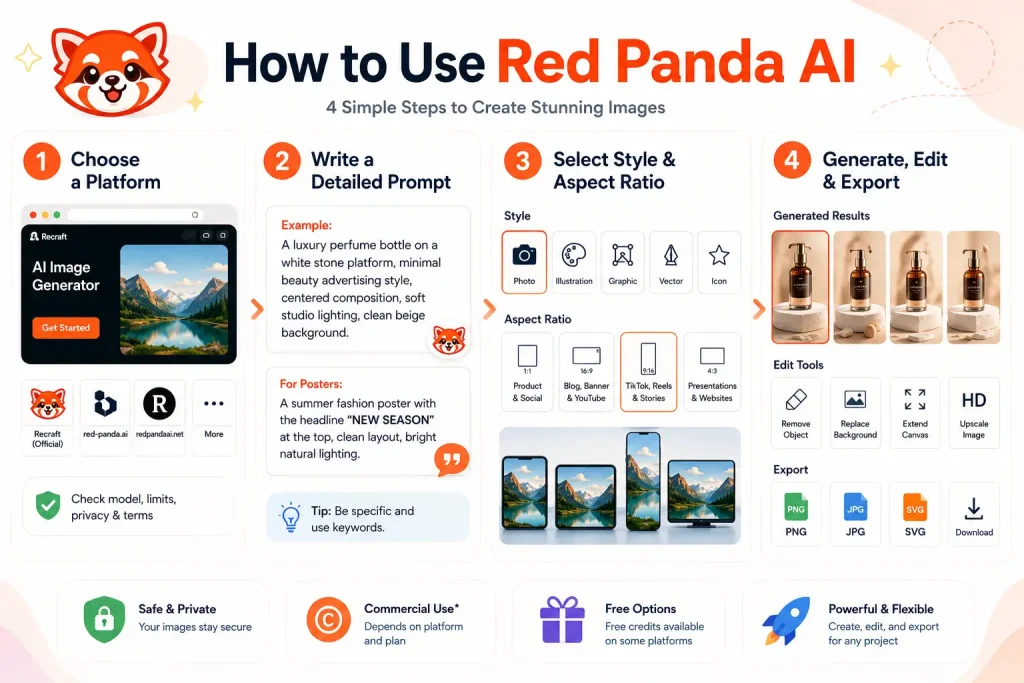
Step 1: Choose a Platform
Use the official Recraft platform or a third-party Red Panda AI tool. Before uploading content, check the model provider, free limits, privacy policy, and commercial-use terms.
Step 2: Write a Detailed Prompt
Use this structure:
Subject + scene + style + composition + lighting
Example:
A luxury perfume bottle on a white stone platform, minimal beauty advertising style, centered composition, soft studio lighting, clean beige background.
For posters, place the required wording in quotation marks and specify its position:
A summer fashion poster with the headline “NEW SEASON” at the top, clean editorial layout, bright natural lighting.
Step 3: Select a Style and Aspect Ratio
Choose a style such as photorealism, illustration, graphic design, vector art, icons, or logos.
Select the format before generating:
- 1:1: product images and social posts
- 16:9: blog covers, banners, and YouTube
- 9:16: TikTok, Reels, Shorts, and Stories
- 4:3: presentations and website visuals
Step 4: Generate, Edit, and Export
Generate multiple versions and compare composition, details, text accuracy, and visual style. Use editing tools to remove objects, replace backgrounds, extend the canvas, or upscale the image. Export the final result as PNG, JPG, or SVG, depending on the project.
Red Panda AI FAQ
Is Red Panda AI Free?
Recraft offers a free plan with 30 daily credits for image generation, vector creation, and basic editing. Images created on the free plan are public and may appear in the Recraft community gallery.
Third-party websites using the Red Panda AI name may offer different free limits, models, and usage rules.
Can I Use Red Panda AI Images Commercially?
Images created with Recraft’s free plan cannot be used commercially. Images generated during a paid subscription include commercial-use rights and are owned by the user.
These rights do not cover protected logos, copyrighted characters, celebrity likenesses, or other third-party intellectual property.
Are Red Panda AI Images Private?
Free Recraft generations are public. Images created through a paid Recraft plan are private.
Privacy rules may be different on third-party Red Panda AI websites, so check whether uploaded and generated images are stored, published, or used for model training.
Is Red Panda AI Safe to Use?
The official Recraft platform publishes its pricing, ownership, privacy, and usage terms. Third-party platforms should be reviewed separately.
Do not upload confidential client materials, unreleased products, personal photos, or private brand assets unless the platform clearly explains how files are stored and deleted.
Does Red Panda AI Have an API?
Recraft provides an official API for developers. Recraft V3 raster and vector generation are charged per image, while editing, upscaling, and other operations may have separate costs.
Check the current API pricing before integrating it into a website, application, or automated workflow.
Conclusion
Red Panda AI originally referred to the model later released as Recraft V3, but the name is now also used by several unrelated image-generation platforms. For this reason, the most important step is to confirm which model and provider you are actually using.
As Recraft V3, Red Panda AI is especially useful for generating images, posters, vector graphics, icons, marketing assets, and edited visual content. It can support both creative and commercial workflows, but pricing, privacy, ownership, and commercial-use rights depend on the platform and plan.
Before generating important content, review the provider’s terms, avoid uploading confidential materials to unclear third-party websites, and verify all text, logos, and copyrighted elements in the final image.