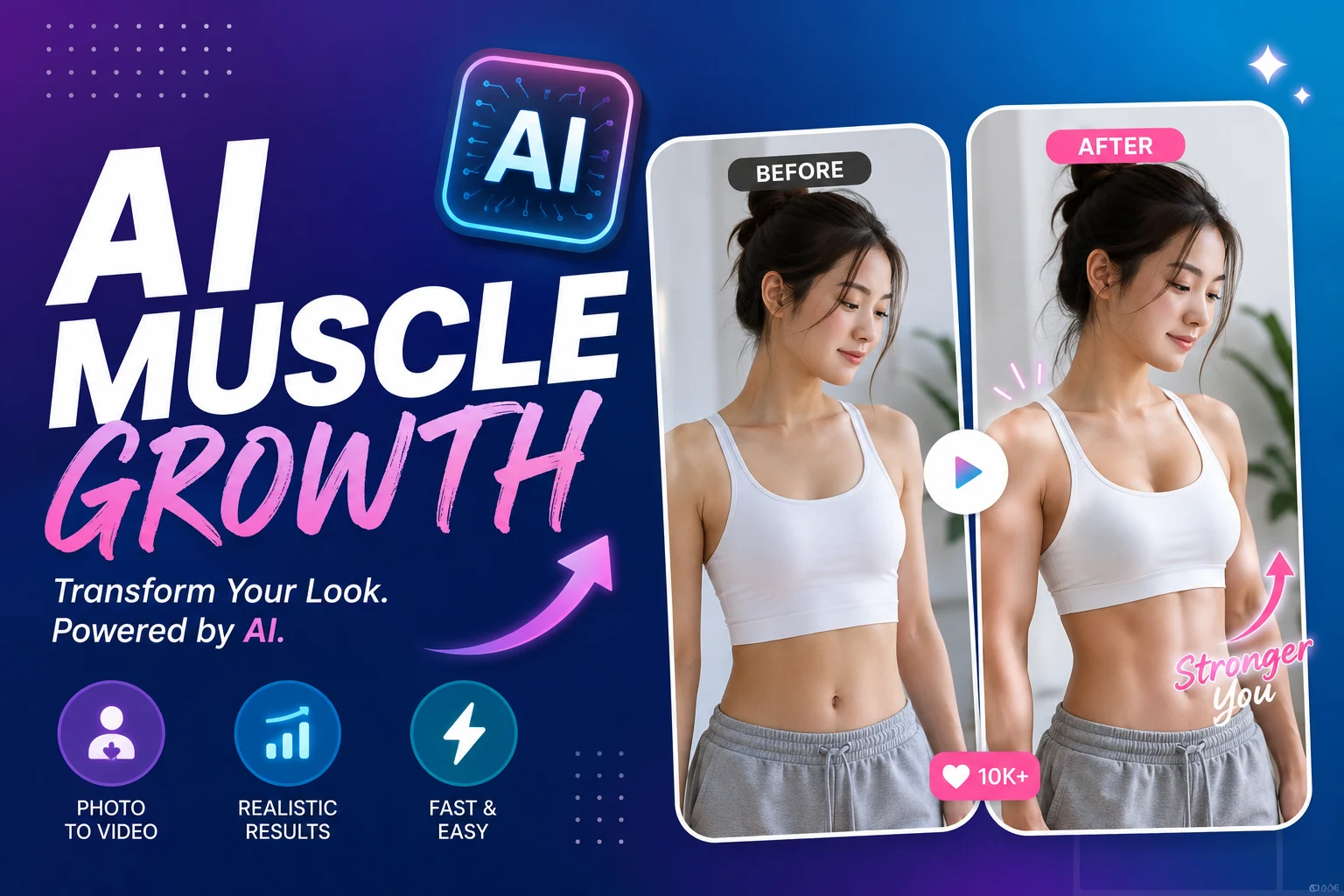
Search “AI muscle growth” and you’ll stumble into two very different worlds. In one, AI adds six-pack abs to your selfie in seconds. In the other, people are arguing about whether that fitness influencer’s jaw-dropping transformation is even real. The problem? Most guides only cover one side of the story, and scam accounts are thriving in the gap.
This guide cuts through the noise. You’ll find honest comparisons of the best AI muscle generators for photos and videos, a step-by-step walkthrough for creating your own transformation content, and a practical checklist for spotting AI-generated fakes on social media.
What Is AI Muscle Growth?
AI muscle growth broadly refers to the use of artificial intelligence to create visual body transformations — digitally adding muscular definition to photos and generating realistic muscle growth videos. It’s become one of the fastest-growing trends on TikTok, Instagram Reels, and YouTube Shorts throughout 2026.
AI Muscle Generators — How AI Creates Visual Body Transformations
AI muscle generators use image-to-video and text-to-image models to transform ordinary photos into muscular physiques. Behind the scenes, models like Seedance 2.0, Kling 3.0, Google Veo 3, and OpenAI Sora 2 analyze body structure in a source image and render realistic muscle growth effects — all in under five minutes.
These tools don’t change your actual body. They produce entertainment and social media content. Some creators use them for fun gym selfies, while others build entire content channels around AI-powered muscle morph animations. A growing number of platforms now compete for this market, ranging from free browser-based editors to professional-grade video generators.
Best AI Muscle Generator Tools for Photos and Videos
With over a dozen AI muscle tools available right now, choosing the right one depends on whether you need a quick photo edit or a polished transformation video.
Top Free AI Muscle Photo Generators Compared
For static muscle photos, several tools offer usable free tiers:
- Fotor — The largest platform with 800M+ users. Standout feature is adjustable muscle intensity and body-part-specific editing for biceps, shoulders, and back. Free tier available with a solid feature set.
- SeaArt — Most generous free plan with 150 daily credits. Supports prompt-based customization so you can fine-tune the look. Available on web, iOS, and Android.
- YouCam Online — Fully browser-based with no app download required. Includes viral prompt ideas built right into the editor, making it beginner-friendly.
- Airbrush — Unique for its body-part targeting. You can specifically enhance V-line abs, chest, or shoulders rather than applying a blanket muscle filter.
- Pincel — Offers three distinct creative methods: AI Portraits, text-to-image generation, and face swap onto existing muscular photos. A solid Photoshop alternative for users who want more control.
- PicMa — Mobile-first design with a privacy and encryption focus, ideal for users who want a quick one-click transformation on their phone.
Best AI Muscle Video Generators
Video is where AI muscle growth content really goes viral. These tools animate a static photo into a realistic muscle-building transformation clip:
- AI Image to Video — Delivers 4K resolution output with no watermarks, which is rare among free and mid-tier tools. Supports multiple AI models including Kling, Veo, and Wan, with batch processing for creators producing content at scale.
- Pollo AI — Widest model selection on the market, supporting Veo 3, Sora 2, Kling 3.0, and Seedance 2.0. Holds a 4.4 rating on Trustpilot from over 3,500 reviews.
- VideoWeb — Comes with pre-built character transformation templates (think Hulk and Superman themes) that are ready for trending social media formats.
- Loova — One of the few platforms explicitly marketing female muscle growth effects, filling a gap that most competitors overlook.
- EaseMate — Offers free watermark-free downloads and a Chrome extension for quick access. Supports Runway, Veo 3, Seedance, and Kling models.
- Mango AI — Known for structure-aware muscle definition and one-click video generation. Also produces comprehensive tutorial content that helps new users get started.
Key Takeaway: For professional-quality muscle transformation videos without watermarks, AI Image to Video and EaseMate stand out. For maximum model flexibility, Pollo AI leads the pack.
How to Create an AI Muscle Growth Video Step by Step
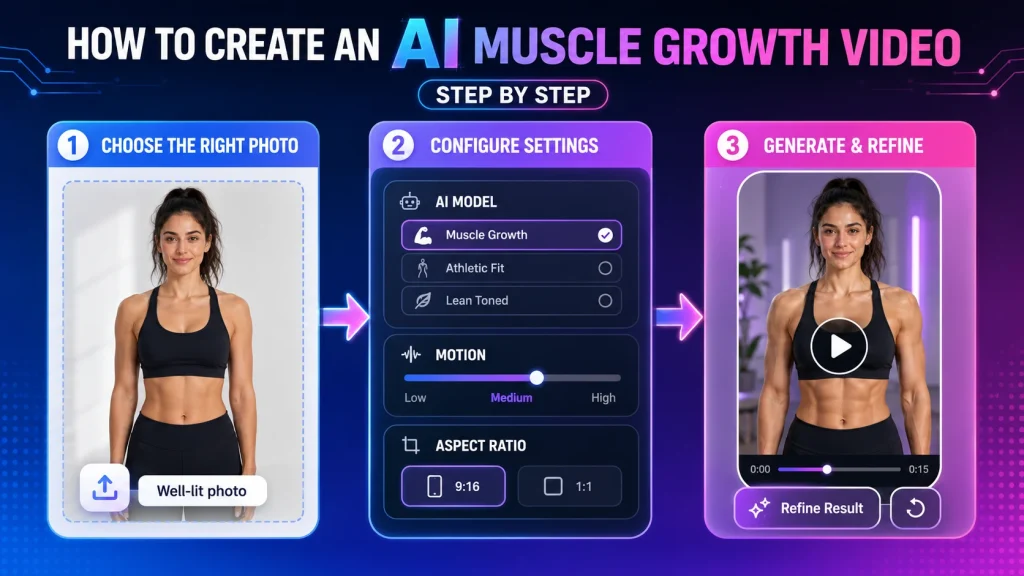
Creating a viral-worthy muscle transformation video takes about five minutes. Here’s the basic workflow:
Step 1: Choose the right photo. Use a well-lit, front-facing image with visible arms and torso. Higher resolution input produces sharper output. Avoid heavy filters or cluttered backgrounds.
Step 2: Pick your tool and configure settings. Upload to your chosen platform. Most generators let you select the underlying AI model, set motion intensity, and choose your aspect ratio. Use vertical (9:16) for TikTok and Reels, or square (1:1) for Instagram feed posts.
Step 3: Generate and refine. Hit generate and review the output. If the result looks off, try adjusting the motion intensity or switching to a different AI model. Most platforms complete generation in under three minutes.
One thing to note: some general-purpose AI platforms like ChatGPT may block body transformation prompts due to content policies. Dedicated muscle generator tools are specifically built for this use case and won’t run into those restrictions.
How to Spot Fake AI Muscle Transformations
As AI muscle generators get more realistic, a growing number of social media accounts use them to fake fitness transformations — then sell bogus workout guides. Reddit’s r/isthisAI community has flagged multiple cases, including a supposed 58-year-old influencer whose dramatic body change turned out to be entirely AI-generated.
SynthID and Watermark Detection Methods
Google’s SynthID system embeds invisible watermarks into content generated by Veo and Gemini. You can check suspicious images by running them through Google Gemini and asking whether SynthID markers are present. However, not every AI tool embeds watermarks, and heavy compression or re-encoding on social media platforms can degrade detection accuracy.
Visual Artifacts and Social Media Scam Red Flags
When checking whether a transformation is real, look for these visual tells:
- Moles and freckles that appear, disappear, or shift between before-and-after shots
- Hair inconsistencies — strands changing length or style between frames
- Background warping or blurring around the body edges
- Unnaturally smooth skin with no pores or texture
- Changing accessories — jewelry, watches, or clothing details that don’t match across images
On social media, scam patterns are predictable: a recently created account posts a dramatic transformation, links to a paid fitness guide in the bio, and has a suspiciously low follower-to-engagement ratio with stock-photo-quality profile images. If it looks too good to be true in three months, it probably is.
FAQs About AI Muscle Growth
What is the best free AI muscle generator?
SeaArt offers the most generous free tier with 150 daily credits. Fotor and YouCam Online also provide solid free options for photo generation. For free video generation without watermarks, EaseMate is a strong choice.
How do AI muscle growth videos work?
AI muscle growth videos use image-to-video models like Seedance 2.0, Kling 3.0, or Google Veo 3 to animate a static photo. You upload an image, the AI maps the body structure, and it generates a short clip showing a realistic muscle growth animation — typically in under five minutes.
How can you tell if a fitness transformation is AI-generated?
Check for visual inconsistencies: moles or freckles that shift between frames, hair that changes, background warping, and unnaturally smooth skin. Run suspicious images through Google Gemini to check for SynthID watermarks. On social media, watch for new accounts with dramatic transformations linking to paid fitness guides.
Conclusion
AI muscle growth tools are evolving fast, with new models and platforms launching every month. Whether you’re creating entertaining content for social media or just want to see what you’d look like with a few extra months at the gym, the tools available in 2026 make it surprisingly easy. Start with a free generator to experiment, and if you’re ready for polished, watermark-free 4K video, give AI Image to Video a try.
Just remember — if someone’s selling you a fitness transformation that looks too perfect, check the pixels before you check out their workout plan.