The AI video market topped $847 million in 2026, yet most creators still struggle with tight budgets and limited editing skills. Pictory AI promises to fix that — turning scripts, blog posts, and URLs into finished videos in minutes.
With nearly every YouTube review loaded with affiliate links, honest takes are rare. This guide covers how Pictory works, what it costs, where it shines, where it falls short, and how it stacks up against top alternatives.
What Is Pictory AI Video Generator?
Pictory AI is a cloud-based platform that converts text-based content into finished videos without editing expertise. It’s best understood as a content repurposing engine — not a cinematic production tool. Over 20,000 companies use it, drawing from more than 10 million stock media files.
How Pictory AI Works
Users provide text — a script, blog post, URL, or presentation — and Pictory’s AI breaks it into scenes, matches stock footage, adds voiceover, generates captions, and exports a platform-ready video. Five creation modes are available: Script to Video, Article/URL to Video, Edit Video Using Text, Visuals to Video, and the newer AI Studio for prompt-based generation.
Key Features Overview
- AI voiceovers via ElevenLabs partnership (34–60 voices by plan)
- Auto captions and subtitles with customizable styling
- 10M+ stock footage through Storyblocks integration
- Brand kit for logos, colors, fonts, and templates
- Platform resizing — 16:9 for YouTube, 9:16 for TikTok and Reels
- Voice cloning and dubbing in 50+ languages
- Pictory GPT plugin for ChatGPT integration
- Make/Zapier integrations and Chrome extension
Who Is Pictory Best For?
Pictory works well for content marketers repurposing blogs, B2B teams scaling video production, faceless YouTube creators, and educators converting lessons into video.
It is not ideal for creators needing cinema-quality original footage, professional editors wanting granular control, avatar-focused video, or mobile-first workflows — there is no mobile app.

Pictory AI Pricing Plans in 2026
Free Trial — What You Actually Get
Pictory’s free trial includes 3 watermarked videos capped at 10 minutes — enough to test the interface but barely sufficient for real evaluation. CapCut exports watermark-free for free, and Kapwing offers watermark-free output at 720p.
Paid Plans Breakdown (Standard, Premium, Teams)
| Plan | Price | Videos/Month | Max Length | AI Voices |
| Standard | $23/mo ($19 annual) | 30 | 10 min | 34 |
| Premium | $39/mo | 60 | 20 min | 60 |
| Teams | $99/mo | 90 (3 users) | 20 min | 60 |
| Enterprise | Custom | Custom | Custom | Full access |
A 15% annual billing discount applies across all tiers.
How Pictory’s Pricing Compares to Competitors
| Tool | Monthly Price | Free Tier | Best For |
| Pictory | $23+ | 3 videos, watermarked | Blog/script to video |
| InVideo AI | $28+ | 480p exports | Template variety |
| Synthesia | $18+ (annual) | Limited demo | AI avatar videos |
| CapCut | Free / $7.99 | No watermark | Budget editing |
| HeyGen | $24+ | Limited | Lip-sync dubbing |
| VEED | $12+ | With limits | Team collaboration |
| Fliki | $21+ | Limited | Multilingual voiceovers |
How to Use Pictory AI Video Generator (Step-by-Step)
Getting Started — Account Setup and Dashboard
The dashboard presents four creation modes after signup. Choose based on your starting material: a written script, a published blog URL, a video needing trimming, or your own visual assets.
Script to Video — Turn Any Script into a Video
Pictory’s most popular mode. Paste your script, and the AI segments it into scenes, assigns stock footage, and adds voiceover. Swap clips, adjust timing, and customize fonts and music before exporting.
Pro tip: Use ChatGPT to write scripts with concrete visual descriptions — this improves footage matching accuracy. Expect to manually replace 30–50% of auto-selected clips for best results.
Article/URL to Video — Repurpose Blog Content
Paste a URL or article text and Pictory extracts key points, builds scenes, and assembles a video summary. This is arguably the platform’s strongest differentiator. Listicles, how-to guides, and data-driven posts tend to produce the best scene matches.
Edit Video Using Text — Trim by Editing Transcripts
Upload a video and Pictory generates a transcript. Edit the text to cut sections, strip filler words, or trim silence — the video updates accordingly. Great for repurposing webinars and long recordings into short clips.
Visuals to Video — Upload Your Own Media
Bring your own images, clips, or slides and let Pictory handle voiceover, captions, and formatting. This mode sidesteps the stock footage matching problem entirely while still benefiting from AI narration and auto-captioning.
Tips for Getting Better Results with Pictory AI
Writing Scripts That AI Matches Accurately
Stock footage mismatch is the most common complaint. To minimize it, use concrete, visual nouns instead of abstract concepts. Write one idea per scene, avoid metaphors, and keep sentences short.
Bracketed visual cues like “[show: person working at laptop]” can guide the AI toward better selections.
Customizing Voiceovers and Audio
Built-in voices have received mixed reviews, but the ElevenLabs premium voices on paid plans are a clear upgrade. For maximum quality, record narration externally and upload the audio file into Pictory.
Branding and Visual Consistency
Premium plans include brand kits — custom logos, color palettes, fonts, and templates. Setting up a brand kit early saves significant time when producing videos at scale.
Optimizing Output for YouTube, TikTok, and Instagram
Use aspect ratio presets (16:9, 9:16, 1:1) to export platform-optimized versions from one script. For YouTube, also optimize title keywords, descriptions, and chapter markers.
Pictory AI Pros and Cons — Honest Assessment
What Pictory Does Well
- Speed: Among the fastest text-to-video workflows available
- Content repurposing: Strong at converting blogs and articles into video
- All-in-one: Script, footage, voiceover, and captions in one platform
- Enterprise ready: SOC 2 and GDPR compliance
- Active development: AI Studio, Workflows, and voice cloning added in 2026
Where Pictory Falls Short
- Stock footage accuracy: The top complaint — AI frequently selects irrelevant visuals (e.g., “pyramids when the script mentioned Stonehenge”)
- Cloud performance: Server slowdowns cause rendering delays during peak hours
- Generic output: Results can resemble “a corporate training video from 2014”
- Limited free trial: Three watermarked videos is barely a taste
- No mobile app: Browser experience on phones is impractical
- Support delays: Some users report week-long wait times
Is Pictory Worth It in 2026?
Yes, if you need to repurpose written content at scale or produce quick social media clips without a video editor. No, if you need original AI footage (Runway or Kling), avatar videos (Synthesia or HeyGen), or a free solution (CapCut). Judge Pictory on its core strength: scalable content repurposing.
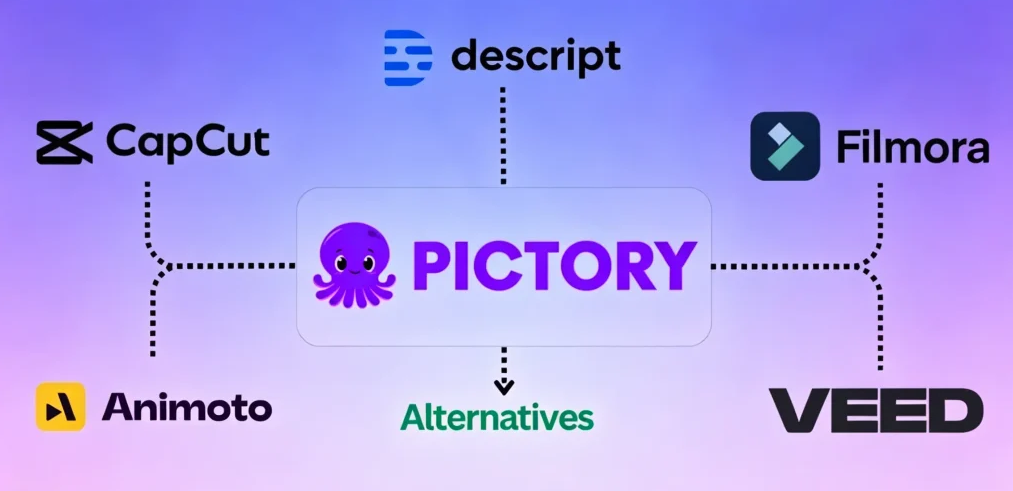
Pictory vs. Top Alternatives Compared
Pictory vs. InVideo AI
Both convert text into template-based videos. InVideo offers 10,000+ templates and integrates Sora 2 and VEO 3.1 models; Pictory’s blog/URL-to-video repurposing is stronger. Pictory for content recycling; InVideo for template diversity.
Pictory vs. Synthesia
Different markets entirely. Synthesia specializes in AI avatar videos for corporate training (200+ avatars, ISO 42001 compliance). Synthesia for enterprise training; Pictory for text-to-stock-video repurposing.
Pictory vs. CapCut
CapCut offers free watermark-free exports, a full mobile app, and deep editing tools. Pictory is simpler for automated text-to-video but costs more. CapCut for budget editing; Pictory for hands-off automation.
Pictory vs. Runway
Completely different categories. Runway generates original cinema-grade footage (Gen 4.5); Pictory assembles stock media from text. Runway for creative originals; Pictory for scalable marketing content.
Full Comparison Table
| Feature | Pictory | InVideo AI | Synthesia | CapCut | Runway |
| Price/mo | $23+ | $28+ | $18+ | Free/$7.99 | Premium |
| Free tier | Watermarked | 480p | Limited demo | No watermark | Limited |
| Best for | Blog-to-video | Templates | AI avatars | Free editing | Creative AI |
| Mobile app | No | Yes | Yes | Yes | Yes |
| Stock library | 10M+ | Large | N/A | Built-in | N/A |
| AI voices | 34-60 | Included | 140+ langs | Yes | N/A |
If your workflow starts with images rather than scripts, AI Image to Video offers AI-powered generation with Kling and Veo models in watermark-free 4K.
Best Use Cases for Pictory AI
Faceless YouTube Channels
The ChatGPT-to-Pictory pipeline is popular for faceless channels. However, YouTube’s reused content policies mean channels relying on unmodified stock footage risk demonetization. Unique narration and custom visuals are essential.
B2B and SaaS Marketing Videos
Convert blog posts into LinkedIn clips, turn documentation into explainers, and repurpose webinar recordings into social snippets. The Teams plan supports collaboration, and Make/Zapier integrations enable automation.
Educational and Training Content
Convert lecture notes and written materials into video lessons efficiently. Stock footage matching is more forgiving with generic educational imagery, making this one of Pictory’s smoother use cases.
Social Media Content at Scale
One script yields multiple platform-optimized exports. With 30–60 videos per month on paid plans, Pictory supports consistent posting. Vary templates and mix in non-Pictory content to avoid a repetitive look.
FAQs of Pictory AI Video Generator
Can I use Pictory AI for free?
Yes, but the free trial is restricted to 3 watermarked videos with a 10-minute cap. CapCut and Kapwing are stronger free alternatives.
Can I monetize Pictory AI videos on YouTube?
Yes, but channels heavily dependent on stock footage may face “reused content” flags. Adding unique voiceover and customized visuals reduces this risk.
Does Pictory have a mobile app?
No. Pictory runs in desktop browsers only. Some users try mobile browser in desktop mode, but it’s not practical. CapCut is the best mobile-friendly alternative.
What’s the best free alternative to Pictory AI?
CapCut — free exports with no watermarks, AI features, and a full mobile app. Kapwing also offers watermark-free exports at 720p.
How long can a Pictory video be?
Standard caps at 10 minutes; Premium extends to 20 minutes. For longer content, create segments separately or use Enterprise plans with custom limits.
Is Pictory still worth using in 2026?
For converting text content into video at scale, Pictory remains strong. The 2026 updates (AI Studio, voice cloning, ElevenLabs partnership) address past shortcomings. For original AI footage, avatars, or free workflows, other tools fit better.
How does Pictory compare to InVideo AI?
Pictory excels at blog/URL repurposing; InVideo offers 10,000+ templates and Sora 2/VEO 3.1 access. Pick Pictory for content recycling, InVideo for template variety.
Can I use ChatGPT with Pictory AI?
Yes — craft scripts in ChatGPT with clear visual cues, then import into Pictory for improved footage matching. The Pictory GPT plugin also lets you generate videos directly from ChatGPT.
Conclusion
Pictory AI turns written content into video faster than most competitors — practical for marketers and creators who prioritize volume over polish.
The trade-offs are real: inconsistent footage matching, no mobile app, and template-driven output. For original AI footage, try Runway. For avatars, Synthesia. For free editing, CapCut.
Next step: Use Pictory’s 3 free trial videos to test the creation mode most relevant to your workflow before committing.