
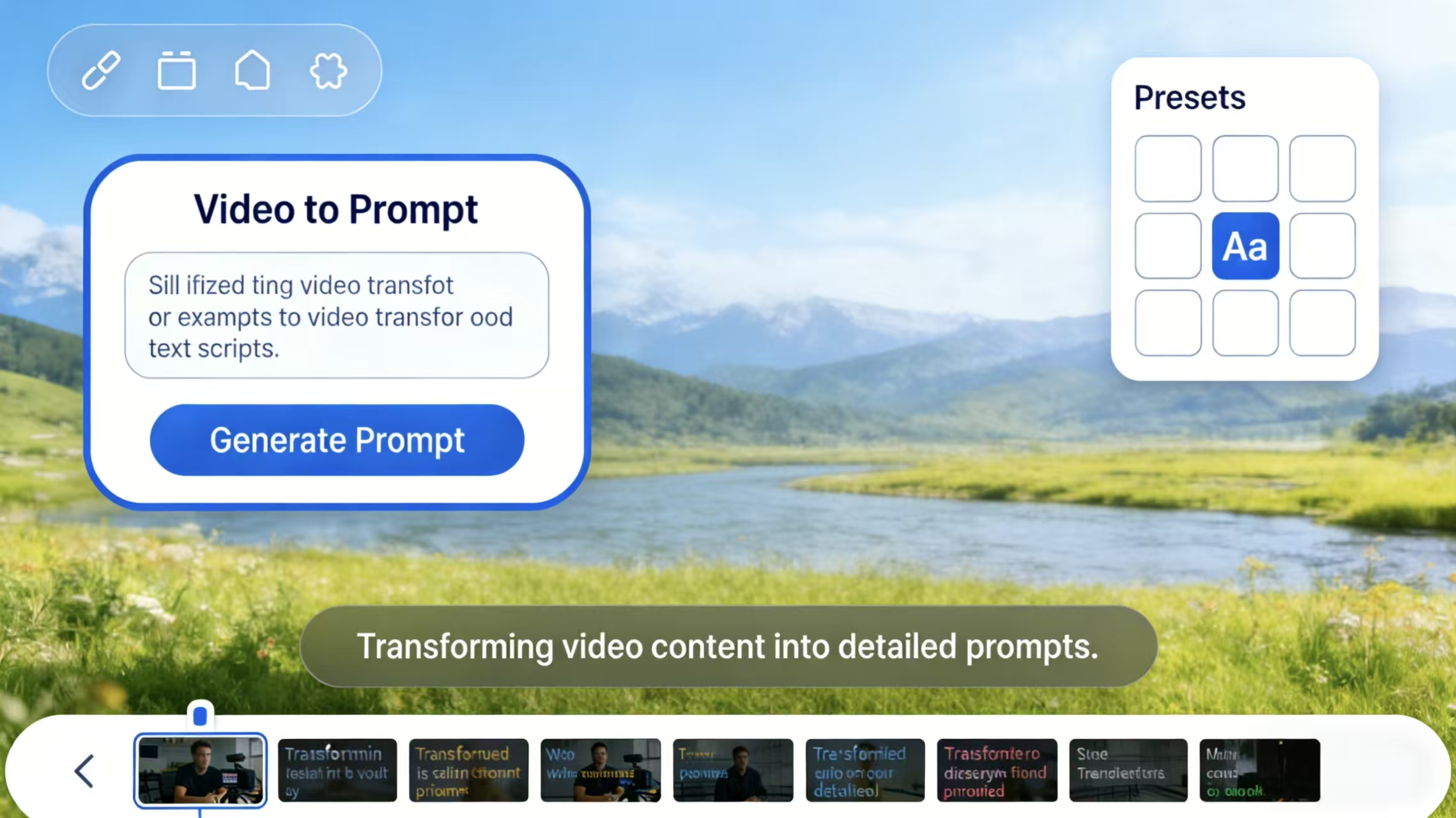
We’ve all been there. You see a mind-blowing AI video on X or Sora’s showcase—cinematic lighting, fluid motion, and professional-grade storytelling. You get inspired, open your favorite generator, and type in something like “A cyberpunk city in the rain.”
The result? A blurry, melting mess that looks more like a 90s screensaver than a movie.
Here is the cold, hard truth: AI isn’t the bottleneck; your prompting is. In 2026, simple keyword stuffing doesn’t work anymore. If you want Hollywood-level output, you need to understand the “Director’s Logic” behind a video to prompt workflow. Whether you want to extract prompt from video to learn from the greats or write your own from scratch, this guide is your blueprint.
What Makes a Good AI Video Prompt?
In the current landscape, video to prompt isn’t just about clicking a button. It’s a dual-sided skill:
-
The Forward Flow: Converting the vision in your head into structured text that an AI model can interpret.
-
The Reverse Flow (extract prompt from video): Taking an existing AI masterpiece and reverse-engineering its text DNA.
My Take: If you’re a beginner, start by reverse-engineering. Don’t try to reinvent the wheel. Use a video to prompt generator to see how professionals describe camera movement and lighting. It’s the fastest way to learn the “language” of AI models.
Why AI Video Results Fall Apart
Before we get to the formulas, let’s talk tech. Why do AI videos suffer from “morphing” or “hallucinations”? It’s all about Temporal Consistency.
AI models generate video by “predicting” what the next frame should look like based on the previous one. If your prompts for AI videos are too vague, the AI has too much creative freedom. It starts guessing, and that’s when characters grow extra limbs or faces dissolve.
Pro Tip: The more specific your constraints are, the less the AI has to “guess.” Detail is your defense against the uncanny valley.
How to Write Prompts for AI Video Generation
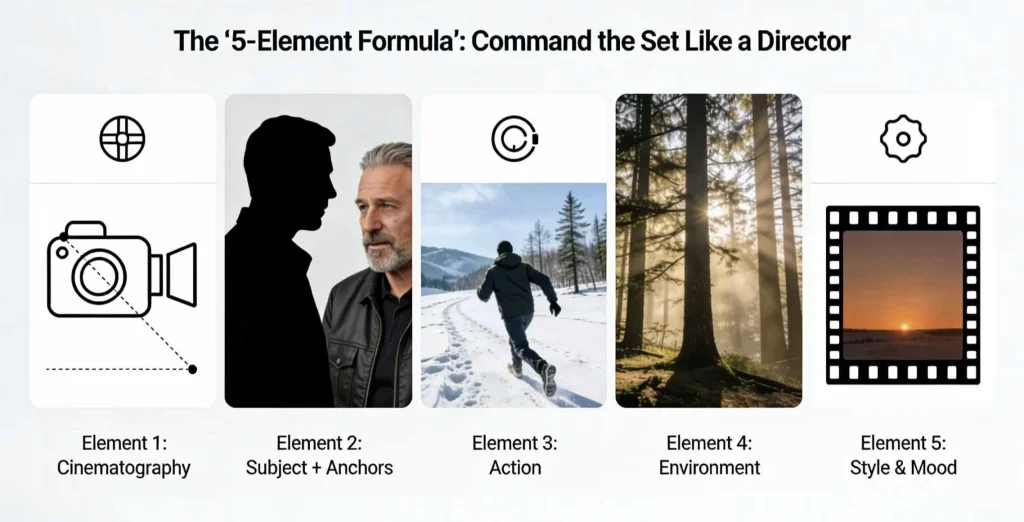
I’ve tested thousands of prompts across Veo, Runway, and Kling. One structure consistently beats everything else:
[Cinematography] + [Subject + Anchors] + [Action] + [Environment] + [Style & Mood].
Let’s break down why each piece is a non-negotiable part of your workflow:
Cinematography
In my opinion, this is the most neglected part of prompting. If you don’t tell the AI where the camera is, it defaults to a boring static shot.
Instead of a generic “Close up,” try a Dolly zoom for tension or a Low-angle hero shot to make your subject look powerful. I love adding Handheld camera shake to my prompts. It adds a layer of “human imperfection” that makes the video feel like it was shot by a person, not a machine. It’s the easiest way to kill the “AI plastic” look.
Subject
Character drift isn’t a bug. It’s what happens when the model has nothing solid to hold onto.
Saying “a man” or even “a middle-aged man” leaves too much room for interpretation. I always lock in a few anchor details:
a man in his 50s, salt-and-pepper stubble, worn brown leather aviator jacket
On top of that, I like to add one imperfect detail — a small scar, a crooked earring, a loose strand of hair. These flaws matter. They give the model a visual hook, and once it grabs onto it, consistency across multiple clips improves dramatically.
Action
AI video models love motion, but vague motion makes them fall apart.
“Running” is ambiguous. “Sprinting” isn’t.
“Talking” is flat. “Whispering with a slight smirk” gives the face something to do.
What works surprisingly well is describing weight. Instead of “walking,” try trudging through deep snow. That single word tells the model how the body should lean, how slow the steps are, how the environment pushes back. Physics improves when the action has resistance.
Environment
The environment isn’t decoration. It’s the lighting system.
By 2026, models understand how light behaves. They know how neon reflects on leather, how fluorescent tubes flatten skin tones, how sunset light wraps around faces. But only if you tell them where that light is coming from.
I’m specific about sources: golden hour filtering through redwoods, or harsh fluorescent flicker in a sterile hallway. So, I often add a subtle “weather layer” too — mist, floating dust, heavy humidity. These details add depth and prevent that flat, green-screen feeling that ruins otherwise good generations.
Style & Mood
This is the final pass. The digital film stock.
Technical references still matter. 35mm film grain adds grit. Kodak Portra 400 almost always improves skin tones. But what really ties everything together is how it feels.
Words like melancholic, euphoric, or tense don’t just affect color grading. They influence pacing, micro-movements, even how long the camera lingers. Mood is what turns a correct video into a memorable one.
Choosing the Right AI Video Generator in 2026
Different models interpret prompts differently, so results can vary even when using the same text. Understanding these differences helps you get more predictable and usable outputs.
Google Veo excels at realism and has a strong grasp of cinematic language. It also supports audio cues, which makes it especially suitable for dialogue-driven scenes and atmospheric storytelling.
Runwayoffers more direct control through its editing tools and motion guidance. Because of this, it’s often favored in professional workflows, particularly for image-to-video projects where precision matters.
Kling AI is best known for stylized visuals and anime-inspired content. It responds well to artistic and illustrative prompts and is generally more forgiving when experimenting with creative ideas.
Sora stands out for handling complex interactions and physical realism. It performs better with multi-subject scenes and longer temporal coherence than most models, though it still benefits from clear, descriptive prompts.
Knowing which model you’re working with allows you to adjust phrasing, detail level, and expectations accordingly.
How to Extract Prompt from Video
Want to “steal” the style of a video you saw on Reddit? Here is my professional workflow for extracting prompts:
Step 1: The AI Multi-Modal Hack
Don’t just guess. Upload the video to a multimodal LLM like Gemini or ChatGPT. Use this specific Meta-Prompt:
“Act as a professional cinematographer. Analyze this video frame by frame. Describe the lighting, the lens used (e.g., 35mm, 85mm), the camera movement, the subject’s specific details, and the overall color grade. Finally, synthesize this into a structured 5-element prompt for an AI video generator.”
Step 2: Refining with a Video to Prompt Generator
Tools like promptaivideos.com are great for a quick “rough draft” of a prompt, but they often miss the “mood.” Combine the AI’s technical analysis with your own subjective observations of the mood to get a 10/10 prompt.
Best AI Video Prompts for Different Styles
Cinematic Documentary: Focuses on “realness.” Use Grainy film, natural lighting, candid motion.
The “One-Take” (Timestamping): A very hard skill. You specify movements at specific seconds: 0:00-0:05: Zoom in, 0:05-0:10: Subject turns.
Anime/Artistic: Lean heavily into style keywords like Studio Ghibli aesthetic or Makoto Shinkai lighting.
The “Dreamscape”: High use of slow-motion, ethereal glow, soft focus.
Anchor Prompts: Used for storytelling. Keeping the character identical across 10 different scenes.
Start/End Frame Control: Crucial for loops.
Negative Prompting: My “secret sauce” list: no morphing, no extra fingers, no text, no watermark, no flickering.
Common Mistakes When Writing Video Prompts
One of the most common issues is overloading prompts with excessive detail. Models have limits, and when everything is emphasized, nothing is.
Another frequent problem is weak subject definition. Without anchor details, characters drift between shots, which breaks immersion.
Many users also expect one generation to do too much. Short, focused clips edited together almost always look better than a single long generation.
Finally, using identical prompts across different platforms often leads to frustration. Small adjustments based on model behavior make a big difference.
Final Tips for Better AI Video Prompts
The shift in 2026 is clear: Technical skill is being replaced by taste. Using video to prompt tools isn’t cheating; it’s the new way of “shooting” film. Whether you are using a video to prompt generator to shortcut your learning or spending hours crafting the perfect anchor prompt, remember: the AI is just the camera. You are the director.
Ready to start? Tell me a scene you’ve been struggling to create, and I’ll write a professional, 5-element English prompt for you right now.
FAQ about Video to Prompt
How to write a good video prompt?
A good video prompt clearly describes what is happening in the scene, how the camera behaves, and what the video should feel like. Specific actions, lighting cues, and style references usually produce more consistent and realistic results.
What are common prompts for AI videos?
Common AI video prompts include a subject performing a clear action in a defined environment, combined with camera direction, lighting conditions, and a visual style. This structure helps the model generate stable motion and coherent scenes.
How to convert video into a prompt?
Converting a video into a prompt involves breaking it down into key elements such as characters, actions, camera movement, lighting, and mood, then translating those observations into text.
What is a video to prompt generator?
A video to prompt generator is a tool that analyzes a video and generates a text prompt based on its visual and motion features. These prompts are best used as a starting point and often need manual refinement.






