
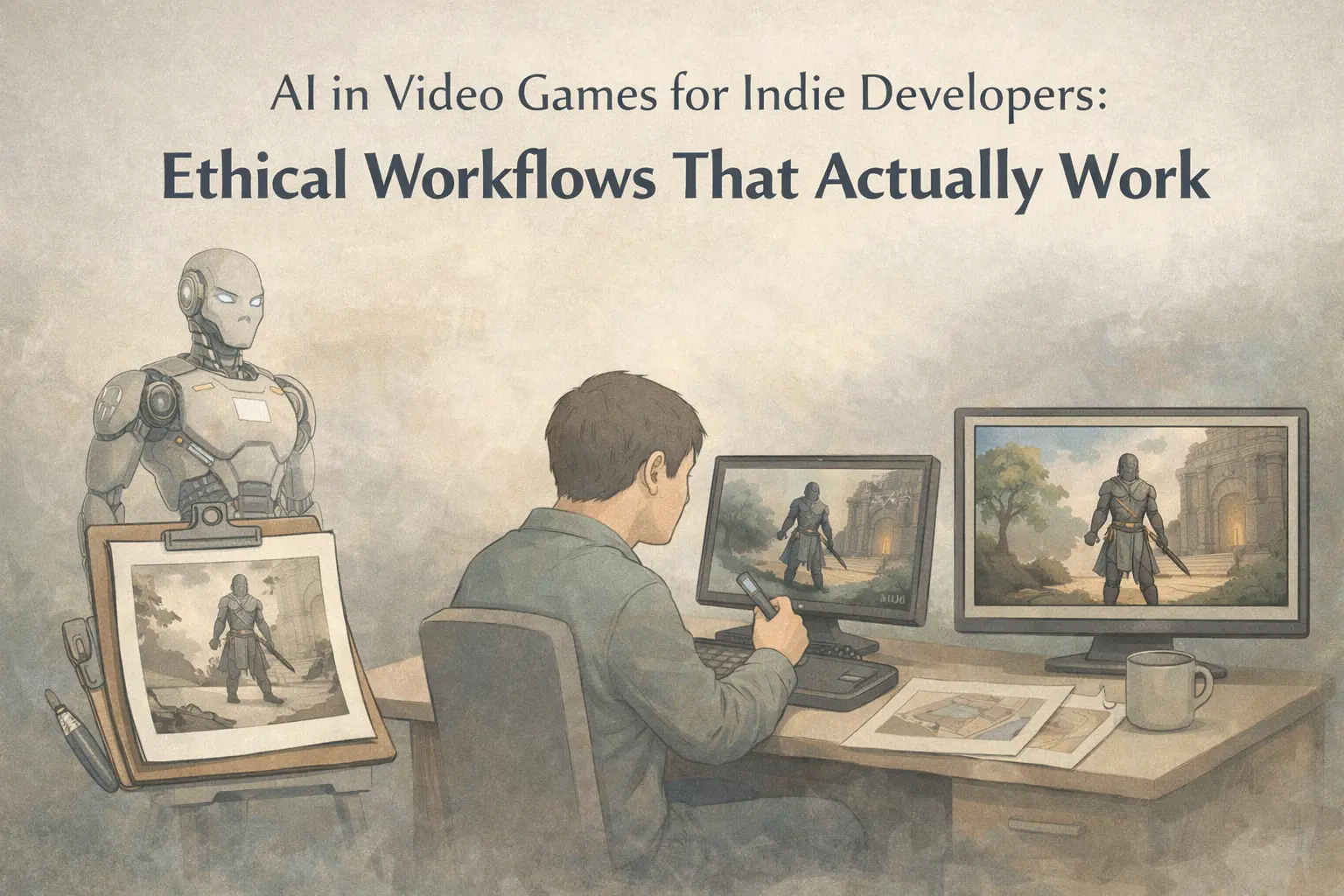
Nearly 90% of game developers now use AI tools, yet 85% of gamers view generative AI negatively. For indie developers, this creates a minefield.
You’re working solo or with a tiny team. You don’t have Rockstar’s army of artists or Ubisoft’s budget. AI video generation tools promise to accelerate your workflow dramatically—but you’ve seen the backlash when studios get caught using “AI slop.”
This guide provides a practical framework for using AI video generation ethically. You’ll learn what the data actually says about gamer attitudes, see real case studies of what works (and what doesn’t), and walk away with workflows that respect your audience while saving you time.
The AI Paradox in Gaming: Why This Matters for Indie Developers
The numbers tell a contradictory story. According to a survey by Google Cloud and The Harris Poll, 87-90% of game developers now use AI tools in their workflows. Yet survey data from Quantic Foundry shows that 85%+ of gamers hold negative views toward generative AI in games—across all demographics.
As an indie developer, you’re in a uniquely vulnerable position. When Activision uses AI art in Call of Duty, they weather the storm with their billions. When you use AI inappropriately, your entire reputation is at stake.
The critical distinction: Traditional game AI (pathfinding, behavior trees, NPC decision-making) is not the same as generative AI (LLMs, image generation, video synthesis). Gamers generally accept the former and oppose the latter. Confusing these terms—or letting others conflate them—will cost you community trust.
The “invisible AI” principle applies here: AI should enhance your development without being noticeable to players. The moment your AI usage becomes visible and feels like a shortcut, you’ve failed.
Industry Insights: How Gamers and Giant Game Companies View AI
Understanding the landscape is essential before making adoption decisions. Let’s examine what the data and industry leaders actually say.
What gamers oppose:
- Final art or assets created entirely by AI
- AI voice acting replacing human performers
- Undisclosed AI usage in products they purchase
- The “placeholder” excuse used retroactively
What gamers accept:
- QA testing and bug detection
- Internal debugging and prototyping
- Brainstorming and concept exploration
- Clearly disclosed development aids
Take-Two CEO Strauss Zelnick stated plainly: “These tools may help you create assets, but that won’t help you create hits.” His company confirmed that GTA 6 uses “zero” generative AI, preferring “handcrafted” worlds. Rockstar’s anti-AI stance has earned significant community goodwill.
The Steam vs. Epic debate is also instructive. Steam now requires AI disclosure labels on games, and Epic’s Tim Sweeney has publicly questioned whether such transparency might hurt developers who use AI responsibly. Regardless of where you stand, the trend toward mandatory disclosure is accelerating.
Practical Workflow: Using an AI Video Game Generator Ethically
Here’s a step-by-step workflow for incorporating AI video generation into your indie development process while maintaining ethical standards.
Step 1: Define Scope
Before touching any AI tool, decide explicitly: what will AI generate versus what remains human-created? Write this down. For most indie developers, the safest approach is AI for internal workflows only—never for player-facing final assets.
Step 2: Select Tools with Ethical Training Data
Choose AI tools that use consent-based training models. Research how your chosen platform sources its data. Arc Raiders, for example, hired voice actors specifically to provide training samples for their AI voice system—demonstrating that ethical sourcing is possible.
Step 3: Use AI for Concepting, Not Finals
AI video generation excels at rapid iteration during pre-production. Need to visualize how a cutscene might flow? Generate 10 rough versions in an hour instead of spending days on one. But these are references for your human artists, not replacements for them.
Step 4: Human Refinement Layer
Every AI output should pass through human hands before consideration as a final asset. This isn’t just ethics—it’s quality control. Current AI tools produce work that experienced artists can identify immediately. Your players will notice too.
Step 5: Documentation and Disclosure Preparation
Track your AI usage from day one. If you use AI Image to Video tools like AI Image to Video for rapid visual prototyping, document how those prototypes informed (rather than replaced) human work. Steam’s disclosure requirements mean you’ll need this documentation eventually.
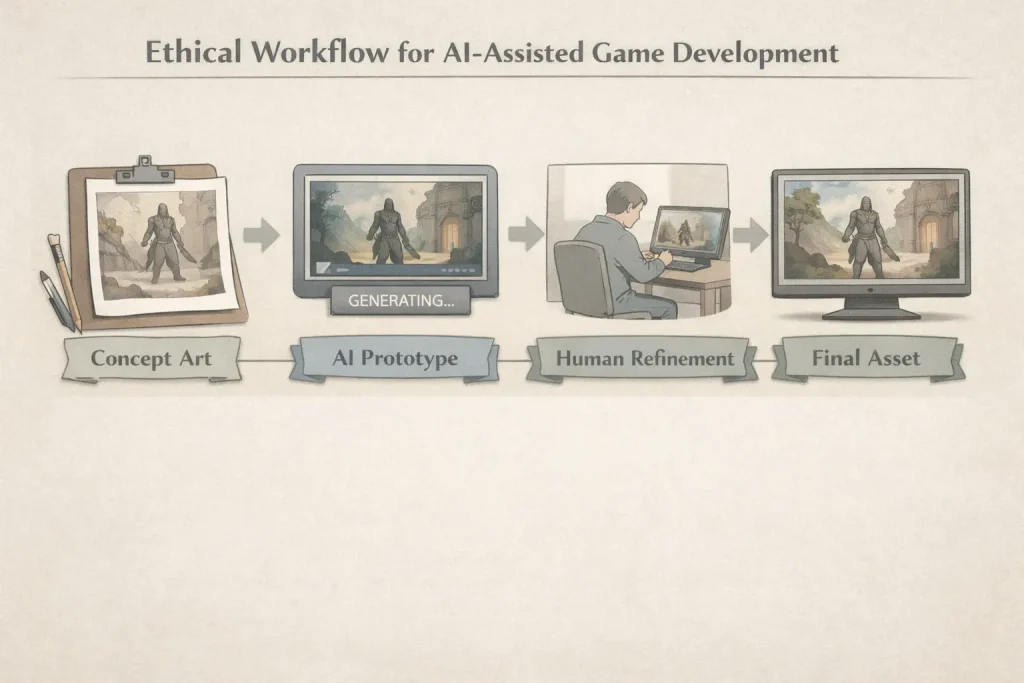
Workflow Example: Converting static concept art to animated cutscene prototypes
- Create concept art traditionally (or commission it)
- Use image-to-video AI tools to generate motion studies
- Review generated clips with your animator
- Animator creates final assets using AI output as timing reference
- Delete AI-generated files; final product is 100% human-made
This workflow can compress prototyping from days to hours without compromising your final product’s integrity.
Case Studies: Successful AI Video Generation in Video Games
Real-world examples illuminate the difference between acceptable and problematic AI use.
Success: Mantella AI (Skyrim Mod)
The Mantella AI mod adds AI-powered conversations to Skyrim NPCs. Key to its acceptance: it’s an optional enhancement that players actively choose to install. Nobody is surprised or deceived. The AI is the feature, not a hidden cost-cutting measure.
Success: Arc Raiders Voice System
Embark Studios hired voice actors specifically to provide training data for AI-generated dialogue. The actors consented, were compensated, and retained rights to their vocal likenesses. This consent-based approach demonstrates that ethical AI voice generation is achievable.
Success: Indie Pre-Production Visualization
Multiple indie studios report using AI tools for pre-production visualization—with full disclosure. When AI generates concept animations that human artists then recreate properly, the final product remains human-made. Disclosure transforms potential controversy into a non-issue.
Cautionary: CoD Black Ops 7 AI Art
When Call of Duty: Black Ops 7’s AI-generated calling cards were discovered—mimicking Studio Ghibli’s style without disclosure—backlash was immediate. A billion-dollar franchise couldn’t pay real artists? The “placeholder” explanation arrived too late and convinced nobody.
Cautionary: Kingdom Come 2 Translator Firing
When Kingdom Come: Deliverance 2’s development team reportedly replaced a human translator with AI tools, the gaming community’s response was swift. Job displacement concerns crystallized into concrete boycott threats.
Cautionary: Expedition 33 “Placeholder” Excuse
After players identified AI-generated assets in Expedition 33, developers claimed they were “placeholders” that would be replaced. The community response: why show us unfinished work, and why should we believe you?
FAQs: AI Video Generation for Indie Game Developers
Can I use AI video generation without disclosing it?
Technically yes, but community backlash risk is high. Steam now requires AI disclosure labels, and this trend will spread. Beyond platform requirements, transparency builds trust with your audience. Hidden AI usage, when discovered, creates lasting reputation damage. The short-term convenience isn’t worth the long-term risk.
Will using AI video tools hurt my game’s reception?
It depends entirely on how you use them. Development aids—prototyping, testing, internal visualization—receive far less criticism than player-facing AI content. If your final assets are human-created and AI only accelerated your workflow, most players won’t object. Quality and disclosure matter more than AI usage itself.
What’s the most ethical way to start with AI video generation?
Begin with internal workflows only. Use AI for concept visualization, animation prototyping, and marketing previews. Keep all final player-facing assets human-created until community norms evolve. Document your usage from day one. Platforms like AI Image to Video can help with rapid visual prototyping, but treat outputs as references rather than finals.
Conclusion: Moving Forward as an Ethical Indie Developer
AI video generation offers genuine workflow acceleration for indie developers. The tools can compress prototyping phases dramatically and help solo creators punch above their weight.
But success requires navigating real community concerns. The 85% negative sentiment isn’t irrational—gamers have watched AI “slop” flood mobile markets and seen beloved studios cut jobs while posting record profits.
Your path forward: transparency, ethical tool selection, and keeping humans in the creative loop. Use AI to augment your capabilities, not replace human artistry. Document your processes. Disclose proactively rather than defensively.
Start small with prototyping workflows. Let your community’s feedback guide your adoption pace. The tools are powerful; use them wisely.
Next Step: Choose one area of your workflow—concept art iteration, cutscene previsualization, or marketing assets—and experiment with AI tools while following the ethical framework above. Track your results and engage your community about what you’re learning.






