
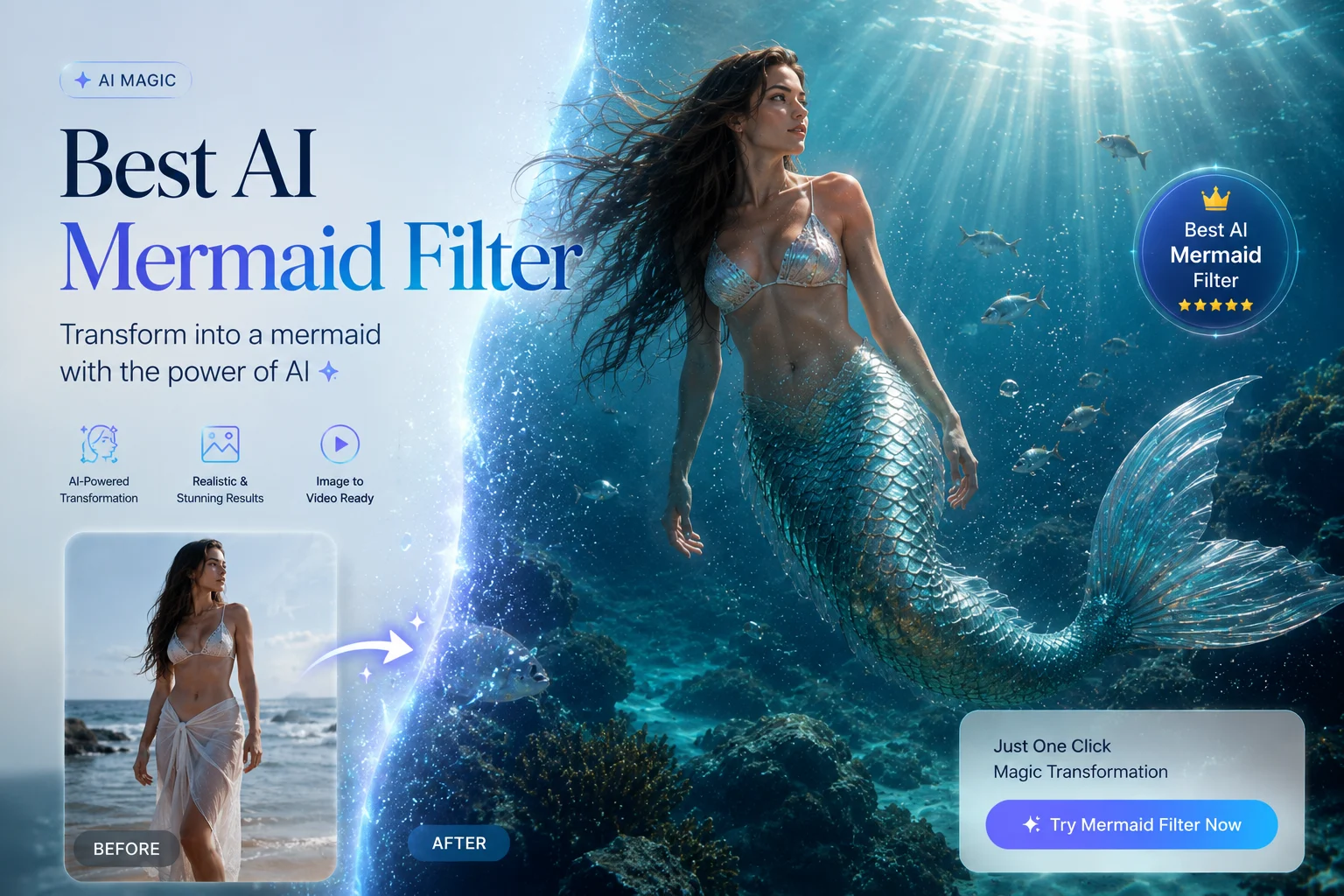
AI mermaid videos are everywhere on TikTok and Reels right now. One cinematic underwater short pulled tens of thousands of views, and creators are racing to make their own. But there’s a catch: try the wrong tool and you get a “cursed,” distorted result instead of a shimmering transformation.
The problem is that dozens of apps all claim to be the best AI mermaid filter, and none of them tell you what’s actually free, what looks real, or which one fits your phone or PC. So you waste credits testing tools that watermark your video or mangle your face.
This guide fixes that. We compare the best AI mermaid filters and video effects of 2026, show you exactly how to turn a photo into a mermaid video, and share the prompt tricks that get you a realistic result—not an uncanny one.
What Is an AI Mermaid Filter—and What Makes One the Best?
An AI mermaid filter uses artificial intelligence to turn an ordinary selfie into a mermaid photo or short video. It adds a tail, flowing hair, bubbles, and underwater light, then animates the scene so you look like you’re gliding through the ocean.
The “best” one isn’t the flashiest—it’s the one that matches what you want: free output, clean quality, or true realism.
How AI Mermaid Filters Work (Photo-to-Video and Text-to-Video)
Most tools follow one of two paths. With image-to-video, you upload a clear photo and the AI transforms it into a moving mermaid clip. With text-to-video, you skip the photo and describe the scene in words, and the AI builds the mermaid from scratch.
Behind the scenes, these tools run on advanced video models like Google Veo, Kling, Hailuo, and Wan. The model is doing the heavy lifting—so the tool wrapped around it matters less than the engine and the controls it gives you.
What to Look for in the Best AI Mermaid Filter
Use these five criteria to judge every tool below:
- Real free tier — does it actually generate free, or gate the good output behind credits?
- Watermark or not — many “free” tools stamp a logo on your clip.
- Max resolution — HD is fine for stories; 4K matters for a polished post.
- Photo vs. video support — some only do still images, not animation.
- Realism — can it avoid the cartoon, plastic, or “AI slop” look?
Key Takeaway: The best AI mermaid filter is the one that’s genuinely free where you need it, exports without a watermark, and produces a realistic result you’d actually share.
The Best AI Mermaid Filters and Video Effects Compared (2026)
Here’s an honest, category-by-category roundup. Every “best of” listicle online is published by a tool that conveniently ranks itself #1—so we’ve labeled each pick by what it’s genuinely best for instead.
Best for Watermark-Free HD/4K Video — AI Image to Video
If clean, shareable output is your priority, AI Image to Video is the standout. It handles both image-to-video and text-to-video, powered by Kling, Veo, and Wan, and exports up to 4K with no watermark.
You also get real controls for aspect ratio, video duration, and motion intensity—which directly solves the watermark and low-resolution complaints that hold back most free tools.
Best for the Native TikTok Mermaid Trend
Want the fastest route inside the app you’re already using? The native TikTok AI effect and “Fin-tastic Mermaid”-style templates in TikTok, CapCut, and PixVerse are free and one-tap.
The trade-off: these effects are often region-locked and prone to “not working” glitches or outdated versions, so they’re not reliable for everyone.
Best for Realistic, Cinematic Mermaids
For believable, non-cartoon results, tools that lean into realism—like VEED and advanced Luma Ray 2 workflows—are worth the extra effort. VEED even lets you pick the underlying model (Nano Banana, Veo, Kling, Hailuo) for a more lifelike human-fish blend and cinematic lighting. Best for quality-conscious creators who care about the final look.
Best Free Mobile App for Quick Mermaid Photos
Just want a quick mermaid photo or short clip on your phone? Lightweight options like Fotor, YouCam, and insMind deliver one-tap transformations when speed matters more than 4K polish. They’re great for casual posts, though free output is often credit-gated or watermarked.
AI Mermaid Filter Comparison Table (At a Glance)
| Tool | Best for | Free tier | Watermark? | Max resolution | Photo / Video | Model |
| AI Image to Video | Watermark-free HD/4K | Yes | No | Up to 4K | Both | Kling, Veo, Wan |
| TikTok / CapCut / PixVerse | Native trend | Yes | Varies | HD (1080×1920) | Both | In-app |
| VEED | Realistic, cinematic | Trial | On free | HD+ | Both | Veo, Kling, Hailuo |
| Fotor / YouCam / insMind | Quick phone photos | Credits | Often | HD | Both | In-app |
How to Turn Your Photo into a Mermaid Video
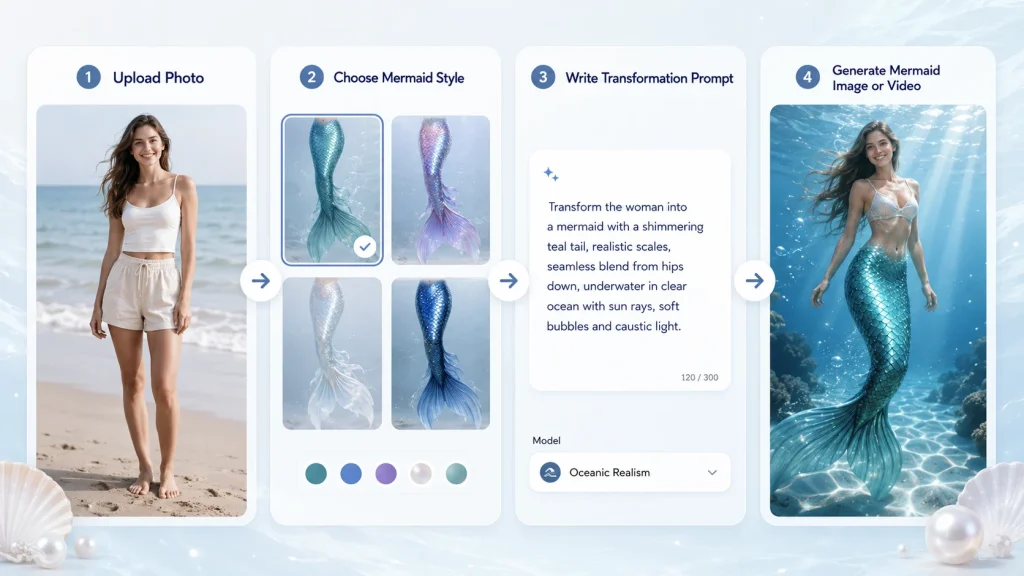
Once you’ve picked a tool, the workflow is almost identical everywhere. Follow these three steps.
Step 1 — Pick and Upload a Clear, Front-Facing Photo
Start with a well-lit, front-facing photo where your face is sharp and your upper body is visible. Keep the background simple. Blurry, dark, or busy shots are the number-one cause of broken results.
Step 2 — Add Your Mermaid Prompt or Effect
Choose a mermaid template, or write a short prompt describing the look you want—tail color, underwater scene, flowing hair, and a soft glow. Then set your aspect ratio (9:16 for TikTok) and motion intensity so the movement feels natural, not jittery.
Step 3 — Generate, Fine-Tune, and Download (Watermark-Free)
Generate the clip, then tweak duration or motion and regenerate if it looks off. When you’re happy, export in HD or 4K. With AI Image to Video, you can download watermark-free in TikTok-ready format—no logo cutting into your underwater scene.
How to Get the Best Mermaid Results (and Avoid “Cursed” Ones)
Here’s the part no tool page admits: AI is genuinely bad at mermaids. On Reddit, communities like r/desloppification and r/FacebookAIslop are full of “cursed,” distorted mermaids with broken anatomy—some so off that artists redraw them by hand. These fixes prevent that.
Choose the Right Photo and Pose
Most failures start with the photo. Use a clear, arms-down, well-lit pose so the AI doesn’t fuse your arms into the tail or create a weird “human-fish seam.” Simple, balanced poses give the model less to misinterpret.
Prompt Tips for Realistic Tails, Hair, and Underwater Light
Build prompts with a simple formula: subject + setting + style + mood + lighting. For example: “a woman with an iridescent teal mermaid tail, deep ocean, realistic, serene, soft light rays and rising bubbles.” Swap in “ethereal” or “bioluminescent glow” to change the vibe without confusing the model.
Fixing Broken Anatomy and the “AI Slop” Look
If the result looks plastic or warped:
- Regenerate a few times—results vary run to run.
- Lower the motion or strength setting to reduce over-processing.
- Edit the tail transition so the human-to-fish blend looks smooth and cinematic, not glued on.
Key Takeaway: A clean photo plus a specific prompt beats any single “magic” tool. That’s how you escape the AI-slop look.
Frequently Asked Questions About AI Mermaid Filters
Is there a truly free AI mermaid filter?
Yes, several tools let you generate for free, but “free” often means watermarks or limited credits. Native TikTok and CapCut effects are free to use, while online tools like AI Image to Video offer free generation with watermark-free HD output as the bigger draw.
What is the best AI mermaid filter app for video?
For watermark-free HD/4K video, AI Image to Video is a top pick thanks to Kling, Veo, and Wan models plus motion and duration controls. For realistic, cinematic clips, VEED is strong. For quick in-app trends, TikTok and CapCut templates work well.
How do I make an AI mermaid video without a watermark?
Use a tool that exports clean files on its free or trial tier—many apps stamp a logo unless you upgrade. AI Image to Video generates watermark-free clips up to 4K, so your underwater scene stays clean and ready to post on TikTok or Reels.
Why do my AI mermaids look “cursed” or distorted?
AI struggles with mermaid anatomy, especially where arms, body, and tail meet. Blurry photos and complex poses make it worse. Use a clear, front-facing, arms-down photo, lower the motion strength, and regenerate a few times to get a realistic result.
Where is the mermaid filter on TikTok, and what if it’s not working?
Search TikTok’s effects or templates for “mermaid” or “Fin-tastic Mermaid.” If it’s missing or glitchy, it may be region-locked or outdated in your app version. As a reliable backup, use an online tool like AI Image to Video to create your clip and upload it directly.
Conclusion
The best AI mermaid filter comes down to four things: a real free tier, no watermark, high resolution, and realism. Native TikTok effects are fastest, phone apps are easiest, and VEED leans into cinematic realism.
For clean, watermark-free HD/4K results powered by Kling, Veo, and Wan, AI Image to Video is the most flexible choice across both photo-to-video and text-to-video.
Call to Action: Pick your tool from the comparison table, follow the three-step workflow, and make your first realistic mermaid video today.






