Creen AI packs 28 video models and 11 image models — including heavyweights like Sora 2 and Veo 3.1 — behind a single no-signup tab. On paper, that sounds like the best free deal in generative AI. Yet its App Store rating sits at just 3.4 stars, and something about that gap is worth investigating.
Here’s the recurring frustration: nearly every “free unlimited AI generator” slams into a paywall the moment you click Generate, and Reddit and YouTube threads are full of people who can’t tell which “free” promise still holds today. So does Creen AI deliver, or is it one more bait-and-switch?
This tested 2026 review separates the marketing from reality — what Creen AI genuinely offers, what it costs once you pass the free quota, whether it’s trustworthy, and which alternatives are worth your time if it falls short.
What Is Creen AI?
Creen AI is a browser-based and mobile studio that brings AI image, video, and audio generation together in one interface. The big selling point is low friction: you can start creating without an account, and many outputs arrive without a watermark.
Rather than juggling separate apps for each task, Creen bundles dozens of frontier models into one workspace — it’s less a model than an aggregator that resells access to many engines at once.
Who’s Behind Creen AI?
This is where transparency gets murky. The official site (creen.ai) lists CODESAIL LIMITED in Hong Kong. The iOS listing on the Apple App Store names Beijing Fun Fan Technology, while Android credits AIMOBI.
Three developer identities for one product isn’t automatically a red flag, but it makes verifying who handles your data and payments harder — and for a tool that processes uploads and sells subscriptions, that ambiguity matters.
What You Can Create With Creen AI
Creen organizes its toolkit around three creative pillars:
- Images — text-to-image and image-to-image generation
- Video — both text-to-video and image-to-video
- Audio — text-to-speech, voice cloning, and dubbing
All three run from the same dashboard, and the web version requires no login to begin.
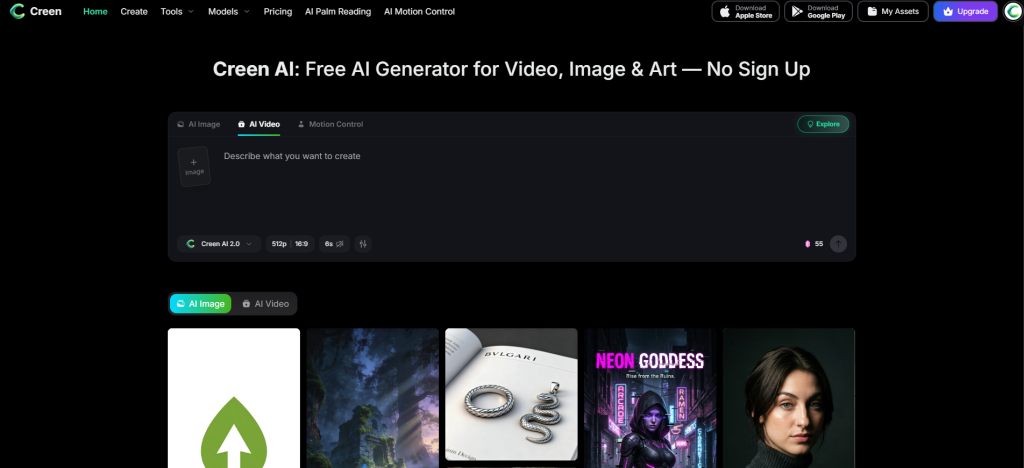
Is Creen AI Free? Pricing, Quotas & Watermarks Explained
That summary resolves the doubt most searchers arrive with. Now let’s break down the details.
The Free Daily Quota — What You Actually Get
The free tier hands you a limited daily allowance across a subset of models. For casual users generating a handful of images or short clips, that’s often enough to finish a small project without spending anything — and without an email signup on the web.
The catch is that the most capable models usually sit outside the free pool, and the daily cap quietly resets rather than rolling over. Community testers also report that the free allotment has been shrinking over time.
When You Hit the Paywall (Credits & the $20–$30 Subscription)
Once you reach for frontier engines like Sora 2 Pro or Veo 3.1, Creen switches to a credit system. Run out of credits, and you’re prompted to buy more or subscribe.
Evidence of this tightening is easy to find. A popular YouTube tutorial on Creen’s free video generation drew top comments saying the tool is “no longer free” and now throws up a roughly $20 subscription wall on Generate. The iOS app, meanwhile, offers in-app purchases including a plan near $30/month.
Quick Verdict: Free to Start, Not Truly Unlimited
| Tier | Models | Resolution | Watermark | Cost |
| Free daily quota | Select image/video engines | Up to 4K stills / 1080p video | None on select outputs | $0 |
| Premium credits | Sora 2 Pro, Veo 3.1, etc. | Highest available | None | Credits |
| Mobile subscription | Full access | Highest available | None | ~$20–$30/mo |
The honest takeaway: Creen is genuinely free to try, but “unlimited” is marketing, not reality.
Creen AI Features & Supported Models
Beyond the pricing question, Creen’s real draw is the sheer breadth of models you can reach in one place — something competing pages rarely lay out clearly.
AI Image Generation (Up to 4K, 11 Models)
Creen supports both text-to-image and image-to-image at resolutions reaching 4K (3840×2160). It draws on roughly 11 image models, including Seedream 4.5, Z-Image Turbo, Nano Banana Pro, and GPT Image 2.
That variety lets you switch styles — photoreal, illustrative, stylized — without leaving the tab.
AI Video Generation (28 Models, 1080p, Image-to-Video)
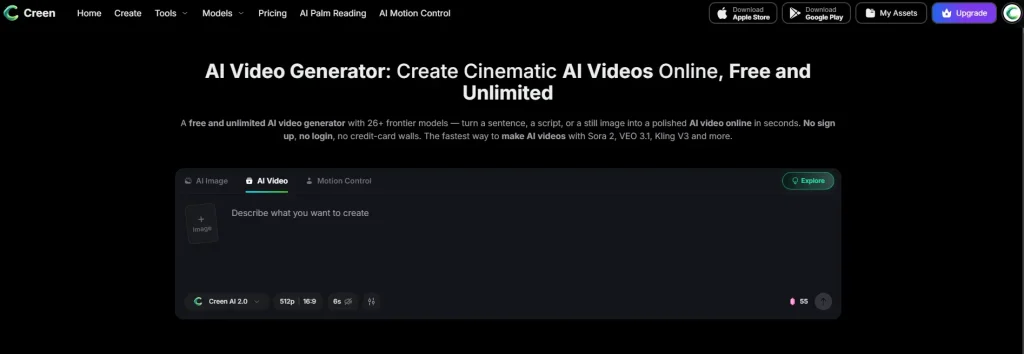
Video is the standout. Creen offers text-to-video and image-to-video at 1080p, with clips running up to roughly 10–15 seconds with audio, across about 28 models such as Sora 2 Pro, Veo 3.1, Seedance 2.0, Kling V3, and Hailuo 02.
[Image: Creen AI video generation dashboard showing model selection]
Editing & Control Tools (Multi-Reference, Negatives, Seed Control)
For creators who want more than a one-shot prompt, Creen includes a respectable control layer:
- Multi-reference uploads with adjustable weighting
- Negative prompts to exclude unwanted elements
- Seed control for reproducible results
- Extras like outfit swap, background remover, and an image enhancer
Renders are fast too — images in about 5–15 seconds, video in roughly 20–40 — with parallel queues so jobs don’t bottleneck.
How to Use Creen AI (Step-by-Step)
The workflow is deliberately simple, which is part of the appeal for first-timers.
Generate Your First Image in 60 Seconds
- Open the web app — no login needed to start.
- Pick an image model from the dropdown.
- Write your prompt, adding negative prompts or a reference image if you like.
- Set your resolution (up to 4K).
- Hit Generate and wait a few seconds.
Turn a Photo Into Video (Image-to-Video)
Creen’s image-to-video flow is what most searchers actually want:
- Upload a still image.
- Choose a video model suited to your style.
- Set duration and motion intensity.
- Generate, preview, then export your clip.
Is Creen AI Legit & Safe to Use?
This is the section most competitor reviews skip, and it’s the one commercial-investigation searchers need most before committing money.
The “AI Greem” Naming Confusion
If you search Google Play for “Creen AI,” you may land on an app branded “AI Greem” instead. It’s the same product under a different name and developer (AIMOBI), which understandably trips people up. Before installing, confirm the developer and listing details so you don’t grab a copycat app by mistake.
App Store Rating & Billing Complaints
Creen’s iOS app currently holds a modest 3.4-star rating. More concerning, at least one review describes being charged around $30/month without receiving the promised credits. One billing complaint isn’t proof of a scam, but it’s a reason to read recent reviews and watch your statement before subscribing.
Commercial Use & Content Policy
Many outputs are usable commercially, which appeals to marketers and e-commerce sellers — but watermark and licensing terms vary by model and tier, so check before publishing client work. Creen also prohibits NSFW content, so it’s not the tool for unrestricted generation.
Creen AI vs the Best Alternatives
No single generator wins for everyone. Here’s where Creen stands against the main options.
Creen AI vs Midjourney & Leonardo (Pro Power)
Midjourney and Leonardo.AI deliver deeper control, finer consistency, and more polished results — but both require accounts and paid plans. Creen counters with breadth and a free entry point. If you want professional refinement, the paid incumbents win; if you want to sample many engines for free, Creen does.
Free No-Signup Options (Perchance & Hugging Face)
The community’s truly-free favorites are Perchance (no login, includes editing and inpainting) and Hugging Face Spaces (SDXL Inpainting, Flux img2img). They’re harder to navigate and lack Creen’s unified dashboard, but they avoid surprise paywalls entirely.
Best for Image-to-Video: AI Image to Video
If your main goal is turning images into clean, watermark-free clips, a focused tool can beat a generalist. AI Image to Video specializes in exactly that — image-to-video and text-to-video using Kling, Veo, and Wan models, output up to 4K with no watermarks, TikTok-ready presets, and batch processing for high-volume creators. For animation-first workflows, that focus is an advantage over Creen’s everything-at-once approach.
Creen AI App: iOS & Android Guide
Creen’s mobile experience differs enough from the web to warrant its own note.
Finding the Right App (Creen AI vs AI Greem)
On iOS, search for “Creen: AI Art, Video Generator.” On Android, look for “AI Greem” — that’s the official Google Play name. Verify the developer before downloading so you don’t install an imitation.
Mobile vs Web: Which Should You Use?
The web app is the better free deal: no signup, immediate access, and fewer purchase nudges. The mobile apps push in-app subscriptions more aggressively. Unless you specifically need to create on the go, start on the web.
FAQs of Creen AI
Is Creen AI free to use?
Yes, partly. You get a free daily quota on select models with no sign-up, but premium engines consume credits and the app sells subscriptions. It’s freemium, not unlimited.
Do you need an account or email to use Creen AI?
On the web, no — you can generate without signing up. The mobile apps may prompt you to sign in for purchases and saved content.
Does Creen AI add a watermark to images and videos?
Select free outputs arrive without a watermark, but policies vary by model and tier. Confirm the specific model’s terms before using a result commercially.
Can I use Creen AI content commercially?
Often yes, which suits marketers and sellers — but licensing differs by model, and NSFW content is banned. Always verify the terms for the engine you used.
Why is Creen AI called “AI Greem” on Android?
It’s the same product listed under a different name and developer (AIMOBI) on Google Play. Check the listing details so you download the genuine app.
What’s the difference between Creen AI and tools like Midjourney?
Creen offers free, no-signup breadth across many bundled models; Midjourney offers deeper control and higher polish behind a paid account. It’s breadth-and-free versus depth-and-paid.
Conclusion
Creen AI is a genuinely useful, no-signup aggregator that crams frontier image and video models into one convenient tab. The breadth, speed, and zero-friction start are real strengths. But the headline “unlimited free” promise doesn’t survive scrutiny — credits, a $20–$30 subscription, and a shrinking free tier make it freemium, and the multiple developer names plus a 3.4-star App Store rating add some trust friction.
If breadth is your priority, try Creen’s free quota first and decide before you pay. But if you mainly need clean, watermark-free image-to-video at scale, give a focused tool like AI Image to Video a look before committing to any subscription.
Call to Action: Test the free options, match the tool to your actual use case, and don’t pay until a generator proves it earns the subscription.