Model
Video Fast 1.5 Lite Free
Premium video quality — 3-second clips free to try. Limited-Time Availability.
Prompt
0 / 1500
Prompt Extend
Duration
5 s
Resolution
480p
1080p
Number of Results
Create
Sample Video
Sample video preview

Unlimited Free AI Kissing Video Generator (without login)

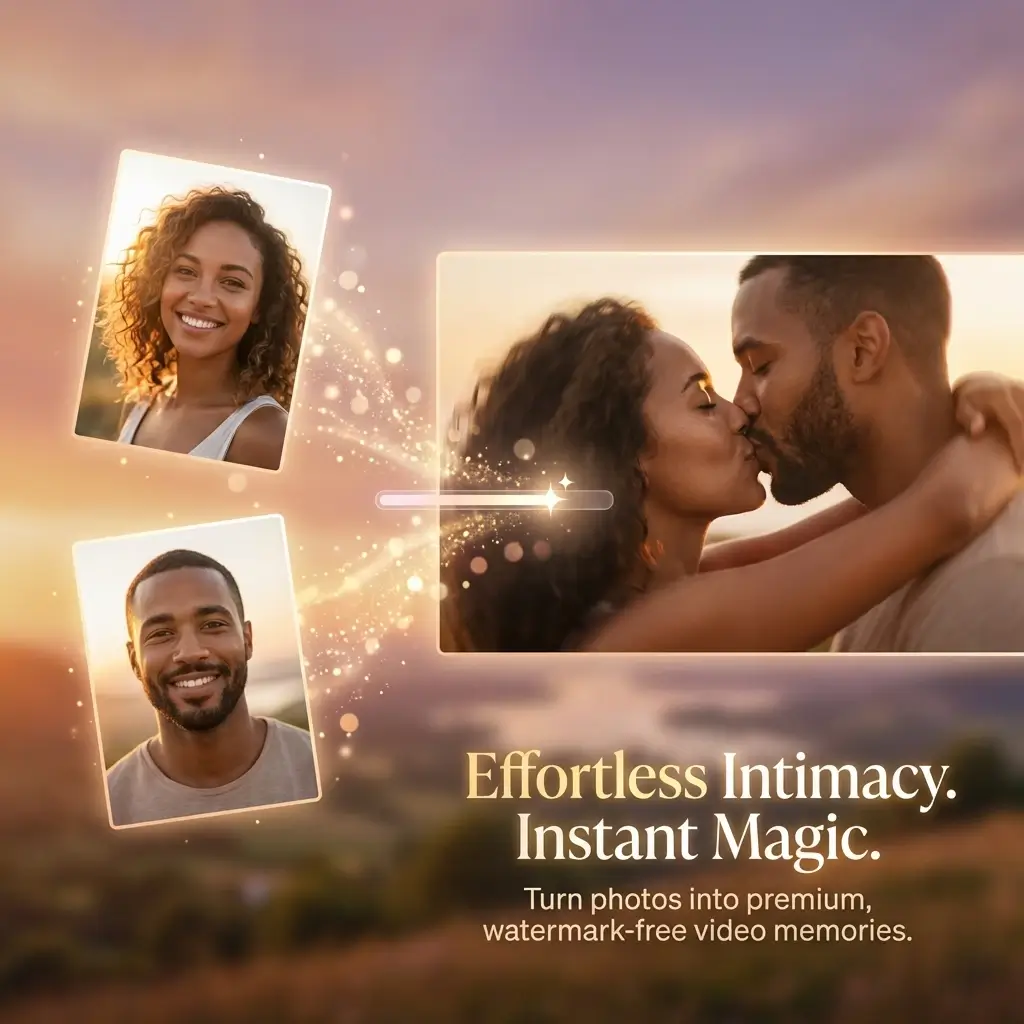
Turn your favorite couple photos into romantic video content with our powerful free AI kissing video generator. This advanced AI kiss generator creates stunning videos about romantic kissing moments with incredibly natural motion and lifelike expressions. Whether you want to create girlfriend kissing boyfriend scenes or beautiful couple video content for anniversaries and special celebrations, our AI romantic video tool delivers professional results in just seconds. The cutting-edge AI technology carefully analyzes facial features, positioning, and expressions to create smooth video animations that capture romance and emotional connection perfectly. Experience the magic of transforming static photos into dynamic romantic video memories that will last a lifetime and bring joy to everyone who sees them.
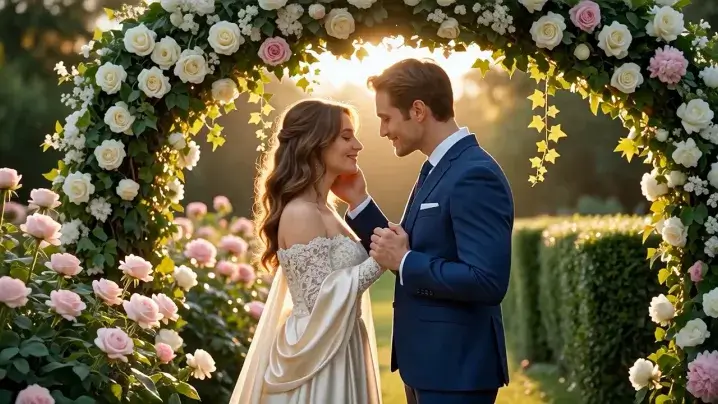
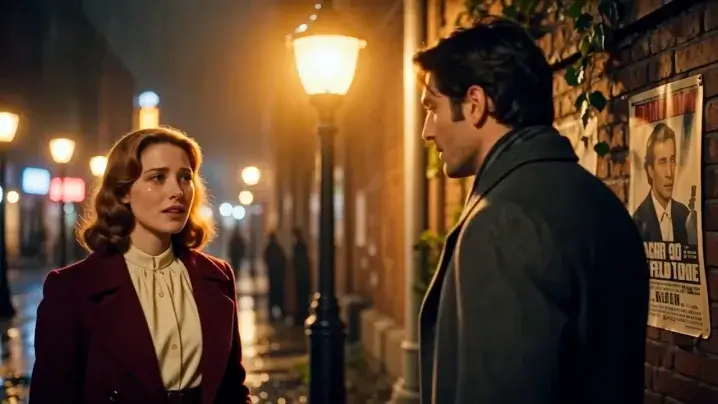
Prompt
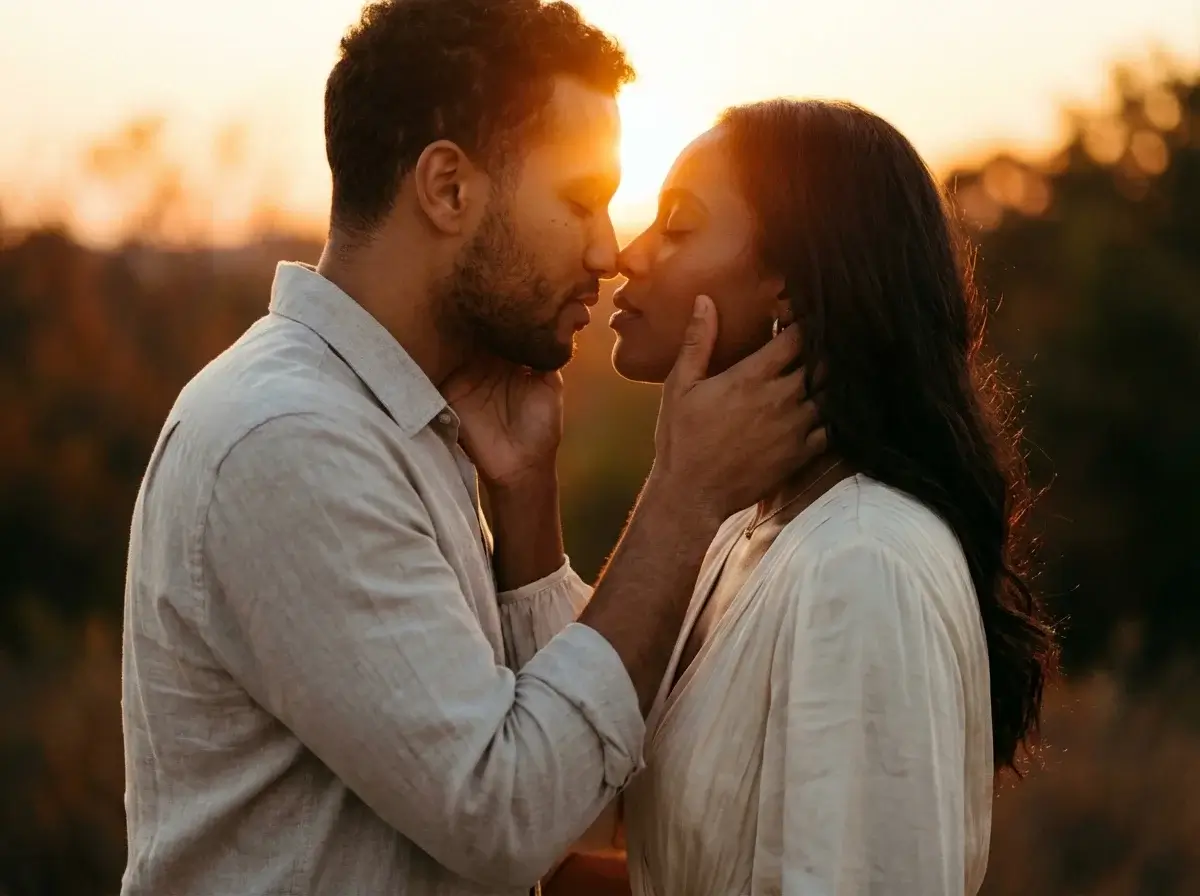
A romantic wedding photo of a couple kissing under a floral arch, during golden hour at a sunlit garden, soft natural lighting enhancing the tender moment, professional wedding photography with a 1:1 square composition, capturing delicate details of lace dresses and floral arrangements, surrounded by blooming roses and greenery. HD, 8K, High quality.
Sample Video
Prompt
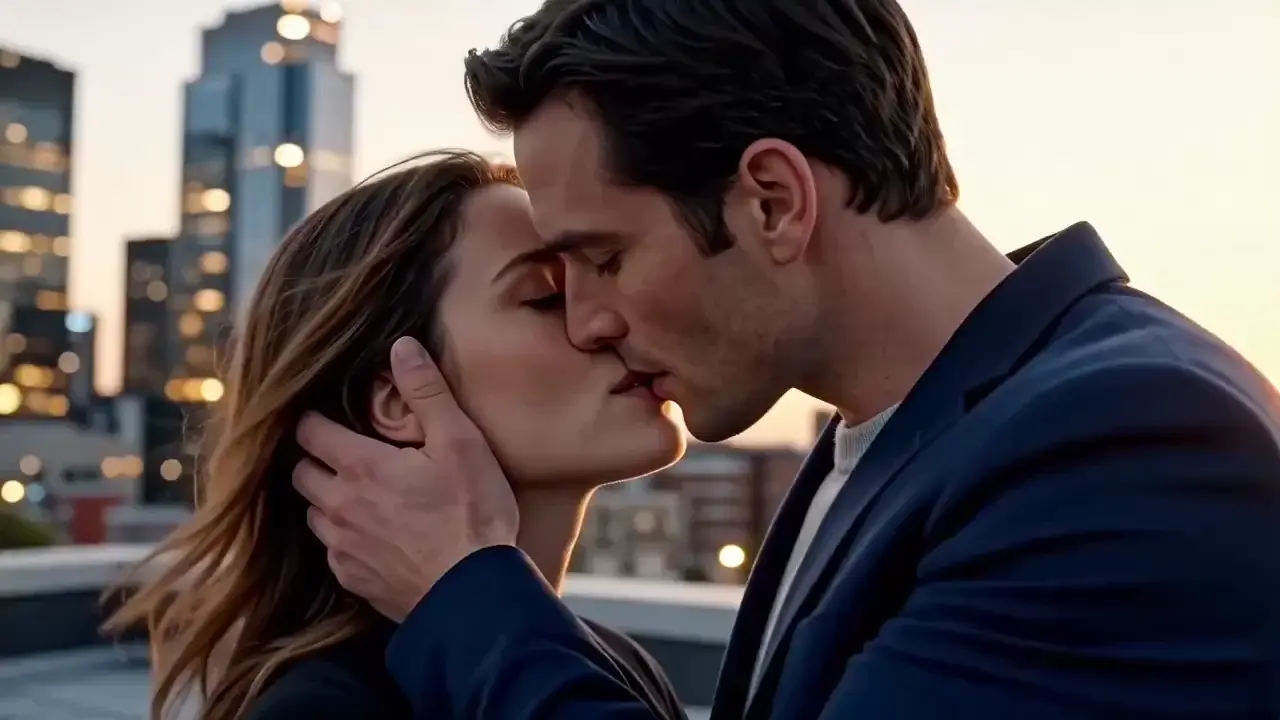
A passionate, intimate kiss between two lovers at twilight, captured in slow motion with soft golden lighting, set against a blurred urban rooftop backdrop — conveying romance, tenderness, and unspoken connection. Shot in cinematic 4K with shallow depth of field, emphasizing facial expressions and texture of skin, evoking warmth, desire, and emotional vulnerability. High-quality, emotionally resonant, visually rich, suitable for film or romantic advertising.
Sample Video
Prompt
A romantic elderly couple sharing a tender kiss while seated on a weathered park bench, captured during golden hour as sunlight filters through autumn leaves — evoking warmth, enduring love, and quiet nostalgia. Shot in cinematic 4K with soft focus and gentle depth of field, emphasizing emotional intimacy, subtle smiles, and wrinkled hands clasped together. Professional-grade lighting, heartwarming tone, high emotional resonance, and ultra-smooth motion for a timeless, cinematic feel.
Sample Video

Why Choose This AI Kiss Generator

Our AI romantic video generator delivers absolutely stunning results with advanced kiss filter technology that stands out from competitors in the marketplace today. Create video content featuring remarkably smooth animations and natural movements that look incredibly realistic and authentic. The AI video generator produces realistic man kissing woman or couple make out video content with professional quality that looks completely natural and authentic to viewers who appreciate high-quality romantic content.

Free AI Kissing Video Generator Online

This free AI kiss generator creates romantic video content totally free without any hidden costs or subscription requirements whatsoever. Create beautiful video clips without watermarks or quality restrictions that would diminish your final results. Our AI kissing generator free produces professional-grade video results that rival expensive paid alternatives available in the market, making romantic video content creation accessible to absolutely everyone regardless of budget or technical skill level. Perfect for couples who want to celebrate their unique love story with beautiful AI video content that captures their special moments together.

Generate Video

AI French Kissing Generator Effects

Create passionate french smooch video content with our sophisticated AI french kiss generator technology designed specifically for realistic romantic results. The AI french generator produces incredibly realistic french kiss animations with natural lip movements and intimate expressions that look completely authentic and genuine. Create free AI french video generator content easily with just a few simple clicks using our intuitive interface, perfect for creating romantic video clips that capture deeper emotional connections between loving couples who want to express their passion.

Generate Video

Girlfriend Kissing Boyfriend Videos

Transform ordinary photos into heartwarming girlfriend kissing boyfriend video clips that beautifully celebrate your unique relationship and the love you share together. Our AI video generator creates beautiful lips to kiss images and natural hugging video content with smooth transitions between frames that look completely natural. Create stunning couple video content with realistic expressions and natural body language that authentically captures the genuine love and affection between partners who truly care for each other.

Generate Video

How to Use Best AI Kiss Generator

Man Kissing Woman Photo Upload

Start by uploading a clear couple photo showing man kissing woman or any romantic kissing pose you prefer for your personalized creation. Our AI kiss generator carefully analyzes facial features and positioning to create stunning romantic video content with impressive accuracy and attention to detail. The free AI kiss video generator works best with well-lit photos where facial features are clearly visible, ensuring the most realistic and beautiful video animation results possible for your cherished romantic video memories that you will treasure for years to come.

Kiss Your Crush AI Settings

Configure your kiss your crush AI parameters including duration, animation speed, and kiss filter intensity for personalized results that match your unique creative vision perfectly. Select from multiple styles including french kiss generator free style or gentle kissing romantic mode depending on your personal preference and the mood you want to create. Customize AI kiss filter effects, background atmosphere, and motion smoothness to create the perfect romantic clip that matches your creative vision exactly and captures the essence of your relationship.

AI Kissing Generator Free Online Output

Click the generate button and wait for your AI kissing generator free online video clip to process on our powerful servers with optimized performance. Our advanced AI processing creates high-quality kiss video generator content in under a minute using optimized algorithms designed for maximum quality output. Download your AI kiss maker free video output instantly in multiple formats ready for sharing on social media platforms, messaging apps, or saving to your personal collection for cherished romantic video memories that last forever and bring joy every time you watch them.

AI Kiss Generator Free Scenarios

Our versatile AI romantic video generator free serves various romantic needs and special occasions throughout the entire year for couples everywhere. Create beautiful AI video content that makes people kiss for birthdays, holidays, and milestone celebrations that deserve to be remembered. From AI kiss photo to video free transformations to professional photo AI kiss video generator free results, explore endless creative video possibilities for expressing love and romance in unique memorable ways that will touch hearts and create lasting impressions.

Anniversary
Valentine
Wedding
Social Media

French Smooch Anniversary Videos

Create passionate french smooch video content for anniversary celebrations using our AI video generator free that captures your love story beautifully with remarkable detail and emotion. Transform your cherished memories into beautiful AI free kiss video generator content celebrating years of love and devotion together as a couple who have weathered the storms of life side by side. Create stunning best AI video generator clips that capture the romance and deep devotion you share with your partner, perfect for surprising them or sharing your milestone celebration on social media with friends and family who will appreciate your love story.

Kiss Filter User Reviews

Best Free AI Kissing Video Generator

This free AI kissing video generator completely surprised me with its incredible quality and ease of use that made creating romantic content a breeze! I created an anniversary clip from our favorite photo and my partner absolutely loved the romantic result that captured our love perfectly. The AI animation quality is truly amazing and looks so natural that friends thought it was real footage of us. This is definitely the best AI tool I have ever found for creating romantic content that touches hearts.

Emily Watson
Married 10 Years

AI French Kissing Generator Works Great

The french kissing generator created absolutely beautiful content that exceeded all my expectations and then some. The french smooch effect looks incredibly natural and romantic, capturing the passion perfectly in every frame. This is definitely the best generator I have ever tried after testing many similar options available online, and I highly recommend it to anyone wanting quality romantic content for their special occasions and celebrations.

James Miller
Content Creator

Easy AI Kissing Generator Free Online

I found this kissing generator free online while searching for anniversary gift ideas and absolutely loved the results immediately upon seeing them. There are no watermarks on my clip which was a huge plus compared to other tools available in the market today. This is the perfect free kiss generator tool for couples who want professional-quality results without spending money on expensive software or subscriptions that drain your budget.

Sophie Chen
Newlywed

Girlfriend Kissing Boyfriend Video Made

I created a beautiful girlfriend kissing boyfriend clip for our three year anniversary celebration and it turned out perfectly beyond my expectations and wildest dreams. The generator captured the romantic kissing moment with such realistic detail and natural movement that we both got emotional watching the final result together. This wonderful tool definitely exceeded all my expectations and created memories we will treasure forever.

Michael Torres
Boyfriend

Man Kissing Woman Clips Look Real

The man kissing woman animations produced by this tool look incredibly real and natural, almost like actual footage captured by a professional photographer. This kiss generator free produces professional results so easily that anyone can use it regardless of technical experience or background. I was truly amazed at how lifelike the movements and facial expressions looked in my final romantic output that I shared with all my friends.

Rachel Adams
Engaged

Kiss Your Crush AI Feature Amazing

I absolutely love the kiss your crush feature on this platform for creating romantic content that expresses my feelings perfectly! This kissing generator free creates such romantic and beautiful content with absolutely minimal effort required from users of any skill level. The results are simple to achieve yet incredibly beautiful, perfect for anyone wanting to create special romantic memories to cherish forever and share with loved ones.

Linda Parker
Happy User

Best Free AI Kissing Video Generator

This free AI kissing video generator completely surprised me with its incredible quality and ease of use that made creating romantic content a breeze! I created an anniversary clip from our favorite photo and my partner absolutely loved the romantic result that captured our love perfectly. The AI animation quality is truly amazing and looks so natural that friends thought it was real footage of us. This is definitely the best AI tool I have ever found for creating romantic content that touches hearts.

Emily Watson
Married 10 Years

AI French Kissing Generator Works Great

The french kissing generator created absolutely beautiful content that exceeded all my expectations and then some. The french smooch effect looks incredibly natural and romantic, capturing the passion perfectly in every frame. This is definitely the best generator I have ever tried after testing many similar options available online, and I highly recommend it to anyone wanting quality romantic content for their special occasions and celebrations.

James Miller
Content Creator

Easy AI Kissing Generator Free Online

I found this kissing generator free online while searching for anniversary gift ideas and absolutely loved the results immediately upon seeing them. There are no watermarks on my clip which was a huge plus compared to other tools available in the market today. This is the perfect free kiss generator tool for couples who want professional-quality results without spending money on expensive software or subscriptions that drain your budget.

Sophie Chen
Newlywed

Girlfriend Kissing Boyfriend Video Made

I created a beautiful girlfriend kissing boyfriend clip for our three year anniversary celebration and it turned out perfectly beyond my expectations and wildest dreams. The generator captured the romantic kissing moment with such realistic detail and natural movement that we both got emotional watching the final result together. This wonderful tool definitely exceeded all my expectations and created memories we will treasure forever.

Michael Torres
Boyfriend

Man Kissing Woman Clips Look Real

The man kissing woman animations produced by this tool look incredibly real and natural, almost like actual footage captured by a professional photographer. This kiss generator free produces professional results so easily that anyone can use it regardless of technical experience or background. I was truly amazed at how lifelike the movements and facial expressions looked in my final romantic output that I shared with all my friends.

Rachel Adams
Engaged

Kiss Your Crush AI Feature Amazing

I absolutely love the kiss your crush feature on this platform for creating romantic content that expresses my feelings perfectly! This kissing generator free creates such romantic and beautiful content with absolutely minimal effort required from users of any skill level. The results are simple to achieve yet incredibly beautiful, perfect for anyone wanting to create special romantic memories to cherish forever and share with loved ones.

Linda Parker
Happy User

News

Nano Banana AI Free: Complete Guide to Free Access, Limits, and Best Platforms (2026)

Nano Banana AI Free: Complete Guide to Free Access, Limits, and Best Platforms (2026)

Nano Banana AI leads LMArena’s image generation leaderboard with an Elo score of 1,360 — and you can use it at zero cost. But “free” carries fine print that most guides skip. Daily caps get slashed without notice, invisible watermarks are woven into every pixel, and confusing billing setups have led users to rack up accidental charges exceeding $2,000. This guide gives you a tested, honest breakdown of every free access method in 2026 — with verified limits, resolution details, and a multi-platform strategy for when credits dry up. What Is Nano Banana AI? (Quick Primer for Beginners) Nano Banana is Google’s AI image generation technology within the Gemini ecosystem. You describe what you want, and the model produces a detailed image in seconds. Nano Banana vs Nano Banana Pro vs Nano Banana 2 — What’s the Difference? Why Nano Banana AI Is the #1 Rated Image Generator in 2026 Nano Banana Pro tops the LMArena leaderboard at Elo 1,360 with 94% text-in-image accuracy, character consistency for up to 14 people, and generation speeds as low as 4 seconds. That combination explains why free access is in such high demand. Is Nano Banana AI Really Free? (The Honest Answer) Yes — Nano Banana AI is genuinely free, with limits. The Gemini app gives you roughly 20 NB2 and 2 NB Pro images daily. AI Studio offers 50 free requests. Flow grants up to 150 credits. Platforms like VideoPlus.ai don’t even require a Google account. The trade-off? Every free option restricts volume, resolution, or content. What You Get for Free on the Google Gemini App Expect approximately 20 NB2 and 2 NB Pro images per day — no credit card needed. Every output carries Google’s SynthID watermark at the pixel level. One common frustration: Google defaults to NB2, so you’ll have to regenerate to receive Pro-quality results. Free Tier on Google AI Studio (Best for Developers) AI Studio provides 50 free requests daily and applies a more lenient content filter than the Gemini app. The risk? Billing setup can be confusing — multiple users have reported surprise charges when they mistakenly routed requests through Google Cloud instead of Studio’s free tier. Free Access via Google Flow (Up to 150 Daily Credits) Google Flow lists NB Pro and NB2 at 0 credits, yet real-world testing reveals a lockout after about 100 images within 24 hours. Additional downsides include a 1K resolution cap, the strictest content filtering of any platform, only five preset aspect ratios, and no 1:1 option. Free Access Without a Google Account No Google account? No problem. VideoPlus.ai delivers NB2 generation with no sign-in, no watermark, and immediate download. LMArena offers free NB Pro at 2K resolution, though model availability may fluctuate over time. Quick-Reference Comparison Table Platform Model Daily Limit Resolution Watermark Sign-Up Gemini App NB2 + NB Pro ~20 NB2, 2 Pro Up to 4K SynthID Google account AI Studio NB2 + NB Pro 50 requests Up to 4K SynthID Google account Google Flow NB2 + NB Pro ~100 images 1K SynthID Optional VideoPlus.ai NB2 Varies 1K–4K None None LMArena NB Pro Varies 2K None None Krea.ai NB2 Varies Varies None Optional Lovart AI NB2 + NB Pro Daily credits Up to 4K None Free account How to Use Nano Banana AI for Free (Step-by-Step Methods) Five methods, ordered from simplest to most technical. Method 1 — Google Gemini App (Easiest, No Credit Card) Open the Gemini app, type your image prompt, and generate. Works across mobile and desktop. Your daily allocation resets every 24 hours — no setup beyond a Google account. Method 2 — Google AI Studio (Best Free Tier for Developers) Head to AI Studio, select a model, and prompt away — 50 free requests per day. Set billing alerts immediately to avoid surprise charges. Method 3 — Google Flow (Most Credits, Heaviest Restrictions) Visit Google Flow and select Nano Banana — roughly 100 images before a 24-hour cooldown. Be aware of the 1K resolution cap and the strictest content filtering of any platform. Method 4 — Third-Party Platforms (No Google Account Required) For the absolute lowest barrier, visit VideoPlus.ai — no login, no watermark, instant downloads. Krea.ai offers canvas-based spatial editing, and Lovart AI provides design-oriented workflows. Method 5 — Google Cloud $300 Free Credit (2,000+ Generations) New Google Cloud accounts get $300 in free credits — roughly 1,250+ high-resolution 4K generations at $0.24 per image. Claim credits at Google Cloud and set a budget cap immediately to prevent accidental charges. Best Free Platforms for Nano Banana AI in 2026 (Tested and Compared) VideoPlus.ai — No Sign-In, No Watermark, Instant Download The lowest-friction option. NB2 generation from 1K to 4K, multilingual text rendering, and character consistency for up to five subjects per session — all without creating an account. LMArena — Free High-Quality Nano Banana Pro Direct NB Pro access at 2K with no watermarks. Includes model comparison and voting tools. Caveat: model availability can shift — check before relying on it. Krea.ai — Canvas-Based Editing with 30M+ Users Unique canvas overlay tool for spatial edits — drag arrows, add annotations, combine images. NB2 plus Krea 2, Veo 3.1, and more. No account needed for basics. Lovart AI — Free 4K Output for Designers Free daily credits for 4K generation with both NB2 and NB Pro. Includes dedicated brand design tools — well suited for professional creative projects. Google Whisk — Beginner-Friendly Image Remixing Whisk blends a subject, scene, and style into a single image. “Precise Mode” adds granular control, and you receive five free image-to-video conversions monthly via Veo3. Some features remain US-only. HailuoAI — Nano Banana Pro on a Video-First Platform 4K output in roughly 8 seconds with multi-style artistic modes. Best for creators who want image generation and video tools in one place. Free vs Paid: Is the Free Tier Good Enough? What You Can Do for Free Free-tier output quality is identical to paid — the gap is volume, not fidelity. For a few social media posts daily, personal

What Is Gemini Omni? The Complete Guide to Google’s AI Video Model

What Is Gemini Omni? The Complete Guide to Google’s AI Video Model

Google announced Gemini Omni at I/O 2026 as a new multimodal AI video model designed to create and edit video from text, images, audio, and video inputs. The idea sounds huge: instead of using separate tools for prompting, editing, audio, and video generation, users can create and refine videos through natural conversation. But the first released version, Gemini Omni Flash, has received mixed feedback. Creators like its conversational editing workflow, but many also say the raw video quality still falls behind models like Seedance 2.0 and Kling. There is also confusion around Google’s naming system: Omni, Veo, Nano Banana, Flash, and Pro all sound connected, but they do not mean the same thing. This guide explains what Gemini Omni is, what it can do today, how to use it, how much it costs, how it compares with other AI video models, and whether it is worth trying. What Is Gemini Omni? Gemini Omni is Google’s multimodal AI video model for generating and editing video through natural conversation. Announced at Google I/O 2026, its first available version is Gemini Omni Flash. The easiest way to understand Gemini Omni is that it brings video generation into the Gemini chat experience. Instead of writing one prompt and accepting the result, users can describe a video, provide reference images, add audio or video input, and then ask the model to revise the result with follow-up prompts. This makes Gemini Omni different from many traditional AI video generators. In most tools, each new change often means starting a new generation. Gemini Omni is designed to keep the previous context, so users can adjust a video step by step — changing the camera angle, replacing a subject, modifying the lighting, or refining the visual style within the same conversation. In short, Gemini Omni is not just a text-to-video tool. It is Google’s attempt to make AI video creation feel more like an interactive editing process, where users can create, revise, and polish video ideas through a single conversation. What Can Gemini Omni Do? Gemini Omni’s biggest value is not simply generating a video from a prompt. Its real advantage is the way it combines video generation, multimodal input, and conversational editing. Conversational Video Editing This is the feature that makes Gemini Omni stand out. You can generate a video, then keep editing it through natural language. For example: The important part is that each instruction builds on the previous result. The model is not just starting over from zero every time. This makes Omni useful for creators who want to explore ideas, adjust scenes, and refine details without rebuilding the entire prompt. Multimodal Input Omni can work with different types of input, including: This is useful for creators who need more control than a simple text-to-video prompt can provide. For example, you could use a character image generated with Nano Banana, then ask Omni to animate that character in a specific scene. Early user feedback suggests that Omni usually understands the intent well, even when the final video quality is not always perfect. That means its strength is prompt understanding and workflow flexibility, not flawless motion realism. Gemini Omni Flash is still limited by short video duration, inconsistent complex motion, weak text rendering, and some practical restrictions around voice, moderation, and watermarking. So the short answer is: Gemini Omni is promising, especially for editing and multimodal workflows, but Omni Flash is not yet the strongest choice if you only care about polished cinematic output. How to Use Gemini Omni Google offers three main ways to try Gemini Omni: Gemini, Google Flow, and YouTube Shorts. Each entry point is designed for a slightly different type of user, so the best choice depends on what you want to create. Use Gemini for Conversational Video Creation The Gemini app is the simplest place to start. You can describe the video you want, generate a result, and then continue editing it with follow-up prompts. For example, you can ask Gemini to create a short scene, then refine it by changing the lighting, camera angle, subject, background, or visual style. This is the best option if you want to experience Gemini Omni as a chat-based video creation tool. Use Google Flow for a More Creative Workflow Google Flow is better for users who want a more structured creative workspace. It is designed for planning, creating, refining, and composing videos with Google’s generative media models. Instead of treating each video as a one-off prompt, Flow gives creators more room to build scenes, explore ideas, and refine clips as part of a larger project. This makes it a better fit for creators, marketers, filmmakers, or anyone testing more serious AI video workflows. Use YouTube Shorts for Quick Video Experiments YouTube Shorts is the most casual way to try Gemini Omni. It is useful for short-form creators who want to quickly test AI-generated clips inside a familiar video platform. This option is best for simple social video ideas, fast experiments, and lightweight creative testing. If your goal is to make quick AI-assisted Shorts rather than build a full video project, YouTube Shorts is the easiest place to start. In short, use Gemini if you want conversational editing, Google Flow if you want a more advanced creative workspace, and YouTube Shorts if you want to test quick AI video ideas for social content. Conclusion Gemini Omni represents a genuine paradigm shift in AI video creation — not because of raw generation quality (Seedance 2.0 still leads there), but because of its conversational editing workflow. The ability to iteratively refine videos through natural language, with full context preservation across turns, is something no competitor currently offers. The “Nano Banana for video” trajectory gives real reason for optimism. If Omni Pro follows the same improvement curve that Nano Banana Pro showed over its Flash predecessor, the quality gap with Seedance could narrow considerably. For now, Omni Flash is best suited for iterative editing, educational content, social media clips, and workflows where multimodal input flexibility matters more than

Higgsfield Unlimited Explained: What AI Video Creators Should Know Before Paying

Higgsfield Unlimited Explained: What AI Video Creators Should Know Before Paying

You subscribed to Higgsfield’s Unlimited plan expecting endless AI video generation. Then you hit a throttled queue, a resolution cap, or a “reached your limit” error on day three. You are not alone — and the confusion is not your fault. After analyzing pricing data from dozens of sources, Reddit threads, and YouTube reviews, users‘ complaint on Higgsfield’s “unlimited” comes with several distinct restrictions not clearly disclosed at purchase. Are they true? Or Higgsfield is over expected? Let’s read the model badges, duration notes, and fair-use details carefully to decode every restriction and compares Higgsfield’s “unlimited” marketing with AI Image to Video’s . What Is Higgsfield AI? How Higgsfield Works as a Multi-Model Aggregator Higgsfield is a multi-model aggregator — a single interface wrapping third-party AI models like Kling 3.0, Sora 2, Google Veo 3.1, Seedance 2.0, and WAN 2.6. It adds proprietary tools on top: Cinema Studio for camera controls, Soul ID for character consistency, and LipSync Studio. This wrapper model is key to understanding pricing. Yaroflasher’s YouTube investigation confirmed Higgsfield wraps Kling AI and Minimax at a 2-4.5x markup over native platform pricing. Key Models Available on Higgsfield The platform spans three categories: Not all models are available on all plans, and “Unlimited” access applies to a specific subset — not the full model library. What Does “Unlimited” Actually Mean on Higgsfield? 365-Day Unlimited Model Passes Ultra-tier annual subscribers ($99/month billed annually) receive a 365-day unlimited pass for one select image model — choose from Nano Banana 2, Wan 2.6, Seedance 1.5 Pro, or Kling 2.6. Volume is genuinely unlimited, but generations route through a slower “standard mode” queue and are subject to the battery system that progressively degrades speed. 7-Day Unlimited Model Promotions Higgsfield periodically offers “unlimited” access to premium video models (Kling 3.0, Seedance 2.0) for paying subscribers. The fine print matters: This is a temporary promotion, not a permanent plan feature. Fair Use, Dynamic Speed Limits, and the Unlimited Queue The battery system is Higgsfield’s speed-throttling mechanism: the more you use unlimited mode, the slower your generations become. Users report speeds ranging from 2 minutes to over 2 hours for the same model. It functions as a soft rate limit disguised as a technical system — while credit-based generation of the same model finishes in under 1 minute. Concurrency Limits and Fair Use Caps Unlimited mode allows only 2-4 simultaneous generations, reduced from 8 after the Christmas 2025 changes. The “reached my limit” error on Ultimate plans is a concurrent cap — not a total volume cap — but the UI does not explain this clearly. Resolution Restrictions in Unlimited Mode All unlimited video output is capped at 720p. Users needing 1080p or 4K must spend credits on upscaling (12-20+ credits). A common workaround: generate at 720p unlimited, then upscale externally with Topaz Video AI. The duration is also limited to 5 second. Unlimited Access vs Credit-Based Priority: The Speed and Quality Gap How the Two-Tier Queue System Works Higgsfield runs two parallel queues. Credit-based generations finish in under 1 minute. Unlimited-mode generations average 10-25 minutes for video — degrading further under the battery system. Same models, same platform, different priority. Key Takeaway: “Unlimited” is not a premium tier on Higgsfield. It is the economy lane. Why Credits Deplete Faster Than Users Expect Credit consumption per generation adds up fast: At Ultra tier (3,000 credits/month), that yields roughly 37-42 Kling 3.0 clips — before factoring in a reported 25-50% failure rate on some models that still consumes credits. The Hidden Cost of Iteration Creative workflows require 3-5 variations per concept, and failed generations still consume credits. One fashion brand owner burned 90% of monthly credits in under a month. Another user calculated a 5-minute video at ~$200 AUD. How to Read Higgsfield Pricing Without Getting Confused Pricing item What to check before paying Monthly price Is it billed monthly or annually? Credits How many credits are included each month? Unlimited badge Which exact model is Unlimited? Duration 365-day or N-day access? Resolution Which resolutions are included? Queue Unlimited queue or priority queue? Concurrency How many generations can run at once? Subscription condition Does Unlimited end if the subscription ends? Annual vs Monthly Billing — The Fine Print Annual billing is displayed as a monthly rate but charged as a full upfront payment. Ultra shows “$99/month” but charges $1,188 at checkout. Given Higgsfield’s history of changing terms mid-subscription, community members widely recommend monthly billing despite the higher per-month cost. How Pricing Has Changed Higgsfield has restructured pricing at least three times — original tiers (Basic $9/Pro $17-29/Ultimate $24-49/Creator $49-249) transitioned to the current Starter/Plus/Ultra/Business structure. Early Creator plan subscribers paid $149.40/month; the same plan was later offered at $37.40/month. “Unlimited” terms have also changed retroactively for existing subscribers. Where the “Scam” Accusations Come From — And What Is Actually Happening The Christmas 2025 Account Purge On December 19, 2025, Higgsfield mass-banned heavy unlimited plan users. Yaroflasher’s investigation documented leaked Discord messages confirming internal awareness, triggering Trustpilot review-bombing and BBB complaints. Retroactive Changes to Existing Subscriptions Users who purchased plans with specific features found them changed post-purchase: concurrent slots slashed from 8 to 2, censorship filters applied retroactively, and the battery system replaced original unlimited speeds — all without notice. UX Patterns That Erode Trust A CGI professional’s 2-month review on Reddit after 9,000+ generations documented dark patterns: the mobile app resets the “Unlimited” toggle on every generation, defaulting to credit-based mode and making accidental credit spending nearly inevitable. Some issues, like the “Danger Zone” cancellation button, have since been improved. Why These Issues Generate “Scam” Language When users discover time limits, throttling, resolution caps, and battery degradation — none clearly communicated at purchase — the emotional response is predictable. The core issue is not fraud but a significant transparency deficit that fuels overpromise and disappointment. Higgsfield Unlimited vs AI Image to Video Unlimited Higgsfield and AI Image to Video both use the word “Unlimited,” but they mean different things. Higgsfield’s Unlimited is best understood as

PixVerse Image to Video Guide: How to Turn Photos into AI Videos in 2026

PixVerse Image to Video Guide: How to Turn Photos into AI Videos in 2026

You already have a great image. Maybe it is an AI character, a product shot, a pet photo, or a scene you want to turn into a short TikTok-style clip. The real question is simple: can PixVerse turn that still image into a video that looks smooth, usable, and worth posting? That is why many creators search for PixVerse image to video. The workflow sounds easy: upload a photo, describe the motion, choose your settings, and generate a short AI video. But in practice, the result is not always as effortless as demo clips make it look. A weak source image, vague prompt, wrong model choice, or too many retries can quickly turn a “free test” into wasted credits. This guide explains how PixVerse AI image to video works, how to write better prompts, what to know about credits and pricing, and when another AI video generator may be a better fit for your workflow. Looking for a faster image-to-video workflow? Turn Images into AI Videos with AI Image to Video Create short videos from images, test different AI video styles, and build social-ready clips without jumping between too many tools. Try AI Image to Video What Is PixVerse Image to Video? PixVerse image to video is an AI feature that turns a still image into a short animated clip. Instead of building a scene from text alone, PixVerse uses your uploaded image as the visual reference, so the subject, composition, character style, product design, or scene mood can stay closer to your original picture. This makes PixVerse AI image to video more predictable than pure text-to-video. You can upload a product photo and ask for a slow camera push-in, turn an AI character portrait into a blinking or smiling clip, or animate a fantasy scene with drifting fog, moving light, and a cinematic camera pan. As an AI video generator, PixVerse works best for short, visual, social-friendly clips. It can be useful for TikTok, Reels, YouTube Shorts, anime characters, product previews, AI pets, mascots, fantasy scenes, and quick creative tests before making a longer video. It is less ideal for long storytelling, perfect face consistency, or complex scenes with several characters moving at once. Quick takeaway PixVerse is strongest when you give it one clear image and one clear motion idea. It is not a magic “perfect video” button. Better input images and simpler prompts usually matter more than long descriptions. How to Use PixVerse Image to Video Step by Step 1. Set Up Your Account and Claim Free Credits Start by creating an account through Google, Discord, or email. PixVerse usually gives new and free users a limited amount of credits, but the exact amount and reset rules may change. Before planning a daily posting workflow, check the current credit policy inside your account dashboard. 2. Prepare Your Image for Better Output Use a clean, high-resolution image with one clear subject, even lighting, and a simple background. A strong image gives the model less room to guess. Dynamic poses usually animate better than stiff, centered portraits. Best image type One subject, clean edges, clear face or product details, simple composition. Avoid Crowded scenes, tiny faces, messy backgrounds, low-resolution screenshots. 3. Write Motion Prompts That Actually Work The key is to describe motion and camera behavior, not the full image content. PixVerse already sees the uploaded image. If you over-describe the subject, the model may drift away from the original reference. Prompt structure Subject motion + camera motion + lighting or mood + quality style Example: “The character slowly smiles and turns toward the camera, soft camera push-in, warm cinematic lighting, smooth natural motion.” Negative prompts also help. Add terms such as “distorted face, morphing features, blurry, jittery motion” to reduce common failure modes. 4. Configure Resolution, Duration, and Style Settings Start with lower settings when testing. A failed low-resolution preview is cheaper than a failed high-resolution export. Once the motion looks right, then spend credits on higher quality. Shorter clips are usually safer. Five seconds is often enough for TikTok hooks, product shots, character reactions, and visual tests. Longer clips may increase the chance of face shifts, warped hands, or unstable motion. 5. Use Advanced Features Carefully PixVerse supports camera movements such as pan, zoom, orbit, and time-lapse through text prompts. Some versions also support audio, lip sync, multi-shot generation, and seed controls. These features can be powerful, but they also add complexity. For your first tests, keep the scene simple and add advanced controls only after the basic motion works. PixVerse Image-to-Video Pricing and Credit Costs Explained PixVerse uses a credit-based system, which means your real cost depends on how many attempts you need, not just how many final videos you download. This is important because image-to-video generation often takes several tries before you get a usable clip. Plan Type Typical Use Main Limits to Check Best Fit Free / Basic Small daily tests Daily credits, watermark, resolution, queue speed Testing the workflow Standard Regular short-form creation Monthly credits, export quality, commercial rules Creators posting occasionally Pro / Higher Plans Higher-resolution exports and more attempts Credit usage per model, audio cost, upscaling cost Frequent creators and teams The biggest pricing mistake is counting theoretical generations instead of usable videos. If one successful clip takes three attempts, your real cost is roughly three times higher than the listed cost per generation. Audio, longer duration, high resolution, or upscaling can increase credit consumption further. Credit-saving tips Test at lower resolution before exporting a final version. Use negative prompts on every generation. Keep motion simple when face consistency matters. Save strong prompts and reuse them with similar images. Only pay for higher settings after the preview direction looks right. PixVerse vs Kling vs Seedance vs Runway for Image to Video PixVerse is not the only option for image-to-video creation. Different tools perform better in different situations. Some are stronger for realism, some for stylized motion, some for editing control, and some for fast creative testing. Tool Strength Weakness Best

Why GPT Image 2 Images Feel More Useful for Creators

Why GPT Image 2 Images Feel More Useful for Creators

GPT Image 2 is getting attention because its images feel less like experiments and more like assets creators can actually use. It is not just about sharper details or prettier styles. The real upgrade is practical: clearer text, cleaner layouts, more consistent characters, polished product visuals, and stronger first frames for AI videos. For creators, that matters. A good AI image should not only look impressive for five seconds. It should be useful enough for a blog cover, thumbnail, social post, ad concept, or visual story. So what actually feels different in GPT Image 2? Let’s look at where it improves — and where it still feels like AI. Why GPT Image 2 Feels Different From Older AI Image Models Older AI image models could look impressive at first glance, but the flaws showed up quickly: broken text, messy layouts, inconsistent characters, and polished visuals that still felt artificial. GPT Image 2 feels different because it handles the practical side of image generation better. Posters look more readable, products are clearer, characters stay more recognizable, and visuals feel more purposeful. That is why creators are paying attention — it does not just make prettier images, but more usable ones. The Image Effects People Notice Most GPT Image 2 feels different because its improvements show up in places creators actually use. The results are not just prettier; they are easier to turn into thumbnails, covers, product visuals, story assets, and first frames for videos. Text in Images Looks Much More Readable Text is one of the clearest improvements. Older AI image models could create a strong poster background, then ruin it with broken letters, fake words, or unreadable symbols. That made the image hard to use for thumbnails, ads, product labels, menus, and social posts. GPT Image 2 handles short text better. Titles look cleaner, labels are easier to read, and simple poster copy feels more intentional. This matters because creator visuals often depend on just a few clear words: a YouTube thumbnail needs a hook, a TikTok cover needs a bold phrase, and a product mockup needs a label that does not look broken. Still, it is not perfect. Long text, prices, dates, brand names, small disclaimers, and non-English copy still need manual checking. Posters and Covers Feel More Designed GPT Image 2 also makes posters, covers, and promotional visuals feel more complete. Instead of placing random text over a nice background, it often creates a clearer relationship between the subject, title, spacing, lighting, and background. That makes it useful for blog covers, YouTube thumbnails, TikTok covers, product ads, campaign images, and social graphics. The key word is direction. GPT Image 2 can quickly help you explore a visual idea, but it does not replace real design files. A generated poster is still a flat image, not a layered Figma or Photoshop file. Characters Stay More Consistent Character consistency is another effect creators care about. If you are making a story, comic, mascot, or AI video, one good image is not enough. The character needs to stay recognizable across scenes. GPT Image 2 seems better at keeping the face, outfit, colors, and general style connected. This is useful for character references, storyboards, expression variations, and AI video first frames. A stronger first frame gives image-to-video tools a better starting point. Realistic Images Look More Polished GPT Image 2 can create clean, polished realistic images. Portraits, product mockups, lifestyle scenes, studio shots, and commercial visuals often look more refined and closer to usable brand material. But polished does not always mean natural. Some images still look too smooth, too controlled, or slightly artificial. For creators, the goal is not just to make an image look expensive. It should also feel believable. Structured Images Are More Useful One of the most useful changes is how GPT Image 2 handles structured visuals. These are images that explain something, such as comics, diagrams, product explainers, step-by-step graphics, maps, or before-and-after images. This matters because many creator visuals need to communicate quickly. GPT Image 2 seems better at organizing panels, labels, titles, and sections, but facts, numbers, and instructions still need review before publishing. Where GPT Image 2 Still Feels Like AI GPT Image 2 is more useful than older AI image models, but it still has limits. The problems usually appear when the image needs exact text, natural realism, or a less polished everyday look. Long Text Can Still Go Wrong Short titles and labels are much better, but long text is still risky. A poster with one bold headline may look clean, while a detailed infographic, product description, or paragraph can still include small mistakes. This matters for ads, product visuals, tutorials, and educational graphics. If the words are important, they should always be checked manually. Non-English Text Still Needs Checking Non-English text has improved, but it is not fully reliable. Chinese, Japanese, Korean, Arabic, and other languages may look visually convincing, but some characters or words can still be wrong. For multilingual creators, GPT Image 2 is useful for quick concepts, but final publishing still needs native-language review. Nature Scenes Can Look Too Synthetic Nature is harder than it looks. GPT Image 2 can create beautiful landscapes, but trees, clouds, mountains, grass, water, and sunlight may feel too sharp or too controlled. Sometimes every part of the image looks equally detailed, which makes the scene feel less natural. The result can be beautiful, but not always believable. Some Images Are Too Perfect Many GPT Image 2 images look clean, polished, and high-end. That works well for product concepts or commercial visuals, but it can feel fake for everyday content. Real photos often have small imperfections: uneven lighting, messy backgrounds, imperfect skin, or casual framing. If you want a more authentic result, ask for natural lighting, realistic imperfections, less polished textures, or casual photography instead of a luxury ad look. How to Use GPT Image 2 for Free You can use GPT Image 2 directly in ChatGPT. After the update, some users

Perchance Image to Video: What Actually Works in 2026 (Honest Guide)

Perchance Image to Video: What Actually Works in 2026 (Honest Guide)

Perchance.org pulls in over 40 million monthly visits for its free AI image generation. No sign-up, no watermarks, no credit limits. But the moment you try turning those images into video, everything falls apart. Click any “video generator” on the platform and you’ll likely get a slideshow, a demo-mode popup, or an endless loading screen. The r/perchance subreddit fields this exact question multiple times per day, and the answer is always the same: Perchance has no working native video generation. This guide cuts through the noise. We tested the tools, read the community threads, and built workflows that actually convert your perchance image to video — covering free, paid, and local options for every budget. Does Perchance Have Image to Video? (The Quick Answer) No. Despite what some YouTube tutorials suggest, Perchance cannot natively convert images to video. Understanding why requires knowing how the platform actually operates. How Perchance Actually Works (Community-Built Generators) Perchance isn’t a single product — it’s a platform where anyone can build and publish generators. The AI Image Generator that draws millions of visitors is just one of thousands of community-created tools hosted on perchance.org. This open architecture is what causes the confusion around “Perchance video generators.” Why Perchance Video Generators Don’t Work Most community-built video generators on Perchance fall into predictable categories: empty shells with no backend, demo-mode locks that never produce output, third-party iframe embeds routing to external services with severe rate limits, or simple slideshow makers that cycle through static images. The root cause is economic. Perchance is maintained by a single developer, and video generation requires 10-30x more computational resources than image generation. The infrastructure simply doesn’t exist to support it at Perchance’s scale. Image to Video vs Text to Video on Perchance Neither workflow is natively supported. A handful of semi-functional generators exist — like image-to-video-test (limited to one generation per day) and an LTX wrapper (plagued by runtime errors) — but these are community experiments with external API dependencies, not reliable tools. Best Free Tools to Convert Perchance Images to Video These external tools match Perchance’s free, accessible philosophy and are regularly recommended by the community. AI Image to Video (aiimagetovideo.pro) – Multiple AI Models in One Platform AI Image to Video stands out by offering access to multiple AI models — including Kling, Veo, and Wan — through a single interface. It supports up to 4K output with no watermarks, along with batch processing for creators working at scale. You can customize aspect ratio, duration, and motion intensity, making it a versatile choice whether you’re creating TikTok clips or cinematic animations. Vheer.com – Free and Unlimited The Perchance community’s most-recommended free option. Vheer.com offers unlimited generations with no account required and no watermark on its free tier. It includes camera movement controls and handles ambient animation well — think waves, flickering lights, and subtle motion. Complex movements like walking or running still look unnatural. Meta AI – Best for SFW Content Meta’s free image-to-video tool delivers consistent quality backed by massive data center infrastructure. It’s reliable and produces polished results for safe-for-work content. The trade-off: strict content moderation and a required Meta account. HuggingFace Spaces – Open-Source Option Access cutting-edge open-source models like LTX and FLUX through community-hosted spaces. Completely free, but GPU quotas exhaust quickly — expect “ZeroGPU illegal duration” errors after just one to three videos. Best for experimentation rather than production use. Grok Aurora – Daily Free Generations Grok provides 15-50 free generations per day through the X/Twitter ecosystem. Solid for casual SFW creation, though content restrictions have been tightening recently. Not ideal for bulk production or unrestricted content. Best Paid Tools for Perchance Image to Video When free options hit their limits, these paid tools deliver higher quality and more control. AI Image to Video Pro Features – 4K Output and Batch Processing For creators who need professional-grade output, AI Image to Video offers premium features including 4K resolution, batch processing for high-volume workflows, and the ability to select the optimal AI model per project. Specialized TikTok optimization tools and watermark-free exports make it practical for content creators producing at scale. Pollo.ai – Popular Paid Option A community favorite for reliable image-to-video conversion with motion control capabilities. Uses a credit-based pricing model. Be aware of known iOS image upload bugs and recent tightening of content restrictions that have frustrated some users. Seedance – Camera Movement Controls Offers one-tap image animation with cinematic camera controls including pan, zoom, and tilt. The three-step workflow (upload, animate, export) keeps things simple. A free tier is available, with premium unlocking 4K watermark-free output. Quick Comparison Table: Price, Quality, Features Tool Price Resolution Watermark Sign-up Batch AI Models AI Image to Video Free/Paid Up to 4K No No Yes Kling, Veo, Wan Vheer.com Free Standard No (free) No No Proprietary Meta AI Free HD No Yes No Meta internal HuggingFace Free Varies No Optional No LTX, FLUX Grok Aurora Free HD No Yes No Grok Pollo.ai Paid HD No Yes No Proprietary Seedance Free/Paid Up to 4K Paid only Yes No Seedance How to Convert Perchance Images to Video (Step-by-Step Workflow) Here’s the complete process from generating your image on Perchance to producing a finished video. Step 1 – Optimize Your Perchance Images for Video Better source images produce better video. Use camera model references in your prompts (Canon EOS, Panasonic LX-1000) and phrases like “RAW candid photo” for realism. Select the “No Style” art style to avoid cartoonish output. Choose your aspect ratio intentionally — 16:9 works best for most video formats. Step 2 – Upscale Your Images (Optional but Recommended) Perchance outputs images at 512×512 or 512×768 — well under 1MB. At 1080p, these will show visible pixel stretching. Run your images through a free upscaler before feeding them into any video generator for noticeably sharper results. Step 3 – Generate Your Video with AI Image to Video Upload your Perchance image, select an AI model based on your needs (Kling for complex motion, Veo for cinematic

AI Kiss Generator Free FAQ

Is this AI kissing video generator free?

Yes, our kissing video generator is completely free to use without any hidden costs, premium tiers, or subscription requirements that would limit your creativity. Create unlimited romantic video content without payment, credit card, or registration required to get started right away. There are absolutely no hidden fees for using this free kiss generator, making professional romantic video content creation accessible to everyone who wants to express their love.

What makes this the best AI kiss generator?

Our best kiss generator uses cutting-edge technology specifically trained for natural romantic video results with realistic movements and expressions that look completely authentic. The kissing generator free delivers remarkably smooth video animations and lifelike realistic expressions that consistently outperform competitors in quality and naturalness across all types of romantic content creation.

How does the AI kiss filter work?

The kiss filter works by carefully analyzing facial features, positioning, and expressions to create stunning video animations from static photos with remarkable accuracy. Our advanced technology produces completely natural video movements by understanding facial structure, lip positioning, and romantic aesthetics to deliver smooth realistic video results that look genuine and heartfelt.

Can I create AI french kiss videos?

Yes, you can easily create passionate french kiss and romantic french smooch content with our sophisticated tool designed for passionate moments. Our french kissing generator creates beautiful romantic french content with natural lip movements and intimate expressions that look completely authentic and tasteful for sharing.

Is AI lesbian kiss content supported?

Yes, our platform fully supports creating lesbian kiss content with our inclusive kissing generator designed for all couples regardless of orientation. The tool works beautifully for all couples regardless of gender, creating stunning content that celebrates love in all its beautiful forms with equal quality and care.

Are there watermarks on clips?

No, there are absolutely no watermarks on any content created with our platform that would diminish your final results. Your free kissing generator content is completely clean and professional, ready for sharing anywhere including social media, messaging apps, and digital displays without any branding or restrictions.

How long is the generated clip?

Clips created by our generator are typically 4-8 seconds in length, which is optimal for social media sharing and messaging applications. Our kiss generator free creates the perfect length content that captures the romantic moment beautifully without being too long or too short for your intended purpose.